


Divi Torque Lite
41 free Divi 5 modules and Divi extensions: image carousel, logo carousel, accordion, tabs, modal popup, video popup, FAQ, and more.

Solid choice
Divi Torque Lite is a solid plugin choice in 2026, with a few things worth checking first. It runs on 50K+ sites, is rated 4.7/5 and was last updated 1 week ago, and scores 79/100 on our health check.
- Proven at scale on 50K+ active sites
- Loved by users — 4.7/5 from 116 reviews
- Actively developed — last update 1 week ago
- Tested with the latest WordPress (7.1)
How does it stack up?
Side-by-side on installs, updates, ratings & support


Daily downloads
Download spikes usually follow a new release — each site that auto-updates counts as a download.
Rankings
Where Divi Torque Lite stands todayWordPress.org search rankings
Live position in the plugin search, top 100| Keyword | Position |
|---|---|
| divi | #4 |
| divi 5 | #3 |
| divi builder | #8 |
| divi carousel | #4 |
| Divi Modules | #4 |
Version adoption
Share of active sites per release.
Rating breakdown
★★★★★★★★★★ 4.7 from 116 reviews
About Divi Torque Lite
From the official readme · v4.16.0Description
Divi Torque Lite adds 41 free modules to the Divi Builder. Use them to build image carousels, logo carousels, accordions, tabs, popups, FAQ sections, team sections, and more. You do not need to write any code.
It is made for anyone who builds websites with Divi, from freelancers and agencies to site owners.
Every module is a native Divi 5 module. 26 of them also work in Divi 4, so you can use the plugin on both versions of Divi.
View demos · Documentation · Divi Torque Pro
Divi Modules for Divi 5
Each module does one job and keeps its settings focused. Modules use Divi’s own design options for fonts, spacing, borders, and backgrounds, so they look and edit like built-in Divi modules.
You can turn off any module you do not need in the Module Manager. After you activate the plugin, a short welcome tour shows you where everything is.
Carousels and Sliders
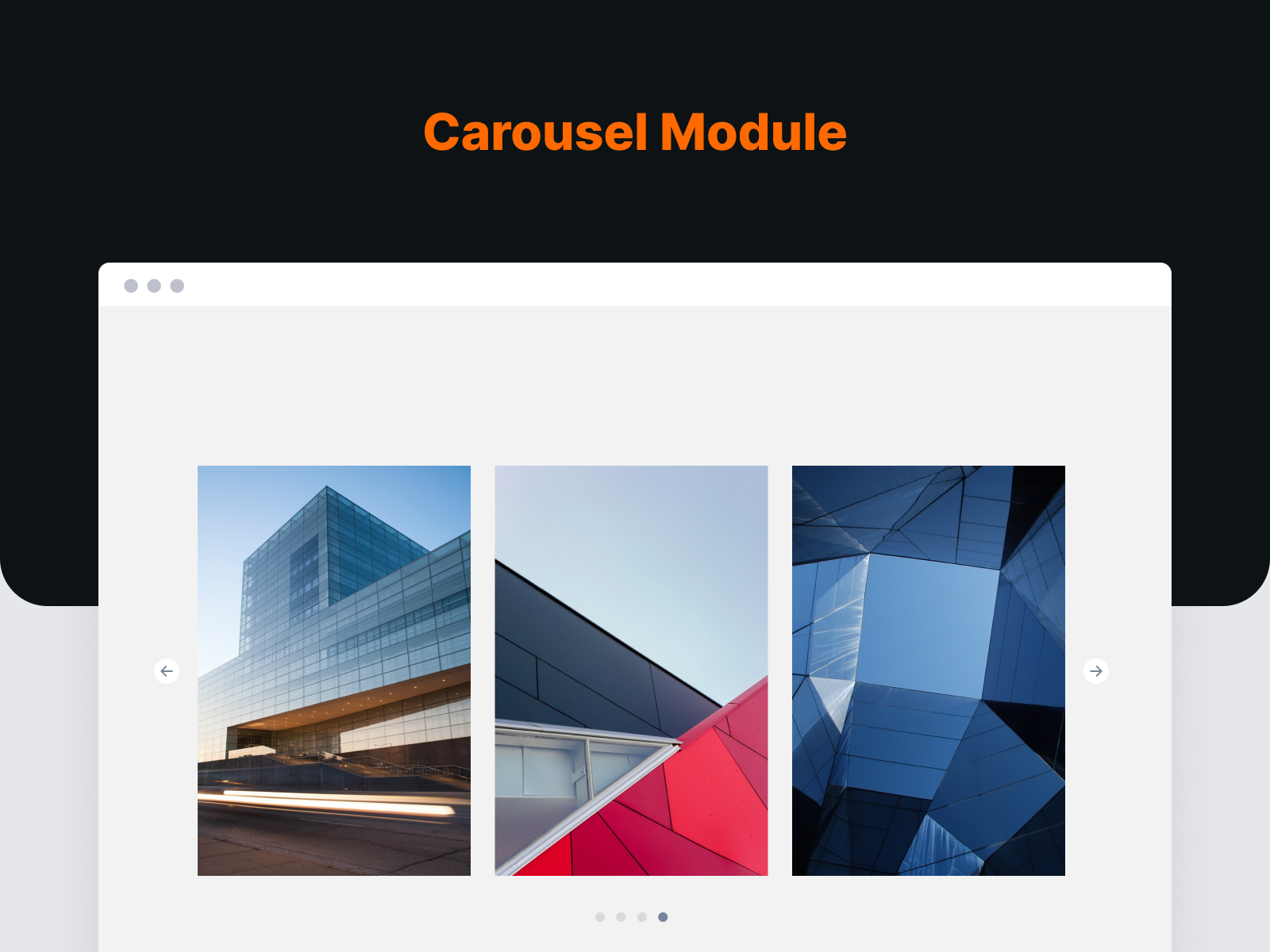
- Image Carousel: A Divi image carousel with arrows, dots, and autoplay, or a strip that scrolls continuously like a film. Add thumbnails, pinch to zoom, rows, and Fade, Coverflow, Cards, Flip or Cube effects, with a separate slide count for desktop, tablet, and phone.
- Logo Carousel: Show client or partner logos in a sliding strip.
- Post Carousel: Slide through your blog posts with six ready-made card designs.
- X (Twitter) Carousel: Show your latest X posts in a carousel.
- Before & After Slider: Compare two images by dragging a handle across them.
The slider scripts load only on pages that use a carousel.
Images and Media
- Image Accordion: Image panels that expand when a visitor hovers or clicks.
- Image Card: An image card with an icon, text, and a badge.
- Flip Card: A card that flips over to show more content on the back.
- Scroll Image: A tall image that scrolls inside its frame on hover. Good for showing full page designs.
- Logo Grid: Client and sponsor logos laid out in a grid.
- Video Modal: A Divi video popup for YouTube and Vimeo videos.
- Sticky Video: A video that moves to a corner of the screen when you scroll past it.
- SVG Draw: Draws an SVG line by line as it scrolls into view.
Content Modules
- Icon Box: An icon with a title and text. In Divi 5 you can place the icon above the text, or to its left or right.
- Feature Box: Highlight key information in a box with an icon and text.
- Gradient Heading: A Divi heading with gradient colored text, no CSS needed.
- Animated Text: Text that animates when the page loads.
- Fancy Text: Rotating, typed, or gradient text effects.
- Dual Buttons: Two buttons side by side, for two calls to action.
- Creative Button: A Divi button with ten hover effects.
- Call To Action: A headline paired with one or two buttons.
- Alert Box: A styled box for notes, tips, and warnings.
- Separator: A divider between sections, in several shapes.
- News Ticker: A line of scrolling news or announcements.
- Table of Contents: Builds a list of links from the headings on your page.
- Code Snippet: Code blocks with syntax highlighting, line numbers, and a copy button.
Interactive Modules
- Accordion Pro: A Divi accordion. Panels open on click, on hover, or on their own with autoplay.
- Tabs Pro: Divi tabs that split related content into panels.
- FAQ: Questions and answers with FAQ schema markup for search engines.
- Modal Popup: A Divi modal that opens any content when a visitor clicks.
- Tooltip: A small tip on text, an icon, or an image.
People, Reviews, and Numbers
- Team Member: Divi team member cards with a photo, bio, and social links.
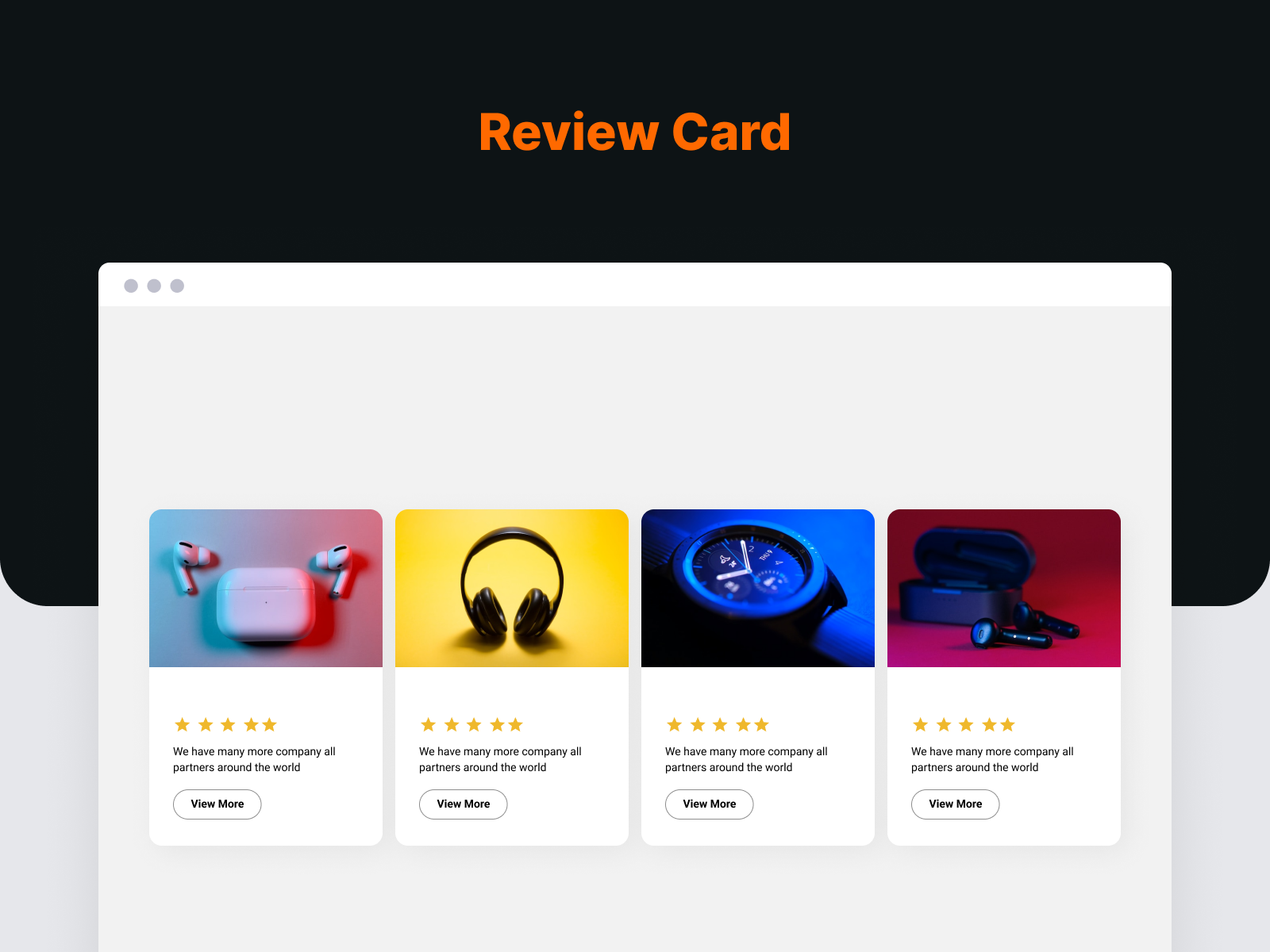
- Testimonial Card: A customer quote with a name, photo, and star rating.
- Review Box: A customer rating with written feedback.
- X (Twitter) Feed: Your latest X posts in a list.
- Animated Counter: Numbers that count up when they come into view.
- Skill Bar: Progress bars that fill as they scroll into view.
- Business Hours: Your opening hours in an easy to read list.
Blog, Navigation, and Forms
- Post List: A Divi blog module that lists your posts.
- Breadcrumb Trail: Breadcrumb links with schema markup.
- Contact Form 7 Styler: Style Contact Form 7 forms to match your design.
Divi Extensions
- Sharing Buttons: Add inline or floating social share buttons to your posts and pages.
- Divi Library Shortcode: Every saved Divi Library layout gets its own shortcode, such as
[divi_library_shortcode id="123"]. Use it in widgets, other plugins, or anywhere shortcodes work.
Divi 5 Support
Divi Torque Lite is a native Divi 5 plugin. All 41 modules are built on the Divi 5 module system. They do not run through Divi’s backward compatibility mode.
- 26 modules work in both Divi 4 and Divi 5.
- 15 modules need Divi 5: Accordion Pro, Tabs Pro, Table of Contents, Fancy Text, FAQ, Call To Action, Creative Button, Tooltip, Image Accordion, SVG Draw, Sticky Video, Post Carousel, Modal Popup, Code Snippet, and Breadcrumb Trail.
- Some newer options are also Divi 5 only, such as left and right icon placement in Icon Box.
When you move a site from Divi 4 to Divi 5, Divi converts your saved layouts. We map each module’s settings so they carry across, and most settings do.
Divi Torque Pro
Divi Torque Pro adds 62 more modules, for 103 in total. It includes a Divi filterable gallery, a masonry gallery, a timeline, pricing tables, a testimonial slider, a post grid, Ajax search, and Lottie animations.
Divi Torque + AI
Want to manage your WordPress site with AI? Saddle is a free plugin from PlugPress, the team behind Divi Torque. It connects AI apps like Claude and ChatGPT to your site through MCP. It runs on your own site, and it asks before it deletes anything.
With Saddle Pro, your AI can also build and edit Divi 5 pages with real Divi modules. The Divi Torque + AI plan includes both Divi Torque Pro and Saddle Pro.
Learn more at saddle.to.
Requirements
- WordPress 7.0 or newer
- PHP 7.4 or newer
- The Divi Theme or the Divi Builder plugin
Support
Need help? Contact our support team or follow @PlugPressHQ on X for updates.
External services
Divi Torque Lite sends no usage data unless you choose to. It can send data to PlugPress Console (console.plugpress.io), run by PlugPress, which makes Divi Torque, only after you click:
- Allow on the card on the Divi Torque Overview and the Plugins screen: the name and email of the account that clicked it (for support), your site address and title, WordPress and PHP versions, language, timezone, theme, your plugins with their versions, and a random id for your site. After that, once a week while sharing is on, and only when something changed. No thanks sends nothing. Turn it off with Stop sharing site info under Divi Torque Lite on the Plugins screen.
- Divi Torque news ticked on that card, or Subscribe on the news card: the email address you typed, for Divi Torque news. You confirm it by email first. PlugPress Console passes it to the PlugPress newsletter and does not keep it.
- Send and deactivate when you turn the plugin off: the reason you picked, what you typed, your email only if you tick Email me back, the plugin’s version, your site’s random id, and your WordPress and PHP versions and language. It never sends your site address. Skip sends nothing.
Add define( 'PLUGPRESS_INSIGHT', false ); to wp-config.php to remove the card and the form. See the PlugPress Privacy Policy.
The X (Twitter) Feed and X (Twitter) Carousel modules connect to the X API (api.twitter.com), run by X Corp., only on pages that use one of them with the API key and secret you entered in the module. Your site sends the key and secret to get an access token, then the X username you entered to load that account’s posts. Posts are cached for an hour. See the X Terms of Service and X Privacy Policy.
Installation
- In your WordPress dashboard, go to Plugins > Add New and search for “Divi Torque Lite”. You can also upload the plugin folder to
/wp-content/plugins/. - Activate the plugin on the Plugins screen.
- Make sure the Divi Theme or the Divi Builder plugin is active.
- Open a page in the Divi Builder, add a module, and search for it by name, such as Image Carousel.
A short welcome tour opens after activation. For setup guides, see the documentation.
Changelog
Fixes Divi 5 padding fields that lost their value, Table of Contents links, tablet and phone settings in several modules, and builder previews. Adds a five-step welcome tour and optional usage sharing.
Version 4.16.0
- Improved: The welcome tour now has five steps. Switch modules on or off right in the tour, choose the optional Saddle and Saddle Analytics installs (unticked until you tick them), and see the current Divi Torque Pro offer. Skip it from the first step.
- New: Optional usage sharing with PlugPress: a card on the Divi Torque overview and a short question when you deactivate. Nothing is sent unless you choose to. See External services.
- New: Modal Popup has Design tab settings for the trigger button and trigger text. Existing popups keep their look.
- New: Sticky Video Poster Image accepts dynamic content.
- Fix: Padding fields in Divi 5 keep their value. Changing one side no longer wipes the setting, and pages edited before this update get back the side you set. This affected Business Hours, Before & After Slider, Separator, Icon Box, Image Carousel slides, Feature Box, Image Card, Review Box, Team Member and Testimonial Card.
- Fix: Settings that show or hide other settings now do so in the Divi 5 builder for Dual Buttons, Animated Counter, Call To Action and Tooltip.
- Fix: Post Carousel tablet and phone Image Height apply on the page.
- Fix: Dual Buttons tablet and phone gap and alignment apply on the page.
- Fix: Accordion Pro and FAQ Spacing Between Items applies on desktop. Tabs Pro and FAQ tablet and phone settings take effect.
- Fix: Table of Contents links always reach their heading, including headings in other languages, repeated headings and headings with their own ID. Pages without a Table of Contents are left unchanged.
- Fix: Table of Contents shows its background pattern and mask.
- Fix: Call To Action overlay covers the whole box and follows its rounded corners.
- Fix: Testimonial Card Bubble Border Radius accepts a single value.
- Fix: Business Hours Item Spacing applies on tablet and phone.
- Fix: Empty titles and descriptions no longer leave a blank gap.
- Fix: Gradient Heading keeps the new tab and nofollow link choices of pages moved from Divi 4.
- Fix: Dynamic content inside a text value, such as the post title, now shows on the page instead of disappearing (Divi 5).
- Fix: The Divi 5 builder preview matches the page for FAQ answers, Accordion Pro Read More and title links, Feature Box YouTube and Vimeo videos, Image Card images, Post List, Separator heading level, Scroll Image icon and a cleared Fancy Text.
- Tweak: The Divi Torque overview shows the current Divi Torque Pro offer, which you can close.
- Tweak: The Modules screen lists the Divi Torque Pro WooCommerce modules under their own category.
Version 4.15.0
- New: The Divi Torque overview page recommends Saddle and Saddle Analytics, two free plugins from WordPress.org, with a one-click install. Nothing installs until you click, the page shows what each plugin needs to run, and you can hide the recommendations.
- New: The welcome tour can install Saddle for you if you choose to manage your site with AI.
- Fix: Clicking the button on a Flip Card no longer turns the card away and leaves an empty box, including when you come back to the page. This also fixes the Advanced Flip Card in Divi Torque Pro.
- Fix: A Flip Card no longer stays flipped after you click it. Keyboard users still see the back side when they tab to the card.
Version 4.14.3
- Fix: In Divi 5, a Feature Box with Image Overlay turned on no longer stops the page from loading.
- Fix: Image Width on Feature Box and Flip Card sets the exact width again in Divi 5, as it did in Divi 4. Pages moved from Divi 4 get their original layout back.
- Fix: Business Hours Day Width and Time Width keep the width you set in Divi 5.
- Fix: Image Carousel, Logo Carousel, Post Carousel and X (Twitter) Carousel now use the tablet and phone values of Slides to Scroll, Drag / Swipe, Show Arrows and Show Dots. Before, only the desktop value was used.
- Fix: Carousel page numbers and dots wrap onto a second line on narrow screens instead of running off the edge.
- Fix: The Button Text field shows in the Divi 5 builder for Creative Button, Call To Action, Feature Box, Image Card, Review Box, Flip Card, Accordion Pro Read More and Image Accordion items, so the button label can be changed.
- Fix: Flip Card padding changed in the Divi 5 builder keeps the other sides instead of setting them to zero.
- Fix: Flip Card shows Use 3D Animation only for the Flip animation, and its image fields only when Media Type is Image.
Version 4.14.2
- Fix: Button style changes made in the Divi 5 builder now show on the button. They were saved where the module did not read them. This affected Flip Card, Creative Button, Call To Action, Contact Form 7 Styler, Image Accordion, Feature Box, Image Card and Review Box.
- Fix: Button styles on Divi 4 pages now carry over when the page moves to Divi 5. This includes Dual Buttons.
- Fix: Flip Card in Divi 5 shows one Border group and one Box Shadow group instead of two of each.
- Tweak: Flip Card no longer shows a Text group in Divi 4 or Divi 5. Its settings had no effect on the card. Use the Front Side and Back Side alignment and the text groups instead.
Version 4.14.1
- Fix: On sites with an image lazy-loading plugin, Image Carousel thumbnails and the repeating slides of Continuous Scroll could stay blank. They now show their images.
Version 4.14.0
- New: Image Carousel has a Continuous Scroll autoplay style. The slides move at a steady speed without stopping, like a film strip. They pause the moment the pointer moves over them and continue from the same spot.
- New: Image Carousel pause and play button, autoplay progress bar, Progress Bar and Dynamic Dots pagination, and a draggable scrollbar.
- New: Image Carousel can scroll freely with momentum and follow a trackpad or horizontal mouse wheel. Scrolling up and down still scrolls the page.
- New: Image Carousel transition effects: Fade, Coverflow, Cards, Flip and Cube.
- New: Image Carousel thumbnail strip, pinch to zoom, rows, and parallax captions.
- New: Image Carousel settings for what happens at the last slide, and to stop autoplay once a visitor interacts.
- Improvement: Image Height also works without Variable Slide Width. Every image gets that height, cropped to fit, so images of different shapes line up.
- Improvement: Divi 5 carousels pause while scrolled out of view and while a link inside them has keyboard focus, use whole-pixel slide widths, and show their first slides in a row while the page loads.
- Fix: Divi 5 Image Carousel and Logo Carousel no longer leave extra space under the slides on desktop.
- Fix: A looping carousel with too few slides for its layout (centered, scrolling several slides at a time, or the Cards effect) no longer repeats or blanks slides. The loop turns off instead.
- Fix: With Divi Torque Pro active, Divi Torque Lite carousels keep their own behavior whichever plugin’s scripts load first.
Screenshots

For developers
Is this your plugin? Show off the numbers.
Add a live badge to your site, docs or GitHub README. It updates on its own — no account needed.
Best Divi Torque Lite alternatives
All divi plugins →




FAQ
Divi Torque Lite: quick answers
Straight answers, pulled from live WordPress.org data.
Source: WordPress.org
Is Divi Torque Lite free?
Yes. Divi Torque Lite is free to download and use from the official WordPress.org plugin directory. The developer also sells premium add-ons or a Pro version with extra features.
Is Divi Torque Lite safe to use in 2026?
Divi Torque Lite is a solid plugin choice in 2026, with a few things worth checking first. It runs on 50K+ sites, is rated 4.7/5 and was last updated 1 week ago, and scores 79/100 on our health check.
How many websites use Divi Torque Lite?
Divi Torque Lite is active on 50K+ WordPress websites and has been downloaded 1,161,995 times since it launched in October 2020. It was downloaded 51,974 times in the last 30 days.
Does Divi Torque Lite work with WordPress 7.1?
Yes. The developer has tested Divi Torque Lite up to WordPress 7.1.4, the latest release. It requires WordPress 7.0 or newer.
What PHP version does Divi Torque Lite need?
Divi Torque Lite requires PHP 7.4 or higher. Most hosts run PHP 8.x today, so it works on any modern WordPress hosting.
When was Divi Torque Lite last updated?
The latest version, 4.16.0, was released on November 8, 2026 (1 week ago).
Who makes Divi Torque Lite?
Divi Torque Lite is developed and maintained by Fahim Reza.
What are the best alternatives to Divi Torque Lite?
The most popular alternatives to Divi Torque Lite are Supreme Modules Lite (100K+ installs), Popups for Divi (100K+ installs) and Breadcrumbs Divi Module (10K+ installs).
Powered by PageForge
One template and a spreadsheet. A real page for every search.
PageForge turns each row of a CSV into a WordPress page with its own title, URL, SEO fields and schema, built on the layout you already designed. Free on WordPress.org.
- CSV and XLSX, plus Google Sheets on Professional and Enterprise
- Its own title, URL, SEO fields and schema for every page
- Works with the block editor, Elementor, Divi and Avada
- Free on WordPress.org, no credit card