


AddFunc Slides
An easily manageable slide content type with intuitive shortcode & widget interfaces, including standard slidshow options. Fully CSS styleable.

Betrachten Sie eine Alternative
AddFunc Slides shows warning signs in 2026 — compare the alternatives below before installing. It runs on 10+ sites, is rated 5/5 and was last updated 7 years ago, and scores 30/100 on our health check.
- Kleine Benutzerbasis (10+ aktive Installationen)
- Bisher sehr wenige Bewertungen
- Kein Update in 7 Jahren
- Nur getestet bis WordPress 5.2 (letzt ist 7.1)
Wie stapelt es sich?
Side-by-side bei Installationen, Updates, Bewertungen und Support



Tägliche Downloads
Download-Spitzen folgen normalerweise einer neuen Version - jede Website, die automatisch aktualisiert wird, gilt als Download.
Ranglisten
Where AddFunc Slides stands todayWordPress.org Ranglisten suchen
Live-Position in der Plugin-Suche, Top 100| Stichwort | Position |
|---|---|
| carousel | >100 |
| slider | >100 |
| slides | >100 |
| Diashow | >100 |
| tabs | >100 |
Versionsübernahme
Anteil aktiver Sites pro Release.
Bewertungsaufschlüsselung
★★★★★★★★★★ 5 from 1 reviews
About AddFunc Slides
From the official readme · v2.6Beschreibung
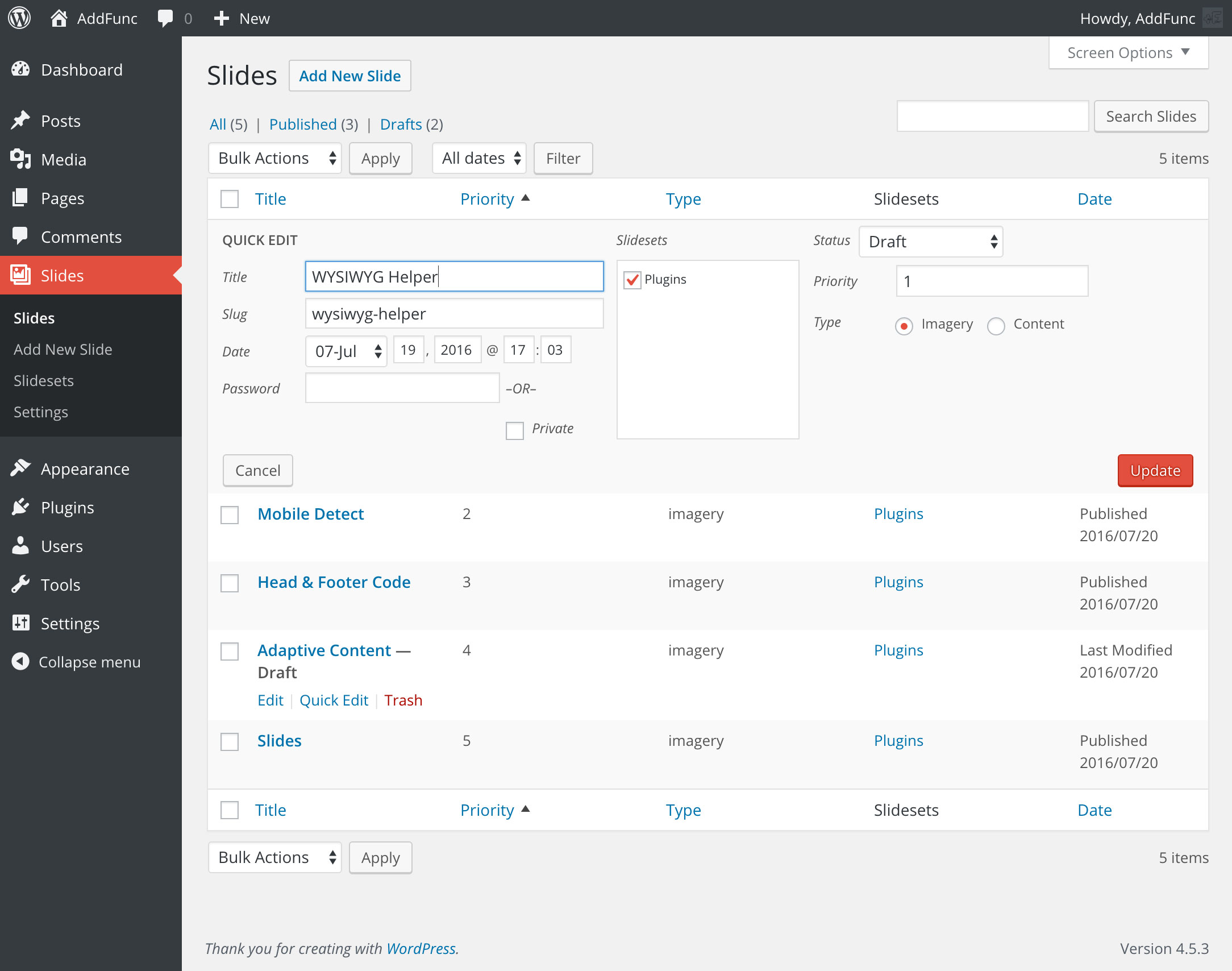
AddFunc Slides’ native and intuitive custom post type (called Slides) and taxonomy (called Slidesets) utilizes the powerful content management and editing features built into WordPress core. That is what makes it easy to grasp and manage. It includes administrative features such as quick edit, bulk edit, column sorting and a properly placed Slide Settings page (under Slides, not under the general Settings section).
AddFunc Slides was made for CSS coders/themers, as well as for average WordPress users. It comes as a plug & play package with it’s already active default stylesheet, providing a basic but robust slideshow presentation interface. This stylesheet can be turned off in Slides->Settings, allowing a CSS coder full control over the entire look and feel of slideshows including transitions. The vanilla JavaScript slideshow script only changes classes and does not use the style attribute, meaning all state changes can be animated by CSS.
One of the things that makes Slides so easy to manage is the Edit button displayed with each Slide on the front-end when you’re logged in with Editor privileges. When you see a Slide in your slider that you want to edit, simply click the Edit button and you’re now editing that very Slide. Slides can also be moved from one Slideset to another with a couple of clicks. No need to migrate Slides by copy & paste.
Slides are just like Posts or Pages, with the standard Visual/Text editor, revisions, publication settings, featured image (used for thumbnails), etc. The big difference is that they are made for slideshows. Additional specialized Slide options allow you to upload/select a main image using the Media Library (so you can keep that separate from the editor content), link the main image to any Page, Post or other URL/URI, select the nature of the Slide (Imagery or Content) and set the Slide’s priority (any numeric value). You can even upload/select a background image (also using the Media Library), so there is no need to use your stylesheet to do a CSS background-image for each Slide.
Specialized buttons in the editor (TinyMCE) make it easy to add the CSS classes of a set, appropriate for slideshow objects and supported by the default stylesheet. These include four directional options (left, right, up and down), two rotational options (clockwise and counter-clockwise), an incremental option (with up to six increments) and a decremental option (with up to six decrements). These classes can also be styled or animated by CSS and can therefore be repurposed for any need a web developer deems them best suitable for. We gave these buttons generic names for that very purpose.
The shortcode [slides] supports parameters for every feature the slideshow script has to offer, while not requiring any of them at all (except where customization is necessary, of course). These features include
*   slideset — Selects a specific Slideset by slug
*   auto — Automates Slide transitioning
*   speed — Duration each Slide is displayed
*   prevnext — Adds "Previous" and "Next" buttons
*   pause — Adds a Pause button
*   tabs — Adds tabs/pager with optional labels and/or thumbnails
*   tabsfirst — Outputs tabs before the slideshow instead of after
*   stoppable — Stops automated transition upon user interaction
*   pauseonhover — Pauses automated transition upon hover/mouseover
*   fullscreen — Adds Fullscreen button (note limited browser support)[http://caniuse.com/#search=fullscreen]
*   swipe — Adds touchscreen swipe capability. (By default, left = next Slide, right = previous Slide. Also includes up = next Slide, down = previous Slide, and a few other combinations thereof)
*   class — Adds CSS class(es) to the slideset container
*   order — The order in which Slides are displayed
*   orderby — What the display order is based upon — date, priority (if set in Slide options), name, ID, random
A Help Tab is available (when editing any Post, Page, etc.) with simple but detailed instructions on how to write [slides] shortcodes, including all options available, as well as currently created Slidesets.
The Slides Widget supports all of the same options as the shortcode, with a comprehensive set of on/off settings and multiple choice boxes. And of course for you themers, if you would like to do_shortcode in your theme files, that option is available as well.
We have big plans for AddFunc Slides. We created it because we couldn’t find any other slideshow plugin that works anything like this one does. That’s really the basis by which we build all of our plugins — to fill a needed gap. We hope that you find this plugin to be as vastly useful as we do.
Installation
- Upload the plugin files to the
/wp-content/plugins/plugin-namedirectory, or install the plugin through the WordPress plugins screen directly - Aktivieren Sie das Plugin über den Bildschirm „Plugins“ in WordPress
- Use the Slides->Settings screen to configure the plugin as needed
- Create Slides as needed using the ‘Add new Slide’ button/option
- Create slideshows as needed using the Slides Widget or [slides] shortcode
Änderungsprotokoll
2.6
10 Dec 2018
- Improves Slide editor UI:
- Modeled after AddFunc’s new AddFunc Backgrounds plugin.
- Visual queues help to better portray what the Slide will look like.
- More focus on the more prevalent fields, such as Background, Main Image, etc.
- Less focus on the TinyMCE content editor.
- Fixes all conflicting save_post issues:
- Combines all save_post instances into one, for better efficiency, etc.
- Fixes Quick Edit, Bulk Edit and Slide Update issues.
- Fixes other issues found.
2.5.1
29 Nov 2018
- Separates addfunc-slides.php into smaller files for better organization and code readability:
- addfunc-slides.php (still the main file)
- edit-page.php (for edit page columns, quick edit and bulk edit)
- help-tab.php
- mce-buttons.php
- metaboxes.php
- settings.php (Slides Settings page)
- Issues found:
- (!) Ran into conflicting save_post instances.
- (!) With currently used save_post instance (aFSSaveBEorQE() in edit.php), checkboxes aren’t saving.
2.5
26 Nov 2018
- Removes conditionals for CSS and JS inclusion — now included always.
- The shortcode was failing in too many cases because of this feature.
- The shortcode now works in cases it didn’t before.
- While the now unavoidable added resources are a compromise, it was decided this would make the plugin useful to a wider audience.
- We apologize for any inconvenience this decision may have caused.
- A new solution for this issue will be in consideration in the future.
2.4
24 Sep 2018
- Fixes the Choose Image button/file uploader (now works whether the Slide has been saved yet or not).
- Releases changes to the WordPress Plugin Repository (most importantly the shortcode fix from 2.3.1).
2.3.2
18 Sep 2018
- Fixes the Edit link per Slide (I think).
2.3.1
23 Aug 2018
- Fixes shortcode.
- It was found that the function (
aFSScFn()) for conditionally writing the shortcode function (aFSSc()) can be called multiple times, triggering an attempt to redeclare the shortcode function.
- It was found that the function (
Screenshots


Für Entwickler
Ist das dein Plugin? Zeigen Sie die Zahlen.
Fügen Sie Ihrer Website, Docs oder GitHub Readme ein Live-Badge hinzu. Es wird von selbst aktualisiert - kein Konto erforderlich.
Best AddFunc Slides alternatives
All carousel plugins →





Fragen und Antworten
AddFunc Slides: quick answers
Gerade Antworten, gezogen von Live WordPress.org Daten.
Quelle: WordPress.org
Is AddFunc Slides free?
Yes. AddFunc Slides is free to download and use from the official WordPress.org plugin directory.
Is AddFunc Slides safe to use in 2026?
AddFunc Slides shows warning signs in 2026 — compare the alternatives below before installing. It runs on 10+ sites, is rated 5/5 and was last updated 7 years ago, and scores 30/100 on our health check.
How many websites use AddFunc Slides?
AddFunc Slides is active on 10+ WordPress websites and has been downloaded 7,595 times since it launched in August 2016. It was downloaded 85 times in the last 30 days.
Does AddFunc Slides work with WordPress 7.1?
AddFunc Slides is officially tested up to WordPress 5.2.31, while the latest release is 7.1.5. It may still work, but try it on a staging site first.
When was AddFunc Slides last updated?
The latest version, 2.6, was released on August 15, 2019 (7 years ago).
Who makes AddFunc Slides?
AddFunc Slides is developed and maintained by Joe Rhoney.
What are the best alternatives to AddFunc Slides?
The most popular alternatives to AddFunc Slides are Shortcodes Ultimate (400K+ installs), AI-Powered Carousel, Slider… (60K+ installs) and Carousel Slider Block for G… (50K+ installs).
Angetrieben von PageForge
Eine Vorlage und eine Tabelle. Eine echte Seite für jede Suche.
PageForge Verwandelt jede Zeile eines CSV in eine WordPress-Seite mit eigenem Titel, URL, SEO Felder und Schema entworfen. Kostenlos auf WordPress.org.
- CSV und XLSX, plus Google Sheets auf Beruf und Unternehmen
- seinen eigenen Titel, URL, SEO Felder und Schema für jede Seite
- Arbeitet mit dem Blockeditor, Elementor, Divi und Avada
- Kostenlos auf WordPress.org, keine Kreditkarte