


Add Admin CSS
Easily define additional CSS (inline and/or by URL) to be added to all administration pages.

Solide Wahl
Add Admin CSS is a solid plugin choice in 2026, with a few things worth checking first. It runs on 10K+ sites, is rated 4.9/5 and was last updated 12 months ago, and scores 62/100 on our health check.
- Bewährt im Maßstab auf 10k + aktiven Standorten
- Loved by users — 4.9/5 from 35 reviews
- Momentum — downloads up 48.8% vs the previous 30 days
- Nur getestet bis WordPress 6.9 (letzt ist 7.1)
Wie stapelt es sich?
Side-by-side bei Installationen, Updates, Bewertungen und Support



Tägliche Downloads
Download-Spitzen folgen normalerweise einer neuen Version - jede Website, die automatisch aktualisiert wird, gilt als Download.
Ranglisten
Where Add Admin CSS stands todayWordPress.org Ranglisten suchen
Live-Position in der Plugin-Suche, Top 100| Stichwort | Position |
|---|---|
| Administrator | #50 |
| admin theme | #28 |
| css | #24 |
| style | >100 |
| stylesheets | #9 |
Versionsübernahme
Anteil aktiver Sites pro Release.
Bewertungsaufschlüsselung
★★★★★★★★★★ 4.9 from 35 reviews
About Add Admin CSS
From the official readme · v2.5.1Beschreibung
Ever want to tweak the appearance of the WordPress admin pages by hiding stuff, moving stuff around, changing fonts, colors, sizes, etc? Any modification you may want to do with CSS can easily be done via this plugin.
Using this plugin you’ll easily be able to define additional CSS (inline and/or files by URL) to be added to all administration pages. Hooks are provided to customize the output of the CSS, the CSS files, and if/when the CSS should even be output (see Hooks section).
Links: Plugin-Homepage | Plugin-Verzeichnisseite | Github | Auto-Homepage
Entwicklerdokumentation
Developer documentation can be found in DEVELOPER-DOCS.md. That documentation covers the hooks provided by the plugin.
As an overview, these are the hooks provided by the plugin:
c2c_add_admin_css: Filter to customize the CSS that should be added directly to the admin page head.c2c_add_admin_css_files: Filter to customize the list of CSS files to enqueue in the admin.c2c_add_admin_css_disable_css: Filter to customize if the CSS defined via this plugin should be output or not.
Installation
- Install via the built-in WordPress plugin installer. Or install the plugin code inside the plugins directory for your site (typically
/wp-content/plugins/). - Aktivieren Sie das Plugin über das Admin-Menü „Plugins“ in WordPress
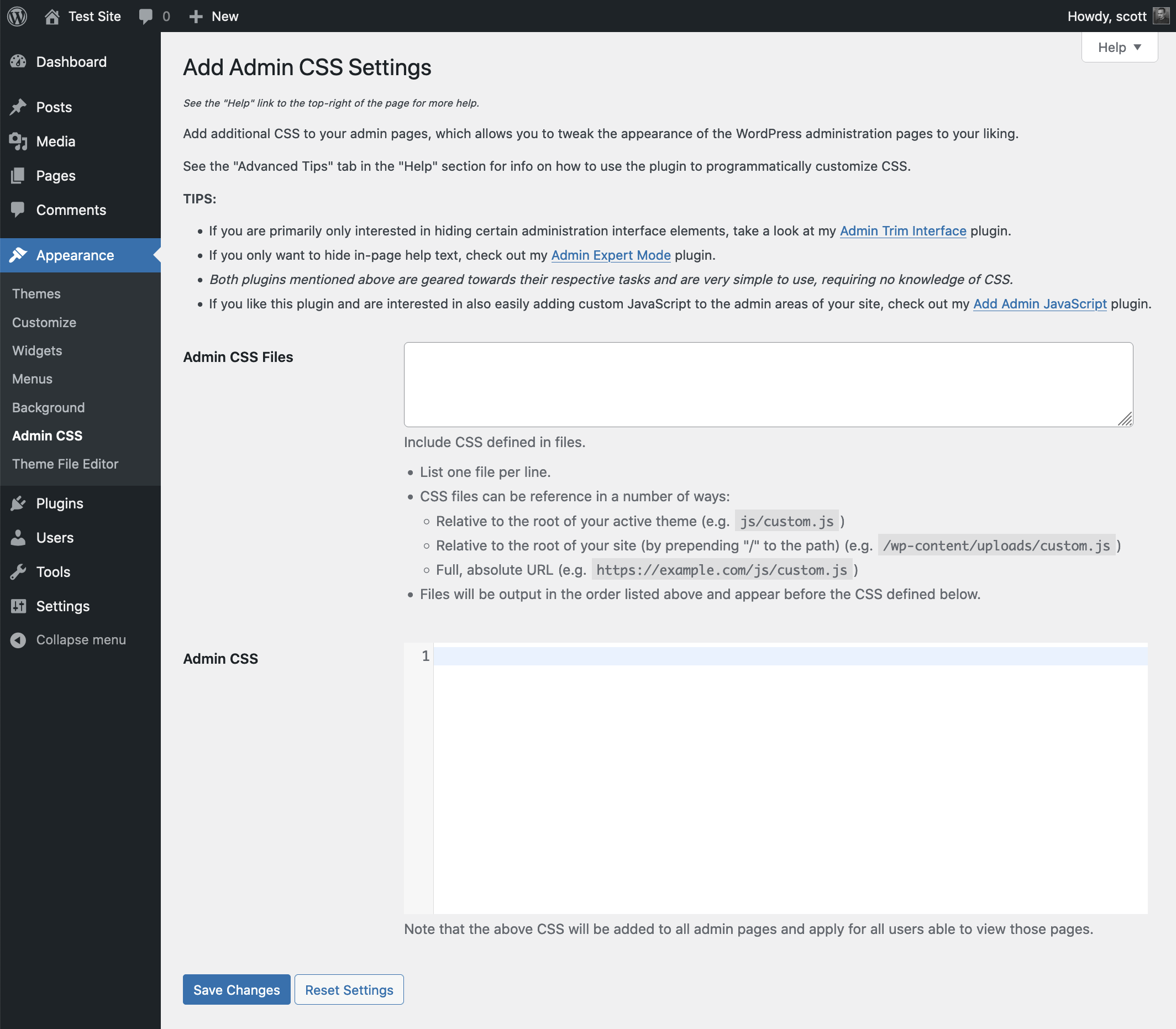
- Go to “Appearance” -> “Admin CSS” and specify some CSS to be added into all admin pages. (You can also use the “Settings” link in the plugin’s entry on the admin “Plugins” page).
Änderungsprotokoll
Recommended bugfix update: Addressed the overzealous encoding of some valid CSS characters introduced in v2.5 and noted compatibility through WP 6.9+.
2.5.1 (2025-12-02)
Highlights:
A bugfix release to address the overzealous encoding of some valid CSS characters introduced in v2.5.
Details:
- Fix: Escape only the minimum of characters so that valid CSS characters don’t get escaped. Props kevinvanrijn.
- Change: Note compatibility through WP 6.9+
2.5 (2025-03-29)
Highlights:
This recommended long overdue release adds a new filter for fine-grained control of whether CSS should be output or not, updates the plugin framework to the most current version (for hardening and miscellaneous improvements), prevents translations from containing unintended markup, notes compatibility through WP 6.8+ and PHP 8.3+, drops compatibility with versions of WP older than 5.5, adds DEVELOPER-DOCS.md, and removes unit tests from release packaging, and more.
Details:
- New: Add
c2c_add_admin_css_disable_cssfilter to override if CSS defined via this plugin should be output or not - New: Add
is_recovery_mode_enabled()to determine is recovery mode is enabled - Change: Only support query parameter method of enabling recovery mode if current user can configure plugin settings
- Change: Display the files setting help text as a list rather than a paragraph
- Change: Check specifically if recovery mode is enabled before displaying admin notice that recovery mode is enabled
- Change: Explicitly state the plugin name in the recovery mode admin notice to avoid ambiguity
- Change: Switch use of
parse_url()towp_parse_url() - Change: Escape output of all translated strings
- Change: Use instance method invocation instead of a deprecated static method invocation
- Change: Convert ‘input_attributes’ value of config items from a string to an array
- Change: Add translator comments for a pair of strings with placeholders that didn’t have one
- New: Add DEVELOPER-DOCS.md and move hooks documentation into it
- Change: Update plugin framework to 068
- 068:
- Change: Discontinue unnecessary explicit loading of textdomain
- Change: Ignore a PHPCS warning that doesn’t apply
- Change: Minor code reformatting
- Change: Note compatibility through WP 6.8+
- Change: Update copyright date (2025)
- Unit-Tests:
- Change: Generify unit tests to centralize per-plugin configuration to the top of the test class
- Change: Define method return types for PHP 8+ compatibility
- New: Add some header documentation
- 067:
- Breaking: Require config attribute ‘input_attributes’ to be an array
- Hardening: Treat input attributes as array and escape each element before output
- Change: Ensure config attribute values are of the same datatype as their defaults
- Change: Simplify
form_action_url()to avoid using a server global - Change: Use
form_action_url()inplugin_action_links()rather than duplicating its functionality - Change: Escape output of all translated strings
- Change: Make
get_hook()public rather than protected - Change: Explicitly declare object variables rather than doing so dynamically
- Change: Convert
register_filters()to an abstract declaration - Change: Use double quotes for attribute of paragraph for setting description
- Change: Prevent unwarranted PHPCS complaints about nonces
- Change: Improve function documentation
- Change: Adjust function documentation formatting to align with WP core
- Change: Note compatibility through WP 6.5+
- Change: Drop compatibility with version of WP older than 5.5
- Change: Update copyright date (2024)
- 066:
- New: Add customization of capability needed to manage plugin settings (via new filter {plugin_prefix}_manage_options_capability)
- Change: Add styles for nested lists within settings descriptions
- Change: Note compatibility through WP 6.3+
- 065:
- New: Add support for ‘inline_help’ setting configuration option
- New: Add support for ‘raw_help’ setting configuration option
- New: Add support for use of lists within settings descriptions
- Change: Add an ‘id’ attribute to settings form
- Change: Add styles for disabled input text fields and inline setting help notices
- Change: Support ‘number’ input by assigning ‘small-text’ class
- Change: Tweak styling for settings page footer
- Change: Note compatibility through WP 6.2+
- Change: Update copyright date (2023)
- 064:
- New: For checkbox settings, support a ‘more_help’ config option for defining help text to appear below checkbox and its label
- Fix: Fix URL for plugin listing donate link
- Change: Store donation URL as object variable
- Change: Update strings used for settings page donation link
- Change: Ignore some PHPCS checks that don’t apply
- Change: Update and improve long description and numerous FAQ entries
- Change: Note compatibility through WP 6.8+
- Change: Note compatibility through PHP 8.3+
- Change: Drop compatibility with version of WP older than 5.5
- Change: Tweak installation instruction
- Change: Update copyright date (2025)
- Change: Reduce number of tags defined in readme.txt
- Change: Remove development and testing related files from release packaging
2.0.1 (2021-05-30)
Highlights:
This recommended bugfix release addresses a potential conflict with other plugins that prevented the plugin settings page main content from being displayed.
Details:
- Change: Update plugin framework to 063
- Fix: Simplify settings initialization to prevent conflicts with other plugins
- Change: Remove ability to detect plugin settings page before current screen is set, as it is no longer needed
- Change: Enqueue thickbox during
'admin_enqueue_scripts'action instead of during'init' - Change: Use
is_plugin_admin_page()inhelp_tabs()instead of reproducing its functionality - Change: Trigger a debugging warning if
is_plugin_admin_page()is used before'admin_init'action is fired
- New: Add new string (from plugin framework) for translation
Das vollständige Änderungsprotokoll ist in Changelog.md verfügbar.
Screenshots
Für Entwickler
Ist das dein Plugin? Zeigen Sie die Zahlen.
Fügen Sie Ihrer Website, Docs oder GitHub Readme ein Live-Badge hinzu. Es wird von selbst aktualisiert - kein Konto erforderlich.
Best Add Admin CSS alternatives
Alle Admin-Plugins →




Fragen und Antworten
Add Admin CSS: quick answers
Gerade Antworten, gezogen von Live WordPress.org Daten.
Quelle: WordPress.org
Is Add Admin CSS free?
Yes. Add Admin CSS is free to download and use from the official WordPress.org plugin directory.
Is Add Admin CSS safe to use in 2026?
Add Admin CSS is a solid plugin choice in 2026, with a few things worth checking first. It runs on 10K+ sites, is rated 4.9/5 and was last updated 12 months ago, and scores 62/100 on our health check.
How many websites use Add Admin CSS?
Add Admin CSS is active on 10K+ WordPress websites and has been downloaded 148,957 times since it launched in December 2011. It was downloaded 1,739 times in the last 30 days.
Does Add Admin CSS work with WordPress 7.1?
Add Admin CSS is officially tested up to WordPress 6.9.12, while the latest release is 7.1.5. It may still work, but try it on a staging site first.
When was Add Admin CSS last updated?
The latest version, 2.5.1, was released on December 8, 2025 (12 months ago).
Who makes Add Admin CSS?
Add Admin CSS is developed and maintained by Scott Reilly.
What are the best alternatives to Add Admin CSS?
The most popular alternatives to Add Admin CSS are Loginizer (1M+ installs), Redux Framework (900K+ installs) and Admin Menu Editor (300K+ installs).
Angetrieben von PageForge
Eine Vorlage und eine Tabelle. Eine echte Seite für jede Suche.
PageForge Verwandelt jede Zeile eines CSV in eine WordPress-Seite mit eigenem Titel, URL, SEO Felder und Schema entworfen. Kostenlos auf WordPress.org.
- CSV und XLSX, plus Google Sheets auf Beruf und Unternehmen
- seinen eigenen Titel, URL, SEO Felder und Schema für jede Seite
- Arbeitet mit dem Blockeditor, Elementor, Divi und Avada
- Kostenlos auf WordPress.org, keine Kreditkarte