


Active Directory Authentication Integration
This plugin allows WordPress to authenticate, authorize, create and update against an Active Directory domain. This plugin is based heavily on the Active Directory Integration plugin, but has been modified to work with…

Betrachten Sie eine Alternative
Active Directory Authentication… shows warning signs in 2026 — compare the alternatives below before installing. It runs on 10+ sites, is rated 5/5 and was last updated 15 years ago, and scores 30/100 on our health check.
- Kleine Benutzerbasis (10+ aktive Installationen)
- Bisher sehr wenige Bewertungen
- Kein Update in 15 Jahren
- Only tested up to WordPress 3.2 (latest is 7.1)
Wie stapelt es sich?
Side-by-side bei Installationen, Updates, Bewertungen und Support



Tägliche Downloads
Download-Spitzen folgen normalerweise einer neuen Version - jede Website, die automatisch aktualisiert wird, gilt als Download.
Ranglisten
Where Active Directory Authentica… stands todayWordPress.org Ranglisten suchen
Live-Position in der Plugin-Suche, Top 100| Stichwort | Position |
|---|---|
| active directory | >100 |
| authentication | >100 |
| ldap | #35 |
| login | >100 |
Versionsübernahme
Anteil aktiver Sites pro Release.
Bewertungsaufschlüsselung
★★★★★★★★★★ 5 from 1 reviews
About Active Directory Authentication Integra…
From the official readme · v0.6Beschreibung
This plugin allows WordPress to authenticate, authorize, create and update against an Active Directory domain. This plugin is based heavily on the Active Directory Integration plugin, but has been modified to work with Multi Site and even Multi Network installations of WordPress.
Some of the features included in this plugin are:
- authenticate against more than one AD Server (for balanced load)
- authorize users by Active Directory group memberships
- auto create and update users that can authenticate against AD
mapping of AD groups to WordPress roles - use TLS (or LDAPS) for secure communication to AD Servers (recommended)
- use non standard port for communication to AD Servers
- protection against brute force attacks
- user and/or admin e-mail notification on failed login attempts
- determine WP display name from AD attributes (sAMAccountName, displayName, description, SN, CN, givenName or mail)
- enable/disable password changes for local (non AD) WP users
- WordPress 3.0/3.1 compatibility, including Multi Site and Multi Network
This plugin is based on glatze’s Active Directory Integration plugin, which is based upon Jonathan Marc Bearak’s Active Directory Authentication plugin and Scott Barnett’s adLDAP, a very useful PHP class.
Aside from the changes to make this plugin work more effectively with WordPress Multi Site, this version of the plugin also encrypts the password used to connect to the AD server when it is stored in the database.
This plugin was developed by Curtiss Grymala for the University of Mary Washington. It is licensed under the GPL2, which basically means you can take it, break it and change it any way you want, as long as the original credit and license information remains somewhere in the package.
Important Notice
Since I don’t currently have access to multiple AD servers, this plugin has only been tested on a single installation of WordPress with a single AD server. Therefore, it is entirely possible that there are major bugs.
At this time, I am seeking people to test the plugin, so please report any issues you encounter.
Bedarf
-
This plugin requires WordPress. It might work with versions older than 3.0, but it has not been tested with those.
-
This plugin also requires PHP5. Some attempt has been made to make it compatible with PHP4, but it has not been tested in that environment.
-
This plugin requires LDAP support to be compiled into PHP. If the
ldap_connect()function is not available, this plugin will output an error message and will not do anything.
To Do
- Add ability to validate against multiple AD servers (check one, then the other – rather than just load-balancing as the plugin currently does)
- DONE as of 0.4a – Update admin interface to utilize native meta box interface rather than custom layout
- DONE as of 0.3a – Separate the profile information from the role equivalent groups in the “auto update user” setting
Installation
- Download the latest ZIP file of this plugin
- Unzip the file and upload the active-directory-authentication-integration directory to the wp-content/plugins/ folder on your Web server
- Network Activate the plugin and adjust the settings
- If you have John James Jacoby’s WP Multi Network plugin, David Dean’s Networks for WordPress or Ron and Andrea Rennick’s Networks+ installed and activated, you will then have the option to activate this plugin on all networks. Do so.
- Adjust the settings
Änderungsprotokoll
This is a complete rewrite of the authentication system; using the newest version of the adLDAP class and using less of the original code from glatze's plugin. Please re-check your settings after upgrading the plugin.
0.6
- Updated adLDAP class to latest version
- Added ability to authenticate against multiple servers in succession, rather than just load-balancing against mirrors
- Updated a lot of the labels and language strings to be more explanatory
- Added new options to Display Name selector
- Added option to randomize user’s WordPress password each time they login through AD
- Rewrote entire authentication system
- Added ability to auto-add users to other sites in multisite/multinetwork (assuming they are already signed into another site in the install)
- Fixed potential bug/issue in user role equivalency
- Added options page to individual sites in multisite environment for mapping groups to roles and authorizing by AD group
- Moved failed logins from separate database table to native WordPress transients
- Added custom error messages for login failures
- Added option to display custom message when user attempts to reset/retrieve lost password
0.5a
- Updated some of the labels on the options screen to make them a little more explanatory.
- Fixed a critical bug that stopped the options from being saved in certain situations.
- Updated options page to use HTML label elements properly for each field
- Tested for compatibility with WordPress 3.2
0.4a
- Updated administrative user interface to use native WordPress metaboxes
0.3a
- Separated the option to append user suffixes during validation against the AD server and appending user suffixes to the WordPress account username (previously, if you appended user suffixes to the WordPress account username, that suffix was also used in the validation process; which caused validation to fail on some AD servers). There are now two separate setting for “WordPress account suffix” and “AD Account Suffix”.
- Updated the way “automatic user update” is handled. Previously, if you had automatic user update enabled, and you had role-equivalent settings configured, all users that matched those role-equivalent settings would be given those roles when they logged in; even if you had previously promoted a specific user to a higher WordPress role. You now have the option to enable that feature or not; separately from the setting that updates the user’s contact information on login.
0.2a
- Updated the way scripts and styles are registered within the plugin
- Added support for Networks for WordPress multi-network plugin and Networks+ multi-network plugin
- Hopefully fixed bug that caused existing users to not be able to login with AD credentials
- Updated the way multi-network plugins are detected, allowing the plugin to identify multi-network setups even when the multi-network plugin is only active on one network
- Included AD Connection Test script (a modified version) from glatze’s plugin for testing/debugging purposes
- Added more debug information
- Hopefully fixed a bug in authorization by AD groups
- Fixed a bug that caused admins not to be able to configure plugin in non-Multisite installations
0.1a
- This is the first version
Screenshots
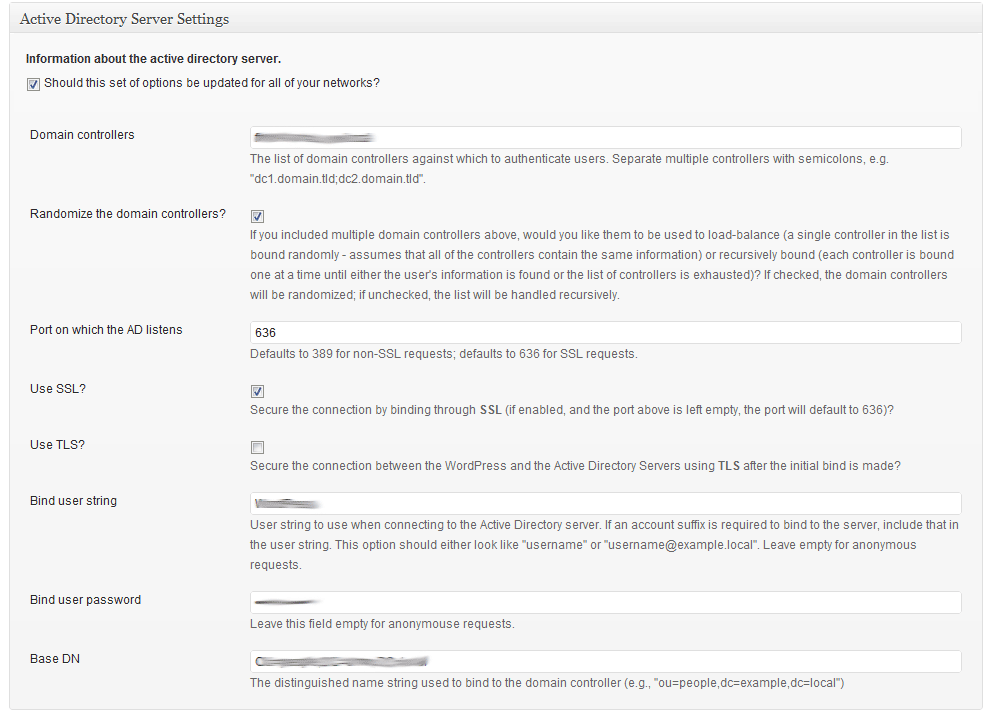
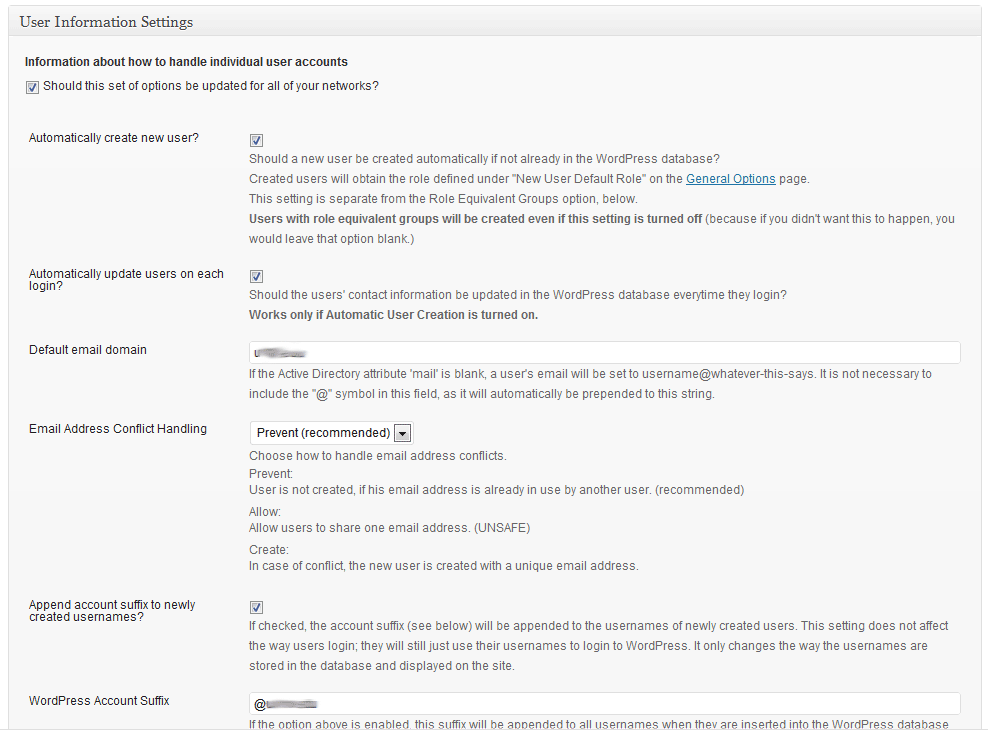
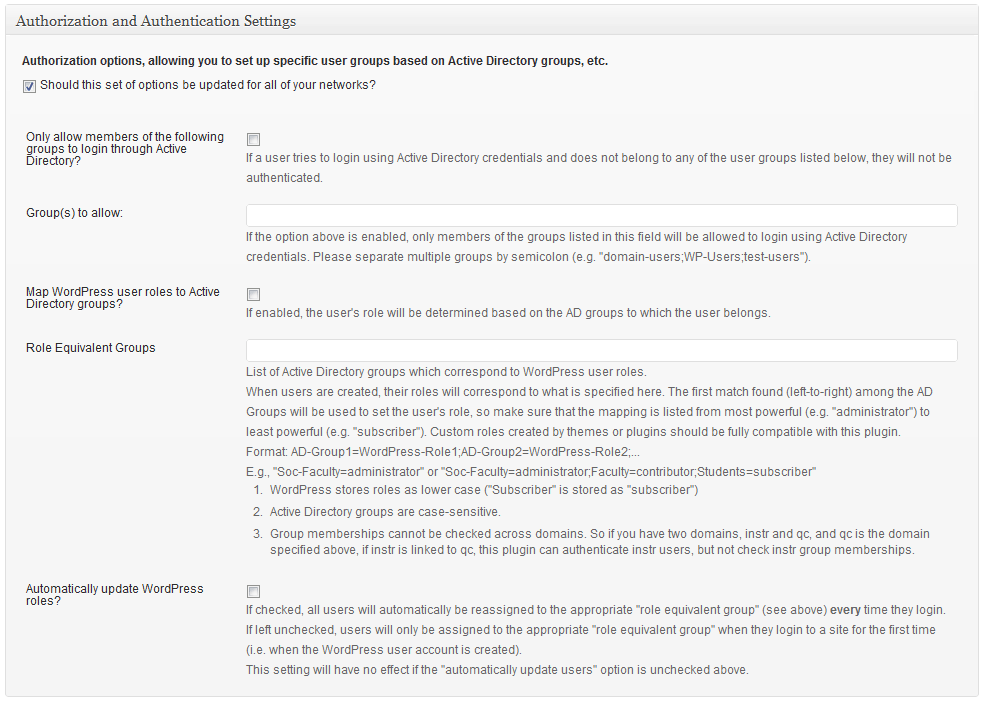
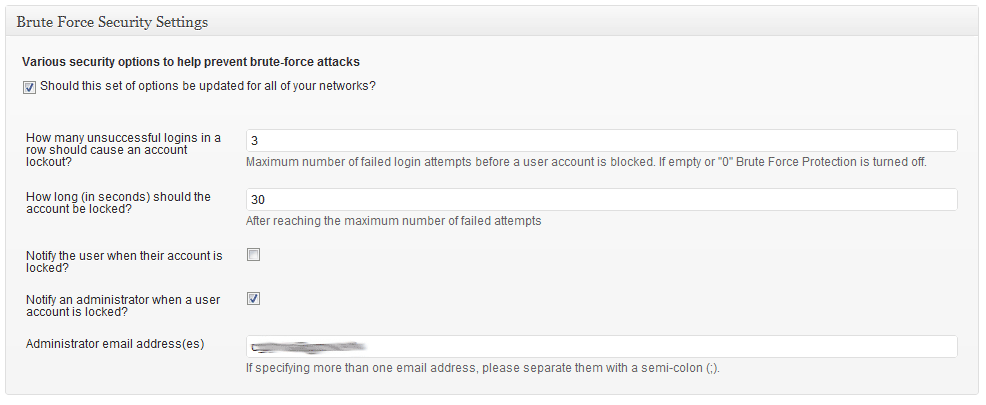
Für Entwickler
Ist das dein Plugin? Zeigen Sie die Zahlen.
Fügen Sie Ihrer Website, Docs oder GitHub Readme ein Live-Badge hinzu. Es wird von selbst aktualisiert - kein Konto erforderlich.
Best Active Directory Authenticati… alternatives
All active directory plugins →



Fragen und Antworten
Active Directory Authentication Int…: quick answers
Gerade Antworten, gezogen von Live WordPress.org Daten.
Quelle: WordPress.org
Is Active Directory Authentication… free?
Yes. Active Directory Authentication… is free to download and use from the official WordPress.org plugin directory.
Is Active Directory Authentication… safe to use in 2026?
Active Directory Authentication… shows warning signs in 2026 — compare the alternatives below before installing. It runs on 10+ sites, is rated 5/5 and was last updated 15 years ago, and scores 30/100 on our health check.
How many websites use Active Directory Authentication…?
Active Directory Authentication… is active on 10+ WordPress websites and has been downloaded 10,450 times since it launched in February 2011. It was downloaded 55 times in the last 30 days.
Does Active Directory Authentication… work with WordPress 7.1?
Active Directory Authentication… is officially tested up to WordPress 3.2.1, while the latest release is 7.1.5. It may still work, but try it on a staging site first.
When was Active Directory Authentication… last updated?
The latest version, 0.6, was released on August 30, 2011 (15 years ago).
Who makes Active Directory Authentication…?
Active Directory Authentication… is developed and maintained by Curtiss Grymala.
What are the best alternatives to Active Directory Authentication…?
The most popular alternatives to Active Directory Authentication… are authLdap (4K+ installs), Active Directory Integratio… (4K+ installs) and Next Active Directory Integ… (2K+ installs).
Angetrieben von PageForge
Eine Vorlage und eine Tabelle. Eine echte Seite für jede Suche.
PageForge Verwandelt jede Zeile eines CSV in eine WordPress-Seite mit eigenem Titel, URL, SEO Felder und Schema entworfen. Kostenlos auf WordPress.org.
- CSV und XLSX, plus Google Sheets auf Beruf und Unternehmen
- seinen eigenen Titel, URL, SEO Felder und Schema für jede Seite
- Arbeitet mit dem Blockeditor, Elementor, Divi und Avada
- Kostenlos auf WordPress.org, keine Kreditkarte