


WPVR – 360 Panorama viewer and Virtual Tour Builder for WordPress
Create 360 virtual tours for real estate, hotels, and showrooms in minutes with WPVR, the #1 virtual tour creator plugin for WordPress!

Escolha segura
Yes — WPVR is a safe, well-maintained plugin to use in 2026. It runs on 10K+ sites, is rated 4.7/5 and was last updated 5 days ago, and scores 93/100 on our health check.
- Comprovado em escala em sites ativos de mais de 10 mil
- Loved by users — 4.7/5 from 134 reviews
- Desenvolvido ativamente — última atualização 5 dias atrás
- Testado com as últimas WordPress (7.1)
Como ele se acumula?
Lado a lado em instalações, atualizações, avaliações e suporte


Downloads diários
Os picos de download geralmente seguem uma nova versão — cada site que atualiza automaticamente é um download.
Rankings
Where WPVR stands todayWordPress.org Classificações de pesquisa
Posição ao vivo na pesquisa de plugins, top 100| Palavra chave | Posição |
|---|---|
| 360 panorama | #2 |
| panorama viewer | #2 |
| real-estate | #19 |
| Virtual Tour | #1 |
Adoção da versão
Compartilhamento de sites ativos por lançamento.
Divisão de classificação
★★★★★★★★★★ 4.7 from 134 reviews
About WPVR
From the official readme · v9.3.3Descrição
WPVR is a free virtual tour creator and 360 Panorama viewer that helps you build interactive 360 VR tours within WordPress using panoramic photos in minutes.
Create 360° virtual tours for hotels, showrooms, and real estate property tours, letting visitors explore spaces at their own pace.
Everything works directly in WordPress; no coding required, no external SaaS needed.
#1 VR Plugin In WordPress | Top Rated | Quality Support
Documentation | Video Tutorials | Guides
For real estate listings, this means potential buyers can move between rooms, get a better feel for the property layout, and know what to expect before scheduling a visit.
Get Started For Free | 💎 Black Friday Special – 50% OFF WPVR Pro 💎
🌟 Why Use WPVR?
WPVR comes with all the necessary features to create interactive 360 virtual tours on your WordPress website. All you need is a 360 panoramic image to get started.
It has a simple & easy virtual tour builder specially for real estate, designed for you to make virtual tours quickly, even without any expertise.
#1 virtual tour creator & 360 Panorama viewer for WordPress, Free To Start
In fact, you can create a virtual tour for free in less than 5 minutes!!
Take a look at some of the amazing virtual tours created using WPVR!
- Real Estate Virtual Tour
- Virtual Art Gallery
- Hotel Virtual Tour
- Virtual Car Showroom
- Virtual Tour Of A Pub/Bar
Here, you can offer an engaging property virtual tour with interactive hotspots to make it more realistic and exciting.
👉 Offer A 360 Virtual Experience
The virtual tour will let users explore in full 360 directions. In a property your, you can allow people to move from one room to another and browse every detail easily. And you can allow gyroscope for mobile users to get a near realistic visit.
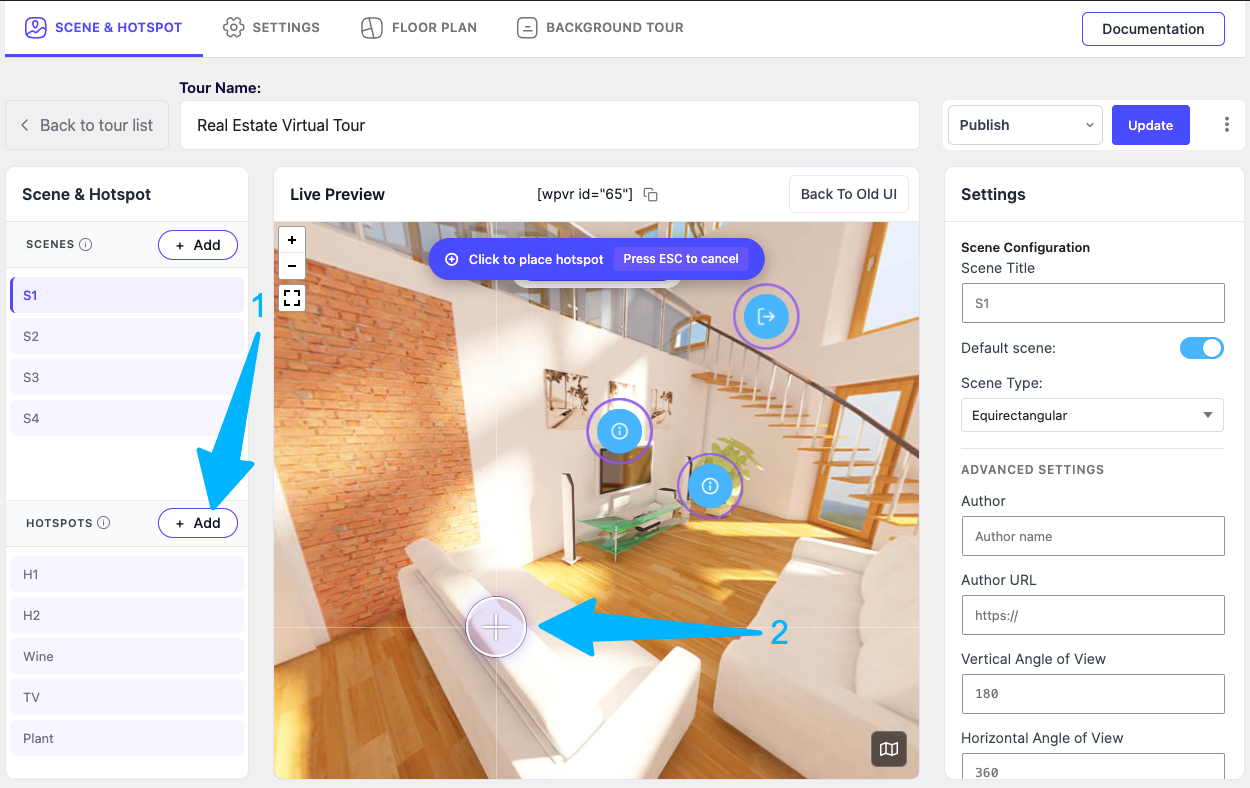
👉 Place Interactive Hotspots
Add clickable hotspots with tooltips, images, videos, or audio, so visitors get questions answered and interest piqued.
👉 Easy To Highlight Your Brand
Easily place your brand logo and contact information on your virtual tour. Plus, customize the colors of the control buttons to match your brand.
Whether it’s a real estate virtual tour, a hotel tour, or even a museum virtual tour, this will let you get contacted more often by interested prospects.
👉 Optimize For Inquiries & Bookings
Place booking forms or inquiry forms either via a hotspot (maybe at the reception desk of the tour), or on a CTA button below the tour, and let prospects contact you easily.
Great for real estate tours to get inquiries from potential buyers as soon as they are interested.
👉 Make The Visitor Feel Welcomed
Place a mini-welcome video and add soothing background music to make the visitor feel optimistic and valued right from the start.
Offer an experience your prospects won’t forget.
🌟 Create A Free Virtual Tour In Just Easy 3 Steps 🌟
Creating a free virtual tour with WPVR is simple.
Take 360 panoramic images of the spaces you want to showcase (different rooms, corners, or spots), then follow these 3 steps to create your 360 VR tour:
- Upload the images to WPVR and they will turn into 360 panoramic views.
- Connect them to each other for navigation easily.
- Place hotspots to provide information around your location.
Now publish it and place it on any page on your website.
That’s it, you’ve just turned 360 photos into a virtual tour, absolutely free!
Your viewers can move through your property virtual tour, get extra information through hotspots, and enjoy an experience similar to a real-life visit.
In the free version (yes, a free virtual tour creator), you can connect up to 5 scenes, and place up to 5 hotspots on each scene.
For unlimited scenes and hotspots, plus more advanced features, upgrade to WPVR Pro 💎
You can also add Scene Transitions (PRO) to make the journey more exciting.
Everything You Need To Create Virtual Tours That Engage & Convert
WPVR comes with dedicated features to make your virtual tours more engaging and encourage inquiries, such as custom branding, interactive hotspots, floor plans, CTAs, and more.
Instead of just showcasing a property or space, turn your virtual tours into marketing assets that help visitors explore further, make inquiries, book property showings, or get in touch.
🔮 High Quality Virtual Tours With Multiple Scenes 🔮
Suppose you want a real estate virtual tour for a property with 3 bedrooms, 2 bathrooms, a kitchen, living room, balconies, and a backyard.
Simply take 360° panoramic images of each space and upload them to WPVR to turn them into a virtual tour.
Then configure hotspots and connect scenes, so prospects can move between rooms, explore the property at their own pace, and get a better feel for the house before visiting in person.
What about quality?
A realistic 360° panorama image needs high resolution, over 3000×1500 pixels.
With WPVR, you can disable WordPress compression and use any high-quality images (JPEG, PNG, WebP) to create free 360° VR tours without losing quality.
What about loading time due to image size?
WPVR has a built-in feature to convert images in WebP format, which usually delivers same quality at 20-30% lower file size.
🔮 Use Interactive Hotspots To Answer Questions & Engage With Prospects 🔮
During a real visit, people want to explore and ask questions – your virtual tour maker can do the same.
You can also use interactive hotspots with full control via HTML Editor/WYSIWYG Editor to add any content you want.
You can enhance your virtual tour with:
➤ Tooltips – Show quick info when visitors hover over an object.
➤ Descriptions – Let people click to see more details. For example, describe the comfort of a hotel bed.
➤ Images or GIFs – Show clearer visuals if something isn’t obvious.
➤ Videos – Use short clips to explain features instead of text.
➤ Audio – Play pre-recorded audio to guide visitors like a real person.
Pro Tip: Think about questions or highlights visitors might want. Add them as hotspots.
You can also add buttons to link to forms or external pages, like booking or inquiry forms.
We do have direct support for booking.
Bonus: Get 900+ custom icons as hotspots to make the experience meaningful, and add custom colors (Pro) or ripple animation (Pro) to grab user attention.
P.S. You can also add your own custom icons using snippets. (Here’s how.)
🔮 Place Your Virtual Tours Anywhere on Your Website without Hassle 🔮
Once your virtual tour is ready, you can embed it anywhere using a shortcode, no matter what theme you use.
It’s also compatible with popular page builders:
- Virtual Tour Widget for Elementor.
- Virtual Tour Block for Gutenberg.
- 360 VR Panorama Module for Divi.
- Virtual Tour Element for Oxygen.
- Virtual Tour Element for Visual Composer.
You can also Publish Your Virtual Tours with Password Protection with private access.
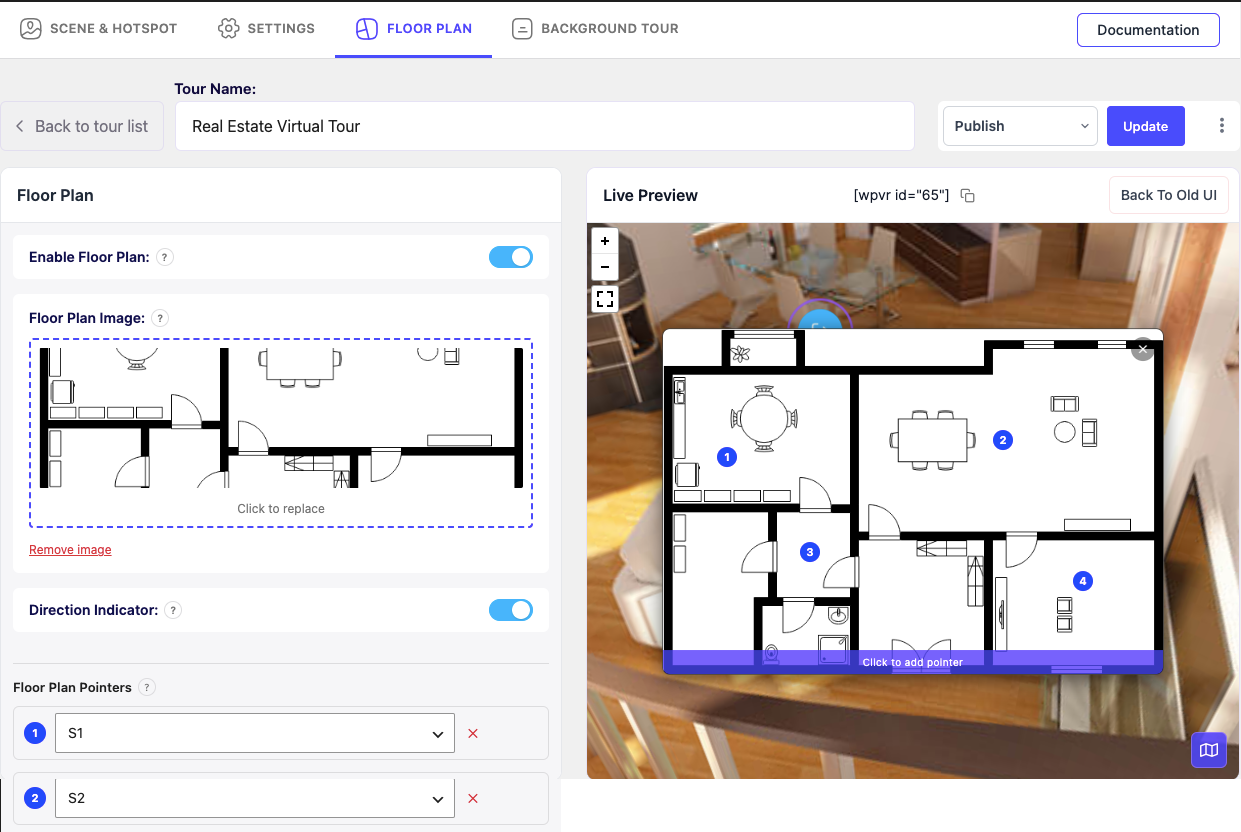
🔮 Interactive Virtual Floor Plan for Meaningful Direction (Pro) 🔮
One of the key highlights of WPVR is its floor plan feature, popular among realtors and real estate agencies.
You can add a real estate floor plan to your virtual tour with clickable pointers, letting visitors navigate the property and understand its layout for better decisions.
Learn more about using Interactive Virtual Floor Plan in case you want to offer private access (maybe for a fee).
🔮 Share Your Virtual Tour on Social Media Via Link or QR Code (Pro) 🔮
Share your 360° virtual tours instantly using a link or QR code, perfect for social media, email, or direct sharing without a webpage.
🔮 360 Video Player for WordPress 🔮
Apart from creating virtual tours with 360 panoramic images, you can also use WPVR as a 360 video player on your website.
🔮 Cardboard & VR Headset Support for Full Immersive Experience (Pro) 🔮
You can enable VR Glass mode, so visitors can use Google Cardboard or a VR headset to enjoy a more realistic virtual tour experience.
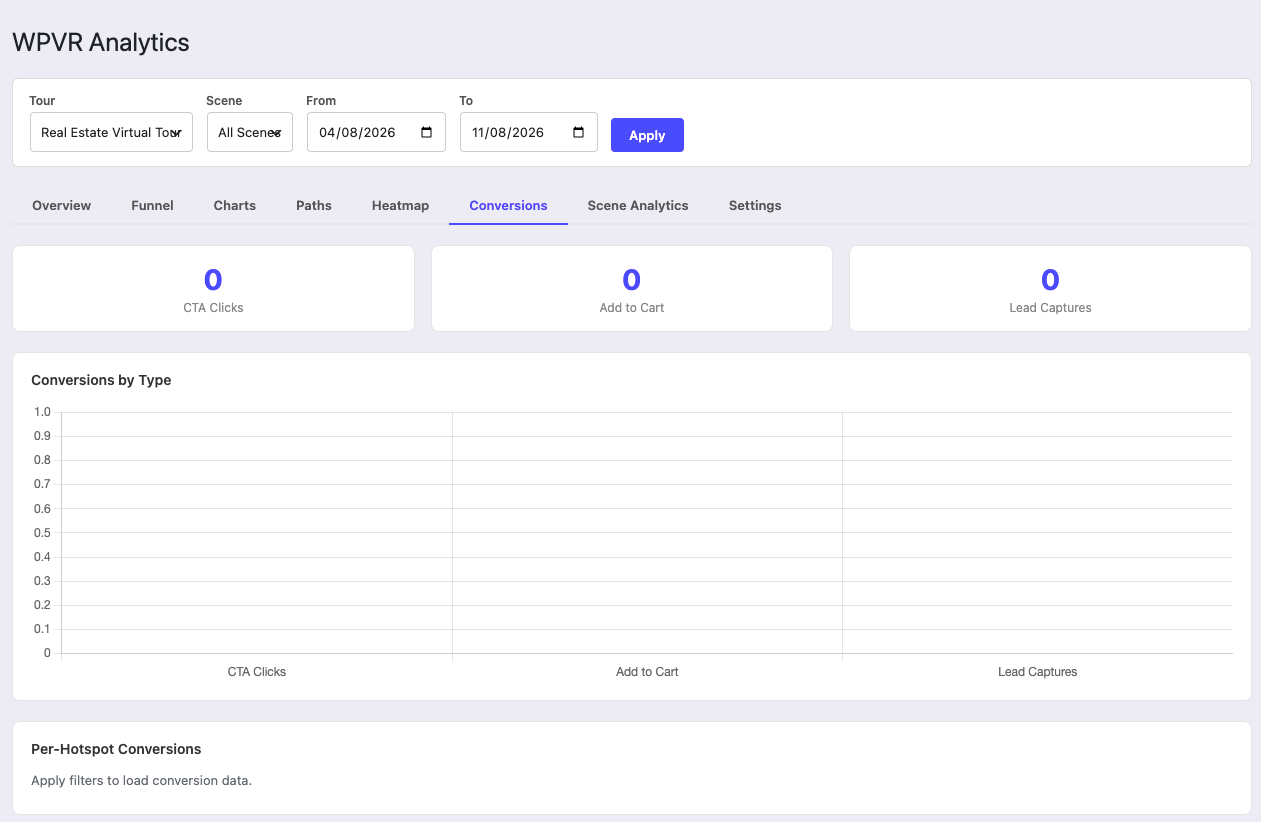
🔮 WPVR Analytics Support (Pro) 🔮
You also get to view analytics to help you make business decisions.
📈 Track tour views
🔥 Monitor hotspot clicks
🗓️ Filter by time period
🔮 Mobile First VR Approach 🔮
This virtual tour creator is built for mobile phones from the start. Every virtual tour you create is fully responsive and optimized to load fast on phones.
🌟 Who Should Use WP VR? 🌟
Whatever industry you’re in, if showing your location or space to prospects gives you a business advantage, WPVR lets you create virtual tours to grab their attention online, even before they visit in person.
Here are some industries already using virtual tours to their advantage:
- Real Estate Industry
- Schools and Colleges (Virtual campus tours 🏫)
- Hotels & Resorts
- Restaurants.
- Travel/Tourism.
- Museums.
- Art Galleries & Exhibitions.
- Car Showrooms.
- Furniture Showrooms.
- Clothing Stores.
- Grocery and Retail Stores.
- Bars/Pubs.
It’s especially recommended for realtors because data says that buyers now find virtual tours more engaging and trustworthy compared to photos. Read more…
👉 Check out Virtual Tours For Different Industries Made With WPVR: Take A Look Now!
To have more control over creating a virtual tour, learn about the Premium version.
FREE FEATURES
- An unlimited number of 360 Panorama VR tours
- 360 Degree Video Support (Self-hosted, Youtube, & Vimeo Videos).
- Full-window Virtual Tours.
- Shortcode Support.
- Gutenberg Block Support.
- Elementor Widget Support.
- Webp image support
- Live Preview of Tour On The Back-end.
- Tour Preview Image.
- Tour Autoload Feature.
- Scene Fade Animation.
- Private and Password Protected Tour
- Auto Rotation with Speed Control.
- Auto Rotation Direction, Pause and Stop control.
- Basic Control Buttons (Zoom In, Zoom Out, and Fullscreen).
- Mouse Drag Control on Virtual Tour.
- Zoom In and Out with Mouse Scroll on Virtual Tour.
- Zoom In and Out with ‘+’ and ‘-‘ keyboard buttons.
- Add Multiple Scenes and Hotspots.
- Scene Type Hotspot to Connect Scenes.
- Info Type Hotspots to Give Information.
- On Hover and On-Click Content Option for Hotspots.
- Embed Texts, Videos, Images, GIFs, and Website Links on Hotspots.
- Hotspot Customization with Custom CSS.
- Full-width Tour Tag.
- Radius Tag for tour border-radius.
- Multi-Site Support.
- WP User Role Support (Editors and Authors).
- Disable FontAwesome Option.
- Disable WordPress Default Large Image Handler.
- Control Plugin Assets To Load on Specific Pages/posts Only.
- Enable Front-end notice for Mobile Visitors.
- Mobile Media Resize Option.
- Plugin Version Rollback Option.
- Support From the Support Forum.
PREMIUM FEATURES
- All Free Features.
- Unlimited 360 Panorama VR (Scenes).
- Unlimited Hotspots.
- Publish Tours anywhere (Embed Add-on).
- WooCommerce Add-on for Hotspots.
- WooCommerce Products – Add To Cart.
- Scene Gallery (Panorama Image Gallery).
- VR Glass/Cardboard support.
- Floor Plan support.
- Explainer Video.
- Background Audio
- Autoplay, Loop, and pause in virtual tours
- Gyroscope Support for Virtual Reality (Mobile Devices).
- VR Glass Support for Video Tours.
- 900+ Premium Icons for Hotspot.
- RGB Color Support for Hotspots.
- Partial Panorama / Mobile Panorama.
- Google Street View Support.
- Cubemap Image Support.
- Import & Export Virtual Tours.
- Custom Zoom Settings for 360 images.
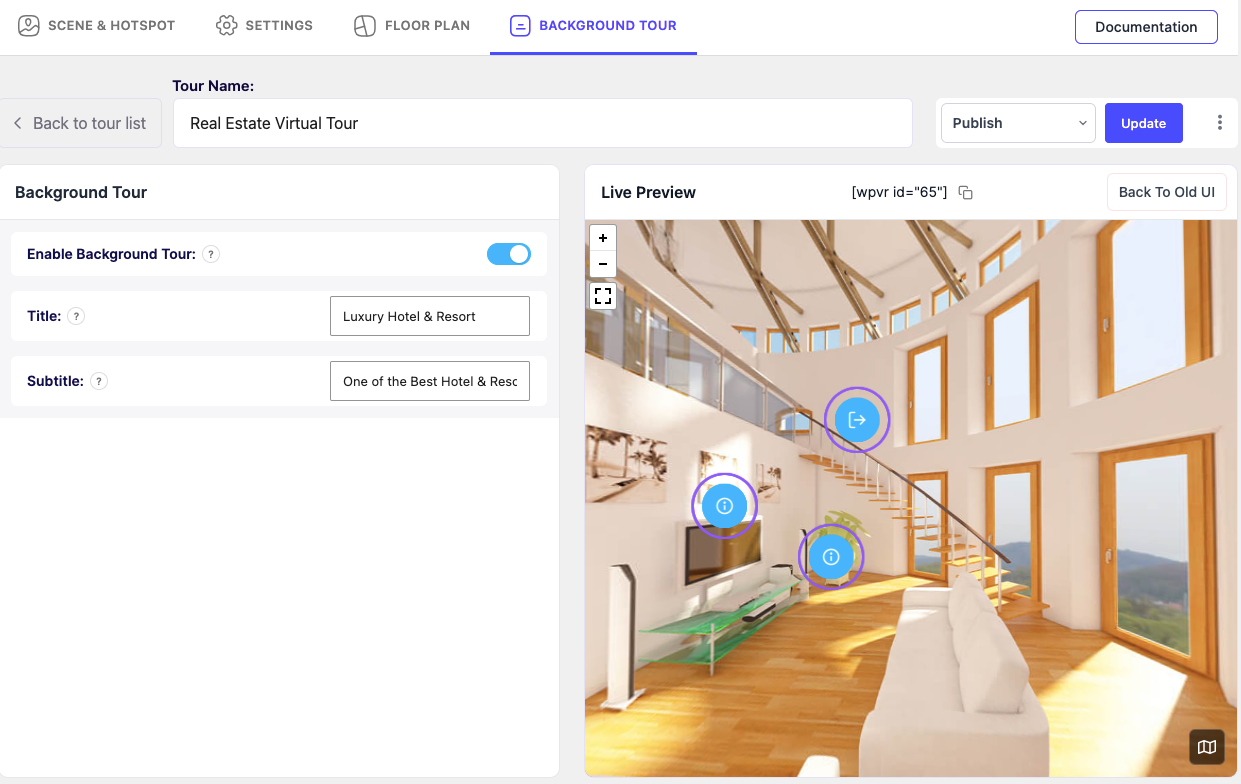
- Background 360 Panorama Viewer.
- Fluent Forms Add-on.
- Company Logo & Description (White-label).
- Duplicate Tours with One Click.
- Control Horizontal & Vertical 360 view.
- Custom Loading Point (Face) for 360 views.
- Scene Title, Author Name & URL.
- On-Screen Compass for 360 Image Viewer Mode.
- Direct Social Media Share.
- Share virtual tours with a QR Code.
- Priority Support.
👉 Upgrade to Pro ✨
We have many more amazing features planned. Take a look at our development roadmap.
Upcoming Features
- MLS Listing Support.
- Navigation Menu
- More Layouts.
Privacy & Data Collection
WP VR includes an optional, opt-in usage tracking module powered by Linno Telemetry SDK to help us troubleshoot issues faster and improve plugin performance, feature stability, and overall user experience.
What data we collect (only if you opt in)
WP VR does not collect any data by default.
If you explicitly allow data collection via the Linno telemetry consent prompt, the plugin may collect the following telemetry data:
– WordPress version
– PHP version
– WP VR plugin version
– Active theme and active plugins (names only)
– Non-sensitive plugin settings related to tours, scenes, and hotspots
– Feature usage and page views within the plugin
– Site administrator email address
No data is collected without your explicit confirmation.
How and why the data is used
The collected data is used solely to:
– Diagnose and resolve technical issues efficiently
– Understand how WP VR features are used
– Improve plugin stability, VR tour rendering, and feature performance
– Enhance the overall user experience
Data collection and processing are handled via Linno Telemetry SDK.
Consent, Control, and Third-Party Services
WP VR does not collect any data by default.
Both Linno Telemetry SDK and OpenPanel analytics are strictly opt-in:
– Linno Telemetry SDK does not gather analytics events unless you explicitly allow tracking.
– OpenPanel tracking is initialized only after the administrator has opted in to telemetry data collection.
– You can opt out at any time, which immediately stops all further data collection.
– Integrating Linno Telemetry SDK does not immediately start gathering data under any circumstances.
Third-party services used for optional analytics:
- Linno Telemetry SDK – https://github.com/CODEREXLTD/linno-telemetry
- OpenPanel (only after telemetry opt-in) – https://openpanel.dev/privacy
You can review how Linno Telemetry and OpenPanel collect and use data via their respective privacy policies.
Data removal
If you have previously opted in and would like your data removed, you may request deletion by contacting us at support@rextheme.com.
Serviços externos
This plugin connects to an external API (showcase.rextheme.com) to obtain pre-built virtual tour templates. This is needed to allow users to quickly generate a virtual tour using the setup wizard based on their selected industry.
It sends a request containing the corresponding template ID of the selected industry when a user uses the setup wizard to create a tour from a template. No personal user data is transmitted during this process.
This service is provided by “RexTheme”: Terms of Use, Privacy Policy.
Código fonte
This plugin uses Webpack to compile JavaScript/CSS. To comply with WordPress.org guidelines, the uncompiled source code (src folders) and configuration files (package.json, webpack.config.js) are included in this package. To compile, run npm install and npm run build in the plugin root. Third-party library sources (videojs-vr, tether) are available alongside their distributed files or via our npm dependencies.
Instalação
- Upload WPVR to the /wp-content/plugins/ directory
- Ative o plugin através do menu 'Plugins' em WordPress
- Follow the setup wizard to configure the plugin for use
Log de Changes
Keep WPVR updated to the latest version. It makes sure that you get the improvements, new features, and bug fixes instantly.
WPVR (Free)
9.3.3 (2026-11-19)
- Fix: Enable Custom CSS toggle no longer turns off after saving a tour in the New UI.
9.3.2 (2026-11-10)
- Enhancement: Improved setup wizard onboarding flow, consent handling, and diagnostic event reliability.
- Fix: Prevented setup wizard completion from clearing unrelated browser localStorage data.
- Fix: Improved demo tour exclusion and draft handling during setup wizard template selection.
9.3.1 (2026-10-16)
- Fix: Resolved false-positive unsaved changes warning (beforeunload prompt) and prevented tour ID loss when switching a newly published tour from Classic to Modern UI.
- Fix: Improved admin tour list column rendering and scene thumbnail retrieval fallback logic.
9.3.0 (2026-10-13)
- New: Added external image URL support for 360° panorama scenes via CDN and cloud storage (Amazon S3, Cloudflare R2, Google Cloud Storage) across modern and classic tour editors.
- New: Added CDN video URL support for 360° video tours with cross-origin playback handling.
- Enhancement: Added real-time URL verification and WebGL CORS preflight validation before saving tour scenes.
9.2.0 (2026-10-08)
- New: Added Text Overlay feature to create customizable rich text overlays on tour scenes with WYSIWYG editing, styling, and layer controls.
- New: Added Sticker Hotspots with interactive templates including discount buttons, add-to-cart, action buttons, social share, and social proof.
- Enhancement: Added responsive scaling, container observation, and customizable styling options (dimensions, borders, typography) for sticker hotspots.
- Enhancement: Self-hosted Inter font files to eliminate Google Fonts CDN dependencies and improve loading performance.
- Fix: Optimized mobile panorama resolution with attachment metadata, local file fallbacks, device GPU limit checks, and cached attachment lookups.
Capturas de tela
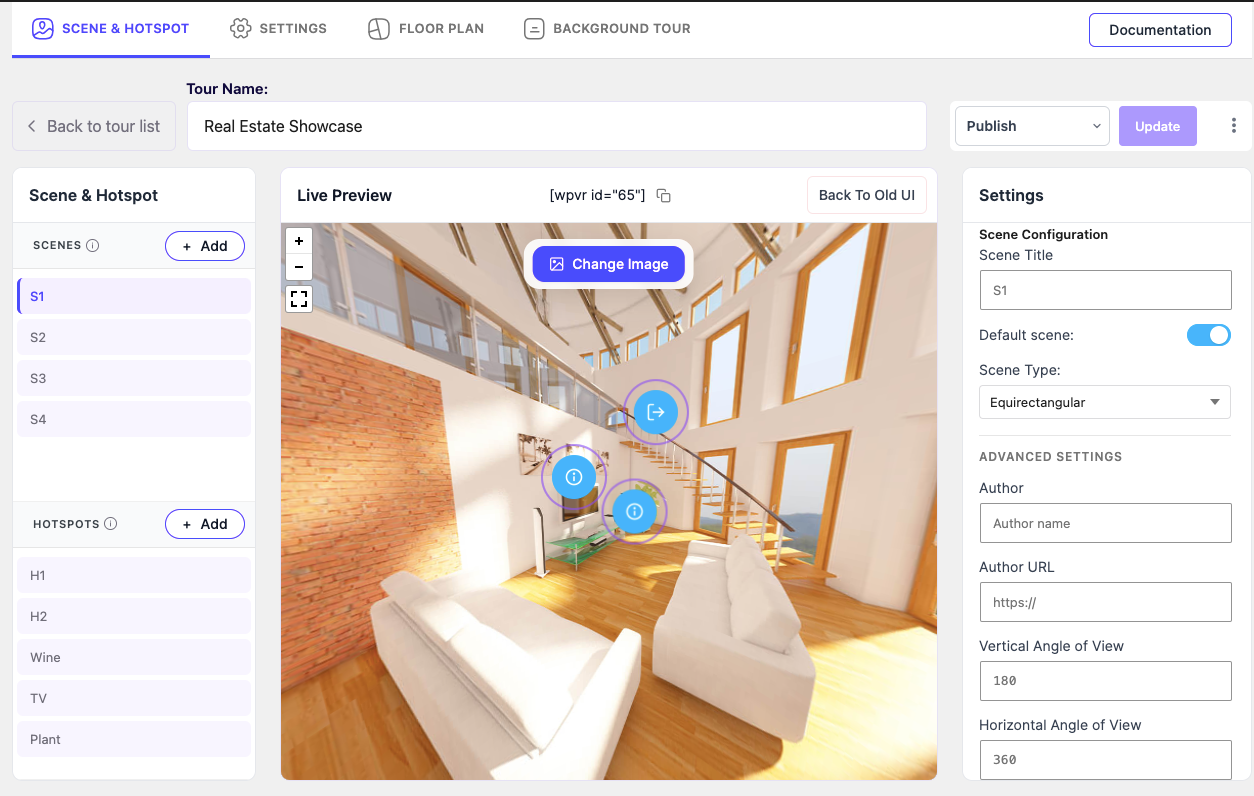
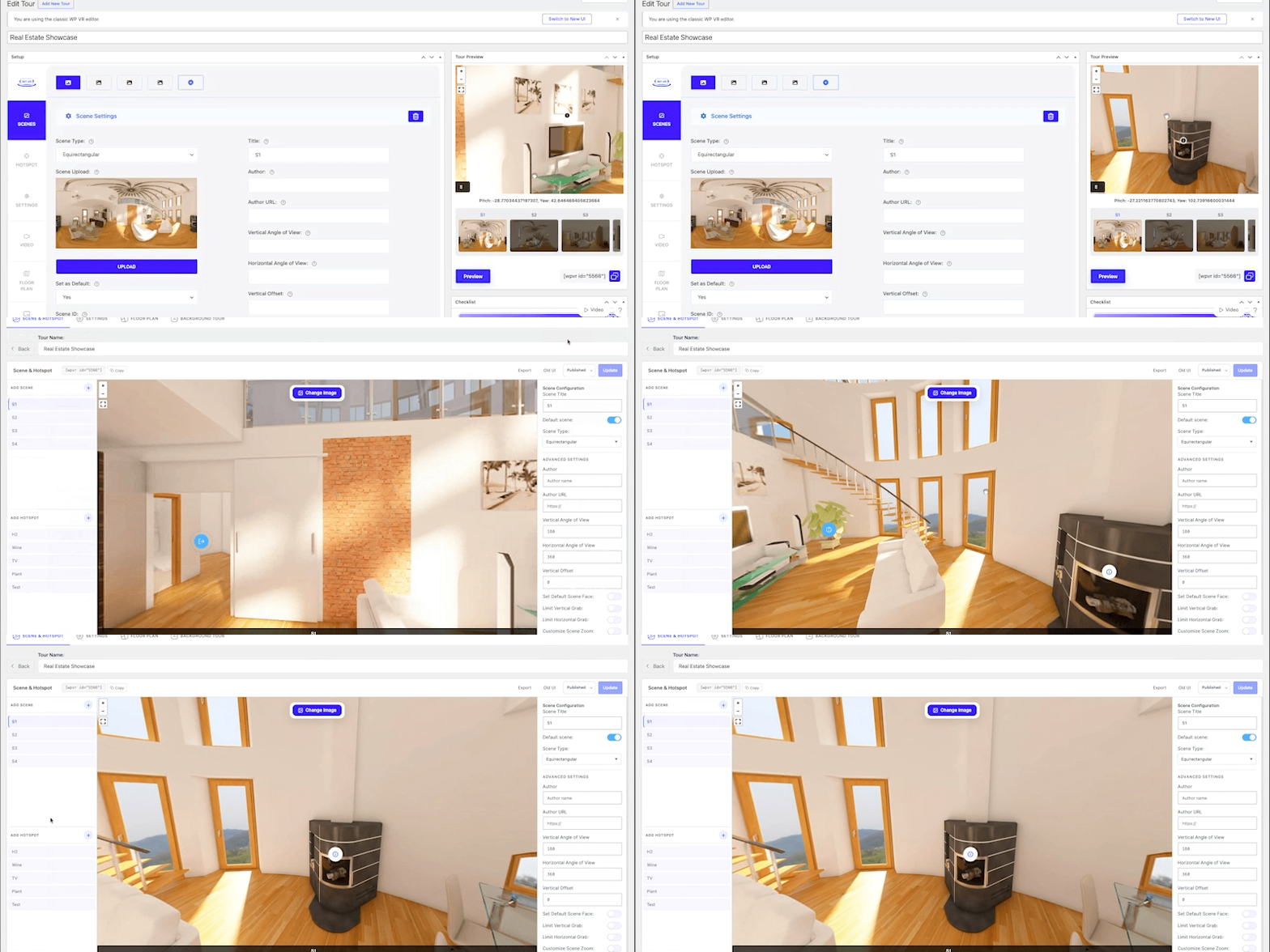
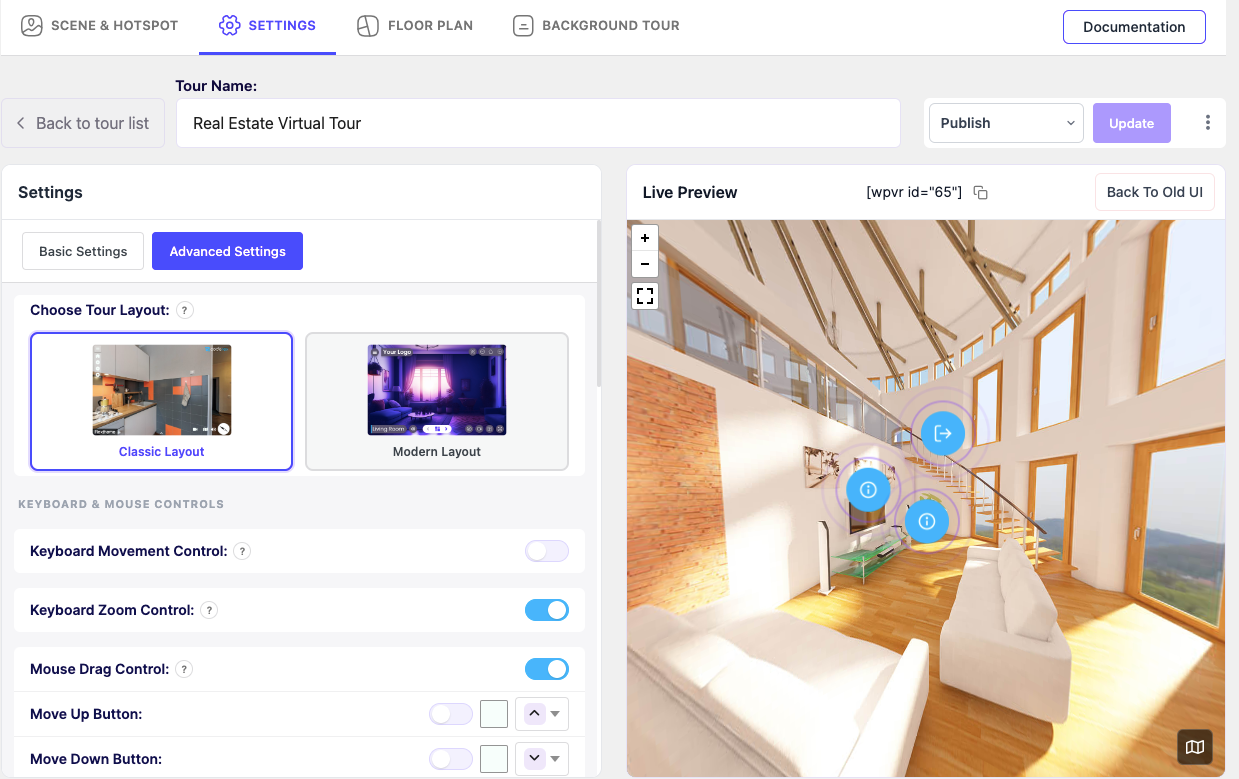
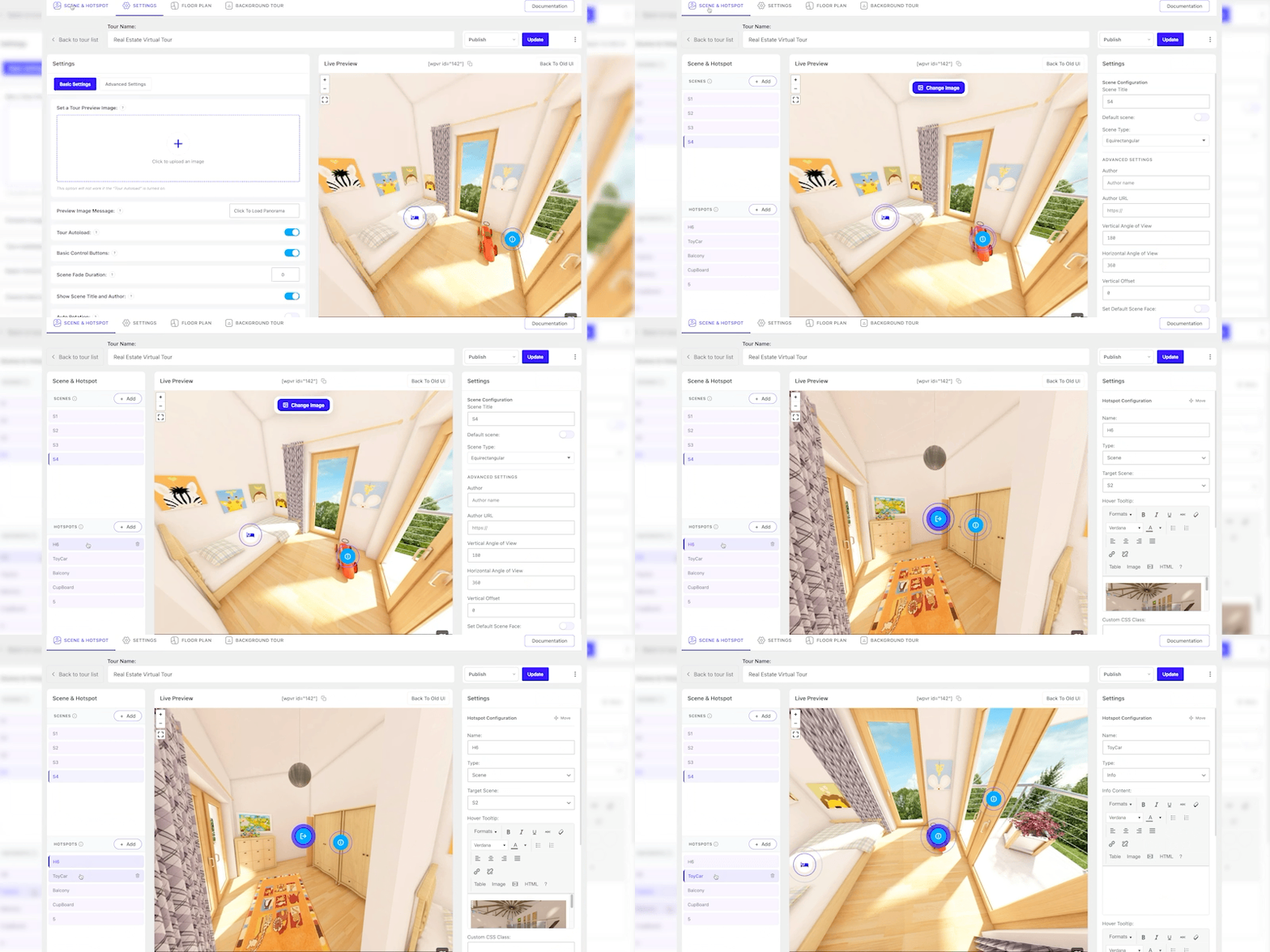

Para desenvolvedores
Este é o seu plugin? Mostre os números.
Adicione um crachá ao vivo ao seu site, Documentos ou Readme do GitHub. Ele é atualizado por conta própria - nenhuma conta necessária.
Best WPVR alternatives
All 360 panorama plugins →




FAQ
WPVR: quick answers
Respostas diretas, extraídas de dados ao vivo WordPress.org.
Fonte: WordPress.org
Is WPVR free?
Yes. WPVR is free to download and use from the official WordPress.org plugin directory.
Is WPVR safe to use in 2026?
Yes — WPVR is a safe, well-maintained plugin to use in 2026. It runs on 10K+ sites, is rated 4.7/5 and was last updated 5 days ago, and scores 93/100 on our health check.
How many websites use WPVR?
WPVR is active on 10K+ WordPress websites and has been downloaded 1,048,467 times since it launched in December 2018. It was downloaded 15,726 times in the last 30 days.
Does WPVR work with WordPress 7.1?
Yes. The developer has tested WPVR up to WordPress 7.1.5, the latest release. It requires WordPress 6.7 or newer.
What PHP version does WPVR need?
WPVR requires PHP 7.0.0 or higher. Most hosts run PHP 8.x today, so it works on any modern WordPress hosting.
When was WPVR last updated?
The latest version, 9.3.3, was released on November 24, 2026 (5 days ago).
Who makes WPVR?
WPVR is developed and maintained by RexTheme.
What are the best alternatives to WPVR?
The most popular alternatives to WPVR are iPanorama 360 (4K+ installs), Panorama (2K+ installs) and PanoPress (2K+ installs).
Alimentado por PageForge
Um modelo e uma planilha. Uma página real para cada pesquisa.
PageForge Transforma cada linha de um CSV em uma página WordPress com seu próprio título, URL, SEO campos e esquema, construído no layout que você já desenhou. Gratuito em WordPress.org.
- CSV e XLSX, mais Google Sheets em Profissional e Empresarial
- Seu próprio título, URL, SEO campos e esquema para cada página
- Funciona com o editor de blocos, Elementor, Divi e Avada
- Gratuito em WordPress.org, sem cartão de crédito