


WP Telegram Login & Register
Let your users login and register via Telegram, making it easier form them to get started on your website.

Escolha segura
Yes — WP Telegram Login & Register is a safe, well-maintained plugin to use in 2026. It runs on 800+ sites, is rated 4.9/5 and was last updated 2 days ago, and scores 87/100 on our health check.
- Loved by users — 4.9/5 from 37 reviews
- Desenvolvido ativamente — última atualização 2 dias atrás
- Testado com as últimas WordPress (7.1)
- Momentum — downloads up 84.5% vs the previous 30 days
- Base de usuários pequenas (mais de 800 instalações ativas)
Como ele se acumula?
Lado a lado em instalações, atualizações, avaliações e suporte



Downloads diários
Os picos de download geralmente seguem uma nova versão — cada site que atualiza automaticamente é um download.
Rankings
Where WP Telegram Login & Register stands todayWordPress.org Classificações de pesquisa
Posição ao vivo na pesquisa de plugins, top 100| Palavra chave | Posição |
|---|---|
| login | #82 |
| register | #8 |
| signup | #48 |
| social | >100 |
| telegram | #11 |
Adoção da versão
Compartilhamento de sites ativos por lançamento.
Divisão de classificação
★★★★★★★★★★ 4.9 from 37 reviews
About WP Telegram Login & Register
From the official readme · v1.11.17Descrição
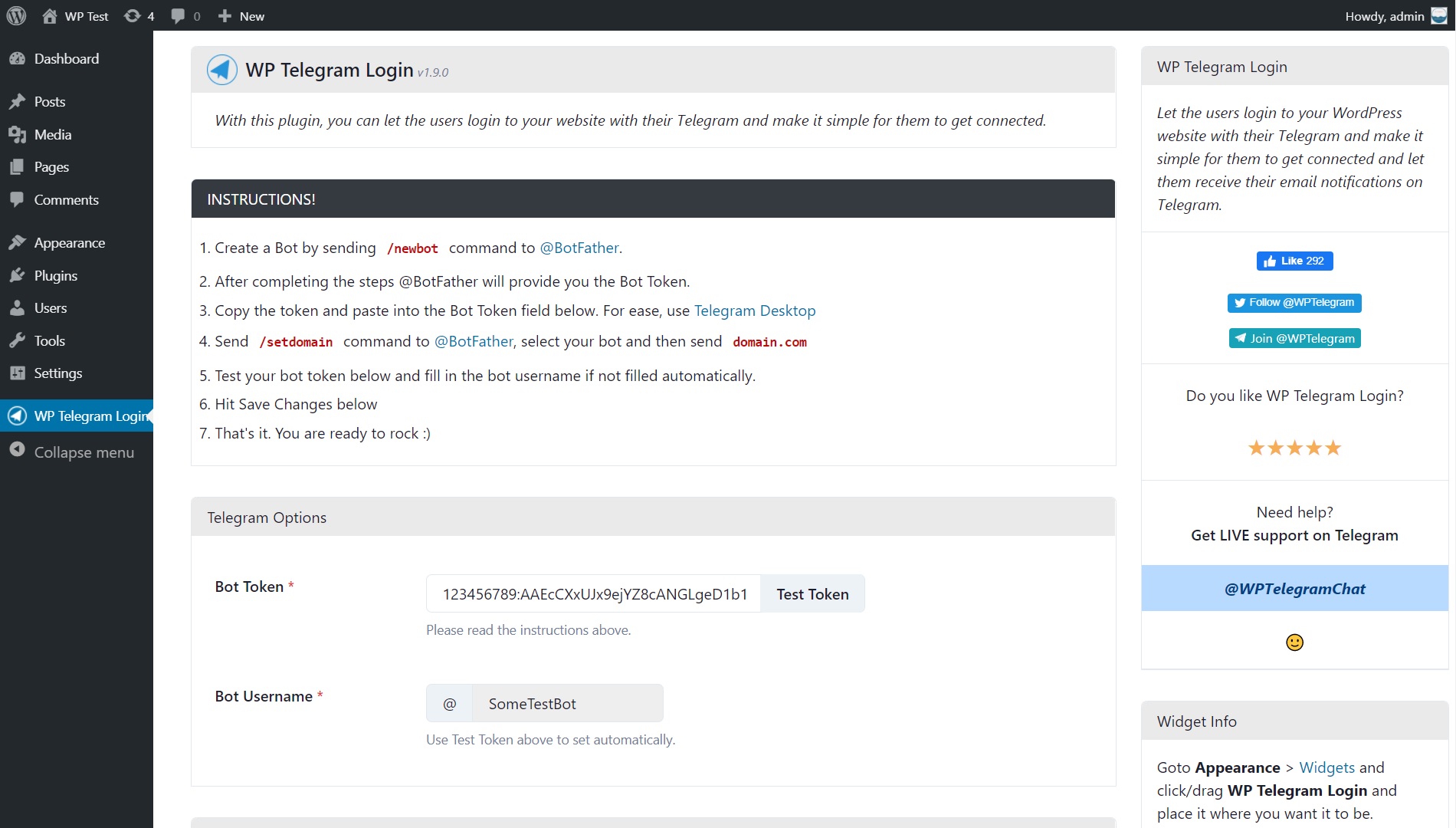
Let the users login to your website with their Telegram and make it simple for them to get connected and let them receive their email notifications on Telegram.
Why Telegram Login?
- Removes the lengthy registration forms
- Removes the need for captchas
- Removes the need for email verification
- No “forgot password?” stuff
- Provides enough information about the user
Recursos
- Safe, secure and easy login method
- Relies upon SHA-256 hashed data strings
- User data is trustworthy – verified by Telegram
- Can be used to prevent spam registrations
- Easy to install and set up for the admin
- Can be used to let new users sign up
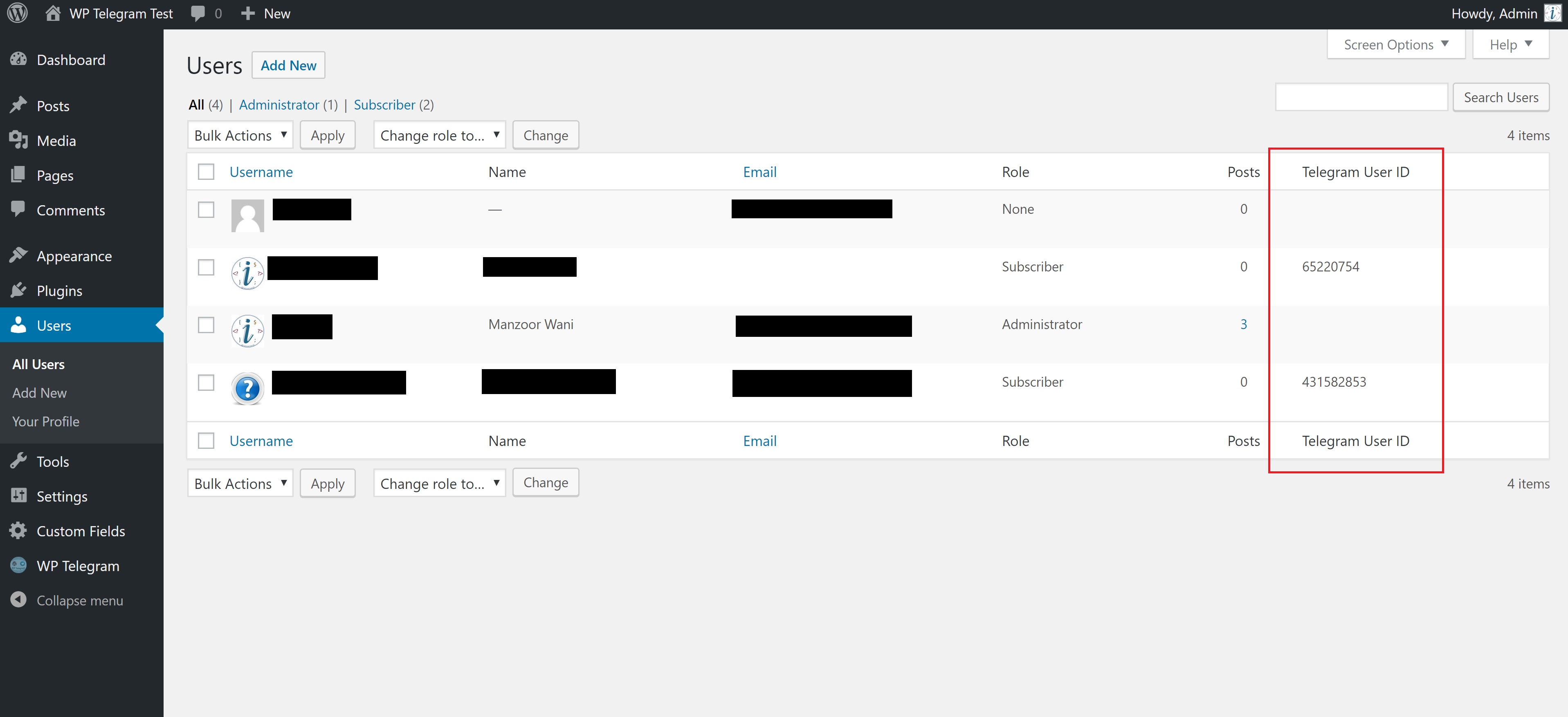
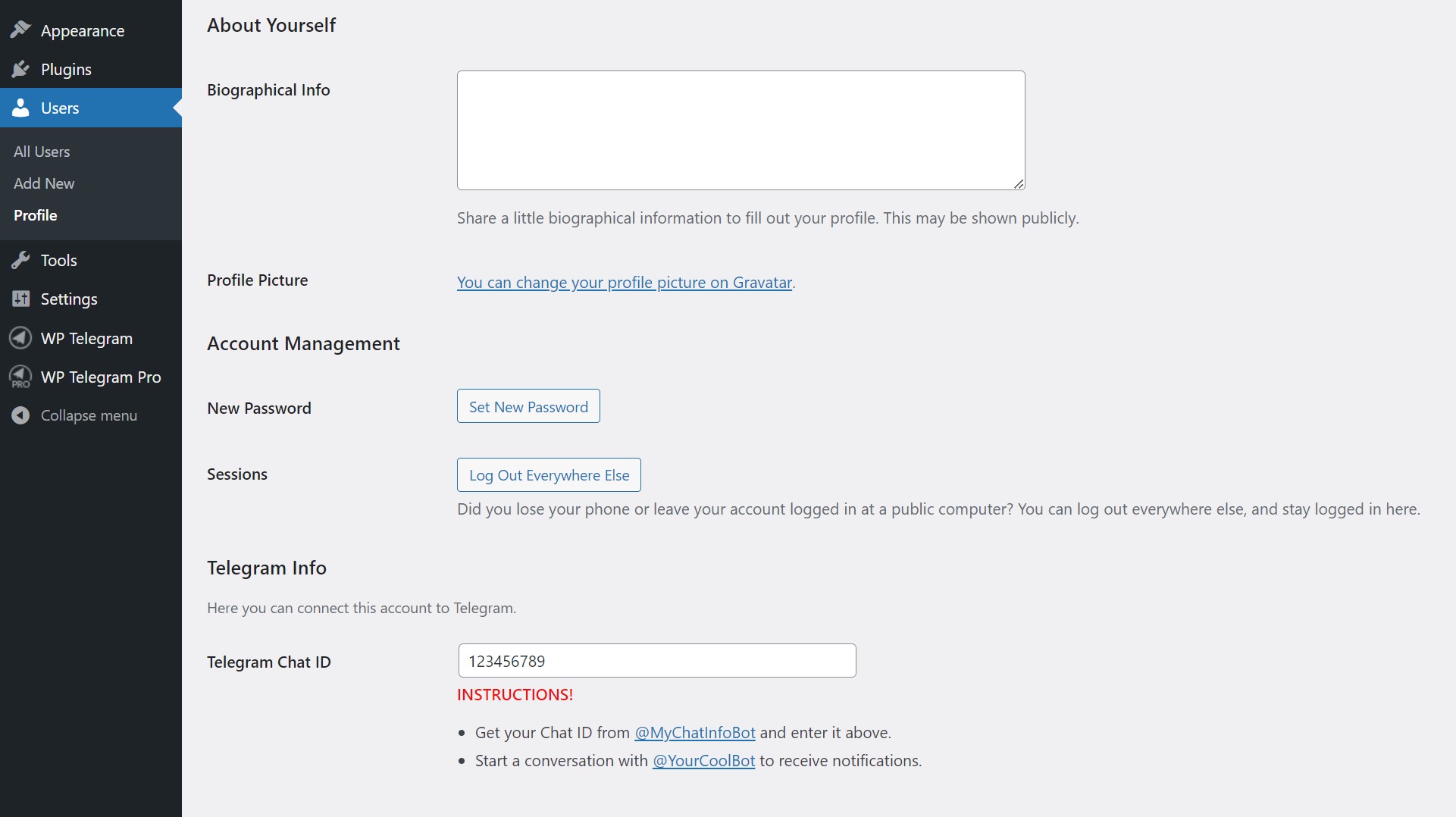
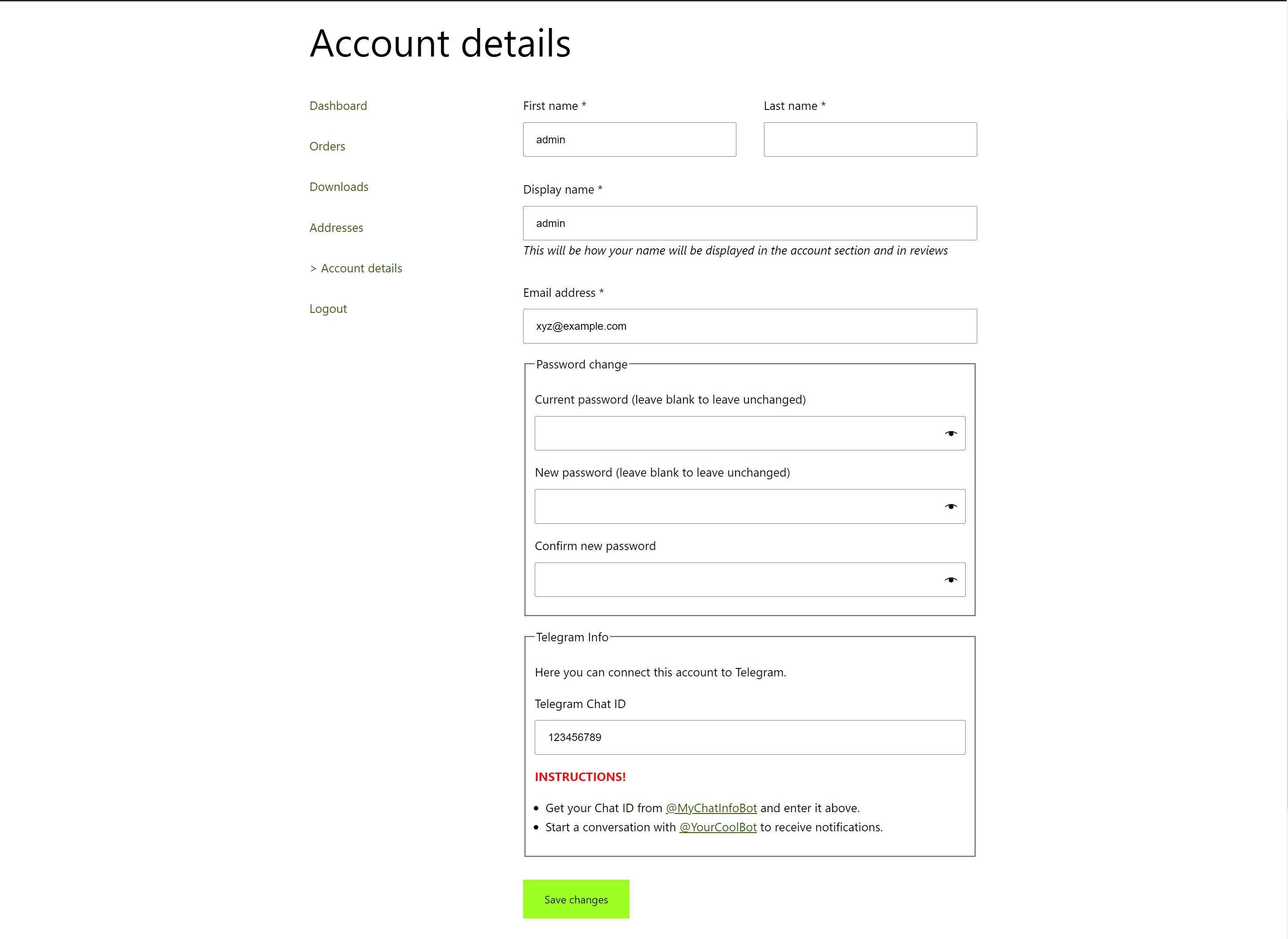
- Existing users can connect their Telegram account
- Users can be given any desired role on the website
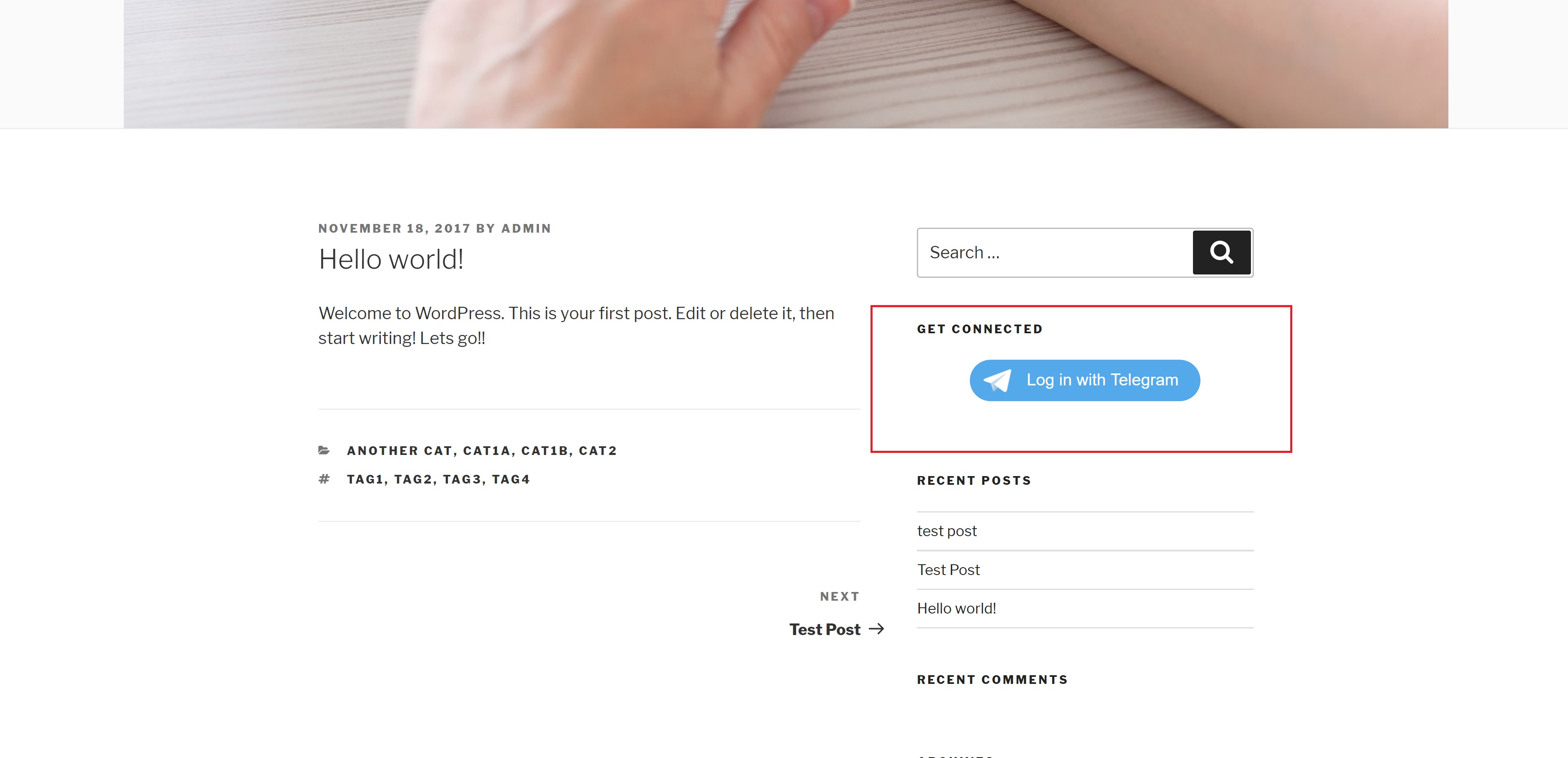
- Login button can be displayed anywhere
- Can be extended with custom code
Widget Info
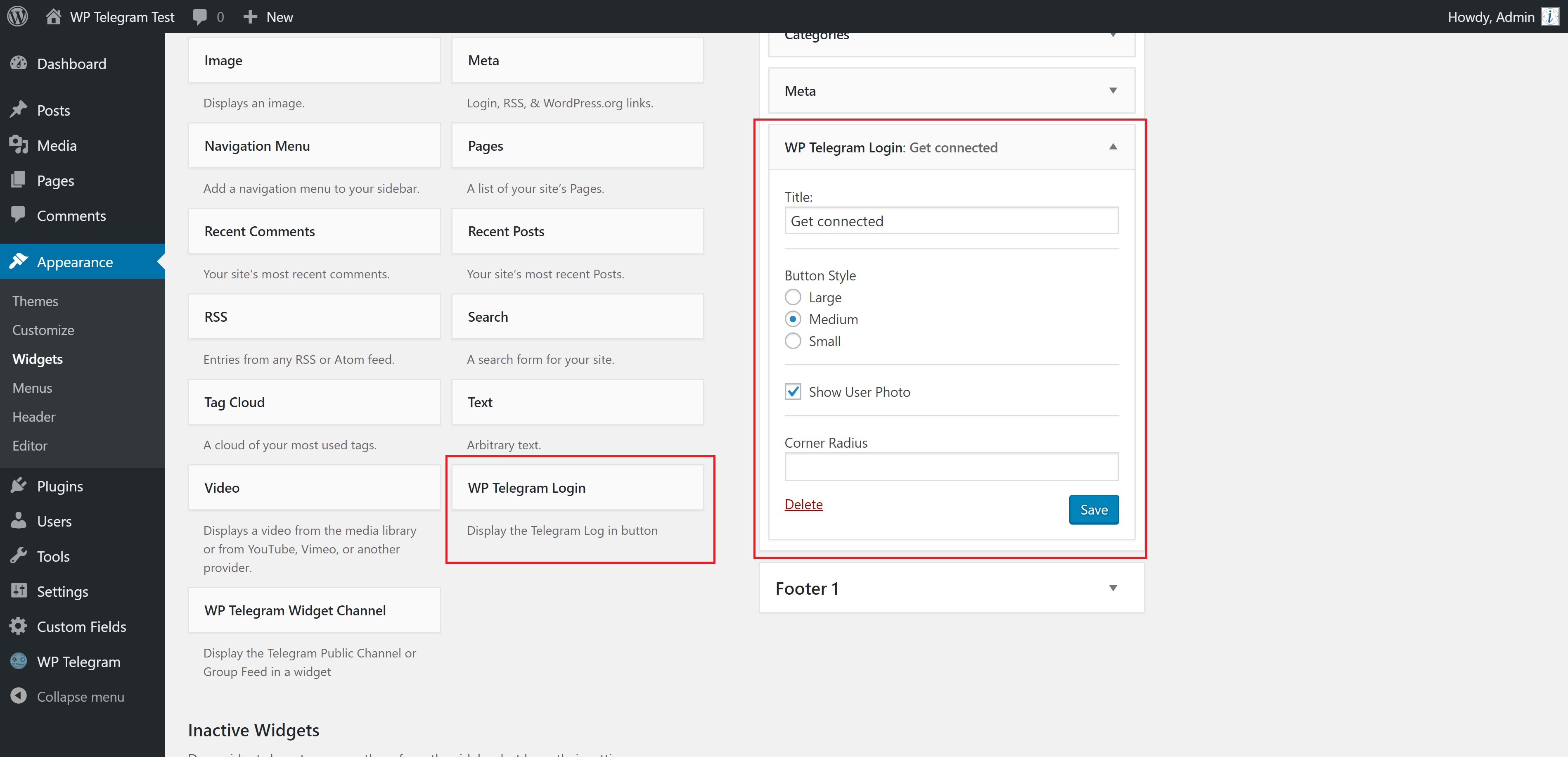
Goto Appearance > Widgets and click/drag WP Telegram Login and place it where you want it to be.
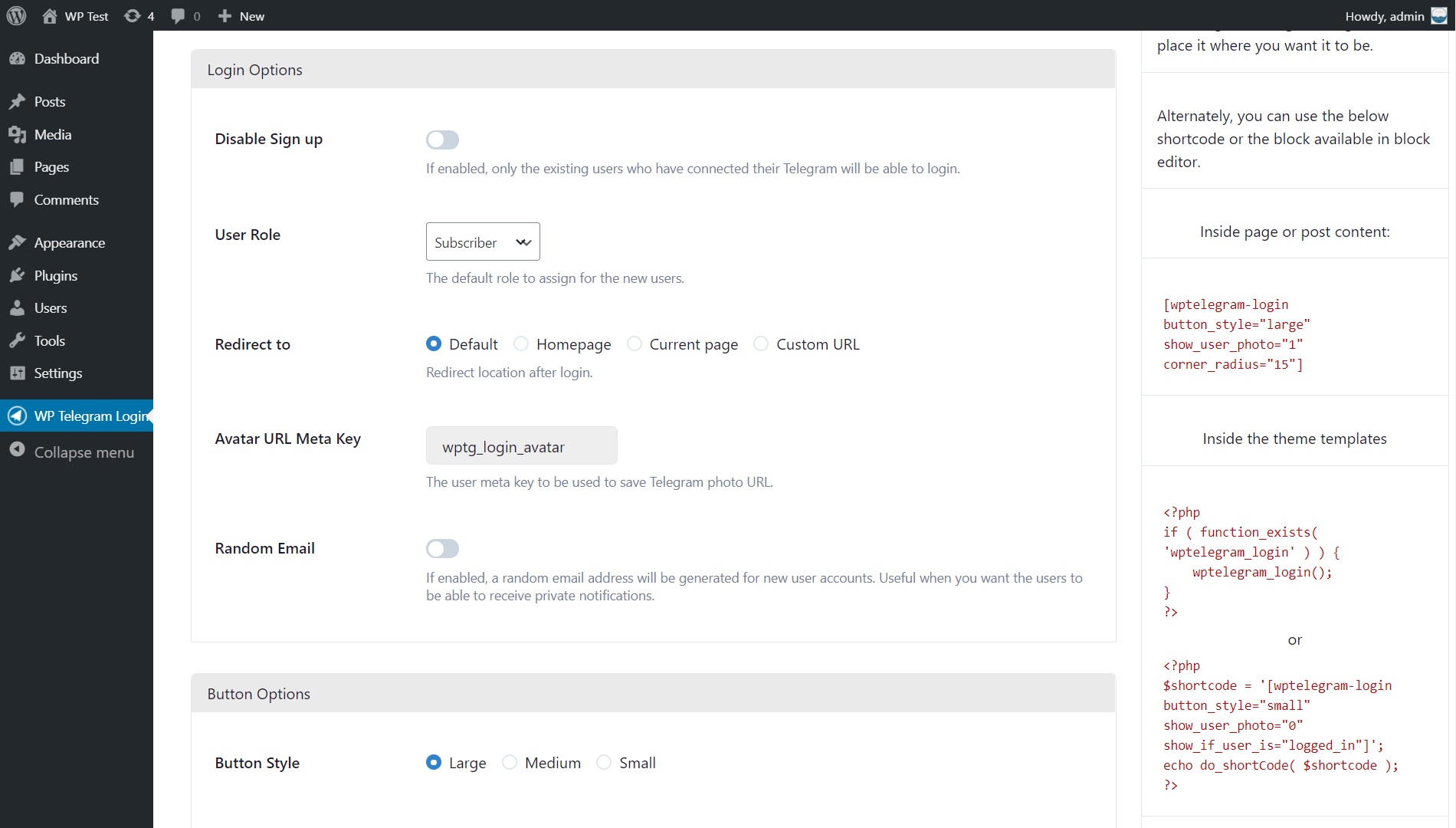
Alternatively, you can use the below shortcode.
Inside page or post content:
[wptelegram-login button_style="large" show_user_photo="1" corner_radius="15" show_if_user_is="logged_in"]
Inside the theme templates
<?php
if ( function_exists( 'wptelegram_login' ) ) {
    $args = array(
        // 'show_user_photo' => false,
        // 'corner_radius'   => 15,
        // 'button_style'    => 'large',
        // 'show_if_user_is' => 'logged_out',
    );

    wptelegram_login( $args );
}
?>
ou
Telegram Web App data
The plugin can also handle the data sent by the Telegram Web App. Simply send window.Telegram.WebApp.initData query string to this URL:
http://<your-website.com>/?action=wptelegram_login&source=WebAppData
The final URL might look like this:
http://<your-website.com>/?action=wptelegram_login&source=WebAppData&query_id=XXXX&user=XXXX&auth_date=XXXX&hash=XXXX
The plugin will:
- Validate the data for you
- Create a user account for the user if it doesn’t exist
- Login the user to the website in the context of your Web App.
Note: You need to use the same bot token for both the plugin and the Web App.
Excellent Support
Join the Chat
We have a public group on Telegram to help set up the plugin and discuss issues, features, translations, etc. Join @WPTelegramChat
For rules, see the pinned message. No spam, please.
Get in touch
- Website wpsocio.com
- Telegram @WPTelegram
- Facebook @WPTelegram
- Twitter @WPTelegram
Contribution
Development takes place in our Github monorepo, and all contributions welcome.
Instalação
Instalação automática
Automatic installation is the easiest way — WordPress will handle the file transfer, and you won’t need to leave your web browser. To do an automatic install of the plugin:
- Log in to your WordPress dashboard
- Navigate to the Plugins menu, and click “Add New”
- In the search field type “wptelegram-login” and hit Enter
- Locate the plugin in the list of search results
- Click on “Install Now” and wait for the installation to complete
- Click on “Activate”
Instalação manual
Manual installation method requires downloading the plugin and uploading it to your web server via your favorite FTP application. The official WordPress documentation contains instructions on how to do this here.
Atualizando
Automatic updates should work smoothly, but we still recommend you back up your site.
Log de Changes
Capturas de tela


Para desenvolvedores
Este é o seu plugin? Mostre os números.
Adicione um crachá ao vivo ao seu site, Documentos ou Readme do GitHub. Ele é atualizado por conta própria - nenhuma conta necessária.
Best WP Telegram Login & Register alternatives
All login plugins →





FAQ
WP Telegram Login & Register: quick answers
Respostas diretas, extraídas de dados ao vivo WordPress.org.
Fonte: WordPress.org
Is WP Telegram Login & Register free?
Yes. WP Telegram Login & Register is free to download and use from the official WordPress.org plugin directory.
Is WP Telegram Login & Register safe to use in 2026?
Yes — WP Telegram Login & Register is a safe, well-maintained plugin to use in 2026. It runs on 800+ sites, is rated 4.9/5 and was last updated 2 days ago, and scores 87/100 on our health check.
How many websites use WP Telegram Login & Register?
WP Telegram Login & Register is active on 800+ WordPress websites and has been downloaded 75,785 times since it launched in April 2018. It was downloaded 989 times in the last 30 days.
Does WP Telegram Login & Register work with WordPress 7.1?
Yes. The developer has tested WP Telegram Login & Register up to WordPress 7.1.5, the latest release. It requires WordPress 6.8 or newer.
What PHP version does WP Telegram Login & Register need?
WP Telegram Login & Register requires PHP 8.0 or higher. Most hosts run PHP 8.x today, so it works on any modern WordPress hosting.
When was WP Telegram Login & Register last updated?
The latest version, 1.11.17, was released on November 20, 2026 (2 days ago).
Who makes WP Telegram Login & Register?
WP Telegram Login & Register is developed and maintained by WP Socio.
What are the best alternatives to WP Telegram Login & Register?
The most popular alternatives to WP Telegram Login & Register are WPS Hide Login (2M+ installs), Loginizer (1M+ installs) and Security Optimizer (1M+ installs).
Alimentado por PageForge
Um modelo e uma planilha. Uma página real para cada pesquisa.
PageForge Transforma cada linha de um CSV em uma página WordPress com seu próprio título, URL, SEO campos e esquema, construído no layout que você já desenhou. Gratuito em WordPress.org.
- CSV e XLSX, mais Google Sheets em Profissional e Empresarial
- Seu próprio título, URL, SEO campos e esquema para cada página
- Funciona com o editor de blocos, Elementor, Divi e Avada
- Gratuito em WordPress.org, sem cartão de crédito