


wpForo Forum
Number one WordPress forum plugin with AI features. Full-fledged forum solution with modern forum design. Community builder WordPress forum plugin.

Escolha segura
Yes — wpForo Forum is a safe, well-maintained plugin to use in 2026. It runs on 20K+ sites, is rated 4.7/5 and was last updated 6 days ago, and scores 93/100 on our health check.
- Comprovado em escala em mais de 20 mil sites ativos
- Loved by users — 4.7/5 from 391 reviews
- Desenvolvido ativamente — última atualização 6 dias atrás
- Testado com as últimas WordPress (7.1)
Como ele se acumula?
Lado a lado em instalações, atualizações, avaliações e suporte



Downloads diários
Os picos de download geralmente seguem uma nova versão — cada site que atualiza automaticamente é um download.
Rankings
Where wpForo Forum stands todayWordPress.org Classificações de pesquisa
Posição ao vivo na pesquisa de plugins, top 100| Palavra chave | Posição |
|---|---|
| bbPress | #33 |
| community | #30 |
| forum | #1 |
| forum plugin | #2 |
| forums | #1 |
Adoção da versão
Compartilhamento de sites ativos por lançamento.
Divisão de classificação
★★★★★★★★★★ 4.7 from 391 reviews
About wpForo Forum
From the official readme · v3.2.5Descrição
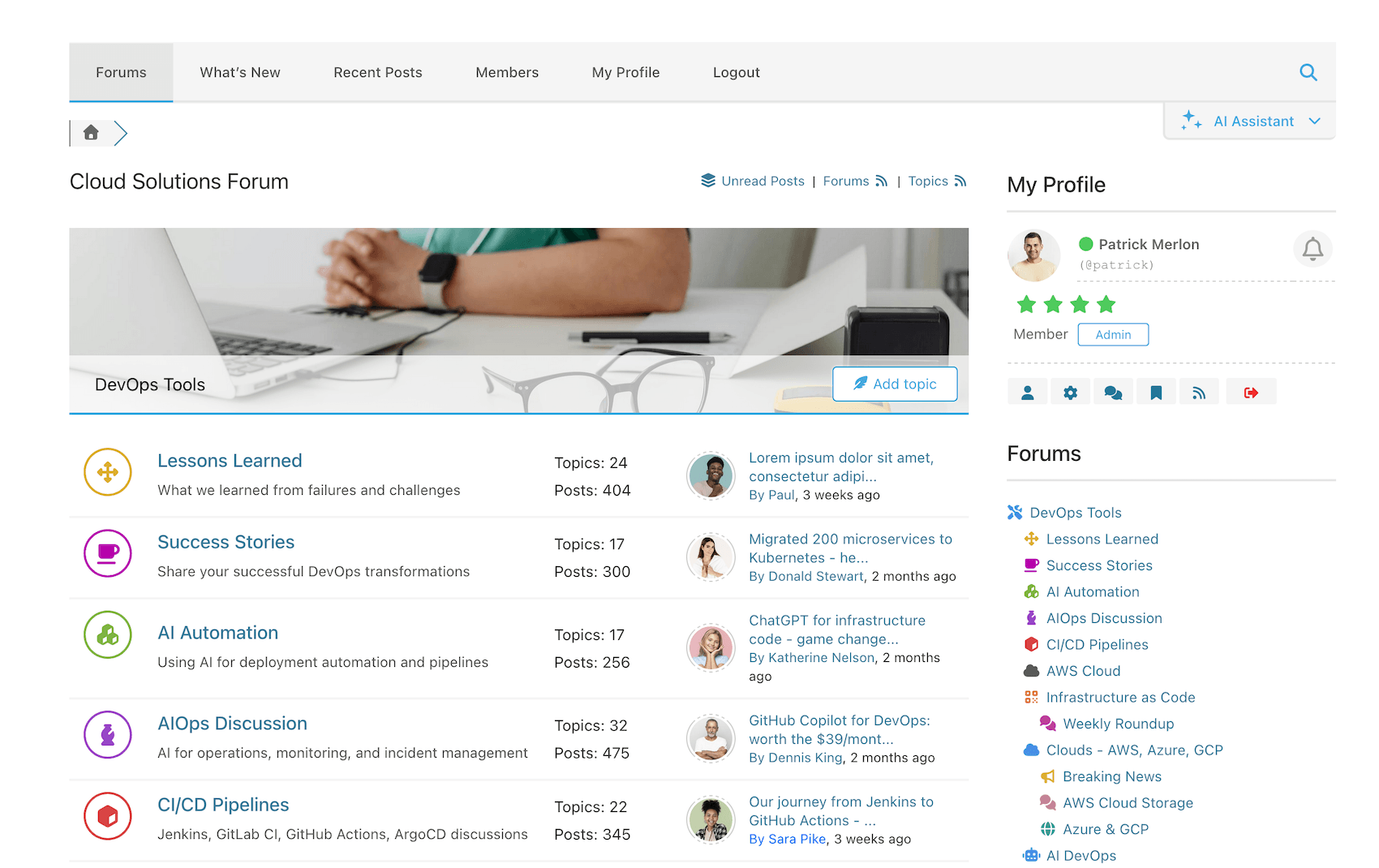
wpForo is the first AI powered forum plugin for WordPress. Full-fledged yet easy and light forum solution for your WordPress website. Comes with modern and responsive forum layouts and styles. This WordPress forum plugin brings everything you need to run an efficient and professional community. Powerful and beautiful forum with unique features. The best alternative to bbPress forum plugin.
5 Minute Forum Installation!
1. Activate plugin and find forums on /community/ page, (/community-2/ if /community/ is used),
2. Manage Forum Page, Title, etc in Dashboard > wpForo > Board > Edit Board admin page,
3. Manage Forums in Dashboard > wpForo > Forums admin page,
4. Manage Forum Menu in Dashboard > Appearance > Menu admin page,
5. Manage Forum Widgets in Dashboard > Appearance > Widgets admin page,
6. Manage Forum Colors in Dashboard > wpForo > Settings > Colors & Styles admin page, you can choose forum color styles.
Support Forum and Demo: https://wpforo.com/community/
Forum Documentation: https://wpforo.com/docs/wpforo-v3/
GDPR Compliance: https://wpforo.com/docs/wpforo-v3/gdpr/
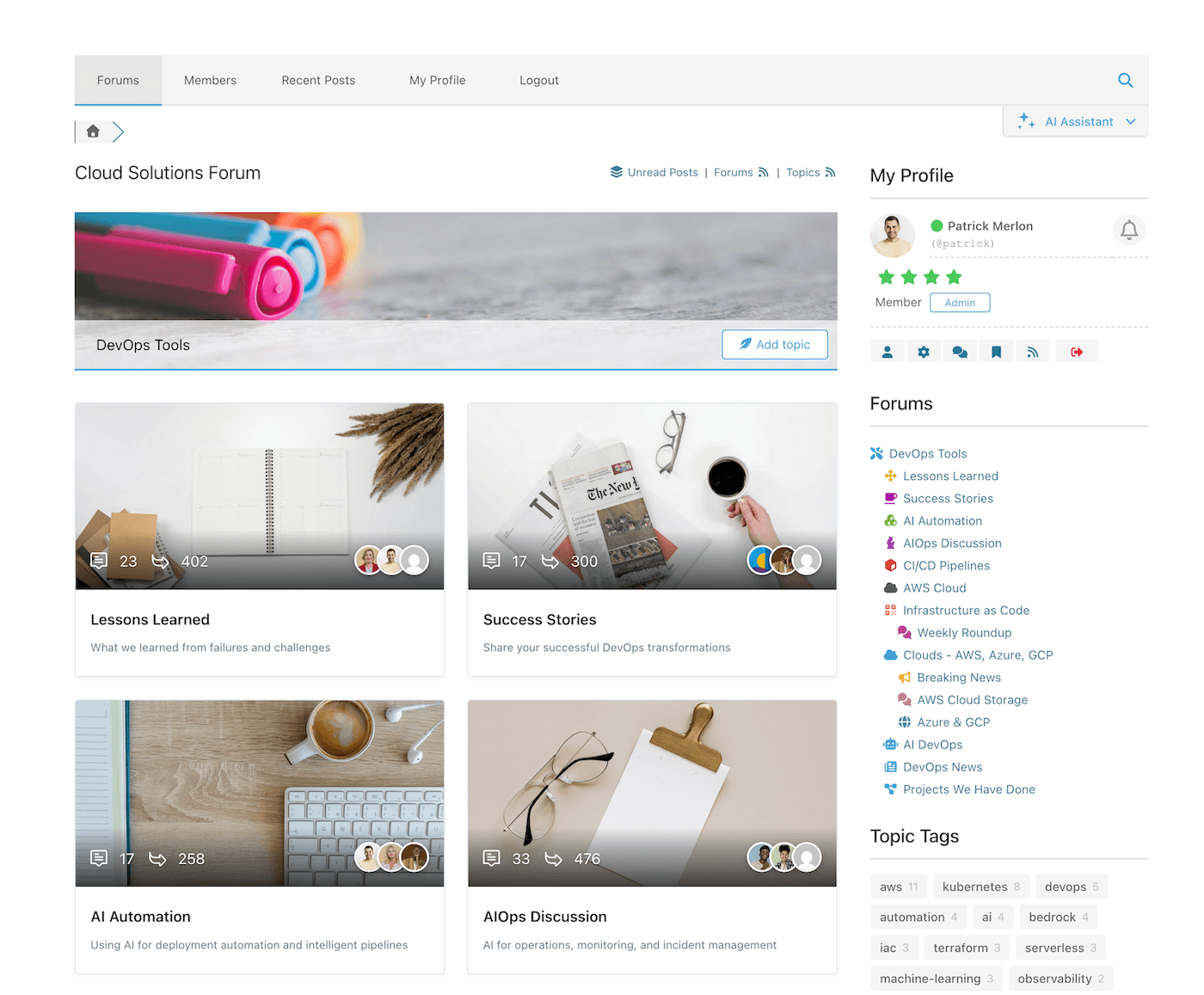
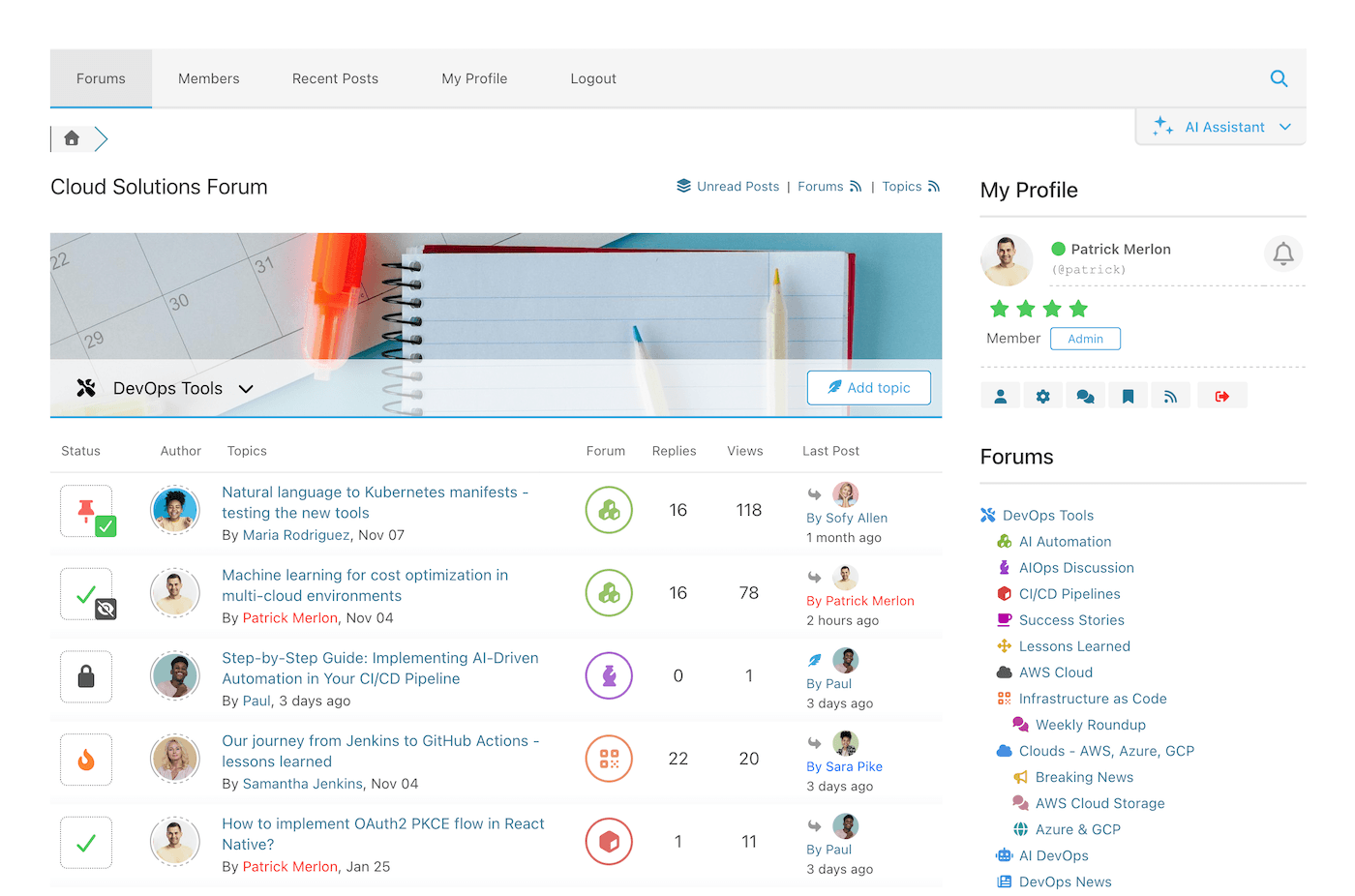
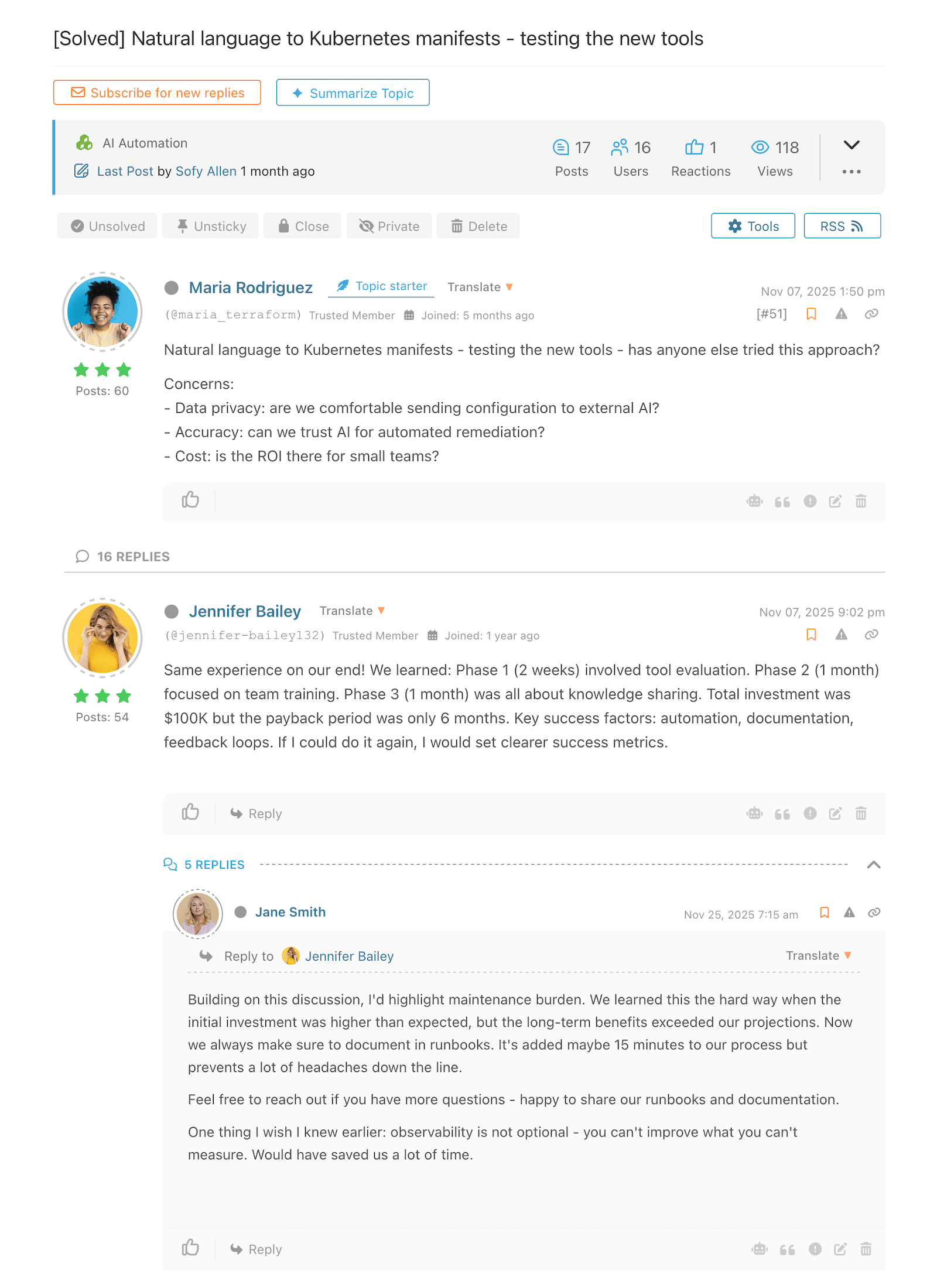
Multi-layout WordPress Forum Plugin
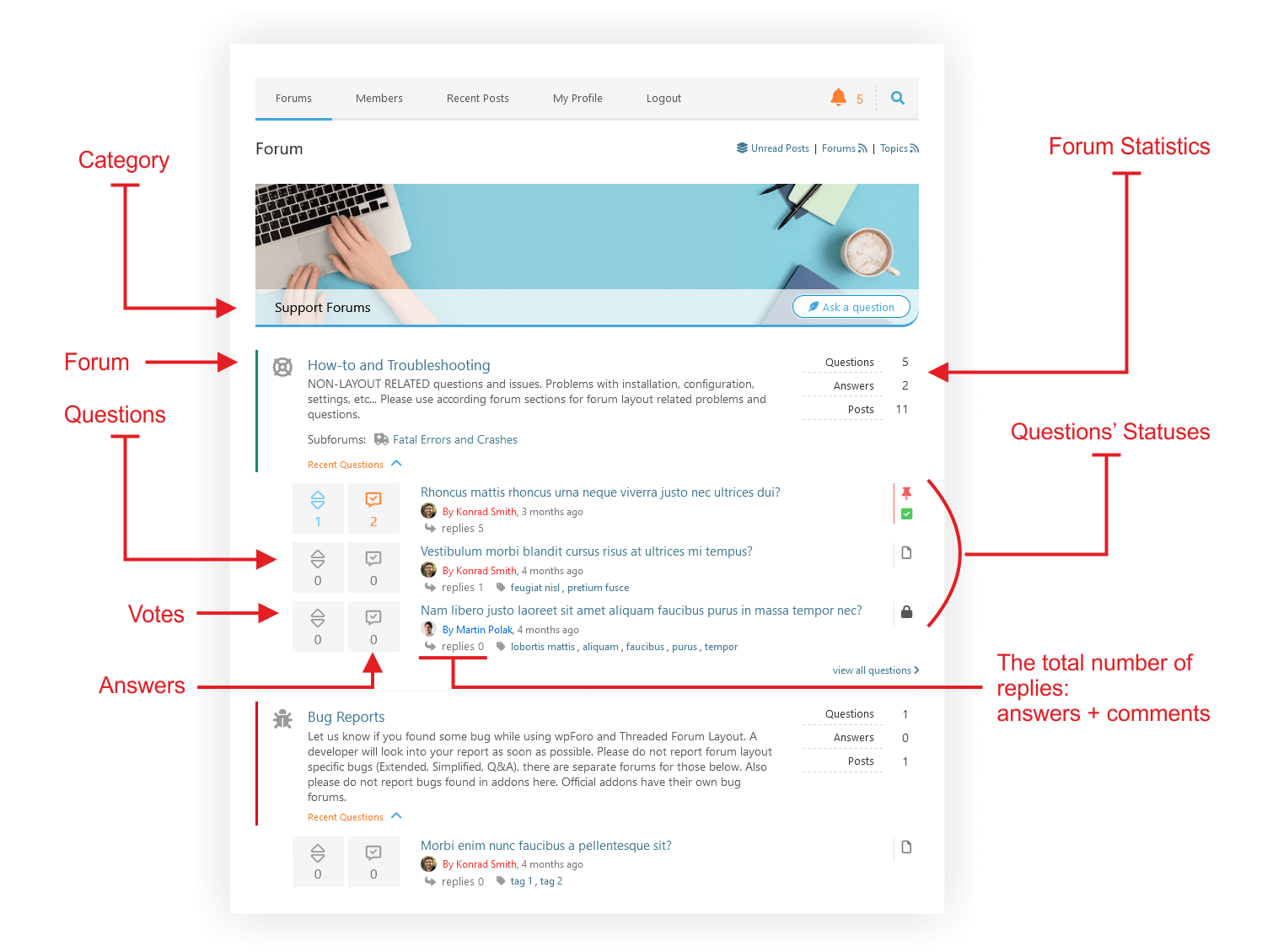
- Extended Forum Layout
- Simplified Forum Layout
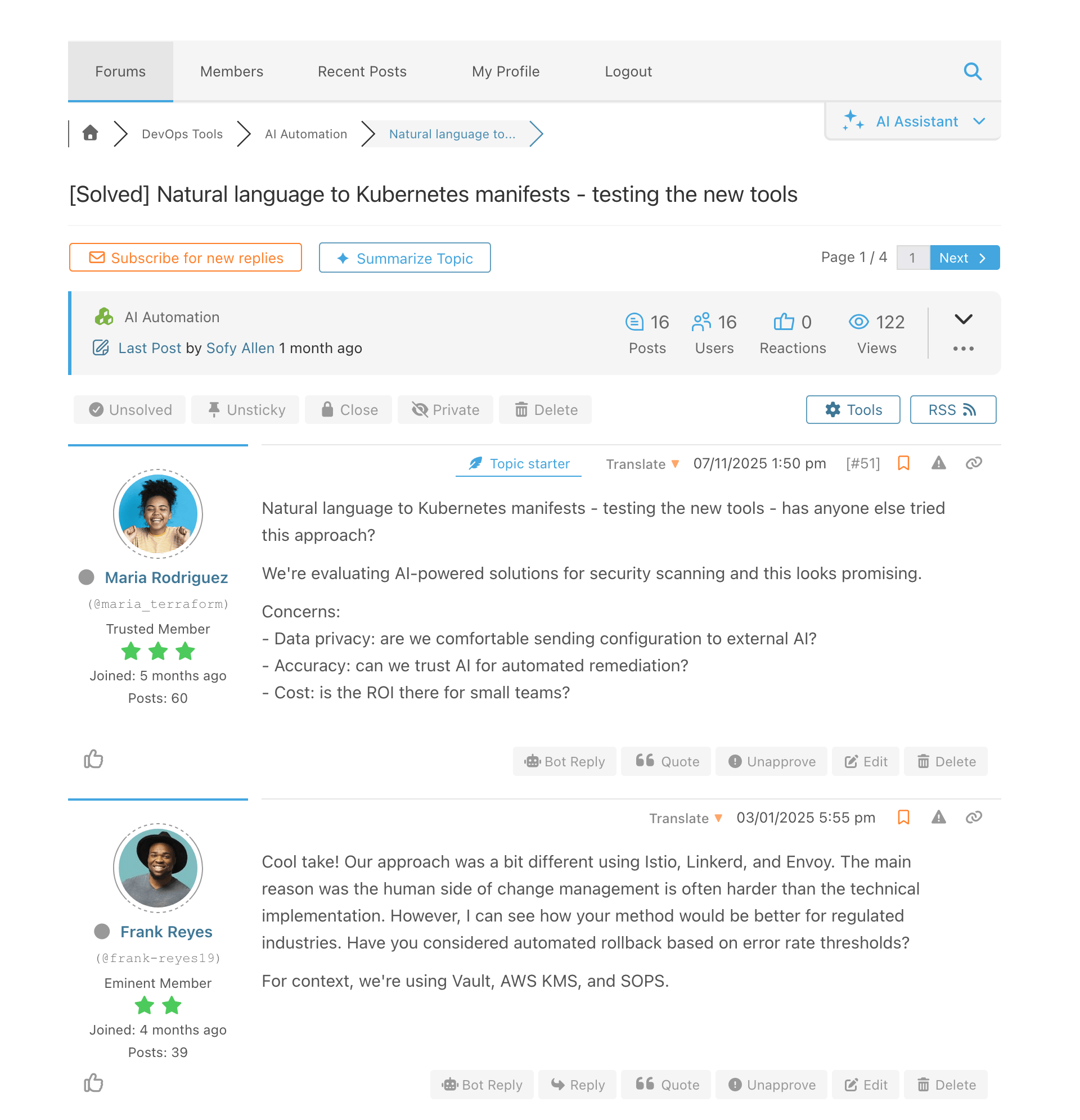
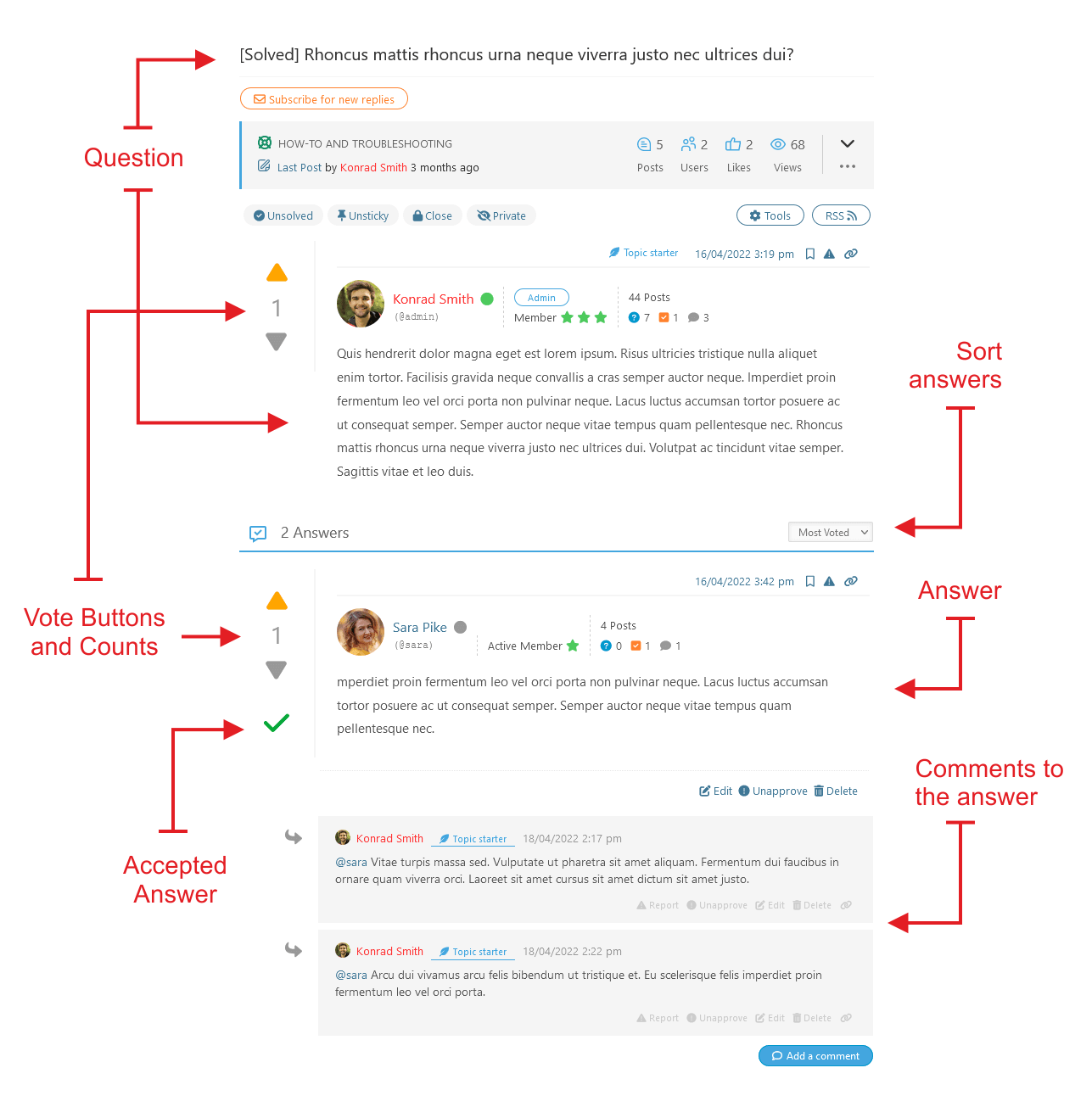
- Question and Answer Forum Layout
- Threaded Forum Layout
- Boxed Forum Layout
Migrate to wpForo
Free Migration Tool Go2wpForo: https://wpforo.com/docs/wpforo-v3/migrate-to-wpforo/
- Migrate bbPress forum to wpForo
- Migrate Asgaros forum to wpForo
- Migrate SimplePress forum to wpForo
- Migrate phpBB forum to wpForo
- Migrate SMF forum to wpForo
- Migrate Joomla Kunena forum to wpForo
- Migrate MyBB forum to wpForo
Forum Integration
wpForo forum plugin is well integrated with many Profile Builder and Paid Membership plugins, such as BuddyPress, Ultimate Members, WooCommerce Membership, Paid Memberships Pro, MemberPress, Groups and SureMembers plugins.
Forum Translation
wpForo is a WordPress forum plugin with all possibilities of plugin translation. We’d really appreciate if you could help translating wpForo forum plugin to your language here.
FORUM FEATURES
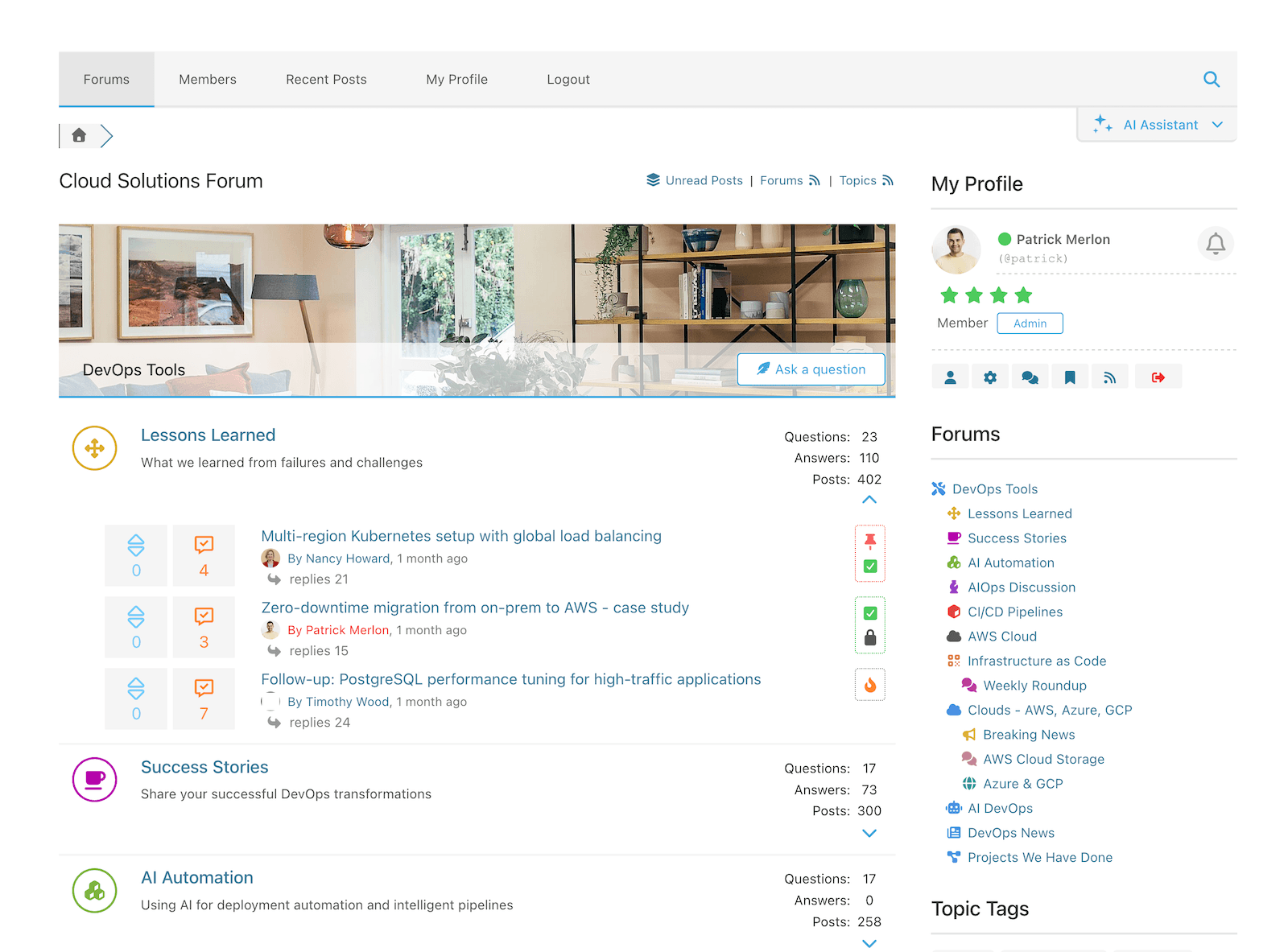
- 360° AI-Powered Features
- AI Semantic Search
- AI Topic Summarization
- AI Topic Suggestions
- AI Multi-Language Translation
- AI Chat Assistant
- AI Bot Reply & Suggest Reply
- AI Content Moderation
- AI Spam Detection
- AI Toxic Content Detection
- AI Tasks — Automated Topic Generation
- AI Tasks — Automated Reply Generation
- AI Tasks — Automated Topic Tag Moderation
- AI Analytics & Insights
- AI Knowledge Generation (RAG)
- AI Content Indexing – Text, Images, Documents
- Multi-board: Allows to have multiple separate forum pages
- Multi-language: Allows to forums with different languages
- Multi-layout: Four modern forum layouts (Q&A, Threaded…)
- Designed for small and extremely large forums/communities.
- Migrate from other forums using Go2wpForo tool.
- Four different forum layouts and designs.
- Six set of forum color styles including dark style.
- Super responsive forum on all kind of devices.
- Live user notification system
- Built-in forum SEO functions.
- Built-in forum Sitemap and Search Engine ping.
- Built-in forum Cache System.
- Built-in forum Antispam and Akismet integration.
- Advanced forum user profile system.
- Forum Member Rating and Badges.
- Built-in forum/topic subscription.
- Drag and Drop forum management system.
- Topic and Post front-end moderation.
- Forum topics and posts Read / Unread logging.
- Topic Tags and Tags Widget.
- Forum styles with different colors.
- Built-in, powerful forum Usergroup system.
- Forum Access sets per Usergroup per Forum.
- Forum Phrase System for quick translation.
- WordPress .MO/.PO translation files.
- Tools and options for GDPR Compliance
- Social Network Share Buttons
- BuddyPress Integration
- Ultimate Member Integration
Need more forum features?
Find wpForo forum plugin addons on gVectors Team website…
Use of 3rd Party Services
wpForo connects to external services operated by gVectors Team for certain features. These connections are optional and only active when the corresponding features are enabled by the forum administrator.
gVectors AI API (api.gvectors.com, api.gvectors.net)
When AI features are enabled by the forum administrator, wpForo sends forum content (topics, posts, and metadata) to the gVectors AI API for processing. This includes:
- Content Indexing: Forum content is sent to embedding generation for vector database
- Semantic Search: Query is sent for embedding for vector search
- AI Translation: Forum text is sent for translation into other languages
- AI Summarization: Topic content is sent for automatic summary generation
- Content Moderation: New posts are sent for AI-powered content analysis
- AI Chat: Conversation context is sent for AI response generation
- Topic Suggestions: Forum data is sent for generating related topic recommendations
No data is sent to the AI API unless the forum administrator explicitly enables AI features, accepts the Terms of Service and Privacy Policy, and configures an API key. A fallback domain (api.gvectors.net) may be used automatically if the primary domain is unreachable.
Terms of Service
Privacy Policy
gVectors Addons Store (gvectors.com)
When using wpForo addons purchased from the gVectors store, the plugin communicates with gvectors.com to verify addon licenses and deliver automatic updates through the WordPress Dashboard. This includes sending your site URL and license key to validate your purchase and check for available addon updates.
Terms of Service
Privacy Policy
gVectors Addons News & License Reminders (store.gvectors.com)
If the forum administrator explicitly enables the addon news service (it is disabled by default and requires opt-in), wpForo connects to store.gvectors.com once per day to:
- Fetch news about new addons, new features and announcements (endpoint: /news) — this request sends no site-specific data beyond standard HTTP request information
- Check for addon licenses that are close to expiration (endpoint: /at-risk-licenses) — this request sends your site address, an anonymous site identifier (an HMAC hash generated from your site domain and your WordPress security salts), and the slugs and installed versions of your gVectors addons
No personal data, no email addresses, and no forum content is ever sent to this service. News notifications are shown as dismissible messages in the WordPress admin, and summary emails are sent by your own site (via your own mail server) to site administrators. The service can be disabled at any time from the wpForo Addons page, which stops all outbound requests immediately.
Instalação
- Install wpForo Forum plugin in Dashboard > Plugins admin page. Then activate it.
- If you have more than 100 users wpForo forum plugin prompts you synchronize users.
- Manage Forums in Dashboard > wpForo > Forums admin page,
- Manage Forum Menu in Dashboard > Appearance > Menu admin page,
- Manage Forum Colors in Dashboard > Forums > Settings > Styles admin page, you can choose forum color styles.
Log de Changes
IMPORTANT NOTES for UPDATE
- After the update, please delete all caches and purge CDN if you have
- After the update, please flush Redis Object Cache if you have this cache enabled
wpForo Forum v3.2 Release Summary
wpForo Forum 3.2.5 | 11.13.2026
- Security: Fixed stored XSS via display name and nickname submitted through the registration form
- Security: Rich-text profile fields (About Me, Signature and custom editor fields) are now filtered before being saved
- Security: Fixed XSS in the default attachment link text shown to users without attachment access
- Security: Fixed XSS in the author name and mention of quoted posts
- Security: Escaped member names in the admin Members list
- Fixed: Saving the account form no longer blanks a non-Latin nickname
wpForo Forum 3.2.4 | 02.11.2026
- AI Indexing: Large forums are now sent to the cloud in smaller requests, fixing “413 Request Entity Too Large” errors and timeouts
- AI Indexing: Each indexing run is time-limited and remaining topics are queued for the next run
- AI Indexing: Stop and Clear actions now halt an indexing run that is already in progress
- Fixed: Fatal error in widgets on pages whose URL contains “/wp-json/”
wpForo Forum 3.2.3 | 01.11.2026
- Security: Fixed privilege escalation vulnerability in theme management
- Security: Fixed XSS vulnerability in moderation tools
- Security: Fixed SQL injection vulnerability in board URL handling
- Security: Fixed privilege escalation vulnerability in usergroup assignment
- Security: Hardened permission checks for guest post submissions (thanks to Métal Créatif – metalcreatif.fr)
- Fixed: Corrected canonical URLs for dynamic pages and invalid Q&A schema markup
- Fixed: Forum tree cache now stored without autoload to reduce memory usage on non-forum pages
- Fixed: Indexed hash computation compatibility with databases lacking MD5() SQL function
- Addons Store: Extended addon notice dismiss period
wpForo Forum 3.2.2 | 28.09.2026
- Addons Store: Improved addons’ legacy license handling
- Addons Store: Added ‘View Features’ button to see addons features
- Addons Store: Various bug fixes and improvements
wpForo Forum 3.2.1 | 26.09.2026
- Addons Store: Added product sections with structured grouping and navigation
- Addons Store: Added support for manual plugin installation with signed ZIP links
- Fixed: Member Search by custom fields returned no results for values with non-Latin characters (Cyrillic, Greek, Armenian, Chinese, Japanese, Korean, Arabic, Hebrew, Hindi, Thai) and for accented Latin characters (Slovak, Czech, Polish, German, French, Spanish)
- Fixed: Member Search by custom fields returned no results for values containing special characters, such as / – . + * ? [ ] ( ) { } = ! < > | : ^ $ (e.g. S/4HANA, BW/4HANA, FI-CO)
- Fixed: Topic Search by custom fields had the same no-result issue for values with non-Latin and special characters
- Fixed: Member Search with multiple custom fields could return wrong results, as the search phrase was altered after the first field
- Security: Hardened custom field search against malformed UTF-8 input in search values
wpForo Forum 3.2.0 | 25.09.2026
- Addons Store: Purchase and manage addon licenses directly in your WordPress dashboard. No need to go to gVectors Store, purchase, then download and install. Now you can do one-click purchase, install, and update addons directly in your wpForo > Addons admin page.
Capturas de tela
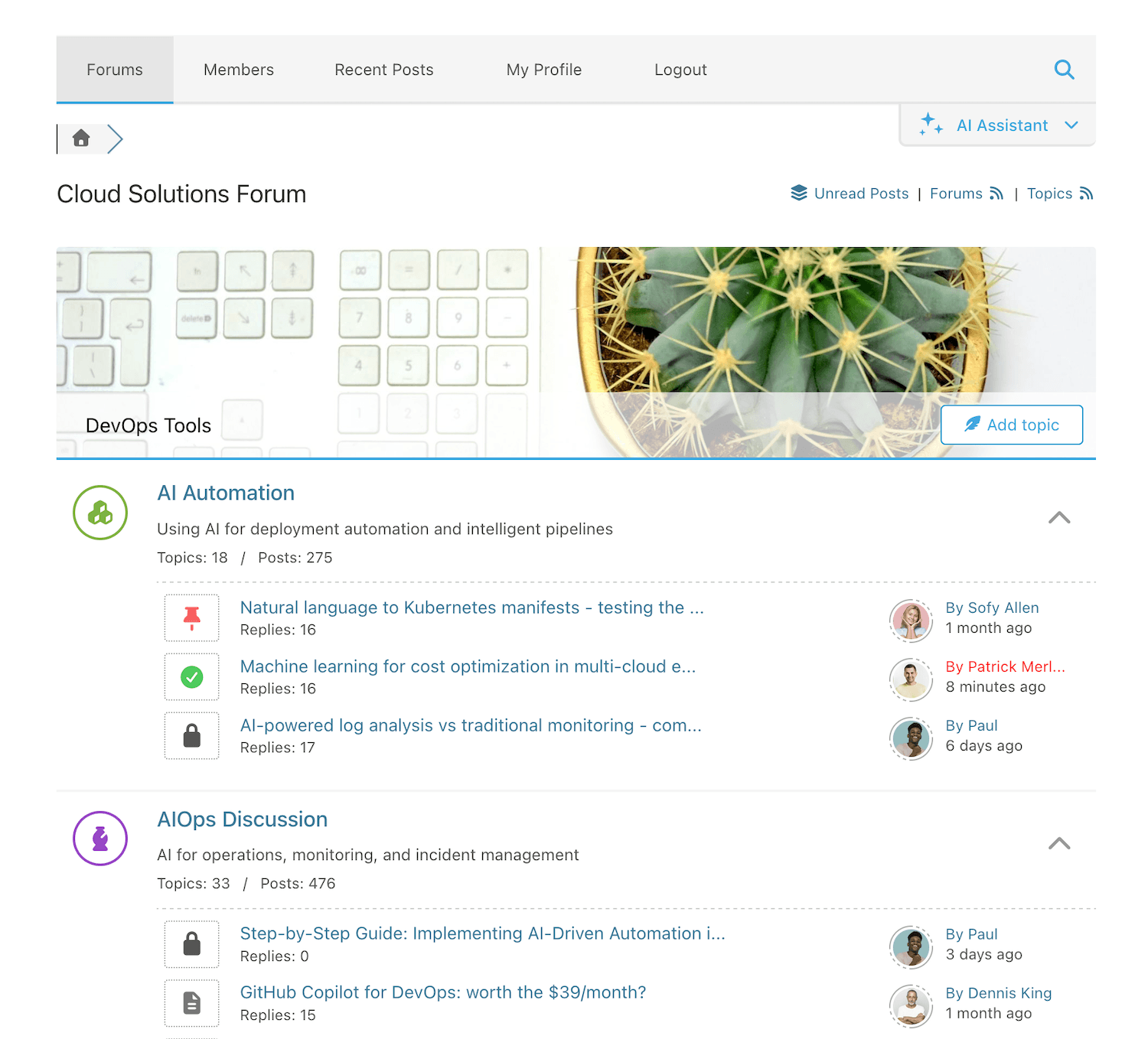
Para desenvolvedores
Este é o seu plugin? Mostre os números.
Adicione um crachá ao vivo ao seu site, Documentos ou Readme do GitHub. Ele é atualizado por conta própria - nenhuma conta necessária.
Best wpForo Forum alternatives
All bbPress plugins →





FAQ
wpForo Forum: quick answers
Respostas diretas, extraídas de dados ao vivo WordPress.org.
Fonte: WordPress.org
Is wpForo Forum free?
Yes. wpForo Forum is free to download and use from the official WordPress.org plugin directory.
Is wpForo Forum safe to use in 2026?
Yes — wpForo Forum is a safe, well-maintained plugin to use in 2026. It runs on 20K+ sites, is rated 4.7/5 and was last updated 6 days ago, and scores 93/100 on our health check.
How many websites use wpForo Forum?
wpForo Forum is active on 20K+ WordPress websites and has been downloaded 1,879,762 times since it launched in June 2016. It was downloaded 39,917 times in the last 30 days.
Does wpForo Forum work with WordPress 7.1?
Yes. The developer has tested wpForo Forum up to WordPress 7.1.5, the latest release. It requires WordPress 5.2 or newer.
What PHP version does wpForo Forum need?
wpForo Forum requires PHP 7.1 or higher. Most hosts run PHP 8.x today, so it works on any modern WordPress hosting.
When was wpForo Forum last updated?
The latest version, 3.2.5, was released on November 14, 2026 (6 days ago).
Who makes wpForo Forum?
wpForo Forum is developed and maintained by Tomdever.
What are the best alternatives to wpForo Forum?
The most popular alternatives to wpForo Forum are One User Avatar (100K+ installs), Content Aware Sidebars (30K+ installs) and Restrict User Access (10K+ installs).
Alimentado por PageForge
Um modelo e uma planilha. Uma página real para cada pesquisa.
PageForge Transforma cada linha de um CSV em uma página WordPress com seu próprio título, URL, SEO campos e esquema, construído no layout que você já desenhou. Gratuito em WordPress.org.
- CSV e XLSX, mais Google Sheets em Profissional e Empresarial
- Seu próprio título, URL, SEO campos e esquema para cada página
- Funciona com o editor de blocos, Elementor, Divi e Avada
- Gratuito em WordPress.org, sem cartão de crédito