


WPBits Block Studio
Build Gutenberg blocks visually. Generate real, editable WordPress block code.

Use com cautela
WPBits Block Studio works, but test it on a staging site before relying on it in 2026. Was last updated 3 months ago, and scores 54/100 on our health check.
- Testado com as últimas WordPress (7.1)
- Base de usuários pequenas (<10 instalações ativas)
- Muito poucos comentários até agora
Como ele se acumula?
Lado a lado em instalações, atualizações, avaliações e suporte


Downloads diários
Os picos de download geralmente seguem uma nova versão — cada site que atualiza automaticamente é um download.
Rankings
Where WPBits Block Studio stands todayWordPress.org Classificações de pesquisa
Posição ao vivo na pesquisa de plugins, top 100| Palavra chave | Posição |
|---|---|
| Block Builder | >100 |
| blocos | >100 |
| developer-tools | >100 |
| generator | >100 |
| Gutenberg | >100 |
About WPBits Block Studio
From the official readme · v1.0.1Descrição
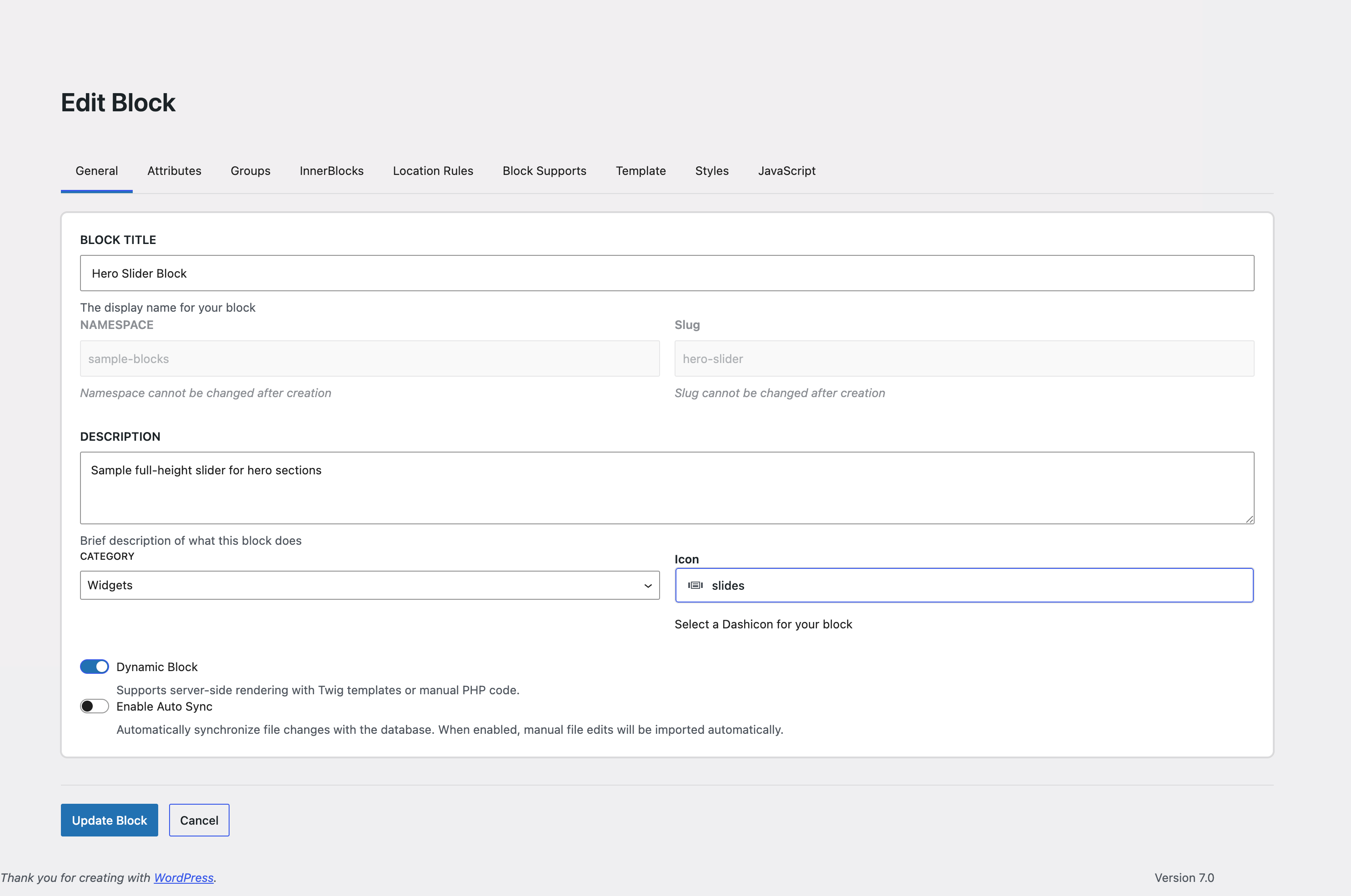
WPBits Block Studio is a developer-first Gutenberg block builder for creating static and dynamic custom blocks with visual attribute editing, Twig templates, file synchronization, and exportable block code.
Block Studio accelerates custom Gutenberg block development through a visual workflow. Define attributes, configure controls, set up templates, and generate standard WordPress block files — all from within the WordPress admin. The generated code is yours to inspect, modify, and integrate into themes, plugins, or any WordPress project.
Why Block Studio?
- Visual Development Workflow — Build custom Gutenberg blocks through a visual development interface.
- Real, Editable Block Files — Generate standard WordPress block files that developers can inspect, modify, and integrate into their own projects.
- Static & Dynamic Rendering — Create both static blocks and server-rendered dynamic blocks.
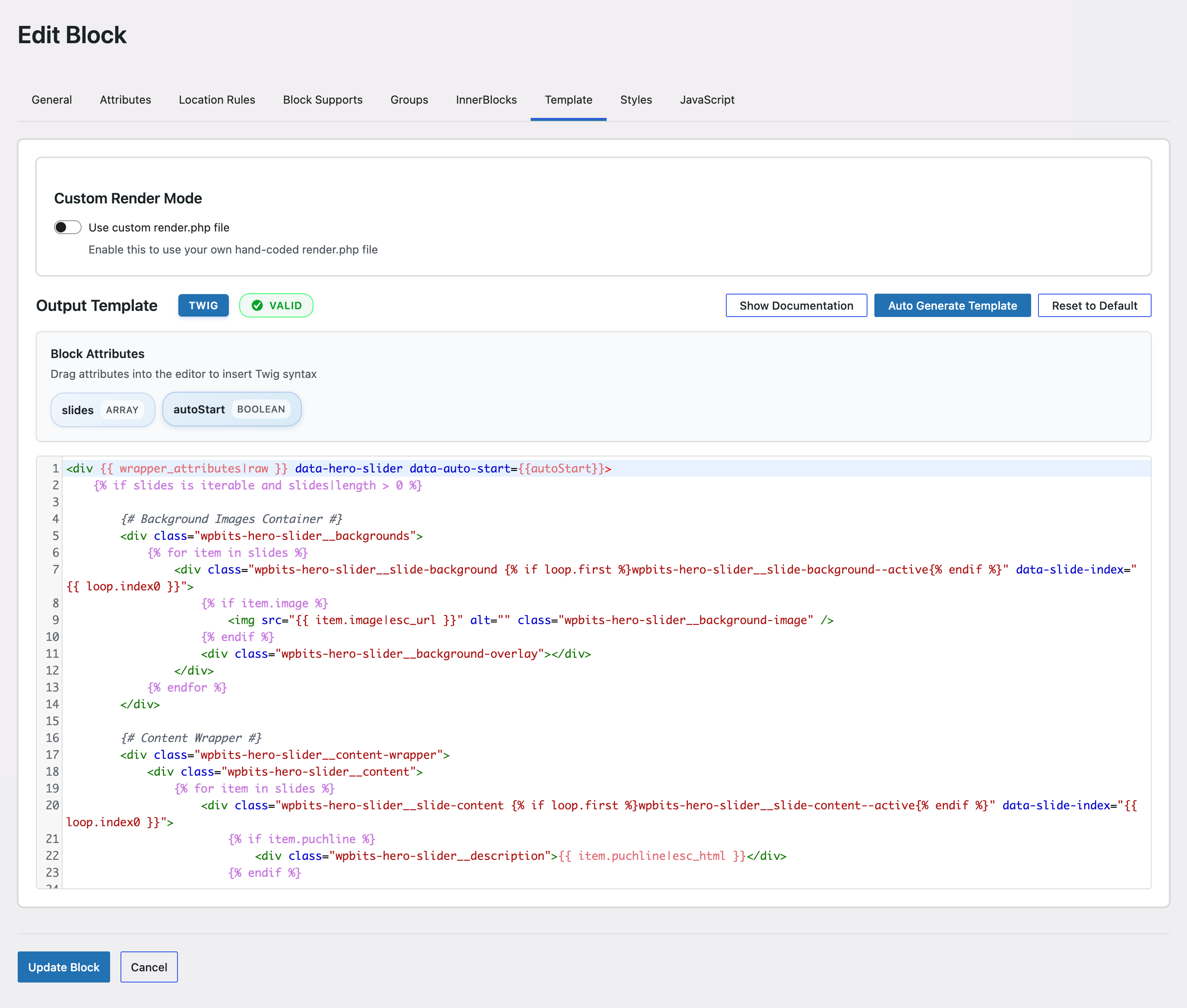
- Twig Templates — Use clean, maintainable Twig templates for block markup.
- Developer Freedom — Export and integrate generated blocks into themes, plugins, and other WordPress development workflows.
Perfect For
- WordPress developers building custom blocks
- Agencies creating blocks for multiple clients
- Theme developers needing block patterns
- Plugin developers requiring custom blocks
- Advanced users who want to accelerate block development
Free Features
- Visual Block Builder – Accelerate block development through a visual workflow
- Schema-Based Generation – JSON schema defines block structure
- Static & Dynamic Blocks – Build both static and dynamic Gutenberg blocks
- Twig Template Engine – Familiar templating syntax with powerful features
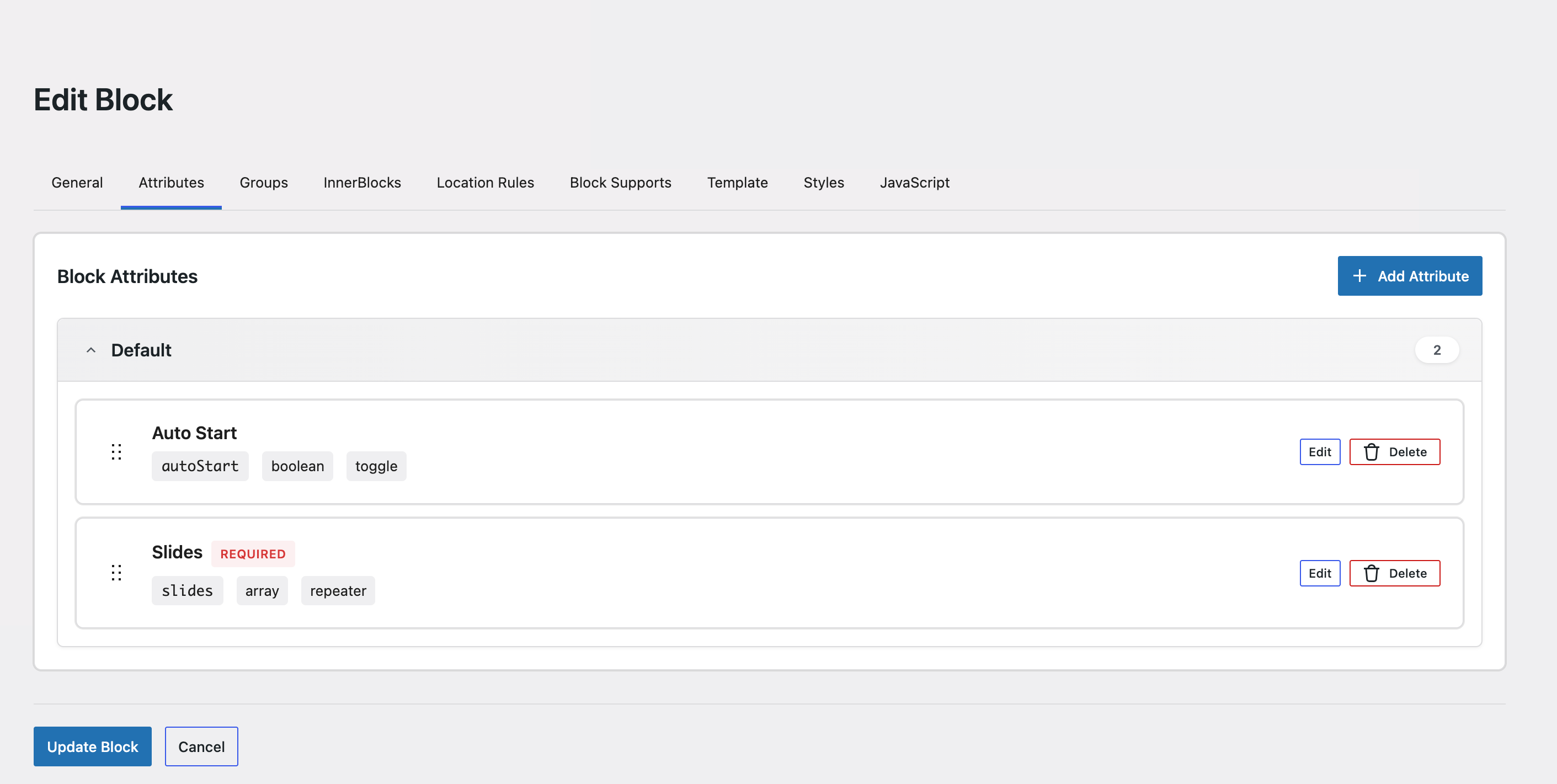
- Attribute Editor – Visual editing for block attributes
- Conditional Visibility – Show/hide blocks based on conditions
- Template System – Reusable block templates
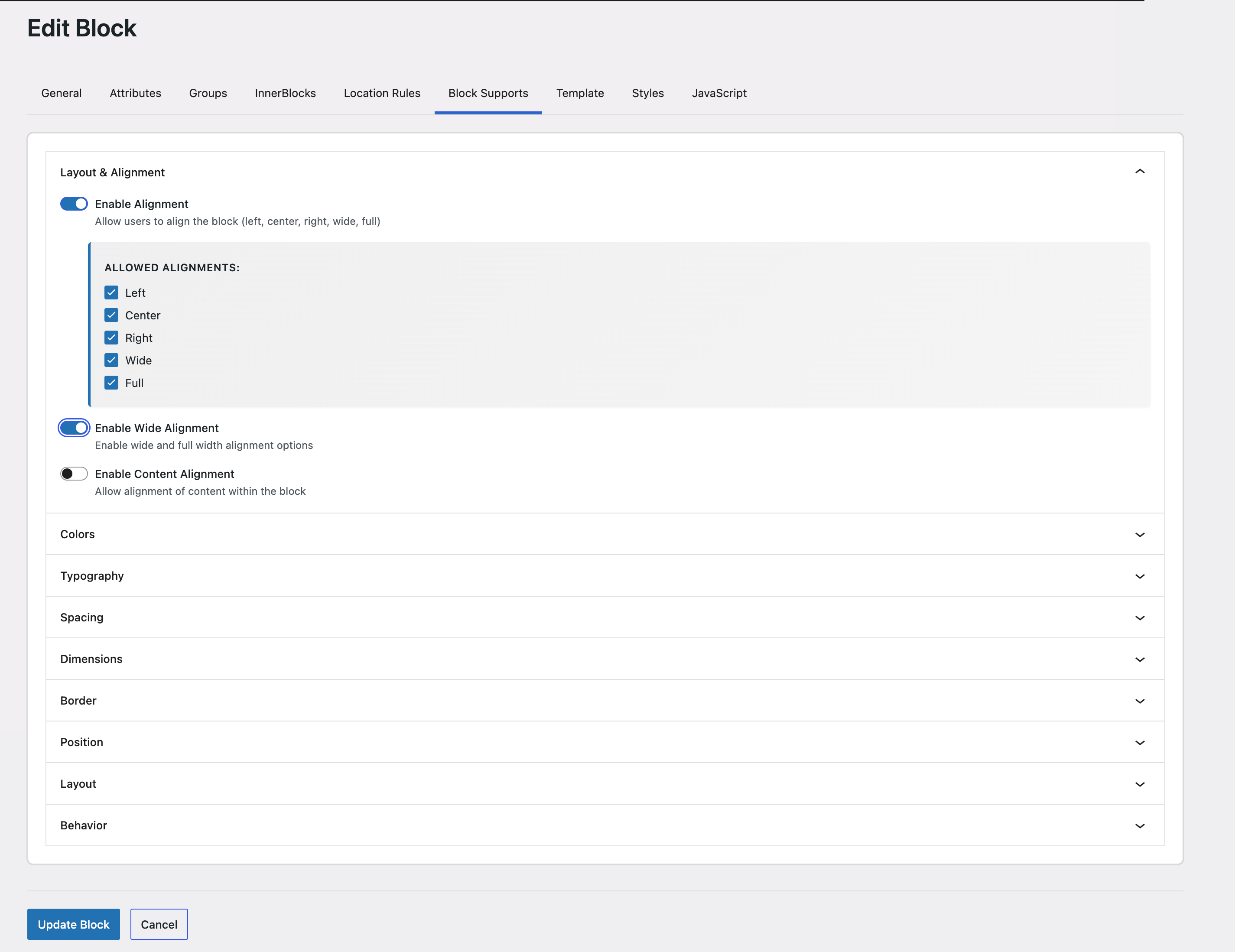
- Block Supports Editor – Configure block support options
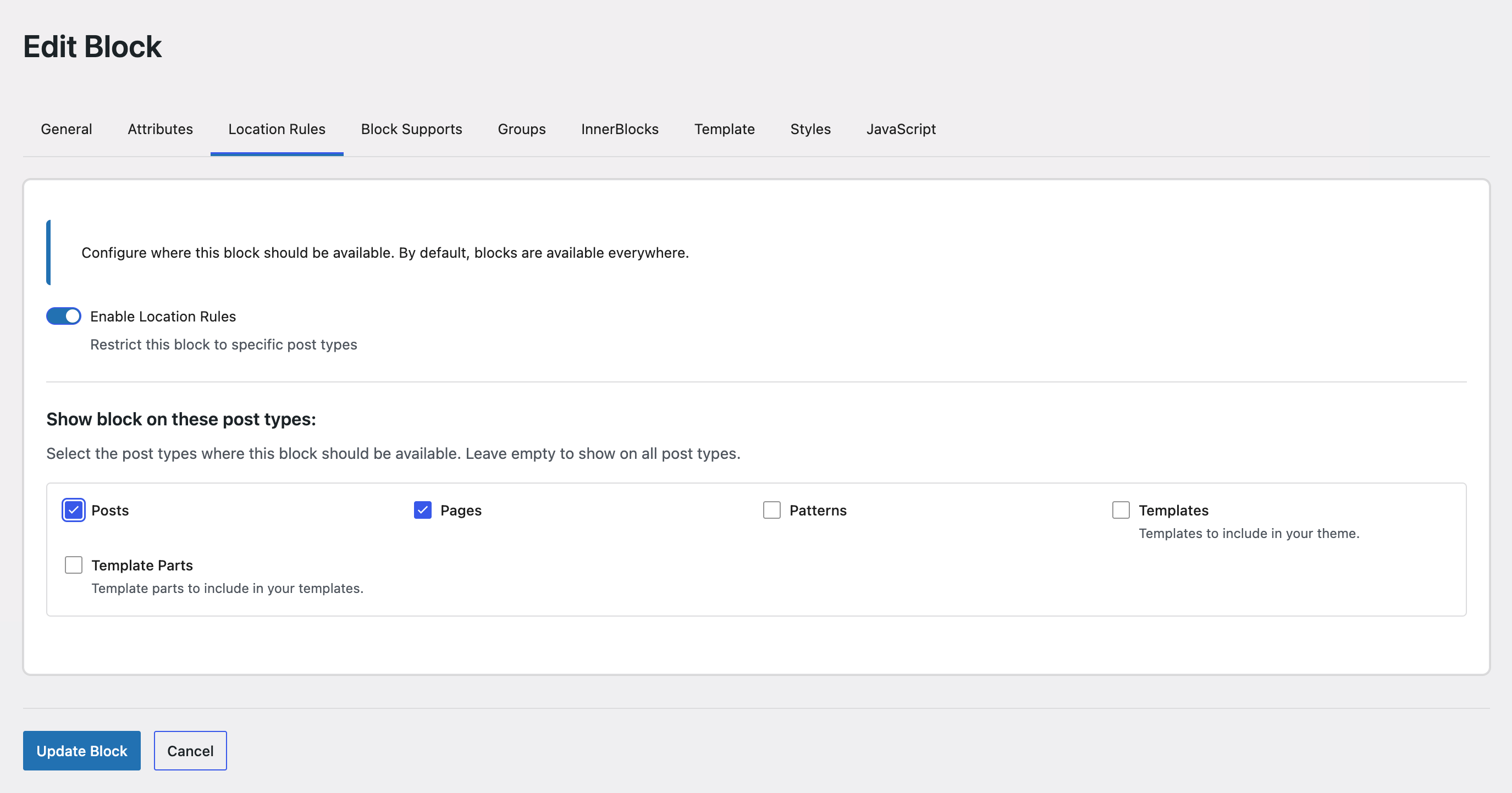
- Location Rules – Control where blocks appear
- Auto-Sync – Synchronize externally edited generated block files
- Import/Export – Import and export block configurations
- Role-Based Access – Control access by user role
- Internationalization – Full i18n support for translations
Pro Features
Need more control? Block Studio Pro adds InnerBlocks, repeaters, custom PHP rendering, advanced organization tools, custom output paths, and standalone plugin export.
- Custom Render PHP – Use your own PHP render logic
- Repeater Control Type – Nested repeatable attribute groups
- Post Selector – Select posts/pages with thumbnail preview
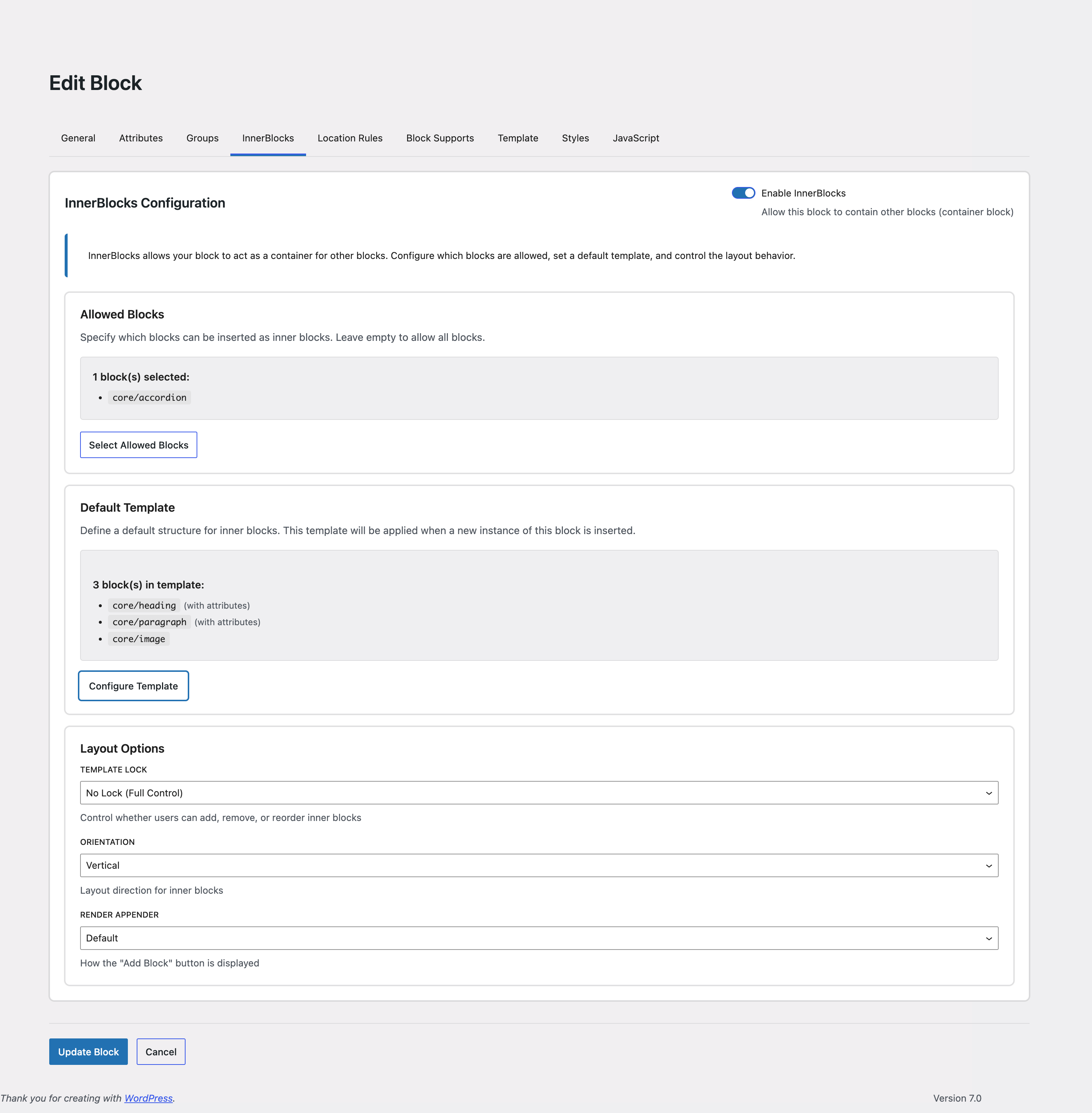
- InnerBlocks Support – Configure nested block areas
- Groups Tab – Organize attributes into collapsible sections
- Custom Categories – Organize blocks in the inserter
- Custom Output Directory – Set where block files are saved
- Custom Icon Upload – Upload SVG, PNG, JPG, GIF icons
- Export as Plugin – Package blocks as standalone WordPress plugins
Available Control Types
Free Controls (18):
- Text – Single-line text input
- Textarea – Multi-line text input with optional TinyMCE rich editor
- Rich Text – WordPress rich text editor
- Number – Numeric input with min/max/step
- Range – Slider control with min/max/step
- Checkbox – Boolean checkbox
- Toggle – On/off toggle switch
- Select – Dropdown select
- Multi-Select – Multiple selection dropdown
- Combobox – Searchable dropdown with free-text entry
- Radio – Radio button group
- Color – Color picker with palette support
- Image – Media library image picker
- Date – Popover-based date picker with format options
- DateTime – Combined date and time picker
- Time – Time-only picker
- Link – URL picker with search and open-in-new-tab option
- Unit – Numeric input with unit suffix (px, em, rem, %, etc.)
Pro Controls (2):
- Repeater – Nested repeatable field groups with sub-fields (PRO)
- Post Selector – Select posts/pages with thumbnail support (PRO)
Generated Block Structure
Block Studio generates standard WordPress block files that work independently of the plugin. Each generated block includes:
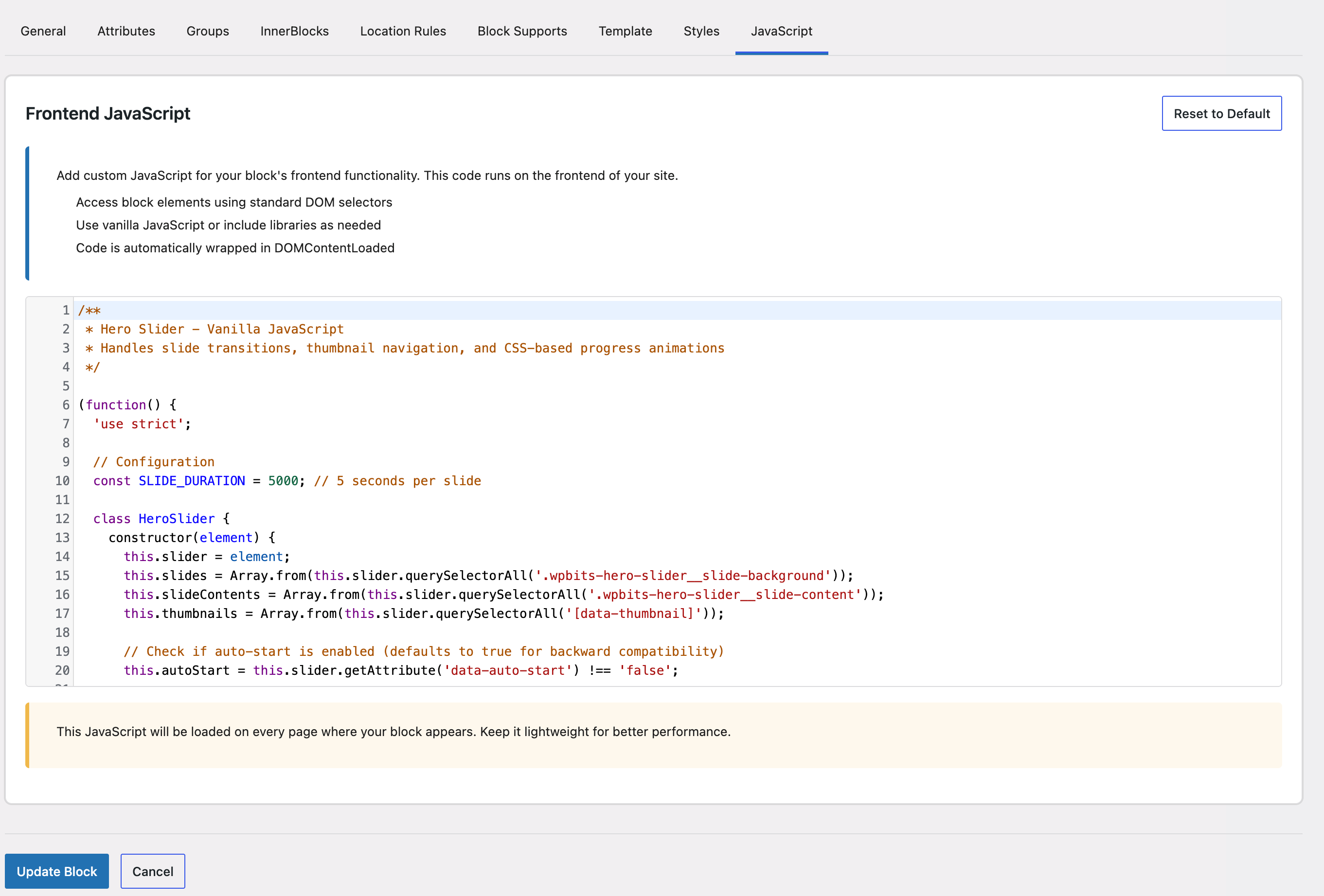
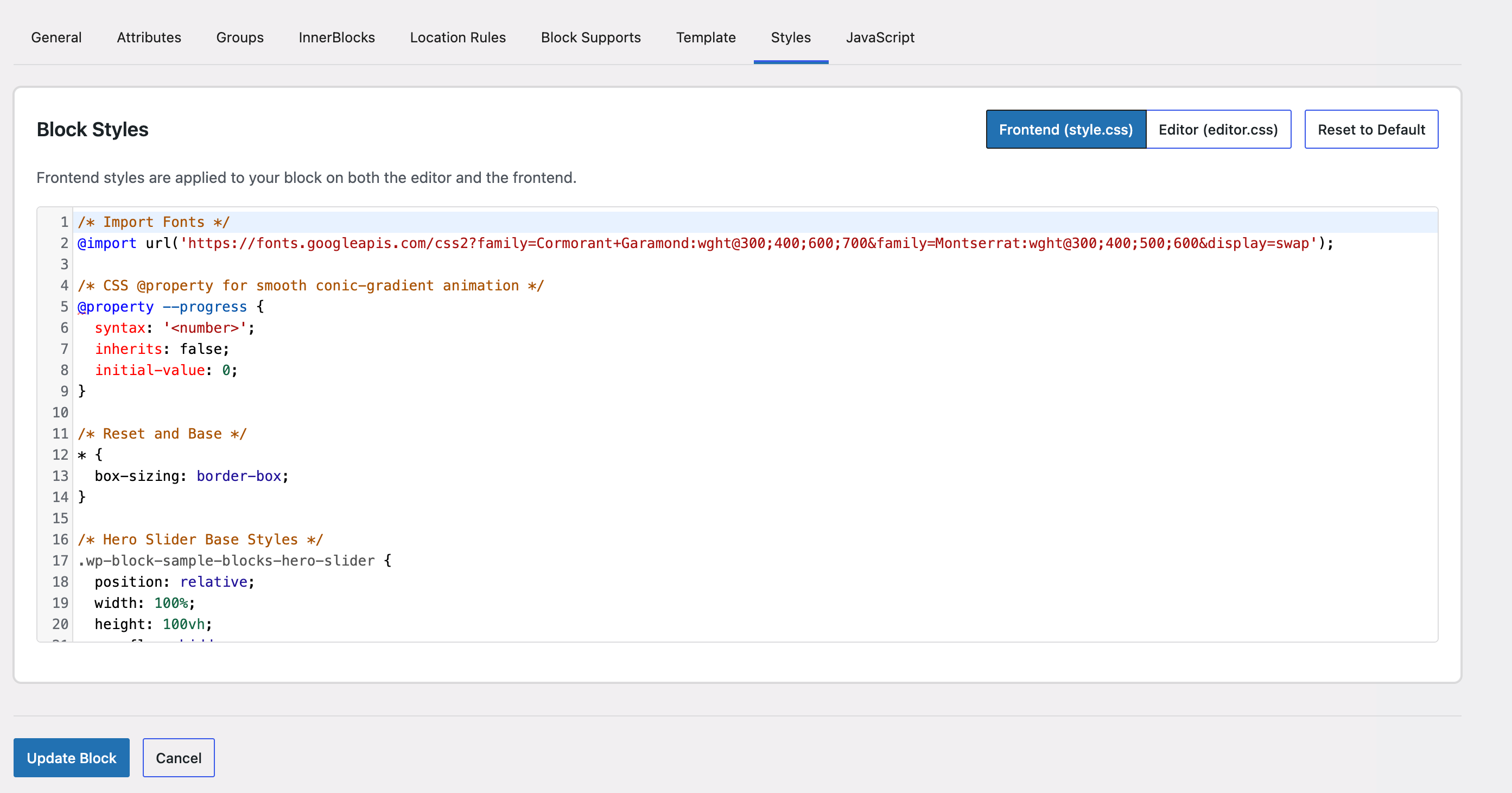
block.json– Block metadata and configurationindex.js– Block registrationedit.js– Editor componentsave.js– Save function (static blocks)render.php– Server-side rendering (dynamic blocks)template.twig– Twig template (when Twig mode is enabled)style.css– Frontend styleseditor.css– Editor-only stylesREADME.md– Block documentation
Static blocks include save.js with the client-side save function. Dynamic blocks include render.php for server-side rendering. All generated files follow WordPress block development conventions and can be used with or without Block Studio installed.
Developer Notes
REST API Endpoints
The plugin provides REST API endpoints for programmatic block management:
GET /wp-json/wpbs/v1/blocks– List all blocksPOST /wp-json/wpbs/v1/blocks– Create a new blockGET /wp-json/wpbs/v1/blocks/{id}– Get a single blockPUT /wp-json/wpbs/v1/blocks/{id}– Update a blockDELETE /wp-json/wpbs/v1/blocks/{id}– Delete a blockPOST /wp-json/wpbs/v1/blocks/{id}/generate– Generate block filesPOST /wp-json/wpbs/v1/blocks/{id}/export– Export block to ZIPGET /wp-json/wpbs/v1/settings– Get plugin settingsPOST /wp-json/wpbs/v1/settings– Update plugin settings
Filters & Actions
Developers can extend the plugin using WordPress hooks:
wpbs_block_generation_path– Filter the output path for generated blockswpbs_template_replacements– Filter template placeholder replacementswpbs_after_block_generation– Action fired after block generation
Source Code & Build Tools
The human-readable JavaScript source files for the React admin interface are included in this plugin package under the admin/ directory.
Política de privacidade
This plugin does not collect, store, or transmit any user data. All block schemas are stored locally in your WordPress database.
Apoio
For support, feature requests, or bug reports:
- Visit wpbits.net/contact
- Use the in-plugin contact form
- Manage your account at account.wpbits.net
- Upgrade to Pro: wpbits.net/blockstudio-pricing
Instalação
- Carregue os arquivos do plugin no diretório
/wp-content/plugins/wpbits-block-studioou instale o plugin por meio da tela de plugins WordPress diretamente. - Ative o plugin através da tela 'Plugins' em WordPress.
- Navigate to WPBits Block Studio in your WordPress admin menu.
- Start creating blocks!
Manual Installation
- Download the plugin ZIP file.
- Go to WordPress admin → Plugins → Add New.
- Click “Upload Plugin” and select the ZIP file.
- Click “Install Now” and then “Activate Plugin”.
Requisitos
- WordPress 6.5 or higher
- PHP 8.0 or higher (PHP 8.3 recommended)
- Node.js 20.x for development builds
Log de Changes
1.0.1
- Improved product positioning and documentation
- Refactored CSS editor state handlers for improved reliability
- Testado até WordPress 7.1
1.0.0
Initial release of WPBits Block Studio.
Capturas de tela
Para desenvolvedores
Este é o seu plugin? Mostre os números.
Adicione um crachá ao vivo ao seu site, Documentos ou Readme do GitHub. Ele é atualizado por conta própria - nenhuma conta necessária.
Best WPBits Block Studio alternatives
All Block Builder plugins →FAQ
WPBits Block Studio: quick answers
Respostas diretas, extraídas de dados ao vivo WordPress.org.
Fonte: WordPress.org
Is WPBits Block Studio free?
Yes. WPBits Block Studio is free to download and use from the official WordPress.org plugin directory.
Is WPBits Block Studio safe to use in 2026?
WPBits Block Studio works, but test it on a staging site before relying on it in 2026. Was last updated 3 months ago, and scores 54/100 on our health check.
How many websites use WPBits Block Studio?
WPBits Block Studio is active on <10 WordPress websites and has been downloaded 385 times since it launched in July 2026. It was downloaded 69 times in the last 30 days.
Does WPBits Block Studio work with WordPress 7.1?
Yes. The developer has tested WPBits Block Studio up to WordPress 7.1.5, the latest release. It requires WordPress 6.5 or newer.
What PHP version does WPBits Block Studio need?
WPBits Block Studio requires PHP 8.0 or higher. Most hosts run PHP 8.x today, so it works on any modern WordPress hosting.
When was WPBits Block Studio last updated?
The latest version, 1.0.1, was released on August 28, 2026 (3 months ago).
Who makes WPBits Block Studio?
WPBits Block Studio is developed and maintained by WPBits.
What are the best alternatives to WPBits Block Studio?
The most popular alternatives to WPBits Block Studio are Elementor Blocks for Gutenb… (9K+ installs), Vev (50+ installs) and Wicked Block Builder (10+ installs).
Alimentado por PageForge
Um modelo e uma planilha. Uma página real para cada pesquisa.
PageForge Transforma cada linha de um CSV em uma página WordPress com seu próprio título, URL, SEO campos e esquema, construído no layout que você já desenhou. Gratuito em WordPress.org.
- CSV e XLSX, mais Google Sheets em Profissional e Empresarial
- Seu próprio título, URL, SEO campos e esquema para cada página
- Funciona com o editor de blocos, Elementor, Divi e Avada
- Gratuito em WordPress.org, sem cartão de crédito