


WP Scraper
This Wordpress Scraper allows you to move a non-Wordpress website into a Wordpress site.

Use com cautela
WP Scraper works, but test it on a staging site before relying on it in 2026. It runs on 2K+ sites, is rated 4.5/5 and was last updated 1 year ago, and scores 52/100 on our health check.
- Loved by users — 4.5/5 from 23 reviews
- Momentum — downloads up 30.8% vs the previous 30 days
- Nenhuma atualização em mais de um ano
- Testado apenas até WordPress 6.9 (mais recente é 7.1)
Como ele se acumula?
Lado a lado em instalações, atualizações, avaliações e suporte



Downloads diários
Os picos de download geralmente seguem uma nova versão — cada site que atualiza automaticamente é um download.
Rankings
Where WP Scraper stands todayWordPress.org Classificações de pesquisa
Posição ao vivo na pesquisa de plugins, top 100| Palavra chave | Posição |
|---|---|
| content migration | #73 |
| content scraper | #1 |
| website copier | #1 |
| website migration | #58 |
| wp scraper | #1 |
Adoção da versão
Compartilhamento de sites ativos por lançamento.
Divisão de classificação
★★★★★★★★★★ 4.5 from 23 reviews
About WP Scraper
From the official readme · v5.8.2Descrição
Migrating A Website Has Never Been Easier
Easily copy pages of content with images from your old website and create your own WordPress pages and posts.
Most of the web migration software available is hard to use and needs advanced knowledge. WP Scraper makes it simple with an easy to use visual interface on your WordPress site.
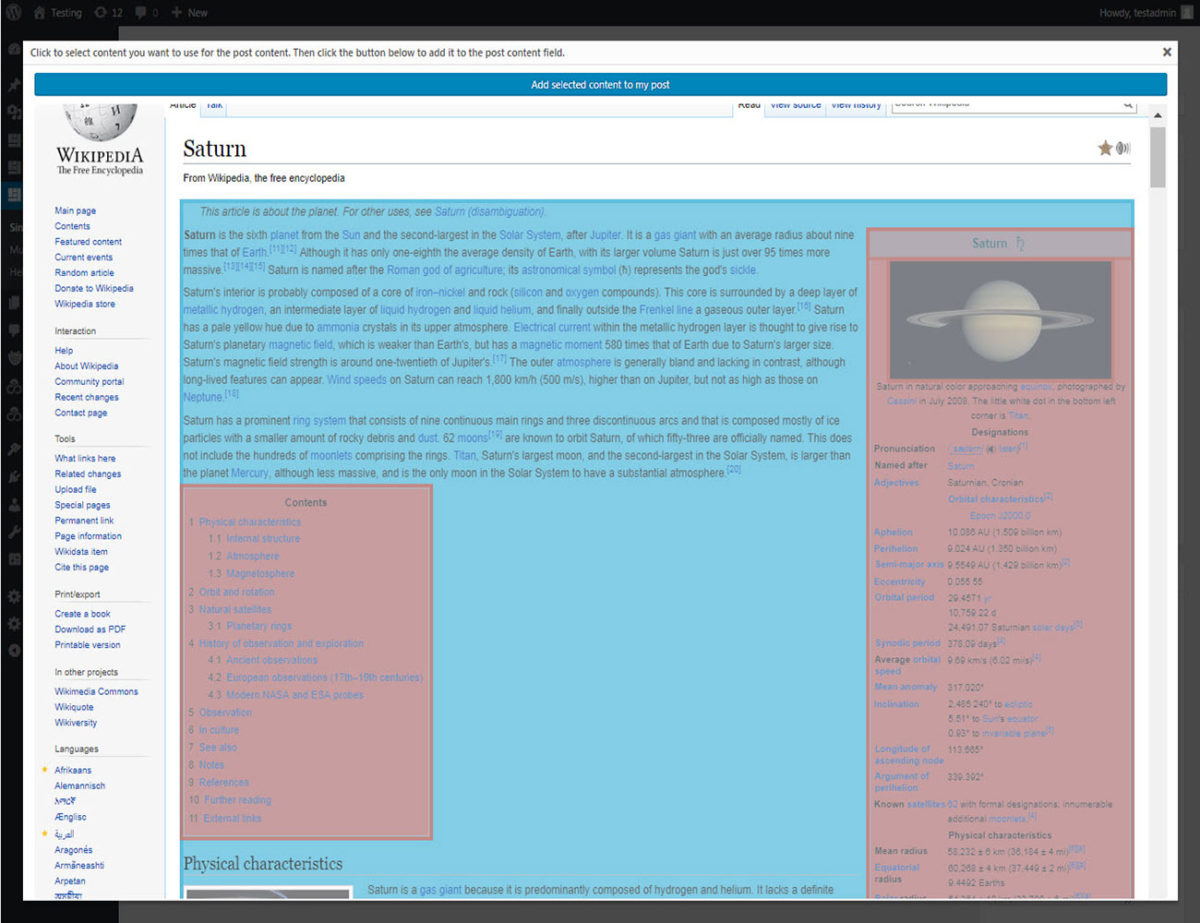
- Visual interface for selecting content.
- No need to know CSS selectors.
- Images are imported to your media library.
- Simply add your url and start grabbing content.
- Automatically populate the featured image, title, tags, and categories.
- Save as draft, post, or page.
- Strip unwanted css, iframes, and/or videos from content
- Remove links from the content.
- Post to a selected category.
Two Pro Versions Available
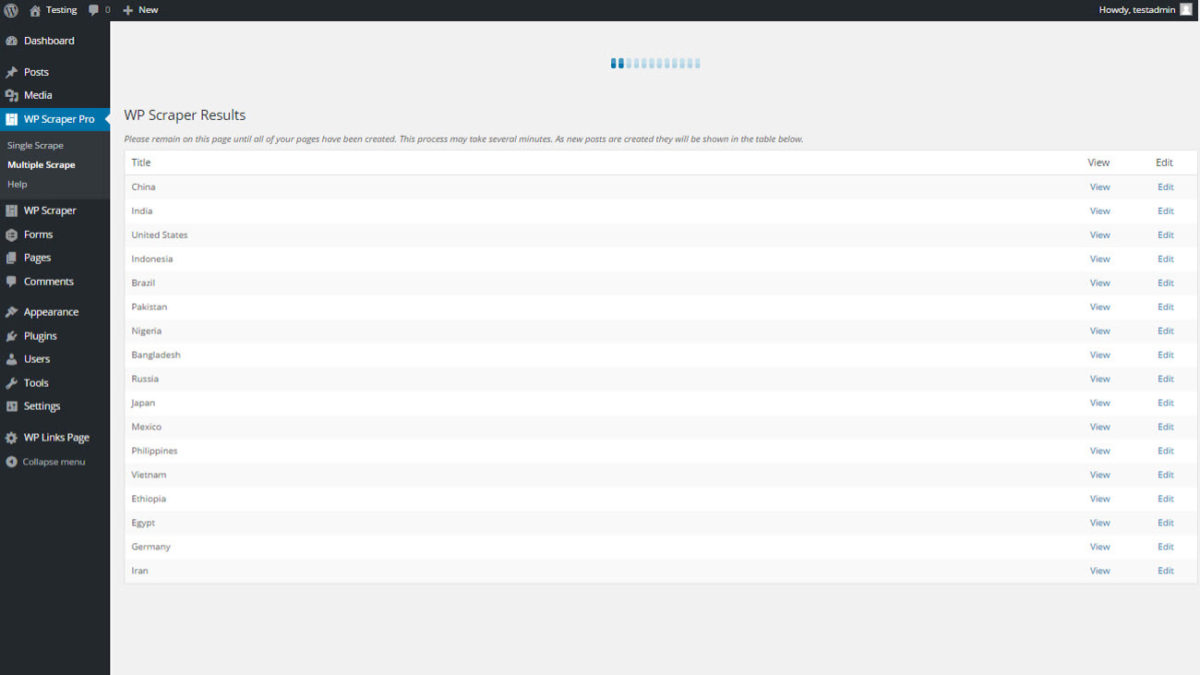
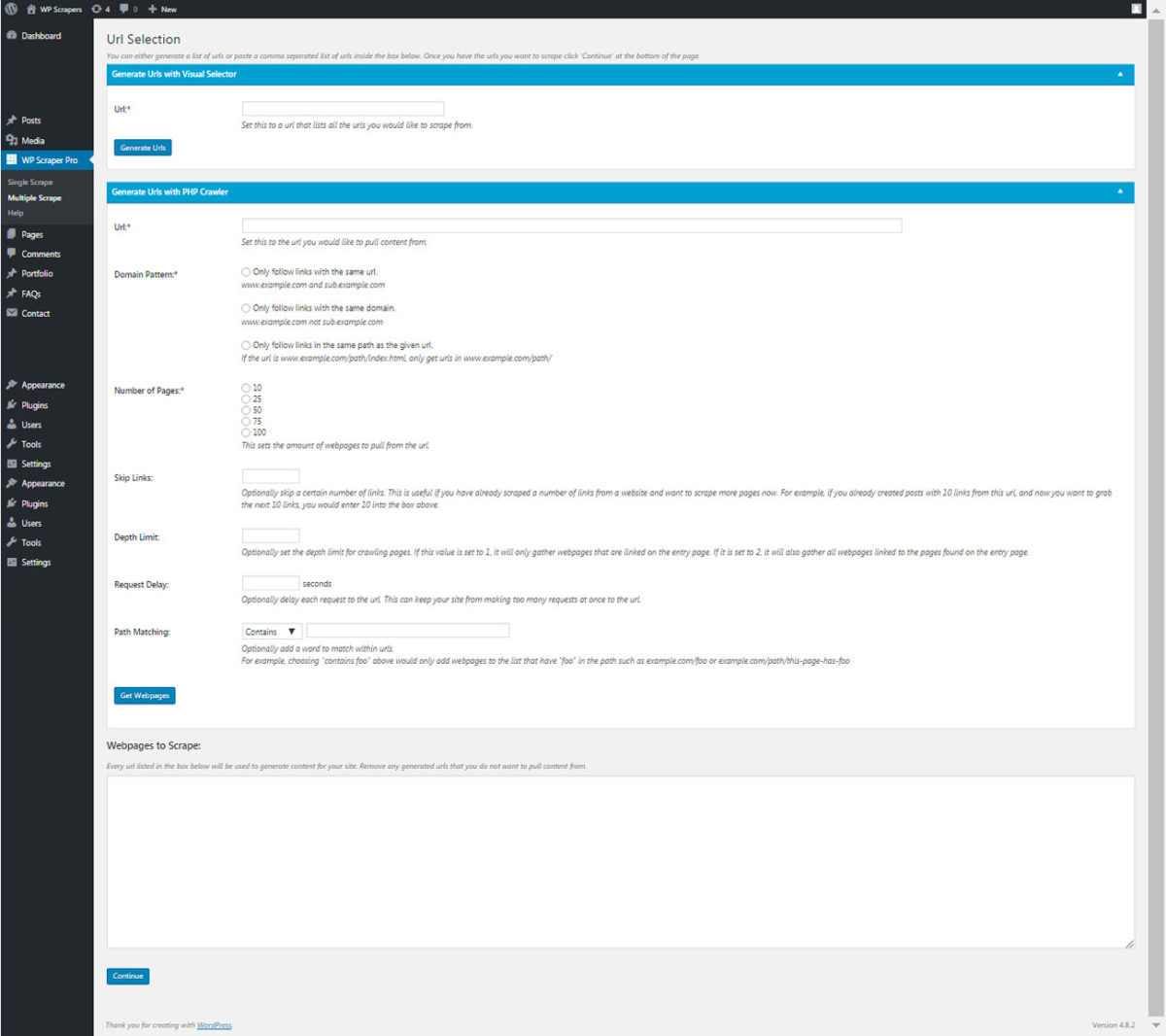
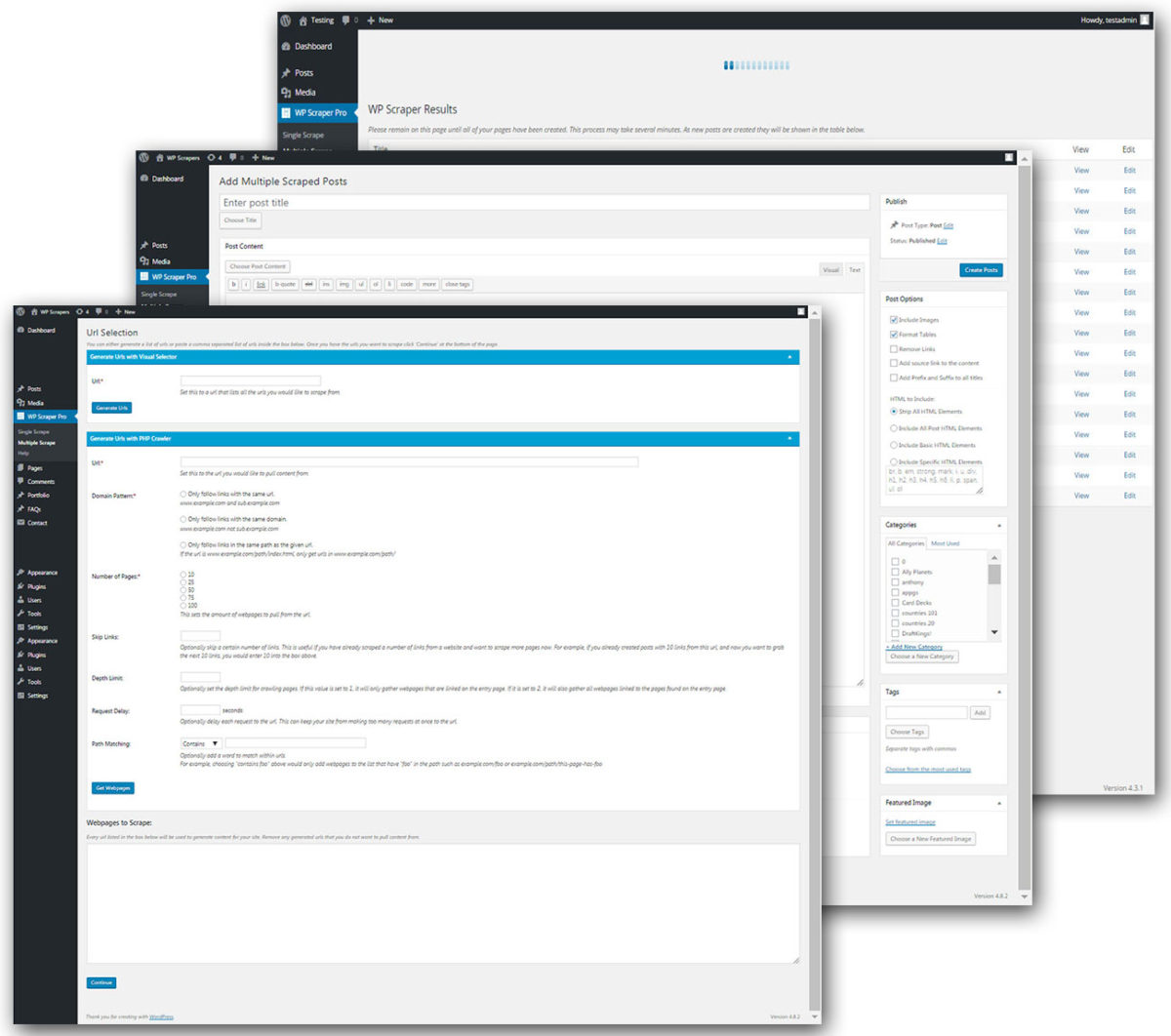
The WP Scraper Pro version lets you scrape 100’s of pages at a time with the Multiple Scrape, or on a set schedule with the Auto Scraper. The Pro version is also packed with extra features to remove ads during import, filter content, and even an upgraded url selection. Please visit http://www.wpscraper.com/ for more information.
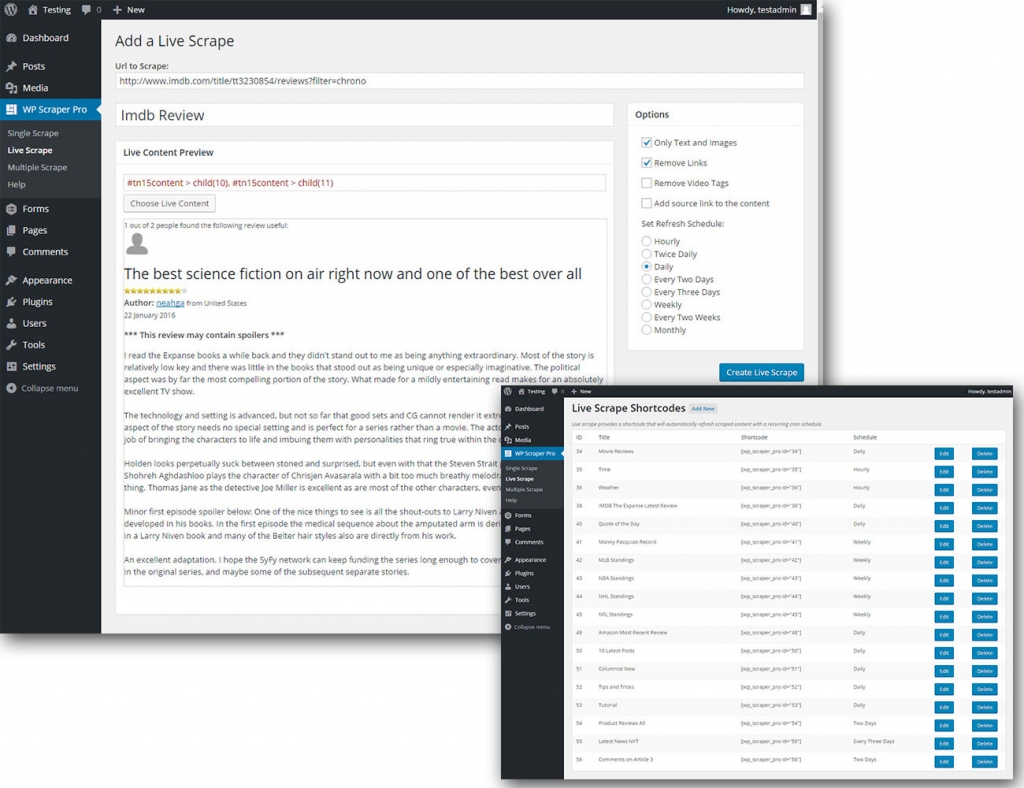
The WP Live Scraper provides a shortcode that can be used in any post or page and will automatically refresh scraped content with a recurring cron schedule. This can be used for events, ratings, reviews, scores, prices and so much more! Please visit http://www.wplivescraper.com/ for more information.
Uso
Single Scrape
URL
Enter the URL you wish to copy content from.
Title
You may select a title from the source page or add your own.
Post Content
You may select multiple areas of the source page including images.
Post Type
Post Type: Post, Page – Status: Published, Draft, Pending Review
Options
Only Text and Images – Checked will remove all html elements except p, div, table, list, break, headings, span, and images. CSS will not be included with this option and links and videos are automatically removed.
Remove Links – Checked will remove all external links from the content.
Add source link to the content – Checked will Add source link to the content.
Categories
Select a category or create a new one.
Tags
Select tags from source page or add your own.
Featured Image
Select an image from the source page or add your own.
Instalação
Installation
Uploading via WordPress Dashboard
- Navigate to the ‘Add New’ in the plugins dashboard
- Navigate to the ‘Upload’ area
- Select wp-scraper.zip from your computer
- Click ‘Install Now’
- Activate the plugin in the Plugin dashboard
Using FTP
- Download wp-scraper.zip
- Extract the wp-scraper.zip directory to your computer
- Upload the wp-scraper.zip directory to the /wp-content/plugins/directory
- Activate the WP Scraper plugin in the Plugin dashboard
Log de Changes
Version 1.0
- Initial version of this plugin.
Version 2.0
- Added additional fields to the single scraper
- Added a limited version of the multiple scraper which is available in the WP Scraper Pro version.
Version 2.4
- Various bug fixes
- Added the Only Text and Images option for simplified scraping use.
Version 3.0
- Edited visual interface and various bug fixes.
Version 4.0
- Redesigned selector interface, and corrected issue with shared hosting servers.
Version 4.1
- Tested and updated for WordPress 4.6 release
Capturas de tela

Para desenvolvedores
Este é o seu plugin? Mostre os números.
Adicione um crachá ao vivo ao seu site, Documentos ou Readme do GitHub. Ele é atualizado por conta própria - nenhuma conta necessária.
Best WP Scraper alternatives
All content migration plugins →





FAQ
WP Scraper: quick answers
Respostas diretas, extraídas de dados ao vivo WordPress.org.
Fonte: WordPress.org
Is WP Scraper free?
Yes. WP Scraper is free to download and use from the official WordPress.org plugin directory.
Is WP Scraper safe to use in 2026?
WP Scraper works, but test it on a staging site before relying on it in 2026. It runs on 2K+ sites, is rated 4.5/5 and was last updated 1 year ago, and scores 52/100 on our health check.
How many websites use WP Scraper?
WP Scraper is active on 2K+ WordPress websites and has been downloaded 120,382 times since it launched in November 2015. It was downloaded 785 times in the last 30 days.
Does WP Scraper work with WordPress 7.1?
WP Scraper is officially tested up to WordPress 6.9.12, while the latest release is 7.1.5. It may still work, but try it on a staging site first.
What PHP version does WP Scraper need?
WP Scraper requires PHP 7.0 or higher. Most hosts run PHP 8.x today, so it works on any modern WordPress hosting.
When was WP Scraper last updated?
The latest version, 5.8.2, was released on November 18, 2025 (1 year ago).
Who makes WP Scraper?
WP Scraper is developed and maintained by Rico Macchi.
What are the best alternatives to WP Scraper?
The most popular alternatives to WP Scraper are Post/Page Import Export (400+ installs), Magic Export & Import (200+ installs) and Any Post Import Export with… (70+ installs).
Alimentado por PageForge
Um modelo e uma planilha. Uma página real para cada pesquisa.
PageForge Transforma cada linha de um CSV em uma página WordPress com seu próprio título, URL, SEO campos e esquema, construído no layout que você já desenhou. Gratuito em WordPress.org.
- CSV e XLSX, mais Google Sheets em Profissional e Empresarial
- Seu próprio título, URL, SEO campos e esquema para cada página
- Funciona com o editor de blocos, Elementor, Divi e Avada
- Gratuito em WordPress.org, sem cartão de crédito