


WP Multilang – Translation and Multilingual Plugin
Multilingual plugin for WordPress. Go Multilingual in minutes with full WordPress support. Translate your site easily with this localization plugin.

Escolha sólida
WP Multilang is a solid plugin choice in 2026, with a few things worth checking first. It runs on 10K+ sites, is rated 4.3/5 and was last updated 5 days ago, and scores 76/100 on our health check.
- Comprovado em escala em sites ativos de mais de 10 mil
- Desenvolvido ativamente — última atualização 5 dias atrás
- Testado com as últimas WordPress (7.1)
- Momentum — downloads up 39.6% vs the previous 30 days
Como ele se acumula?
Lado a lado em instalações, atualizações, avaliações e suporte



Downloads diários
Os picos de download geralmente seguem uma nova versão — cada site que atualiza automaticamente é um download.
Rankings
Where WP Multilang stands todayWordPress.org Classificações de pesquisa
Posição ao vivo na pesquisa de plugins, top 100| Palavra chave | Posição |
|---|---|
| localization | #15 |
| multilanguage | #11 |
| multilingual | #13 |
| translate | #65 |
| translation | #17 |
Adoção da versão
Compartilhamento de sites ativos por lançamento.
Divisão de classificação
★★★★★★★★★★ 4.3 from 100 reviews
About WP Multilang
From the official readme · v2.4.36Descrição
WP Multilang is a multilingual plugin for WordPress.
Translations of post types, taxonomies, meta fields, options, text fields in miltimedia files, menus, titles and text fields in widgets.
Home | Help & Tech Support | Documentation | Premium Features
New Features of the plugin WP Multilang
- Support full site editor for block based themes
- Support block based widgets
- Support different feature image for each language
- Support Smart Custom Fields Plugin
- Auto Translation ( available in premium version ) – View Tutorial
- Support URL Slug Translation ( available in premium version ) – View Tutorial
- Support Base Translation ( available in premium version ) – View Tutorial
- Export and import content in XLIFF or xml format to translate outside
- Activate Multilingual Support for Post Types
- Support Auto URL Slug Translation ( available in premium version ) – View Tutorial
Features of the plugin WP Multilang
- 100% free.
- Translation at PHP.
- Compatible with REST.
- Support configuration for translate multidimensional arrays in options, meta fields, post content.
- Support multisite.
- Support WordPress in sub-folder.
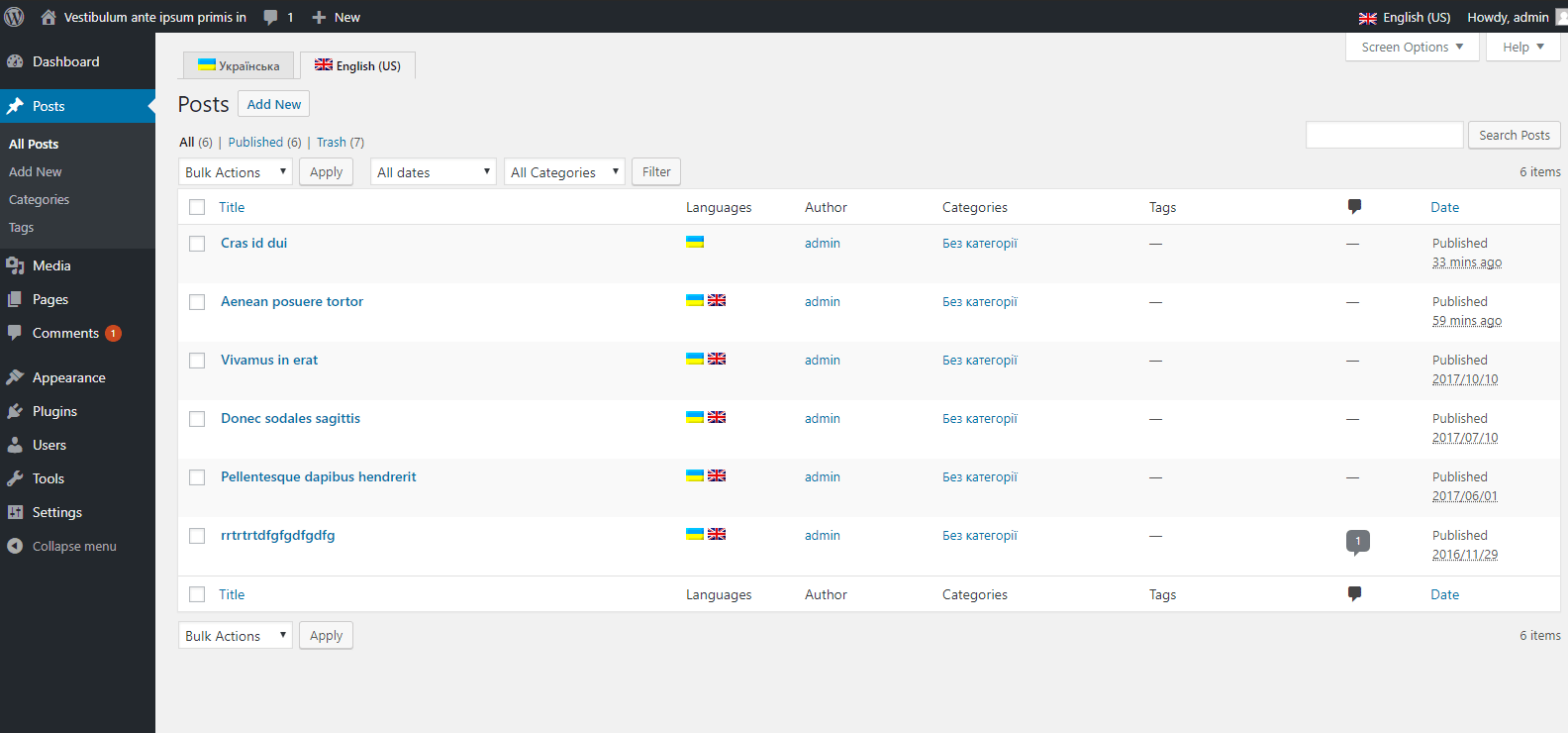
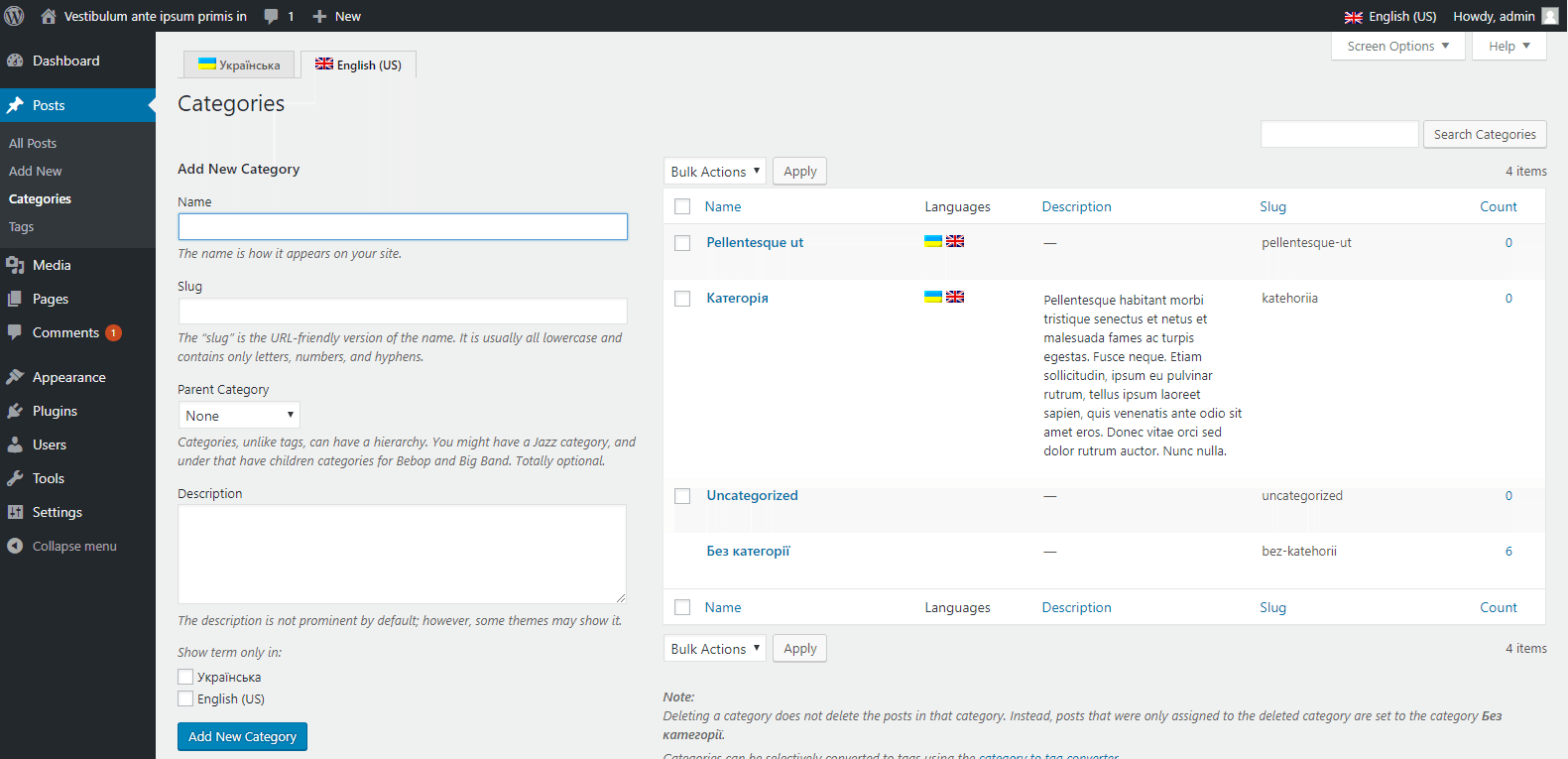
- Separate menu items, posts, terms, widgets, comments per language.
- Many filters for dynamic applying translation settings.
- No duplicate posts, terms, menus, widgets.
- No sub-domain for each language version.
- No additional tables in database.
- Possibility set many languages with one localization. For example, for localization in the region.
- Possibility to set custom locale for html(If installed locale is en_US, you can set locale like: en, en-UK, en-AU etc. Without installation another localization)
- Possibility for add new languages for any user with capability
manage_options. - Exist the role “Translator” for editing posts, terms. It can not publish or delete.
- No limits by languages or by possibilities.
WP Multilang compatible with plugins
- Elementor ( available in premium version ) – View Tutorial
- Divi Builder ( available in premium version ) – View Tutorial
- Bricks Builder ( available in premium version ) – View Tutorial
- ACF, ACF Pro
- WooCommerce
- WooCommerce Customizer
- Gutenberg
- Yoast Seo
- SEOPress
- Contact Form 7 (added mail tag [_language] for send user language in mail)
- WPBakery Visual Composer
- Construtor de páginas por SiteOrigin
- NextGEN Gallery
- All in One SEO Pack
- MailChimp for WordPress
- Boletim informativo
- Maps Builder
- Max Mega Menu
- MasterSlider
- Wp-agenavi
- BuddyPress
- Meta Slider
- Pressionamento de mesa
- Download Monitor (Redefine templates for links in your theme and translate link texts)
- Better Search
- Rank Math SEO (thanks for @pratikmts)
- WPGraphQL (Add lang to the query parameters in URL. Eg: lang=en)
- Smart Custom Fields
- Team – Team Members Showcase Plugin
- Schema & Structured Data for WP & AMP
- Formulários do formador
- Formas de gravidade
- Ultimate Member Form
- Oxygen Builder ( available in premium version )
- Internal Link Juicer
- Strong Testimonials
- Formas fluentes
- Gamipress
- PublishPress Authors
- Autolinks Manager
Advance Woocommerce Support
- Send emails in customer’s selected language
- REST API Support
- Import and export products in customer’s selected language
- Translate products (simple products, variable products, grouped products), categories, tags, global attributes
- Cart synchronization across multiple languages
Manage translation settings via json.
Add in the root of your theme or plugin file wpm-config.json.
Sample configurations can be viewed in config files in folder ‘configs’ in root the plugin.
Configuration is updated after switching theme, enable or update any plugins.
The plugin has filters for dynamic application configuration for translate.
For turn off translation, set null into the desired configuration.
For example, you must turn off translation for a post type post.
There are two ways:
-
In json.
Create in root of a theme or a plugin filewpm-config.jsonwith:
{
“post_types”: {
“post”: null
}
} -
Through the filter.
Add in functions.php
add_filter( ‘wpm_post_post_config’, ‘__return_null’ );
To enable translation pass an empty array in php array() or empty object in json {}.
Supports translation multidimensional array of options, meta fields and post_content.
Supports the removal of established localizations.
Supports translation via GET parameter. Add in the GET parameter lang code desired language.
Supports clean database of translations when removing the plugin. Translations are only removed from the built-in tables.
Supports import term translations from qTranslate(by Soft79).
Supports automatically redirect to the user’s browser language, if he visits for the first time.
Ideal for developers.
For display language switcher in any place add the code to your template if ( function_exists ( 'wpm_language_switcher' ) ) wpm_language_switcher ();
Function accepts two parameters:
$type – ‘list’, ‘dropdown’, ‘select’. Default – ‘list’.
$show – ‘flag’, ‘name’, ‘both’. Default – ‘both’.
Or using the shortcode wpm_lang_switcher. It accept two not necessary parameters ‘type’ and ‘show’.
Available features for translation:
wpm_translate_url( $url, $language = ” ); – translate url
wpm_translate_string( $string, $language = ” ); – translate multilingual string
wpm_translate_value( $value, $language = ” ); – translate multidimensional array with multilingual strings
Update translation occurs at PHP. Therefore plugin has high adaptability, compatibility and easily integrates with other plugins. This is what distinguishes it among similar.
Available translation html tags by JS for strings what do not have WP filters before output.
Add your tags in config:
"admin_html_tags": {
    "admin_screen_id": {
      "attribute": [
        "selector"
      ]
    }
}
Where:
admin_screen_id – admin screen id.
attribute – attribute what need to translate. Available ‘text’ – for translate text node, ‘value’ – for translate form values. Or other tag attribute, like ‘title’, ‘alt’.
selector – css selector for search needed tag. Each selector is a new array item.
If You need to add translation for multidimentional array for repeated elements You can use custom tag ‘wpm_each’ for set config to each element in array.
Example, add config for each item ‘title’ in custom post field array:
"post_fields": {
    "custom_field": {
      "wpm_each": {
        "title": {}
      }
    }
}
For set translation uses the syntax:
[:en]Donec vitae orci sed dolor[:de]Cras risus ipsum faucibus ut[:]
Added shortcode for translate text in any place:
[wpm_translate][:en]Donec vitae orci sed dolor[:de]Cras risus ipsum faucibus ut[:][wpm_translate]
If You translate text in established language, add lang parameter:
[wpm_translate lang=”de”][:en]Donec vitae orci sed dolor[:de]Cras risus ipsum faucibus ut[:][wpm_translate]
Support translating from syntax qTranslate, qTranslate-X, WPGlobus etc.
Compatible with REST-API.
Support transfer the required translation through option lang in the GET request to REST.
Has the ability to keep recording the target language through the transmission parameter lang in the request.
Migration from qTranslate-X
- Before installing/uninstalling, make database backup.
- Deactivate qTranslate-X.
- Install and activate WP Multilang.
- Create in root of your theme file ‘wpm-config.json’.
- Add all needed post types, taxonomies, options, fields to ‘wpm-config.json’. Setting from qTranslate-X not importing.
- Import term names from qTranslate.
- Check that everything is okay.
- If everything is okay, remove qTranslate-X. If not, make screenshots of errors, restore database from backup and add support issue with your screenshots and description of errors.
Warning
Not compatible with:
– WP Maintenance
Known issues
Function ‘get_page_by_title’ not working, because in title field are stored titles for all languages. Use function ‘wpm_get_page_by_title( $title )’ as solution.
NOTE: Because plugins have different ways of storing data, WP Multilang is not compatible with every single plugin out-of-the-box (mostly page builders). This may result in texts not being translatable or translations not being saved. Most of these issues can be resolved using the integration options (wpm-config.json or filters) of WP Multilang.
Please try WP Multilang in a test-environment before activating it on an existing production site and always make a backup before activating!
Home | Help & Tech Support | Documentation | Premium
Apoio
We try our best to provide support on WordPress.org forums. However, We have a special community support where you can ask us questions and get help about your WP Multilang related questions. Delivering a good user experience means a lot to us and so we try our best to reply each and every question that gets asked.
Bug Reports
Bug reports for WP Multilang are welcomed on GitHub. Please note GitHub is not a support forum, and issues that aren’t properly qualified as bugs will be closed.
Instalação
- Carregue os arquivos do plugin no diretório
/wp-content/plugins/wp-multilangou instale o plugin por meio da tela de plugins WordPress diretamente. - Ative o plugin através da tela 'Plugins' em WordPress.
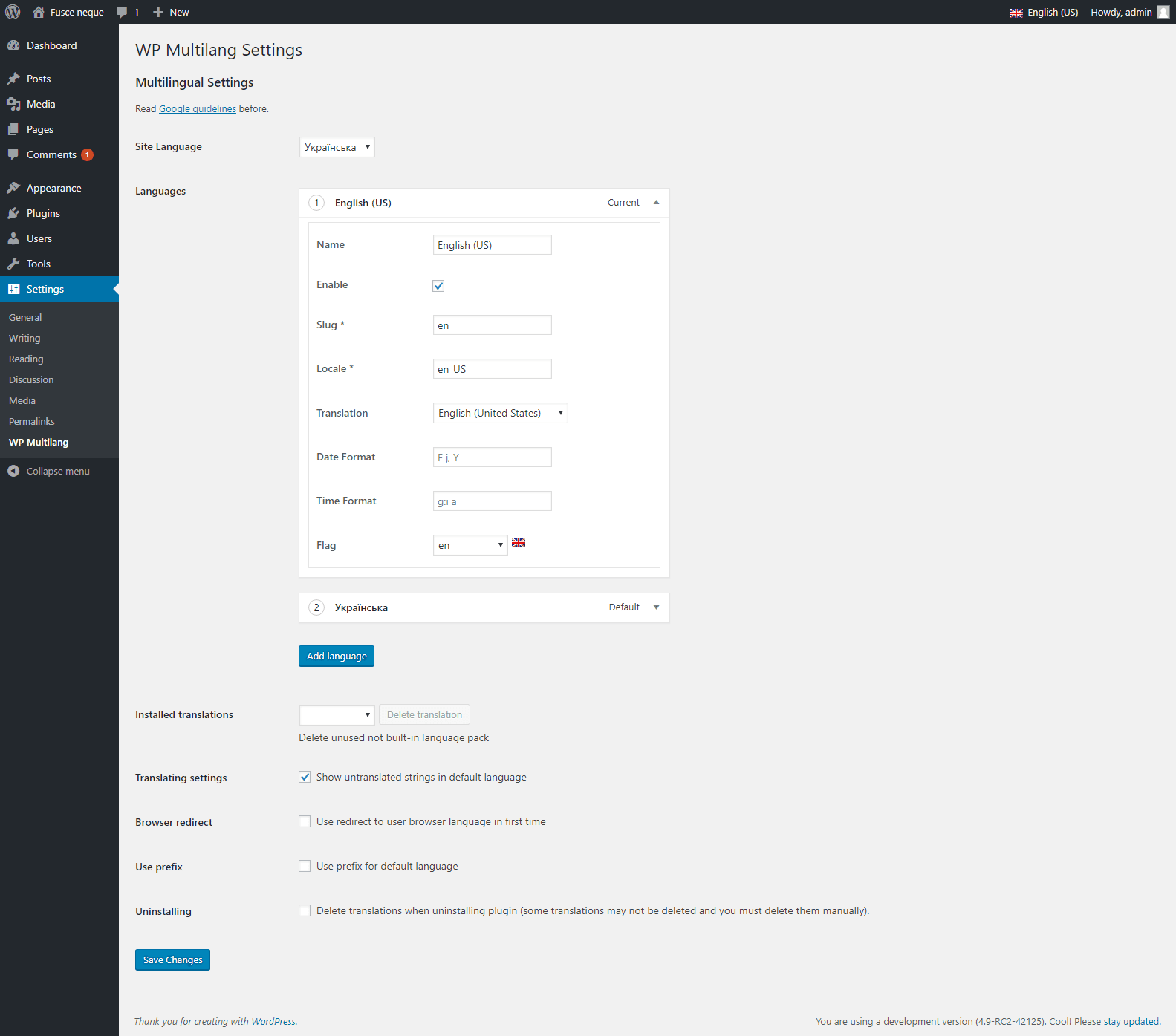
- Adjust languages on WP Multilang Settings page.
Log de Changes
Before installing or uninstalling make the site database backup before.
2.4.36
- Enhancement: Added Black Friday / Cyber Monday promotional banner #294
2.4.35
- Feature: Added compability with complianz-gdpr plugin #179
- Feature: Added compatibility with Affiliate Reviews plugin #202
- Fixed: Language switcher issue #286
- Fixed: ACF flexible content / repeater: adding, moving or deleting a row loses or swaps other languages translations #290
- Fixed: Vulnerability fix researched & reported by wellknown.info #291
- Fixed: Stale translatable post meta served when persistent object cache is enabled #292
2.4.34
- Fixed: Links are broken when using the “List” language switcher type #280
- Fixed: Language swithcer issue on site editor sidebar after recent wordpress update #282
- Fixed: WP Multilang 2.4.33 HTML-escapes existing language content when saving another language #283
- Feature: Added Gemini AI Integration #284
- Feature: Added Deepseek AI Integration #285
2.4.33
- Feature: Added compatibility with a BasePress module plugin #213
- Feature: Added compatibility with Frontend Post Submission Manager lite plugin #235
- Fixed: Translations are overwritten by default language when editing multiple translations in Gutenberg #277
- Tested: Tested with wordpress version 7.0 #278
- Fixed: Language switcher design issue after updating to wordpress 7.1 #279
2.4.32
- Feature: Added Compatibility With Autolink Manager #232
- Feature: Added Compatibility With PublishPress Authors #233
- Feature: Added Compatibility With Gamipress #234
- Enhancement: Ultimate Member compatibility improvement $237
- Fixed: Vulnerability fix reported by wordfence #272
- Feature: Product type compatibility with Qodeum theme #275
2.4.31
- Fixed: Backslashes lost upon saving different language in custom HTML editor #267
- Fixed: Yoast global settings not saving values per language #271
- Enhancement: Improve Post Content Rendering and HTML Entity Handling #272
Capturas de tela
Para desenvolvedores
Este é o seu plugin? Mostre os números.
Adicione um crachá ao vivo ao seu site, Documentos ou Readme do GitHub. Ele é atualizado por conta própria - nenhuma conta necessária.
Best WP Multilang alternatives
All localization plugins →





FAQ
WP Multilang: quick answers
Respostas diretas, extraídas de dados ao vivo WordPress.org.
Fonte: WordPress.org
Is WP Multilang free?
Yes. WP Multilang is free to download and use from the official WordPress.org plugin directory.
Is WP Multilang safe to use in 2026?
WP Multilang is a solid plugin choice in 2026, with a few things worth checking first. It runs on 10K+ sites, is rated 4.3/5 and was last updated 5 days ago, and scores 76/100 on our health check.
How many websites use WP Multilang?
WP Multilang is active on 10K+ WordPress websites and has been downloaded 300,819 times since it launched in May 2017. It was downloaded 9,335 times in the last 30 days.
Does WP Multilang work with WordPress 7.1?
Yes. The developer has tested WP Multilang up to WordPress 7.1.5, the latest release. It requires WordPress 4.7 or newer.
What PHP version does WP Multilang need?
WP Multilang requires PHP 5.6.20 or higher. Most hosts run PHP 8.x today, so it works on any modern WordPress hosting.
When was WP Multilang last updated?
The latest version, 2.4.36, was released on November 24, 2026 (5 days ago).
Who makes WP Multilang?
WP Multilang is developed and maintained by Magazine3.
What are the best alternatives to WP Multilang?
The most popular alternatives to WP Multilang are Polylang (900K+ installs), Performant Translations (30K+ installs) and Bogo (10K+ installs).
Alimentado por PageForge
Um modelo e uma planilha. Uma página real para cada pesquisa.
PageForge Transforma cada linha de um CSV em uma página WordPress com seu próprio título, URL, SEO campos e esquema, construído no layout que você já desenhou. Gratuito em WordPress.org.
- CSV e XLSX, mais Google Sheets em Profissional e Empresarial
- Seu próprio título, URL, SEO campos e esquema para cada página
- Funciona com o editor de blocos, Elementor, Divi e Avada
- Gratuito em WordPress.org, sem cartão de crédito