


WP Data Access – App Builder for Tables, Forms, Dashboards, Charts & Maps
Turn your data into WordPress apps. No code required. Tables, forms, dashboards, charts, maps, optional hooks for developers, 35+ languages.

Escolha segura
Yes — WP Data Access is a safe, well-maintained plugin to use in 2026. It runs on 10K+ sites, is rated 4.9/5 and was last updated 2 weeks ago, and scores 92/100 on our health check.
- Comprovado em escala em sites ativos de mais de 10 mil
- Amado pelos usuários — 4.9/5 de 88 avaliações
- Desenvolvido ativamente — última atualização 2 semanas atrás
- Testado com as últimas WordPress (7.1)
- Responsive support — 87% of recent threads resolved
Como ele se acumula?
Lado a lado em instalações, atualizações, avaliações e suporte


Downloads diários
Os picos de download geralmente seguem uma nova versão — cada site que atualiza automaticamente é um download.
Rankings
Where WP Data Access stands todayWordPress.org Classificações de pesquisa
Posição ao vivo na pesquisa de plugins, top 100| Palavra chave | Posição |
|---|---|
| app builder | #1 |
| dashboard | #4 |
| data table | #1 |
| datatable | #1 |
| Table Builder | #4 |
Adoção da versão
Compartilhamento de sites ativos por lançamento.
Divisão de classificação
★★★★★★★★★★ 4.9 from 88 reviews
About WP Data Access
From the official readme · v5.5.94Descrição
WP Data Access transforms your WordPress site into a platform for building data-driven applications — without writing a single line of code.
With the intuitive App Builder, you can create:
- Interactive Data Tables – manage and display data with ease
- Custom Data Forms – collect and process input seamlessly
- Dashboards, Charts & Maps – visualize data beautifully
- Role-Based Access – control who can view or manage your data
- Multilingual Support – 35+ languages ready to use
WP Data Access is designed as a true no-code builder: everything works out of the box, intuitive and effortless. For those who want more, a full set of developer hooks makes it possible to fine-tune behavior, extend functionality, or integrate with custom workflows. Hooks are completely optional and invisible to no-code users, but a powerful bonus for developers.
App Builder ❤️
The ultimate data-driven Rapid Application Development tool. Build dynamic, interactive apps in minutes with Builders, Managers, and Wizards — all fully customizable with Hooks.
* Build dynamic, data-driven apps for both front-end and back-end 📱
* Connect to local and remote databases ⚡
* Real-time build and run capabilities 💻
* Run apps in 35+ languages to reach a global audience 🌍
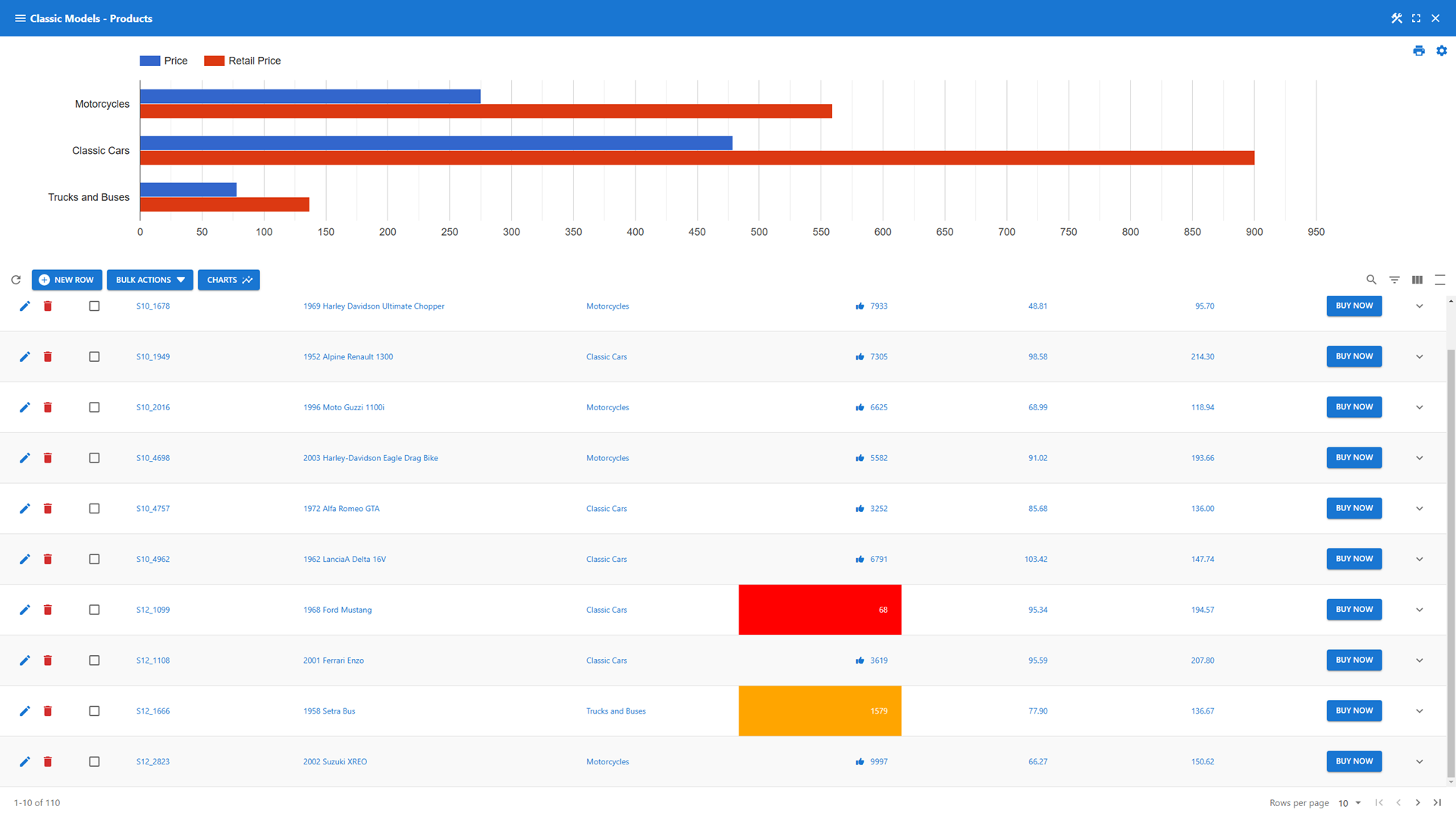
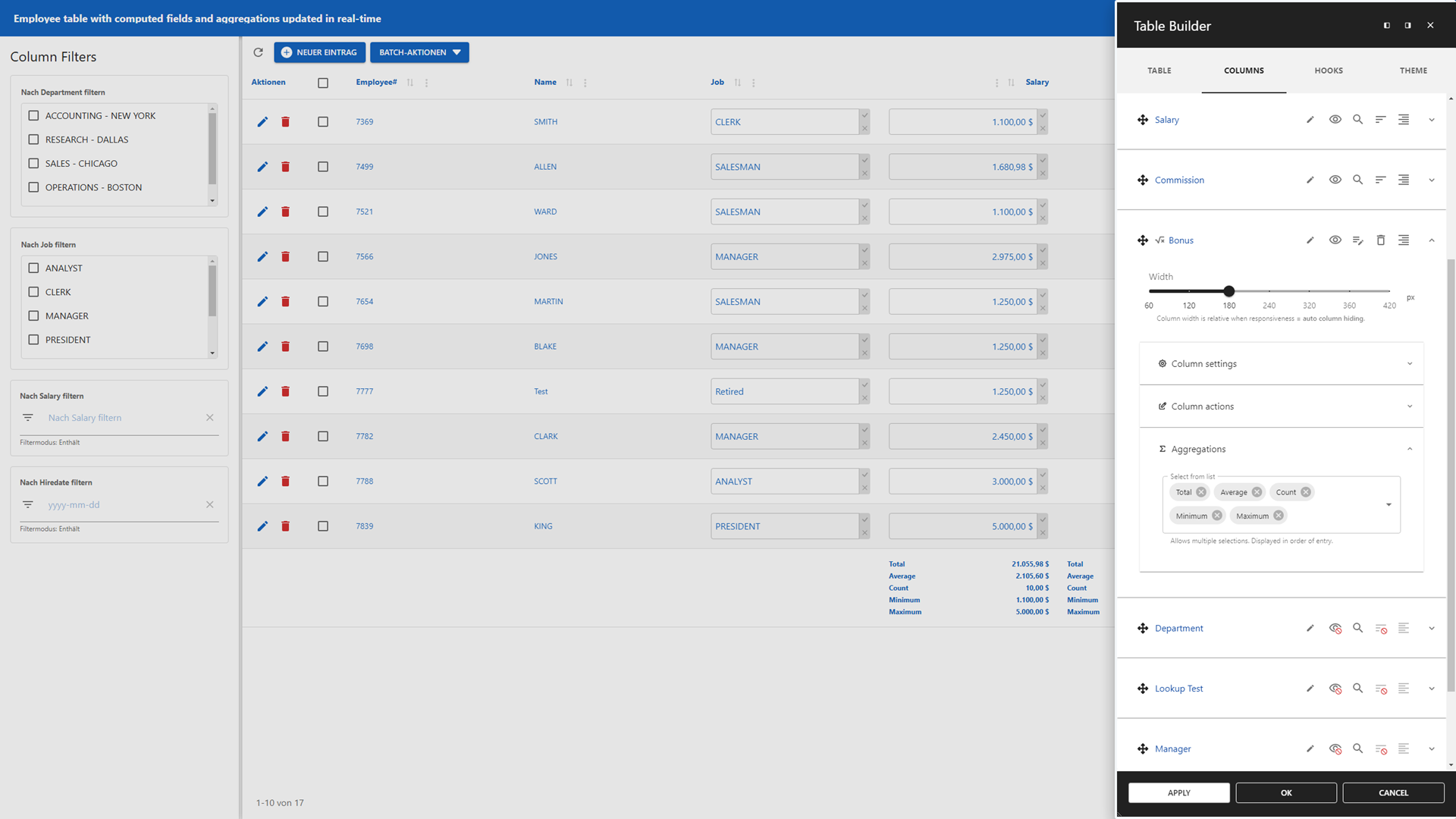
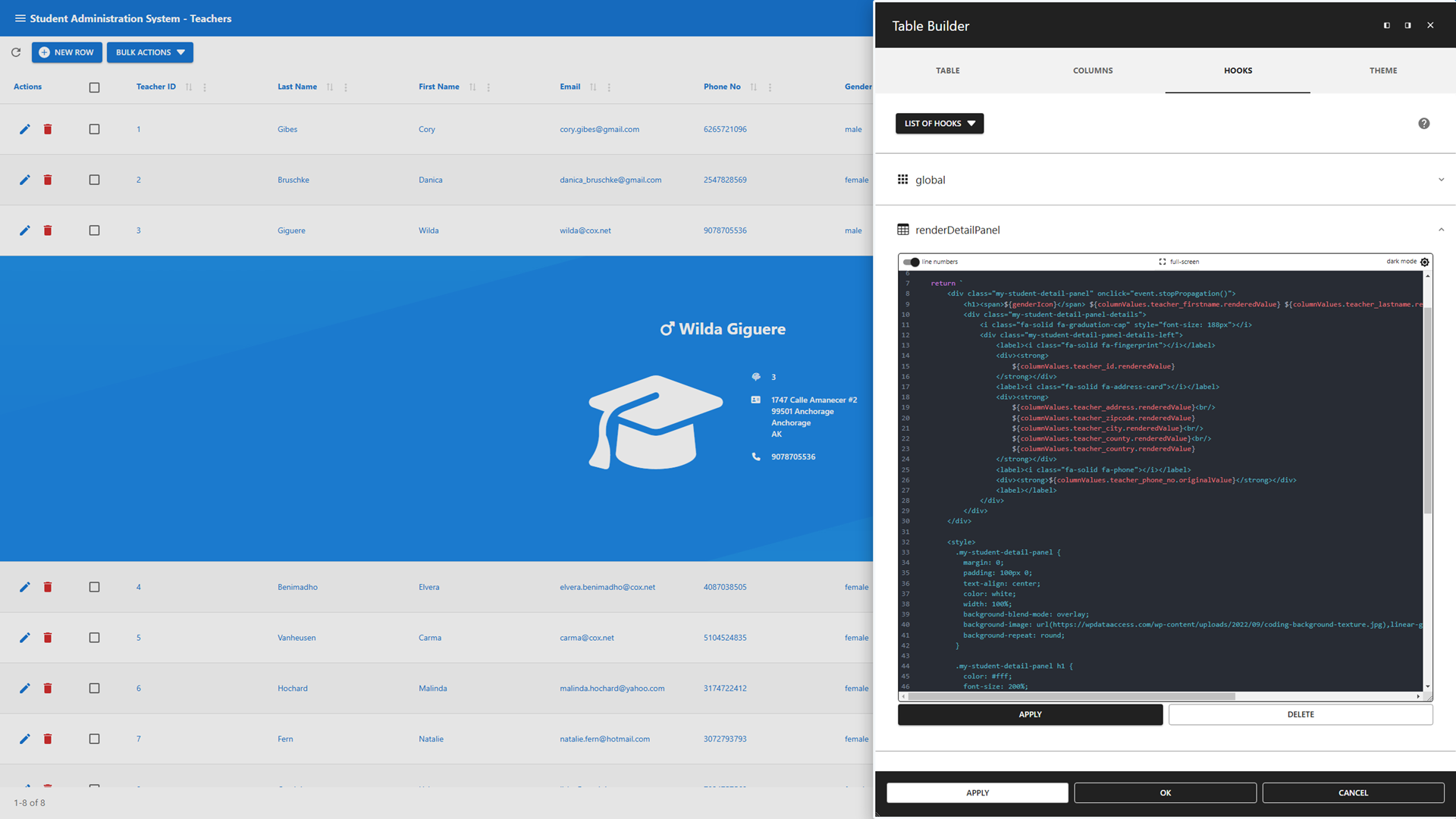
- Table Builder – Create powerful, interactive data tables effortlessly
- Add static and dynamic data table filtering options 🔍
- Real-time computed fields and aggregations for instant insights 📈
- A Lookup Wizard to add lookups to your data table 🧙
- Inline editing for instant updates 📝
- Integrates with the WordPress media library for rich content 📷🎞
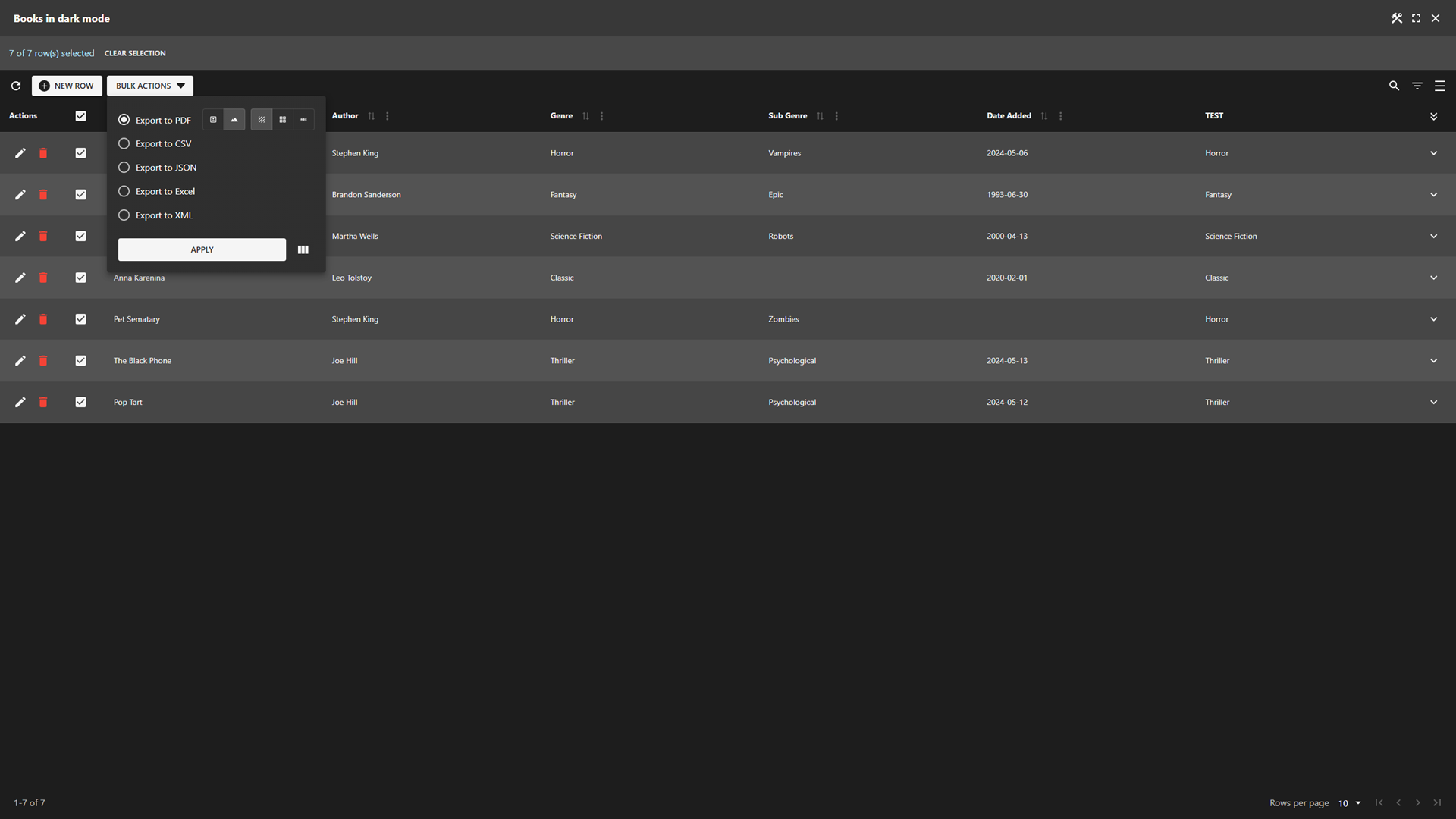
- Export data tables to PDF, CSV, JSON, XML, SQL, and Excel 📄
- Add charts and maps to your data table header and footer 📊
- JavaScript hooks to customize data table layout and behavior 🔧
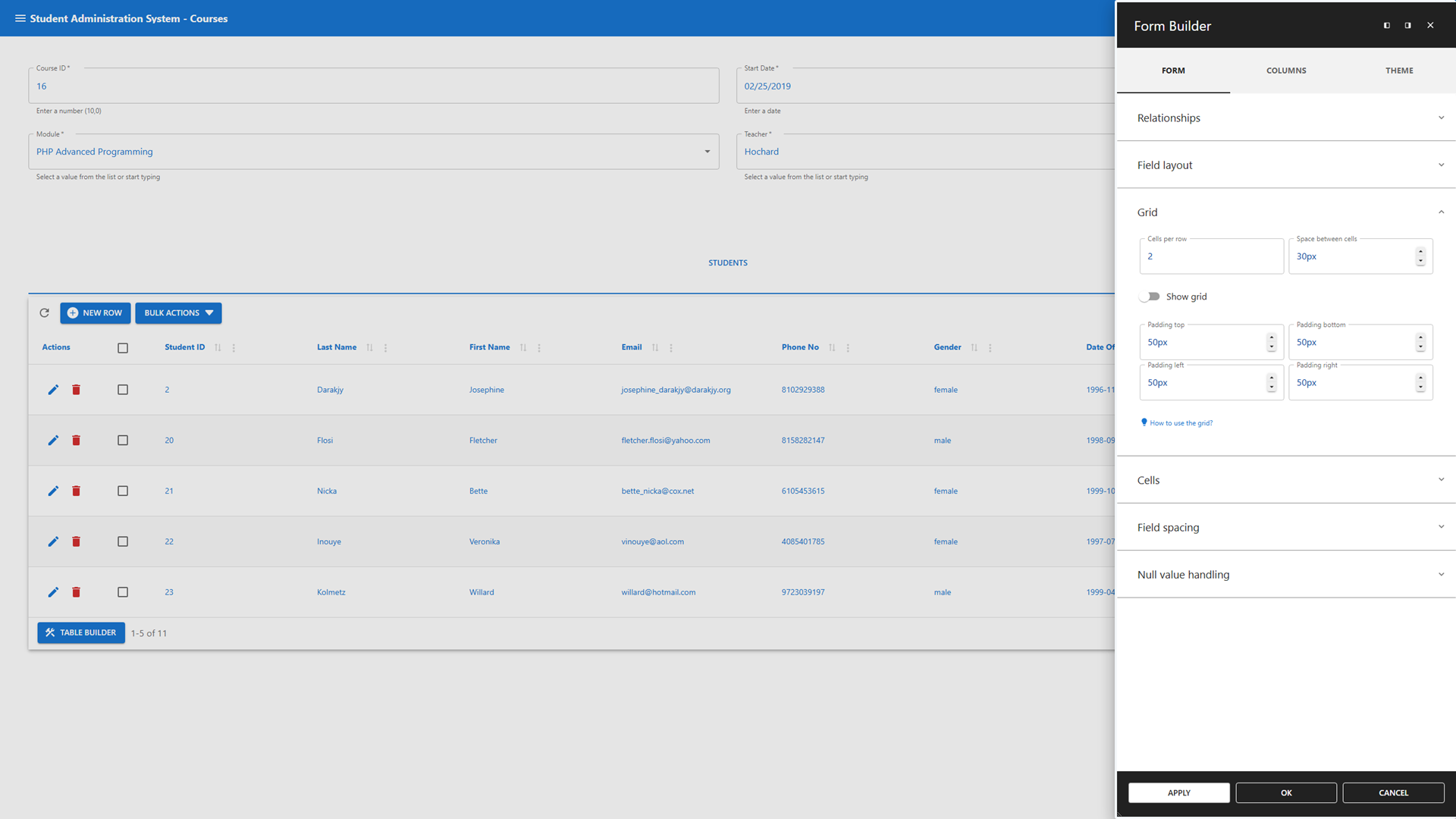
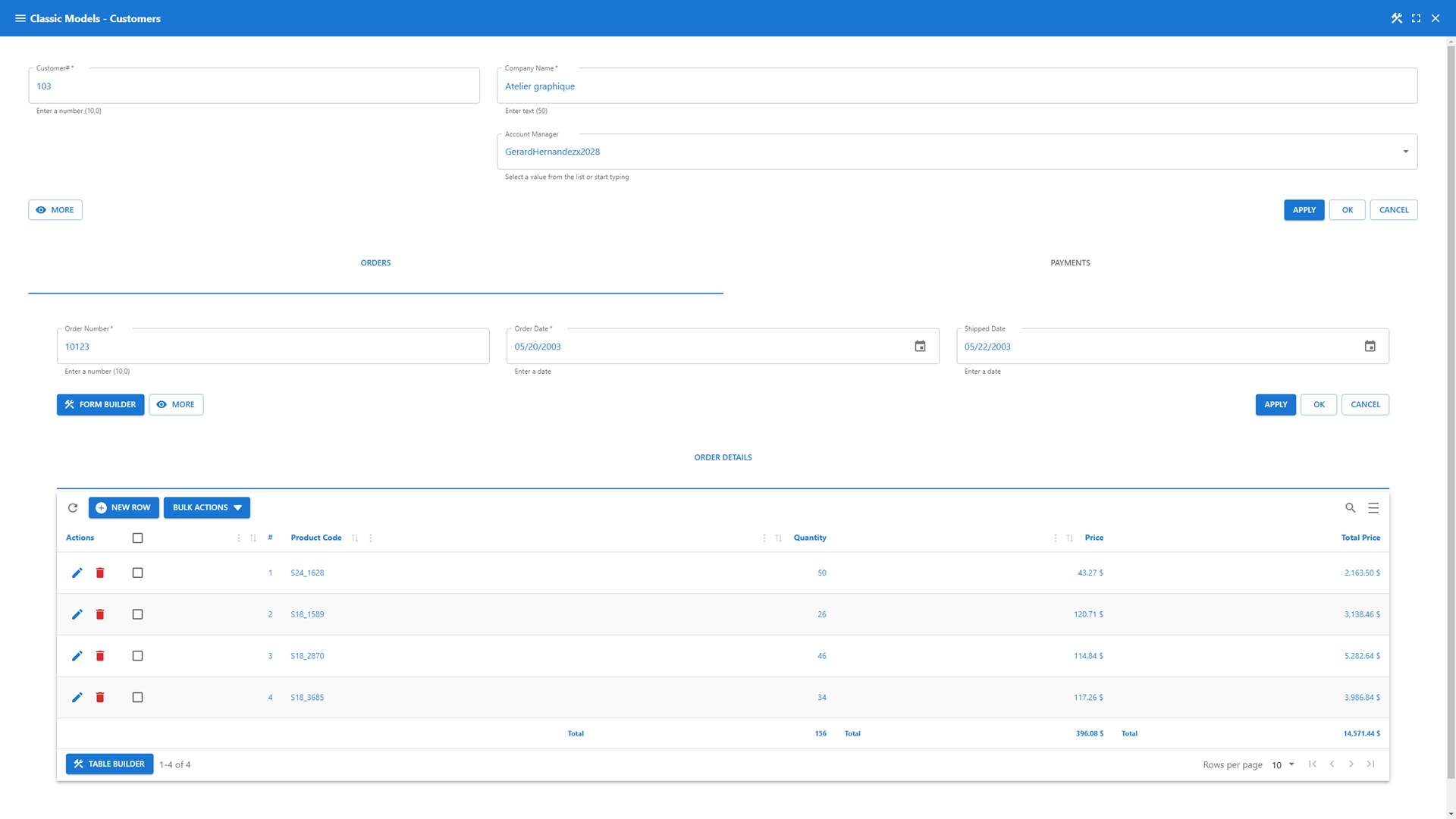
- Form Builder – Design forms that adapt to your workflow
- Grid-based layouts for precise control ➕➖
- Master-detail relationships for multi-level data structures 🔄
- Lookup and Computed Field Wizards to add functionality instantly 🧙
- Interactive client-side validations tied to your database constraints ✅
- Full access to the WordPress media library 📷🎞
- JavaScript hooks to customize business rules, validations and layout 🔧
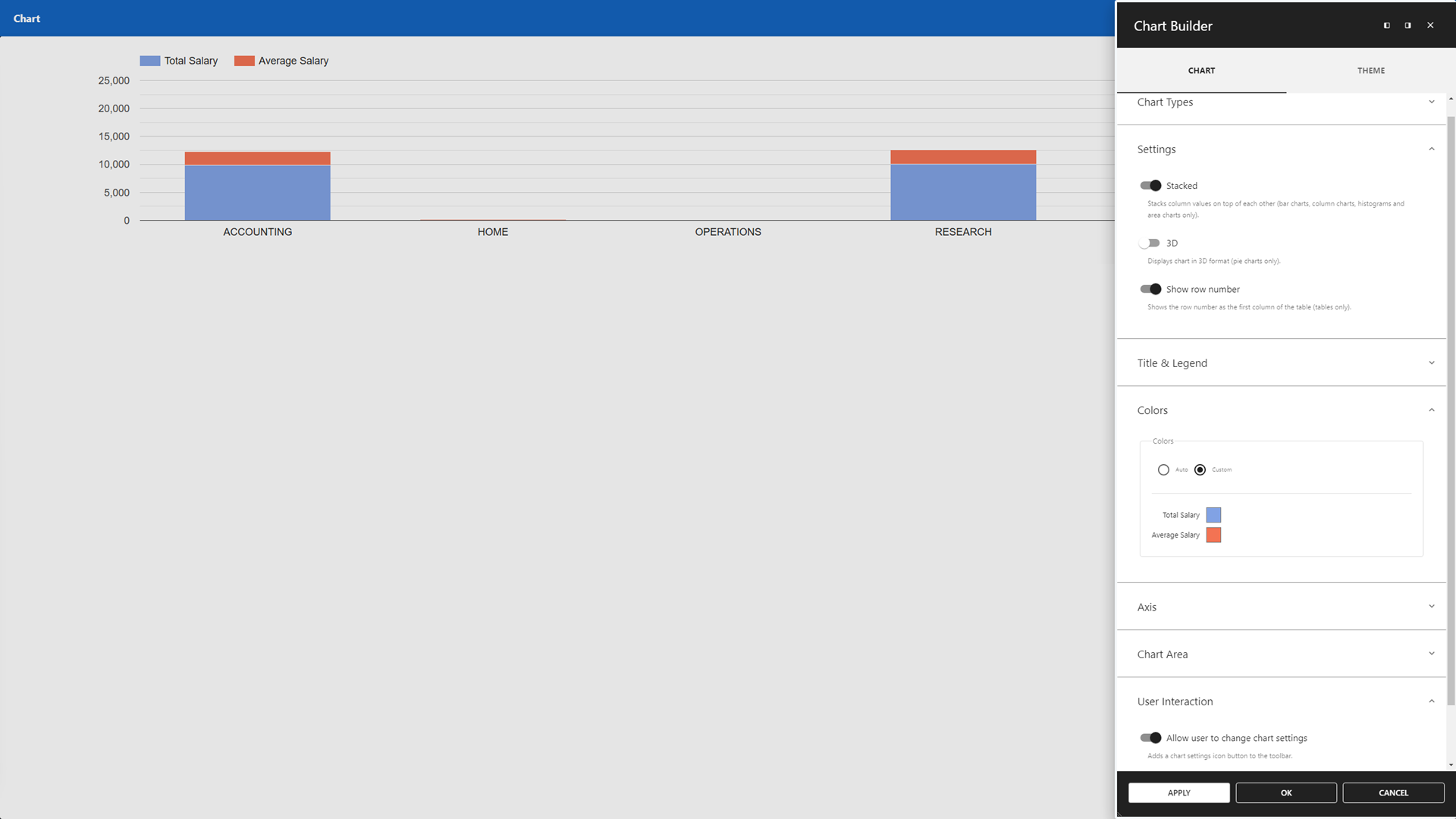
- Chart Builder – Transform your data into visual insights
- Google Charts integration 📊
- Create charts from SQL queries 📑
- Interactively adjustable chart configurations ✔
- Print/export charts 🖨📄
- Map Builder – Visualize your data geographically
- Google Maps integration for location-based apps 🌎
- Query-driven location visualizations 📍
- Interactively adjustable search radius 🔍
- Customizable marker content and layout 📌
- Dashboard Builder – Centralize insights with customizable widgets
- Combine all app types into cohesive dashboards ✅
- Customize dashboard layouts with flexible positioning and sizing ➕➖
- Customizable widgets presenting dynamic and static data
- Mix real-time data with fixed information for comprehensive overviews 📊
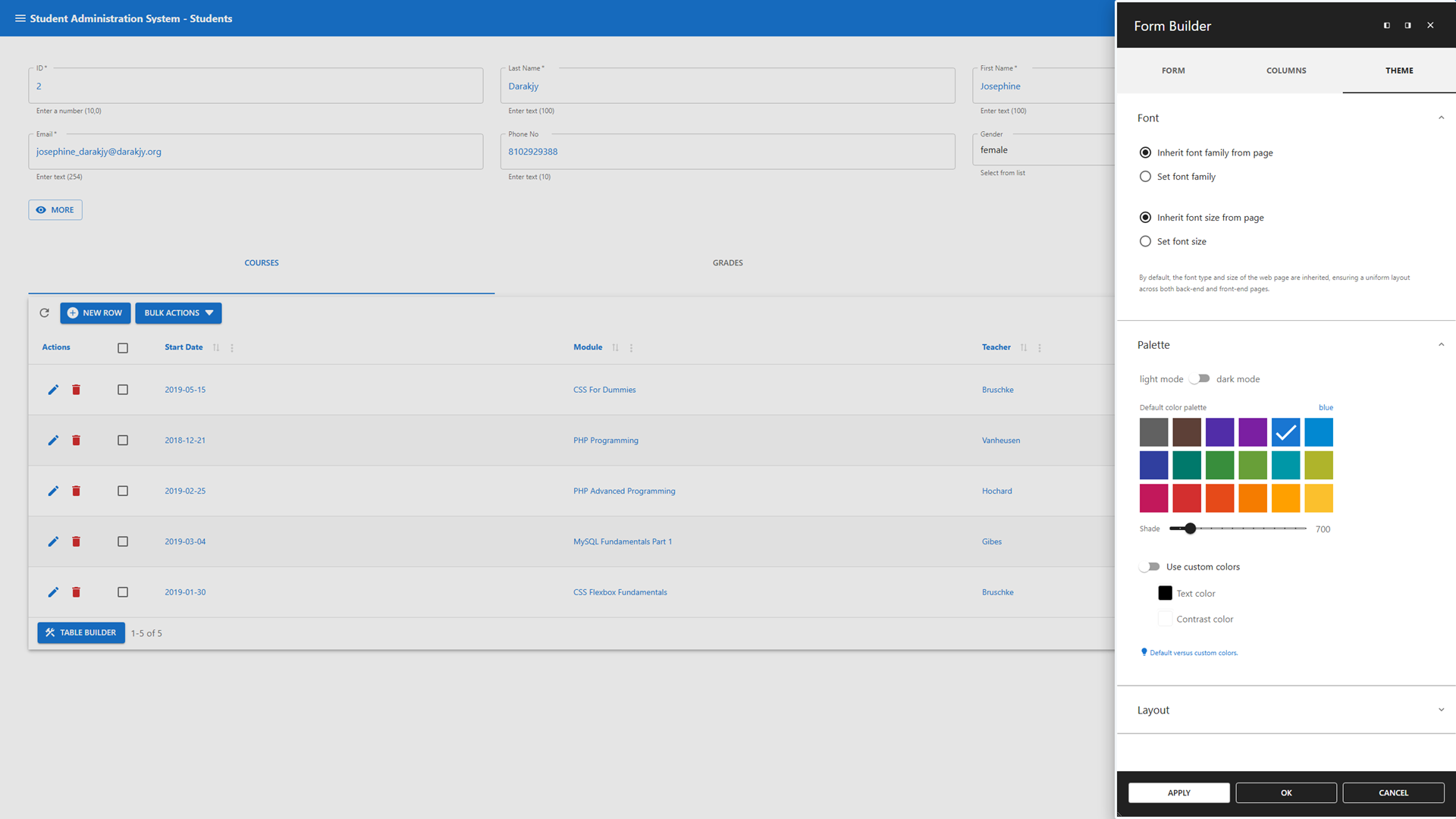
- Theme Builder – Make your app truly yours
- Personalize your app’s appearance with ease 🎨
- App Manager – Control your apps with confidence
- Authorization management based on WordPress user and role principles 🔒
- Add apps to back-end menus or front-end pages via shortcodes 🔽🌐
- Safe mode to temporarily disable hooks without breaking functionality 🔧
SQL Query Builder
Run and schedule SQL queries effortlessly from your WordPress dashboard.
- Schedule queries to run automatically at defined intervals 🕝
- Run batch jobs for automated data exchange across multiple databases 🤝
- AI Assistant to generate queries and fix common errors 🤖
- Tabbed interface for running multiple queries in parallel ▶
- Save and reuse queries – privately or globally 🔄
- Built-in safeguards to protect core WordPress tables and ensure data integrity 🔒
- Visual Query Builder to create complex queries without writing SQL 🎨
Data Explorer
Take full control of your data with a GUI-driven interface.
- Manage local and remote data 🗺
- Perform global search and replace across multiple databases and tables 🔍
- Import SQL and CSV files, with ZIP support for handling large datasets 📄
- Export data in various formats, including SQL, CSV, JSON, and XML 📄
- Rename, copy, truncate, drop, optimize, or alter tables 👤
- Advanced table and column options, such as geolocation, and enhanced search ✔
Premium Data Services
Connect, sync, and manage remote databases and data files.
- Compatible with all plugin features ✅
- Premium Remote Connection Wizard 🧙
- Remote Databases: Connect to SQL Server, Oracle, PostgreSQL, MariaDB, MySQL, and MS Access (file-based) 💻
- Remote Data Files: Sync with CSV, JSON, and XML files for dynamic updates (e.g., Google Sheets sync) 📄
Legacy Tools
Will be replaced by the App Builder.
- Featuring
- Data Tables 🔍 – Replace with Data Table app.
- Data Forms ✅ – Replace with Data Management app or Registration Form.
- Maps 🌎 – Replace with Map app.
- Charts 📊 – Replace with Chart app.
- Dashboards 🎛️ – Replace with Dashboard app.
- Use to maintain old solutions 🙏
- Use App Builder for new projects 🚀
- You can continue to use the legacy tools by staying on the latest Version 5.x (Read more →)
Useful Links
Instalação
(1) Upload the WP Data Access plugin to your WordPress site
(2) Activate the plugin
(3) Navigate to the WP Data Access menu
And you’re all set! 🚀
Log de Changes
5.5.94
- Released 2026-11-19
- Changed: Toggle select all behavior
- Prepared: Admin menu icons for WordPress 7.2
- Fixed: Cannot hide dashboard title bar
- Fixed: Cannot enter data in dialog
- Fixed: Check dynamic hyperlink indexes
- Fixed: Invalid column name in WHERE clause crashes app
- Fixed: PDF export contains malformed text on Linux
5.5.93
- Released 2026-11-12
- Fixed: Apply environment variable to default where only
- Fixed: Generated value not escaped properly
- Fixed: Dashboard remembers last activated user mode
- Fixed: Modal not draggable
- Fixed: State changed when selecting maps menu in Table Builder
- Fixed: Dynamic hyperlinks no longer shown in legacy data tables
- Fixed: Text overflow in editor
- Improved editor user interface
5.5.92
- Released 2026-11-06
- Added: Option to disable WHERE clause check on insert
- Fixed: Table drop-down list stopped working
5.5.91
- Released 2026-11-05
- Fixed: Data Designer missing nonce validation
- Fixed: Reconcile not processing null values correctly
- Fixed: Content not properly escaped
- Fixed: Prepare environment var substitutions
- Fixed: Verify engine and collation in Dat Designer
- Fixed: Insert fails when default where is defined
5.5.90
- Released 2026-10-28
- Added: Custom logo to PDF table export
- Fixed: Checkbox clickable area too small
- Fixed: Invalid row count with row count estimation enabled
- Fixed: Column filter state not restored correctly
- Fixed: Function wp_get_schedules() loaded too early
- Fixed: Numeric values exported as string in export to Excel
- Fixed: Make wpdadiehard compatible with WordPress 7.2
- Fixed: Generated values not properly escaped
- Fixed: Enforce default WHERE clause on transactions
- Removed legacy tool activation and deactivation
5.5.89
- Released 2026-10-21
- Replaced secure documents alert with standard notification
- Removed old restrict table management options
- Added: Predefined PDF configuration for data tables
- Added: Warning shown in App Manager for anonymous data entry configuration
- Added: Allow order by in lookup
- Added: Custom events to charts
- Fixed: Cannot save relation table lookup
- Fixed: Default where clause overruled
- Fixed: Button label CSS
- Fixed: Missing column ID
- Fixed: Download file link displayed if document is null
- Patch: Global filter in Data Explorer not working
Capturas de tela

Para desenvolvedores
Este é o seu plugin? Mostre os números.
Adicione um crachá ao vivo ao seu site, Documentos ou Readme do GitHub. Ele é atualizado por conta própria - nenhuma conta necessária.
Best WP Data Access alternatives
All app builder plugins →





FAQ
WP Data Access: quick answers
Respostas diretas, extraídas de dados ao vivo WordPress.org.
Fonte: WordPress.org
Is WP Data Access free?
Yes. WP Data Access is free to download and use from the official WordPress.org plugin directory.
Is WP Data Access safe to use in 2026?
Yes — WP Data Access is a safe, well-maintained plugin to use in 2026. It runs on 10K+ sites, is rated 4.9/5 and was last updated 2 weeks ago, and scores 92/100 on our health check.
How many websites use WP Data Access?
WP Data Access is active on 10K+ WordPress websites and has been downloaded 950,707 times since it launched in December 2017. It was downloaded 35,756 times in the last 30 days.
Does WP Data Access work with WordPress 7.1?
Yes. The developer has tested WP Data Access up to WordPress 7.1.5, the latest release. It requires WordPress a recent version or newer.
What PHP version does WP Data Access need?
WP Data Access requires PHP 7.4 or higher. Most hosts run PHP 8.x today, so it works on any modern WordPress hosting.
When was WP Data Access last updated?
The latest version, 5.5.94, was released on November 18, 2026 (2 weeks ago).
Who makes WP Data Access?
WP Data Access is developed and maintained by Passionate Programmer Peter.
What are the best alternatives to WP Data Access?
The most popular alternatives to WP Data Access are WPMobile.App (3K+ installs), MStore API (2K+ installs) and App Builder (500+ installs).
Alimentado por PageForge
Um modelo e uma planilha. Uma página real para cada pesquisa.
PageForge Transforma cada linha de um CSV em uma página WordPress com seu próprio título, URL, SEO campos e esquema, construído no layout que você já desenhou. Gratuito em WordPress.org.
- CSV e XLSX, mais Google Sheets em Profissional e Empresarial
- Seu próprio título, URL, SEO campos e esquema para cada página
- Funciona com o editor de blocos, Elementor, Divi e Avada
- Gratuito em WordPress.org, sem cartão de crédito