


WooCommerce Shipping
A free shipping plugin for US merchants to print discounted shipping labels and compare live label rates directly from your WooCommerce dashboard.

Escolha sólida
WooCommerce Shipping is a solid plugin choice in 2026, with a few things worth checking first. It runs on 70K+ sites, is rated 2/5 and was last updated 2 days ago, and scores 78/100 on our health check.
- Comprovado em escala em mais de 70 mil sites ativos
- Desenvolvido ativamente — última atualização 2 dias atrás
- Testado com as últimas WordPress (7.1)
- Suporte responsivo — 100% dos tópicos recentes resolvidos
- Mixed reviews — 2/5 from 18 ratings
Como ele se acumula?
Lado a lado em instalações, atualizações, avaliações e suporte



Downloads diários
Os picos de download geralmente seguem uma nova versão — cada site que atualiza automaticamente é um download.
Rankings
Where WooCommerce Shipping stands todayWordPress.org Classificações de pesquisa
Posição ao vivo na pesquisa de plugins, top 100| Palavra chave | Posição |
|---|---|
| dhl | #12 |
| labels | #23 |
| expedição | #5 |
| USPS | #6 |
| WooCommerce | #12 |
Adoção da versão
Compartilhamento de sites ativos por lançamento.
Divisão de classificação
★★★★★★★★★★ 2 from 18 reviews
About WooCommerce Shipping
From the official readme · v2.5.2Descrição
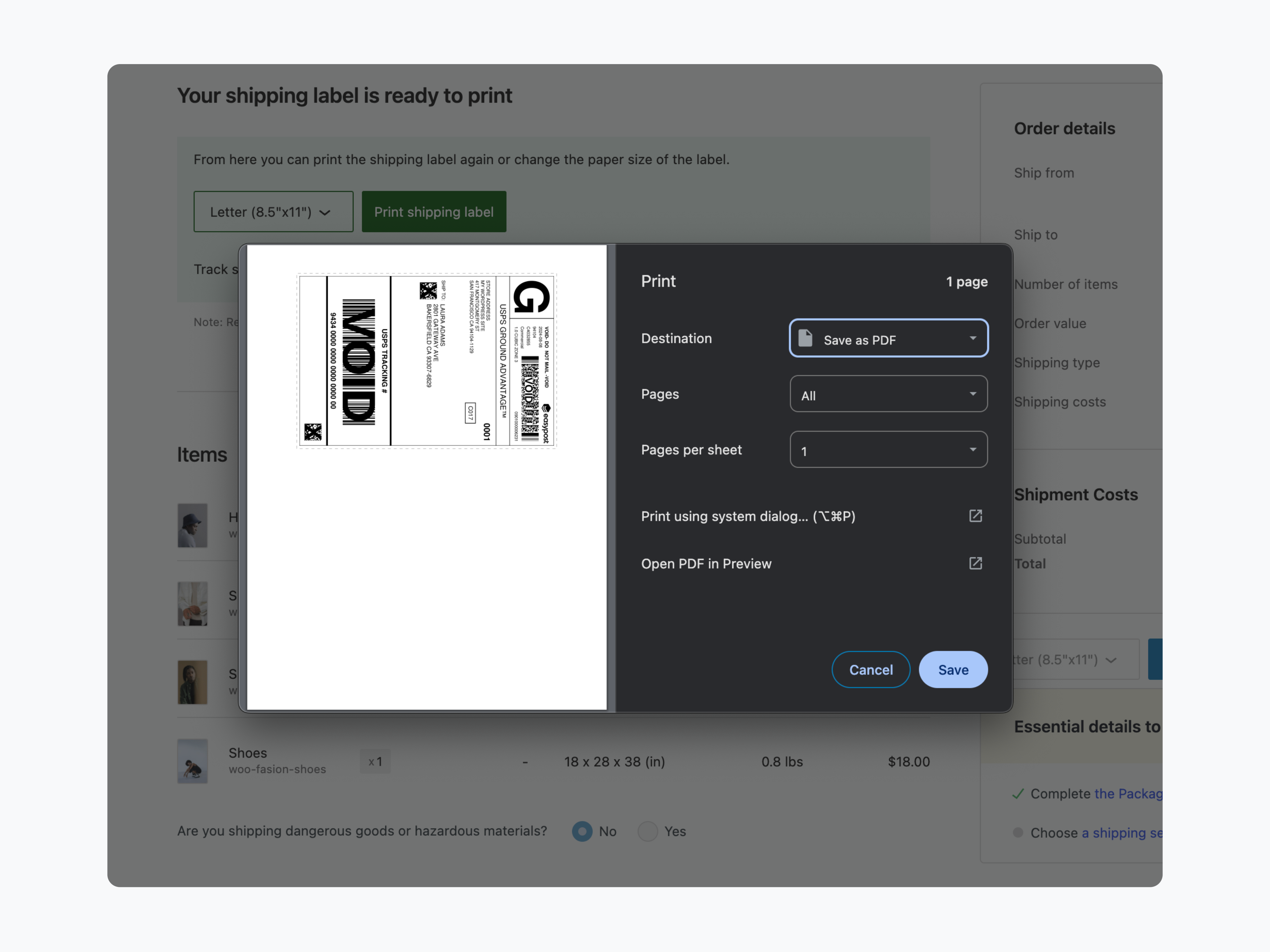
Save time and money with WooCommerce Shipping. This dedicated shipping plugin allows you to print discounted shipping labels and compare live label rates with just a few clicks. There is no need to spend time setting up individual carrier accounts as everything is done directly from your WooCommerce dashboard.
With WooCommerce Shipping, critical services are hosted on Automattic’s best-in-class infrastructure, rather than relying on your store’s hosting. That means your store will be more stable and faster.
To start shipping, simply install this free plugin, create a WooCommerce account, and start saving time and money on your packages.
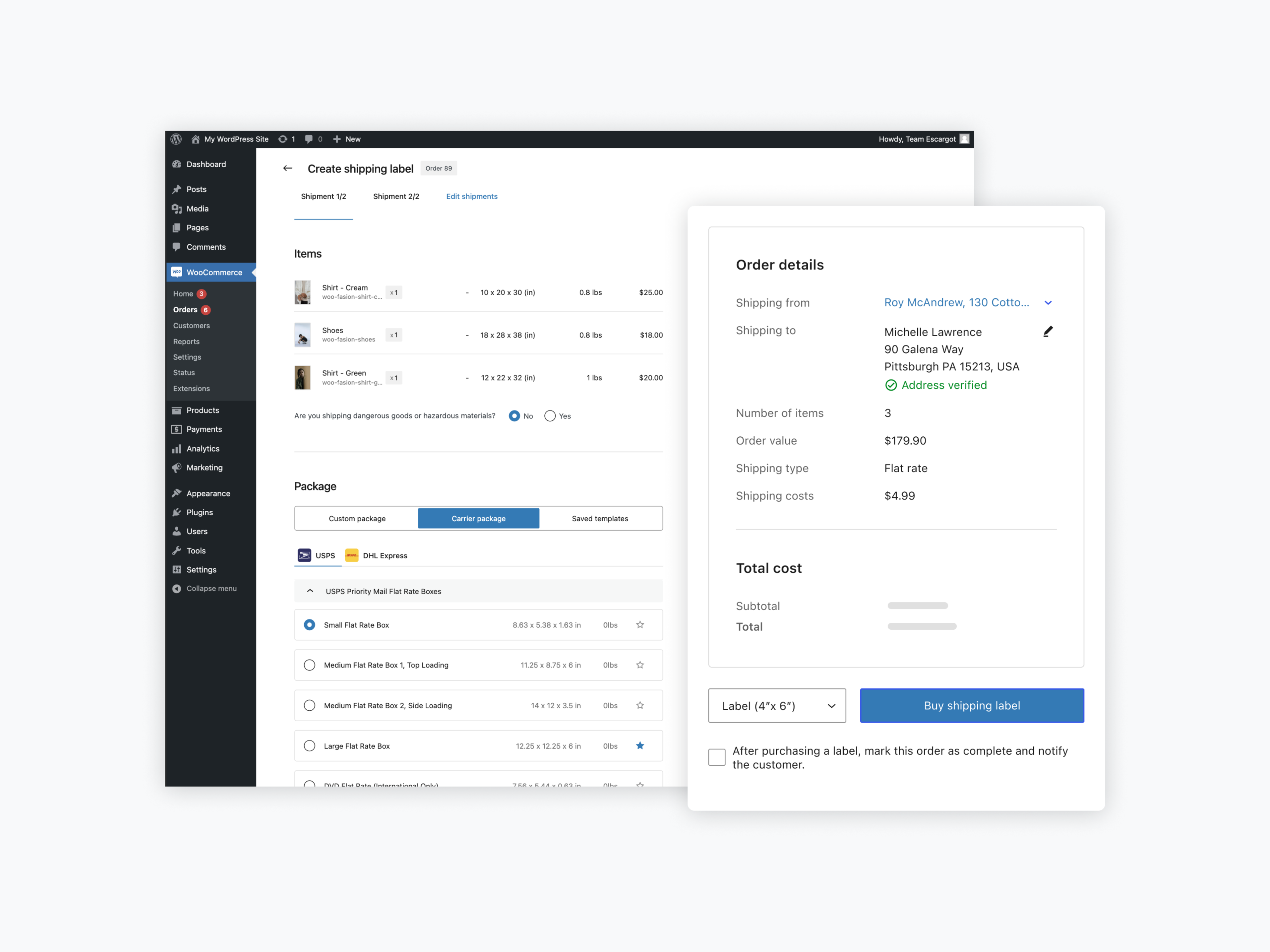
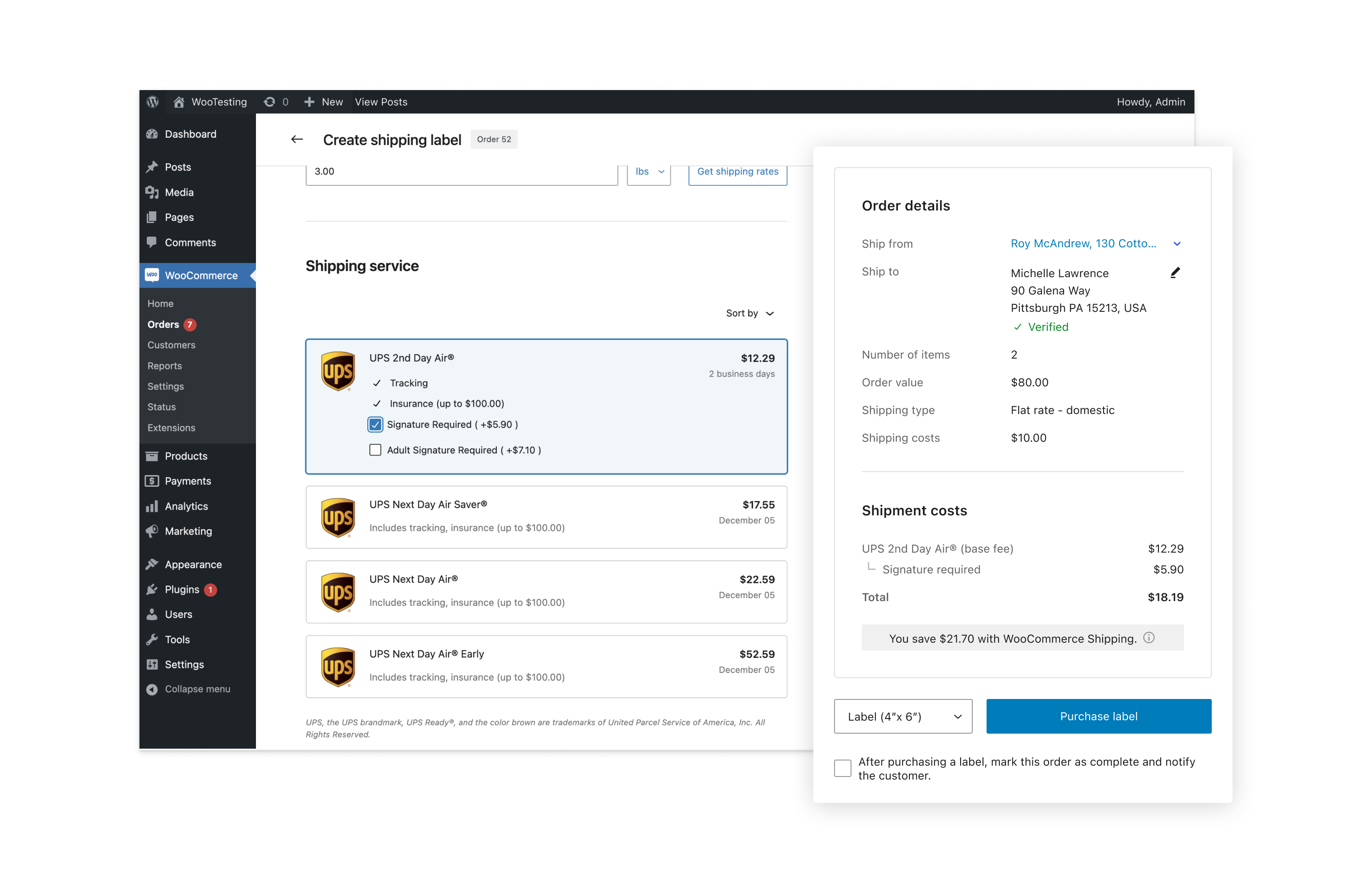
Print USPS, UPS, and DHL shipping labels and get heavily discounted rates
Ship domestically and internationally right from your WooCommerce dashboard. Print USPS, UPS, and DHL labels to save up to 77% instantly. All shipments are 100% carbon-neutral. More carriers are coming soon.
Compare live shipping label rates
Compare live rates across carriers to make sure you get the best price without guesswork or complex math.
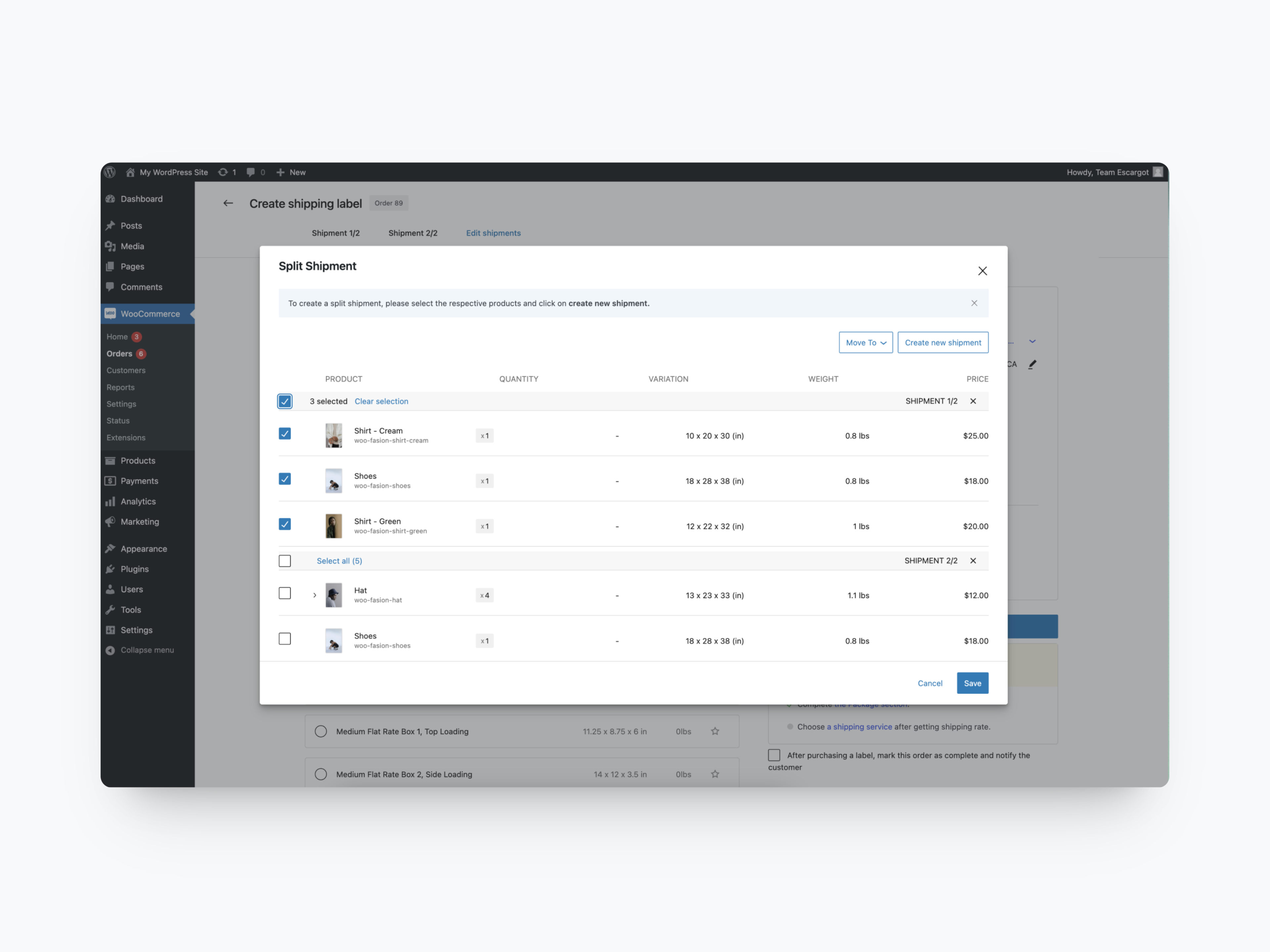
Split shipments
Send orders in multiple shipments as products become ready.
Optimized tracking
Our built-in Shipment Tracking feature makes it easier for you and your customers to manage tracking numbers by automatically adding tracking IDs to “Order Complete” emails.
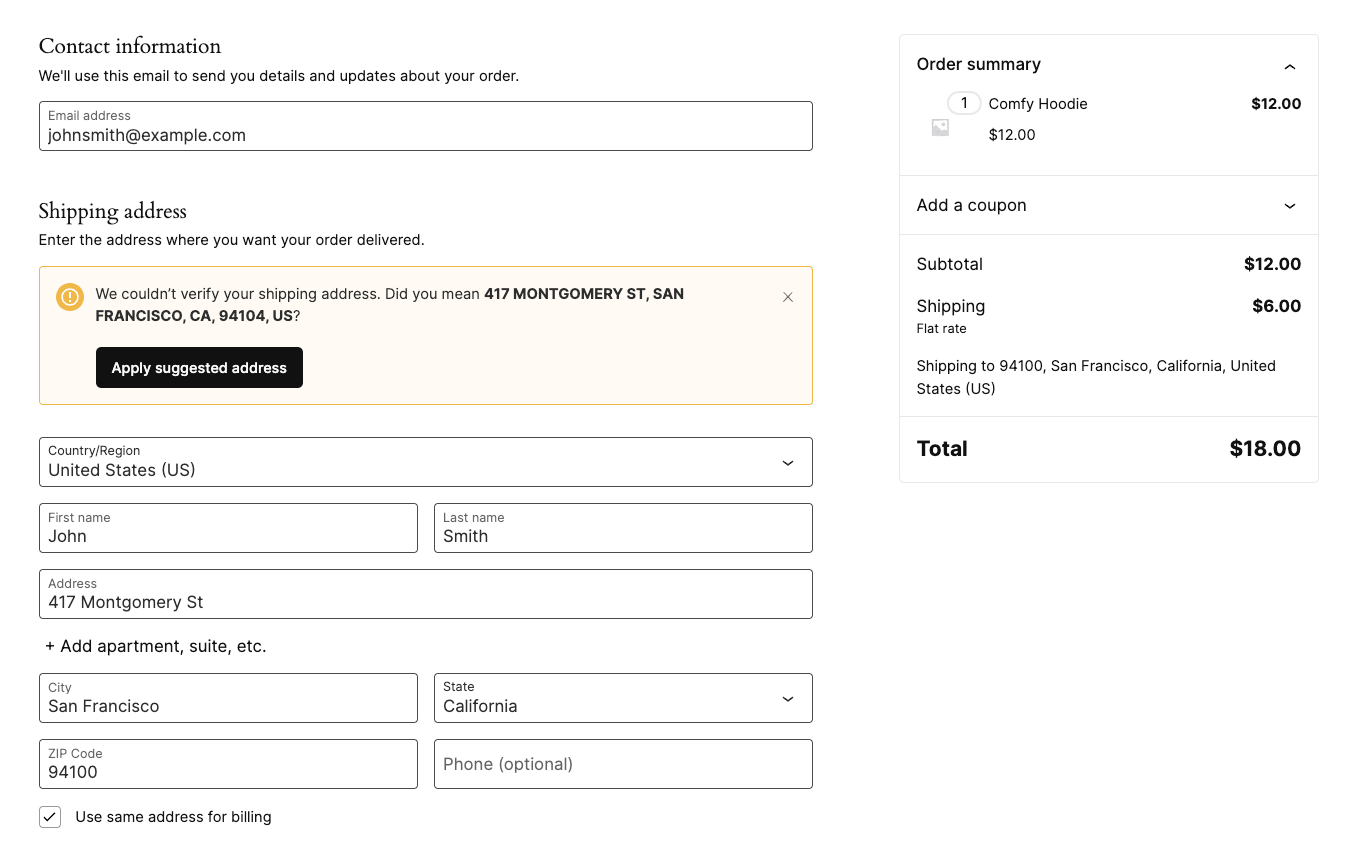
Address verification at checkout
Say goodbye to undeliverable packages and the hassle of managing incorrect addresses by enabling address verification at checkout. Including your customers in the shipping process will reduce failed deliveries, costly returns, and guesswork.
Supported store countries and currencies
WooCommerce Shipping currently only supports stores shipping from the following countries and using the following currencies. Please note you can still ship internationally, this is only applicable to your store’s location.
Store countries
– United States (US)
– American Samoa (AS)
– Puerto Rico (PR)
– United States Virgin Islands (VI)
– Guam (GU)
– Northern Mariana Islands (MP)
– United States Minor Outlying Islands (UM)
– Federated States of Micronesia (FM)
– Marshall Islands (MH)
Store currencies
– United States Dollar (USD)
Instalação
Esta seção descreve como instalar o plugin e fazê-lo funcionar.
- Install and activate WooCommerce if you haven’t already done so
- Carregue os arquivos do plugin no diretório
/wp-content/plugins/woocommerce-shippingou instale o plugin por meio da tela de plugins WordPress diretamente. - Ative o plugin através da tela 'Plugins' em WordPress
- Connect to your WordPress.com account if you haven’t already done so
- Want to buy shipping labels? First, add your credit card to https://wordpress.com/me/purchases/billing and then print labels for orders right from the Edit Order page
Log de Changes
This release includes an automated migration routine for all your existing WooCommerce Shipping & Tax labels and settings.
2.5.2 – 2026-11-18
- Fix – Only let site administrators connect the store to WordPress.com; only its WordPress.com connection owner can accept the Terms of Service.
- Fix – Improve permission checks for address verification.
- Fix – Tell merchants why a shipping label refund failed: whether the carrier could not process it and the label can still be refunded later, or declined it.
- Fix – Export every label in the selected range from Analytics > Shipping Labels, not just the first 100.
- Fix – Show each shipping rate’s full description in the label purchase screen instead of cutting off text that wraps onto a second line.
- Fix – Resolved a fatal error on sites running Roots/Acorn or other software bundling PSR-3 Log 2.x or 3.x, caused by the bundled box packing library.
- Fix – Open the sender address form when getting shipping rates with an unverified sender address, and get the rates once it is verified.
- Tweak – Package suggestions are much faster for orders with large quantities. An order too large to pack in a few seconds (by default over 3,000 units; for one product, over 30,000 units on PHP 8) gets no package suggestion, and you pick the package yourself.
- Fix – Keep label purchase text readable at 200% zoom and with wider text spacing, and darken low-contrast gray text.
- Tweak – Show the label purchase screen’s two columns one above the other when there isn’t room for both, such as at 200% zoom or in a window about 960 to 1000px wide, so no text is cut off.
2.5.1 – 2026-11-11
- Fix – Show the missing EU product ID error as it is when buying a label, instead of a generic server error.
- Add – Send the store state to the WooCommerce Shipping server.
- Fix – Open carrier tracking and USPS Media Mail links in a new browser tab each time.
- Fix – Make shipping rates selectable with the keyboard and show focus indicators in the label purchase screen.
- Fix – Name the label purchase dialog and its expand buttons for screen readers, and flag invalid package and customs fields.
- Fix – Keep the apartment or suite number once in the order’s shipping address when the label screen verifies it, so labels no longer print it twice or drop it.
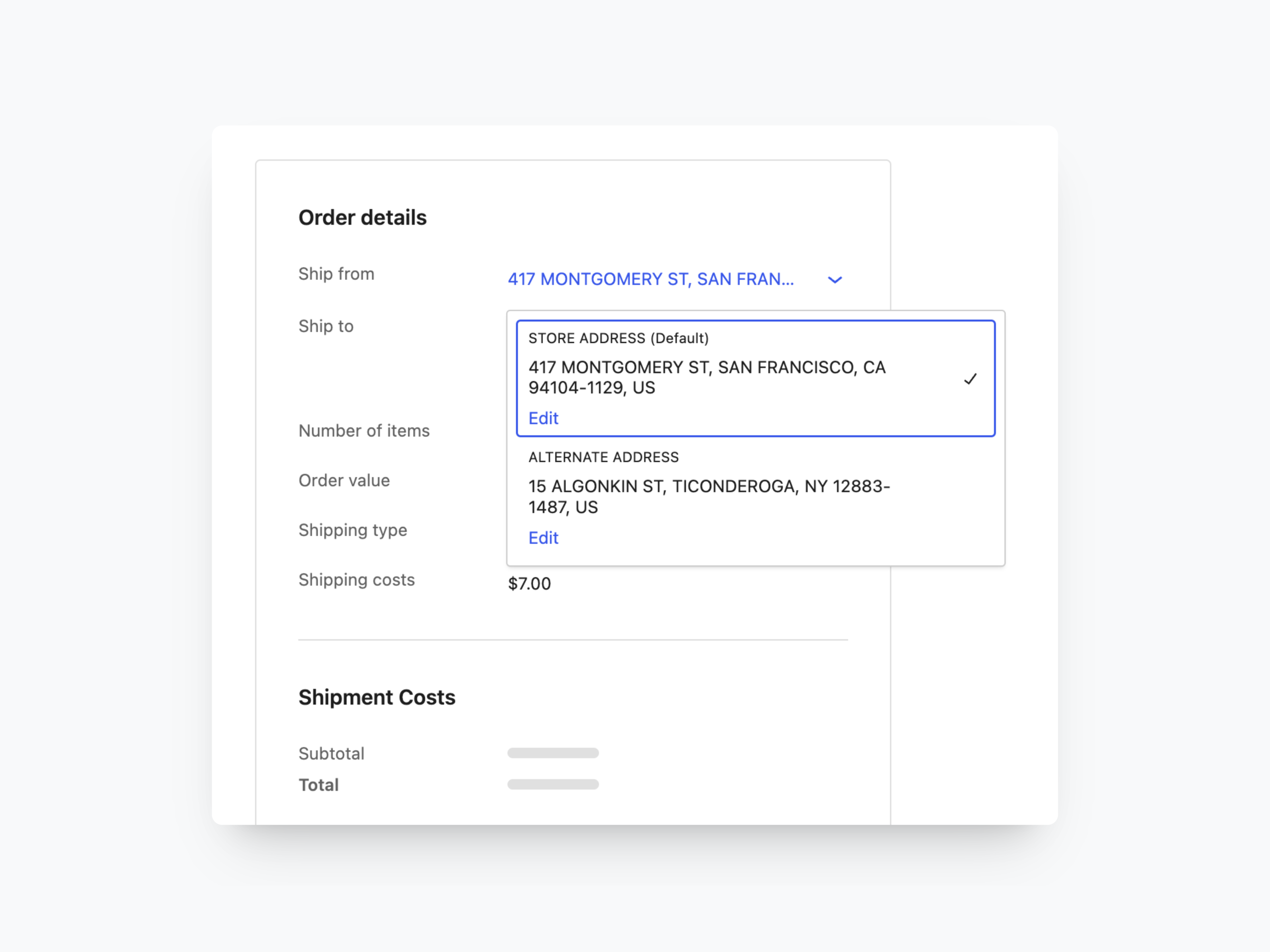
- Add – Add an optional “Apartment, suite, etc.” line to the destination address form in the label purchase screen, and send it to the carrier as its own address line.
- Tweak – WooCommerce 11.3 Compatibility.
2.5.0 – 2026-10-30
- Add – Ask for the SKU, manufacturer part number and GTIN/EAN of each customs item on shipments into the EU, prefilled from the product.
2.4.4 – 2026-10-26
- Fix – Keep each shipment’s customs form separate on orders with several shipments.
2.4.3 – 2026-10-14
- Fix – Register the terms acceptance API after WooCommerce Shipping is activated from the WooCommerce shipping label banner.
- Fix – Prevent an intermittent fatal error during plugin load when the WooCommerce fulfillment classes are resolved before WooCommerce’s WC_Data class is available.
- Fix – Prevent a fatal error when another plugin reads all shipment tracking entries of an order that has a shipping label.
2.4.2 – 2026-10-01
- Fix – Stop a request parameter or cookie from putting the plugin into end-to-end test mode.
- Fix – Include the translation template and composer.json in the plugin package.
- Tweak – Sanitize request values with sanitize_text_field() in the bulk labels banner, SCAN form and checkout checks.
- Tweak – WooCommerce 11.2 Compatibility.
Capturas de tela
Para desenvolvedores
Este é o seu plugin? Mostre os números.
Adicione um crachá ao vivo ao seu site, Documentos ou Readme do GitHub. Ele é atualizado por conta própria - nenhuma conta necessária.
Best WooCommerce Shipping alternatives
All dhl plugins →





FAQ
WooCommerce Shipping: quick answers
Respostas diretas, extraídas de dados ao vivo WordPress.org.
Fonte: WordPress.org
Is WooCommerce Shipping free?
Yes. WooCommerce Shipping is free to download and use from the official WordPress.org plugin directory.
Is WooCommerce Shipping safe to use in 2026?
WooCommerce Shipping is a solid plugin choice in 2026, with a few things worth checking first. It runs on 70K+ sites, is rated 2/5 and was last updated 2 days ago, and scores 78/100 on our health check.
How many websites use WooCommerce Shipping?
WooCommerce Shipping is active on 70K+ WordPress websites and has been downloaded 2,441,114 times since it launched in July 2024. It was downloaded 132,409 times in the last 30 days.
Does WooCommerce Shipping work with WordPress 7.1?
Yes. The developer has tested WooCommerce Shipping up to WordPress 7.1.5, the latest release. It requires WordPress 7.0 or newer.
What PHP version does WooCommerce Shipping need?
WooCommerce Shipping requires PHP 7.4 or higher. Most hosts run PHP 8.x today, so it works on any modern WordPress hosting.
When was WooCommerce Shipping last updated?
The latest version, 2.5.2, was released on November 18, 2026 (2 days ago).
Who makes WooCommerce Shipping?
WooCommerce Shipping is developed and maintained by WooCommerce.
What are the best alternatives to WooCommerce Shipping?
The most popular alternatives to WooCommerce Shipping are Shiptastic Integration for… (10K+ installs), DHL Shipping Germany for Wo… (4K+ installs) and Apaczka: integracja z WooCo… (3K+ installs).
Alimentado por PageForge
Um modelo e uma planilha. Uma página real para cada pesquisa.
PageForge Transforma cada linha de um CSV em uma página WordPress com seu próprio título, URL, SEO campos e esquema, construído no layout que você já desenhou. Gratuito em WordPress.org.
- CSV e XLSX, mais Google Sheets em Profissional e Empresarial
- Seu próprio título, URL, SEO campos e esquema para cada página
- Funciona com o editor de blocos, Elementor, Divi e Avada
- Gratuito em WordPress.org, sem cartão de crédito