


Widewalk – Accessibility Toolbar
Reading controls your visitors set for themselves, in any theme. No account, no CDN, no tracking, no branding. Not an overlay.

Use com cautela
Widewalk – Accessibility Toolbar works, but test it on a staging site before relying on it in 2026. It runs on 200+ sites and was last updated 3 weeks ago, and scores 58/100 on our health check.
- Desenvolvido ativamente — última atualização 3 semanas atrás
- Testado com as últimas WordPress (7.1)
- Momentum — downloads up 37.8% vs the previous 30 days
- Pequena base de usuários (mais de 200 instalações ativas)
- Muito poucos comentários até agora
Como ele se acumula?
Lado a lado em instalações, atualizações, avaliações e suporte


Downloads diários
Os picos de download geralmente seguem uma nova versão — cada site que atualiza automaticamente é um download.
Rankings
Where Widewalk stands todayWordPress.org Classificações de pesquisa
Posição ao vivo na pesquisa de plugins, top 100| Palavra chave | Posição |
|---|---|
| a11y | #18 |
| accessibility | >100 |
| accessibility toolbar | #19 |
| accessibility widget | #97 |
| wcag | >100 |
Adoção da versão
Compartilhamento de sites ativos por lançamento.
About Widewalk – Accessibility Toolbar
From the official readme · v1.2.3Descrição
No account to open, no CDN, no cookie, nothing tracked, and no vendor branding on your site. Widewalk runs entirely from your own WordPress install, which keeps your visitors’ data on your own domain.
Nothing is sent anywhere until you ask for it. One optional feature keeps a weekly record of your own report’s three counts off your server, and it is off until you switch it on. Nothing about your visitors is ever part of it.
Widewalk puts a small button in the corner of your site. A visitor presses it and
a panel opens with the settings they need in order to read you: bigger text, more
air between the lines, letters further apart, links they can actually pick out of
a paragraph, a calmer palette, a pointer large enough to find. Whatever they
choose is kept in their own browser. Nobody else’s view of your site moves an inch.
You switch it on once. It works with the theme you already have, on the front end
you already have, and it asks nothing of your visitors in return.
Light, private, and yours
- Free in the way that matters: no account, no API key, no third-party service, nothing to buy on a second screen.
- About 10 KB gzipped in total. One small script and its stylesheet, no framework and no jQuery.
- It renders in a shadow root, so a hostile theme cannot break it and it cannot leak into your page. It is tested against a theme built to break it.
- Works past WordPress too: one script tag drops the same panel onto pages you keep WordPress only to administer.
What you decide
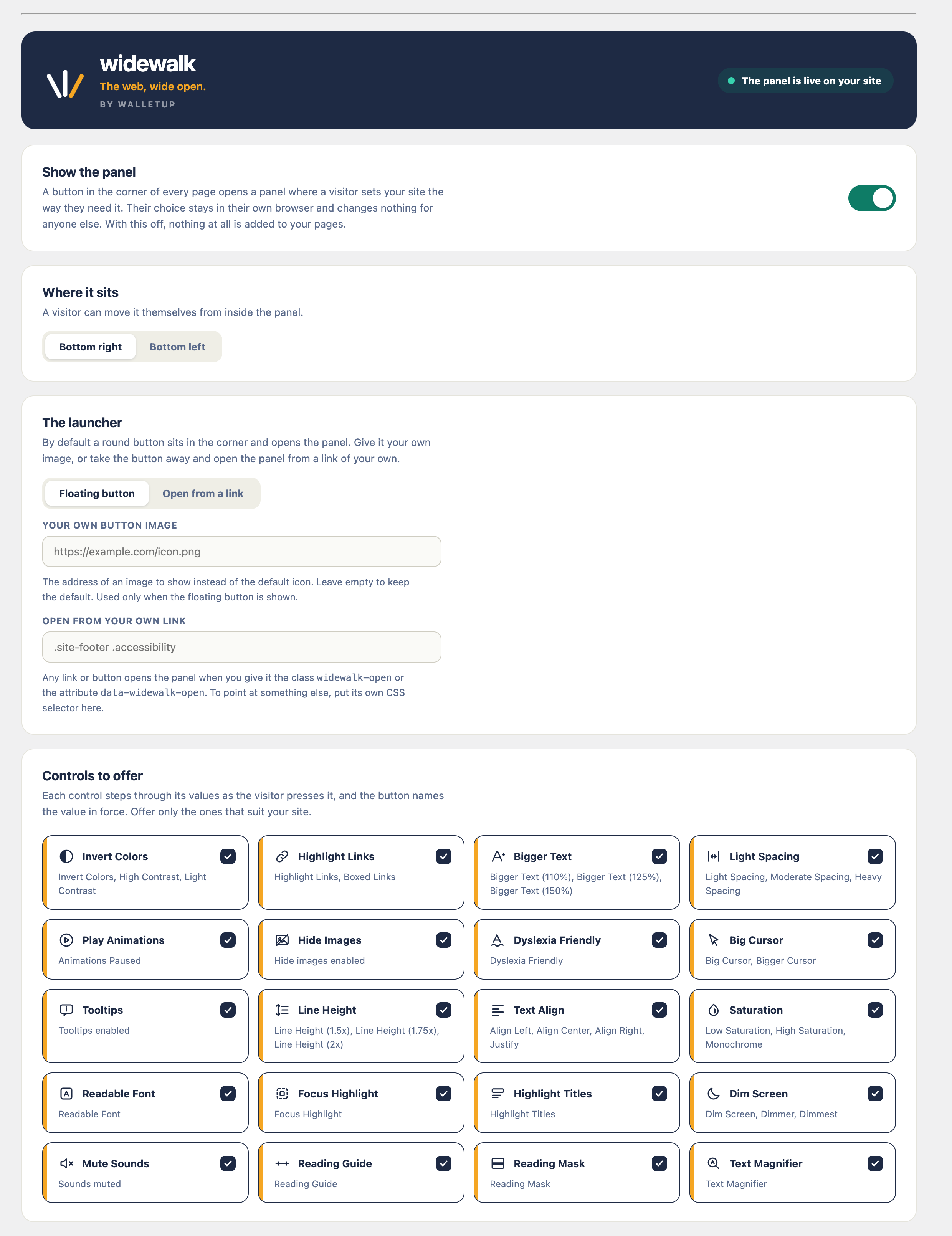
All twenty controls have their own switch, so you offer the ones that suit your
site and leave the rest off. You choose which bottom corner the button sits in.
You publish your accessibility statement from the same screen, in a long or a
short version. That is the whole settings page, and there is nothing to
configure before it works.
The name comes from pavements built wide enough for everyone at the same time:
the wheelchair, the pushchair, the delivery trolley, and the people walking
alongside them. Widen the path rather than build a second one round the back.
What a visitor can change
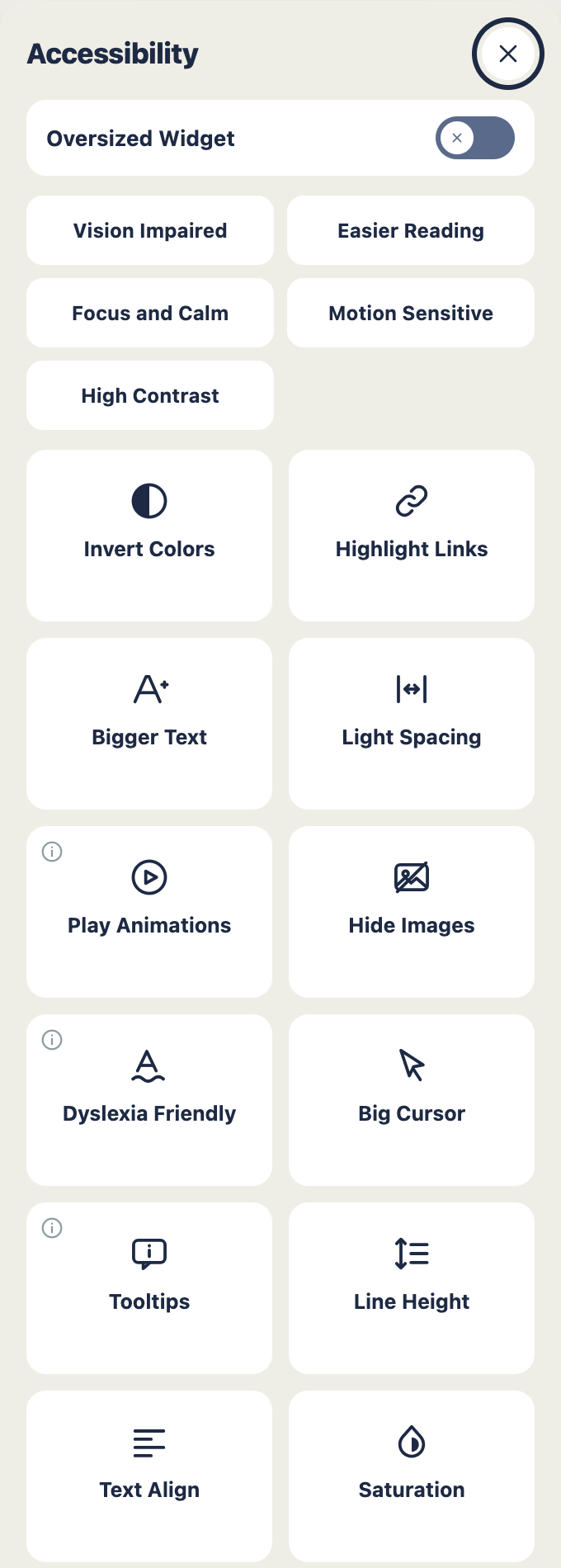
Each control steps through its settings as it is pressed, and the button says
which step it is on. “Line Height (1.75x)” or “Low Saturation” tells a visitor
where they are without making them guess.
- Bigger Text, at 110%, 125% and 150%
- Line Height, at 1.5x, 1.75x and 2x
- Letter and word spacing, from light through to heavy
- Invert Colors, then High Contrast, then Light Contrast
- Saturation: low, high, or monochrome
- Highlight Links, then Boxed Links
- Dyslexia Friendly type
- Big Cursor, then Bigger Cursor
- Pause animations
- Hide images
- Text alignment: left, centre, right, justify
- Tooltips, which read out the descriptions a screen reader gets and a mouse user never sees
- Readable Font, a plain face for easier reading
- Focus Highlight, a strong outline on whatever the keyboard is on
- Highlight Titles, outlining the headings so a page reads as an outline
- Dim Screen, at Dim, Dimmer and Dimmest, for light sensitivity
- Mute Sounds, silencing every sound the page plays
- Reading Guide, a line that follows the pointer
- Reading Mask, dimming everything but the band being read
- Text Magnifier, a lens over whatever the pointer is on
Twenty of them, and each has its own switch on the settings screen. Offer the
ones that suit your site and leave the rest off.
This is not an overlay
Worth saying plainly, because that word has earned its reputation. Widewalk does
not scan your pages, does not rewrite them for everybody, and makes no claim
about your legal compliance. Those three promises are what the overlay industry
sells, and no plugin is in a position to keep them.
Accessibility lives in your own markup. Your headings, your alt text, your colour
contrast, your link text, your forms. Five minutes with any plugin will not
change what is underneath.
What Widewalk does is smaller and it is true. It hands a visitor the settings
they would otherwise have to fight your stylesheet for, which is real help to
somebody with low vision, or dyslexia, or a migraine coming on, or a phone held
up in bright sunlight. Do the underlying work as well. This sits beside it.
It writes your accessibility statement
Any site that offers a panel like this ought to say what it is aiming for and how
to report a problem. Most plugins tell you to go away and write one. Widewalk
writes it for you, out of what you have actually switched on, and shows you the
whole thing before a word of it is published.
Choose the complete version, which follows the structure the W3C recommends, or
the short one if your site is small. You supply two things: an address where
somebody can report a barrier, and the number of working days you will take to
reply. Promise something you can keep.
Publish it and you have an ordinary WordPress page, yours to edit like any other.
Widewalk will not overwrite it later. The wording follows the conformance position
you choose, because a plugin cannot certify a site it has never seen.
Built to survive your theme
The panel renders inside a shadow root. Your stylesheet cannot reach into it, and
its stylesheet cannot leak out into your pages. It has been measured against a
theme written for the sole purpose of breaking it: global button rules marked
!important, a forced box model, oversized icons, a page claiming the highest
stacking order there is. It came through without a mark.
Block themes, classic themes, page builders. It mounts on wp_footer, which
every theme fires.
Works past WordPress, too
Plenty of sites keep WordPress for the admin and build their public pages in
plain PHP, in React, or as static files. Nothing on those pages runs a WordPress
footer, so the panel never arrives. Add one line to your own instead:
<script src="/wp-content/plugins/widewalk/assets/embed.js" defer></script>
Same panel, same controls, the settings you already chose. Nothing else to set up.
Light, and quiet about it
- About 10 KB gzipped covers everything a visitor downloads. One stylesheet, one small script, no framework, no jQuery.
- Switch the panel off and nothing at all is added to your pages.
- No account, no API key, no third-party service, no fonts pulled from somebody else’s server.
- Nothing is tracked about your visitors and no cookie is set. Preferences sit in local storage on the visitor’s own device, under a single key.
- One request can leave, and only after you switch that feature on: once then, and once a week while it stays on. It carries counts, never content. See External services below.
Made to the standard it talks about
- Every control works from the keyboard alone, with a focus outline you can see.
- The panel is a labelled dialog. Focus stays inside it while it is open, and returns where it came from when it closes.
- Changes are announced to screen readers as they happen.
- Motion stops when a visitor’s device has asked for less of it.
- Text and background inside the panel meet WCAG 2.2 AA contrast.
Who installs it
Sites whose readers are not all twenty-five with good eyes and a large monitor.
Charities, galleries, schools, clinics, councils, artists, shops, small
newsrooms. Anywhere that would rather be read than admired.
Serviços externos
Widewalk works fully without contacting anything. One optional feature sends a
short note to WalletUp, and only after you press the button that sends it.
What it is. A dated record of your content report’s three counts, kept once a
week off your own server, so you can show the accessibility work you are doing,
watch the counts fall over time, and still have the record after a reinstall.
What is sent, and when. Once at the moment you press the button, then once a
week while it stays switched on. Every field is shown on the settings screen,
filled in with your own values, before you press anything:
- site: your site address
- token: a random name for this site’s record, made on your site, meaning nothing on its own
- plugin: the plugin name and version
- wp: your WordPress version
- php: your PHP version
- locale: your site language
- issues: how many findings the content report counted, as three numbers: critical, serious, moderate
No page content, no post or page titles, no email address, no user account, no
IP-based profile, and nothing about anyone visiting your site.
When a site connects for the first time, WalletUp fetches one public address on
it, /wp-json/widewalk/v1/registry, to confirm the note really came from that
site and not from someone naming it. That address answers with a yes and a
check value; it carries no content and no settings.
To show you your weeks, the settings screen asks for them back with site, token
and the word history, at most once an hour.
Pressing stop sends site, token and the word leave, deletes your numbers there,
and removes everything the plugin kept about it here. Nothing else is sent at
any time.
Where it goes. https://walletup.app/wp-json/widewalk-registry/v1/site , run by
WalletUp. Terms: https://walletup.app/terms/ . Privacy: https://walletup.app/privacy/
For theme developers
Widewalk tells the page about every preference, so a theme can respond in ways the toolbar cannot know about, such as swapping a hero video for a still, reflowing a grid, or replacing a decorative image with its caption.
Attributes on the html element (a stable contract):
- data-a11y-animations, data-a11y-images, data-a11y-text, data-a11y-invert, data-a11y-saturation, data-a11y-lineheight, data-a11y-spacing, data-a11y-align, data-a11y-links, data-a11y-dyslexia, data-a11y-cursor, data-a11y-tooltips, data-a11y-readable, data-a11y-focus, data-a11y-titles, data-a11y-dim, data-a11y-mute, data-a11y-guide, data-a11y-mask and data-a11y-magnifier each hold the active level as a number, and are absent when the control is off.
- data-a11y-os-reduce is “1” when the visitor’s system asks for reduced motion.
Events on document:
- widewalk:change fires once at load with detail.state (every control and its level), and again on each change with detail.key and detail.level.
- widewalk:motion fires when animations are paused or resumed with detail.paused, kept for compatibility.
Mark any element the toolbar should leave alone with data-widewalk-keep. Images, media and animations inside it stay untouched when images are hidden or motion is paused.
Instalação
- Install from Plugins → Add New, or upload the folder to
/wp-content/plugins/. - Activate it.
- Open Settings → Widewalk and switch the panel on.
- While you are there, publish your accessibility statement from one of the two templates. Read it through afterwards and make it true of your site.
That is the whole setup. There is nothing to configure before it works.
Log de Changes
A lighter touch on the media, images and motion a visitor controls, and richer hooks for your theme.
1.2.3
- Fixed: the panel endpoint and the widget markup resolve their helpers correctly. Sites on 1.2.2 should update.
1.2.2
- Improved: on the accessibility statement screen, each item in the self-check list sits on its own full-width row and the whole row is clickable.
1.2.1
- Improved: switching the server line off takes out only Widewalk’s own block and leaves every other rule in the file exactly as it is.
- Improved: deactivating or deleting Widewalk takes the server line out with it.
- Improved: stopping the weekly record keeps its key until the deletion is confirmed, so you can try again if a request does not get through.
- Improved: on a network, the shared server file is changed by a network administrator only.
- Improved: controls added by an update stay off until you switch them on, so an update changes nothing your visitors see.
- Improved: the accessibility statement says only what you have told it, and names what you tested it with in your own words.
- Improved: the listing describes all twenty controls and the real download size.
1.2.0
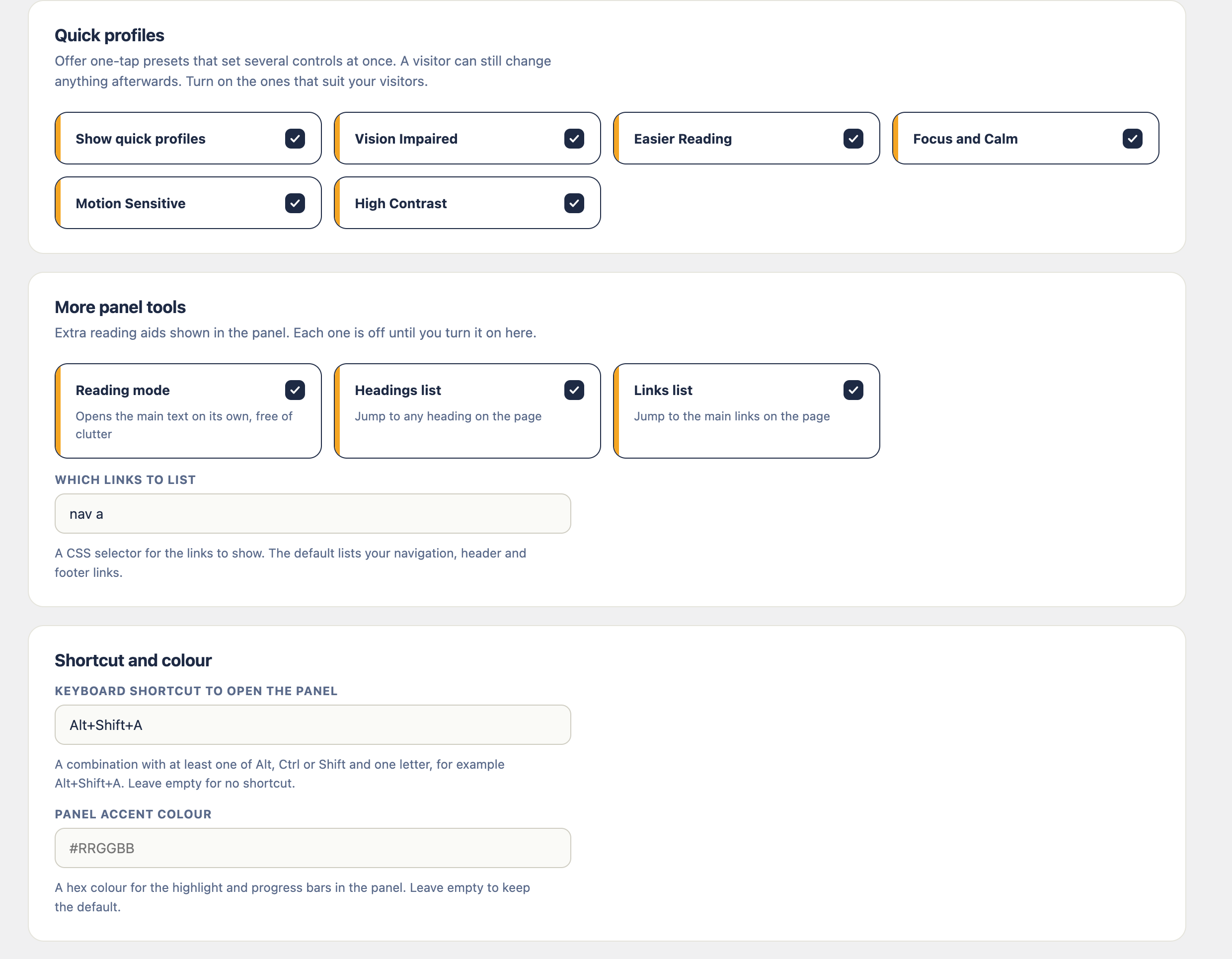
- New: quick profiles. One tap sets several controls at once for a way of reading, such as vision impaired, easier reading, focus and calm, motion sensitive, or high contrast. Offer the ones that suit your visitors.
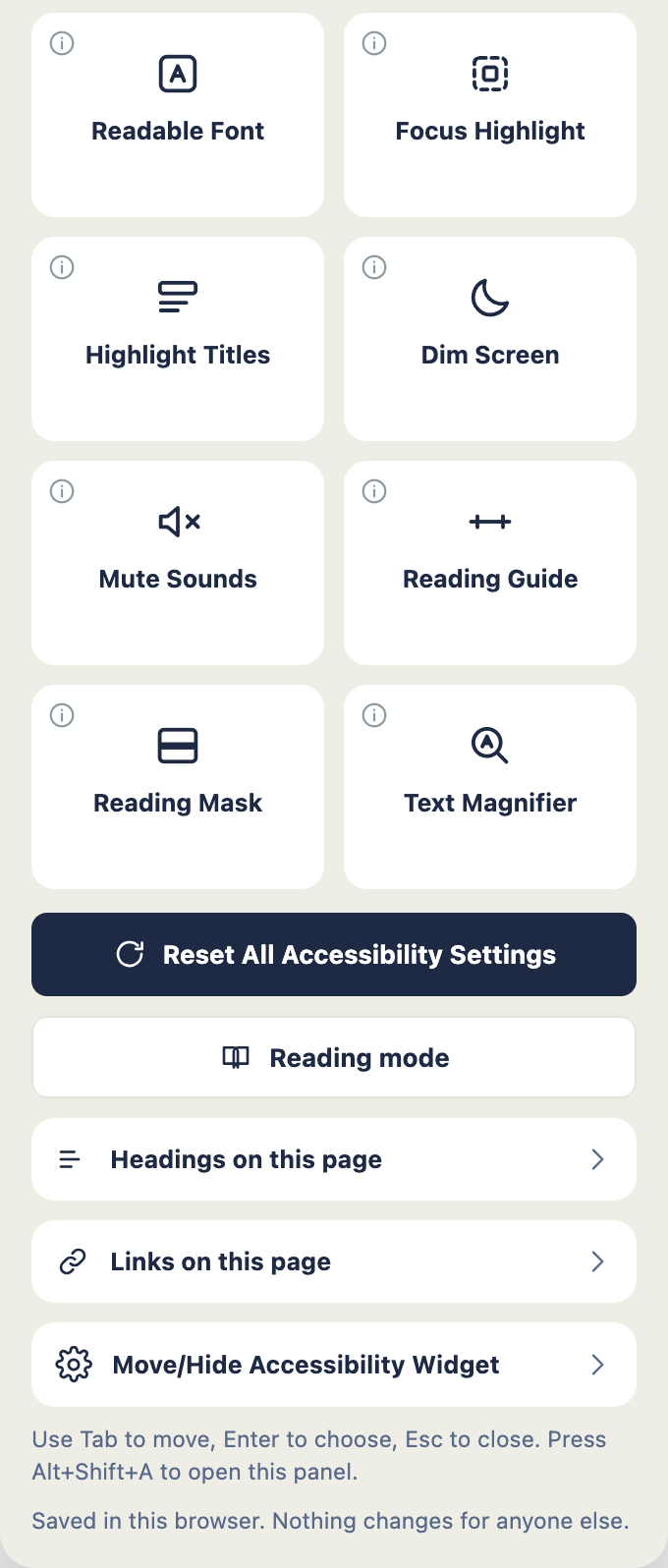
- New: eight more controls, each with its own switch. A plain readable font, a strong keyboard focus outline, outlined headings, a screen dimmer for light sensitivity, a mute for every sound, a reading guide and a reading mask that follow the pointer, and a magnifier lens for the text you point at.
- New: a reading mode that opens the main text of a page on its own, clear of menus, sidebars and footers.
- New: two ways to get around a long page from the panel, a list of its headings and a list of its links, each one a jump straight to the spot.
- New: a light high-contrast scheme to sit beside the dark one, and a justify option for text alignment.
- New: open the panel with a keyboard shortcut you choose, and give the panel your own accent colour to match your brand.
- Improved: every new control and panel tool stays off until you switch it on, so updating changes nothing on your site until you decide it should.
1.1.2
- Maintenance: packaging cleanup.
1.1.1
- New: right-to-left support. On Hebrew, Arabic, Farsi and Urdu sites the panel mirrors and reads in the page’s own direction.
- Improved: the toolbar follows the reading direction set by your site or your translation plugin, so a page shown right-to-left gets a right-to-left panel.
Capturas de tela


Para desenvolvedores
Este é o seu plugin? Mostre os números.
Adicione um crachá ao vivo ao seu site, Documentos ou Readme do GitHub. Ele é atualizado por conta própria - nenhuma conta necessária.
Best Widewalk alternatives
All a11y plugins →




FAQ
Widewalk – Accessibility Toolbar: quick answers
Respostas diretas, extraídas de dados ao vivo WordPress.org.
Fonte: WordPress.org
Is Widewalk – Accessibility Toolbar free?
Yes. Widewalk – Accessibility Toolbar is free to download and use from the official WordPress.org plugin directory.
Is Widewalk – Accessibility Toolbar safe to use in 2026?
Widewalk – Accessibility Toolbar works, but test it on a staging site before relying on it in 2026. It runs on 200+ sites and was last updated 3 weeks ago, and scores 58/100 on our health check.
How many websites use Widewalk – Accessibility Toolbar?
Widewalk – Accessibility Toolbar is active on 200+ WordPress websites and has been downloaded 3,507 times since it launched in September 2026. It was downloaded 733 times in the last 30 days.
Does Widewalk – Accessibility Toolbar work with WordPress 7.1?
Yes. The developer has tested Widewalk – Accessibility Toolbar up to WordPress 7.1.5, the latest release. It requires WordPress 6.2 or newer.
What PHP version does Widewalk – Accessibility Toolbar need?
Widewalk – Accessibility Toolbar requires PHP 7.4 or higher. Most hosts run PHP 8.x today, so it works on any modern WordPress hosting.
When was Widewalk – Accessibility Toolbar last updated?
The latest version, 1.2.3, was released on November 11, 2026 (3 weeks ago).
Who makes Widewalk – Accessibility Toolbar?
Widewalk – Accessibility Toolbar is developed and maintained by Wallet Up.
What are the best alternatives to Widewalk – Accessibility Toolbar?
The most popular alternatives to Widewalk – Accessibility Toolbar are Web Accessibility (formally… (500K+ installs), WP Accessibility (60K+ installs) and AccessibleWP (10K+ installs).
Alimentado por PageForge
Um modelo e uma planilha. Uma página real para cada pesquisa.
PageForge Transforma cada linha de um CSV em uma página WordPress com seu próprio título, URL, SEO campos e esquema, construído no layout que você já desenhou. Gratuito em WordPress.org.
- CSV e XLSX, mais Google Sheets em Profissional e Empresarial
- Seu próprio título, URL, SEO campos e esquema para cada página
- Funciona com o editor de blocos, Elementor, Divi e Avada
- Gratuito em WordPress.org, sem cartão de crédito