


Melapress File Monitor
Get email alerts for file and permission changes on your WordPress sites. No false positives!

Escolha segura
Yes — Melapress File Monitor is a safe, well-maintained plugin to use in 2026. It runs on 5K+ sites, is rated 4.1/5 and was last updated 2 weeks ago, and scores 89/100 on our health check.
- Desenvolvido ativamente — última atualização 2 semanas atrás
- Testado com as últimas WordPress (7.1)
- Momentum — downloads up 187.7% vs the previous 30 days
Como ele se acumula?
Lado a lado em instalações, atualizações, avaliações e suporteDownloads diários
Os picos de download geralmente seguem uma nova versão — cada site que atualiza automaticamente é um download.
Rankings
Where Melapress File Monitor stands todayWordPress.org Classificações de pesquisa
Posição ao vivo na pesquisa de plugins, top 100| Palavra chave | Posição |
|---|---|
| file monitor | #3 |
| file security | #18 |
| file-changes | #1 |
| malware detection | #15 |
| segurança | >100 |
Adoção da versão
Compartilhamento de sites ativos por lançamento.
Divisão de classificação
★★★★★★★★★★ 4.1 from 32 reviews
About Melapress File Monitor
From the official readme · v2.4.1Descrição
Get notified of file and permission changes on your WordPress sites and boost reliability & security
Melapress File Monitor is a WordPress file integrity monitoring plugin that keeps track of file and permission changes on your WordPress websites. It enables you to promptly identify code changes, file and directory permission changes, leftover files, malicious code, and malware injections – and take action.
Install Melapress File Monitor on your website to:
* Detect malware, infected files or files altered by bad actors
* Keep track of the last code changes on your website for easier troubleshooting
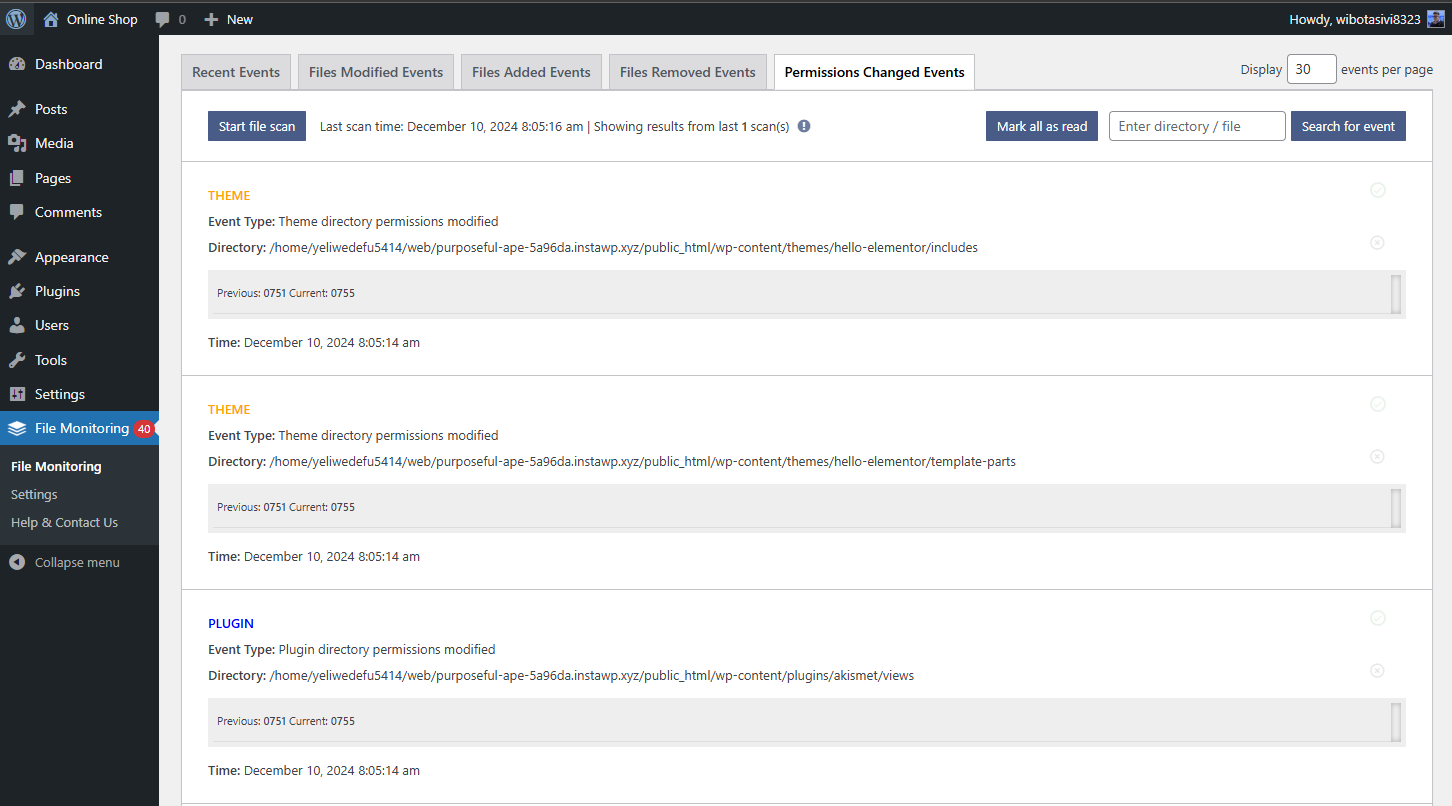
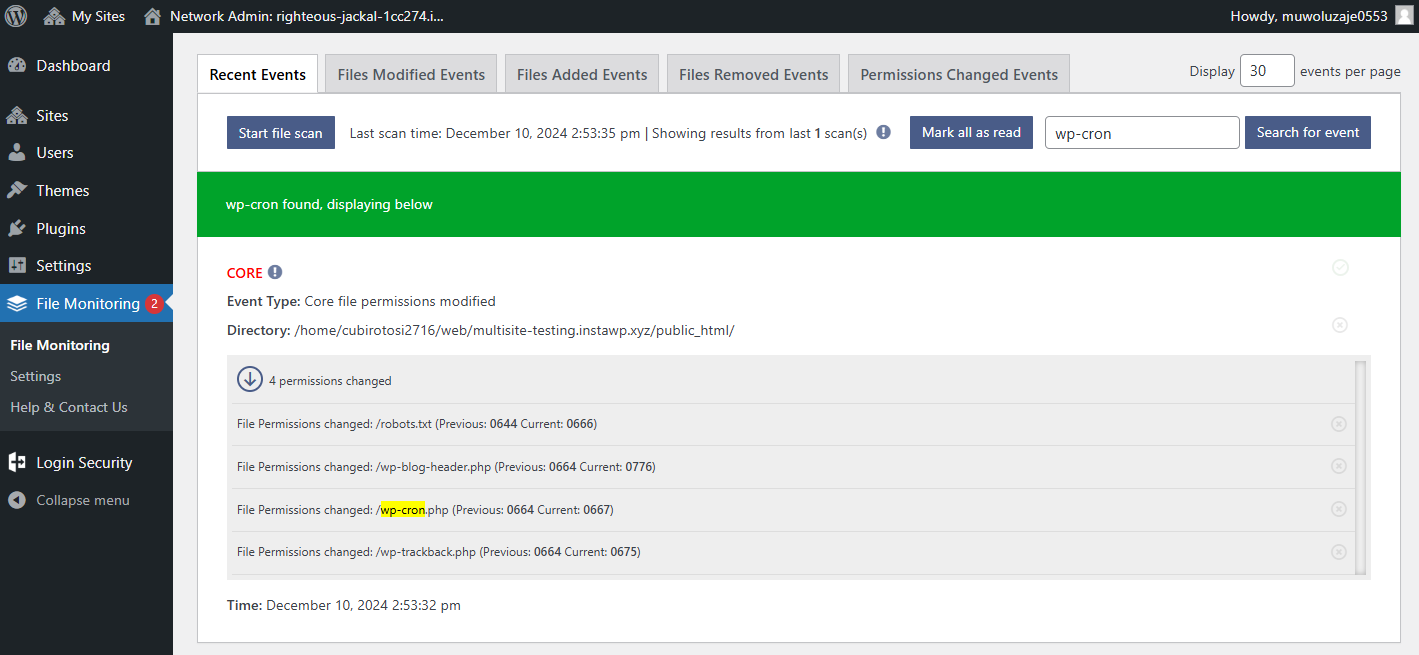
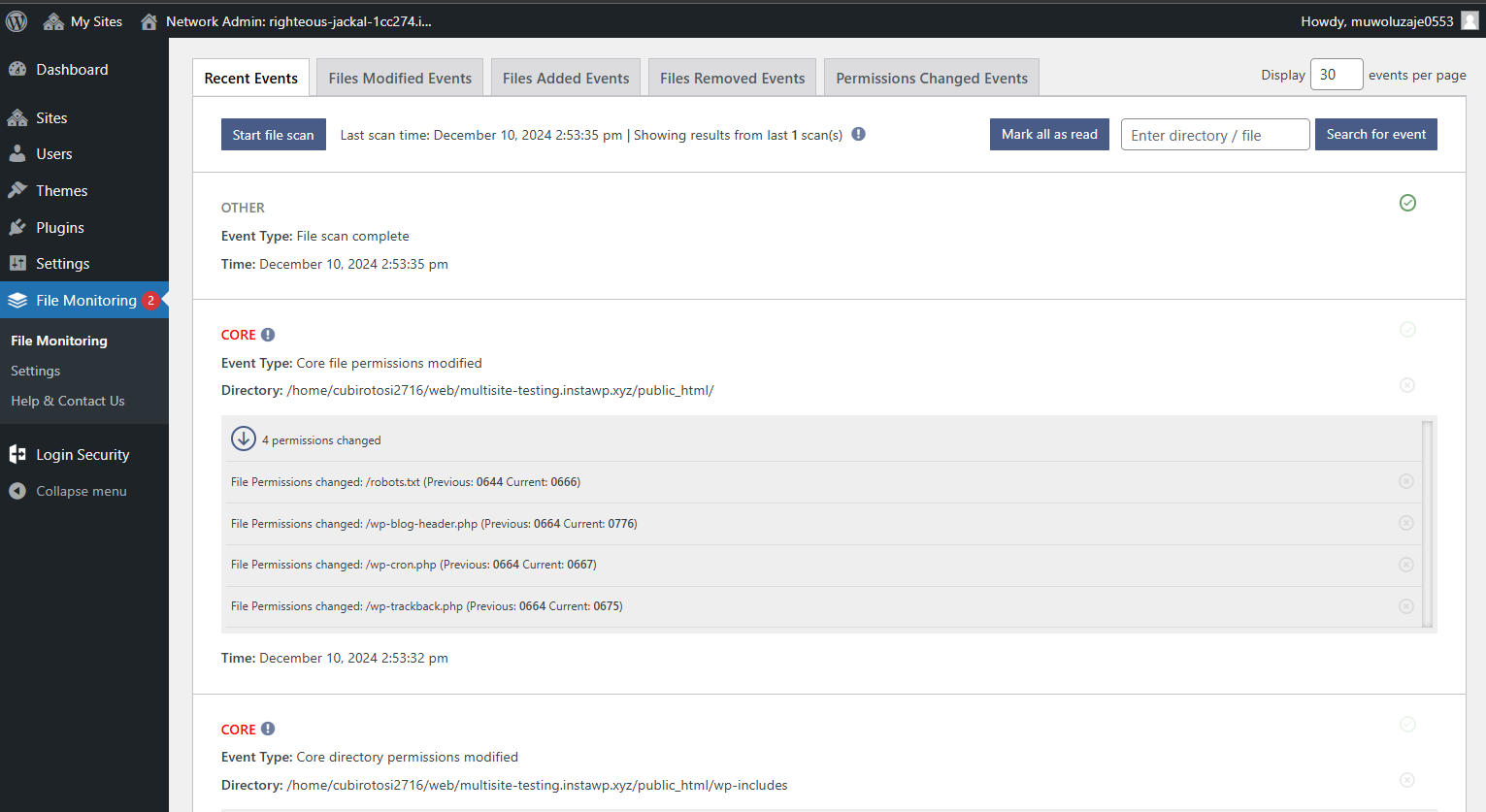
* Identify changes in file and directory permissions
* Identify leftover & backup files that can lead to sensitive business & technical data exposure
* Spot malware injections early to avoid irreparable site damage
* Conduct essential WordPress forensic analysis after a cyberattack.
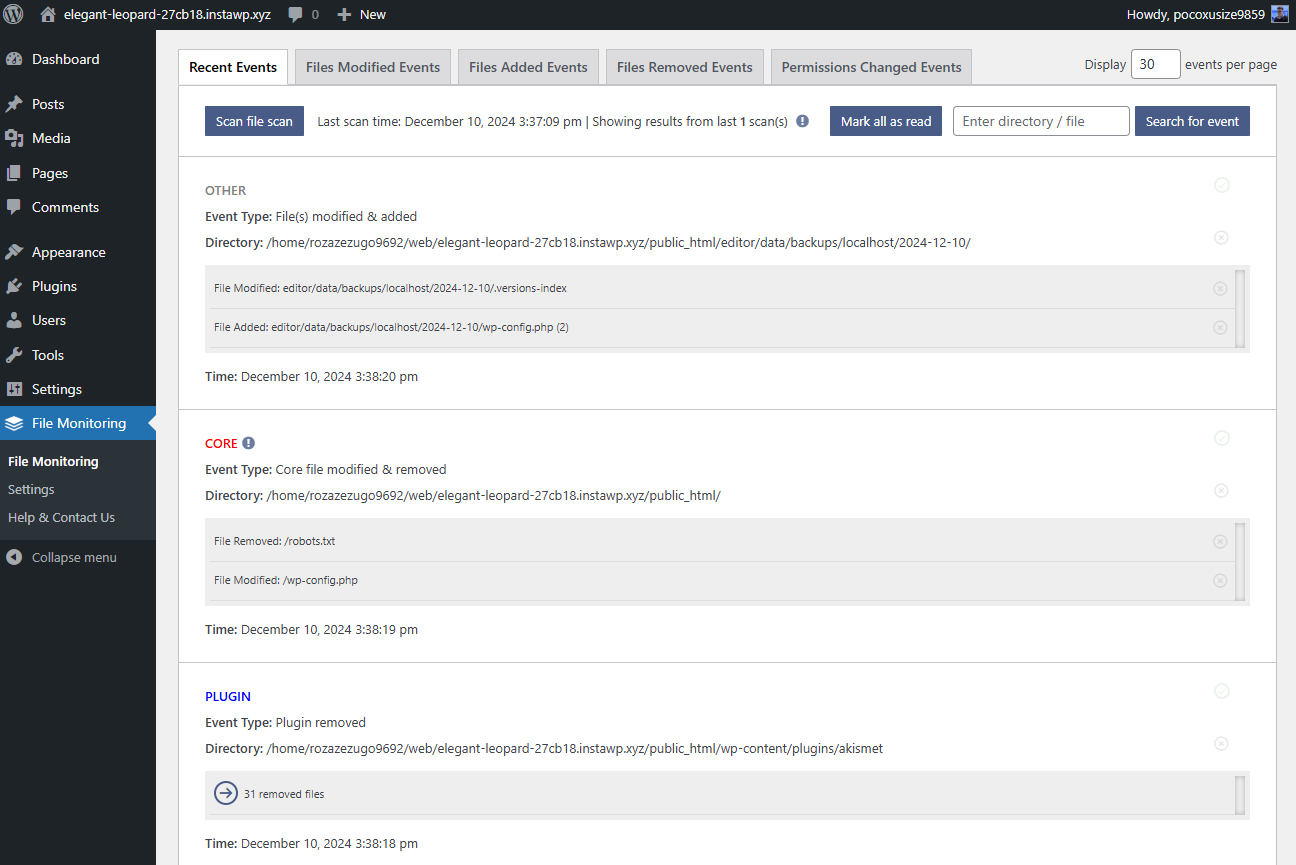
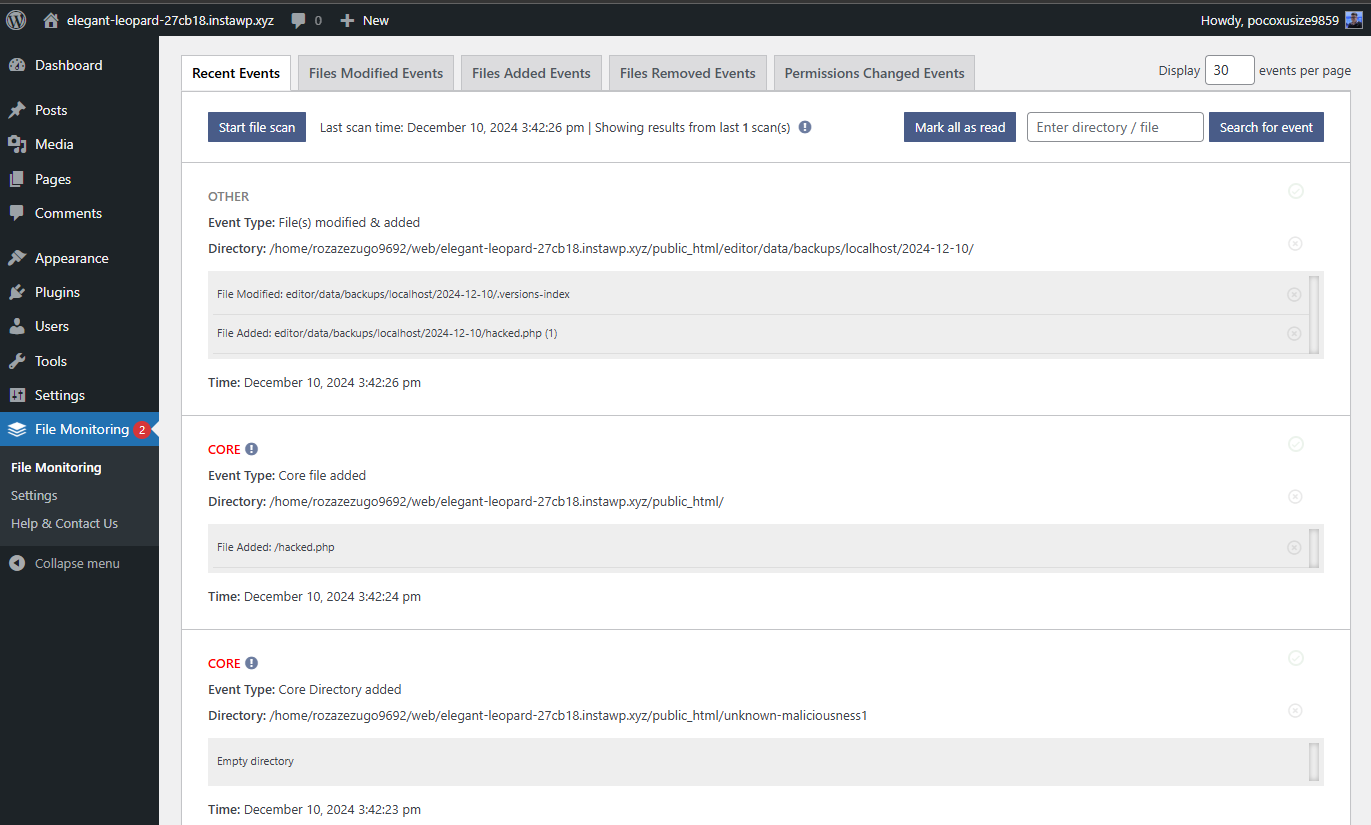
The plugin allows you to monitor and log file and permission changes across your WordPress site. You can see changes directly in the WordPress dashboard for easy access. You can also configure the plugin to send you file and permission change alerts through email whenever it detects a change; keeping you informed wherever you are.
It helps you easily spot leftover and backup files that could leave your website exposed, and detect malware and code changes, so you can remove the files and clean malware infections at the earliest possible.
Plugin Features
Melapress File Monitor is a very easy to use plugin with zero admin work.
No False Alarms – Just Genuine Alerts!
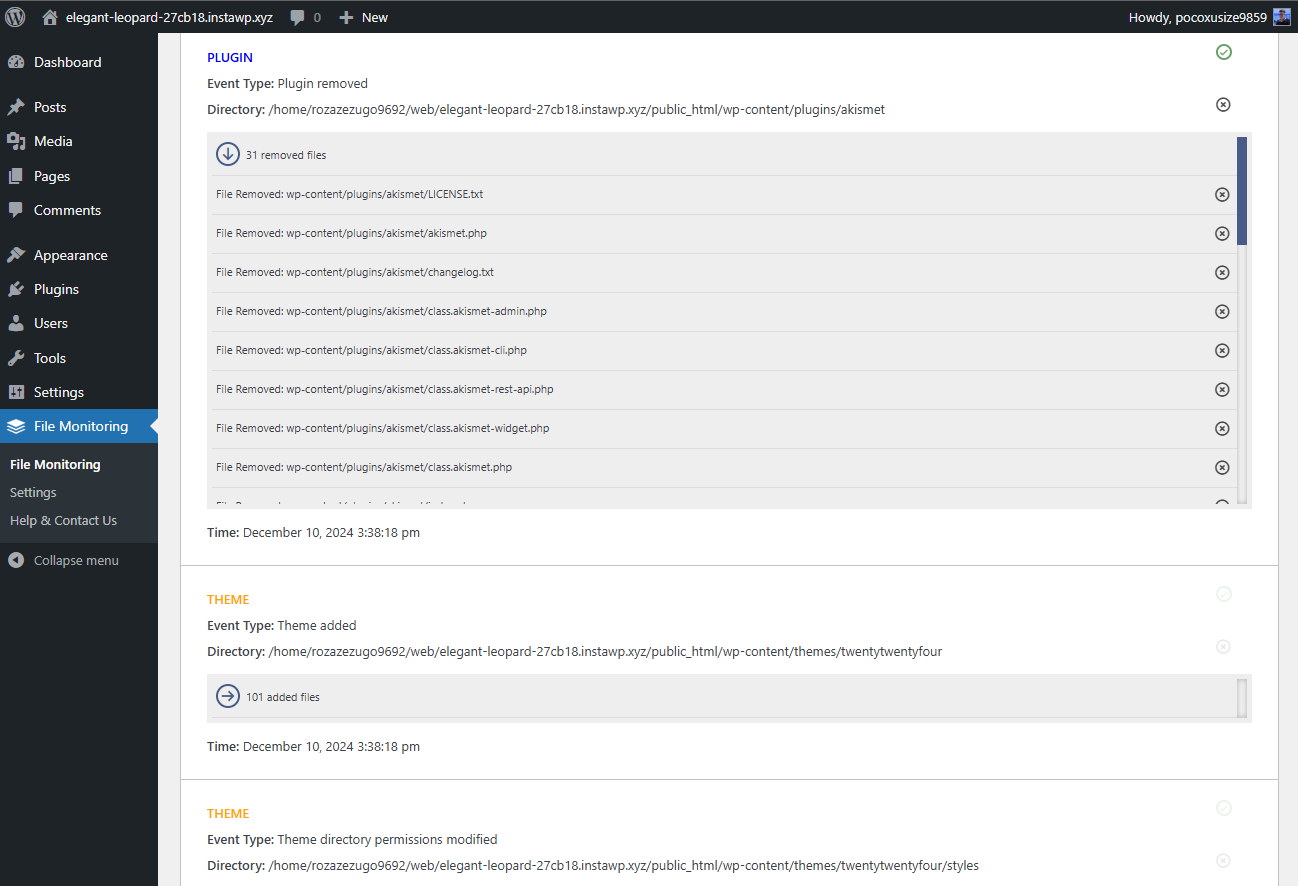
This plugin uses an exclusive smart technology that detects WordPress core updates, plugin & theme installs, uninstalls, and updates.
When you update the WordPress core, install a new plugin, update a theme, or delete a plugin it won’t flood you with hundreds of alerts prompting a false alarm. You only get alerted of genuine file and permission changes that can have an effect on the functionality and security of your WordPress site!
Instant Email Notifications
After a scan, the plugin sends an email with the list of file and permission changes it identifies on your WordPress sites and multisite networks.
The email includes all the details you require to track WordPress file changes, such as:
* The filename and the path of the file
* A count of how many files were added, modified or deleted
* A highlight of the site admin changes that caused the file changes, such as the plugins or themes installs, uninstalls, and updates.
Scans ALL Your Files, Including Custom Code
Melapress File Monitor can scan any type of file and it is not limited to WordPress and PHP files. Apart from the WordPress core files, plugins and themes files, it will also scan any other custom code files that you might have on your WordPress site.
It also compares the WordPress core files of your website to the list of files on the official WordPress repository, so it will also alert you if a WordPress core file has been tampered with, or changed. You can also choose to exclude specific files, directories, and extensions for complete control.
To learn more on both the file integrity monitoring technologies the plugin uses refer to how the plugin detects file changes on WordPress
WordPress Multisite Networks Support
The Melapress File Monitor plugin can also detect file changes on WordPress multisite networks. When installed on a network, the plugin configuration and alerts are only available to the super administrators, preventing possible disclosure of sensitive information that could jeopardize the security of the sites on the network.
Other Notable Plugin Features
- Optimized scanning technology that does not affect the performance of your site
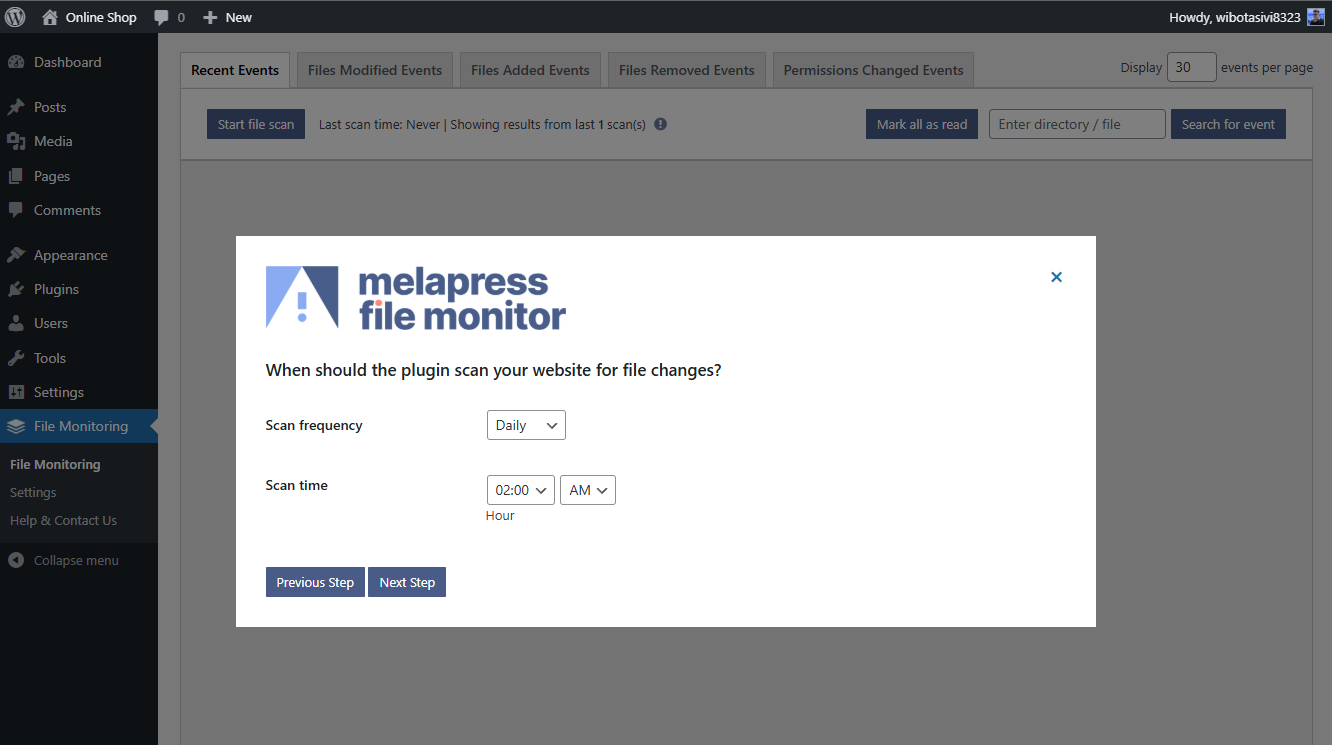
- Fully configurable file scan frequency (hourly, daily, weekly, time of the day)
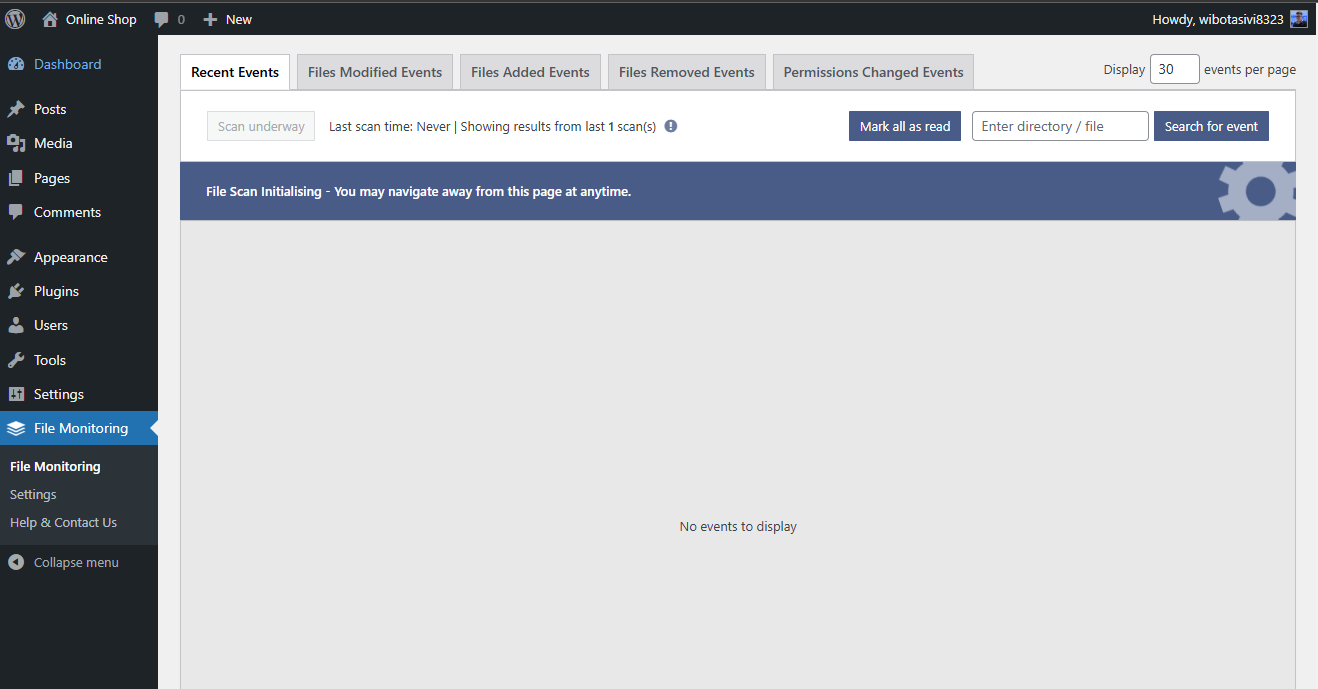
- Instant file integrity scans with just a click of a button
- Ability to exclude directories, files, and file types from the scan
- Configurable maximum file size to scan
- File changes data only available to administrators for better security
Free Plugin Support
Support is available for free via:
MAINTAINED & SUPPORTED BY MELAPRESS
Melapress builds high-quality niche WordPress security & management plugins, including WP Activity Log, Melapress Login Security, and others.
Visit the Melapress website for more information about the company and the plugins it develops.
Install the plugin from within WordPress
WordPress security is easy with Melapress File Monitor. Simply:
- Navigate to Plugins > Add New, from your WordPress dashboard
- Search for Melapress File Monitor
- Install & activate the plugin from your Plugins page
Install the plugin manually (via file upload)
- Download the plugin from the WordPress plugins repository
- Unzip the zip file and upload the folder to the
/wp-content/plugins/directory - Activate the Melapress File Monitor plugin through the Plugins page in WordPress
Translate the plugin in your own language
If you want to help us translate this plugin in your own language please contact us. We will credit all translators.
Log de Changes
2.4.1 (2026-11-17)
-
Functionality & plugin improvements
- Added a dismissible Black Friday banner, scheduled to appear from November 17th through December 1st.
- Improved help text inside the setup wizard with more accurate information
-
Correções de bugs
- Fixed empty file alerts being saved and emailed when all files in an event have excluded extensions.
- Fixed an entire plugin or theme being reported as removed when only a subfolder was deleted. Folder events also no longer reuse details from unrelated folders in the same scan.
- Fixed false permission-change alerts for new folders caused by comparing their permissions with those of an unrelated folder.
- Excluded the scanner’s own temporary cache folder, melapress-file-monitor/mfm-tmp/, from scans to prevent alerts about its temporary files and folders.
Refer to the complete plugin changelog for more detailed information about what was new, improved and fixed in previous version updates of Melapress File Monitor.
Capturas de tela

Para desenvolvedores
Este é o seu plugin? Mostre os números.
Adicione um crachá ao vivo ao seu site, Documentos ou Readme do GitHub. Ele é atualizado por conta própria - nenhuma conta necessária.
Best Melapress File Monitor alternatives
All file monitor plugins →| Classificação | Plugin | Instalações ativas |
|---|---|---|
| 2 |
 Recent File Scanner
Scan themes and plugins for newly created files added in the last N days. Great for… |
<10 |
| 3 |
 P-ivo File Integrity Monitor
Monitors core, plugin, and theme files and sends an email alert when something changes… |
<10 |
FAQ
Melapress File Monitor: quick answers
Respostas diretas, extraídas de dados ao vivo WordPress.org.
Fonte: WordPress.org
Is Melapress File Monitor free?
Yes. Melapress File Monitor is free to download and use from the official WordPress.org plugin directory.
Is Melapress File Monitor safe to use in 2026?
Yes — Melapress File Monitor is a safe, well-maintained plugin to use in 2026. It runs on 5K+ sites, is rated 4.1/5 and was last updated 2 weeks ago, and scores 89/100 on our health check.
How many websites use Melapress File Monitor?
Melapress File Monitor is active on 5K+ WordPress websites and has been downloaded 146,418 times since it launched in May 2019. It was downloaded 5,234 times in the last 30 days.
Does Melapress File Monitor work with WordPress 7.1?
Yes. The developer has tested Melapress File Monitor up to WordPress 7.1.5, the latest release. It requires WordPress 5.3 or newer.
What PHP version does Melapress File Monitor need?
Melapress File Monitor requires PHP 8.0 or higher. Most hosts run PHP 8.x today, so it works on any modern WordPress hosting.
When was Melapress File Monitor last updated?
The latest version, 2.4.1, was released on November 17, 2026 (2 weeks ago).
Who makes Melapress File Monitor?
Melapress File Monitor is developed and maintained by Melapress.
What are the best alternatives to Melapress File Monitor?
The most popular alternatives to Melapress File Monitor are Recent File Scanner (<10 installs) and P-ivo File Integrity Monitor (<10 installs).
Alimentado por PageForge
Um modelo e uma planilha. Uma página real para cada pesquisa.
PageForge Transforma cada linha de um CSV em uma página WordPress com seu próprio título, URL, SEO campos e esquema, construído no layout que você já desenhou. Gratuito em WordPress.org.
- CSV e XLSX, mais Google Sheets em Profissional e Empresarial
- Seu próprio título, URL, SEO campos e esquema para cada página
- Funciona com o editor de blocos, Elementor, Divi e Avada
- Gratuito em WordPress.org, sem cartão de crédito