


VEFmultiBooking
Booking engine for rooms, dorm beds, activities and time slots, with Stripe and PayPal, no double booking. Block editor, Divi 5 and Elementor.

Escolha sólida
VEFmultiBooking is a solid plugin choice in 2026, with a few things worth checking first. Was last updated 5 days ago, and scores 64/100 on our health check.
- Desenvolvido ativamente — última atualização 5 dias atrás
- Testado com as últimas WordPress (7.1)
- Base de usuários pequenas (<10 instalações ativas)
- Muito poucos comentários até agora
- Precisa de PHP 8.3 ou mais recente
Como ele se acumula?
Lado a lado em instalações, atualizações, avaliações e suporte


Downloads diários
Os picos de download geralmente seguem uma nova versão — cada site que atualiza automaticamente é um download.
Rankings
Where VEFmultiBooking stands todayWordPress.org Classificações de pesquisa
Posição ao vivo na pesquisa de plugins, top 100| Palavra chave | Posição |
|---|---|
| accommodation | #92 |
| activities | >100 |
| booking | >100 |
| Booking Engine | >100 |
| Tours | >100 |
About VEFmultiBooking
From the official readme · v1.11.0Descrição
One booking plugin for what you actually sell. A cabin by the night, a bed in a dorm, a sled ride at 2 pm, a course with a limited number of seats, a whole stay made of nights and activities: VEFmultiBooking handles them in the same place, without forcing you into a hotel-style model or into one plugin per kind of booking.
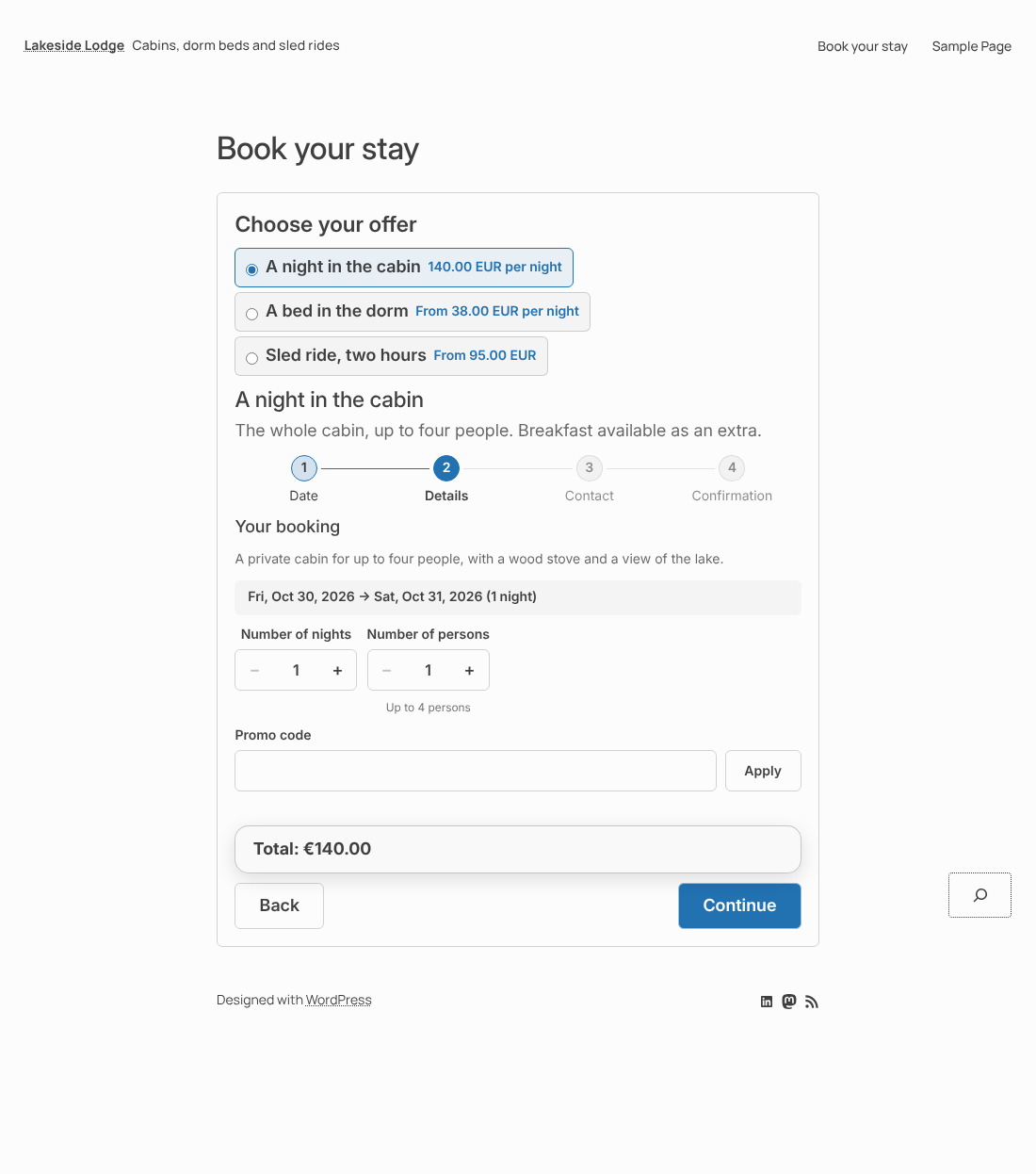
You describe what can be booked, when it is available and what it costs. Visitors choose, book and pay on your own pages, in a single form that adapts to what they picked.
Try it before installing: the live demo shows several very different trades, with a booking form you can use (the payment is simulated) and a read-only administration to look around. Nothing you do there is saved.
Examples of use
- Guest rooms, cabins and gîtes — a price per night, a whole unit or a single bed in a dorm, optional extras such as breakfast.
- Guided activities — a river descent, a hike, a sled ride: fixed departures, a limited number of places, and a guide who has to be free.
- Courses and workshops — a pottery workshop or a yoga class, with a limited number of seats and a minimum number of participants.
- Appointments — a consultation or a treatment of 45 minutes, booked in the free slots of a practitioner and confirmed by you.
- Rentals — electric bikes by the half-day, a meeting room by the hour, equipment in limited stock.
- Stays — a room and a spa treatment in the same cart, paid once.
What you can offer
- Accommodation — rooms, cabins, gîtes, a private unit booked as a whole, or a shared capacity such as 6 beds in a dorm, each bed bookable on its own.
- Activities and services — rides, lessons, visits, guided tours, rentals, courses: a date and a time, a number of persons, optional extras.
- Stays — a package of nights and activities from several resources, booked and cancelled as a whole.
- Activities that need people — a guide, a driver, an instructor: a time slot is offered only while enough people are free to run it.
Como funciona
- Resources — everything that can be booked: an individual unit or a shared capacity.
- Availability — recurring rules generate the bookable slots for you; you can still change or close a slot, a unit or a whole period.
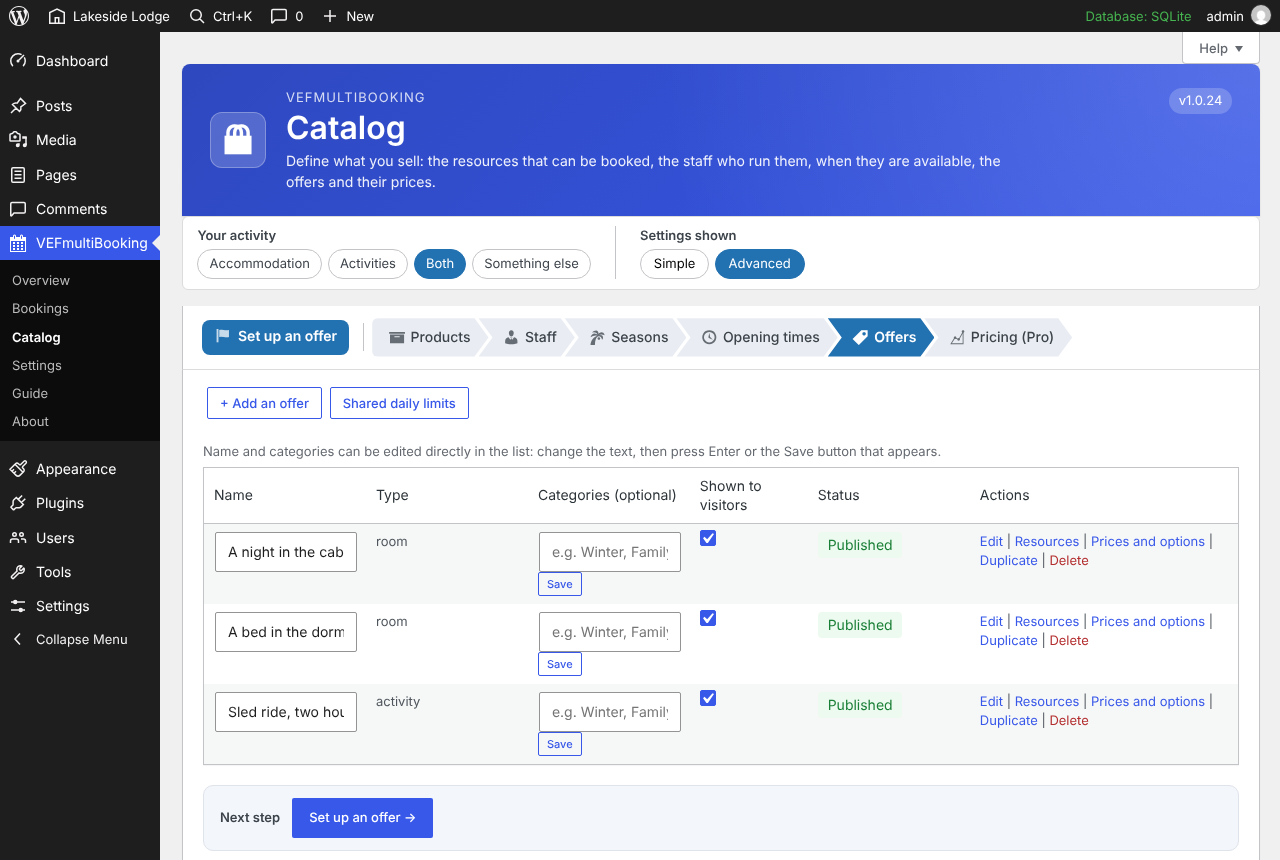
- Offers — what the customer actually buys: one or several resources, a price, optional extras.
- Booking block — one complete module on your page: the visitor ticks an offer and the form adapts to it, up to the payment.
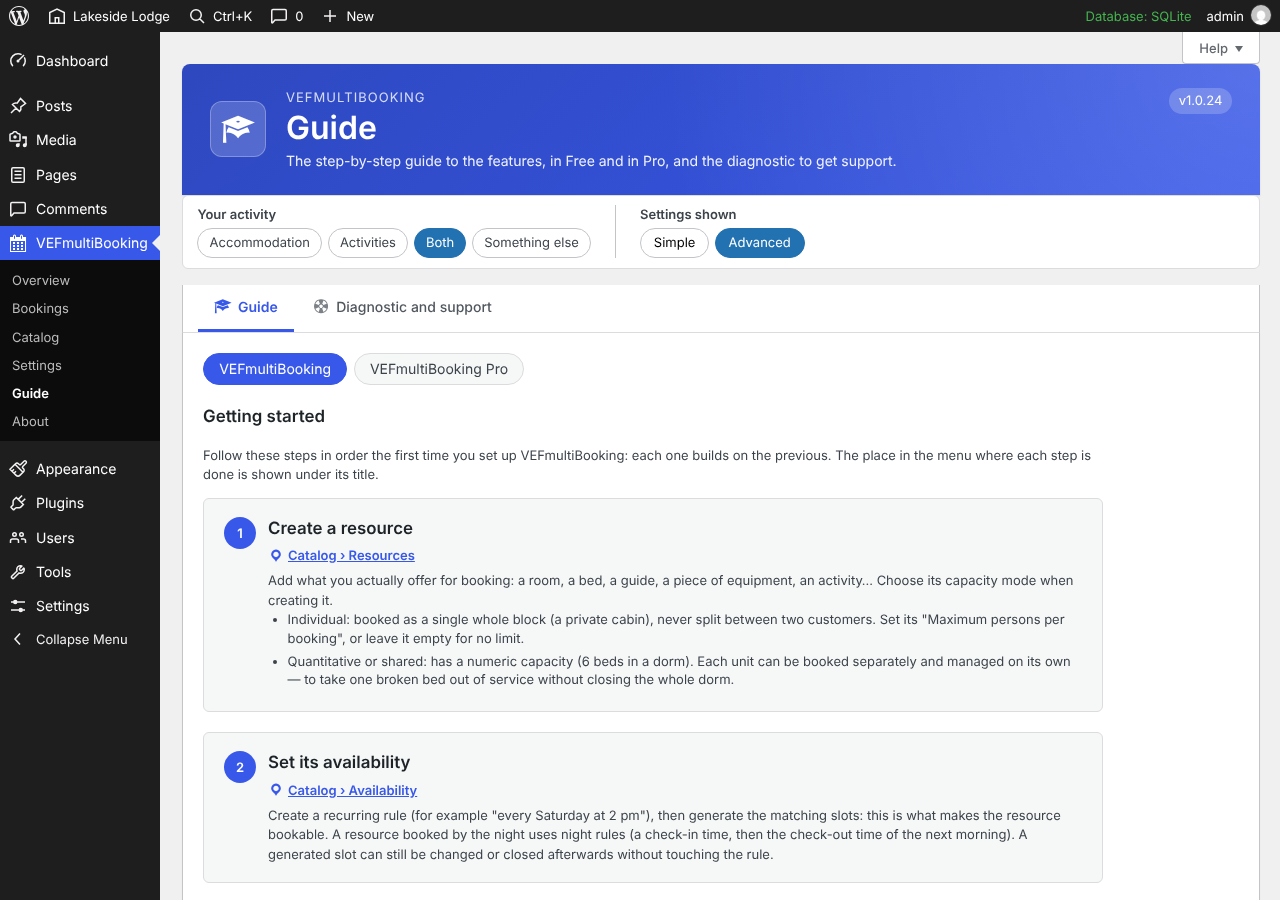
A getting-started guide inside the plugin walks you through these four steps.
Built so that places are never sold twice
Online and manual bookings go through the same capacity engine. A spot is held for a few minutes during checkout, then converted into a confirmed booking, and released if the visitor leaves. The number of places a single visitor can hold at once is limited. You stay in control: you can add, move or cancel any booking by hand, and when you enter one yourself, none of the visitor rules holds you back.
Rules that fit your business
- Periods — a resource can be made bookable only during certain periods.
- Prices by category of customer — adult, child, student and so on, or a price by number of persons.
- Minimum number of persons — an activity can require a minimum, and the bookings wait until it is reached.
- No place blocked for nothing — an online booking that stays unpaid after the delay you set (30 minutes by default) is cancelled and its places are released.
- Cancelled bookings leave no personal data behind — after the delay you set (30 days by default), the name, e-mail address and phone number of a customer whose bookings are all cancelled are erased; the bookings stay, without any name.
- Closing online booking — for a holiday or a season, the form shows your own message instead, and you can still enter bookings by hand.
A simple, modern booking form
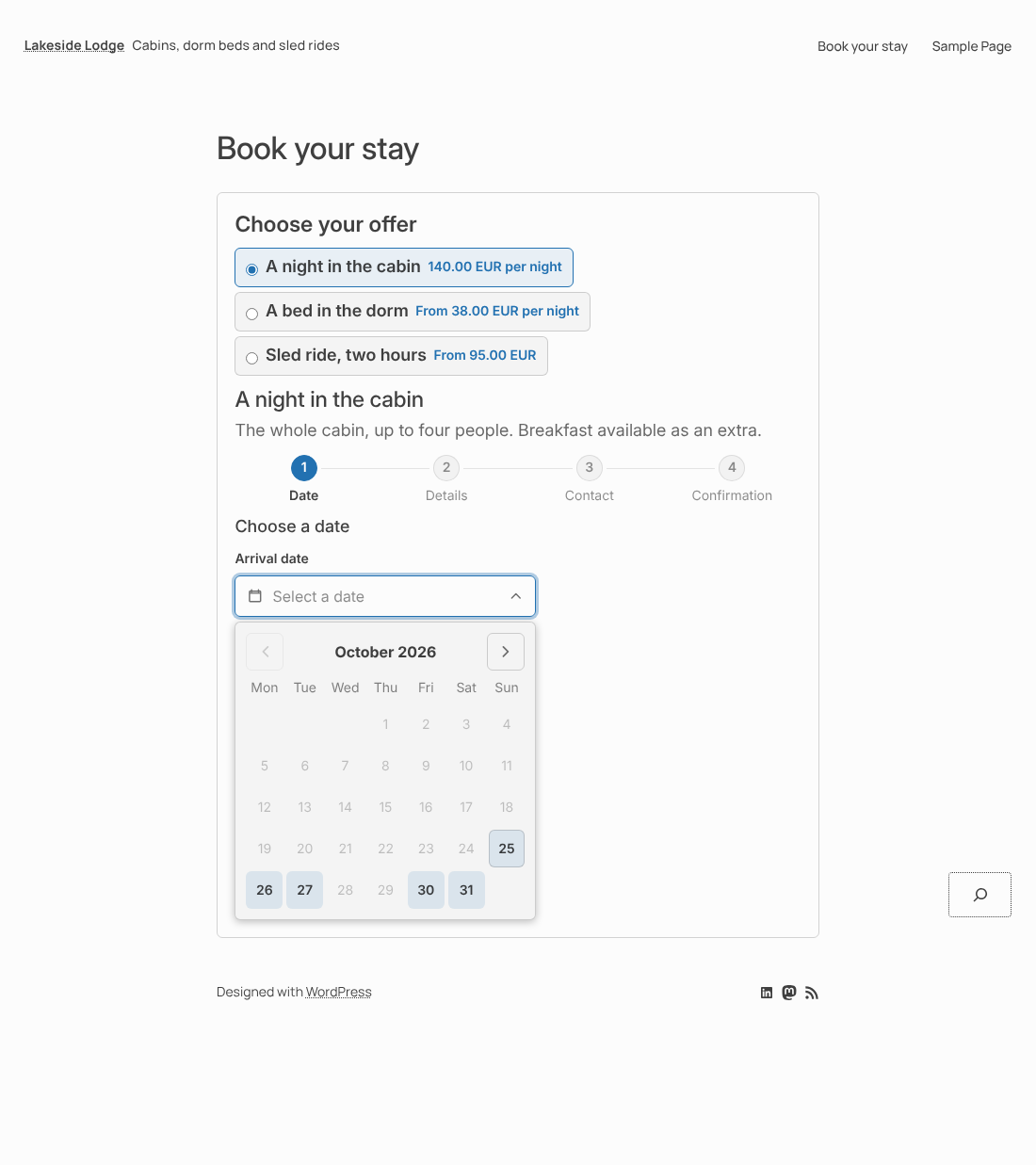
- Dates in a small calendar field where only the days that can be booked are enabled; − and + buttons for numbers.
- A cart: a visitor can book several offers in one go (a night, then a sled ride), gives their details once, pays once and receives a single e-mail. On an activity with several time slots in the same day, they can tick more than one, each with its own number of persons: every time slot stays a booking of its own, so one of them can be cancelled without touching the others. They are warned, never blocked, when two bookings take place at the same time.
- Optional extras with five pricing modes, chosen directly in the form.
- Questions for the visitor, owner validation when you want to approve a booking before it is confirmed, and shared daily limits across several offers.
- Optionally, buttons to filter the offers by category and a menu to sort them by price or name.
- It follows your theme: its fonts and heading sizes by default, and it adapts to every screen size.
Pagamentos
Stripe (hosted Checkout page) and PayPal, with separate test and live keys, so you can try the whole flow without charging a card. One currency per site. No card data is stored or handled by the plugin. Without any key, bookings are recorded and you settle the payment with the customer yourself.
For page builders
Native blocks for the block editor, modules for Divi 5 and widgets for Elementor. All three share the same rendering and the same visual settings (colors, corner roundness, spacing, field style, shadows, layout), set per block with the result shown at once. A Style tab sets the default look of the whole site.
Everything you need to run it
- Dashboard with a getting-started list.
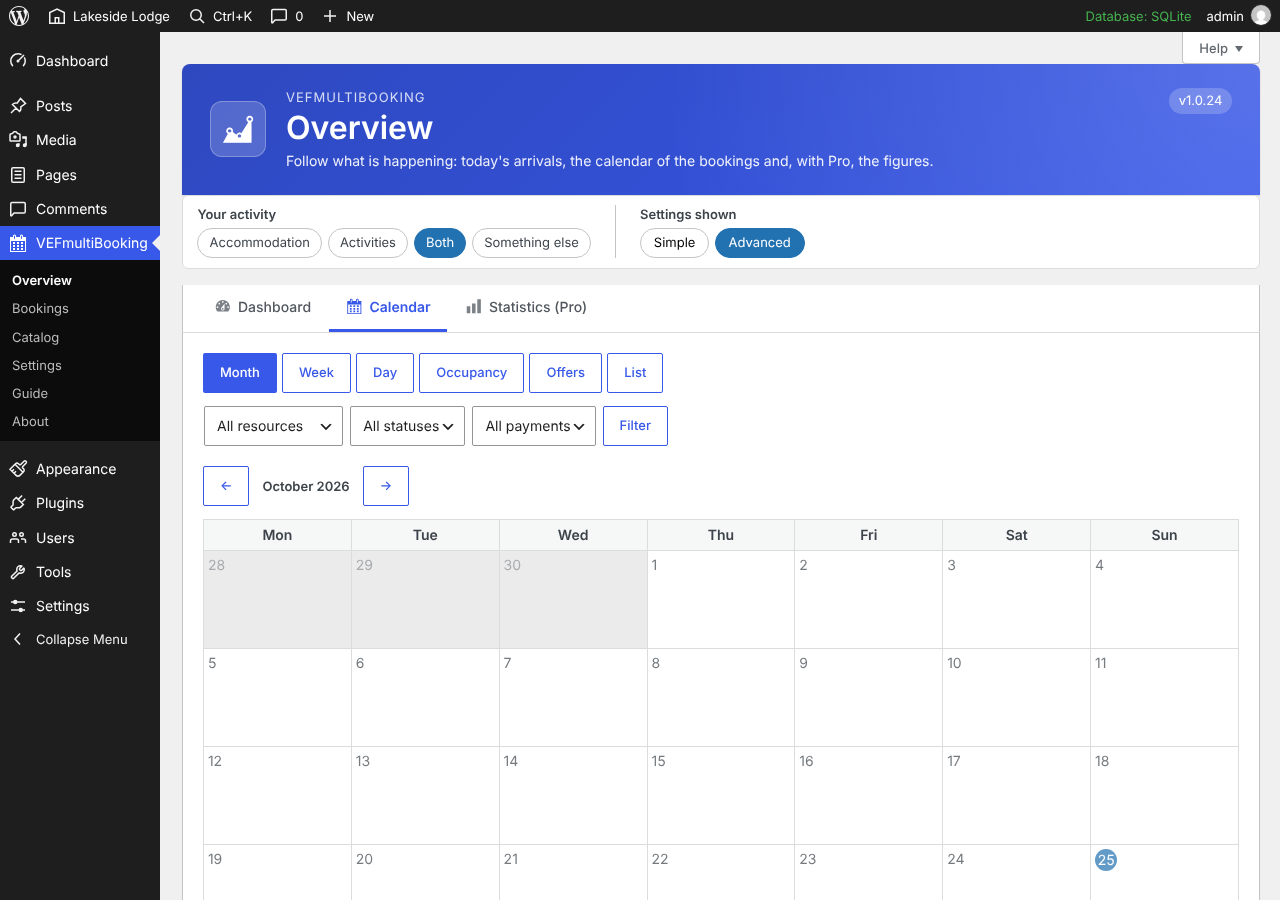
- Month, week, day and occupancy calendar, with drag-and-drop rescheduling.
- Bookings and customers, with customizable automatic e-mails to your customers and to you.
- Help on every screen, a getting-started guide, copyable diagnostic information and a support form.
- Multilingual sites: the texts you type can be translated with Polylang or WPML.
Your customers’ data, and your own peace of mind
- Personal data can be exported and erased with the WordPress tools; an erased customer keeps no name, e-mail, phone or address, while the bookings and payments stay as anonymous accounting records. A suggested text for your privacy policy is provided.
- Booking numbers are long and random, so a confirmation or payment page cannot be reached by guessing a number.
- Payment confirmations are checked with the signature of Stripe and PayPal.
Free or Pro?
The plugin is complete on its own, with no time limit and nothing locked. You can start with it today and add Pro later: what you set up here is used by the Pro as it is. VEFmultiBooking Pro is a separate paid extension that adds what brings in more, saves time or helps you grow, without taking anything away from this plugin:
- Sell better — pricing rules (season, occupancy, length of stay, family rates), promo codes, deposits and payment schedules.
- Save time — reminders and scheduled e-mails, a customer portal, a waitlist for full offers.
- See and grow — statistics and accounting exports, groups with a shared payment schedule.
- Move your data — import and export of the catalogue, customers, bookings and settings as CSV files, with a check before every import.
- Get help faster — a diagnostic you can copy into any request, and a support form that sends it for you.
Other plugins by V-IMAGES
- VEFmusic — a free plugin for a band or a musician’s site: audio player, album showcase, show calendar and an automatic press kit. A separate paid extension adds sales and ticketing. More on v-images.com.
- VEFpressKit — a downloadable press or media kit (PDF and zip) for any activity, with one stable link. More on v-images.com.
- VEFflipBox — a flip box for Divi 5, the block editor and Elementor. More on v-images.com.
- VEFdocsKit — PDF tools on your own server: images into PDF, merge, split, reorder and number pages. More on v-images.com.
More about the plugins, and support: v-images.com.
Serviços externos
This plugin connects to the following external services.
- Stripe — only when the site owner enters Stripe keys in Settings. Used to create payment sessions (Checkout Sessions) and refunds through the official API (api.stripe.com). Sent: amount, currency and booking number; no full card data is ever stored or sent by the plugin (the customer pays on a page hosted by Stripe). A Stripe webhook, whose signature is verified, confirms payments. Terms: https://stripe.com/legal — Privacy: https://stripe.com/privacy
- PayPal — only when the site owner enters PayPal credentials in Settings. Used to create orders and refunds through the official API (api-m.paypal.com, or api-m.sandbox.paypal.com in test mode). A PayPal webhook, verified through PayPal’s official signature verification API, confirms payments. On the booking page, and only when the visitor chooses to pay with PayPal, the official PayPal JavaScript SDK is loaded in the visitor’s browser (www.paypal.com/sdk/js). Terms and privacy: https://www.paypal.com/legalhub
- Optional free license (V-IMAGES, v-images.com, the plugin’s publisher) — only if you ask for it (VEFmultiBooking > Settings > License): nothing is sent until you fill in the form and tick the consent box. The free license unlocks nothing — the plugin works exactly the same without it; it only lets the publisher send you news and offers, and identify your site when you ask for support. When you register, the following is sent to the V-IMAGES licensing service (REST route /wp-json/vefls/v1/free-license on v-images.com): the email address you typed, the exact consent text you agreed to, your site’s URL, the VEFmultiBooking version and your site’s language. While you are registered, each time you open the License or Dashboard screen the plugin checks the registration status (on each of those screens until you confirm by email, then once a week), sending your license key, your site’s URL and the VEFmultiBooking version. When you unregister, the plugin asks the service to delete your data.
- Versions published on WordPress.org (api.wordpress.org and downloads.wordpress.org) — only when a site administrator opens the License tab (the public list of versions is read, and kept for 12 hours) or clicks the button of a version and confirms (the file of that version is downloaded). Nothing is sent about you: it is a plain request for the public list or file.
- Support & feature requests (email) — only when you explicitly fill in and submit the form (VEFmultiBooking > Diagnostic and support tab): your reply-to email address, the subject and message you typed and the diagnostic information shown on that screen (site URL, VEFmultiBooking and VEFmultiBooking Pro versions, WordPress, PHP and MySQL versions, active theme and plugins, free license key if any) are emailed to the publisher at efabre@v-images.com.
These services are provided by V-IMAGES (Eric Fabre): Terms of use, Privacy policy.
Instalação
- Install the plugin from Plugins > Add New, or upload the
vefmultibookingfolder to/wp-content/plugins/. - Activate it, then open the VEFmultiBooking menu.
- Follow the Guide tab: create a resource, set its availability, create an offer, add the “VEF Booking” block (or Divi 5 module / Elementor widget) to a page, then enter your Stripe and/or PayPal keys in Settings.
Log de Changes
1.11.0
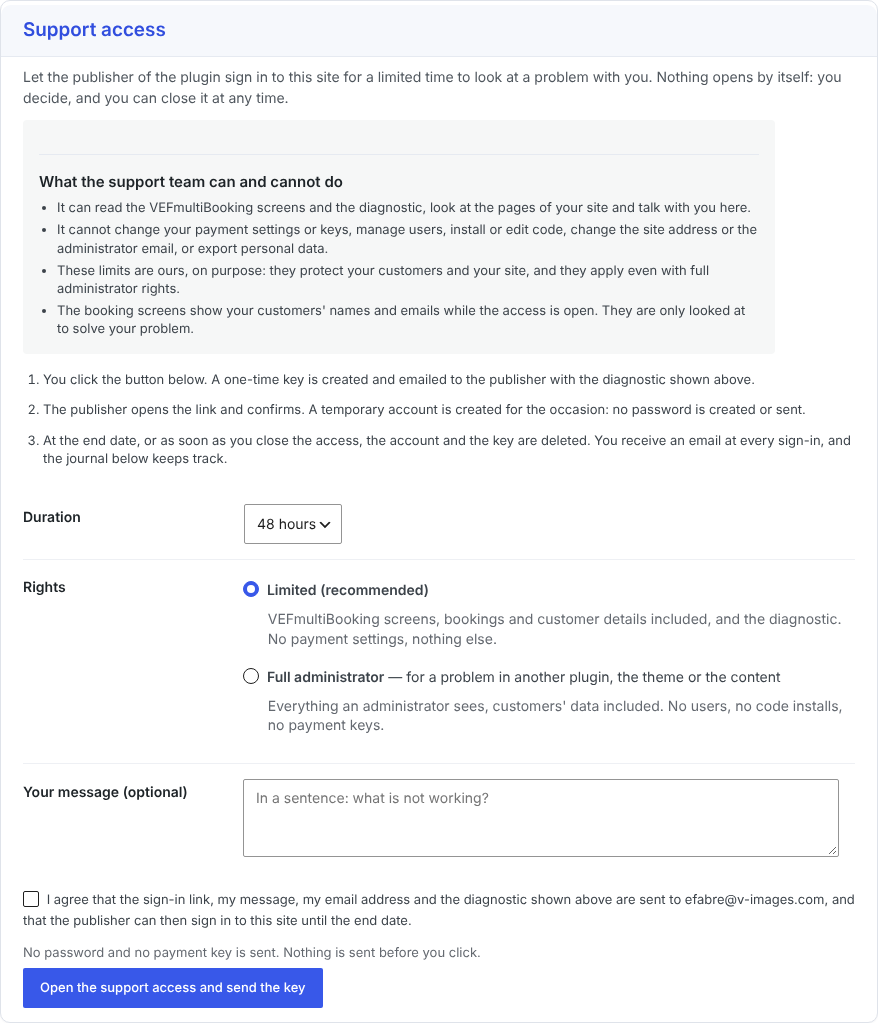
- Changed: the optional support access (a temporary account for the publisher’s support team) moved to VEFmultiBooking Pro. The Diagnostic and support screen keeps the diagnostic and the support request form.
- Fixed: the label of the plugin’s scheduled interval is no longer translated too early, which triggered a notice about loading translations.
- Improved: the admin screens read the same configuration rows far less often while a page is built, and the stylesheets are served minified (the readable sources stay in the plugin; define SCRIPT_DEBUG to serve them).
1.10.0
- New: works with VEFtranslate. The languages of the site and the current language come from it, and the texts you type (names and descriptions of offers, extras, questions, email texts) are offered to its Entered texts screen, where you translate them.
- Fixed: the date shown with a time slot was written in the language of the admin, not the one of the page, on a site in several languages. It now follows the language of the page, even if that language pack is not installed.
- Changed: the Guide explains where to translate the texts you type with VEFtranslate, Polylang or WPML.
1.9.2
- Fixed: in the Divi 5 Booking module, the “Offers proposed” list (used when a visitor adds another offer) was empty, so the offers to propose could not be chosen. All the published offers are now listed and ticked; untick the ones that must not be offered.
- Fixed: the “Success color” setting of the Divi 5 Booking summary module was missing in the Visual Builder.
1.9.1
- New: a License tab in Settings: free registration in one click, with a discount code for VEFmultiBooking Pro, and a list of the versions published on WordPress.org to go back to an earlier one.
- Changed: the About tab is shorter and presents V-IMAGES and its other plugins. VEFmultiBooking Pro is presented there by a single discreet card.
1.9.0
- New: each offer can have its own words in the booking form, the cart and the confirmation. In the offer, section “Wording and team”: the word for the number of people (“Number of pieces”, “Quantity”…) and the word shown before the person who leads the activity (“With”, “Guide”…). Left empty, the usual wording stays. An offer with its own word for the people also says “3 left” instead of “3 spots left”.
- New: each offer can have its own choice of what customers see of the people who run it: nothing, who leads the activity, or who leads it and a choice of the person. By default an offer follows the Staff tab, as before. An escape game can hide the people while a guided tour offers them, on the same site and even on the same activity.
- Fixed: an offer with a free price category (a free child price, for example) no longer reads “From 0.00 EUR”: the free category is ignored in the “from” price, and an offer that is entirely free reads “Free”.
- Fixed: the message shown when too many bookings are started with the same e-mail address (five per hour) said that a few minutes were enough. It now tells how long to wait. The limits can be changed with the
vefmb_rate_limitsfilter. - The database is updated automatically (three settings for each offer).
1.8.1
- Changed: the icons of the administration screens (set-up checklist, offers, resources, Guide, free license) are WordPress Dashicons instead of emoji.
- New: a “Need something custom?” section in the Licenses and versions tab and in the FAQ, with a link to the custom development page.
- The code comments are in English and the code is tidied. No change of behavior.
Capturas de tela

Para desenvolvedores
Este é o seu plugin? Mostre os números.
Adicione um crachá ao vivo ao seu site, Documentos ou Readme do GitHub. Ele é atualizado por conta própria - nenhuma conta necessária.
Best VEFmultiBooking alternatives
All accommodation plugins →




FAQ
VEFmultiBooking: quick answers
Respostas diretas, extraídas de dados ao vivo WordPress.org.
Fonte: WordPress.org
Is VEFmultiBooking free?
Yes. VEFmultiBooking is free to download and use from the official WordPress.org plugin directory.
Is VEFmultiBooking safe to use in 2026?
VEFmultiBooking is a solid plugin choice in 2026, with a few things worth checking first. Was last updated 5 days ago, and scores 64/100 on our health check.
How many websites use VEFmultiBooking?
VEFmultiBooking is active on <10 WordPress websites and has been downloaded 1,317 times since it launched in October 2026. It was downloaded 1,317 times in the last 30 days.
Does VEFmultiBooking work with WordPress 7.1?
Yes. The developer has tested VEFmultiBooking up to WordPress 7.1.5, the latest release. It requires WordPress 6.4 or newer.
What PHP version does VEFmultiBooking need?
VEFmultiBooking requires PHP 8.3 or higher. Most hosts run PHP 8.x today, so it works on any modern WordPress hosting.
When was VEFmultiBooking last updated?
The latest version, 1.11.0, was released on November 15, 2026 (5 days ago).
Who makes VEFmultiBooking?
VEFmultiBooking is developed and maintained by V-IMAGES.com / éric Fabre.
What are the best alternatives to VEFmultiBooking?
The most popular alternatives to VEFmultiBooking are WP Tripadvisor Review Widge… (20K+ installs), WP Hotel Booking (7K+ installs) and Booking.com Official Search… (2K+ installs).
Alimentado por PageForge
Um modelo e uma planilha. Uma página real para cada pesquisa.
PageForge Transforma cada linha de um CSV em uma página WordPress com seu próprio título, URL, SEO campos e esquema, construído no layout que você já desenhou. Gratuito em WordPress.org.
- CSV e XLSX, mais Google Sheets em Profissional e Empresarial
- Seu próprio título, URL, SEO campos e esquema para cada página
- Funciona com o editor de blocos, Elementor, Divi e Avada
- Gratuito em WordPress.org, sem cartão de crédito