


Vanilla PDF Embed
To embed a PDF you’ve uploaded to your WordPress site’s media library, simply put the URL for the attachment page in your post on its own line. The PDF will be embedded with the default settings at that location, as if…

Use com cautela
Vanilla PDF Embed works, but test it on a staging site before relying on it in 2026. It runs on 3K+ sites, is rated 4.6/5 and was last updated 10 years ago, and scores 43/100 on our health check.
- Loved by users — 4.6/5 from 32 reviews
- Momentum — downloads up 25.7% vs the previous 30 days
- Nenhuma atualização em 10 anos
- Testado apenas até WordPress 4.5 (mais recente é 7.1)
Como ele se acumula?
Lado a lado em instalações, atualizações, avaliações e suporte


Downloads diários
Os picos de download geralmente seguem uma nova versão — cada site que atualiza automaticamente é um download.
Rankings
Where Vanilla PDF Embed stands todayWordPress.org Classificações de pesquisa
Posição ao vivo na pesquisa de plugins, top 100| Palavra chave | Posição |
|---|---|
| embed | >100 |
| >100 |
Adoção da versão
Compartilhamento de sites ativos por lançamento.
Divisão de classificação
★★★★★★★★★★ 4.6 from 32 reviews
About Vanilla PDF Embed
From the official readme · v0.0.8Descrição
Basic use
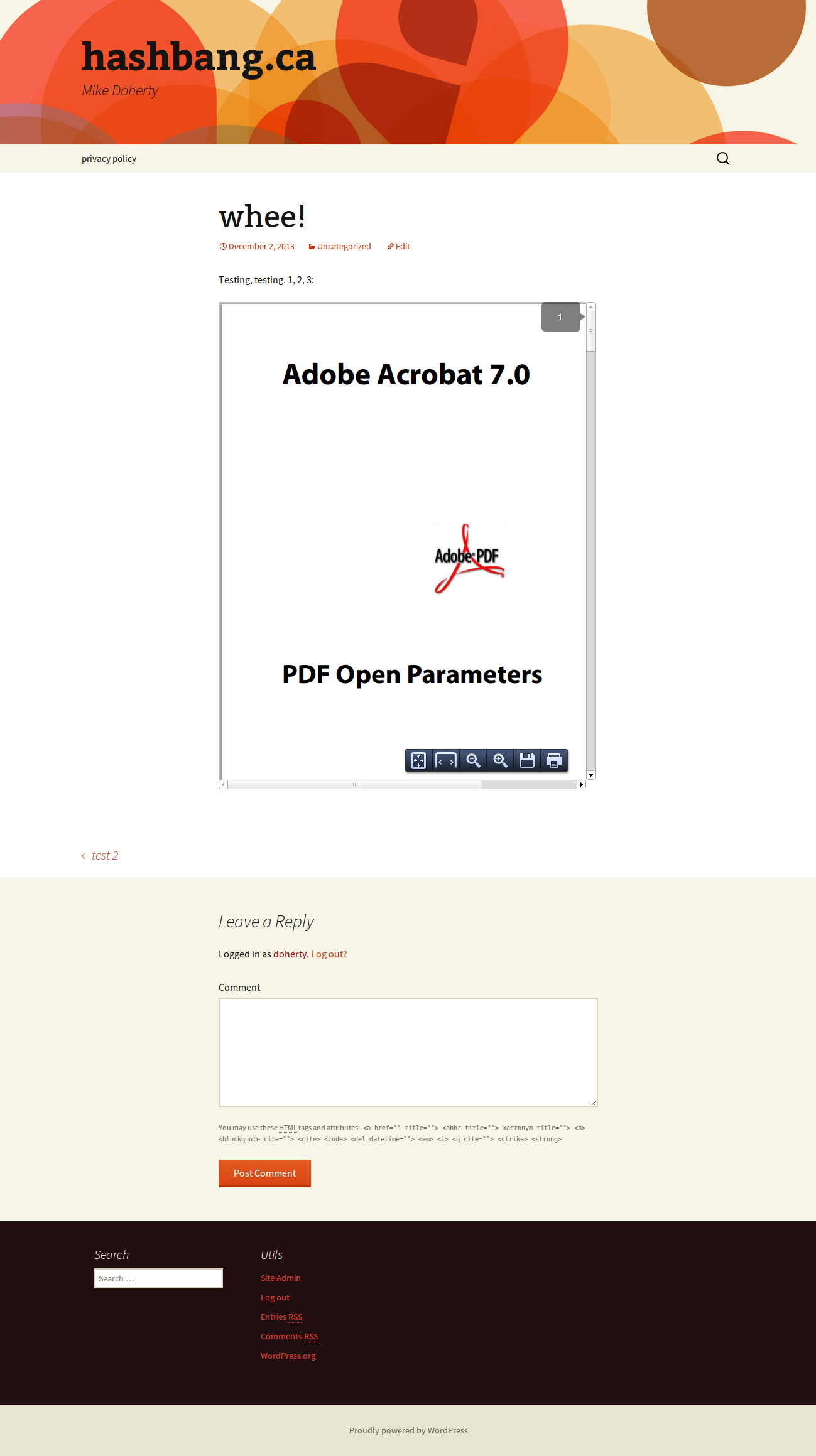
To embed a PDF you’ve uploaded to your WordPress site’s media
library, simply put the URL for the attachment page in your
post on its own line. The PDF will be embedded with the
default settings at that location, as if it were using oEmbed.
Exemplos:
Post short URL:
http://localhost/?p=9
Attachment default URL:
http://localhost/?attachment_id=9
Attachment pretty URL:
http://localhost/test/report1/
Media direct URL:
This doesn’t work for PDFs hosted on other websites, or if you
need to change the parameters.
Using the [pdf] shorttag
If the PDF isn’t in your WordPress site’s media library, or if
you want to customize any parameters for the embed, then use
the [pdf]...[/pdf] shorttag. Between the tags, you’ll provide
the URL for the PDF to embed. If the PDF is in your WordPress
site’s media library, you can either give the attachment page
URL, or the URL to the PDF file directly.
The [pdf] shorttag accepts several optional parameters:
width– sets the width of the frame the PDF is embedded in.
By default, this is set to 100%.height– sets the height of the frame the PDF is embedded
in. By default, this is unset.title– sets the title of the PDF, for use in the fallback
link text.open_params– sets the PDF open params
which control how the PDF file is displayed in the embed frame.
These are poorly supported in browsers.
Exemplos:
Post short URL: [pdf width="200px"]http://localhost/?p=9[/pdf]
Attachment default URL: [pdf height="500em"]http://localhost/?attachment_id=9[/pdf]
Attachment pretty URL: [pdf title="Report 1"]http://localhost/test/report1/[/pdf]
Media direct URL: [pdf]http://localhost/wp-content/uploads/2013/11/report1.pdf[/pdf]
Change PDF open params: [pdf open_params="page=10&view=Fit"]http://localhost/?p=9[/pdf]
Compatibilidade
The PDF should be embedded in the page, with the document scaled so it fills the
embed frame horizontally. Unfortunately, embedding PDFs is not well-supported.
Auto-loading embedded PDFs
Unlike with images, web browsers may not automatically download and display
embedded PDFs when the page is loaded. For security reasons, some users prefer
not to allow the PDF plugin to run unless they trust the website the PDF comes
from. This generally leaves a grey rectangle that the user may click on to allow
the PDF to be downloaded and displayed.
PDF open parameters
As of v0.0.8, you can set the PDF open parameters
by setting open_params in the shortcode, as shown above. This is unlikely to actually
anything, since PDF open parameters are poorly supported in browsers. But you can try!
Provide the parameters as a query string: page=1&view=Fit. Refer to the Adobe
documentation on what parameters are available.
Chrome
The PDF should be scaled/zoomed within the embed frame so that the full
horizontal width of the paper fills the frame. This is not
supported in
Chrome’s default PDF viewer, so the document will probably be scaled to 100%,
which may either mean the document doesn’t fill the frame, or, more likely, the
document is too wide for the frame, and the right-hand side of the document is
hidden.
Internet Explorer
Internet Explorer requires a PDF plugin to render embedded PDFs. Generally,
that’s Adobe Reader. Without such a plugin, the fallback download link will be
used.
Mobile browsers
In particular, mobile browsers may show a grey box instead of the embedded PDF,
and will download the file when it is clicked. Other mobile browsers might embed
the PDF, but won’t allow it to scroll.
Alternativas
Your best alternative is to not embed PDFs. PDFs are bad for many reasons:
not easily indexed by search engines, not easily accessible by readers who use
assistive technologies, poorly supported by web browsers (as seen above) and so
on. They’re just bad and you should avoid embedding PDFs if you can.
If you really can’t, then you might consider using another solution like
https://pdfobject.com/ or PDF.js.
Instalação
- Upload
vanilla-pdf-embed.phpto the/wp-content/plugins/directory - Activate the plugin through the “Plugins” menu in the WordPress admin panel
Log de Changes
0.0.8
- Add the ability to set PDF open params
0.0.7
- Fix a couple corner cases – thanks AngelinaBelle!
0.0.6
- Set a default height of 500em
0.0.5
- Fix a simple programming error; thanks to firedog341 for the report
0.0.4
- By default, use a 100% width embed frame
- Expanded readme
0.0.3
- Embed PDFs on attachment pages
- Fix a spacing issue for PDFs with no title
- Don’t use PDF open parameters for the fallback link
Capturas de tela

Para desenvolvedores
Este é o seu plugin? Mostre os números.
Adicione um crachá ao vivo ao seu site, Documentos ou Readme do GitHub. Ele é atualizado por conta própria - nenhuma conta necessária.
Best Vanilla PDF Embed alternatives
All embed plugins →




FAQ
Vanilla PDF Embed: quick answers
Respostas diretas, extraídas de dados ao vivo WordPress.org.
Fonte: WordPress.org
Is Vanilla PDF Embed free?
Yes. Vanilla PDF Embed is free to download and use from the official WordPress.org plugin directory.
Is Vanilla PDF Embed safe to use in 2026?
Vanilla PDF Embed works, but test it on a staging site before relying on it in 2026. It runs on 3K+ sites, is rated 4.6/5 and was last updated 10 years ago, and scores 43/100 on our health check.
How many websites use Vanilla PDF Embed?
Vanilla PDF Embed is active on 3K+ WordPress websites and has been downloaded 101,950 times since it launched in December 2013. It was downloaded 538 times in the last 30 days.
Does Vanilla PDF Embed work with WordPress 7.1?
Vanilla PDF Embed is officially tested up to WordPress 4.5.0, while the latest release is 7.1.5. It may still work, but try it on a staging site first.
When was Vanilla PDF Embed last updated?
The latest version, 0.0.8, was released on November 8, 2016 (10 years ago).
Who makes Vanilla PDF Embed?
Vanilla PDF Embed is developed and maintained by Mike Doherty.
What are the best alternatives to Vanilla PDF Embed?
The most popular alternatives to Vanilla PDF Embed are EmbedPress (100K+ installs), iframe (60K+ installs) and Advanced iFrame (40K+ installs).
Alimentado por PageForge
Um modelo e uma planilha. Uma página real para cada pesquisa.
PageForge Transforma cada linha de um CSV em uma página WordPress com seu próprio título, URL, SEO campos e esquema, construído no layout que você já desenhou. Gratuito em WordPress.org.
- CSV e XLSX, mais Google Sheets em Profissional e Empresarial
- Seu próprio título, URL, SEO campos e esquema para cada página
- Funciona com o editor de blocos, Elementor, Divi e Avada
- Gratuito em WordPress.org, sem cartão de crédito