


Ultimate FAQ Solution
Create, organize, and display FAQs with AI-powered answers, one-click FAQ groups, WooCommerce, and a floating chat assistant.

Escolha sólida
Ultimate FAQ Solution is a solid plugin choice in 2026, with a few things worth checking first. It runs on 600+ sites, is rated 4.9/5 and was last updated 1 month ago, and scores 78/100 on our health check.
- Testado com as últimas WordPress (7.1)
- Base de usuários pequenas (600+ instalações ativas)
Como ele se acumula?
Lado a lado em instalações, atualizações, avaliações e suporte



Downloads diários
Os picos de download geralmente seguem uma nova versão — cada site que atualiza automaticamente é um download.
Rankings
Where Ultimate FAQ Solution stands todayWordPress.org Classificações de pesquisa
Posição ao vivo na pesquisa de plugins, top 100| Palavra chave | Posição |
|---|---|
| Acordeão | >100 |
| Ai | >100 |
| faq | #15 |
| knowledgebase | #10 |
| WooCommerce | >100 |
Adoção da versão
Compartilhamento de sites ativos por lançamento.
Divisão de classificação
★★★★★★★★★★ 4.9 from 9 reviews
About Ultimate FAQ Solution
From the official readme · v2.1.2Descrição
Ultimate FAQ Solution is a powerful, flexible WordPress plugin for creating, organizing, and displaying FAQs—now with advanced AI features at every stage of the workflow. Generate entire FAQ groups with one click, draft individual answers with AI suggestions, and now design your FAQ’s visual appearance by simply describing what you want in plain language.
With Ultimate FAQ Solution, you can:
– Create and manage FAQ groups using the familiar WordPress editor.
– Display FAQs anywhere using shortcodes or Gutenberg blocks.
– Add FAQs directly to WooCommerce product pages with a dedicated FAQ tab.
– Enhance SEO with built-in FAQPage structured data (FAQ Schema) for rich Google snippets.
– Instantly generate suggested answers for your FAQs using AI-powered answer suggestions.
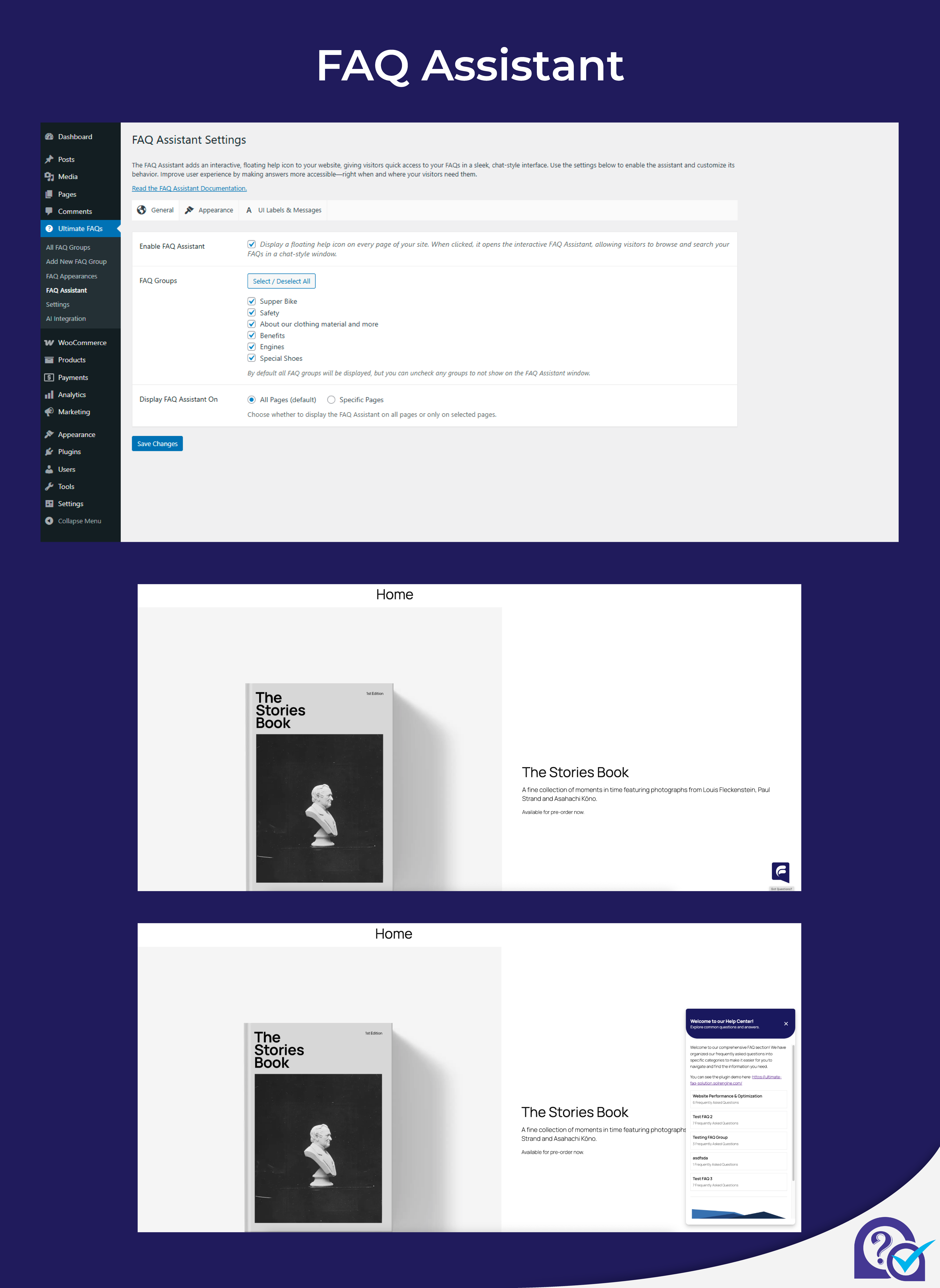
– Improve user experience with the interactive FAQ Assistant—a floating help icon with chat-style access to your FAQs.
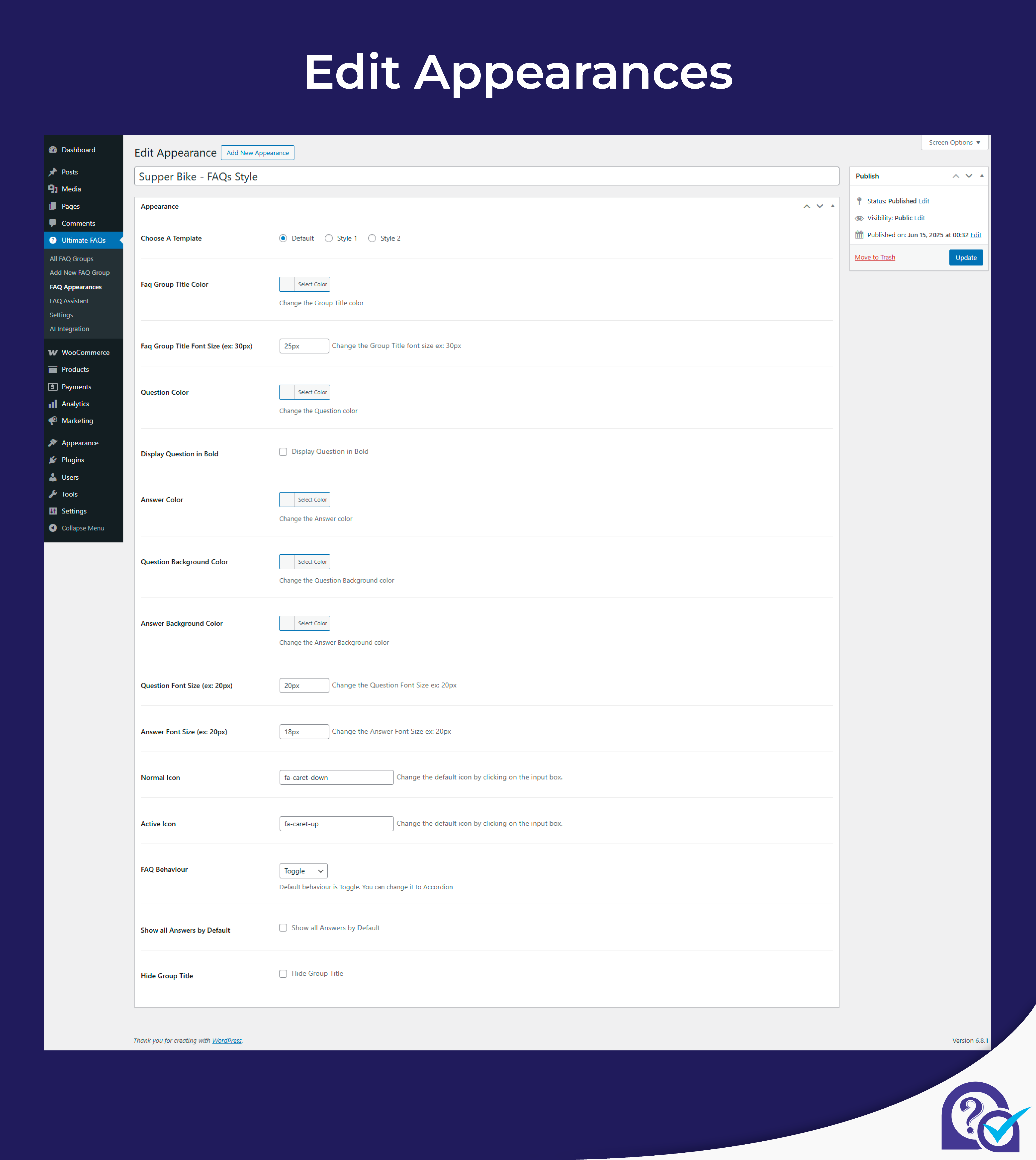
– Design beautiful FAQ appearances in seconds using the AI Design Generator or choose from the bundled Design Library presets.
– Customize every detail—colors, fonts, spacing, borders, shadows, and more—with the visual Appearance Builder.
– Enjoy accessibility-ready templates and multi-language compatibility.
Whether you need a simple FAQ section or a full-featured knowledge base, Ultimate FAQ Solution streamlines the process and helps you deliver fast, accurate answers to your visitors.
🧠 “Create with AI” Feature
The new “Create with AI” feature allows you to automatically generate entire FAQ groups using advanced AI assistance. Instead of manually writing each question and answer, you can now leverage AI to quickly draft a set of relevant FAQs for your topic, product, or service—all in just a few clicks.
How it works:
– When creating a new FAQ group, simply click the “Create with AI” button.
– Enter a FAQ Group Title and context of what you want FAQs about.
– The AI will instantly generate a list of suggested questions and answers tailored to your input.
– You can edit, and customize the generated FAQs and saving them to your site.
Benefits:
– Save time and effort when building new FAQ sections.
– Get high-quality, relevant questions and answers based on your topic.
– Easily expand your knowledge base or help center with minimal manual work.
– Maintain full control—edit or remove any AI-generated content before publishing.
This feature is perfect for quickly launching new FAQ groups, onboarding new products, or providing instant support content for your users. The “Create with AI” tool is designed to streamline your workflow and help you deliver accurate, helpful information to your audience faster than ever.
🤖 AI-Powered FAQ Answer Suggestions
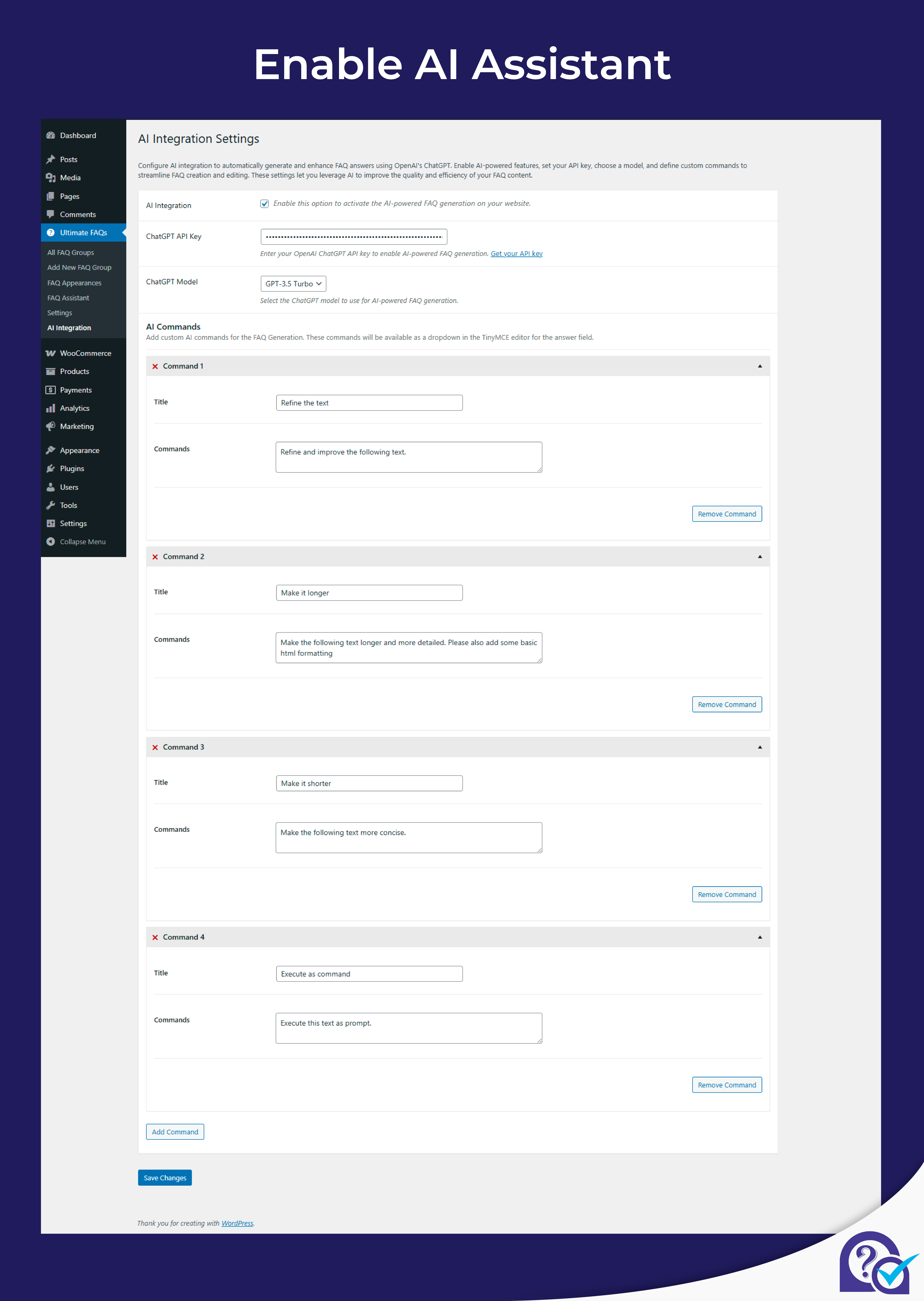
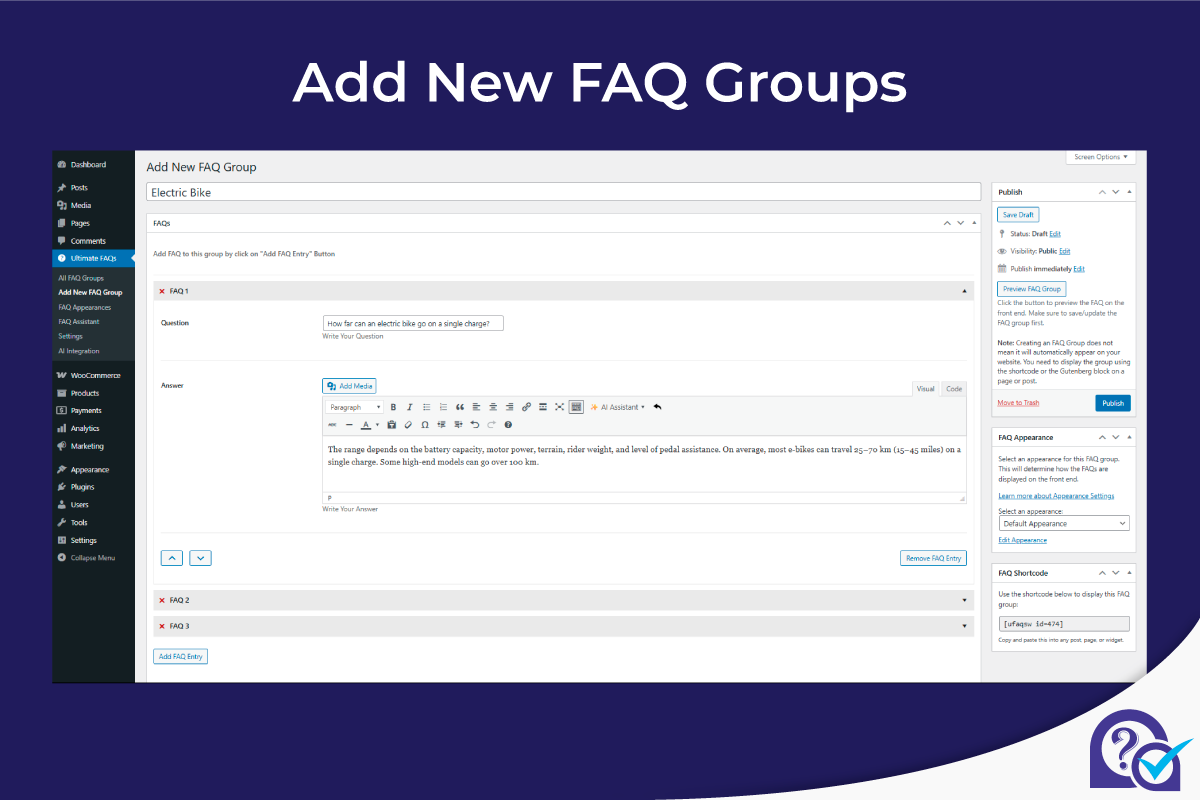
Starting from version 1.6.4, Ultimate FAQ Solution includes an AI-powered feature that can instantly generate suggested answers for your FAQs. When creating or editing a FAQ, simply click the “AI Assistant” button to receive a relevant answer draft—saving you time and helping you craft accurate, helpful responses. You can review, edit, and customize the AI-generated content before publishing.
This feature is designed to streamline your workflow, especially when building large knowledge bases or handling repetitive questions. AI-generated answers are optional and fully under your control, ensuring your content always matches your brand voice and standards.
✨ AI Design Generator
The AI Design Generator brings the same AI-first philosophy to your FAQ’s visual appearance. Instead of manually adjusting dozens of color, spacing, and typography sliders, simply describe the look you want and let AI configure the Appearance Builder for you.
How it works:
– Open any FAQ appearance in the Appearance Builder and click the ✨ AI Generate button.
– Describe your desired design in plain language — for example: “Dark mode with deep navy background, purple accents, and card-style layout” — or pick from quick-tag chips like Minimal, Dark, Colorful, or Professional.
– Optionally choose to build on your current settings or start fresh.
– The AI returns a complete set of appearance settings. A color swatch preview is shown before you commit.
– Click Apply Design to populate all settings at once, then fine-tune any individual value as needed.
Works with any configured AI provider — the AI Design Generator uses whichever provider (OpenAI, Anthropic Claude, Google Gemini, Mistral, Ollama, or a custom endpoint) is already set up in your AI Integration settings. No separate API key or configuration is needed.
📚 Design Library
The Design Library gives you an instant head start with a curated collection of ready-made appearance presets covering a wide range of styles and use cases.
What’s included:
– 20+ bundled presets spanning four categories: Minimal, Colorful, Dark, and Professional.
– Each preset shows a live color swatch preview so you can see the look before importing.
– Clicking Import Design creates a fully configured appearance post and opens it directly in the Appearance Builder — ready to assign to your FAQ groups in seconds.
– The Design Library is accessible from the ✨ Design Library button inside the Appearance Builder, keeping your design workflow in one place.
Together, the AI Design Generator and Design Library mean you can go from a blank appearance to a polished, on-brand FAQ design in under a minute — with or without prior design experience.
💡 Streamline your workflow, minimize support requests, and deliver a seamless user experience with customizable, mobile-friendly FAQ sections.
🔗 Support & Feature Requests | Live Demo | GitHub
✅ Key Features Overview
- 🧠 Create with AI: Instantly generate entire FAQ groups with one click using advanced AI assistance.
- ✨ AI Design Generator: Describe your ideal FAQ appearance in plain language and let AI configure the full visual design — colors, layout, spacing, typography, and more — in seconds.
- 📚 Design Library: 20+ ready-made appearance presets (Minimal, Dark, Colorful, Professional) with live swatch previews, importable in one click directly into the Appearance Builder.
- 💬 FAQ Assistant: Floating chatbot with live search, “Ask a Question” form, helpful/not-helpful ratings, breadcrumb navigation, slide transitions, and a full Feedback Analytics dashboard — all configurable from the admin.
- 🤖 AI-Powered Answer Suggestions: Instantly generate FAQ answers using AI to save time and improve accuracy.
- ♿ Accessibility-Ready Templates: Ensure your FAQs are usable by everyone, including assistive technology users.
- 🧩 Gutenberg Block Support: Easily insert in the WordPress block editor.
- 📄 FAQ Schema / Structured Data: Built-in support for FAQPage schema for enhanced SEO and Google rich snippets.
- 🛒 WooCommerce Product FAQ Tabs: Display FAQs directly on product pages with a dedicated tab.
- 🔍 Live AJAX Search: Let users find answers instantly with real-time search.
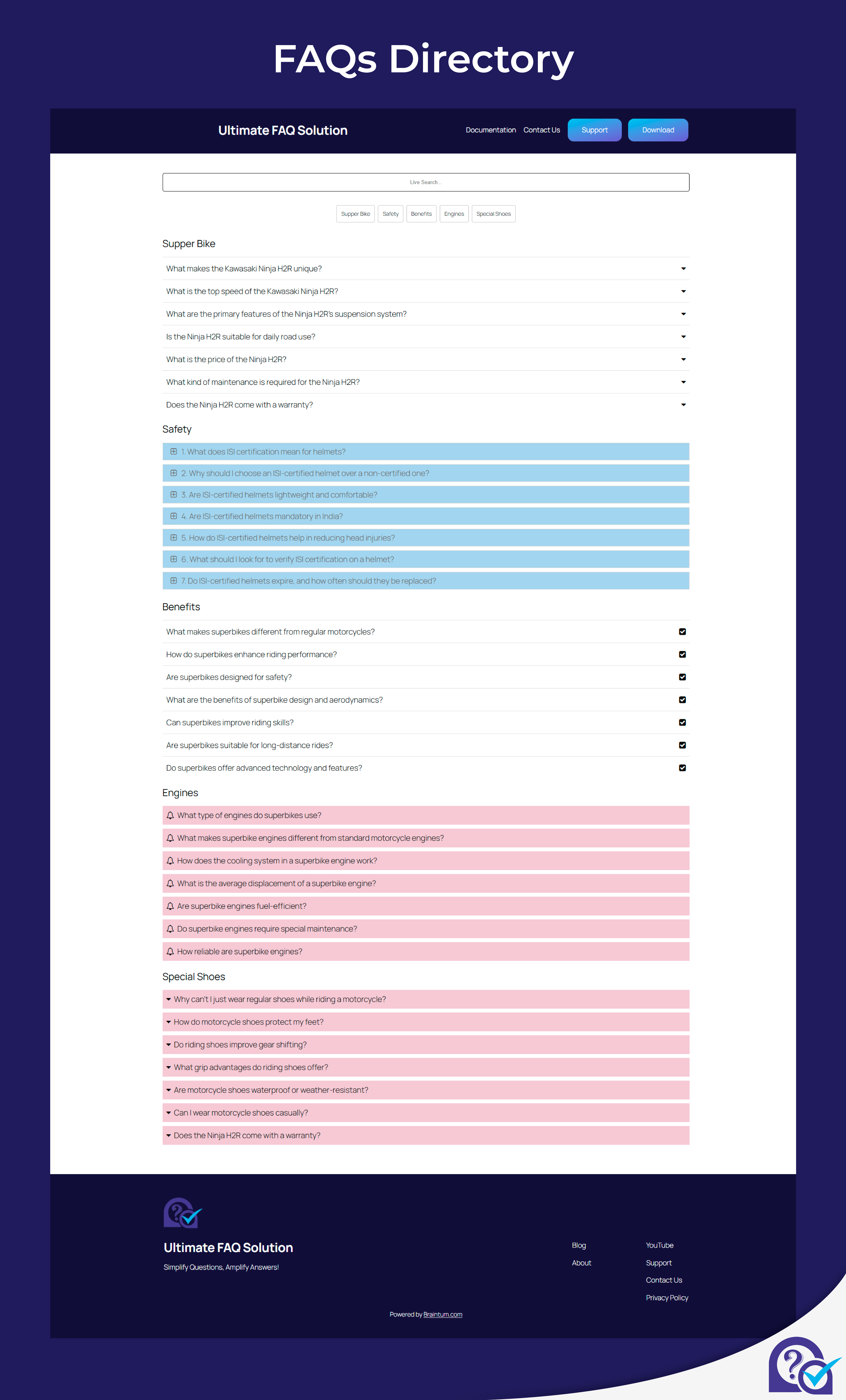
- 📚 FAQ Directory with Search & Group Filter: Create a searchable, filterable FAQ directory for easy navigation.
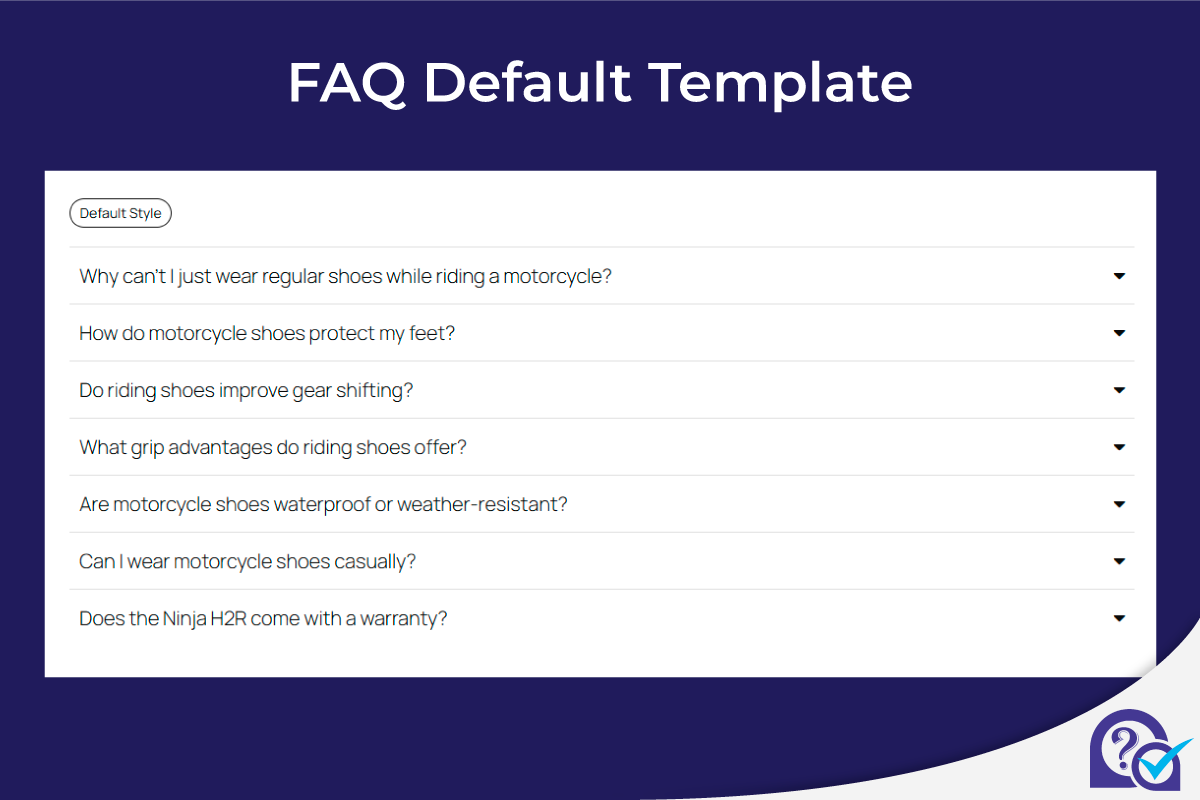
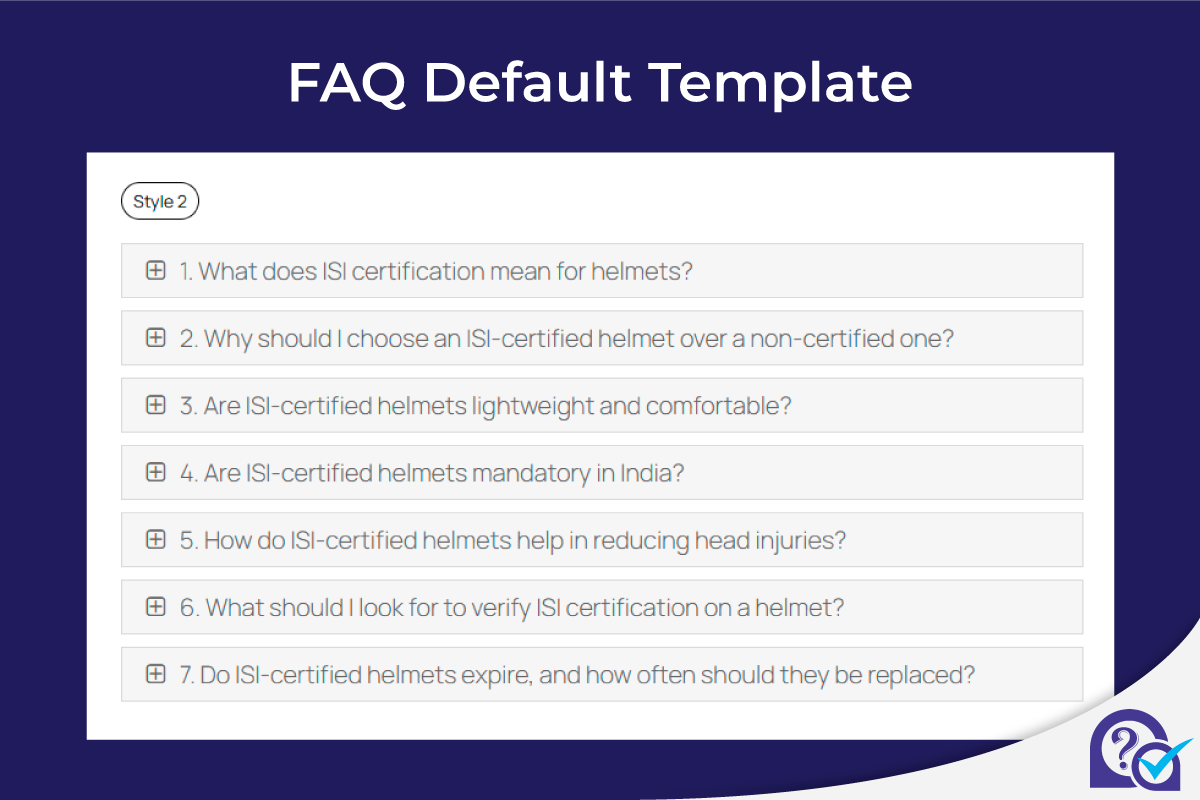
- 🔄 Accordion & Toggle Display Modes: Choose between accordion or toggle layouts for your FAQ sections.
- 📝 Bulk Edit FAQs in a Group: Edit all FAQs within a group from a single screen for streamlined management.
- 🔗 Easy Shortcode Placement: Insert FAQs anywhere using simple shortcodes.
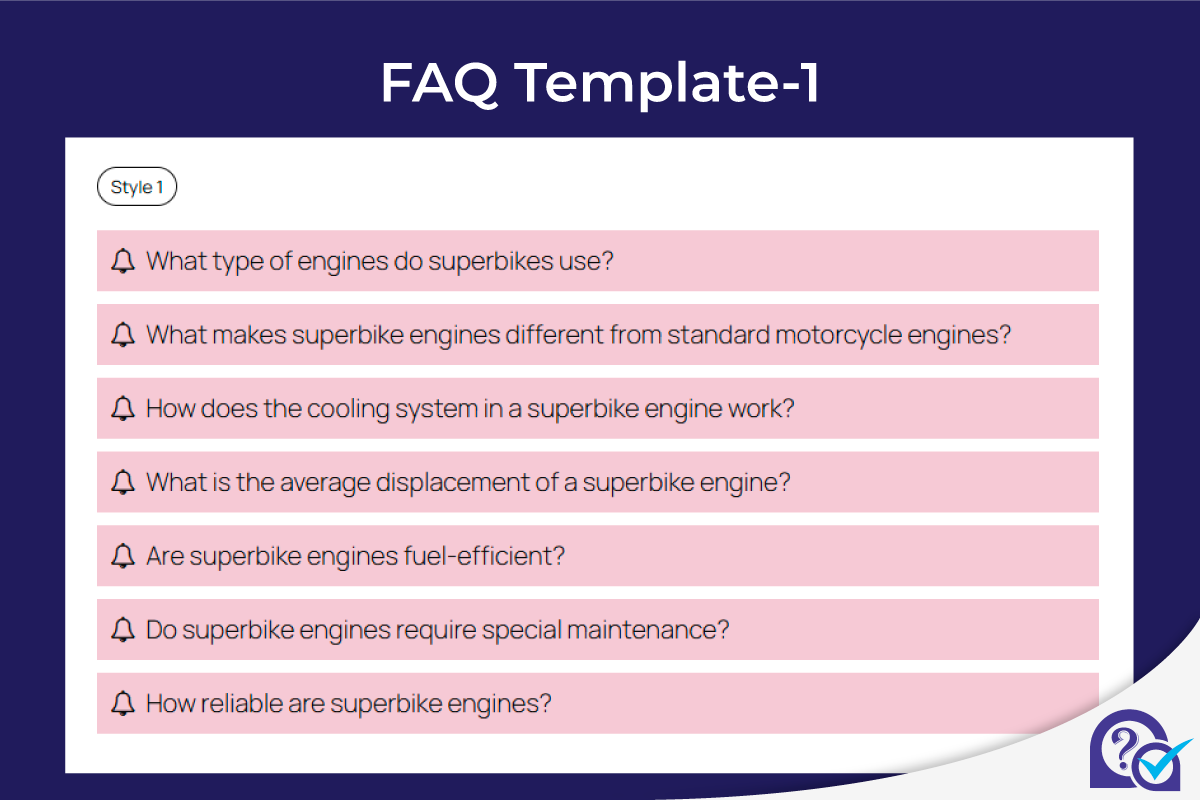
- 🎨 200+ Icon Choices: Enhance your FAQ design with a wide selection of icons.
- 🖌️ Customizable Layouts: Match your site’s branding with flexible design options.
- 📱 3 Responsive Templates: Choose from three fully responsive templates for any device.
- 🌐 Fluid Width Support: FAQs adapt seamlessly to any screen size.
- 🌍 Multi-Language: Compatible with translation plugins.
- 🧑💻 Developer-Friendly Code: Clean, well-documented code for easy customization.
- 🚀 SEO-Friendly & Lightweight: Optimized for speed and search engine visibility.
- ⬆️ Native Export/Import System: Seamlessly migrate, backup, or transfer your FAQs with our custom-built export/import functionality.
- 👁️ FAQ Preview Option: Preview your FAQ groups before publishing.
💬 FAQ Assistant — Floating Chatbot
The FAQ Assistant is a floating chat button that appears on the pages you choose, giving visitors instant, conversational access to your entire knowledge base — without navigating away or opening a new tab. Enable it in one click from FAQ Groups → FAQ Assistant Settings.
What visitors can do:
– Search instantly — a live search bar filters all FAQ groups as they type, with matched text highlighted in results.
– Browse by group — a clean card-based home screen lists all your FAQ groups; tapping one shows the questions inside.
– Read answers — answers display in a full-detail view with breadcrumb navigation so visitors always know where they are.
– Ask a question — a built-in “Ask a Question” form lets visitors submit their own question from any screen. Submissions are emailed directly to your inbox (including the page URL) and are rate-limited to prevent spam.
– Rate helpfulness — a thumbs-up / thumbs-down widget at the bottom of every answer lets visitors flag what’s working and what isn’t.
– Browse related questions — after reading an answer, visitors can jump directly to other questions in the same group.
For site owners:
– Feedback Analytics dashboard — view every FAQ’s helpful / not-helpful vote counts with a colour-coded score in a dedicated admin page (visible only when feedback is enabled).
– Fully customisable — colors, labels, placeholder text, welcome message, button icons, pulse ring, notification badge, and more are all configurable without touching any code.
– Mobile-first — on screens ≤ 768 px the assistant occupies the full viewport for a native app-like experience; on desktop it appears as a sleek 390 × 680 px window.
– Accessible — role="dialog", aria-modal, keyboard Enter support on all items, Escape to close, and focus-visible outlines throughout.
– Shadow DOM isolated — styles are fully encapsulated so the assistant never conflicts with your theme’s CSS.
Enable the FAQ Assistant today to reduce support requests, increase self-service rates, and give every visitor a modern, conversational help experience.
🔄 Native Export/Import System
Ultimate FAQ Solution features a powerful, custom-built export/import system that goes beyond WordPress’s default import/export functionality. Our native solution is specifically designed for FAQ data, ensuring perfect compatibility and a seamless migration experience.
Why Choose Our Native Export/Import?
* Purpose-Built for FAQs: Unlike generic WordPress importers, our system is specifically designed to handle FAQ groups, questions, answers, and their relationships perfectly.
* Complete Data Integrity: Preserve all FAQ metadata, custom fields, and relationships during export/import operations.
* Selective Export: Choose exactly what to export – specific FAQ groups, settings, or everything at once.
* JSON Format: Clean, readable JSON format that’s both human-readable and developer-friendly.
* No Data Loss: Our native system ensures 100% accuracy when transferring FAQ content between sites.
* Better Performance: Faster and more reliable than WordPress’s default import system for FAQ-specific content.
Perfect for:
* Migrating FAQs between staging and production sites
* Creating backups of your FAQ content
* Transferring FAQ databases between different WordPress installations
* Sharing FAQ templates with team members or clients
* Setting up multiple sites with similar FAQ structures
The export/import functionality is accessible directly from your WordPress admin under Ultimate FAQs > Export/Import, providing an intuitive interface for managing your FAQ data transfers with just a few clicks.
Uso
- Go to Ultimate FAQs in your admin menu.
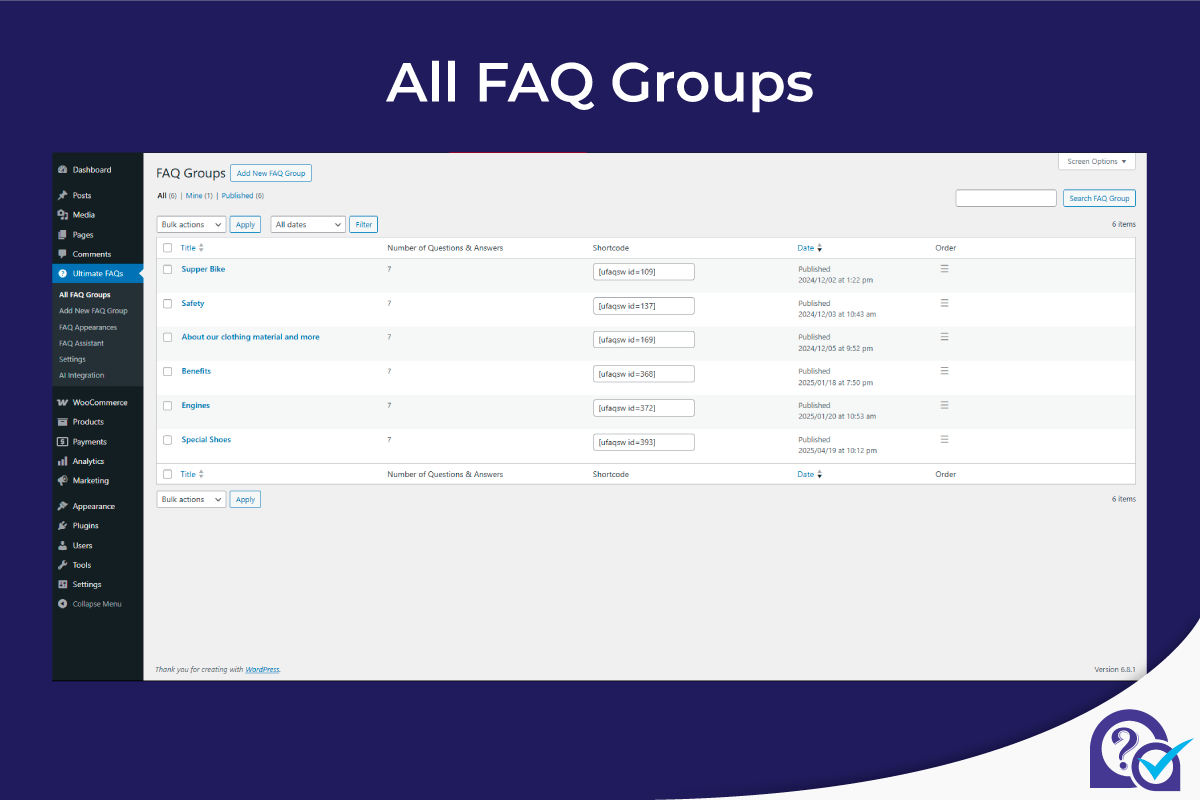
- Create a new FAQ Group.
- Add questions and answers using the built-in editor.
- Enable and configure the FAQ Assistant via the plugin settings to show the floating help icon.
- Insert the FAQ on any page or post using the shortcode:
[ufaqsw-all]
Instalação
- Download and extract the plugin zip file.
- Upload the folder to your
wp-content/plugins/directory. - Activate “Ultimate FAQ Solution” from your WordPress admin panel.
- Start adding FAQ groups and insert them anywhere with shortcodes.
Log de Changes
Adds multi-provider AI support (Anthropic Claude, Google Gemini, Mistral AI, Ollama, custom OpenAI-compatible endpoints). Existing ChatGPT settings are migrated automatically — no re-configuration needed. Fixes a CMB2 conditional-field bug where provider-specific fields were not showing/hiding correctly. Rate-limit errors now fail fast with actionable guidance instead of retrying and blocking.
2.1.2
- Fix: Fixed FAQ Assistant links on the Getting Started page, admin banner, and plugin row meta pointing to a non-existent settings page.
- Compatibility: Tested up to WordPress 7.1.3.
2.1.1
- Fix: Fixed “Was this helpful?” feedback buttons being hard to see on FAQs with a dark background.
2.1
- New: Added “Was this helpful?” feedback widget to regular FAQs displayed via shortcode or block. Enable from the plugin Settings page; votes appear in the existing FAQ Feedback Analytics dashboard alongside FAQ Assistant votes.
- Fix: Fixed FAQ Assistant not appearing when set to “Specific Pages” — replaced
get_the_ID()withget_queried_object_id()for reliable page detection outside The Loop, and fixed strict type mismatch when comparing page IDs stored by CMB2. - Fix: Background color issue fixed when slide animation is enabled.
2.0
- New: Added a visual Shortcode Builder with live preview and one-click copy.
- New: Added AI Design Generator to create FAQ designs from natural language prompts.
- New: Added Universal template with unlimited appearance customization.
- New: Added Design Library with 29 professionally designed presets.
- New: Added Appearance Override support for shortcodes and Gutenberg blocks.
- New: Added Expand / Collapse All button for FAQ groups.
- New: Added a Getting Started onboarding experience for new users.
- New: Enhanced FAQ Assistant with Live Search, Ask a Question form, Helpful/Not Helpful voting, Feedback Analytics, Related Questions, notification badge, and pulse animation.
- New: Added support for multiple AI providers including OpenAI, Anthropic Claude, Google Gemini, Mistral AI, Ollama, and OpenAI-compatible APIs.
- Enhancement: Completely redesigned the Appearance Builder with visual previews and improved customization options.
- Enhancement: Improved plugin administration with better onboarding, status indicators, empty states, and contextual help.
- Enhancement: Redesigned the FAQ Assistant with improved navigation, animations, mobile experience, accessibility, and performance.
- Enhancement: Improved keyboard navigation, ARIA support, responsive layouts, and loading performance.
- Enhancement: Added REST API endpoint for importing design presets and improved internal architecture for future extensibility.
- Fix: Fixed multiple shortcode, styling, accordion, template rendering, icon, CSS, and custom appearance issues.
- Fix: Fixed various UI, performance, compatibility, and stability issues.
=1.8.3=
* fix(seo): FAQ schema output issue when adding shortcode in answer
* Enhanced: Block changes to support latest iframe editor
=1.8.2=
* fix(seo): restore FAQ schema output for nested builder content
* 🛠️ Code cleanup and maintenance updates.
=1.8.1=
* Improved: 🔄 Code refactored for better performance and maintainability.
* Enhanced: 🎨 Appearance builder updated with improved functionality.
* Fixed: 🐛 POT generation issue resolved.
=1.8.0=
* New: 🎨 Visual Builder for creating and customizing FAQ layouts with live preview.
* Enhanced: 🛠️ Improved FAQ group management with visual editing capabilities.
* Enhanced: 🎯 Streamlined workflow for FAQ creation and styling through the Visual Builder interface.
* Fixed: 🐛 Minor compatibility issues with latest WordPress block editor.
* Improved: ⚡ Performance optimizations for faster FAQ rendering and Visual Builder operations.
=1.7.9=
* Fixed: Minor issue resolved for directory shortcode functionality.
=1.7.8=
* New: Gutenberg block preview in editor – now see how your FAQ block will look directly in the WordPress editor.
* Enhanced: Gutenberg block updated for improved functionality and user experience.
=1.7.7=
* Plugin short description updated.
=1.7.6=
* New: 🧠 “Create with AI” Feature: Introduced the “Create with AI” option in FAQ Group creation, allowing automatic generation of FAQs using AI assistance.
* Enhanced: 🎨 Get Help Page Revamp: Redesigned the Get Help page for a cleaner and more user-friendly admin experience.
* Enhanced: ⚙️ Settings Page Update: Improved layout and usability of the plugin settings page.
* Enhanced: 💬 Thickbox Popup Update: Enhanced “Create with AI” thickbox modal for smoother user interaction.
* Fixed: 🧩 Default Template Accordion Fix: Resolved an issue with the default FAQ accordion behavior.
* Improved: 🔄 Refactored Codebase: Streamlined several core functions for better performance and maintainability.
* Updated: 🌐 Translations Updated: Improved and added missing translations across the plugin.
1.7.5
- New: Enhanced native export/import functionality for seamless FAQ data migration and backup.
- Improved: Better error handling and validation during import operations.
- Fixed: Minor compatibility issues with latest WordPress version.
1.7.4
- New: FAQ group detail page supported—view individual FAQ group details on their own page.
Capturas de tela
Para desenvolvedores
Este é o seu plugin? Mostre os números.
Adicione um crachá ao vivo ao seu site, Documentos ou Readme do GitHub. Ele é atualizado por conta própria - nenhuma conta necessária.
Best Ultimate FAQ Solution alternatives
Todos os plugins de acordeão →




FAQ
Ultimate FAQ Solution: quick answers
Respostas diretas, extraídas de dados ao vivo WordPress.org.
Fonte: WordPress.org
Is Ultimate FAQ Solution free?
Yes. Ultimate FAQ Solution is free to download and use from the official WordPress.org plugin directory.
Is Ultimate FAQ Solution safe to use in 2026?
Ultimate FAQ Solution is a solid plugin choice in 2026, with a few things worth checking first. It runs on 600+ sites, is rated 4.9/5 and was last updated 1 month ago, and scores 78/100 on our health check.
How many websites use Ultimate FAQ Solution?
Ultimate FAQ Solution is active on 600+ WordPress websites and has been downloaded 20,469 times since it launched in October 2019. It was downloaded 941 times in the last 30 days.
Does Ultimate FAQ Solution work with WordPress 7.1?
Yes. The developer has tested Ultimate FAQ Solution up to WordPress 7.1.5, the latest release. It requires WordPress 5.1 or newer.
What PHP version does Ultimate FAQ Solution need?
Ultimate FAQ Solution requires PHP 7.4 or higher. Most hosts run PHP 8.x today, so it works on any modern WordPress hosting.
When was Ultimate FAQ Solution last updated?
The latest version, 2.1.2, was released on October 16, 2026 (1 month ago).
Who makes Ultimate FAQ Solution?
Ultimate FAQ Solution is developed and maintained by Braintum.
What are the best alternatives to Ultimate FAQ Solution?
The most popular alternatives to Ultimate FAQ Solution are Accordion FAQ (30K+ installs), Ultimate FAQ Accordion Plug… (30K+ installs) and Read More Without Refresh (20K+ installs).
Alimentado por PageForge
Um modelo e uma planilha. Uma página real para cada pesquisa.
PageForge Transforma cada linha de um CSV em uma página WordPress com seu próprio título, URL, SEO campos e esquema, construído no layout que você já desenhou. Gratuito em WordPress.org.
- CSV e XLSX, mais Google Sheets em Profissional e Empresarial
- Seu próprio título, URL, SEO campos e esquema para cada página
- Funciona com o editor de blocos, Elementor, Divi e Avada
- Gratuito em WordPress.org, sem cartão de crédito