


Real Testimonials – Testimonial Slider, Collect Customer Reviews and Video Testimonials
Collect, manage, and display customer reviews with testimonial sliders, carousels, grids, lists, and review forms. Build with AI or ready patterns.

Escolha segura
Yes — Real Testimonials is a safe, well-maintained plugin to use in 2026. It runs on 40K+ sites, is rated 4.7/5 and was last updated 2 days ago, and scores 87/100 on our health check.
- Comprovado em escala em mais de 40 mil sites ativos
- Loved by users — 4.7/5 from 226 reviews
- Desenvolvido ativamente — última atualização 2 dias atrás
- Testado com as últimas WordPress (7.1)
- Momentum — downloads up 684.6% vs the previous 30 days
Como ele se acumula?
Lado a lado em instalações, atualizações, avaliações e suporte



Downloads diários
Os picos de download geralmente seguem uma nova versão — cada site que atualiza automaticamente é um download.
Rankings
Where Real Testimonials stands todayWordPress.org Classificações de pesquisa
Posição ao vivo na pesquisa de plugins, top 100| Palavra chave | Posição |
|---|---|
| review form | #19 |
| social proof | #25 |
| testimonial slider | #2 |
| testimonials | #3 |
| video testimonials | #3 |
Adoção da versão
Compartilhamento de sites ativos por lançamento.
Divisão de classificação
★★★★★★★★★★ 4.7 from 226 reviews
About Real Testimonials
From the official readme · v4.1.2Descrição
Responsive WordPress Testimonial Plugin
Real Testimonials is a responsive testimonial plugin for creating customer review forms, testimonial showcases, and publishing customer reviews on your WordPress site in minutes.
Customer reviews serve as social proof and can be an effective sales tool. This plugin helps you create review sliders and grids that can help increase sales and build brand loyalty.
Why You Need Testimonials on Your Website
Testimonials significantly help your business and organization grow in several ways:
✅ Grow Trust with Social Proof — Customer reviews are often more trustworthy than other content on your site.
✅ Influence Customer Decisions — Many customers read reviews before making a purchase.
✅ Improve Sales & Conversion — Positive feedback from customers can help increase sales.
✅ Gain Valuable Insights — Users’ reviews provide feedback about your products or services.
✅ Enhance Brand Reputation — Over time, reviews help build a strong brand reputation.
Live Demo | Documentation | Support
Watch How to Use
Key Features List
- Build Multiple Testimonial Forms
- Collect, Filter, and Publish Testimonials
- Create and Manage Testimonial Showcases
- Build with AI – Describe a layout and get a ready testimonial block
- Fully Responsive and Mobile-friendly
- Easy to Use – No Coding Required
- Shortcode Generator with live preview.
- Add unlimited testimonials and display them anywhere you want.
- Enable/Disable autoplay & control speed.
- Pause the slider on hover.
- Infinite loop for the slider.
- Control Columns, Rows, and Spacing
- Show/hide navigation arrows & pagination dots.
- Control slider pagination speed.
- Star rating system.
- Show/hide section title.
- Show/hide testimonial title or tagline.
- Show/hide testimonial content or review message.
- Show/hide reviewer name.
- Show/hide star rating.
- Show/hide reviewer identity or position.
- Show/hide testimonial image.
- Set testimonial/reviewer image size.
- Unlimited color options for every field.
- Multiple testimonial sliders or showcases (supports more than one slider per page).
- Unique settings for each testimonial slider.
- Control the number of testimonial columns on different devices.
- Testimonials order & order by.
- Enable/Disable adaptive height for testimonials slider.
- Touch, swipe, or tap on iOS, Android, and any other touch devices.
- Enable/Disable mouse drag.
- Easy to customize and developer-friendly.
- Ready for translation with WPML, Polylang, qTranslate-x, etc.
- Widget & RTL ready.
- Compatible with any theme.
- Schema.org compliant JSON-LD markup & optimized for speed.
- Easily Import and Export Testimonials (CSV).
- Supports all modern browsers: Chrome, Firefox, Safari, Edge, etc.
- And many more options.
Dedicated Gutenberg Blocks
The plugin ships a complete block system for the block editor. Each block is fully responsive and configurable right from the editor sidebar:
- Testimonial Slider — A classic slider showcase with autoplay, navigation arrows, pagination dots, and adaptive height.
- Testimonial Carousel — A multi-column carousel with per-device columns, slide-to-scroll, column gap, and infinite loop.
- Testimonial Grid — A responsive grid layout with device-wise column control, ordering, and pagination.
- Testimonial List — A clean list layout with the reviewer image beside each testimonial.
- Testimonial Group — A parent block that holds child blocks and renders them as one combined showcase.
- AJAX Pagination — A child block that adds AJAX-powered pagination to a parent showcase without page reloads.
- Testimonial Submission Form — A native front-end review form with configurable fields, photo upload, AJAX submit, and moderation (pending, hold as private, or draft).
- Testimonial Shortcode — Place any existing testimonial view (shortcode) directly as a block.
- Testimonial Form Shortcode — Place an existing collection form shortcode as a block.
Build with AI
Describe the showcase you want in plain words and Build with AI creates a ready Testimonial Carousel, Slider, Grid, List or Submission Form. Use “Refine with AI” to adjust an existing block. Works with Google Gemini, OpenAI, Anthropic and Groq using your own API key (see External services below).
Powerful Admin Dashboard
Version 4.0 brings a completely redesigned, React-powered dashboard: a fast, modern admin app with a personalized welcome screen and every tool one click away.
- Overview — A personalized welcome screen plus a Placements table showing where every block, view, form and saved template is used.
- Settings — All plugin settings in one place, including AI Configuration and Custom CSS/JS with a built-in code editor.
- Block Visibility — Enable or disable individual blocks site-wide with one click.
- Saved Templates — Save any showcase you build as a reusable template and insert it anywhere.
- Ready Patterns — A library of pre-built testimonial patterns; preview and insert with one click.
- Import/Export — Export testimonials to CSV and import them back, or move them between sites.
- SEO Schema Markup — Schema.org compliant JSON-LD markup for testimonials to support rich results.
Works With Your Favorite Page Builder
Saved templates can be inserted with dedicated addons for:
- Elementor
- Divi 4 & Divi 5 (native Divi 5 module)
- WPBakery Page Builder
- Construtor de castores
- Bricks Builder
- Oxygen Builder
For Support, Features Request, and Bug Reporting
Ask us at Support.
Real Testimonials Pro Features
While the free version includes all essential options for managing customer reviews, some advanced features are available in the Pro version.
Pro Features Include:
- Customizable Testimonial Forms Builder – Create professional review forms with a drag-and-drop editor and necessary fields, and collect more testimonials. Live Demo
- Ready Testimonial Layouts and Themes – Choose from responsive layouts and multiple themes to display customer reviews.
- Form Display in Popup/Lightbox – Show testimonial submission forms in a pop-up window.
- Anti-Spam Protection – Implement Google reCAPTCHA to prevent automated bots from submitting forms.
- Enhanced Email Notifications – Set up customizable automated emails:
- Thank-you emails for reviewers
- New testimonial notifications for admins
- Publication notifications for reviewers
- Record and Submit Video Testimonials – Allow customers to record and submit video testimonials directly through your front-end form.
- Flexible Video Display Options – Choose between inline playback or lightbox display for video testimonials.
- Advanced Image Options – Add retina-ready images with custom styling options, including borders, backgrounds, and display modes.
- Reviewer Fallback Images – Use default images when reviewers don’t provide one.
- Average Rating Widget – Display overall customer satisfaction ratings.
- AI Review Summary — An AI-generated summary block built from your collected reviews.
- Automated Review Publishing – Automatically publish reviews based on star ratings.
- Live Filters & Search Option for Visitors – Implement Ajax-powered filters and search option for visitors.
- Enhanced Typography & Styling – Access additional Google Fonts and customization options.
Autor
Designed and Developed by ShapedPlugin, LLC
Serviços externos
This plugin connects to the third-party services below. None of them is contacted on page load or by site visitors; each request is triggered by an administrator action described under its service.
AI providers (Build with AI)
The optional Build with AI feature turns a written request into block settings. It sends a request only when an administrator clicks Generate in the Build with AI dialog of the block editor, or verifies an API key on Settings → AI Configuration. Each request goes to the single provider the administrator selected (or, if that provider fails, to the next one the administrator chooses to try), and contains the text of the request, the block type, the list of settings the block supports, and the block’s current non-default settings. The provider’s API key is sent with it. No testimonial content, reviewer data or visitor data is sent. Nothing is sent until an API key is saved for a provider (or one is configured in WordPress Settings → Connectors), and the feature can be turned off entirely from the plugin’s Modules settings.
- Google Gemini API (
generativelanguage.googleapis.com), provided by Google LLC. Terms of Service, Privacy Policy - OpenAI API (
api.openai.com), provided by OpenAI, L.L.C. Terms of Use, Privacy Policy - Anthropic API (
api.anthropic.com), provided by Anthropic, PBC. Commercial Terms, Privacy Policy - Groq API (
api.groq.com), provided by Groq, Inc. Terms of Use, Privacy Policy
Instalação
MINIMUM REQUIREMENTS
- PHP 7.4 or later
- MySQL 5.6 or later
- WordPress 6.3 or later
This section describes how to install the plugin and get it working
AUTOMATIC INSTALLATION (EASIEST WAY)
To do an automatic install of Real Testimonials, log in to your WordPress dashboard, navigate to the Plugins menu, and click Add New Plugin.
In the search field, type “Real Testimonials by ShapedPlugin”. Once you have found it, you can install it by simply clicking “Install Now” and then “Activate”.
MANUAL INSTALLATION
Uploading in WordPress Dashboard
- Download testimonial-free.zip
- Navigate to the ‘Add New’ in the plugins dashboard
- Navigate to the ‘Upload’ area
- Select testimonial-free.zip from your computer
- Click ‘Install Now’
- Activate the plugin in the Plugin dashboard
Using FTP
- Download testimonial-free.zip
- Extract the testimonial-free directory to your computer
- Upload the testimonial-free directory to the /wp-content/plugins/ directory
- Activate the plugin in the Plugin dashboard
You will now see the Real Testimonials menu in your WordPress admin panel.
The WordPress codex contains instructions on how to install a WordPress plugin.
Log de Changes
4.1.2 – Nov 10, 2026
- Fixed: Exported CSV cells that spreadsheet apps could run as formulas.
- Fixed: Commas, quotes, and line breaks in testimonial fields breaking the exported CSV columns.
- Fixed: PHP 8.1+ deprecation notice on the dashboard Help page.
4.1.1 – Nov 03, 2026
- Fixed: Security hardening for front-end testimonial submissions, reviewer photo uploads and testimonial output.
- Improved: Stricter permission checks for testimonial, view, form and saved template content.
4.1.0 – Oct 30, 2026
- New: Build with AI module turns a prompt into a ready Testimonial Carousel, Slider, Grid, List or Submission Form.
- New: Refine with AI option to refine testimonial blocks smartly.
- New: Testimonial List block.
- New: AI Configuration settings tab for Gemini, OpenAI, Anthropic and Groq, with key verification and a primary provider.
- New: Testimonial Placements table on the Overview page showing where each block, view, form and saved template is used.
- New: Contribute to Real Testimonials toggle under Settings → Advanced Controls.
- New: All twelve navigation arrow styles are now available in the Testimonial Carousel block.
- Improved: The Saved Templates page has been redesigned with search, pagination, block type and shortcode columns.
- Improved: AI provider keys are masked on the settings page.
- Improved: The Ready Patterns library now always shows its filter sidebar.
- Fixed: Selecting specific testimonials ignored the block’s per-page and pagination settings.
- Fixed: Submitted testimonials without a title showed the reviewer’s name as the title.
- Fixed: Submit button alignment on the Testimonial Submission Form block.
- Fixed: Block carousels broke layout on RTL sites and autoplay stopped after a swipe.
- Fixed: Non-looping RTL autoplay carousels now start from the correct slide.
- Fixed: Incorrect data in the Lite vs Pro comparison table.
- Updated: Swiper library to version 12.2.0.
- Tested: WordPress 7.1 compatibility.
4.0.0 – Sep 04, 2026
- New: Testimonial Slider block
- New: Testimonial Carousel block
- New: Testimonial Grid block
- New: Testimonial Group block
- New: Testimonial Submission Form block (AJAX submit, photo upload, moderation)
- New: AJAX Pagination block
- New: Completely redesigned React-powered dashboard with a new Quick Start page, personalized welcome screen, and Ready Patterns library.
- New: Block visibility manager with parent/child grouping.
- New: Saved Templates feature to use blocks anywhere on the website using a shortcode.
- New: 225+ (Free + Pro) Ready Patterns library for testimonial showcases and forms.
- New: Page builder integrations for Divi 5, Elementor, Beaver Builder, Bricks, Oxygen, and WPBakery.
- New: SEO Schema Markup module.
- Improved: Both classic shortcode blocks enhanced.
- Improved: Demos, documentation, and footer links updated
- Improved: Export/import feature moved to the Dashboard Tools page.
- Improved: Custom CSS/JS editor switched from Monaco to CodeMirror.
- Updated: Plugin minimum required WP version set to 6.3.
- Updated: Plugin minimum required PHP version set to 7.4.
- Updated: Language (.pot) file
- Tested: WordPress 7.1 compatibility
3.1.17 – Aug 21, 2026
- Fixed: The testimonial blocks not working in the WordPress 7.1 iframed editor canvas.
- Improved: Block asset loading for iframe canvas compatibility.
- Improved: Block initialization for cross-window execution context.
- Tested: WordPress 7.1 compatibility.
3.1.16 – Jul 07, 2026
- Improved: Enhanced security for unserialization, disallowing any classes.
- Improved: Hardened plugin security with proper capability checks.
- Improved: Code readability has been improved.
Capturas de tela
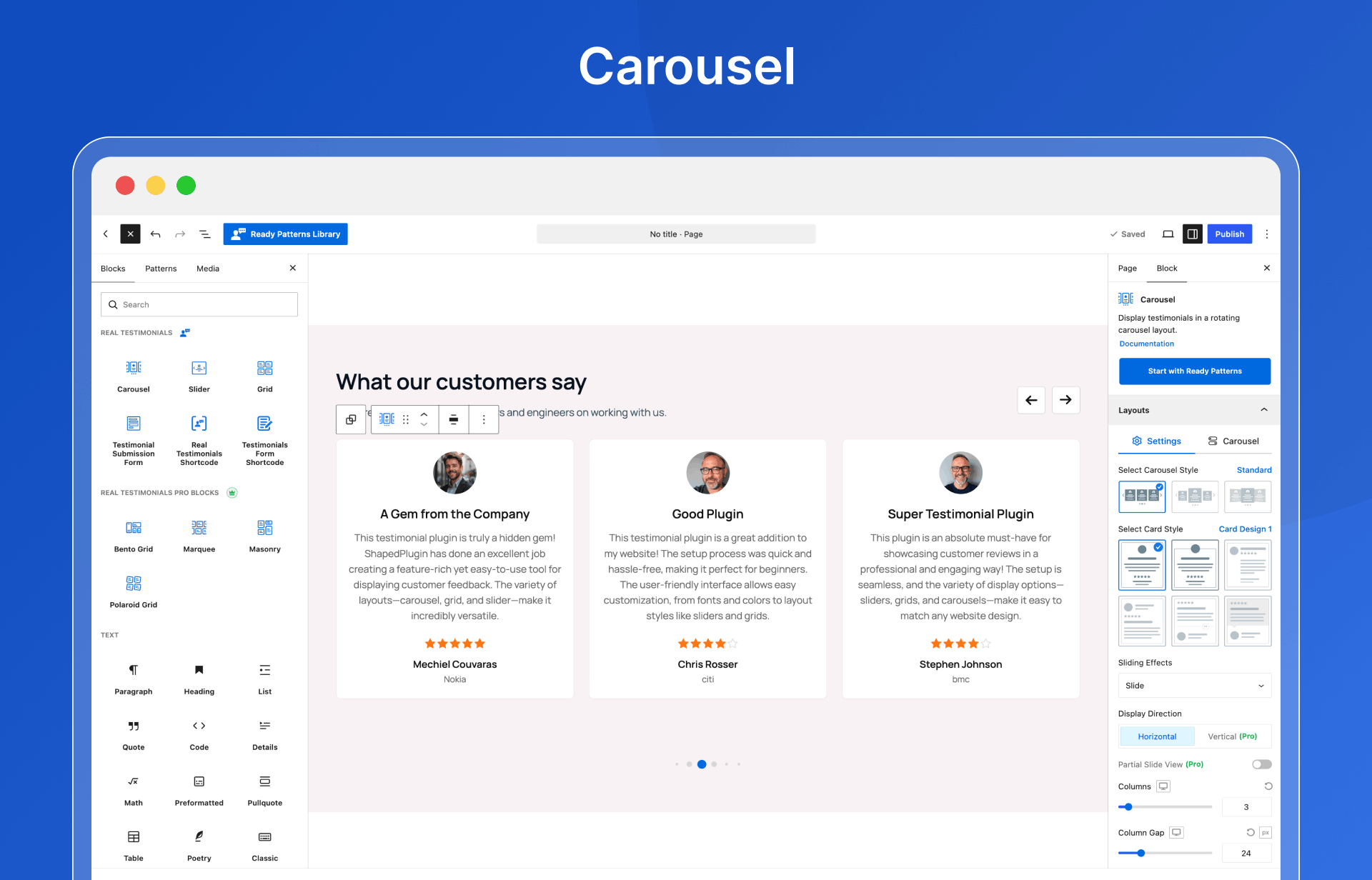
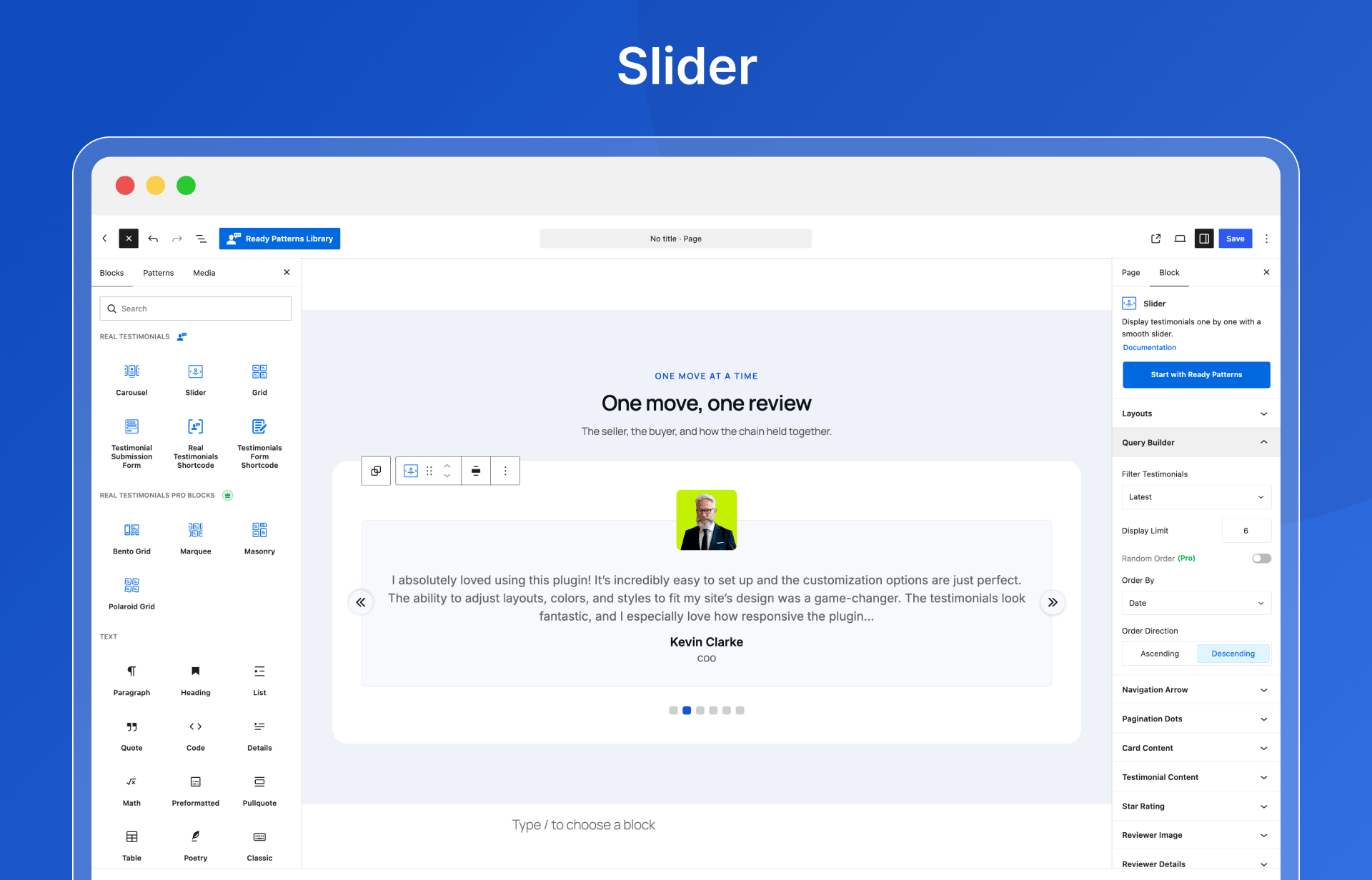
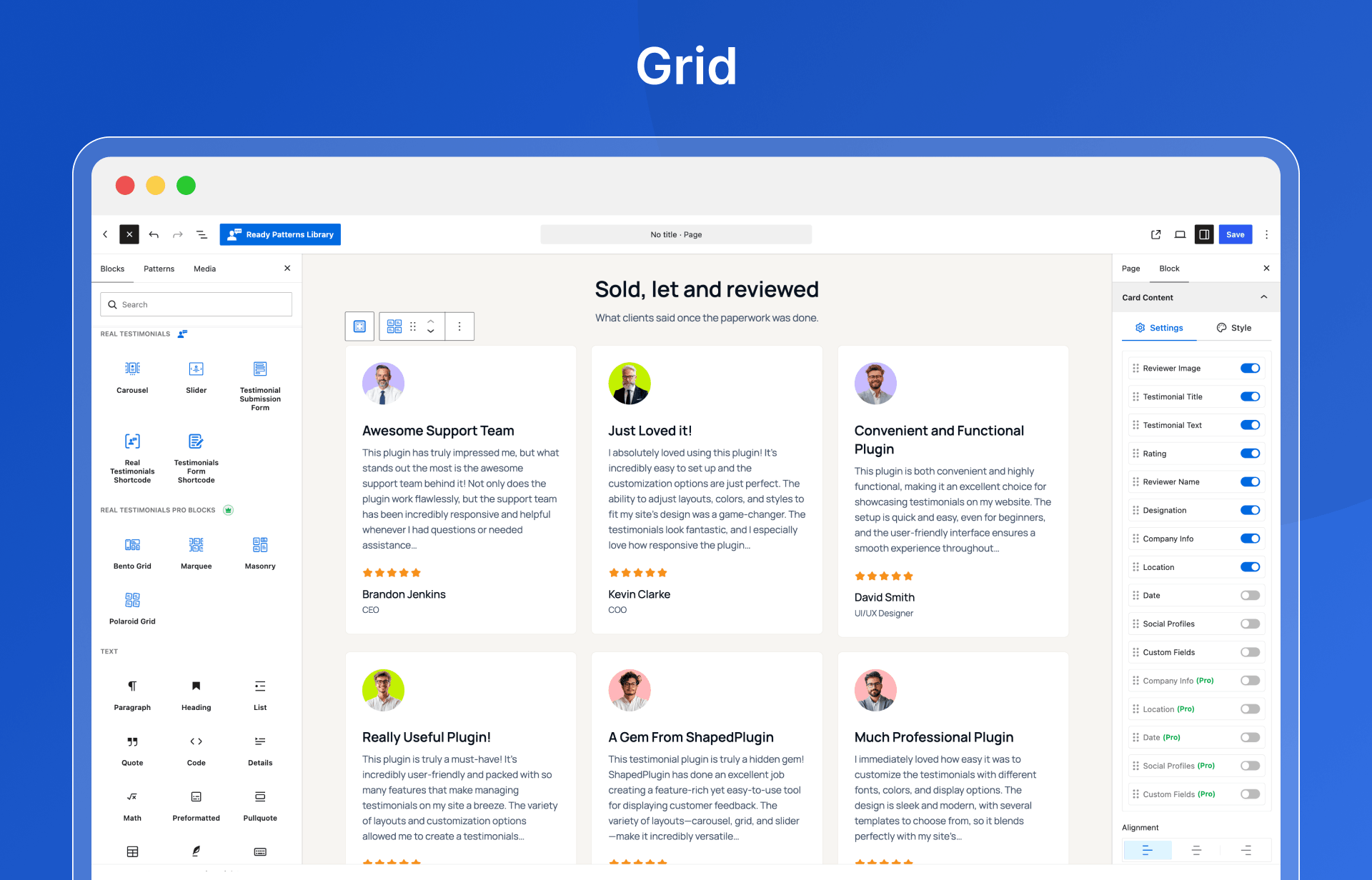
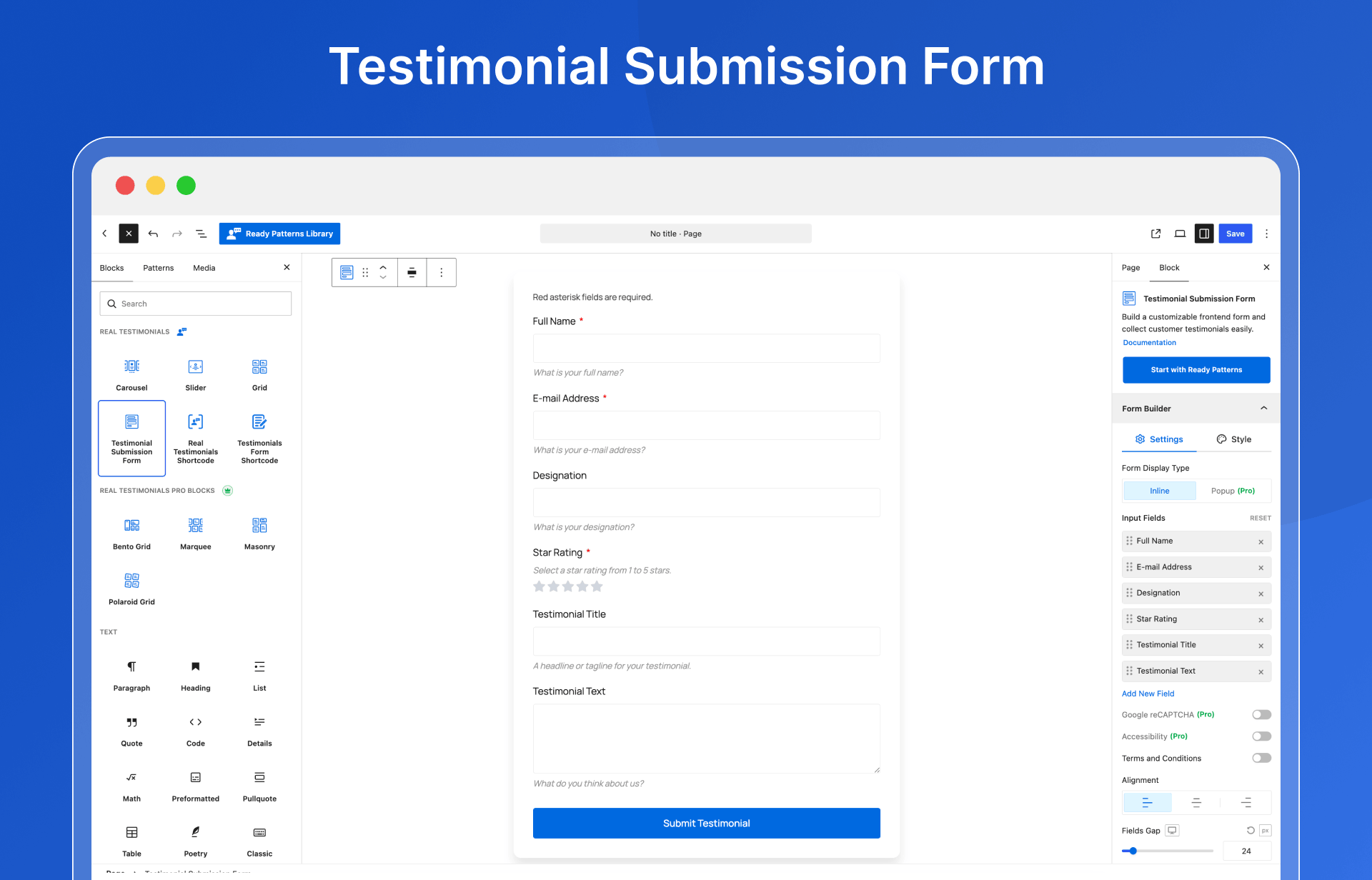


Para desenvolvedores
Este é o seu plugin? Mostre os números.
Adicione um crachá ao vivo ao seu site, Documentos ou Readme do GitHub. Ele é atualizado por conta própria - nenhuma conta necessária.
Best Real Testimonials alternatives
All review form plugins →
FAQ
Real Testimonials: quick answers
Respostas diretas, extraídas de dados ao vivo WordPress.org.
Fonte: WordPress.org
Is Real Testimonials free?
Yes. Real Testimonials is free to download and use from the official WordPress.org plugin directory. The developer also sells premium add-ons or a Pro version with extra features.
Is Real Testimonials safe to use in 2026?
Yes — Real Testimonials is a safe, well-maintained plugin to use in 2026. It runs on 40K+ sites, is rated 4.7/5 and was last updated 2 days ago, and scores 87/100 on our health check.
How many websites use Real Testimonials?
Real Testimonials is active on 40K+ WordPress websites and has been downloaded 1,464,567 times since it launched in June 2016. It was downloaded 54,955 times in the last 30 days.
Does Real Testimonials work with WordPress 7.1?
Yes. The developer has tested Real Testimonials up to WordPress 7.1.5, the latest release. It requires WordPress 6.3 or newer.
What PHP version does Real Testimonials need?
Real Testimonials requires PHP 7.4 or higher. Most hosts run PHP 8.x today, so it works on any modern WordPress hosting.
When was Real Testimonials last updated?
The latest version, 4.1.2, was released on November 27, 2026 (2 days ago).
Who makes Real Testimonials?
Real Testimonials is developed and maintained by ShapedPlugin LLC.
What are the best alternatives to Real Testimonials?
The most popular alternatives to Real Testimonials are Opiner Me (10+ installs), WP Google Places Reviews (10+ installs) and Ratevo (<10 installs).
Alimentado por PageForge
Um modelo e uma planilha. Uma página real para cada pesquisa.
PageForge Transforma cada linha de um CSV em uma página WordPress com seu próprio título, URL, SEO campos e esquema, construído no layout que você já desenhou. Gratuito em WordPress.org.
- CSV e XLSX, mais Google Sheets em Profissional e Empresarial
- Seu próprio título, URL, SEO campos e esquema para cada página
- Funciona com o editor de blocos, Elementor, Divi e Avada
- Gratuito em WordPress.org, sem cartão de crédito