


Team Members
A responsive and clean way to display your team. Create members, add their positions, bios (and more...) and copy-paste the shortcode anywhere.

Escolha segura
Yes — Team Members is a safe, well-maintained plugin to use in 2026. It runs on 20K+ sites, is rated 4.2/5 and was last updated 1 week ago, and scores 86/100 on our health check.
- Comprovado em escala em mais de 20 mil sites ativos
- Desenvolvido ativamente — última atualização 1 semana atrás
- Testado com as últimas WordPress (7.1)
- Momentum — downloads up 605.5% vs the previous 30 days
Como ele se acumula?
Lado a lado em instalações, atualizações, avaliações e suporte



Downloads diários
Os picos de download geralmente seguem uma nova versão — cada site que atualiza automaticamente é um download.
Rankings
Where Team Members stands todayWordPress.org Classificações de pesquisa
Posição ao vivo na pesquisa de plugins, top 100| Palavra chave | Posição |
|---|---|
| meet the team | #2 |
| responsivo | >100 |
| Shortcode | >100 |
| team | #7 |
| teams | #7 |
Adoção da versão
Compartilhamento de sites ativos por lançamento.
Divisão de classificação
★★★★★★★★★★ 4.2 from 53 reviews
About Team Members
From the official readme · v5.4.2Descrição
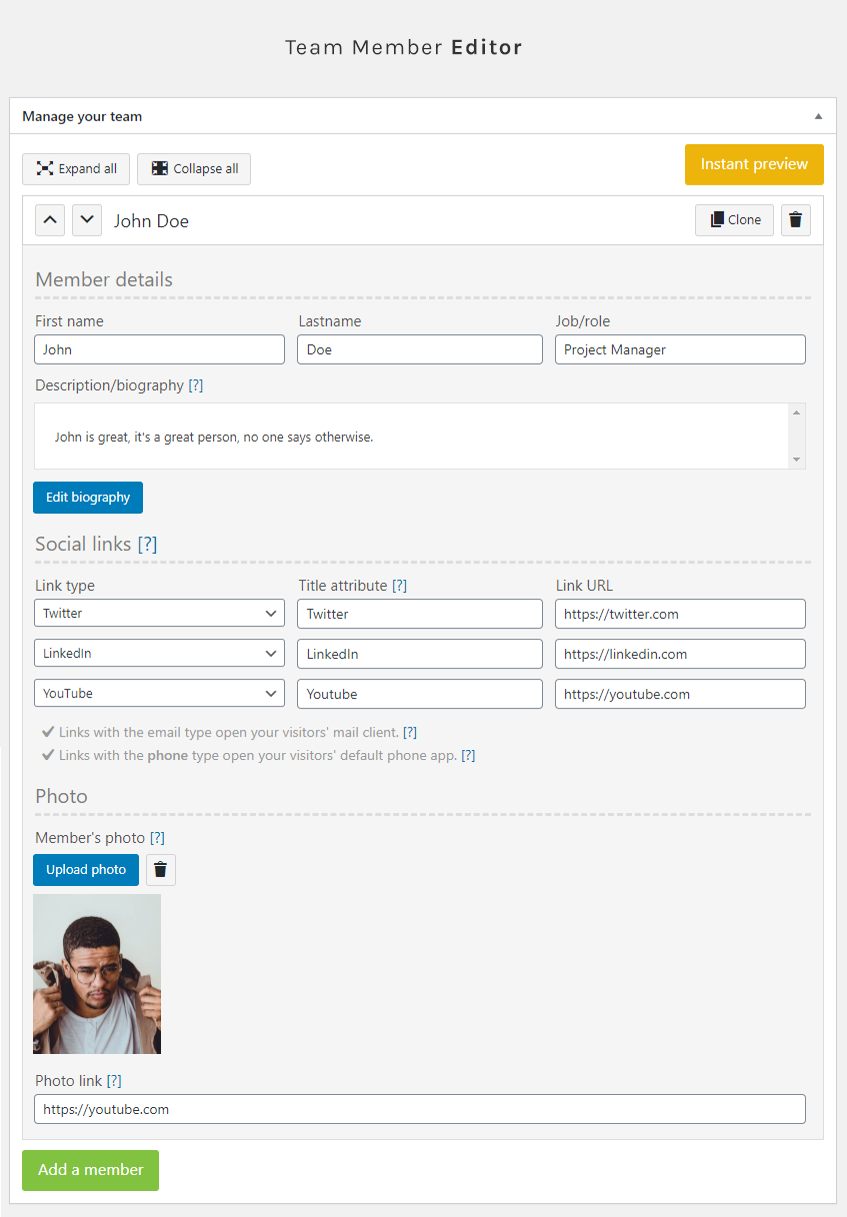
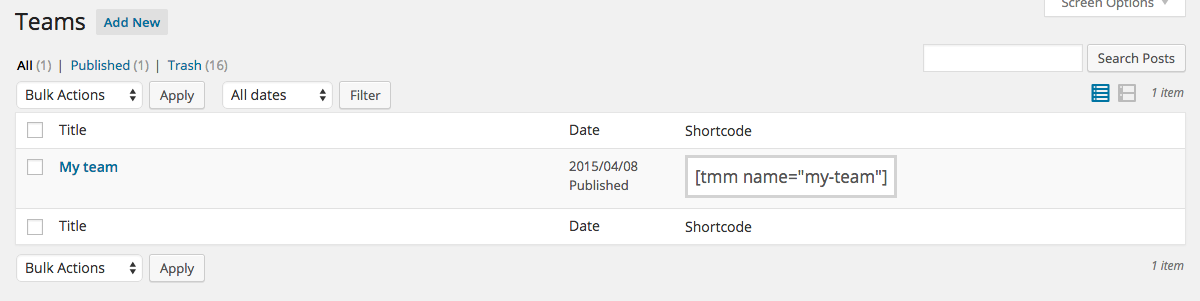
This plugin adds a “Teams” section to the admin panel which allows you to showcase your staff/employees/people on your website the easy way. You can quickly add members to your team(s), add their picture, position, bios, social links, re-order them at anytime and display them anywhere with a simple shortcode. What you see is what you get, and it’s totally free.
[Compatible with PHP 8.]
No limitation for the Free version
The free version of the Team Members plugin is not limited.
Available fields
- Firstname
- Lastname
- Description/bio
- Photo
- Social links (FB, X, Instagra, etc.)
Available settings
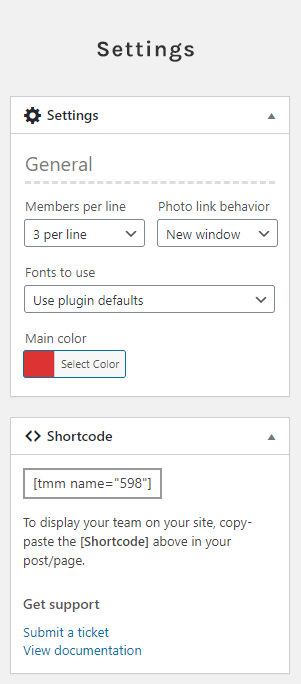
- Number of members to show per line (1 to 5)
- Display order (default/random)
- Color
PRO features
- New picture on hover
- Member height equalizing
- Import/export members from one team to another
- Full-width pictures
- Hide members
- More info reveal box
- Picture filters
- Per-member color
- Two more social links per member
Check out our PRO version, see all these features in action.
Uso
Go to the plugin’s documentation if you need more information on how to use this plugin.
Apoio
Find help on our support platform for this plugin (we’ll answer you fast, promise).
Instalação
Instalação
- In your WordPress admin panel, go to Plugins > New Plugin
- Find our Team Members plugin by WP Darko and click Install now
- Alternatively, download the plugin and upload the contents of team-members.zip to your plugins directory, which usually is /wp-content/plugins/
- Activate the plugin
Uso
Go to the plugin’s documentation for information on how to use it.
Log de Changes
5.4.2
- Fix vulnerability
- Various minor improvements
5.4.1
- Fixed editor errors on cloning
- Fixed photo upload feature
5.4.0
- Replaced popup editor with inline WYSIWYG editor for biography fields
- Reduced default editor height for better UX
5.3.6
- Fix vulnerability
- Escaped shortcode slug in admin UI.
- Various minor improvements and best-practice updates (PCP).
5.3.5
- Fix vulnerability
5.3.4
- Fix vulnerability
Capturas de tela


Para desenvolvedores
Este é o seu plugin? Mostre os números.
Adicione um crachá ao vivo ao seu site, Documentos ou Readme do GitHub. Ele é atualizado por conta própria - nenhuma conta necessária.
Best Team Members alternatives
All meet the team plugins →


FAQ
Team Members: quick answers
Respostas diretas, extraídas de dados ao vivo WordPress.org.
Fonte: WordPress.org
Is Team Members free?
Yes. Team Members is free to download and use from the official WordPress.org plugin directory.
Is Team Members safe to use in 2026?
Yes — Team Members is a safe, well-maintained plugin to use in 2026. It runs on 20K+ sites, is rated 4.2/5 and was last updated 1 week ago, and scores 86/100 on our health check.
How many websites use Team Members?
Team Members is active on 20K+ WordPress websites and has been downloaded 792,612 times since it launched in January 2015. It was downloaded 15,275 times in the last 30 days.
Does Team Members work with WordPress 7.1?
Yes. The developer has tested Team Members up to WordPress 7.1.5, the latest release. It requires WordPress 3.6 or newer.
When was Team Members last updated?
The latest version, 5.4.2, was released on November 10, 2026 (1 week ago).
Who makes Team Members?
Team Members is developed and maintained by WP Darko.
What are the best alternatives to Team Members?
The most popular alternatives to Team Members are Team Builder Member Showcase (1K+ installs), RWC Team Members (10+ installs) and Showcase Your Team (10+ installs).
Alimentado por PageForge
Um modelo e uma planilha. Uma página real para cada pesquisa.
PageForge Transforma cada linha de um CSV em uma página WordPress com seu próprio título, URL, SEO campos e esquema, construído no layout que você já desenhou. Gratuito em WordPress.org.
- CSV e XLSX, mais Google Sheets em Profissional e Empresarial
- Seu próprio título, URL, SEO campos e esquema para cada página
- Funciona com o editor de blocos, Elementor, Divi e Avada
- Gratuito em WordPress.org, sem cartão de crédito