


Synced Pattern Popups
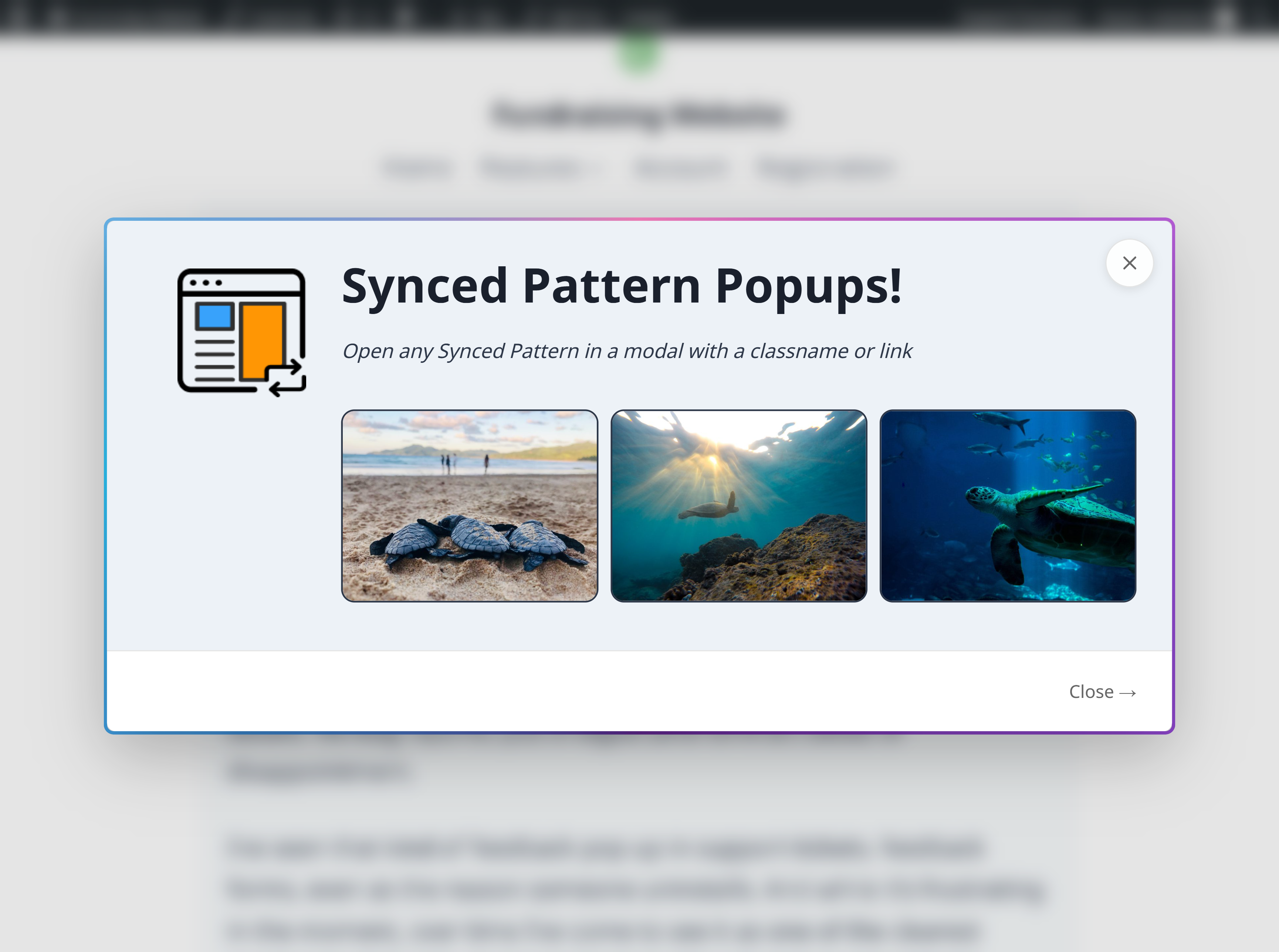
Synced Pattern Popups helps you create popups using the WordPress editor you already know, not yet another builder.

Escolha sólida
Synced Pattern Popups is a solid plugin choice in 2026, with a few things worth checking first. It runs on 10+ sites, is rated 5/5 and was last updated 2 months ago, and scores 69/100 on our health check.
- Testado com as últimas WordPress (7.1)
- Pequena base de usuários (10+ instalações ativas)
- Muito poucos comentários até agora
Como ele se acumula?
Lado a lado em instalações, atualizações, avaliações e suporte


Downloads diários
Os picos de download geralmente seguem uma nova versão — cada site que atualiza automaticamente é um download.
Rankings
Where Synced Pattern Popups stands todayWordPress.org Classificações de pesquisa
Posição ao vivo na pesquisa de plugins, top 100| Palavra chave | Posição |
|---|---|
| Ai | >100 |
| modal | >100 |
| popup | >100 |
| synced-patterns | #4 |
| tldr | #3 |
Adoção da versão
Compartilhamento de sites ativos por lançamento.
Divisão de classificação
★★★★★ ★★★★★ 5 de 3 comentários
About Synced Pattern Popups
Do Readme oficial · v1.3.1Descrição
Synced Pattern Popups helps you create popups using the WordPress editor you already know, not yet another builder. Create a Pattern yourself or from the Pattern Library, paste the trigger code as a link anywhere on your site, and your Pattern is now opened via a beautiful and accessible modal popup. Manually triggered by your website viewers because they are interested in your content, not because you’re punishing them for scrolling too far, or exiting your tab.
Most popup plugins are built on a desperate lie: if you interrupt your visitor enough times, they’ll eventually give in. They sell “triggers” like exit intent and scroll depth as features, but in reality, these are just ways to guess what a user wants. When you guess wrong, you don’t get a lead; you get a “close” click and a bruised brand reputation.
Synced Pattern Popups was built for the site owner who trusts their content and respects their visitors’ time.
Built for the Modern WordPress Stack
Don’t step out of your workflow into a bespoke, clunky UI. Synced Pattern Popups uses 100% Native Architecture. If it’s a block, it works—forms, videos, or third-party embeds.
- 🧱 100% Native Architecture: Your popups are Synced Patterns. No parallel builders, no proprietary styling engines, no bloat.
- 🔌 Zero Integration Friction: If it’s a block, it works. Forms, videos, or third-party embeds—if you can drop it on a page, you can put it in a popup.
- ♿ Radical Accessibility: Inclusion isn’t an afterthought. Our modals feature rock-solid focus trapping, full keyboard support, and screen-reader optimization out of the box. You don’t have to “fix” your popups for compliance; they’re born ready.
- 🔄 Global Updates, Zero Effort: Edit your Synced Pattern once, and every instance—across your pages and inside your popups—updates instantly.
- 🖼️ Media-First Popups: Full support for the Core Gallery block. Stop settling for static images; give your visitors the high-fidelity experience they asked for.
- ⌘ Built into your Workflow: With Command Palette integration, managing your popups is as fast as typing a shortcut.
Key Benefits
- Global Updates, Zero Effort: Edit a Synced Pattern once, and every instance across your site updates instantly.
- Performance Optimized: Intelligent caching and AJAX loading ensure your initial page load stays lightning-fast.
- Developer Friendly: Clean code, WordPress hooks, and Abilities API support for programmatic workflows.
- AI-Powered TLDR: Generate instant summaries of page content (requires AI Experiments plugin).
Major Features
↗️Modal popups powered by Synced Patterns
Create your popup content using the native Block Editor – layouts, images, galleries, buttons, and third-party blocks all work.
Simple trigger system (class or href)
Highlight a word or click into a button then open the hyperlink option. Paste in your Trigger code, for example: #spp-trigger-{id} and now that link will open your modal on click, just like that!
You can also set a custom class name on a block:
- Custom Class name:
spp-trigger-{id}(like on a column or section block) - Link:
href="#spp-trigger-{id}"(handy in the Block Editor)
Width overrides
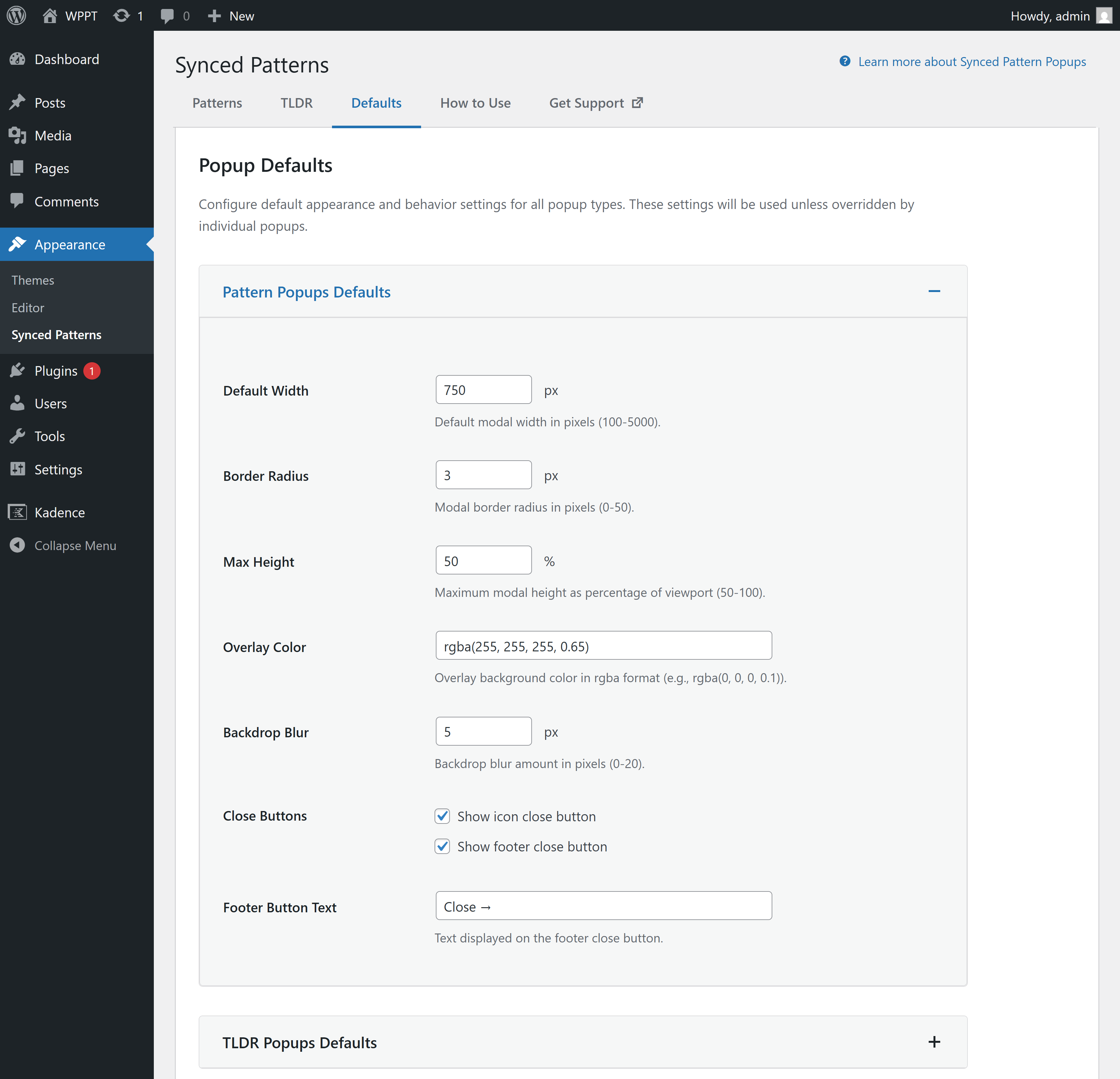
By default all modals open at 600px. You can override that in your general settings at “Appearance → Synced Pattern” then the “Defaults” tab.
Or you can also set it on a per modal basis within the trigger code by appending the width in pixels to the end of the trigger code: spp-trigger-{id}-{width}.
🖼️Core Gallery Block Support
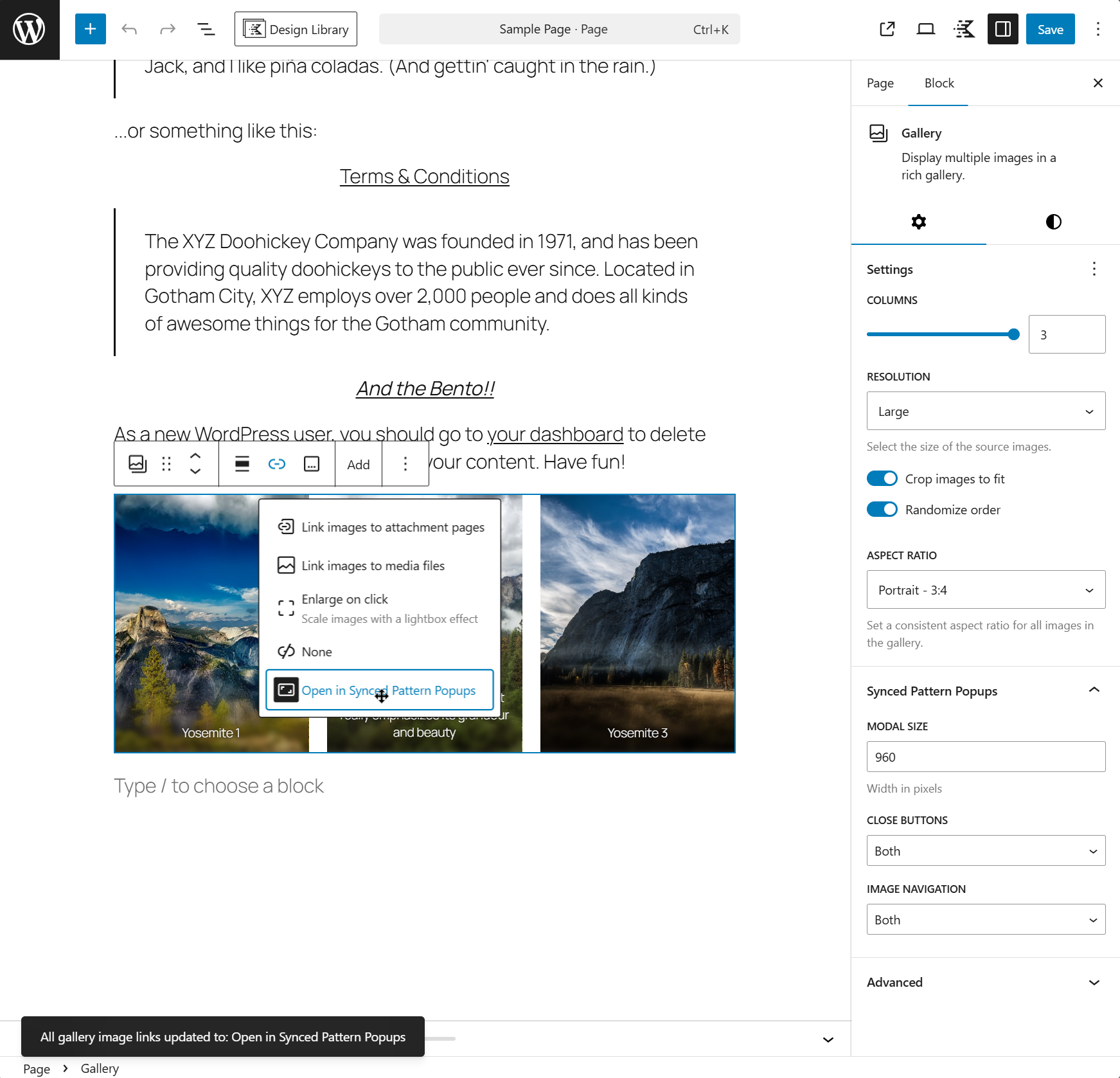
The Core Gallery block has a “lightbox” feature. But that feature does not support image navigation within the lightbox or captions or width management. Synced Pattern Popups lets you do all of that with your Core Gallery blocks. Simply choose the Gallery block (not the individual images within the Gallery block), and click on the link icon (“🔗”). There you’ll see several options, including the Core lightbox feature, and now also “Open in Synced Pattern Popups”.
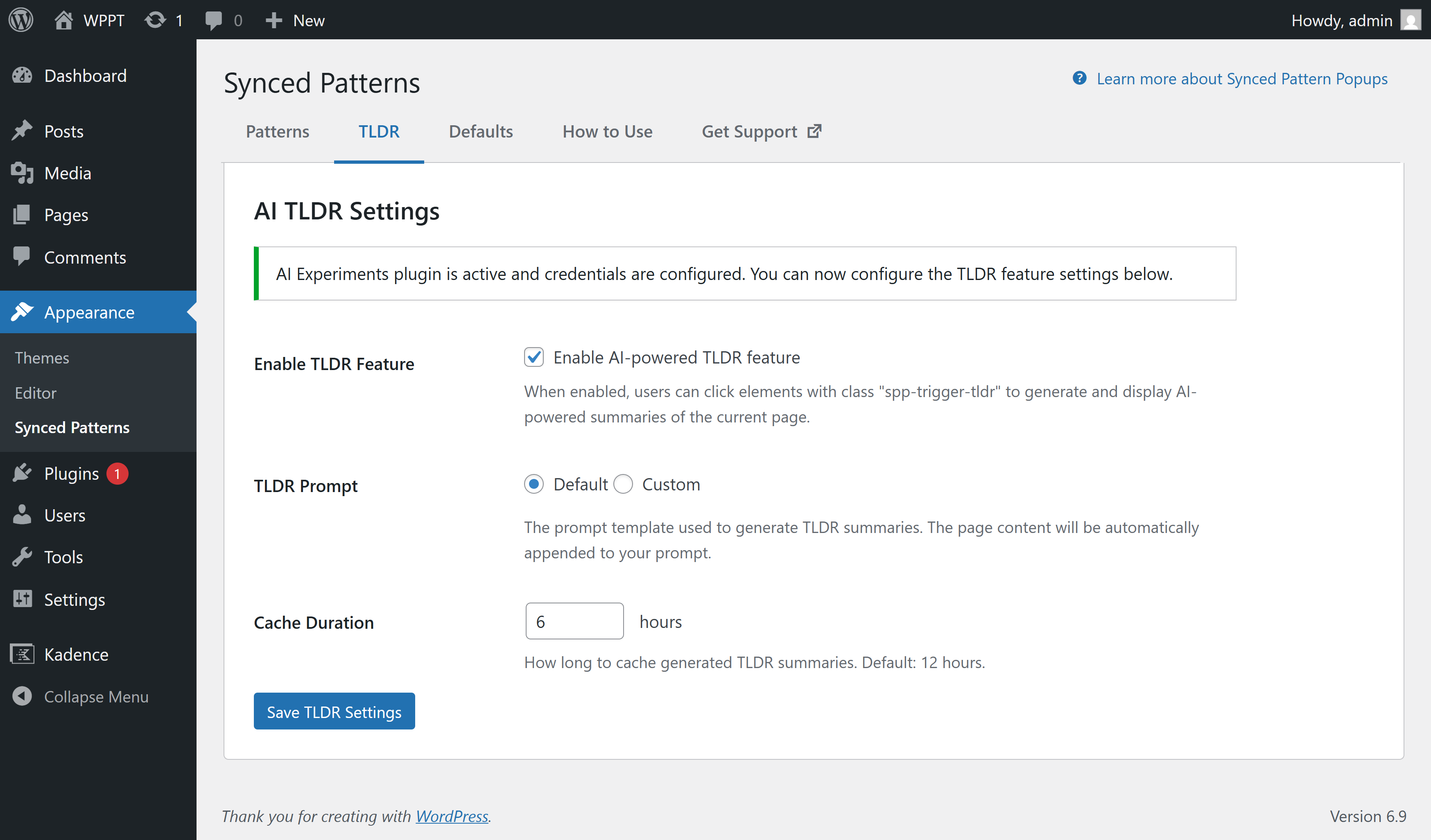
🤖AI-powered TLDR (optional)
Generate AI summaries of the current page content on demand by adding a spp-trigger-tldr trigger. This feature requires the AI Experiments plugin and configured credentials (you’ll see guided setup in the TLDR tab).
💻Handy for Developer Features
Synced Pattern Popups is made to be user friendly, but it’s also full of useful utilities for developers.
- On-demand loading (AJAX)
Popup content loads only when needed, which keeps initial page loads fast. - Smart caching with automatic invalidation
Rendered popup output is cached using WordPress transients for performance, and automatically cleared when synced patterns or default settings change. You can also clear a single pattern’s cache from the admin UI. - Full block styling support (core + third‑party)
The plugin loads the styles required to render the synced pattern correctly inside the modal – including WordPress core block styles and supported third-party block styles. - Accessibility-first modal behavior
Includes keyboard navigation (Escape to close, Tab stays within the popup), focus management, and screen-reader friendly UI. - Abilities API integration (WordPress 6.9+)
On WordPress 6.9+, the plugin registers Abilities to enable programmatic use cases (e.g., rendering popup content viawp_execute_ability()in custom workflows). If the Abilities API isn’t available, the plugin simply skips this integration.
How It Works
- Create a Synced Pattern in WordPress (Appearance → Synced Patterns)
- Add a trigger as a link or class to any block or element:
class="spp-trigger-{ID}"orhref="#spp-trigger-{ID}" - When clicked, the popup opens with your pattern content
- Content loads via AJAX for optimal performance
What are Synced Patterns?
Synced Patterns (stored as wp_block posts) are reusable block layouts you can create and manage once, then reuse across your site. When you edit a synced pattern, any place it’s used is updated automatically.
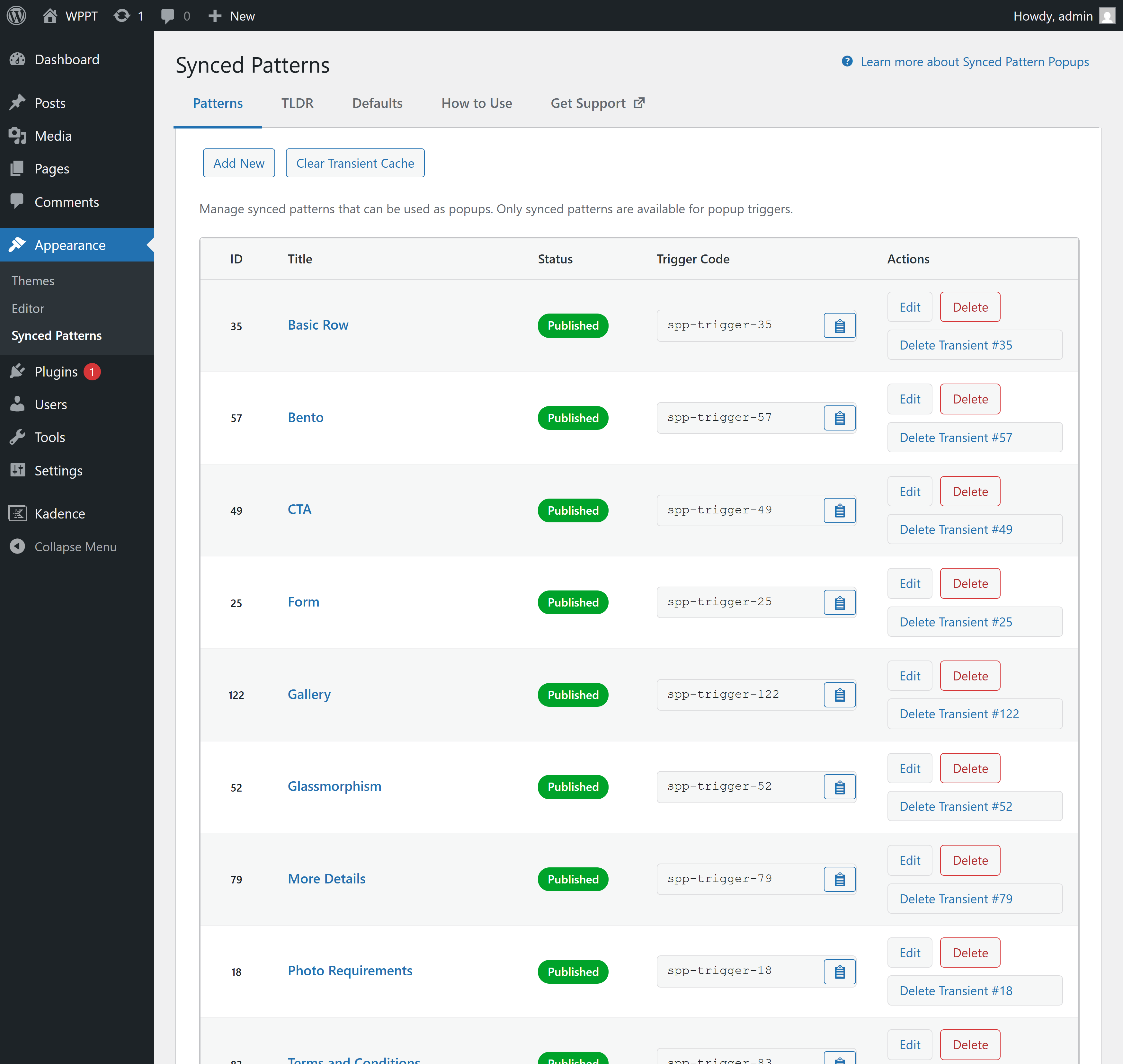
This plugin surfaces them with a dedicated admin screen at Appearance → Synced Patterns, making it easy to:
– See each pattern’s ID at a glance
– Copy the trigger code
– Edit or delete the pattern
– Clear the cached popup output when needed
Apoio
For support, feature requests, or bug reports, please visit the plugin’s support page or GitHub repository.
Instalação
- Upload the
sppopupsfolder to/wp-content/plugins/directory - Ative o plugin através do menu 'Plugins' em WordPress
- Go to Appearance → Synced Patterns to manage your popup content
- Create a synced pattern and note its ID
- Add
class="spp-trigger-{id}"orhref="#spp-trigger-{id}"to any element - That’s it! Your popup is ready.
Log de Changes
Maintenance release. Fixes Kadence Elements galleries in nested blocks, modal layout with alignfull/alignwide on any theme, and chained popups leaving the page unclickable. Recommended for all users.
1.3.1
- Fixed: Kadence Elements with a Gallery set to Synced Pattern Popup are now detected when the gallery is nested (e.g. inside row/column blocks)
- Fixed: Defensive CSS so pattern content with alignfull/alignwide stays within the modal on any theme
- Fixed: Chained popups (opening a pattern from inside another pattern) no longer leave the page unclickable after closing
- Improved: Composer vendor directory is now in .gitignore
1.3.0
- New: Default Settings page for configuring popup appearance defaults (Pattern, TLDR, and Gallery popups)
- New: Settings inheritance system – TLDR and Gallery popups can inherit from Pattern defaults
- New: Command Palette integration for quick access to plugin features
- New: Comprehensive testing infrastructure (PHPUnit and Jest) to ensure defaults are respected
- New: CI/CD workflows for automated testing on every commit
- Improved: Modal scrolling behavior – modals now properly scroll long content instead of extending beyond viewport
- Improved: CSS refactored to use custom properties for dynamic styling based on settings
- Improved: Frontend defaults application with proper inheritance and override support
- Fixed: Modal height constraints now work correctly with max-height settings
- Fixed: Default width settings now properly apply to all popup types
1.2.0
- New: Added support for the Core Gallery Block with full modal integration!
- New: Gallery block settings panel with modal size, close buttons, and image navigation options
- New: Per-post asset loading controls (Modal Assets and Gallery Assets) with Auto-Detect and Loaded options
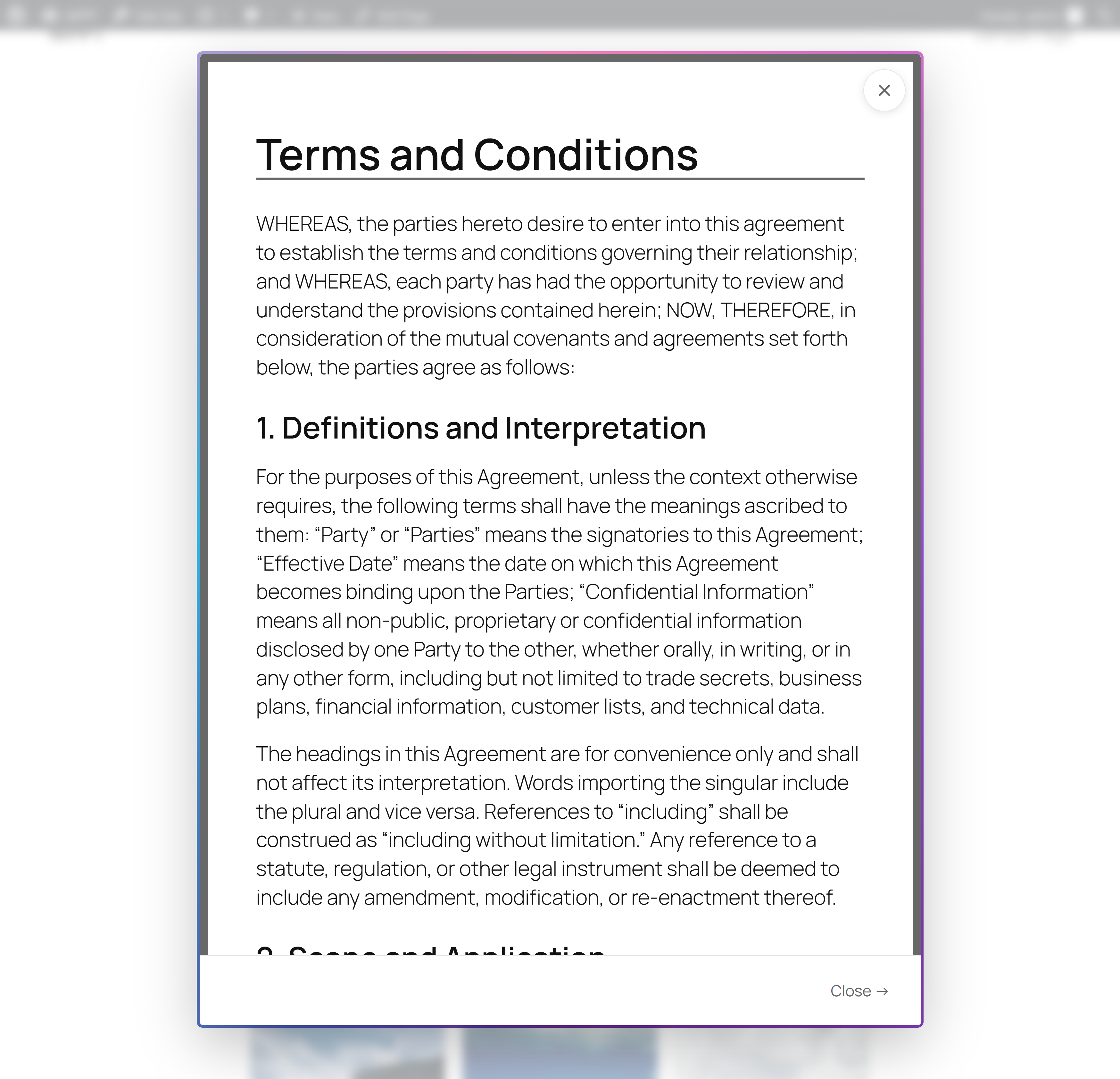
- New: Added two wireframe Synced Patterns: “More Details” and “Terms & Conditions”.
- Refactor: Centralized modal state management into a new
modalStateobject inmodal.js. - Refactor: Migrated all scattered global state variables (e.g.,
currentMaxWidth,lastActiveElement,loadedStyles) into themodalStateobject. - Refactor: Extracted gallery functionality into separate
gallery.jsmodule for better code organization and conditional loading - Refactor: Added comprehensive JSDoc comments to gallery module and
modalStateobject for improved documentation. - Refactor: Implemented robust validation for
maxWidth(100-5000px) within themodalStatesetter. - Fixed: Corrected an issue where gallery images in “Random order” would open the wrong image in the modal. The system now reliably identifies the clicked image by its ID, regardless of randomization.
- Fixed: Gallery assets now automatically force modal assets to load when set to “Loaded” (dependency requirement)
- Fixed: Addressed Plugin Check error by removing the discouraged
load_plugin_textdomain()call. - Fixed: Resolved Plugin Check warning by ensuring the text domain (
synced-pattern-popups) consistently matches across all plugin files. - Improved: Enhanced code organization and maintainability through centralized state management and module separation.
- Improved: Gallery images now have smooth crossfade transitions and responsive modal sizing
1.1.3
- New: Added delayed admin review notice to encourage user reviews (appears after 10 days on settings page)
- New: Custom styled review notice with dismiss functionality (AJAX-based)
- New: Settings link added to plugin action links for quick access
- Improved: Admin UI consistency with unified 960px max-width constraint for all settings content
- Improved: Review notice styling matches modern WordPress design patterns
1.1.2
- Fixed: Added translators comment for sprintf with placeholders (Plugin Check compliance)
- Fixed: Added proper nonce verification documentation for GET parameter handling
- Improved: Added load_plugin_textdomain() for proper internationalization support
- Improved: Updated German translation file (de_DE) with all current strings
- Improved: Removed duplicate POT files for cleaner translation management
- Improved: Enhanced internationalization support across all plugin strings
1.1.1
- Fixed: Block styles now properly load for all block types including core blocks and third-party blocks (Kadence, Genesis Blocks, etc.)
- Fixed: Improved asset collection to ensure all necessary styles are loaded in modal popups
- Fixed: Corrected rendering order to apply
the_contentfilters beforedo_blocks()for proper block asset enqueuing - Fixed: Removed all debugging instrumentation code
- Improved: Better handling of
style-blocks-*.cssfiles for third-party block libraries - Improved: Enhanced dependency collection for block styles to ensure all required styles are included
Capturas de tela
Para desenvolvedores
Este é o seu plugin? Mostre os números.
Adicione um crachá ao vivo ao seu site, Documentos ou Readme do GitHub. Ele é atualizado por conta própria - nenhuma conta necessária.
Best Synced Pattern Popups alternatives
Todos os plugins de IA →





FAQ
Synced Pattern Popups: quick answers
Respostas diretas, extraídas de dados ao vivo WordPress.org.
Fonte: WordPress.org
Is Synced Pattern Popups free?
Yes. Synced Pattern Popups is free to download and use from the official WordPress.org plugin directory.
Is Synced Pattern Popups safe to use in 2026?
Synced Pattern Popups is a solid plugin choice in 2026, with a few things worth checking first. It runs on 10+ sites, is rated 5/5 and was last updated 2 months ago, and scores 69/100 on our health check.
How many websites use Synced Pattern Popups?
Synced Pattern Popups is active on 10+ WordPress websites and has been downloaded 1,042 times since it launched in January 2026. It was downloaded 126 times in the last 30 days.
Does Synced Pattern Popups work with WordPress 7.1?
Yes. The developer has tested Synced Pattern Popups up to WordPress 7.1.5, the latest release. It requires WordPress 5.8 or newer.
What PHP version does Synced Pattern Popups need?
Synced Pattern Popups requires PHP 7.4 or higher. Most hosts run PHP 8.x today, so it works on any modern WordPress hosting.
When was Synced Pattern Popups last updated?
The latest version, 1.3.1, was released on September 25, 2026 (2 months ago).
Who makes Synced Pattern Popups?
Synced Pattern Popups is developed and maintained by Matt Cromwell.
What are the best alternatives to Synced Pattern Popups?
The most popular alternatives to Synced Pattern Popups are Elementor Agent Ready Websi… (10M+ installs), Jetpack (3M+ installs) and All in One SEO (2M+ installs).
Alimentado por PageForge
Um modelo e uma planilha. Uma página real para cada pesquisa.
PageForge Transforma cada linha de um CSV em uma página WordPress com seu próprio título, URL, SEO campos e esquema, construído no layout que você já desenhou. Gratuito em WordPress.org.
- CSV e XLSX, mais Google Sheets em Profissional e Empresarial
- Seu próprio título, URL, SEO campos e esquema para cada página
- Funciona com o editor de blocos, Elementor, Divi e Avada
- Gratuito em WordPress.org, sem cartão de crédito