


Supertab Connect
Connect your WordPress site to the Supertab Connect platform for RSL license serving and enabling crawler authentication protocol.

Escolha sólida
Supertab Connect is a solid plugin choice in 2026, with a few things worth checking first. Is rated 5/5 and was last updated 4 weeks ago, and scores 71/100 on our health check.
- Desenvolvido ativamente — última atualização 4 semanas atrás
- Testado com as últimas WordPress (7.1)
- Base de usuários pequenas (<10 instalações ativas)
- Muito poucos comentários até agora
- Precisa de PHP 8.1 ou mais recente
Como ele se acumula?
Lado a lado em instalações, atualizações, avaliações e suporte



Downloads diários
Os picos de download geralmente seguem uma nova versão — cada site que atualiza automaticamente é um download.
Rankings
Where Supertab Connect stands todayWordPress.org Classificações de pesquisa
Posição ao vivo na pesquisa de plugins, top 100| Palavra chave | Posição |
|---|---|
| bot protection | >100 |
| content-protection | >100 |
| crawlers | >100 |
| licensing | >100 |
| rsl | #2 |
Divisão de classificação
★★★★★ ★★★★★ 5 de 2 comentários
About Supertab Connect
From the official readme · v1.4.2Descrição
Supertab Connect lets you define how AI systems and automated scrapers can access your content. You can define licensing terms, manage partner access, and track usage without building custom infrastructure.
Supertab Connect handles the underlying systems, including license servers, token management, and request verification, so you can focus on controlling who accesses your content and how it’s used. It provides two core capabilities:
RSL License Serving
Automatically serves your site’s RSL license at /license.xml. The license is fetched from the Supertab Connect API and cached locally for performance, enabling crawlers and AI agents to discover your content’s licensing terms.
Crawler Authentication Protocol (CAP)
Verify that connected partners are accessing your content present valid license tokens.
This allows you to:
- confirm which customers are accessing your content
- monitor usage against declared licensing terms
- control access for specific parts of your site
How It Works
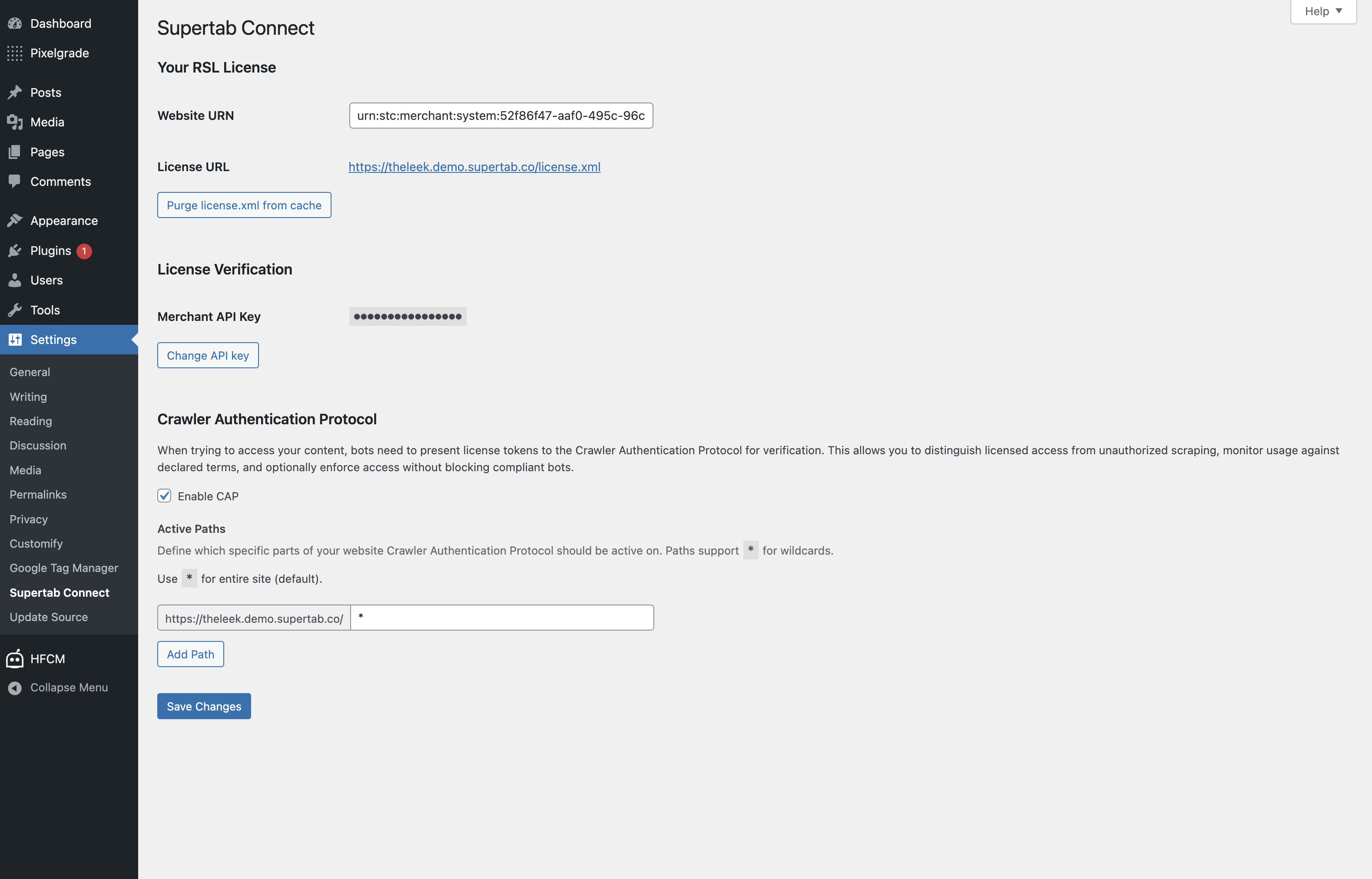
- Enter your Website URN from the Supertab Connect dashboard
- Your
license.xmlis immediately served at your site root and listed in your robots.txt - Optionally add your Merchant API Key to enable license verification
- Configure which parts of your site require verification via the Crawler Authentication Protocol
Recursos
- Automatically serves your license file at /license.xml
- Adds the License directive to your robots.txt so crawlers can find your license
- Caches license XML locally for performance
- No infrastructure changes required
- Optional verification for connected partners via the Crawler Authentication Protocol
- Flexible control over which parts of your site are covered
Serviços externos
This plugin connects to the Supertab Connect API to provide its functionality:
- RSL License Serving — Your Website URN is sent to retrieve your site’s license XML file. This happens on every request to
/license.xml(cached locally after first fetch). - Crawler Authentication Protocol — When enabled by the site administrator, page URLs and user agent strings from bot requests are sent to verify license tokens and record usage events.
No personal data from your site visitors is collected or transmitted.
Instalação
- Upload the
supertab-connectfolder to the/wp-content/plugins/directory, or install through the WordPress plugin screen directly. - Activate the plugin through the “Plugins” screen in WordPress.
- Navigate to Settings > Supertab Connect to configure your Website URN.
- (Optional) Enter your Merchant API Key and enable the Crawler Authentication Protocol.
You will need a Supertab Connect account. Visit Supertab Connect to get started.
Log de Changes
The local /license.xml cache now refreshes every 12 hours instead of being stored indefinitely.
1.2.2
- The served /license.xml is now cached for 12 hours instead of indefinitely, so updates to your licensing terms are picked up automatically.
1.2.1
- Added compatibility with WordPress 7.0.
1.2.0
- Updated Supertab Connect PHP SDK.
1.1.2
- Added plugin graphics and screenshot.
- Fixed readme copy.
1.1.1
- Fixed readme copy.
1.1.0
- Added links to documentation.
- Fixed copy in the admin.
Capturas de tela
Para desenvolvedores
Este é o seu plugin? Mostre os números.
Adicione um crachá ao vivo ao seu site, Documentos ou Readme do GitHub. Ele é atualizado por conta própria - nenhuma conta necessária.
Best Supertab Connect alternatives
All bot protection plugins →




FAQ
Supertab Connect: quick answers
Respostas diretas, extraídas de dados ao vivo WordPress.org.
Fonte: WordPress.org
Is Supertab Connect free?
Yes. Supertab Connect is free to download and use from the official WordPress.org plugin directory.
Is Supertab Connect safe to use in 2026?
Supertab Connect is a solid plugin choice in 2026, with a few things worth checking first. Is rated 5/5 and was last updated 4 weeks ago, and scores 71/100 on our health check.
How many websites use Supertab Connect?
Supertab Connect is active on <10 WordPress websites and has been downloaded 1,665 times since it launched in April 2026. It was downloaded 224 times in the last 30 days.
Does Supertab Connect work with WordPress 7.1?
Yes. The developer has tested Supertab Connect up to WordPress 7.1.5, the latest release. It requires WordPress 6.4 or newer.
What PHP version does Supertab Connect need?
Supertab Connect requires PHP 8.1 or higher. Most hosts run PHP 8.x today, so it works on any modern WordPress hosting.
When was Supertab Connect last updated?
The latest version, 1.4.2, was released on November 4, 2026 (4 weeks ago).
Who makes Supertab Connect?
Supertab Connect is developed and maintained by getsupertab.
What are the best alternatives to Supertab Connect?
The most popular alternatives to Supertab Connect are Quttera ThreatSign (10K+ installs), ClickCease Click Fraud Prot… (10K+ installs) and CHEQ Essentials (500+ installs).
Alimentado por PageForge
Um modelo e uma planilha. Uma página real para cada pesquisa.
PageForge Transforma cada linha de um CSV em uma página WordPress com seu próprio título, URL, SEO campos e esquema, construído no layout que você já desenhou. Gratuito em WordPress.org.
- CSV e XLSX, mais Google Sheets em Profissional e Empresarial
- Seu próprio título, URL, SEO campos e esquema para cada página
- Funciona com o editor de blocos, Elementor, Divi e Avada
- Gratuito em WordPress.org, sem cartão de crédito