


Sunshine Photo Cart – Client Photo Gallery & Photo Proofing for Photographers
Client photo galleries and photo proofing for photographers. Sell prints and digital downloads from your own WordPress site with no commissions.

Escolha segura
Yes — Sunshine Photo Cart is a safe, well-maintained plugin to use in 2026. It runs on 1K+ sites, is rated 4.7/5 and was last updated 2 weeks ago, and scores 90/100 on our health check.
- Loved by users — 4.7/5 from 139 reviews
- Desenvolvido ativamente — última atualização 2 semanas atrás
- Testado com as últimas WordPress (7.1)
Downloads diários
Os picos de download geralmente seguem uma nova versão — cada site que atualiza automaticamente é um download.
Rankings
Where Sunshine Photo Cart stands todayWordPress.org Classificações de pesquisa
Posição ao vivo na pesquisa de plugins, top 100| Palavra chave | Posição |
|---|---|
| client galleries | #8 |
| client photo gallery | #7 |
| client proofing | #4 |
| photo proofing | #4 |
| sell photos | #6 |
Adoção da versão
Compartilhamento de sites ativos por lançamento.
Divisão de classificação
★★★★★★★★★★ 4.7 from 139 reviews
About Sunshine Photo Cart
From the official readme · v3.8.2Descrição
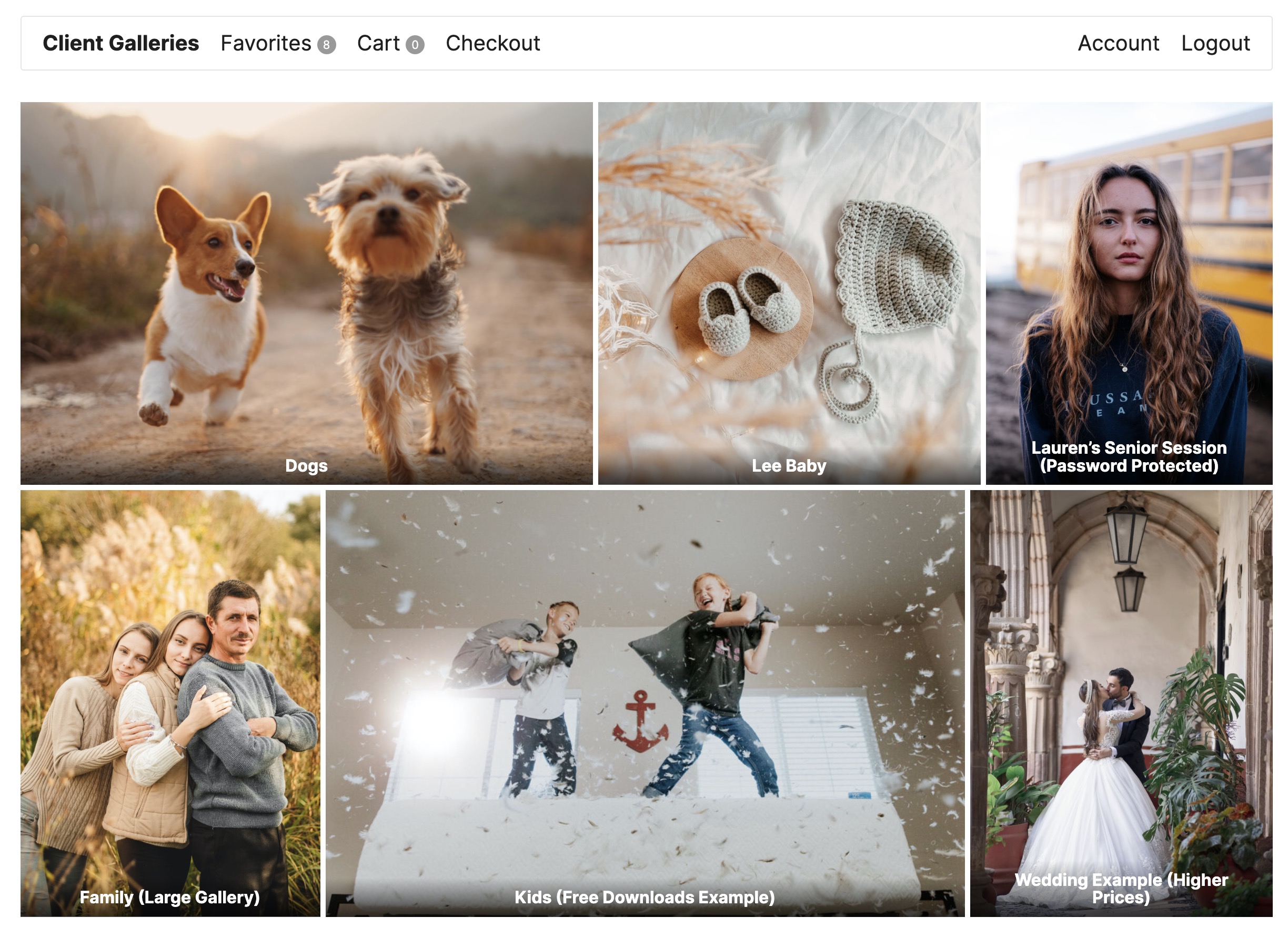
Sunshine Photo Cart is the #1 WordPress plugin for creating client photo galleries and photo proofing galleries that help photographers sell more photos and grow their business. Join thousands of professional photographers who trust Sunshine to deliver proof galleries, sell prints and digital downloads, and manage client orders—all from their own WordPress website with no monthly fees or commissions. With 100+ 5-star ratings and proven results, Sunshine Photo Cart is the trusted choice for photographers worldwide. 🎯
“I would say my sales went up at least 300% since installing Sunshine Photo Cart.”
– Edward Amos“Sunshine elevated my small photography business and I know it can elevate yours as well.”
– Kendra Heller“Sunshine Photo Cart has allowed me to deliver proof galleries quickly, efficiently, and effortlessly. This plugin has really taken out the aggravation of setting up galleries, allowed me to work more efficiently, and gives my clients such an easy-to-use interface for viewing. I am grateful I found it and highly recommend it to other photographers!”
– Drew Johnston“AUS$1500 worth of sales within 3 days of installing Sunshine Photo Cart. Need I say more? This system is simple to use, easy to customize, and doesn’t force you to dive into the depth of your server to run.”
– William Debois“The biggest benefit for me was the stand alone style, do your own stuff, sell as much as you can without a commission.”
– Dan Spineanu“I have seen a huge increase in sales compared to other photo websites.”
– Nadia Hall
Why Choose Sunshine Photo Cart for Your Client Photo Gallery?
Whether you’re a wedding photographer, portrait photographer, school/sports photographer, or fine art photographer, Sunshine Photo Cart gives you everything you need to create beautiful client photo galleries and streamline your photo proofing workflow.
✨ Deliver proof galleries that convert – Share password-protected galleries with expiration dates that create urgency and encourage clients to purchase before time runs out. Your clients can easily browse, select favorites, and share with family and friends to increase your sales.
💰 Sell photos with zero commissions – Keep 100% of your profits. Unlike other platforms that take 15-30% of every sale, Sunshine Photo Cart charges no commissions, no monthly fees, and no hidden costs. You own your client galleries and your revenue.
🚀 Set up in minutes, not hours – Create your first client photo gallery in under 5 minutes. Upload images via FTP or drag-and-drop, set your products and pricing, and start sharing galleries with clients immediately.
🔒 Professional security built-in – Protect your images with automatic watermarking, password protection, and private gallery access. Your photos stay secure while clients enjoy a seamless viewing experience.
📱 Works beautifully on any device – Your clients can browse galleries, select favorites, and purchase photos from their phone, tablet, or computer. Responsive design means your client photo galleries look perfect everywhere.
🌍 Sell to clients worldwide – Support for all currencies and translations in German, French, Spanish, Dutch, Finnish, Portuguese, British English, Norwegian, and more. Learn more about translations
🎨 Works with any WordPress theme – Sunshine Photo Cart seamlessly integrates with all WordPress themes and popular page builders. Your client photo galleries automatically match your website’s design, or choose from our custom design layouts for a dedicated gallery experience.
What You Get with Your Free Client Photo Gallery Plugin
This free version is fully functional and includes everything you need to start selling photos to clients:
Photo Proofing & Client Gallery Features
- Unlimited client photo galleries – Create as many galleries as you need for weddings, portraits, events, or any photography project
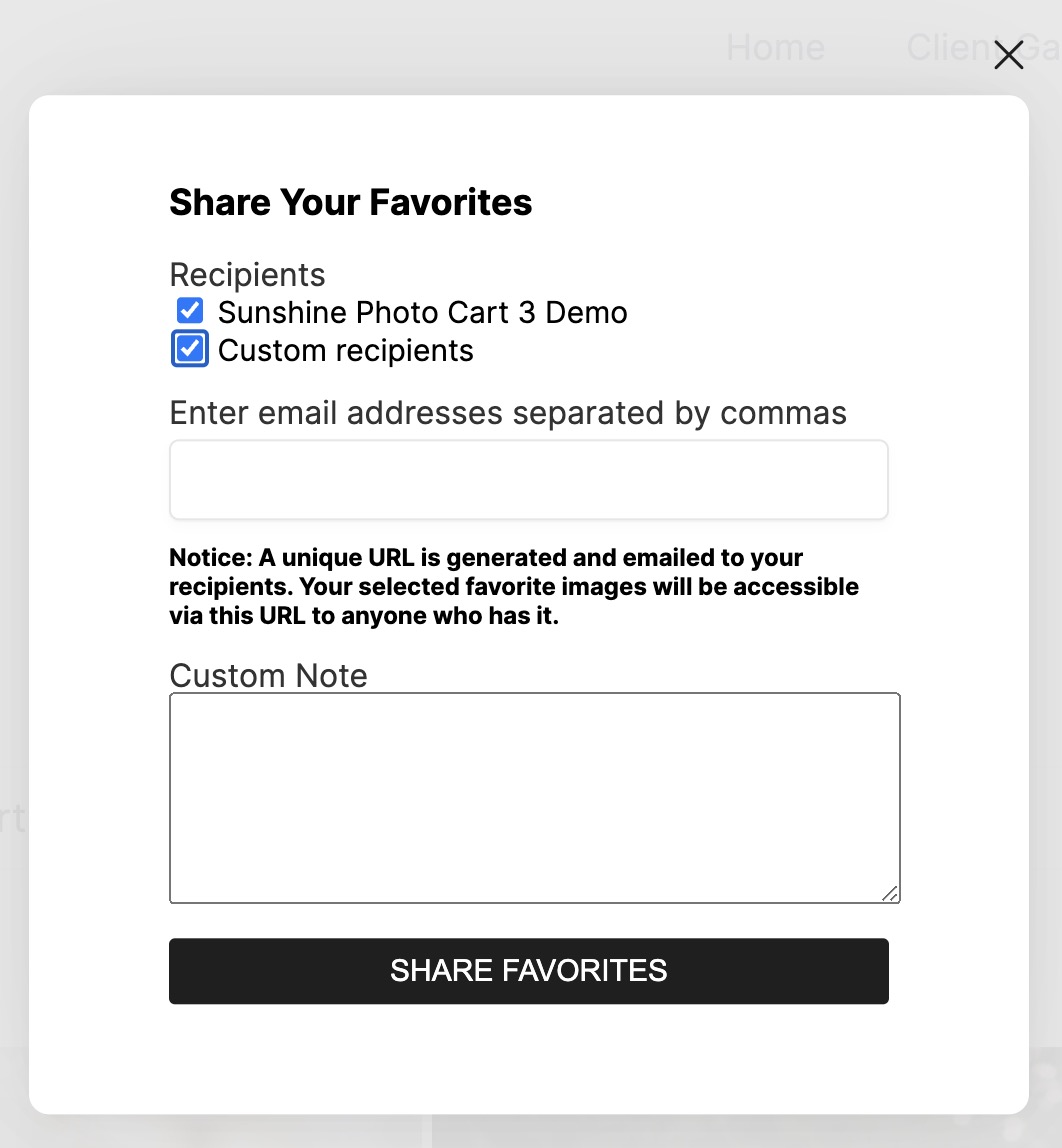
- Photo proofing workflow – Let clients browse proof galleries, select favorites, and share with family members to increase engagement. Create proofing-only galleries (no products) for client approval workflows
- Multiple display formats – Choose from various layout formats for your galleries and images to match your style and client preferences
- Password-protected galleries – Keep your client photo galleries private with password protection, email requirements, or user account access
- Gallery expiration dates – Create urgency and encourage faster purchases with automatic expiration notices
- Sub galleries – Organize large events like weddings into hierarchical galleries (ceremony, reception, portraits, etc.)
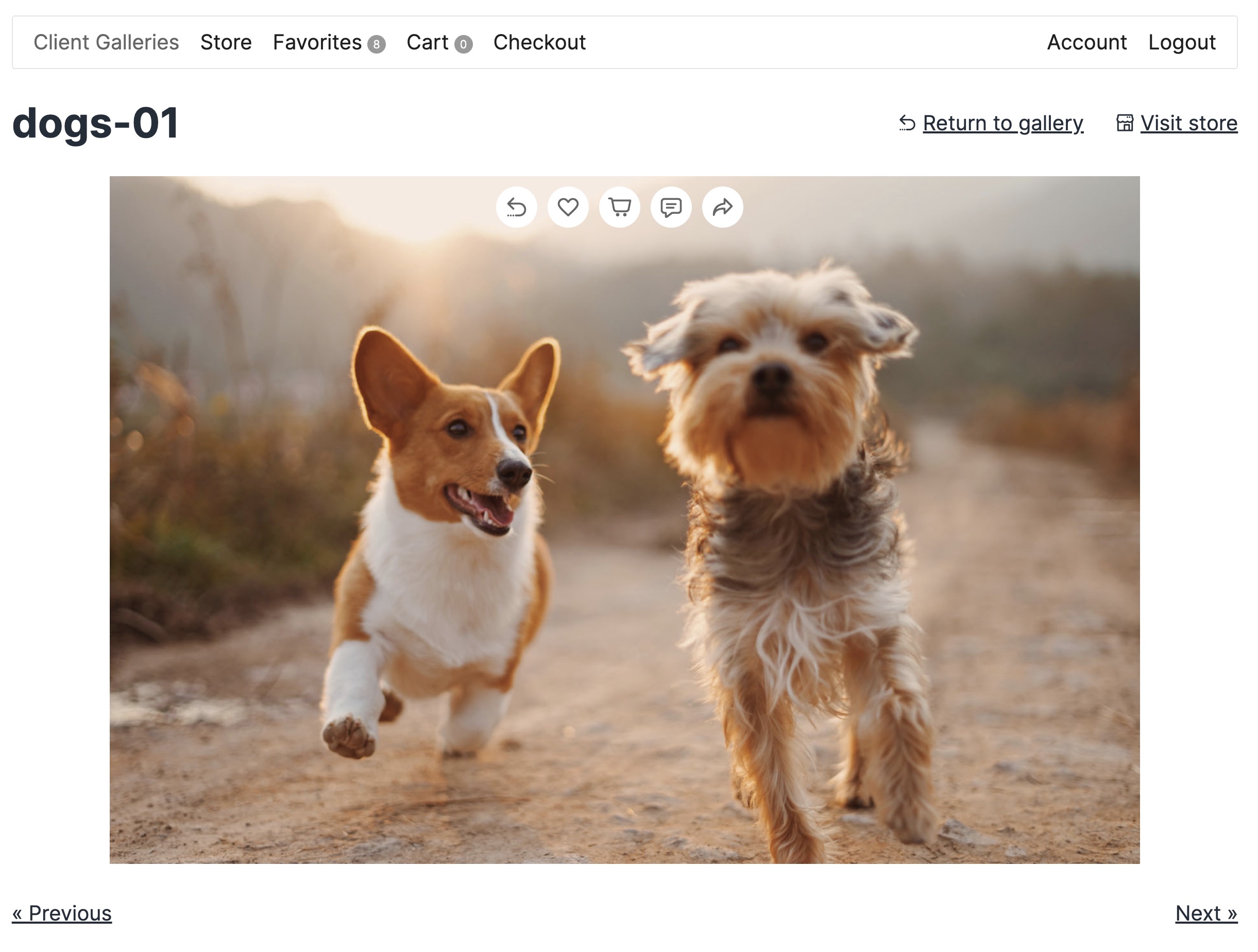
- Favorites system – Clients can mark their favorite photos, and you can view all favorites in the admin to understand client preferences
- Comments on images – Enable clients to leave comments on photos during the proofing process for better communication
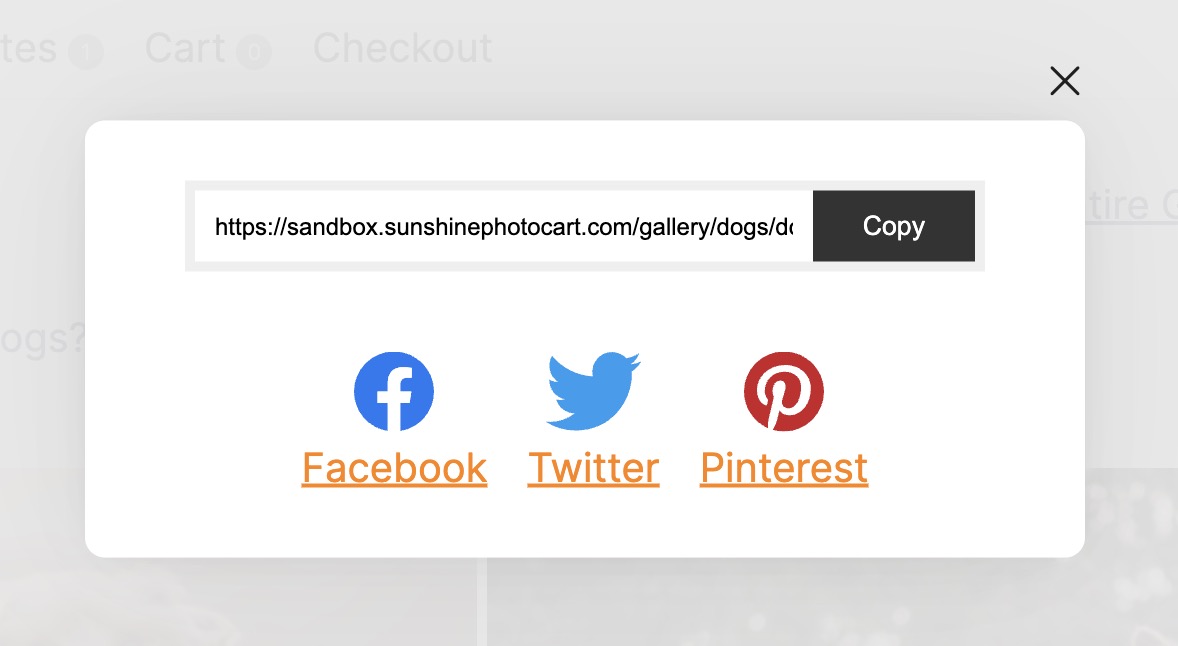
- Social sharing – Enable clients to share galleries and images on social media to increase exposure and drive more sales
- Automatic watermarking – Protect your images with watermarks automatically applied when images are uploaded to galleries
E-commerce & Sales Features
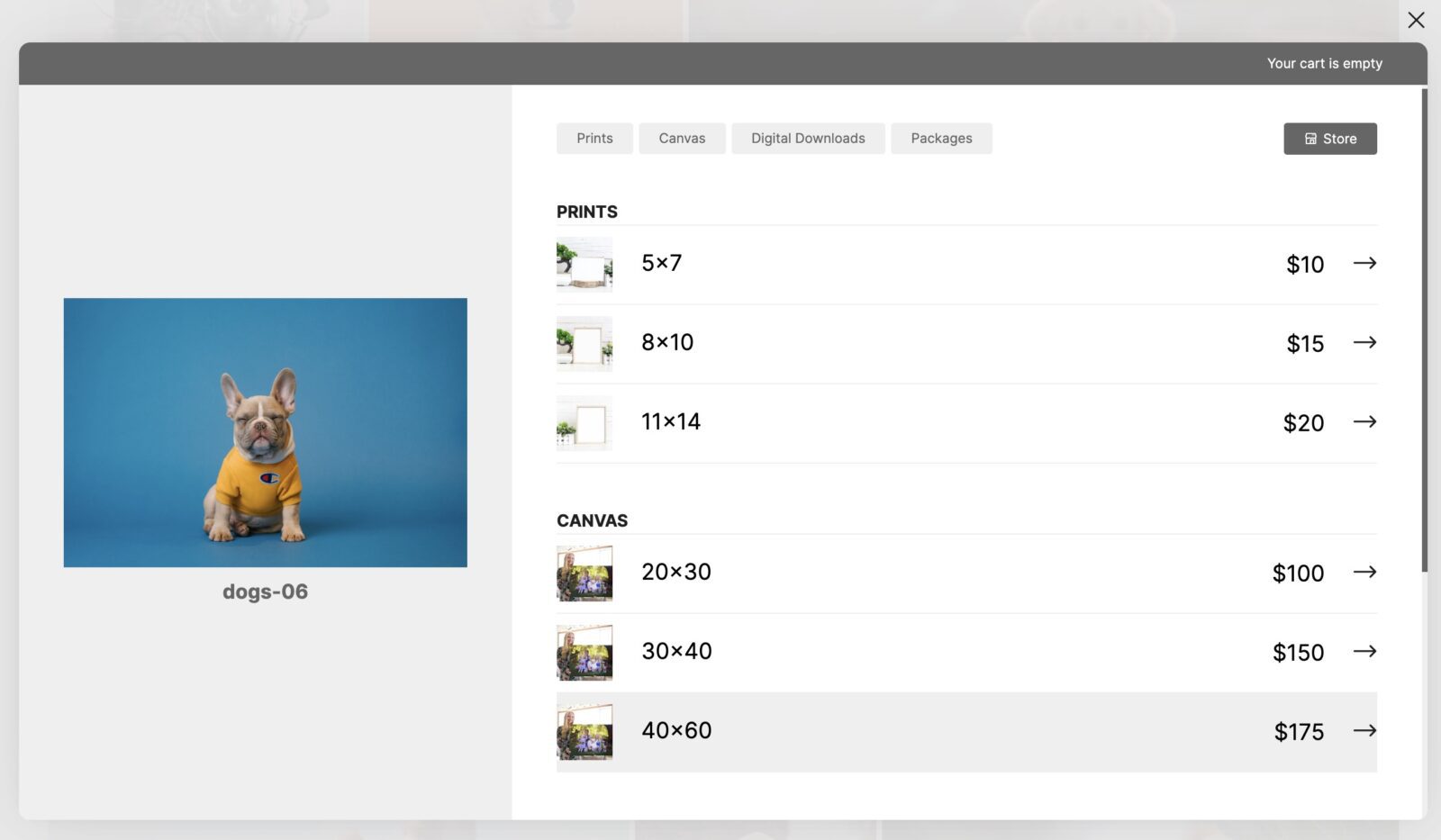
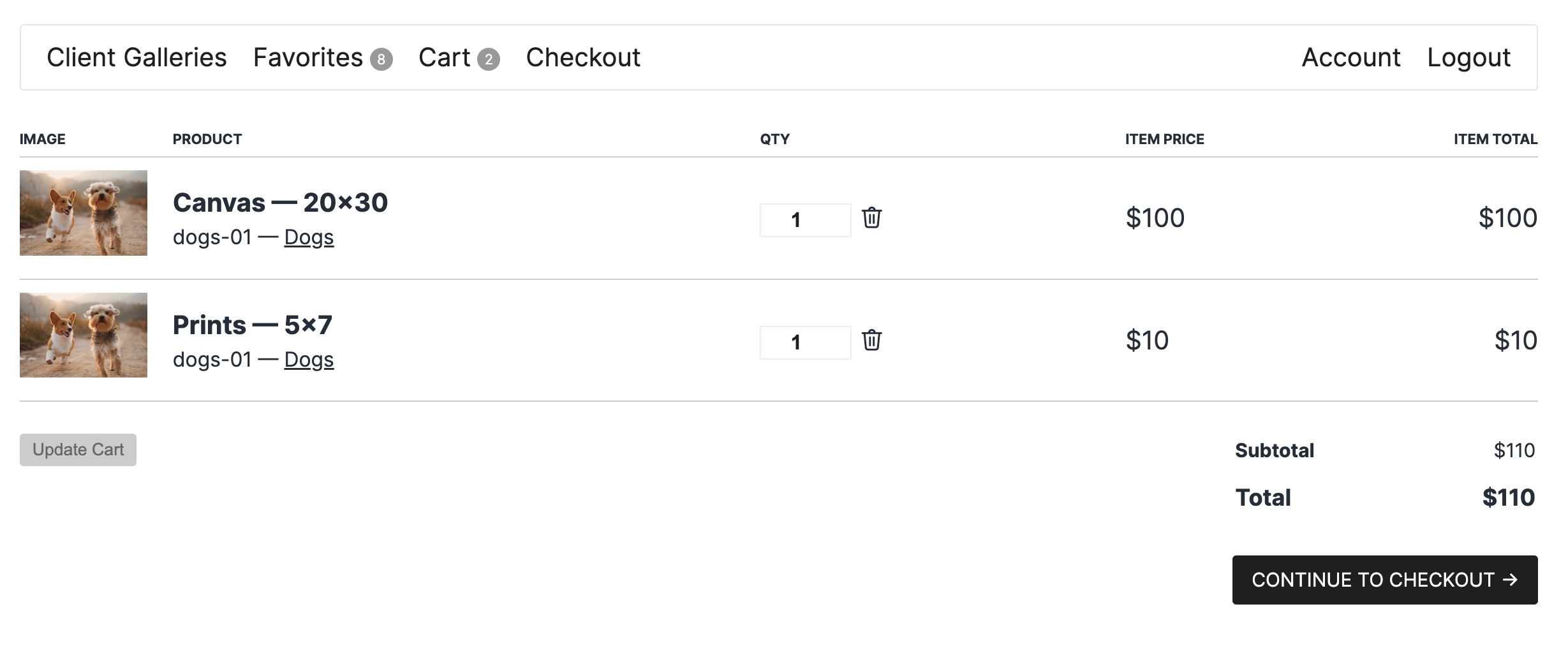
- Shopping cart system – Professional cart that lets clients select photos, choose products (prints, digital downloads, etc.), and add multiple items
- Multiple payment options – Accept offline payments (check) or online payments. PayPal is included free with the core plugin. Stripe and Square are also available in the free version (with 5% platform fees) or upgrade to remove fees.
- Registered or guest checkout – Choose whether to require user accounts or allow guest checkout for faster purchases
- Optimized checkout page – One-page checkout optimized for conversions with optional distraction-free experience to maximize sales
- Advanced tax settings – Set specific tax rules down to the zip or postal code level for precise tax calculations in your area
- Flexible shipping – Offer flat rate shipping, local delivery, or pickup options to meet your business needs
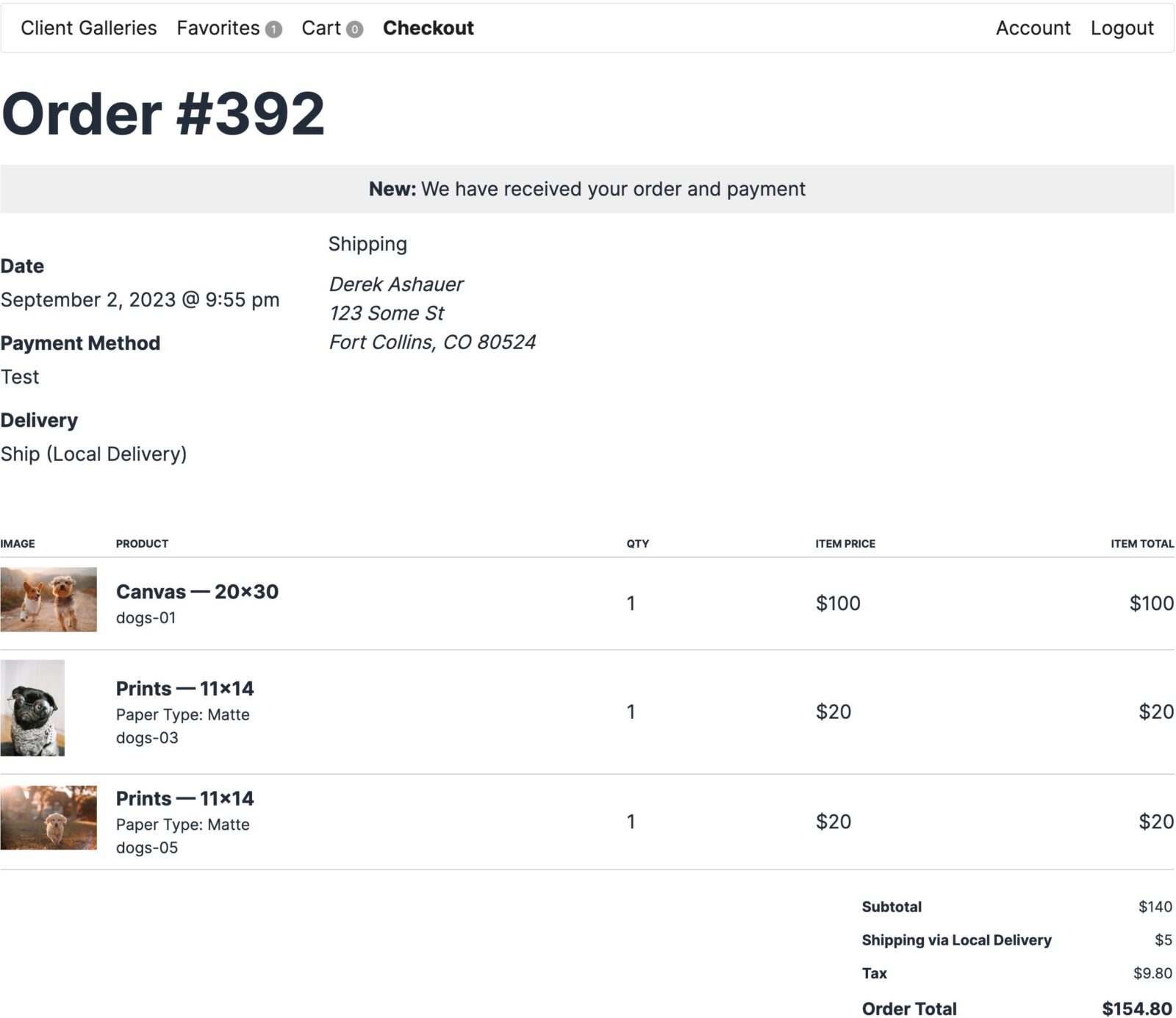
- Order management – Easy-to-use admin dashboard to track orders, manage customers, change order status, and notify clients of updates
- Printable invoices – Generate professional invoices for every order automatically
- No limits – Unlimited galleries, unlimited images, unlimited products, unlimited orders
Design & Integration
- Theme integration – Automatically integrates with your WordPress theme or choose from our beautiful design layouts
- FTP upload support – Upload hundreds of images quickly via FTP or use the convenient browser upload
- Mobile-responsive – Your client photo galleries look perfect on phones, tablets, and desktops
Payment Gateway Note: PayPal is included free with the core plugin—no fees, no add-on required! Stripe and Square are also available in the free version but are subject to 5% platform fees. Upgrade to remove these fees and unlock additional payment gateways.
Take Your Client Photo Galleries to the Next Level
The free core plugin offers everything you need to get started, but you can unlock even more powerful features with our add-ons. View all pricing plans
Essential Add-ons for Photo Sales
- Digital Downloads 📥 – Sell digital files at any size with instant, secure download access for your clients
- Discount Codes 🎟️ – Boost sales with flexible discount codes that encourage larger purchases
- Lightbox 🖼️ – Deliver a premium browsing experience with beautiful lightboxes and slideshows for your client photo galleries
- Price Levels 💰 – Set unique prices per gallery for complete pricing control and maximum profits
- Packages 📦 – Bundle products together to encourage larger orders and increase average order value
- Product Options ⚙️ – Offer customizable options like frames, paper types, and finishes to increase sales
- Advanced Analytics 📊 – Understand what sells best with detailed gallery analytics, best sellers, and profit insights
- Multi Image Products 🖼️ – Sell products like photo boxes or albums where clients select multiple photos
- Automated Emails 📧 – Send automated emails based on client gallery interactions to nurture relationships and drive sales
- Client Messaging 💬 – Simplify gallery invitations with professional message templates
- Session Fees 📅 – Offer bookable time slots with online payments and include products with your session fees
- Volume Galleries 📚 – Build hundreds of galleries in a quick, easy workflow perfect for school photographers and high-volume events
- Cloud Storage ☁️ – Offload images to Amazon S3, Google Cloud, or DigitalOcean Spaces for unlimited storage and faster delivery
- Gift Cards 🎁 – Sell gift cards that clients can redeem for prints and products in any gallery
- Minimum Order 🛒 – Set minimum order amounts to ensure every sale is worth your time
- Price List 📋 – Display your product pricing anywhere on your site with a simple shortcode
- Quantity Discounts 📉 – Reward bulk purchases with automatic volume discounts to increase order sizes
- Sell Anything 🛍️ – Sell products that don’t require a photo selection, like gift prints or studio merchandise
- Video Sales 🎬 – Sell video clips and slideshows alongside your photo galleries
- Exports 📤 – Simplify financial reporting and order fulfillment with effortless CSV exports of order data
Payment Gateways
Included Free:
* PayPal 💳 – Fully included in the free core plugin with no platform fees or add-on required!
Available in Free Version (with 5% platform fee):
* Stripe 💳 – Accept credit cards and all Stripe-supported payment methods. Upgrade to remove platform fees
* Square 💳 – Accept payments in-person or online. Upgrade to remove platform fees
Available with Add-ons (Pro/Plus plans):
* Authorize.net – Enterprise payment processing for businesses
* Mollie – European payment gateway with iDEAL support
* Mercado Pago – Popular payment gateway for Latin America
* Payfast – South African payment gateway
* Paystack – African payment gateway
* Quickpay – Danish payment gateway
View all payment gateways | Don’t see your payment option? Request it
Integrações
- MailChimp – Grow your email list automatically
- Campaign Monitor – Email marketing integration
- Light Blue CRM – Connect with popular photography CRM
View all add-ons and integrations | Request a new feature
Real Results from Real Photographers
Sunshine Photo Cart is trusted by thousands of wedding photographers, portrait photographers, school/sports photographers, and fine art photographers around the world. Read testimonials, view case studies, and see example sites to see how Sunshine has helped photographers just like you grow their business.
Instalação
Get your client photo gallery up and running in 5 minutes:
- Activate the plugin – Install and activate Sunshine Photo Cart from your WordPress admin
- Configure settings – Go to Sunshine > Settings to set up your business information, payment methods, and shipping options
- Create products – Add your print products (e.g., 8×10, 11×14, 16×20) or digital download options
- Create your first gallery – Upload images and create your first client photo gallery
- Start selling – Share your gallery with clients and start accepting orders with zero commissions! 💰
Watch our video tutorial or try our live demo to see Sunshine Photo Cart in action.
Log de Changes
3.8.2 – November 11, 2026
- New: Gallery terms. Visitors can be asked to agree to your terms before they see a gallery’s photos, such as not saving them or removing watermarks (Settings > Galleries > Gallery Terms, and a Terms option on each gallery). Sunshine keeps a record of who agreed, when, and to which wording, on the gallery and the customer’s screen. Guests also give their email when they agree, unless you turn that off. This discourages copying, but it can’t stop a screenshot
- New: A cropped copy made in Lightroom for a customer’s print order is never added to a gallery, even if it lands in a folder Sunshine checks for new photos or is uploaded by hand
- Fix: On sites where WP-CLI runs scheduled tasks, such as SiteGround with its Security plugin, a folder check no longer stops the next one from running for 10 minutes
- Change: Add-ons covered by your Pro, Plus or Basic plan now use the plan’s license key, and the Licenses screen lists them under the plan instead of asking for a key for each one. Older sites that still had a separate, expired key for each add-on switch over by themselves. Add-ons bought on their own keep their own key
- Fix: The license bar no longer says an add-on expired when the real problem is a wrong key or a different site. It names the problem and links to the Licenses screen
- Fix: Turning off one add-on no longer takes your site off your Pro, Plus or Basic license, which made every add-on show as unlicensed
- Fix: An expired license shows the date it really expired, not today’s date
- Fix: Turning an add-on back on keeps the key you bought it with, instead of always switching it to your plan’s key
- Fix: Pressing Activate on the Licenses screen only activates that one license, and a server error or firewall page no longer shows as a successful activation
- Fix: On sites with thousands of galleries, the Media Library could show “No media files found” on hosts that limit how long a database query can be, such as WP Engine
- Fix: Images added to a page, post or shop product no longer get extra copies at Sunshine’s gallery sizes, which nothing shows and which used up server space. Pick one as a gallery’s featured image and Sunshine makes its sizes then
- Change: With a Basic or Plus license, the Licenses screen still shows the Plus and Pro fields, so you can enter an upgraded key
- Dev: New filter sunshine_add_to_cart_meta and JavaScript event sunshine_add_to_cart_data let an add-on save its own data on a cart line from the product window. The data is in place before the cart looks for a matching line, so lines that only differ in it stay separate
- Fix: On phones, details add-ons show on a cart line, like the photos in a package, line up under the product name instead of slipping to the left edge
3.8.1 – November 5, 2026
- Security: Add-on updates are refused unless they’re signed by Sunshine Photo Cart, so a hacked update server can’t push a bad add-on to your site
- Change: Sunshine now needs WordPress 5.9 or newer. Image uploads did not work on older WordPress versions running PHP 7
- Change: Import from FTP folder also finds .jpeg and .png photos, the same as browser uploads, and works with folder names that have brackets
- New: Sunshine can check the folders your galleries were imported from for new photos, every hour, twice a day or once a day (Settings > Galleries > Check folders for new photos). Photos added later to a gallery’s FTP folder, or its cloud folder with the Cloud Storage add-on, are brought in by themselves. Photos are only ever added: one removed from the folder stays in the gallery, and one you delete from the gallery is not brought back
- New: Regenerating images for a gallery with sub-galleries asks whether to do the sub-galleries too
- New: Regenerate Images in the Bulk actions menu on the Galleries list, to regenerate several galleries at once
- Fix: Orders saved without their items on older databases (MySQL or MariaDB 5.5), which left the order screen, invoice and packing list empty
- Fix: Regenerate Images made full-size copies instead of the thumbnail and large sizes when Delay image processing was on, which made the watermark look small and centered
- Fix: A missing thumbnail or large size is made at its real size now instead of as a full-size copy of the original
- Fix: The watermark could land on a photo’s original file when its large size was missing. The original is never watermarked now
- Fix: Regenerate Images uses the original from cloud storage when the local copy was changed, such as by a watermark, so photos aren’t stamped twice
- Fix: A gallery photo with no large size shows its thumbnail or a placeholder to visitors, never its unwatermarked original
- Fix: Files saved by other scheduled tasks could land in a gallery’s folder after background image processing
- Fix: Regenerate Images run through the API makes only Sunshine’s watermarked sizes and keeps large photos at full size
- Fix: A whole-gallery purchase can be added to the cart from a main gallery whose photos are all in its sub-galleries
- Fix: With Polylang’s media translation on, galleries showed only the photos set to the visitor’s language and Load more stopped working. Galleries now show all their photos in every language
3.8 – October 21, 2026
- Security: Every payment method now confirms with the payment company that an order was really paid, in full, before the order is marked paid
- Security: Gallery photos, comments and sub-galleries follow the gallery’s access settings in more places, including feeds, sitemaps, sharing, favorites and the REST API
- Security: Visitors never get a photo’s original file, whatever image size a theme or plugin asks for
- Security: More checks on admin actions, settings and account changes, and limits on repeated login, gallery password, sharing and signup attempts
- Security: Connecting Stripe or Square no longer passes your keys through the browser. Square stores now keep and renew their own connection, and stores connected to Square the old way see a notice asking them to reconnect
- New: Admin Payment Problem email that tells you when a payment is declined, fails, or doesn’t match the order, or when an order is marked Failed. It’s off by default. Turn it on in the email settings, add who should get it, and pick which of those events send it
- New: Checkout tells the customer when an order is below the smallest amount a payment method accepts, like Stripe’s per-currency minimums, instead of failing at payment
- New: When a customer cancels or fails a payment on the payment company’s site, they come back to checkout to try again instead of a receipt page. Trying again reuses the same order
- New: Marking an unpaid order paid by hand now finishes it the same way checkout does: store credit, discount code uses, gift cards, stock and the receipt email
- New: Importing from an FTP folder now brings in as many photos as it can in each request instead of one at a time, which makes large imports several times faster
- New: While photos are being imported, Sunshine loads only itself, its add-ons and the plugins an import needs (cloud storage and code snippet plugins), so other plugins don’t slow down every photo. The rest of your site loads normally. This is done by a small file Sunshine adds to your must-use plugins, which is removed if Sunshine is deactivated. If an import ever stops because it needed one of the plugins it left out, imports go back to loading every plugin until your plugins or theme change
- Change: Cart, checkout and saved orders now work out every total in one place, so discounts, tax, fees, gift cards, store credit and shipping add up the same everywhere
- Change: Saved orders keep exactly what was charged for each line, even if prices or tax rates change later
- Fix: Orders paid on another site (Mollie, PayFast, Paystack, QuickPay, Systempay, Mercado Pago, PayPal Standard, Stripe’s hosted page) now finish fully, including gift card balances, bought gift cards, session bookings and stock
- Fix: Paying another way while a payment on another site is still open makes a new order, so the first payment can’t pay twice for the same order
- Fix: A discount code no longer lowers the tax twice when shipping is taxed, so the right tax is charged
- Fix: With discounts applied after tax, the discount no longer also lowers the tax when the order is placed
- Fix: A fixed amount discount can’t be worth more than the order, and lowers the tax only by its share on taxed items
- Fix: A discount that includes shipping no longer lowers the tax when shipping isn’t taxed
- Fix: A percent discount on the order and shipping still comes off shipping when the items cost nothing
- Fix: A discount code limited to a number of each product no longer takes off more than that number
- Fix: Discount codes no longer take money off gift card purchases, and gift cards are never taxed
- Fix: A discount code’s minimum order amount counts the tax inside prices that include tax
- Fix: A tax of exactly one cent is now charged instead of dropped
- Fix: Tax rates set by ZIP or postcode now match with any state, a ZIP+4 code matches a ZIP range, 0% rates are kept, and the billing address is used once nothing is being shipped
- Fix: Store credit keeps its cents, is given back once when an order is refunded or cancelled, and shows as money off on invoices and emails
- Fix: A percent payment method fee is now worked out on what’s left to pay after a gift card
- Fix: Shipping prices and Extra Shipping Cost read decimal commas correctly (4,95 no longer charges 4.00), the Price Type setting works for Local Delivery and Pickup, and items that don’t ship add no Extra Shipping Cost
- Fix: Product prices saved with a decimal comma no longer turn into a much larger price when the product is saved again, and Bulk Edit only changes the price levels you typed in
- Fix: Negative amounts put the minus before the currency sign
- Fix: Stripe’s hosted checkout page now charges exactly the order total, including with gift cards, store credit, discounts after tax and taxed shipping, and works after switching Stripe accounts or between test and live mode
- Fix: Returning from Stripe’s hosted checkout page with the cancel link now cancels the payment
- Fix: Square and PayPal now charge and refund the exact order total, including currencies without cents, and show gift cards as a discount
- Fix: Refunds and refund notes use the order’s own currency, and a failed PayPal refund shows PayPal’s reason
- Fix: A partial refund through Stripe, Square or PayPal no longer marks the order Refunded, and no longer puts back gift cards, store credit or stock
- Fix: The Dashboard, Reports, summary email and customer “total spent” count refunds and partly refunded orders the same way
- Fix: Report date buttons use the store’s time zone, and the All time chart shows every month
- Fix: An order that needs an account can’t be placed as a guest
- Fix: The guest cart now carries over on every login form, not only the login popup
- Fix: A text product option left empty is no longer saved or charged
- Fix: Saving an order no longer stops on a photo that was deleted while it sat in the cart
- Fix: Changing the quantity of one cart item no longer changes a matching item added at the same moment
- Fix: Order status emails show each line’s full tax
- Fix: The default price level is the one marked default, not the first by name
- Fix: Updating Sunshine adds back any order status your store is missing that checkout and payments need
- Fix: Order lines can have quantities over 255, and loading an order’s items is faster on large stores
- Fix: Account-only galleries and galleries inside protected galleries are left out of Rank Math and SEOPress sitemaps
- Fix: Add-on downloads and license checks work on sites with “localhost” in the address
- Fix: Emails no longer show a PHP 8.2 deprecation notice
- Fix: Importing into a gallery that already has thousands of photos no longer gets slower with every photo added
- Fix: A gallery whose cover photo has no recorded size now shows a normal tile in the justified layout instead of a broken one
- Fix: Regenerating images now gives each new thumbnail and large image its own new file name, the same as an upload. Browsers could keep showing the old copy because the address never changed
- Fix: Regenerating images now removes the old thumbnail and large image files instead of leaving them behind on the server
- Fix: Regenerating images now uses your Image Quality setting for every size, not just the watermarked large image
- Fix: Tools > Install process no longer turns your emails back on or resets who receives the admin emails
- Fix: The Sunshine log now notes when an order status can’t be set, like when that status has been deleted
3.7.5 – October 13, 2026
- Security: Visitors can no longer see photos from a gallery they don’t have access to, like a password-protected or private gallery, through the share, add to cart, or product options windows
3.7.4 – October 9, 2026
- New: Each tax rate can have a name, like GST or VAT, that shows in place of “Tax” on the cart, checkout, order pages, emails and invoices. Picking a country on a tax rate fills in the usual name for that country, and rates without a name keep showing “Tax”
- New: Packages can be added from “Add all to cart” on the Favorites page. One package goes in the cart, and the customer then picks a photo for each item in it, starting from their favorites
- Fix: Invoices no longer list tax on its own line when prices are displayed with tax included, so the totals add up. The order total now says how much tax it includes, the same as the order page and emails
- Security: Visitors can no longer use the favorites share link to send harmful data to the site
- Security: Visitors can no longer post image comments in a gallery they don’t have access to, like a password-protected or private gallery. Thanks to Raphael P. Cigana for reporting this
- Fix: Downloading a very large Sunshine log or PHP error log could crash the site with a memory error
- Fix: Gallery cover photos smaller than 1800px no longer cause PHP warnings in the Media Library list view
- Fix: A free shipping method set to “Via Discount” now stays selected at checkout instead of the shipping step reopening with nothing chosen
- Fix: Stripe orders now move to New as soon as checkout confirms the payment, even with a webhook signing secret filled in. Before, they stayed on Pending until Stripe’s webhook arrived, and stayed there for good if it never did
- Fix: An order can no longer be completed twice when checkout and a payment webhook both finish it, which could send the receipt emails twice and count a discount code twice
- Fix: Customers who take more than 15 seconds to approve a Stripe payment with their bank no longer see an error while they’re still approving, and the order is no longer marked Failed in the meantime. Checkout now shows a note that it’s still waiting on the bank
3.7.3 – October 1, 2026
- New: A “Refresh photo details” button on the gallery edit screen reads the keywords, title, caption and photo date from your original files for photos already in that gallery and its sub-galleries, so galleries imported before this update can be searched by keyword
- Fix: Viewing a gallery no longer gives a guest a session cookie, so galleries can be served from a page cache until the visitor adds to their cart, saves a favorite, or enters a gallery password. The cart’s “Return to gallery” link still points to the gallery the item came from
- Fix: The “Set your password” link in new account emails, including accounts created during bulk gallery creation, and password reset links showed the login/register screen instead of the new password form on sites where the account URL settings had never been saved
- New:
sunshine_cart_item_tax_ratefilter to charge a different tax rate on individual cart items, such as a reduced VAT rate on some products - Tweak: Renamed the Privacy settings tab to Privacy & Data, and the Data tab to Usage Tracking
- Fix: When the watermark image file is missing from the server (for example after it was moved to cloud storage), an admin notice now says new images aren’t being watermarked, and the Sunshine log records each image that was skipped. Before, images were processed without a watermark and nothing said so
- Fix: A license check that got back a page that wasn’t license data, such as a firewall or maintenance page, no longer wipes the saved license status and expiration for every addon, and no longer logs PHP warnings
- Fix: Pickup no longer adds products’ Extra Shipping Cost to its price. Since 3.6.10, a Pickup set to 0 could charge the extra cost for each large item in the cart
Capturas de tela


Para desenvolvedores
Este é o seu plugin? Mostre os números.
Adicione um crachá ao vivo ao seu site, Documentos ou Readme do GitHub. Ele é atualizado por conta própria - nenhuma conta necessária.
FAQ
Sunshine Photo Cart: quick answers
Respostas diretas, extraídas de dados ao vivo WordPress.org.
Fonte: WordPress.org
Is Sunshine Photo Cart free?
Yes. Sunshine Photo Cart is free to download and use from the official WordPress.org plugin directory. The developer also sells premium add-ons or a Pro version with extra features.
Is Sunshine Photo Cart safe to use in 2026?
Yes — Sunshine Photo Cart is a safe, well-maintained plugin to use in 2026. It runs on 1K+ sites, is rated 4.7/5 and was last updated 2 weeks ago, and scores 90/100 on our health check.
How many websites use Sunshine Photo Cart?
Sunshine Photo Cart is active on 1K+ WordPress websites and has been downloaded 237,462 times since it launched in August 2015. It was downloaded 4,759 times in the last 30 days.
Does Sunshine Photo Cart work with WordPress 7.1?
Yes. The developer has tested Sunshine Photo Cart up to WordPress 7.1.5, the latest release. It requires WordPress 5.9 or newer.
What PHP version does Sunshine Photo Cart need?
Sunshine Photo Cart requires PHP 7.4 or higher. Most hosts run PHP 8.x today, so it works on any modern WordPress hosting.
When was Sunshine Photo Cart last updated?
The latest version, 3.8.2, was released on November 11, 2026 (2 weeks ago).
Who makes Sunshine Photo Cart?
Sunshine Photo Cart is developed and maintained by sunshinephotocart.
Alimentado por PageForge
Um modelo e uma planilha. Uma página real para cada pesquisa.
PageForge Transforma cada linha de um CSV em uma página WordPress com seu próprio título, URL, SEO campos e esquema, construído no layout que você já desenhou. Gratuito em WordPress.org.
- CSV e XLSX, mais Google Sheets em Profissional e Empresarial
- Seu próprio título, URL, SEO campos e esquema para cada página
- Funciona com o editor de blocos, Elementor, Divi e Avada
- Gratuito em WordPress.org, sem cartão de crédito