

Sticky Copy Button for Code Blocks
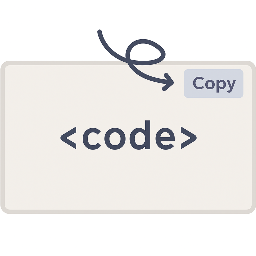
Adds a floating "Copy" button to every code block, with extensive styling options, optional line numbers, max-height control, and custom CSS support.

Escolha sólida
Sticky Copy Button for Code Blo… is a solid plugin choice in 2026, with a few things worth checking first. It runs on 60+ sites, is rated 4.5/5 and was last updated 4 days ago, and scores 74/100 on our health check.
- Desenvolvido ativamente — última atualização 4 dias atrás
- Testado com as últimas WordPress (7.1)
- Base de usuários pequenas (mais de 60 instalações ativas)
- Muito poucos comentários até agora
Como ele se acumula?
Lado a lado em instalações, atualizações, avaliações e suporte


Downloads diários
Os picos de download geralmente seguem uma nova versão — cada site que atualiza automaticamente é um download.
Rankings
Where Sticky Copy Button for Code… stands todayWordPress.org Classificações de pesquisa
Posição ao vivo na pesquisa de plugins, top 100| Palavra chave | Posição |
|---|---|
| button | >100 |
| code | >100 |
| copy | #27 |
| copy button | #11 |
| line-numbers | #18 |
Adoção da versão
Compartilhamento de sites ativos por lançamento.
Divisão de classificação
★★★★★★★★★★ 4.5 from 2 reviews
About Sticky Copy Button for Code Blocks
From the official readme · v1.6.0Descrição
Sticky Copy Button for Code Blocks automatically adds a floating copy button to each <pre><code> block on your website.
It provides convenient front-end copying for developers, readers, and tutorial users.
Recursos
This plugin is light, fast, and highly customizable:
- Adjustable button position (up/down and left/right)
- Customizable labels (“Copy” / “Copied”)
- Adjustable font size
- Background color, text color, or transparent mode
- Max-height option for large code blocks (with scroll support)
- Optional line numbers (simple native implementation)
- Custom CSS that is safely sanitized
No dependencies such as Prism or Highlight.js are required.
Detailed Settings Guide
The following explains every option in the plugin settings page.
1. Button Position
Adjust vertical position (top offset in px)
Moves the button up or down relative to the top of the code block.
Use positive or negative values to fine-tune vertical alignment.
Adjust horizontal position (right offset in px)
Moves the button left or right by adjusting how far it sits from the right edge of the code block.
Use positive or negative values to fine-tune horizontal alignment.
These values help fine-tune button alignment to avoid overlapping with theme elements.
2. Button Text and Behavior
Copy button label
The label shown normally (default: “Copy”).
Label after copying (2 seconds)
Once the text is copied, the button temporarily displays this label.
Default: “Copied”.
3. Button Size
Button size (8–36 px)
Controls the font size of the button.
Padding is automatically adjusted based on this value.
4. Button Colors
Button text color
Hex color of button text.
Button background color
Hex background color.
When copying, the plugin automatically swaps the text and background colors for visual feedback.
However, if the background is transparent, only the text color is swapped.
Always transparent background
If enabled:
– The button background always becomes transparent.
– Only text + border remain visible
5. Code Block Max Height
Enable
Must be checked for the value to apply.
Code block max height (px)
Sets a maximum height (minimum: 100px).
Content taller than this becomes scrollable.
This prevents long code blocks from stretching your page layout.
6. Display Line Numbers
Display Line Numbers (Enable)
Shows simple line numbers next to each line. You can also fine-tune the position of the line numbers (offset adjustment is available).
Notes:
– Line height is unified for consistency.
– Theme-specific code styling is preserved.
– Line wrapping is forcibly disabled.
This is a built-in lightweight alternative to syntax-highlighter libraries.
7. Custom Styles (CSS)
You can add any custom CSS to adjust:
- Button design
- Wrapper layout
- Code spacing
- Line number appearance
Optionally, you can enable “Add !important to CSS declarations automatically” to force your custom styles to take effect even when the theme’s CSS has higher specificity.
Usable Selectors (CSS) :
- .copy-code-btn → The copy button
- .copy-code-btn.copied → The button after Copying
- .code-block-wrapper → Wrapper of the code block (position: relative)
- .code-block-wrapper pre → Inner code text area (the
<pre>element) -
.line-numbers → The container holding the line numbers
-
Example:
.copy-code-btn {
font-family: "Comic Sans MS", cursive;
font-weight: 700;
border: none;
}
Donate
If you find this plugin useful and would like to support its development,
you can make a voluntary donation via PayPal.
Your support helps keep this plugin maintained and improved.
Thank you!
PayPal: https://www.paypal.me/Kasuga16
Instalação
-
Upload via WordPress Dashboard:
– In your WordPress dashboard, go to ‘Plugins’ → ‘Add New’.
– Search for “stick-copy-button-codeblock” and click ‘Install Now’.
– Click ‘Activate’ once the installation is complete.
– (Optional) Go to ‘Settings’ → ‘Stick Copy Button’ to configure options. -
Manual Installation via FTP:
– Download the plugin’s zip file and extract it.
– Connect to your server via FTP and navigate to the “wp-content/plugins/” directory.
– Upload the extracted “stick-copy-button-codeblock” folder to this directory.
– Go to ‘Plugins’ in your WordPress dashboard and activate the plugin.
– (Optional) Go to ‘Settings’ → ‘Stick Copy Button’ to configure options.
Log de Changes
1.6.0
- Refactored CSS settings for broader theme compatibility.
- Improved stability of line number display.
- Added line number offset adjustment option.
- Added automatic !important appending feature for custom CSS.
1.5.1
- Minor fix to the conditional script loading logic introduced in 1.5.0.
1.5.0
- Load scripts only when code blocks are detected.
1.4.0
- Added an option to display line numbers.
- Correções de bugs menores.
- Updated readme.txt.
1.3.0
- Changed the method for limiting code block height from line count to pixel-based sizing.
- Correções de bugs menores.
1.2.0
- Added support for limiting code block height by line count.
- Added a Custom CSS option, allowing users to apply their own CSS to style the copy button or code blocks.
Capturas de tela


Para desenvolvedores
Este é o seu plugin? Mostre os números.
Adicione um crachá ao vivo ao seu site, Documentos ou Readme do GitHub. Ele é atualizado por conta própria - nenhuma conta necessária.
Best Sticky Copy Button for Code B… alternatives
All button plugins →




FAQ
Sticky Copy Button for Code Blocks: quick answers
Respostas diretas, extraídas de dados ao vivo WordPress.org.
Fonte: WordPress.org
Is Sticky Copy Button for Code Blo… free?
Yes. Sticky Copy Button for Code Blo… is free to download and use from the official WordPress.org plugin directory.
Is Sticky Copy Button for Code Blo… safe to use in 2026?
Sticky Copy Button for Code Blo… is a solid plugin choice in 2026, with a few things worth checking first. It runs on 60+ sites, is rated 4.5/5 and was last updated 4 days ago, and scores 74/100 on our health check.
How many websites use Sticky Copy Button for Code Blo…?
Sticky Copy Button for Code Blo… is active on 60+ WordPress websites and has been downloaded 1,595 times since it launched in August 2025. It was downloaded 208 times in the last 30 days.
Does Sticky Copy Button for Code Blo… work with WordPress 7.1?
Yes. The developer has tested Sticky Copy Button for Code Blo… up to WordPress 7.2, the latest release. It requires WordPress 5.0 or newer.
What PHP version does Sticky Copy Button for Code Blo… need?
Sticky Copy Button for Code Blo… requires PHP 7.4 or higher. Most hosts run PHP 8.x today, so it works on any modern WordPress hosting.
When was Sticky Copy Button for Code Blo… last updated?
The latest version, 1.6.0, was released on November 26, 2026 (4 days ago).
Who makes Sticky Copy Button for Code Blo…?
Sticky Copy Button for Code Blo… is developed and maintained by Kasuga.
What are the best alternatives to Sticky Copy Button for Code Blo…?
The most popular alternatives to Sticky Copy Button for Code Blo… are AddQuicktag (100K+ installs), WP Edit (40K+ installs) and Forget About Shortcode Butt… (20K+ installs).
Alimentado por PageForge
Um modelo e uma planilha. Uma página real para cada pesquisa.
PageForge Transforma cada linha de um CSV em uma página WordPress com seu próprio título, URL, SEO campos e esquema, construído no layout que você já desenhou. Gratuito em WordPress.org.
- CSV e XLSX, mais Google Sheets em Profissional e Empresarial
- Seu próprio título, URL, SEO campos e esquema para cada página
- Funciona com o editor de blocos, Elementor, Divi e Avada
- Gratuito em WordPress.org, sem cartão de crédito