


STAGGS – Product Configurator Toolkit
A complete toolkit to build stunning product configurators in WordPress and WooCommerce. Boost sales and increase user engagement.

Escolha segura
Yes — STAGGS is a safe, well-maintained plugin to use in 2026. It runs on 400+ sites, is rated 5/5 and was last updated 2 days ago, and scores 91/100 on our health check.
- Amado pelos usuários — 5/5 de 27 avaliações
- Desenvolvido ativamente — última atualização 2 dias atrás
- Testado com as últimas WordPress (7.1)
- Momentum — downloads up 116.4% vs the previous 30 days
- Base de usuários pequenas (mais de 400 instalações ativas)
Como ele se acumula?
Lado a lado em instalações, atualizações, avaliações e suporte



Downloads diários
Os picos de download geralmente seguem uma nova versão — cada site que atualiza automaticamente é um download.
Rankings
Where STAGGS stands todayWordPress.org Classificações de pesquisa
Posição ao vivo na pesquisa de plugins, top 100| Palavra chave | Posição |
|---|---|
| 3D Configurator | #2 |
| AR | #17 |
| cpq | #1 |
| Product Configurator | #2 |
| product customizer | #28 |
Adoção da versão
Compartilhamento de sites ativos por lançamento.
Divisão de classificação
★★★★★★★★★★ 5 from 27 reviews
About STAGGS – Product Configurator Toolkit
From the official readme · v3.4.1Descrição
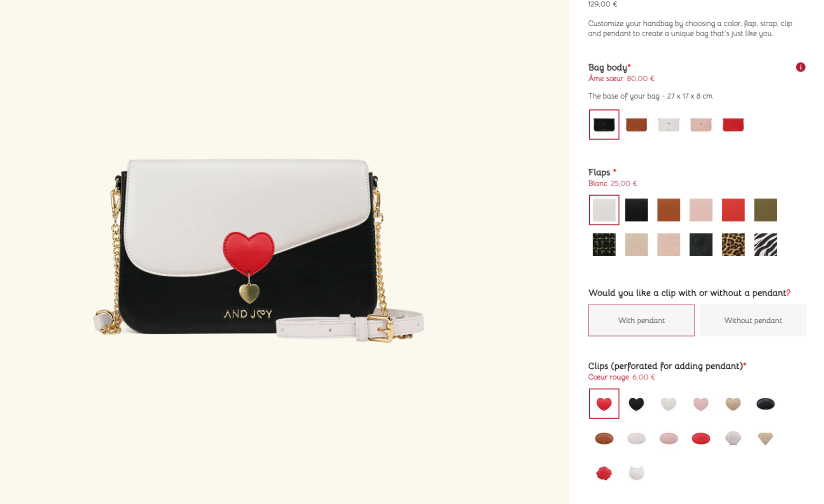
The STAGGS – Product Configurator Toolkit has everything you need to create stunning product configurators in WordPress and WooCommerce, right from your WordPress dashboard! The visual product configurators included 2D or 3D rendered images. The PRO version allows you to upload 3D GLB and GLTF models for the complete visual experience, including AR support.
The product configurator plugin comes with stunning pre-built templates that you can use and customize to make your own! Apply your own brand logo, fonts, colors and icons to make the configurator truly yours.
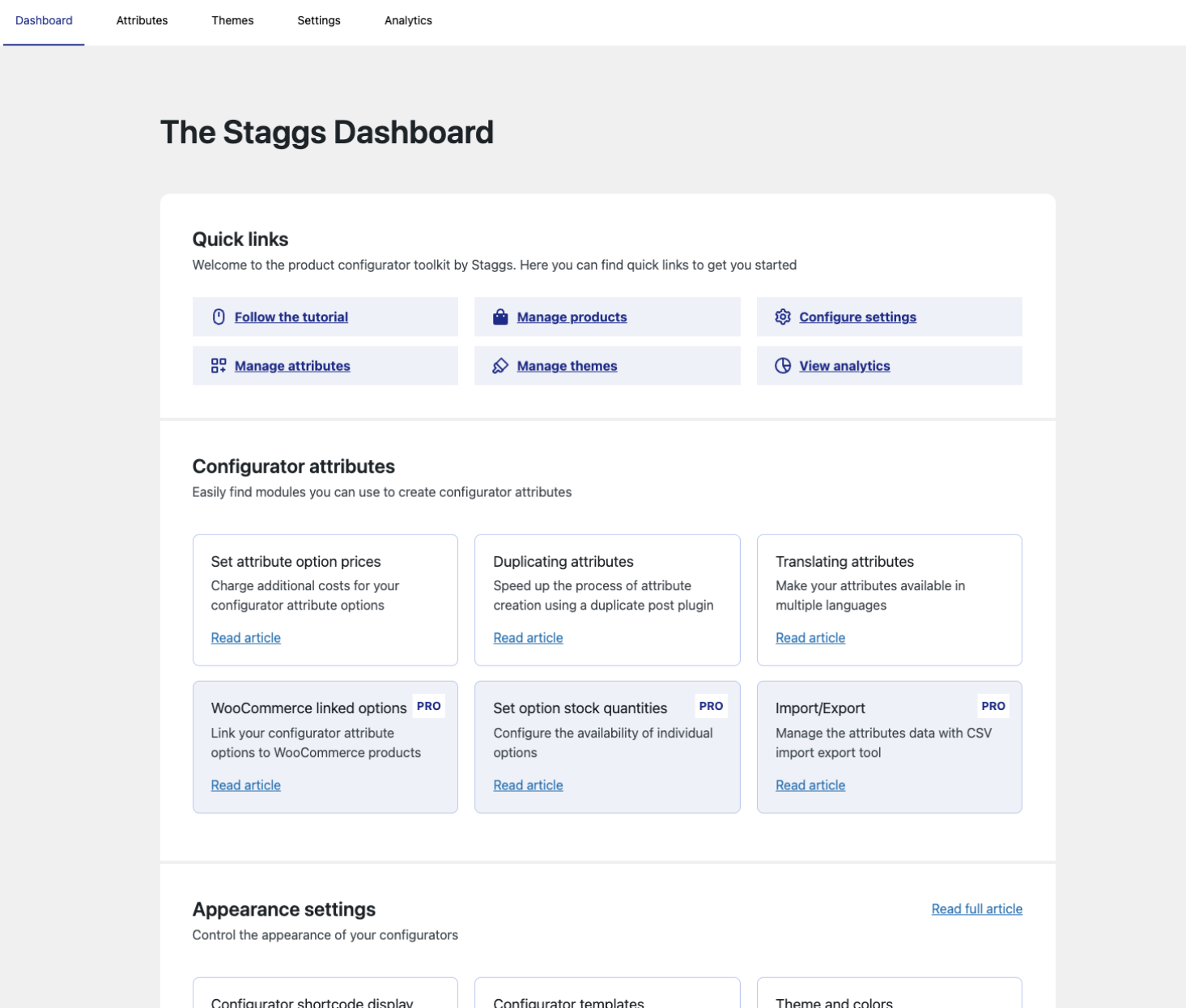
Getting started is really simple: create attributes, create a theme and build your configurable product.
👉 Interactive Guide: Get started using our guided tutorial
👉 Official Demo Links: Try out multiple Staggs configurator demos
👉 Learn More About Staggs (PRO): All the features of the Staggs product configurator
PRODUCT CONFIGURATOR FOR WOOCOMMERCE
If you have WooCommerce installed, you can create any configurator you like based on WooCommerce Simple products. Simply check the box ‘Enable Staggs Product Configurator’ and you can start building your configurator using the attributes and template.
With WooCommerce installed, you can use the WooCommerce checkout system to let the customer directly pay at checkout.
Read more about product configurators for WooCommerce
PRODUCT CONFIGURATOR FOR WORDPRESS
You can use the Staggs product configurator in WordPress too! WooCommerce is not required. In WordPress, you can build any configurator you like.
We have created our own build-in product type for WordPress that you can use to create product configurators.
Learn how you can build a product configurator in WordPress
Note: there is no checkout system, so you can only create product configurators on a request quote basis using forms. You can also let customers directly send emails with the configured values.
CUSTOM PRODUCT FIELDS FOR WOOCOMMERCE
With STAGGS you don’t have to create full-fledged product configurators. You can also extend your simple products with custom product fields.
Learn more about Product add-ons for WooCommerce by Staggs
PLUGIN FEATURES
The STAGGS Product Configurator Toolkit is packed with a lot of features:
- Stackable images: stack images on top of each other so you don’t have to create all possible variation product images yourselves
- Multiple product views: display your product from multiple angles
- Real-time price calculation: Charge additional costs for attribute options
- Collapsible attributes: Reduce configurator space by making your configurator attributes collapsible
- Configurator builder: easily create configurable products with attributes using our product configurator builder
- Customizer: make the product configurator truly blend in with the webshop. Customize the configurator template, colors, fonts, icons and apply custom CSS
- Shortcodes: Output your Staggs configurator anywhere on the product page you like
- Request quotes: link the configurator to a form (support for GravityForms, Contact Form 7, WP Forms, Ninja Forms and Fluent Forms)
- Contact via email: Directly open email client with selected configuration for inquiries
- Partial payments: Only charge a part of your total configuration costs at checkout
- Multi-language support: Translate your Staggs attributes into multiple languages
- Analytics: Track your most popular product configurations in the Staggs Analytics module
5+ ATTRIBUTE TYPES
The configurator supports various types of attributes, including labels, user inputs, colors, fonts, links and even linked products.
10+ CUSTOM ATTRIBUTE FIELD TYPES
The different attribute types can be paired with a display template to control how the options or inputs appear in the configurator form:
- Dropdown
- Option list
- Cards
- Image swatches
- Color swatches
- True/False
- Checkboxes
- Button group
- Text inputs
- Date input
- Number inputs
- Image upload (PRO)
- Related products (PRO)
PRO FEATURES
Our PRO features include:
- Conditional logic: Add conditional logic to your configurator attributes
- Inventory management: manage your inventory for individual attribute items
- Linked products: allow users to link WooCommerce products to your attribute options
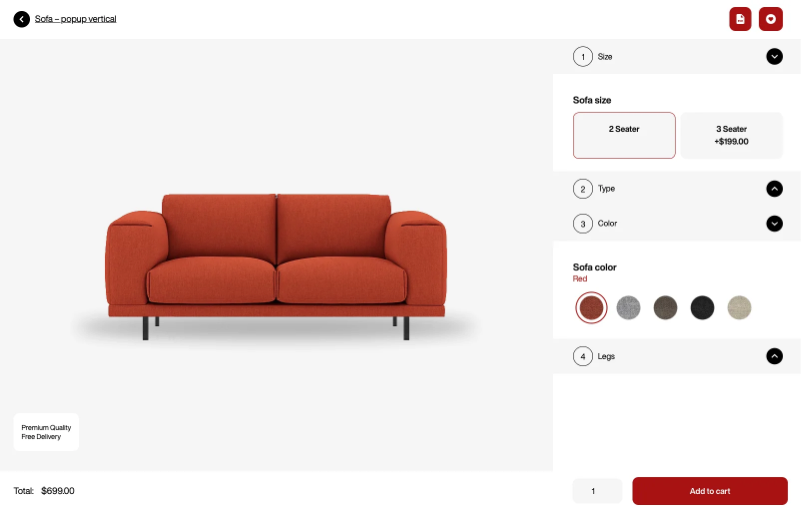
- Multi-step configurator: Split up your configurator form into steps
- Advanced price calculations: Perform advanced price calculations based on formula’s and table prices
- Sharable links: Share active configuration as a link
- PDF downloads: Download active configuration as PDF
- Additional templates: horizontal popup and stepper template
- Image uploads: allow users to upload images and use preview in product image
- Related products add-on: allow users to add WooCommerce products to your configurable product
- Build 3D configurators: Use 3D product models in the product configurator (GLB and glTF)
- Change texture, color and variant of the 3D model
- Show/hide particular 3D model parts
- Update 3D camera zoom on option update
- Play 3D model animations
- Apply text or images
- AR view support
- Import/Export Tool: Easily import and export product attributes and edit attribute data in a sheet editor for convenient management
PRE-BUILT CONFIGURATOR TEMPLATES
The configurator plugin comes with four pre-built configurator templates for free
CUSTOM BLOCK FOR BLOCK THEMES
The STAGGS configurator plugin comes with its own Gutenberg Block to add product configurator to your page. You will find the block in the Media category.
Simply add the block to the page, select your configurable product and update the page. Now the configurator should be displayed.
SHORTCODE SUPPORT FOR PAGE BUILDERS
If you are using a page builder, you can use the following shortcodes to output the configurator on product pages:
[staggs_configurator]to display complete configurator code;[staggs_configurator_popup_button]to display the popup trigger button (the popup is not visible by default).
You can also choose to ‘design’ your own template, using each of the following shortcodes:
[staggs_configurator_gallery]to display configurator image gallery;[staggs_configurator_form]to display the form containing all option groups and values;[staggs_configurator_totals]to display the add to cart or request invoice button;
Learn how to display the product configurator in page builders
Note: you can also use shortcodes on regular posts and pages, but you have to pass the product id as a parameter to the shortcode, like this: [staggs_configurator product_id="POST_ID"]
You can find the POST_ID in your URL: post.php?post=[POST_ID]
3-STEP SETUP
Getting started with the Staggs product configurator is simple and straight forward:
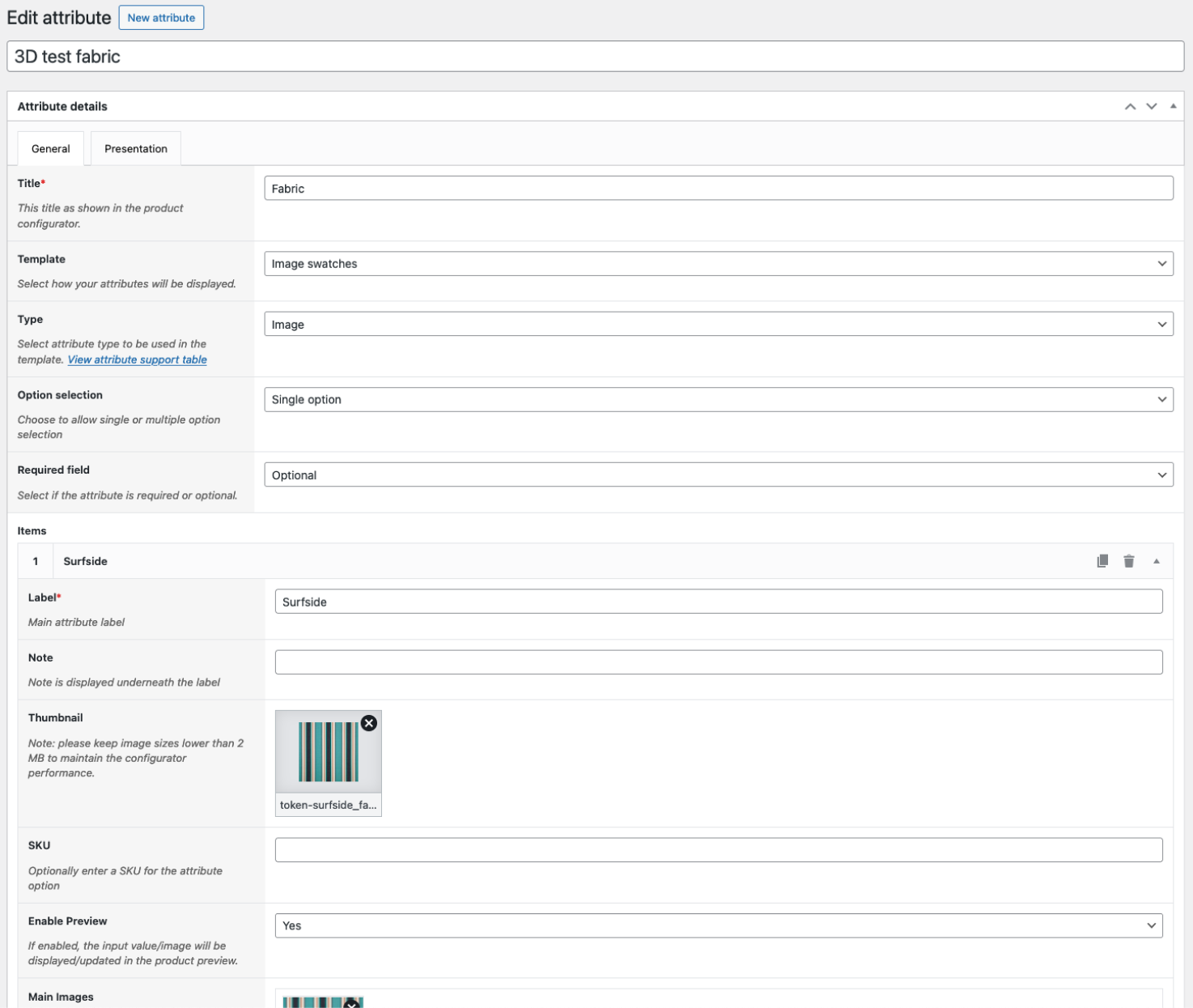
- Create your configuration attributes;
- Build your configuration using the created attributes on the product page;
- Change the configurator design by adding a template.
RESPONSIVE DESIGN
The Staggs product configurator templates are fully responsive and are embedded directly onto the page.
You can build your configurator right from your WordPress dashboard and the configurator loads directly on the page. No need for embedded iframes.
IMPROVED PRODUCT VISUALIZATION
The Staggs product configurator can help you visualize changes in the product in multiple ways. You can add regular images that stack upon each other, display the image from multiple angles using multiple gallery images, use 3D rendered images of a product, or maximize the visualizations by creating a 3D configurator with AR support!
STACKABLE IMAGES
Save countless hours creating and uploading images for all of your product variations. Simply use our layered image preview that stacks all the images on top of each other. You even have control over where the image should go: always on top, at the bottom or maybe on layer four. You are in full control of how the product preview is going to look!
SUPPORT FOR 3D CONFIGURATORS & AR MODE
The Staggs product configurator comes with a lot of different visualization options. One of the PRO features is the support for 3D models and AR views.
If you are looking for ways to take your product visualizations to the next level, you can create a 3D product configurator in WooCommerce with Staggs!
WORKS WELL WITH OTHER PLUGINS
We have added support for various other WordPress plugins, and we will keep expanding the list. Plugins we support at the moment of writing:
- Advanced Custom Fields PRO: Supercharge your Staggs admin panel with ACF PRO fields
- Contact Form 7, Gravity Forms, WP Forms, Ninja Forms and Fluent Forms: link configurator to a form to request quotes
- Yoast Duplicate Post: Duplicate attributes to speed up your configurator building process
- WPML and Polylang: Translate configurator attributes
- Deposit & Partial payments: Charge a partial amount of the total configuration costs at checkout
- TablePress: manage price tables for attributes (pro version)
Find complete list on our website.
BUILT-IN ANALYTICS MODULE
The best way to get to know your customers is to find out what they like most. The Staggs product configurator comes with a built-in analytics module that collects all the configurable products from the WooCommerce orders, so you get more insights in your customers. Note: this feature is not available for WordPress-only installations.
A RELIABLE GROWING PLATFORM
We have scheduled monthly updates to ensure the plugin stays up-to-date with the latest developments in the WordPress environment. You can read more about the latest updates on our updates page.
We are also open to feature requests; so if you have ideas in mind, feel free to reach out!
Getting Started
Building a product configurator with Staggs is relatively simple:
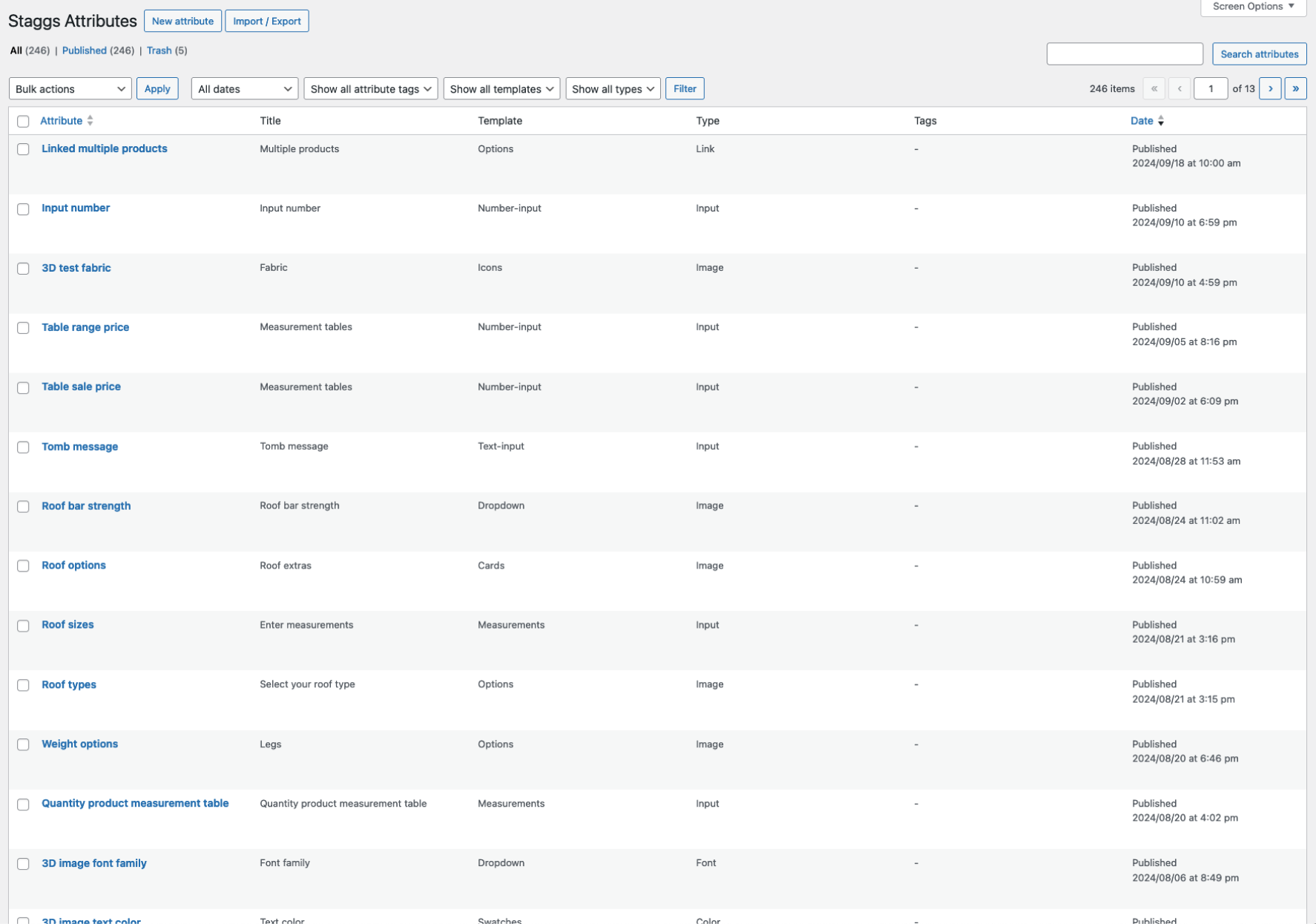
- Create Staggs configurator attributes
- Go to the ‘Staggs’ tab in the admin menu
- Open the “Attributes” page and create configurator attributes
- Build your configurable product with the attributes
- For WordPress, go to ‘Staggs’ > Products and create new product
- For WooCommerce, go to ‘Products’ and add new WooCommerce Simple product. Also tick the box “Enable Staggs product configurator”
- Create a configurator template and customize its settings to complete the look
- Go to Staggs > Templates and create new template
- Go to your configuratable product and select template in the configurator builder
- Publish the product and enjoy!
Instalação
Installation from within WordPress
- Visit Plugins > Add New.
- Search for Staggs.
- Install and activate the Staggs product configurator plugin.
Instalação manual
- Upload
staggs.zipto the/wp-content/plugins/directory - Ative o plugin através do menu 'Plugins' em WordPress
Log de Changes
3.4.1 (2026-11-28)
- Add support to show SKU in configuration summary widget
- Fix “free” price label display
- Add support for third main image texture map: metalness (pro)
3.4.0 (2026-11-04)
- Security patches
3.3.0 (2026-10-19)
- Add support for mesh updates
- Update formatted configurator options caching
- Fix 3D model script loader for block themes
- Library updates
3.2.0 (2026-08-26)
- Add support for image drag controls (pro)
- Update 3D customizer popup display (pro)
- Update order PDF generation process (pro)
- Fix 3D viewer auto-rotation camera update (pro)
- Update libraries
- Minor fixes and improvements
3.1.0 (2026-06-17)
- Tested with WordPress 7.0
- Fix gallery dark mode arrow controls
- Reload configurator if shared product configuration is not found (pro)
- Generate links for uploaded media passed via forms (pro)
- Add support to show add to cart button as secondary button when not set as primary action (pro)
- Add image upload customizer to change position and rotation before applying image onto 3D model (pro)
- Add WooCommerce multi currency plugin support (pro)
3.0.1 (2026-05-15)
- Bug fixes for 3.0
Capturas de tela
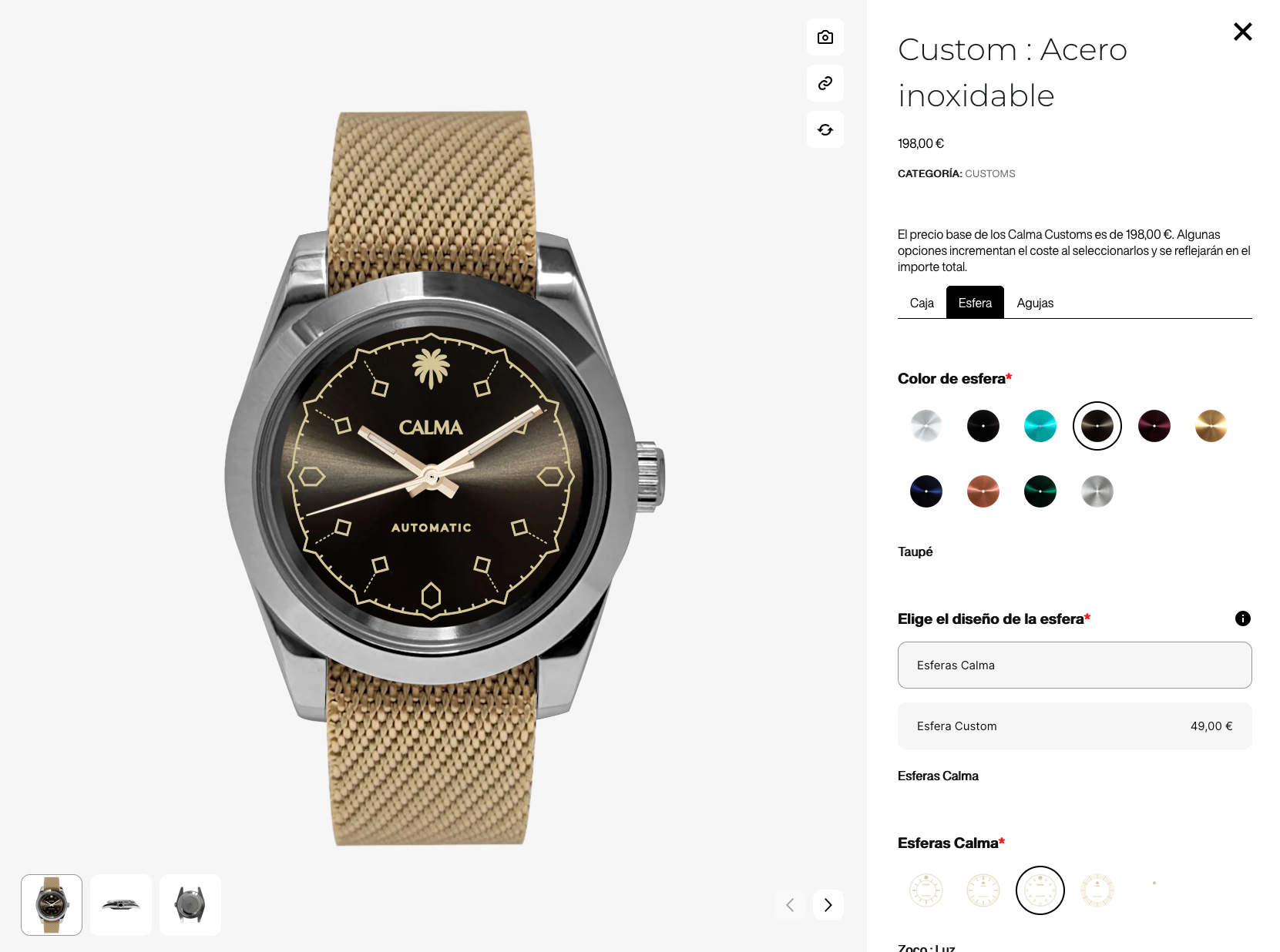
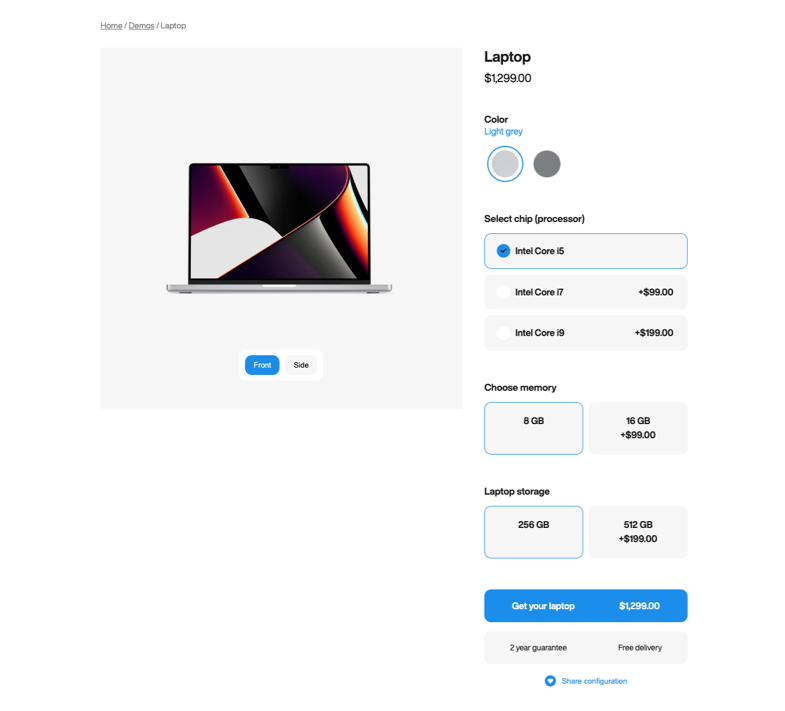
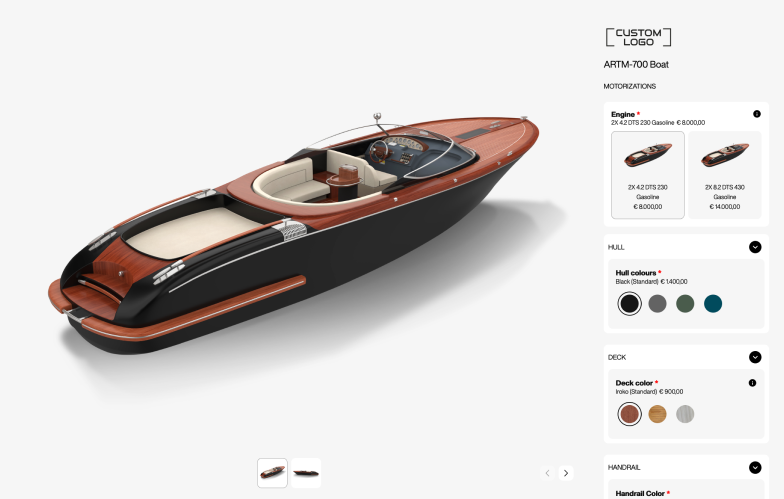
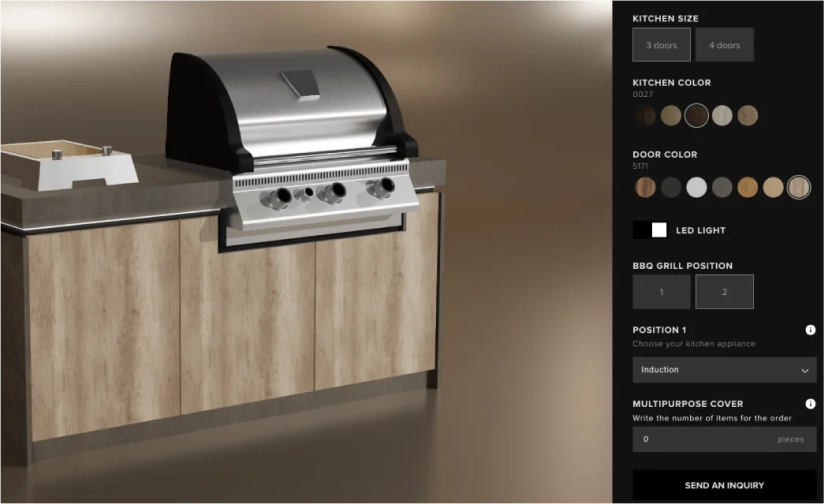
Para desenvolvedores
Este é o seu plugin? Mostre os números.
Adicione um crachá ao vivo ao seu site, Documentos ou Readme do GitHub. Ele é atualizado por conta própria - nenhuma conta necessária.
Best STAGGS alternatives
All 3D Configurator plugins →


FAQ
STAGGS: quick answers
Respostas diretas, extraídas de dados ao vivo WordPress.org.
Fonte: WordPress.org
Is STAGGS free?
Yes. STAGGS is free to download and use from the official WordPress.org plugin directory.
Is STAGGS safe to use in 2026?
Yes — STAGGS is a safe, well-maintained plugin to use in 2026. It runs on 400+ sites, is rated 5/5 and was last updated 2 days ago, and scores 91/100 on our health check.
How many websites use STAGGS?
STAGGS is active on 400+ WordPress websites and has been downloaded 30,747 times since it launched in August 2022. It was downloaded 1,883 times in the last 30 days.
Does STAGGS work with WordPress 7.1?
Yes. The developer has tested STAGGS up to WordPress 7.1.5, the latest release. It requires WordPress 5.7 or newer.
What PHP version does STAGGS need?
STAGGS requires PHP 7.4 or higher. Most hosts run PHP 8.x today, so it works on any modern WordPress hosting.
When was STAGGS last updated?
The latest version, 3.4.1, was released on November 28, 2026 (2 days ago).
Who makes STAGGS?
STAGGS is developed and maintained by STAGGS.
What are the best alternatives to STAGGS?
The most popular alternatives to STAGGS are MKL Product Configurator fo… (2K+ installs), Elfsquad Product Configurat… (20+ installs) and Simplio3D Product Configura… (10+ installs).
Alimentado por PageForge
Um modelo e uma planilha. Uma página real para cada pesquisa.
PageForge Transforma cada linha de um CSV em uma página WordPress com seu próprio título, URL, SEO campos e esquema, construído no layout que você já desenhou. Gratuito em WordPress.org.
- CSV e XLSX, mais Google Sheets em Profissional e Empresarial
- Seu próprio título, URL, SEO campos e esquema para cada página
- Funciona com o editor de blocos, Elementor, Divi e Avada
- Gratuito em WordPress.org, sem cartão de crédito