


Smart Cycle Discounts – AI Dynamic Pricing & Scheduled Sales for WooCommerce
Run BOGO, bulk, tiered, coupon & B2B discount campaigns on a schedule, with sale badges and usage limits. Describe a deal, Cycle AI builds it.

Escolha sólida
Smart Cycle Discounts is a solid plugin choice in 2026, with a few things worth checking first. It runs on 20+ sites, is rated 4.9/5 and was last updated 2 months ago, and scores 75/100 on our health check.
- Testado com as últimas WordPress (7.1)
- Base de usuários pequenas (mais de 20 instalações ativas)
Como ele se acumula?
Lado a lado em instalações, atualizações, avaliações e suporte



Downloads diários
Os picos de download geralmente seguem uma nova versão — cada site que atualiza automaticamente é um download.
Rankings
Where Smart Cycle Discounts stands todayWordPress.org Classificações de pesquisa
Posição ao vivo na pesquisa de plugins, top 100| Palavra chave | Posição |
|---|---|
| bogo | #67 |
| discount | >100 |
| sale | >100 |
| sale badge | #42 |
| tiered pricing | #33 |
Adoção da versão
Compartilhamento de sites ativos por lançamento.
Divisão de classificação
★★★★★★★★★★ 4.9 from 10 reviews
About Smart Cycle Discounts
From the official readme · v2.2.44Descrição
Automated dynamic pricing and scheduled sales for WooCommerce. Smart Cycle Discounts lets you create a discount campaign in minutes and run it on autopilot — sale prices apply on schedule, conflicts are caught before they cost you money, and your prices revert cleanly when the sale ends.
Cycle AI — describe the sale you want in plain English and the AI drafts a complete campaign in seconds. It reads your real catalog, picks the right products and discount type, and drops everything into the wizard for your review. Keep chatting to refine (“make it 25% instead,” “limit to 200 uses”) and launch when you’re ready.
No more editing products one by one. No more forgetting to end a sale. No more wondering which discount is overriding which.
Pick your discount type (percentage off, BOGO, tiered pricing, and more), choose your products, set your schedule, and the plugin handles the rest — from activation to expiration, automatically.
A built-in setup wizard scans your store on first install, detects conflicting plugins, and walks you through creating your first campaign. Most merchants are up and running in under 3 minutes.
Video Tutorial
Key Features
- Cycle AI — describe what you want in plain English, the AI drafts a store-aware campaign. Free: 10 drafts/month. Pro: 50/day
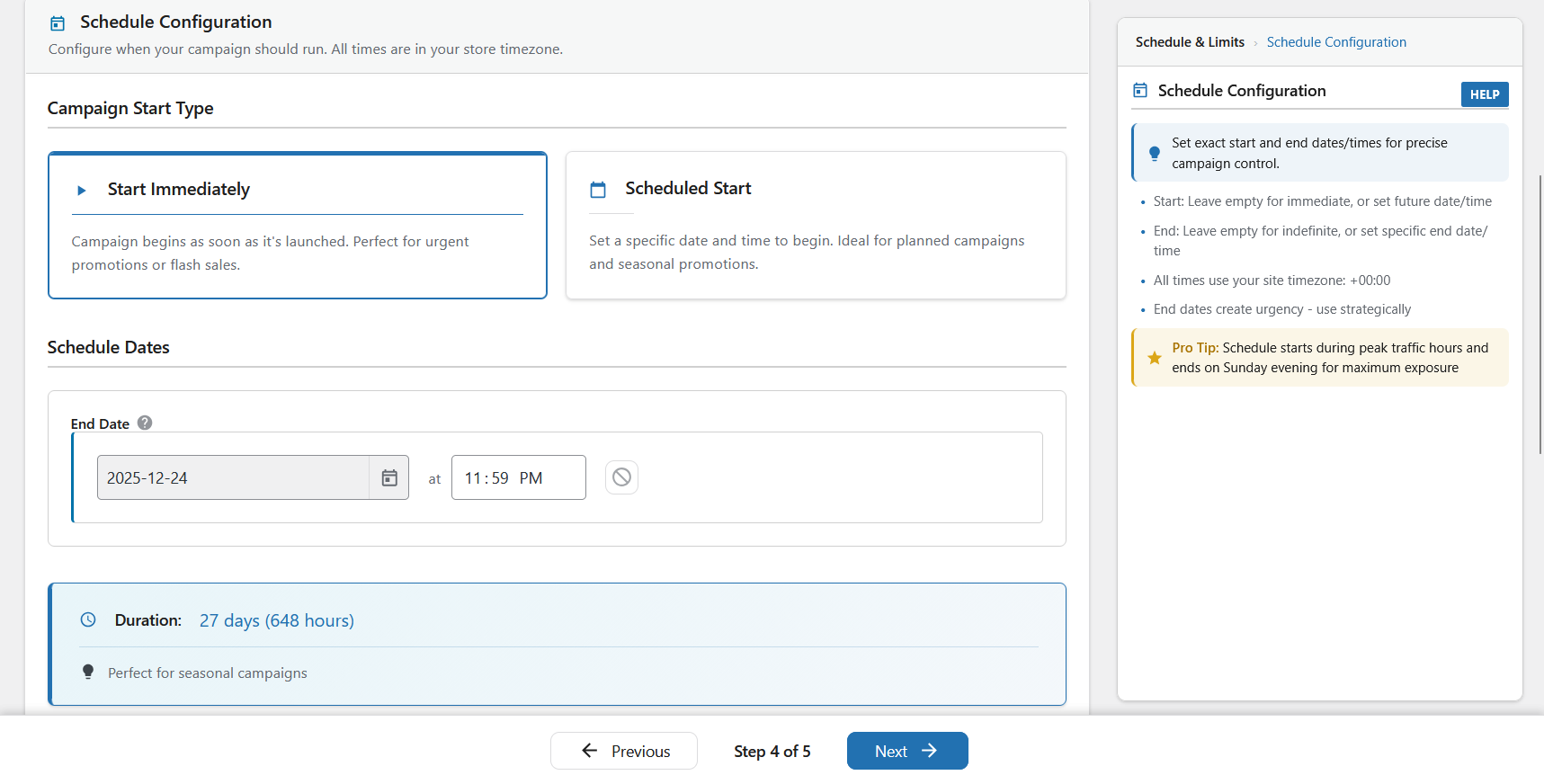
- Set it and forget it — campaigns activate and expire on schedule, no manual work
- Auto-apply or coupon code delivery — every campaign can either fire automatically at checkout or require a code customers enter, on every discount type (not just percentage/fixed)
- Percentage off, fixed amount, BOGO — all free, no upgrade required
- Tiered pricing, spend thresholds, bundles — available in Pro
- Recurring promotions — set up a “Weekend Sale” once, it repeats automatically
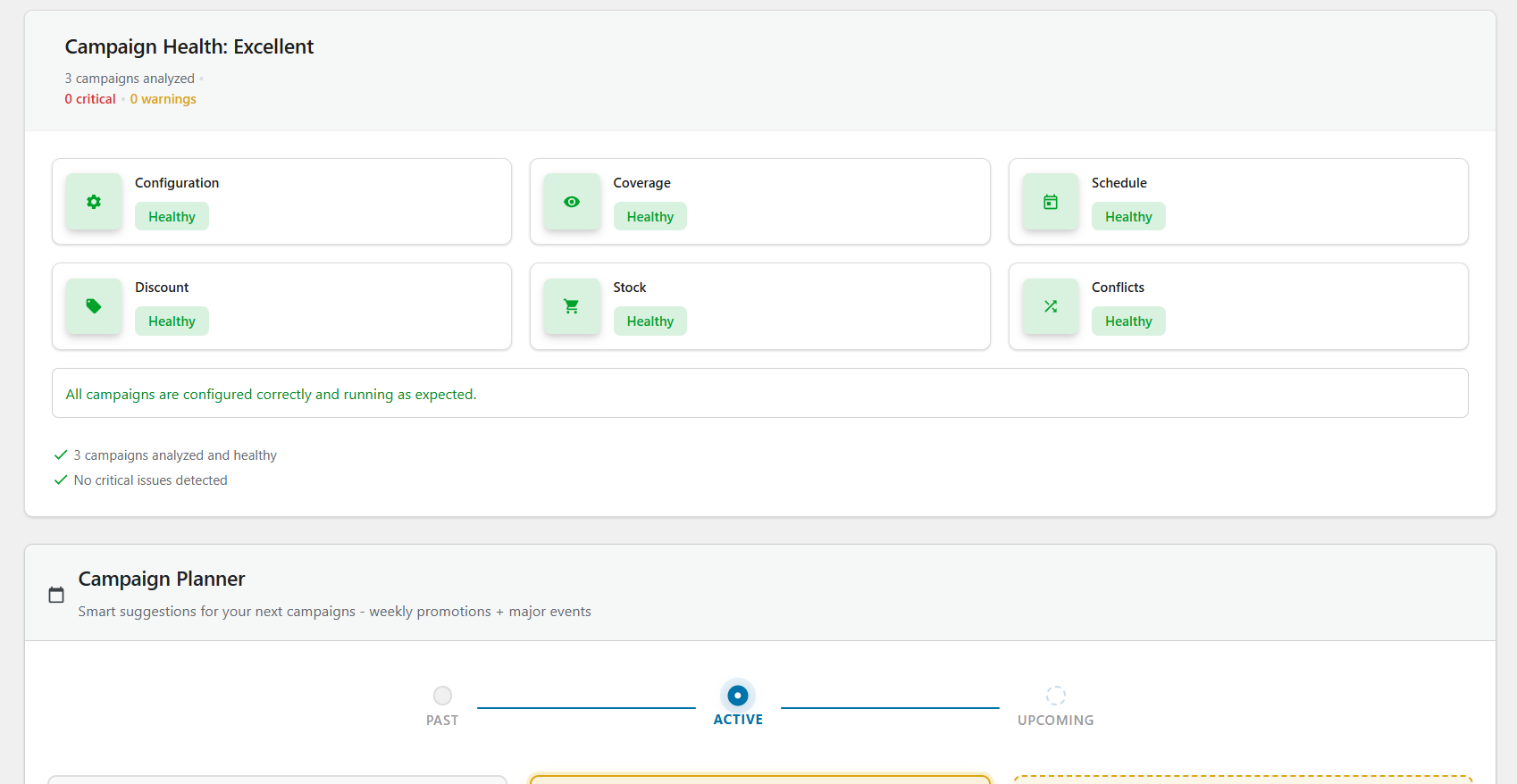
- Smart conflict detection — the plugin warns you before overlapping discounts cause problems
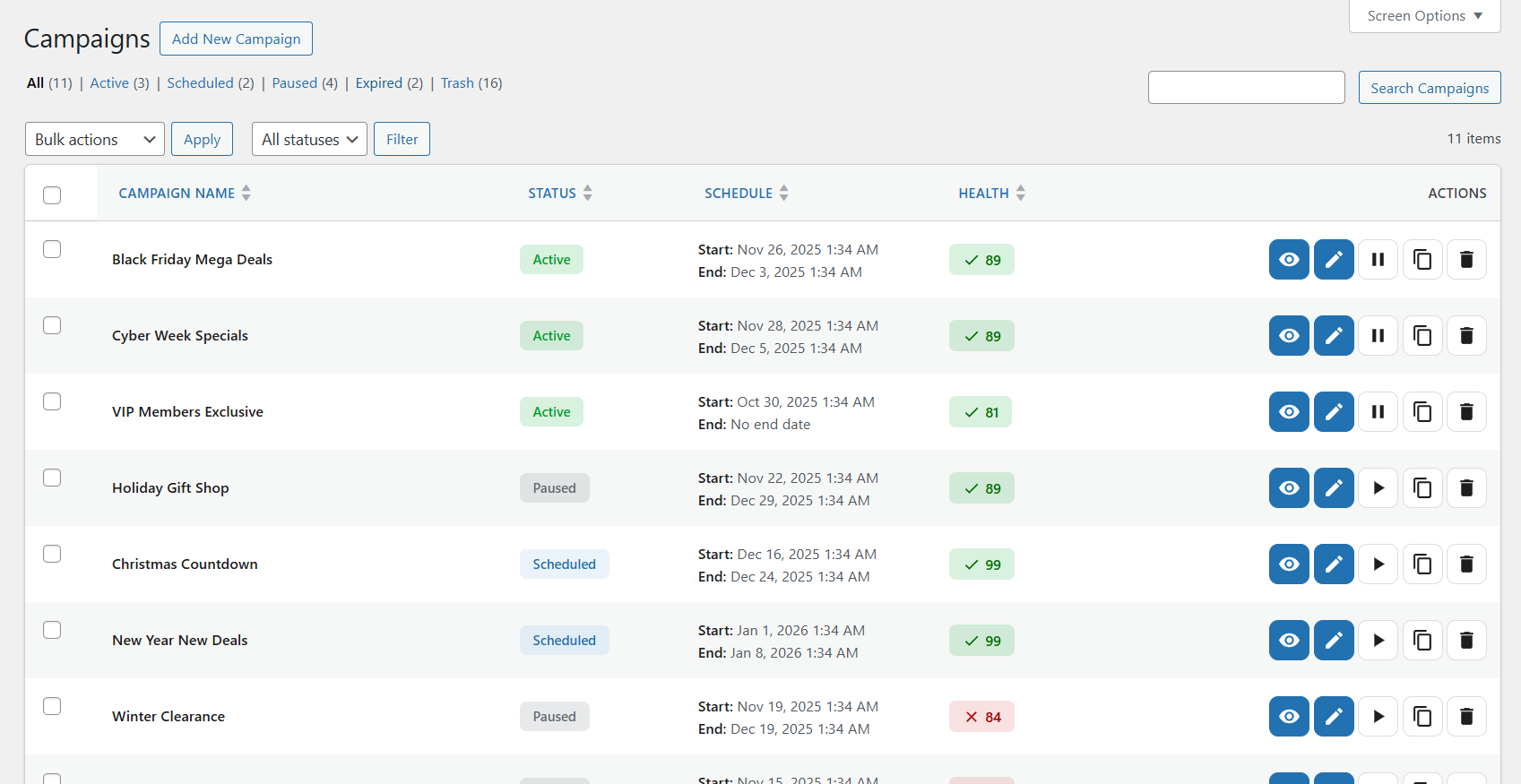
- Campaign Intelligence — tells you which promotions are working and what to do next
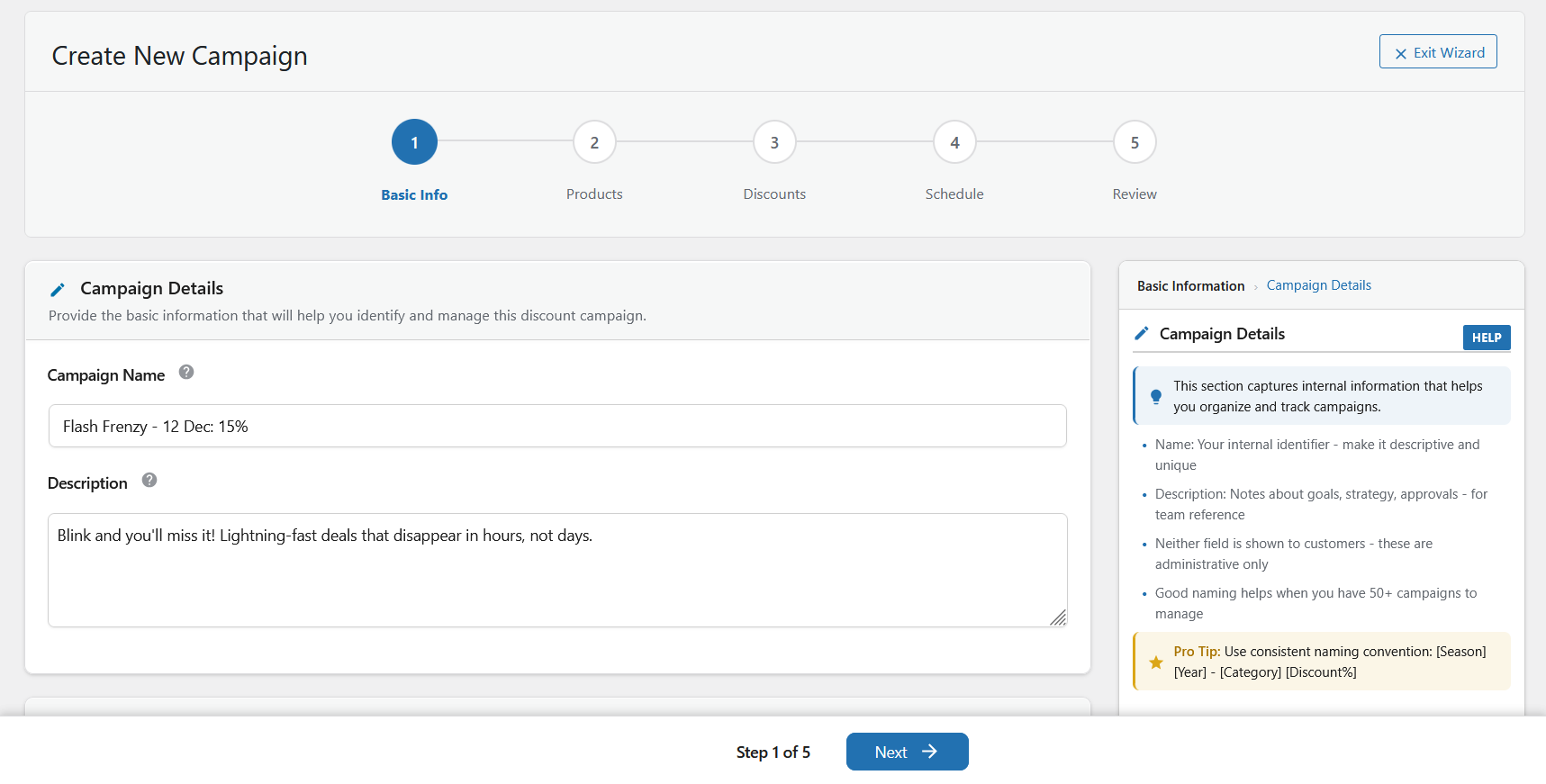
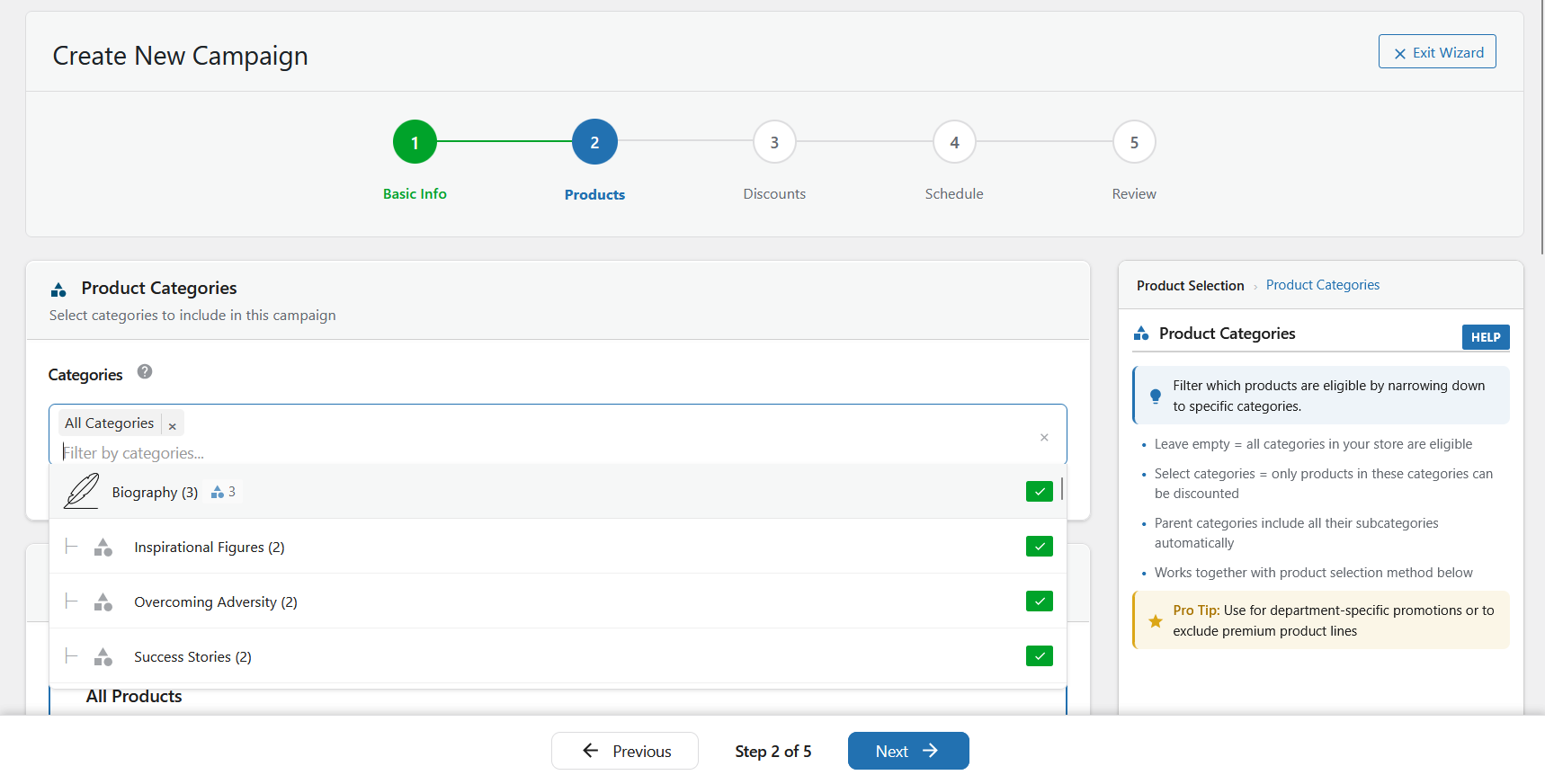
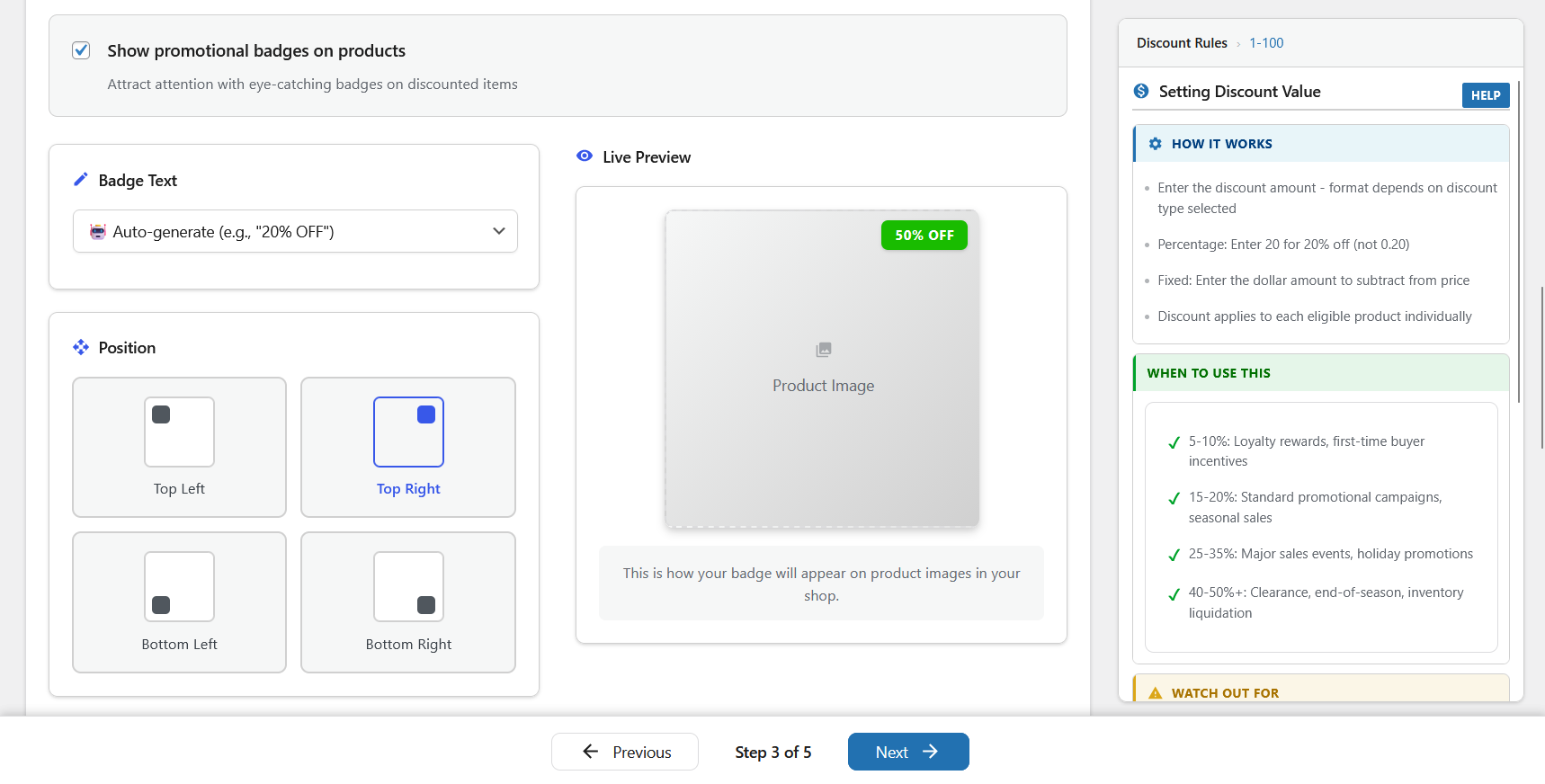
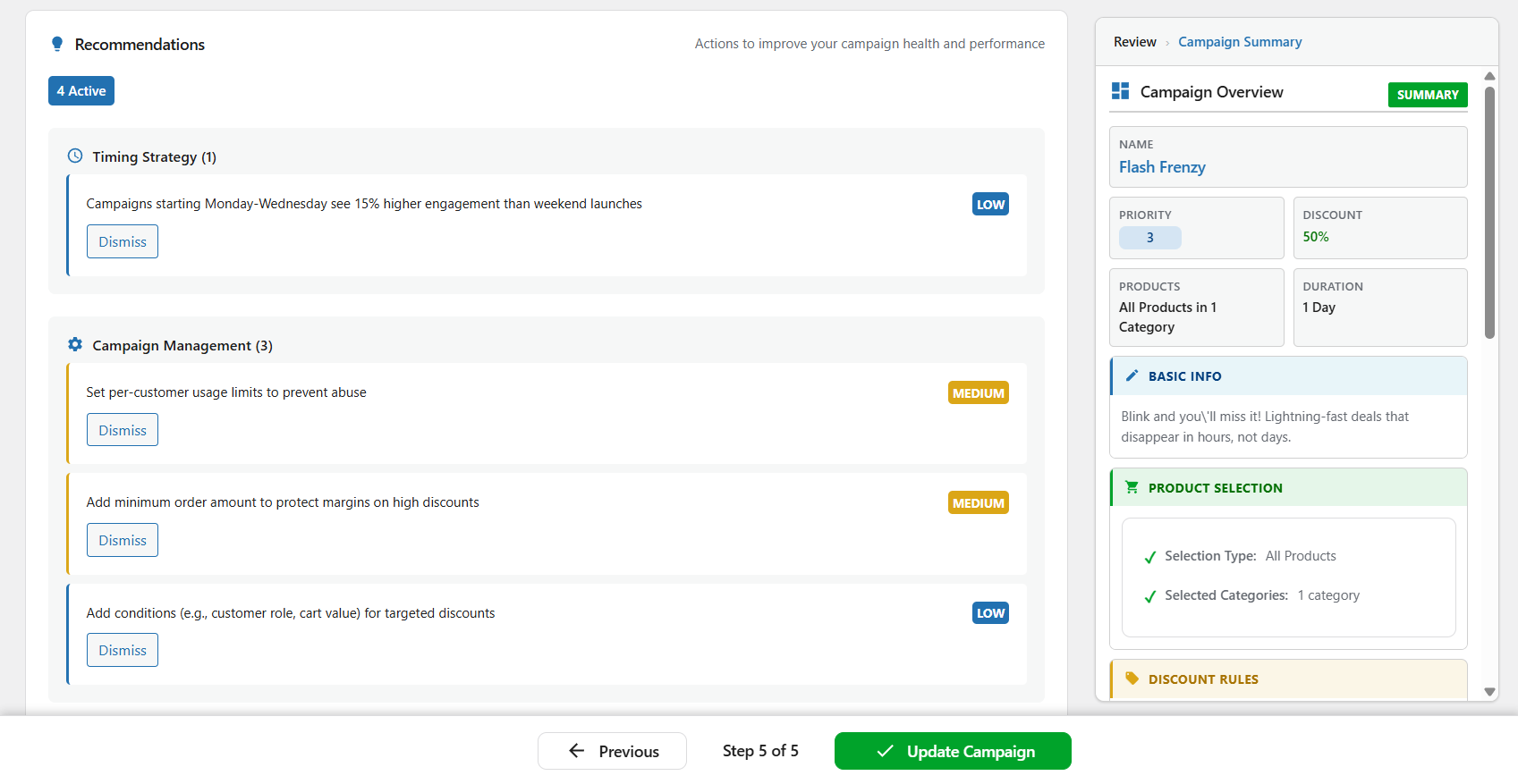
- 5-step wizard — create a campaign in minutes with guided setup and live preview
- Setup wizard — scans your store on first install, detects conflicts, gets you started fast
- Priority system — control exactly which discount wins when campaigns overlap
- Works with any theme — uses WooCommerce’s native sale price system
Perfect For
- Stores running seasonal sales (Black Friday, holiday, summer) that need to start and stop on time
- Stores with multiple promotions that need to avoid conflicts and overlapping discounts
- Stores that want to automate recurring deals (weekly specials, daily flash sales)
- B2B and wholesale stores using role-based or tiered quantity pricing
- Anyone tired of manually editing product prices every time a sale starts or ends
WooCommerce Discount Types and Dynamic Pricing Features
Free version includes:
- Percentage discounts
- Fixed amount discounts
- BOGO (Buy One Get One) deals
- Coupon-code campaigns — require a shared code at checkout for any discount type
- URL auto-apply (
?wsscd_code=YOURCODE) for sharing codes in emails and social posts - Free shipping toggle inside campaign setup
- User role targeting (include/exclude roles)
- Location targeting by billing or shipping country
- Recurring campaign scheduling — certain weekdays, days of the month, or daily time windows
Pro version adds:
- Tiered quantity discounts (volume pricing)
- Spend threshold discounts (cart-based conditions)
- Bundle deals (percentage, fixed, flat bundle pricing)
- Bulk unique-code generation (up to 50,000 single-use codes per campaign, CSV export)
- Single-use enforcement (lock a code to one redemption per code or per customer)
- Advanced discount-rule controls for deeper eligibility and margin protection
- Advanced subscription discount controls (when WooCommerce Subscriptions is active)
- Full analytics dashboard and advanced exports
Advanced WooCommerce Promotion Engine
Smart Cycle Discounts is built as a campaign system, not a one-off rule editor.
- Campaign lifecycle management (draft → scheduled → active → expired)
- Smart product targeting (all products, specific products, random products, categories, advanced filters)
- Timezone-aware scheduling automation
- Priority resolution when campaigns overlap
- Optimized caching and operations for larger WooCommerce catalogs
WooCommerce Promotion Conflict Detection
Before launch, Campaign Health and Campaign Intelligence evaluate operational risks including:
- Promotion conflicts and overlapping discounts
- Priority ties across concurrent campaigns
- Stock exposure and product readiness
- Schedule and timing consistency
- Discount integrity and risk indicators
This shifts teams from reactive troubleshooting to proactive promotion control.
WooCommerce Campaign Analytics and Intelligence
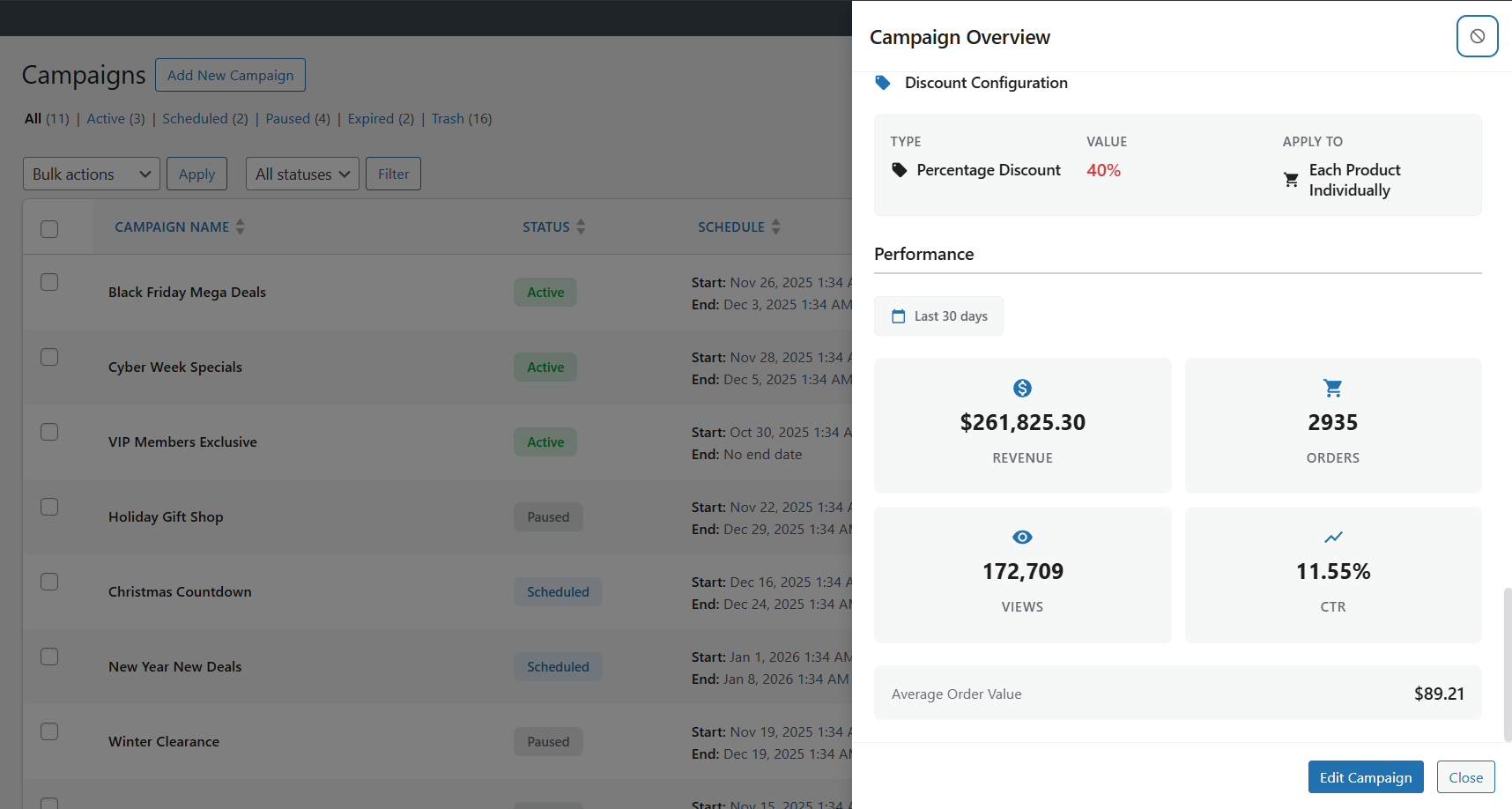
Smart Cycle Discounts includes campaign-level operational insight so you can evaluate:
- Which campaigns are driving meaningful revenue
- Which discounted products perform best
- Which promotions should be scaled, paused, or redesigned
The analytics dashboard helps stores optimize promotions instead of guessing which discounts work best.
Advanced analytics depth and exports are available in Pro, while base Campaign Intelligence guidance is included in the free version.
Popular WooCommerce Promotion Use Cases
Smart Cycle Discounts can be used to run:
- WooCommerce BOGO campaigns
- WooCommerce bulk discount and tiered pricing campaigns
- WooCommerce scheduled sales and recurring promotions
- WooCommerce bundle discount campaigns and product packages
- WooCommerce flash sales and seasonal campaigns
- WooCommerce customer-segment discounts (roles and locations)
- WooCommerce coupon code campaigns (private codes for email blasts, influencer codes, loyalty rewards)
- WooCommerce promotion cycles with planned campaign scheduling
Why Store Owners Switch to Smart Cycle Discounts
Most discount plugins let you create rules. Smart Cycle Discounts lets you run promotions.
Common problems with other discount plugins:
- Discounts calculated on-the-fly slow your store to a crawl
- “Sale” filter plugins can’t find your discounted products
- Two discounts overlap and customers get double savings you didn’t intend
- The free version is empty — every useful feature is locked behind Pro
- Uninstalling leaves leftover sale tags and data in your database
How Smart Cycle Discounts is different:
- Sale badges and strikethrough on your storefront — discounts render through WooCommerce’s price filters, so your theme’s “Sale!” badge and crossed-out pricing appear automatically on shop, category, product, and search pages. No frontend JavaScript, and no bulk price rewrites on activation — active-campaign data is cached and product terms batch-loaded to keep pages fast.
- Built-in conflict detection — Campaign Intelligence catches overlapping discounts, priority ties, and pricing risks before your customers do. You’ll know about problems before they cost you money.
- Genuinely useful free version — percentage off, fixed amount, BOGO, scheduling, recurring campaigns, role targeting, and location targeting are all included free. No bait-and-switch.
- Clean uninstall — deactivating or removing the plugin restores your original prices and removes all plugin data. No leftover sale tags or orphaned database entries.
- Performance-first architecture — active campaigns are cached, product terms are batch-loaded, and admin assets only load on plugin pages. Your store stays fast.
Documentation & Resources
Começando
Guias
- Discount types reference
- Scheduling & recurring campaigns
- Cycle AI
- Use case walkthroughs
- Developer documentation
- Solução de problemas
Mais
More from Webstepper
TrustLens — Fraud Prevention & Chargeback Defense for WooCommerce — Smart Cycle Discounts grows your revenue; TrustLens protects it. It scores every customer 0–100 and catches return abuse, coupon fraud, fraud rings, and card-testing attacks before they hit your margin — all 8 detection modules free, and you stay in control: block, allowlist, or just watch.
Get Started
- Install and activate the plugin
- The setup wizard scans your store and checks for conflicts
- Create your first campaign — describe it to Cycle AI or use the 5-step wizard
- Your discounts go live automatically — no product editing needed
Need Help?
Serviços externos
This plugin’s Cycle AI feature (optional, opt-in) relies on a hosted AI service operated by Webstepper to generate campaign drafts from natural-language descriptions.
What the service does. When you use Cycle AI, the plugin sends your typed prompt and a summary of your store catalog to Webstepper’s hosted endpoint at cycle-ai-proxy.usa-mv96.workers.dev. That endpoint verifies your plan tier with Freemius, enforces a per-plan usage quota, then forwards the request to OpenAI (api.openai.com). OpenAI generates the campaign draft, which is returned to your site and rendered in the Cycle AI chat panel for your review. The draft is never published as a live campaign until you explicitly approve and save it through the wizard.
What data is sent.
- Your typed prompt and the conversation history for the current draft.
- A summary of your store catalog: product names, IDs, category names, tag names, and category product counts. Used so the AI can reference real products and categories when drafting campaigns.
- Your Freemius install ID, anonymous install UID, and (if you have a Pro license) your license secret key. Used to validate your plan tier and enforce quotas.
What data is NOT sent. The plugin does not transmit customer names, customer email addresses, order data, transaction history, or any personally identifiable information about your shoppers.
When data is sent. Only when you explicitly click a button that invokes Cycle AI (typing a prompt and pressing Send, or refining an existing draft). The plugin does not make any background calls to the service.
Consent. Before the first Cycle AI call, the plugin shows a consent modal listing exactly what data will be sent and linking to Webstepper’s privacy policy and terms of service. No data is transmitted until you accept. You can revoke consent at any time by disabling the feature.
Providers and policies.
- Webstepper (hosted AI service, rate limiting, tier validation): Privacy Policy — Terms of Service
- OpenAI (the underlying language model): Privacy Policy — Terms of Use
If you do not use Cycle AI, no external service calls are made by this plugin.
Log de Changes
Updated Freemius SDK to the latest version.
2.2.44
- Improvement: Updated Freemius SDK to the latest version.
2.2.43
- New: Choose the day random products are redrawn — rotating campaigns now redraw every day, every week or every other week on a weekday you pick, or every month on a day you pick (1 to 28, or the last day of the month), at midnight in the campaign’s timezone. Before, the day was whichever weekday the campaign happened to start on.
- New: See the rotation schedule before you launch — the Review step now shows when products will be redrawn, for example “Redrawn every other Friday”.
- Fix: Monthly rotation stays on its date — “Monthly” used to mean every 30 days, so it slid off the calendar by a day or two each time. It now lands on the same day every month.
- Fix: Rotation stays at midnight across daylight-saving changes — it used to shift by an hour when the clocks changed.
- Fix: Usage limit alerts are sent — the “Usage Limit Alerts” email never went out when a campaign reached or neared its lifetime cap. It now does, with the real number of uses left.
- Fix: Campaign advice catches very poor discount results — very low discount efficiency and very high discount rates were never flagged as serious, only a high break-even point was. All three now are.
- Fix: The “missing launch window” note appears — a campaign without a schedule showed generic text on the dashboard instead of saying what was missing.
- Fix: No more PHP 8.4 deprecation notices — two plugin functions filled the error log with notices on every page load on PHP 8.4 and later.
- Cleanup: Campaigns that already rotate are converted automatically — they keep the weekday (or day of the month) they rotated on, and five unused rotation columns are removed from the campaigns table.
- Cleanup: Removed advice that could never appear — around 30 campaign-advice messages had wording but nothing that could ever trigger them.
2.2.42
- Improvement: The campaign explains a short draw — when fewer products qualify than you asked for, the campaign shows how many were selected and why, for example “Only 7 of 15 random products could be selected… 8 are already on sale”.
- Improvement: Clearer activity notice — “No discount activity detected” read like the discount was not showing. It counts orders, and now says “No orders have used this discount”.
- Fix: Random campaigns keep their full product count — a campaign set to skip items already on sale counted its own discount as a sale. At every rotation it ruled out the products it had just discounted, so a 15-product draw came back with 7, and a pool narrowed by a stock filter could end at 0. Only prices you set in WooCommerce count as “on sale” now.
- Fix: A higher-priority campaign that cannot apply no longer blocks the next one — when the top campaign’s own rules ruled it out for a product (sale items excluded, country not targeted, usage limit reached), the product was left at full price even though a lower-priority campaign covered it. The next campaign in line now applies, and the sale badge always names the campaign that actually prices the product.
- Fix: Conflict notes count the right thing, in the right direction — a winning campaign with one product shared by three others read “3 shared products are overridden”. It now reads “Overrides lower-priority campaigns on 1 shared product”, and counts products, not campaigns.
- Fix: Two random campaigns on the same products no longer share a draw — they could be handed each other’s cached selection.
- Fix: Changing the tag, category or sale-items setting of a running random campaign now takes effect — it previously kept serving the old selection until the next rotation.
- Fix: “Exclude out of stock” filters behave in the Products step — the product list ignored exclude filters, and the checker misread “exclude / is not” as a contradiction.
- Cleanup: Removed the “Campaign Stacking” option — each product always receives one campaign’s discount, chosen by priority, so the checkbox never changed anything. Existing campaigns are unaffected.
- Cleanup: Smaller debug logs — discount entries no longer copy the whole product into the log.
2.2.41
- Fix: The Account screen no longer ends in a critical error — on a site that skipped the account connection step, opening Smart Cycle Discounts → Account showed “There has been a critical error on this website” instead of a page. That screen can only describe an account that exists, and it was being added to the menu whether one existed or not, so with nothing connected it had nothing to read. It now shows a Connect account or activate license button instead, and stays out of the menu entirely until there is something to show. If you were caught by this, your license can also be activated from the Plugins page, using the Activate License link under Smart Cycle Discounts.
- Cleanup: A licensing screen that cannot render now says so — these screens come from the licensing framework and assume an account state we do not always control. Any future assumption they make that is not met now produces a short message on the page rather than taking the whole admin screen down.
2.2.40
- New: Discount a single variation instead of the whole product (PRO) — pick a variable product under Specific Products and a second field appears listing its variations. Choose one and only that variation changes price; every other size, colour or configuration stays at its regular price. Until now a campaign applied to a variable product always discounted all of its variations, with no way to narrow it.
- New: One-click sale page — Tools now has a Sale Page card that creates a draft page already carrying the shortcode, with Edit and View links once it exists. The shortcode that lists your discounted products has been in the plugin since 2.1.16 but appeared nowhere in the admin, so the only way to discover it was to read the plugin’s source.
- New: The sale page can list variations as separate items (PRO) — with show_variations=”yes” a discounted 180×200 mattress appears as its own card, with its own price and a button that adds exactly that variation to the cart, rather than appearing as the parent product with every size still to choose from.
- New: The sale page pages itself — it previously rendered every discounted product on one page, which on a large clearance sale meant hundreds of items in a single request. Add paginate=”no” for the old behaviour.
- New: Campaign changes clear the page cache — a campaign going live, ending or changing status now asks WP Rocket, W3 Total Cache, WP Super Cache, WP Fastest Cache, SiteGround Optimizer, LiteSpeed, Cache Enabler, Breeze, Nginx Helper and Hummingbird to drop their cached pages. Prices used to keep showing the pre-campaign figures until the cache expired on its own. Host-level caches can listen for the new wsscd_purge_page_cache hook.
- Fix: The sale page matches your theme — its cards are now built through WooCommerce’s own product-loop hooks, so the sale flash, the rating, the theme’s own card layout and this plugin’s promotional badges all appear exactly as they do on your shop page. The variation cards previously used their own markup and showed none of them.
- Fix: A variation-only campaign shows a badge on the shop page — when a campaign discounted just one variation, the parent product matched no campaign, so its card in the catalogue carried no badge at all.
- Fix: A sale page filtered by category no longer drops variations — variations carry no categories of their own, so filtering by one discarded every variation-scoped campaign. They are now matched through their parent’s categories.
- Fix: Sorting on the sale page — orderby now works for price, title and date when variations are listed individually.
For the complete changelog of earlier versions, visit the full changelog.
Capturas de tela
Para desenvolvedores
Este é o seu plugin? Mostre os números.
Adicione um crachá ao vivo ao seu site, Documentos ou Readme do GitHub. Ele é atualizado por conta própria - nenhuma conta necessária.
Best Smart Cycle Discounts alternatives
All bogo plugins →





FAQ
Smart Cycle Discounts: quick answers
Respostas diretas, extraídas de dados ao vivo WordPress.org.
Fonte: WordPress.org
Is Smart Cycle Discounts free?
Yes. Smart Cycle Discounts is free to download and use from the official WordPress.org plugin directory.
Is Smart Cycle Discounts safe to use in 2026?
Smart Cycle Discounts is a solid plugin choice in 2026, with a few things worth checking first. It runs on 20+ sites, is rated 4.9/5 and was last updated 2 months ago, and scores 75/100 on our health check.
How many websites use Smart Cycle Discounts?
Smart Cycle Discounts is active on 20+ WordPress websites and has been downloaded 6,650 times since it launched in January 2026. It was downloaded 418 times in the last 30 days.
Does Smart Cycle Discounts work with WordPress 7.1?
Yes. The developer has tested Smart Cycle Discounts up to WordPress 7.1.5, the latest release. It requires WordPress 6.4 or newer.
What PHP version does Smart Cycle Discounts need?
Smart Cycle Discounts requires PHP 7.4 or higher. Most hosts run PHP 8.x today, so it works on any modern WordPress hosting.
When was Smart Cycle Discounts last updated?
The latest version, 2.2.44, was released on October 12, 2026 (2 months ago).
Who makes Smart Cycle Discounts?
Smart Cycle Discounts is developed and maintained by webstepper.
What are the best alternatives to Smart Cycle Discounts?
The most popular alternatives to Smart Cycle Discounts are Smart Coupons For WooCommer… (30K+ installs), Advanced Coupons for WooCom… (20K+ installs) and Discount Rules and Dynamic… (9K+ installs).
Alimentado por PageForge
Um modelo e uma planilha. Uma página real para cada pesquisa.
PageForge Transforma cada linha de um CSV em uma página WordPress com seu próprio título, URL, SEO campos e esquema, construído no layout que você já desenhou. Gratuito em WordPress.org.
- CSV e XLSX, mais Google Sheets em Profissional e Empresarial
- Seu próprio título, URL, SEO campos e esquema para cada página
- Funciona com o editor de blocos, Elementor, Divi e Avada
- Gratuito em WordPress.org, sem cartão de crédito