


Slider by 10Web – Responsive Image Slider
Special Offer for all Premium Plugins WordPress Slider Plugin Demo User Manual Support Forum

Use com cautela
Slider by 10Web works, but test it on a staging site before relying on it in 2026. It runs on 10K+ sites, is rated 4.5/5 and was last updated 2 months ago, and scores 55/100 on our health check.
- Comprovado em escala em sites ativos de mais de 10 mil
- Loved by users — 4.5/5 from 289 reviews
- Testado apenas até WordPress 5.8 (mais recente é 7.1)
Como ele se acumula?
Lado a lado em instalações, atualizações, avaliações e suporte



Downloads diários
Os picos de download geralmente seguem uma nova versão — cada site que atualiza automaticamente é um download.
Rankings
Where Slider by 10Web stands todayWordPress.org Classificações de pesquisa
Posição ao vivo na pesquisa de plugins, top 100| Palavra chave | Posição |
|---|---|
| image slider | >100 |
| responsive slider | >100 |
| controle deslizante | >100 |
| slideshow | >100 |
| wordpress slider | >100 |
Adoção da versão
Compartilhamento de sites ativos por lançamento.
Divisão de classificação
★★★★★★★★★★ 4.5 from 289 reviews
About Slider by 10Web
From the official readme · v1.2.63Descrição
Useful Links:
Special Offer for all Premium Plugins
WordPress Slider Plugin
Demo
User Manual
Support Forum
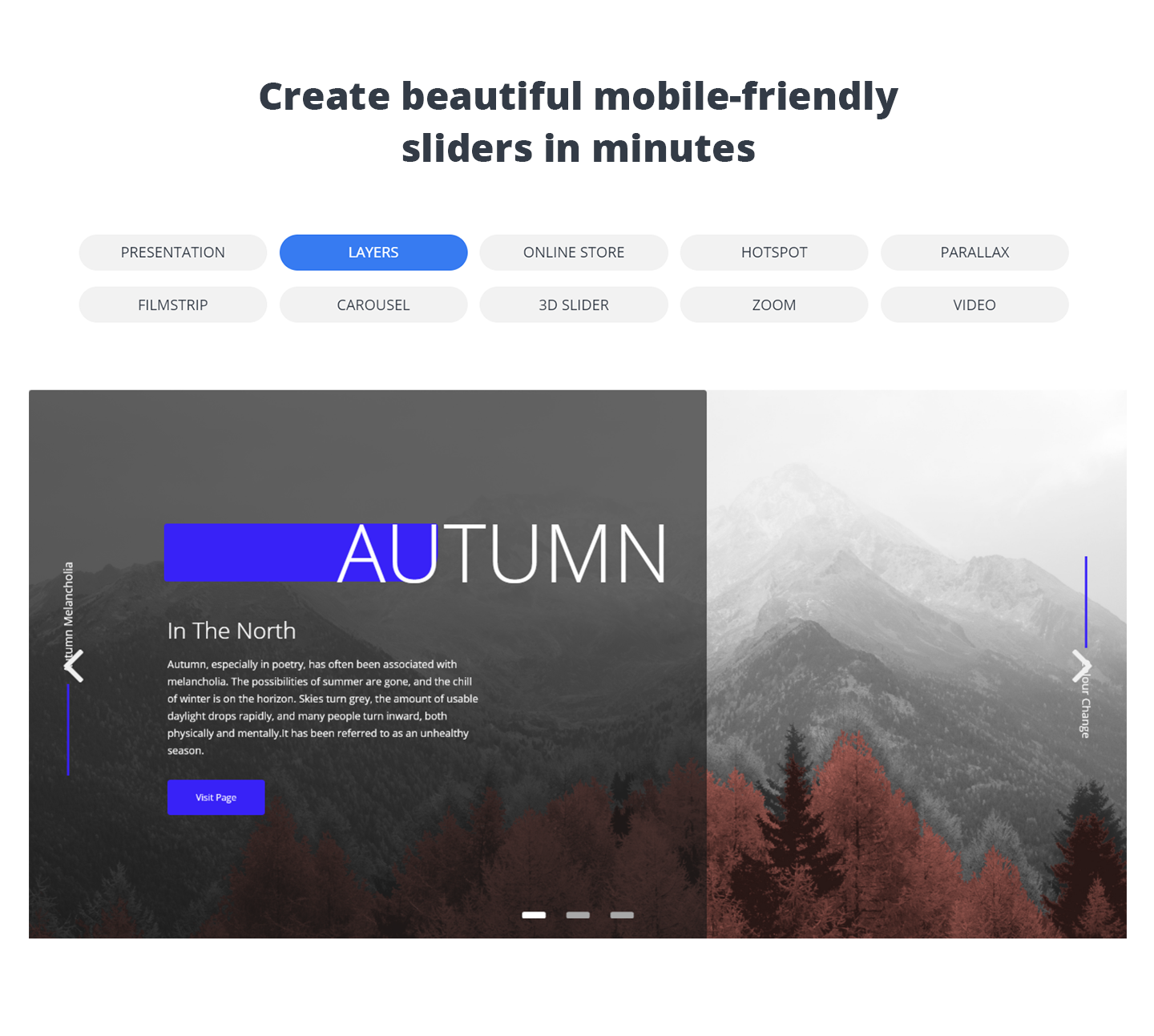
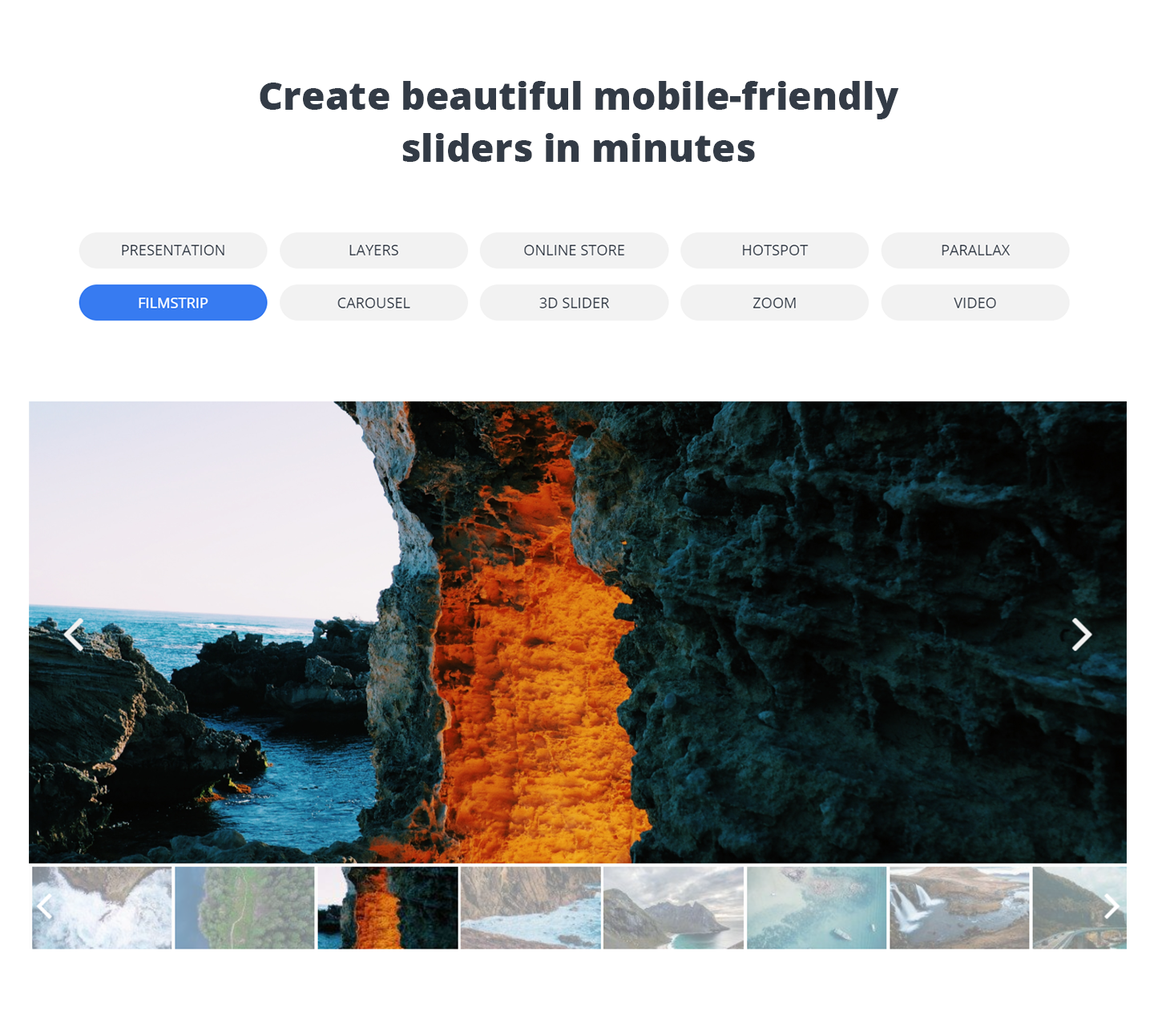
Slider by 10Web is a versatile solution to help you add fast loading, responsive and SEO-friendly sliders to your website pages, posts, theme header or any other location. The plugin supports both images and videos on the slides, which further could be spiced up with various transition effects. Filmstrip, carousel and parallax effects of Premium version will have your slides look even better. You can create multi-functional sliders in Premium version, by applying text, image, video, hotspot and social media button layers to the slides. Every feature of the slides, from text size, navigation buttons to slide loading icon, can be customized, giving you a myriad of options to experiment with style and design. It’s by far the easiest solution to create beautiful sliders, which you can add to your website with a shortcode, by inserting into the theme using the PHP function or through widget. Slider by 10Web supports swipe control to make sure your slides look great on touchscreen devices. If you’re looking for power-packed slider plugin which is also user-friendly, go ahead, download it and test the plugin yourself.
Benefits
- User engagement – Sliders are engaging. Once you add beautiful slides to your posts or pages with some high quality images and appealing styling, you may observe improved user engagement rates.
- Better user experience – With its swipe control support Slider by 10Web will provide better user experience on your website. No matter the device or the screen size you can make sure your slides will perform as they should.
- Differentiation – From simple text color and fonts, to hotspot animation and effect duration, there are almost unlimited styling options you can try. Factor in support for custom CSS and you will have more space and flexibility with the styling of your sliders.
- High level of personalization – One of the best things about Slider by 10Web is its flexibility! You can adjust and customize every aspect of your slides.You can play with all the features of the slides and have them match with your website’s design and overall look and feel.
- Grabbing users’ attention – Since the sliders can be basically placed anywhere on your website, it’s a great way to bring attention to any information you want to highlight. Whether it’s an announcement, new post, or just one of your recent video tutorials, you can make sure it will catch the eye.
- Easy to set up, use and customize – Plugin was developed with users in mind. Anyone from beginners to WordPress profs will be able to easily create and customize the sliders without any coding skills.
- Get Support – Ger timely and effective support to all its users. We keep standards high and response time low.
What’s in it
UNLIMITED SLIDES AND SLIDERS
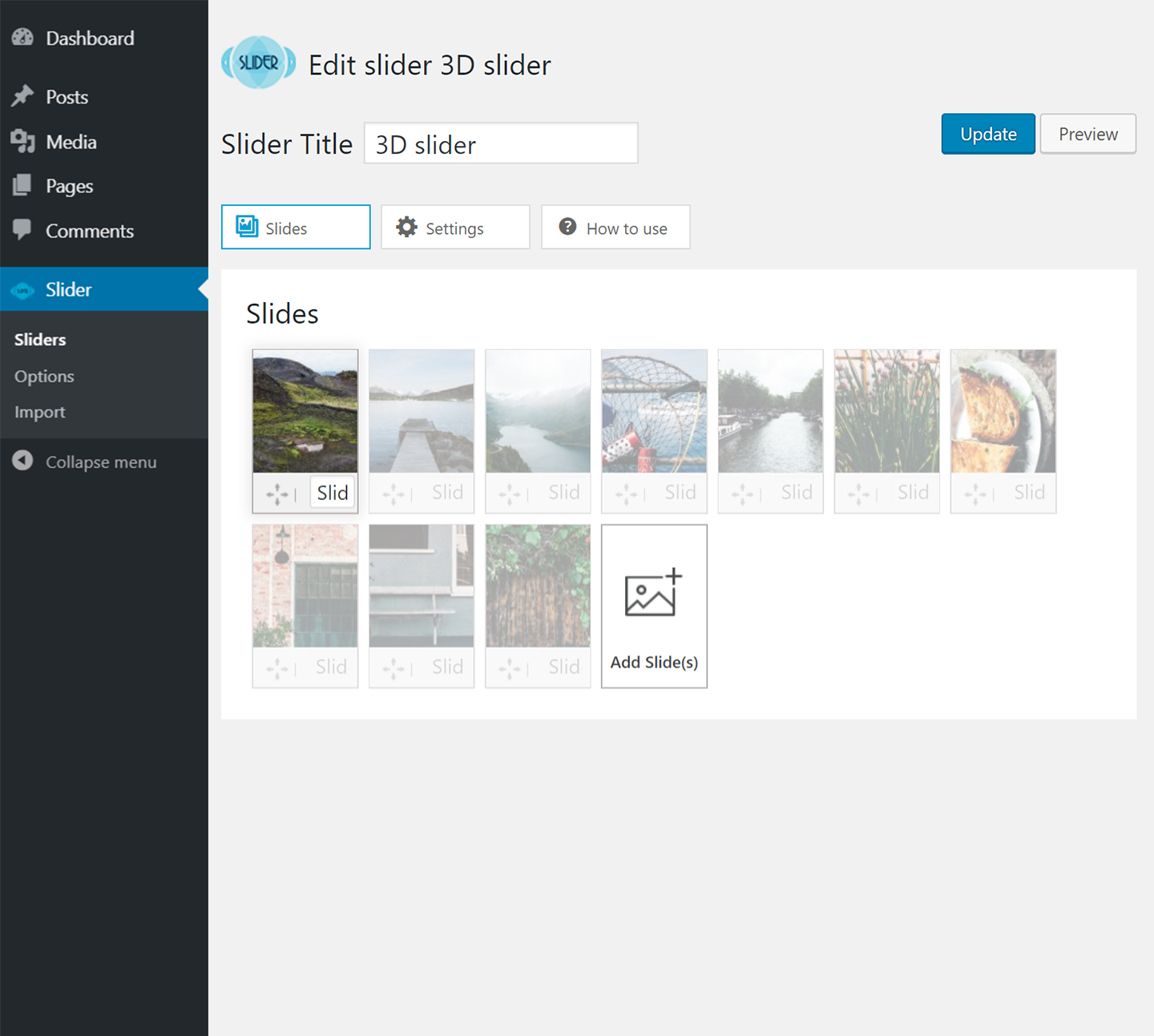
Slider by 10Web allows you to add unlimited number of sliders to your website with as many slides as you want. Easily insert the sliders to any of your posts or pages with the generated shortcode.
MULTIPLE LAYERS
The Premium version allows for creation of multi-functional sliders using the available image, text, video , social media and hotspot layers. Apart from uploading video files from your pc, you can also embed media from YouTube, Vimeo, Instagram, Flickr or Dailymotion using the file’s URL.
MULTIPLE TRANSITION AND LAYER EFFECTS
Slider by 10Web Premium version offers 27 slide transition and 38 mind-blowing layer effects to give your slides a distinct look. You can specify the start/end point of the effects, as well as specify the effect duration.
IMAGE WATERMARKING
Add text and image watermarks to your slides, by selecting the size, transparency, and one of the available nine watermark positions.
SOCIAL SHARING BUTTONS
Add a social sharing buttons’ layer to your slides in Premium version. You can customize almost every aspect of the buttons and enable your visitors to share your slides across the major social media platforms, like Facebook, Google +, Twitter, Pinterest and Tumbler.
PARALLAX AND CAROUSEL SUPPORT
Premium version adds Parallax and carousel support. You can set to display the slides in carousel view, which shows the main image at the foreground, while having the rest of the images at the background. The parallax effect will create modern 3D-like effects on the slides and take them to the next level.
SLIDER EXPORT/IMPORT
If you want to export/import your slides from one website to another, that’s absolutely doable with Slider by 10Web Premium version. You can choose to transfer the slider with pictures and settings, or you can transfer only the settings of the slider and then add your images afterwards.
SETTINGS/CUSTOMIZATION
*Some customizations described here are available in Premium version. Please refer to feature summary for additional info.
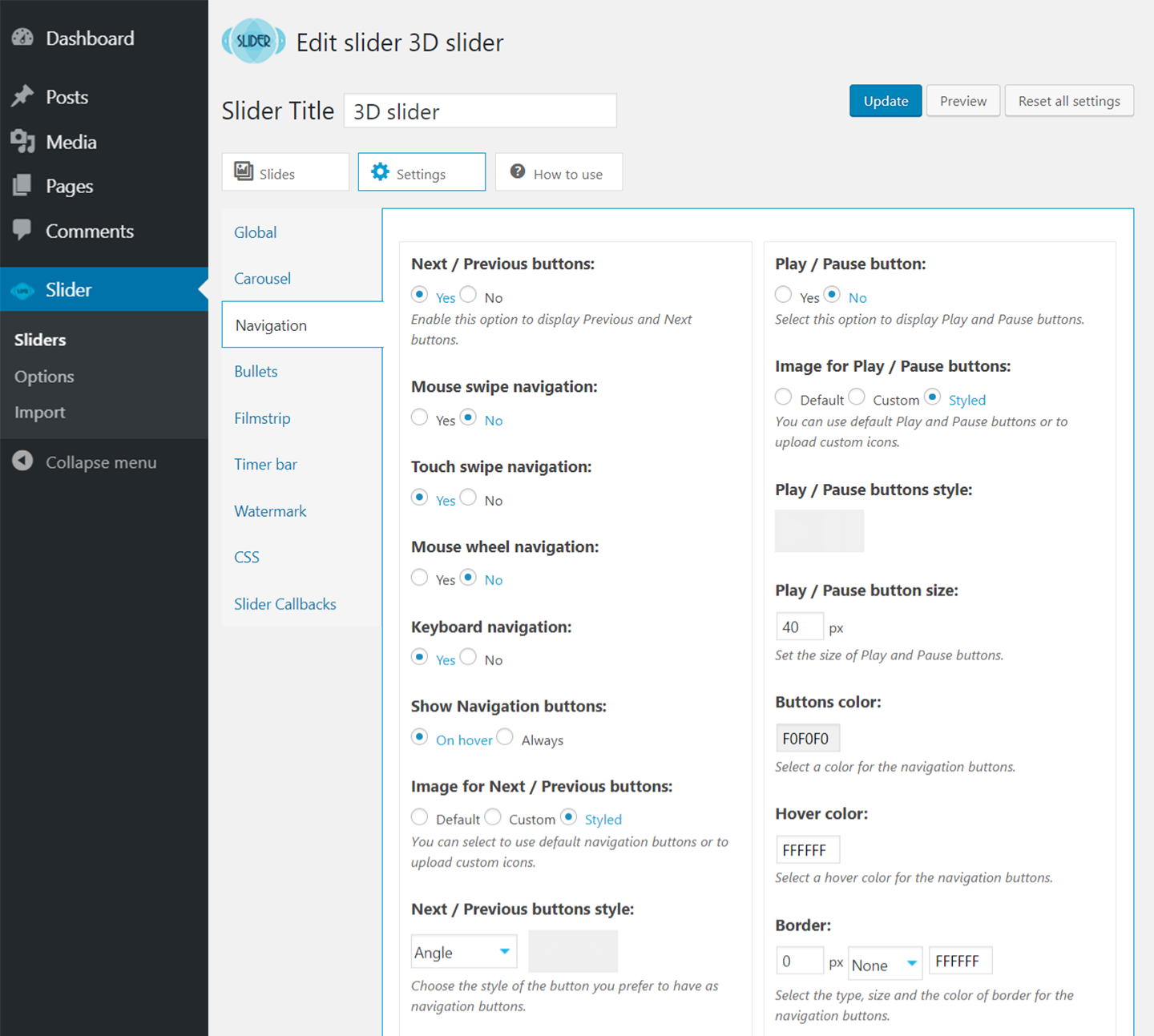
Slider by 10Web has an intuitive drag and drop interface, which makes it easy to create, organize and customize your slides. All the slider options as well as the plugin overview is available at the admin panel. This is basically where you can create the sliders and make the necessary changes as you go. Under the plugin’s global options, you’ll find the default options for layers and some other general settings, such as enabling Slider by 10Web media upload, choosing the loading icon,adding font families, etc. All the other options for customizing the slides can be found under the sliders section, the place where you can actually start adding new slides. The user friendly interface lets you easily add images and videos to the slides, as well as embed media from popular social platforms. Beneath the added slides you’ll find the available layers that you can apply to them, each of the layers coming with its own set of settings. Before you save the final version of the slide you can preview all the changes you’ve made. At the top of the page,you’ll also find a settings icon,where you can configure the settings for the slider you’re working on. From this section you can activate carousel view, give custom styling to bullets and buttons, adjust settings for filmstrip view, as well as configure the settings for watermarking. Also, you can add custom CSS to the slides for the additional styling features.
- 27 Transition effects for slider
- 38 Layer effects
- Support for posts in the slides
- Video Slide support (YouTube slider and Vimeo slider)
- Dailymotion, Instagram and Flickr embed
- Layers (text, image and media embed)- Video Manual
- Social sharing buttons layer (Google+, Tumblr, Twitter, Pinterest and Facebook)
- Hotspot layer
- Filmstrip support
- Custom styles for navigation buttons/bullets
- Support for Parallax Slider
- Support for Carousel effect
- Video Slide and layer (mp4)
- Slider Export/Import.
IMPORTANT:
If you think you found a bug in Slider by 10Web or have any problem/question concerning the plugin, please check out WordPress Slider Support Forum in our website. If you do not find a solution here, do not hesitate to click here to contact us.
Instalação
Thank you for your interest in Slider by 10Web.
Installing via WordPress
Follow the steps below to install Slider by 10Web to your website.
Log-in to your WordPress administrator panel.
Select Plugins page from toolbar menu, click Add New.
Search for Slider by 10Web in the right-top search bar if you want to download the Free version or click Upload Plugin button > “Choose file” (“Browse”) and select the Slider by 10Web zip file if you are installing the Professional version of Slider by 10Web.
For Mac Users
Go to your Downloads folder and locate the folder with the Slider by 10Web. Right-click on the folder and select Compress. This will create a .zip file which can be installed as described below:
Click “Upload & Install” button.
Click “Activate Plugin” button for activating the plugin.
Installing via FTP
Login to your hosting space via an FTP software, e.g. FileZilla.
Unzip the downloaded Slider by 10Web plugin folder without making any changes to the folder.
Upload the Slider by 10Web plugin into the following location wp-content>wp-plugins.
Login to the WordPress Administrator Panel.
Activate Slider by 10Web by going to Plugins and pressing Activate button.
If any problem occurs with installation of Slider by 10Web, please let us know.
Log de Changes
1.2.63
* Fixed: Vulnerability issue.
1.2.62
* Fixed: Vulnerability issue.
1.2.61
* Fixed: Vulnerability issue.
1.2.60
* Fixed: Vulnerability issue.
1.2.59
* Fixed: Vulnerability issue.
1.2.58
* Fixed: Vulnerability issue.
1.2.57
* Fixed: Vulnerability issue.
1.2.56
* Fixed: Vulnerability issue.
1.2.55
* Fixed: Vulnerability issue.
1.2.54
* Added: 10Web Booster integration.
1.2.53
* Fixed: Cross-Site scripting.
1.2.52
* Fixed: Sanitize CSS field value.
1.2.51
- Fixed: Minor bug.
1.2.50
- Fixed: “Ask a question” button styles.
1.2.49
- Fixed: Conflict with some WP themes with not supported file type.
- Fixed: Navigation buttons type options for newly added sliders.
1.2.48
- Fixed: Navigation buttons’ hover color.
1.2.47
- Fixed: Icons in “Navigation / Bullets” buttons list.
1.2.46
- Fixed: Slide options styles.
Capturas de tela


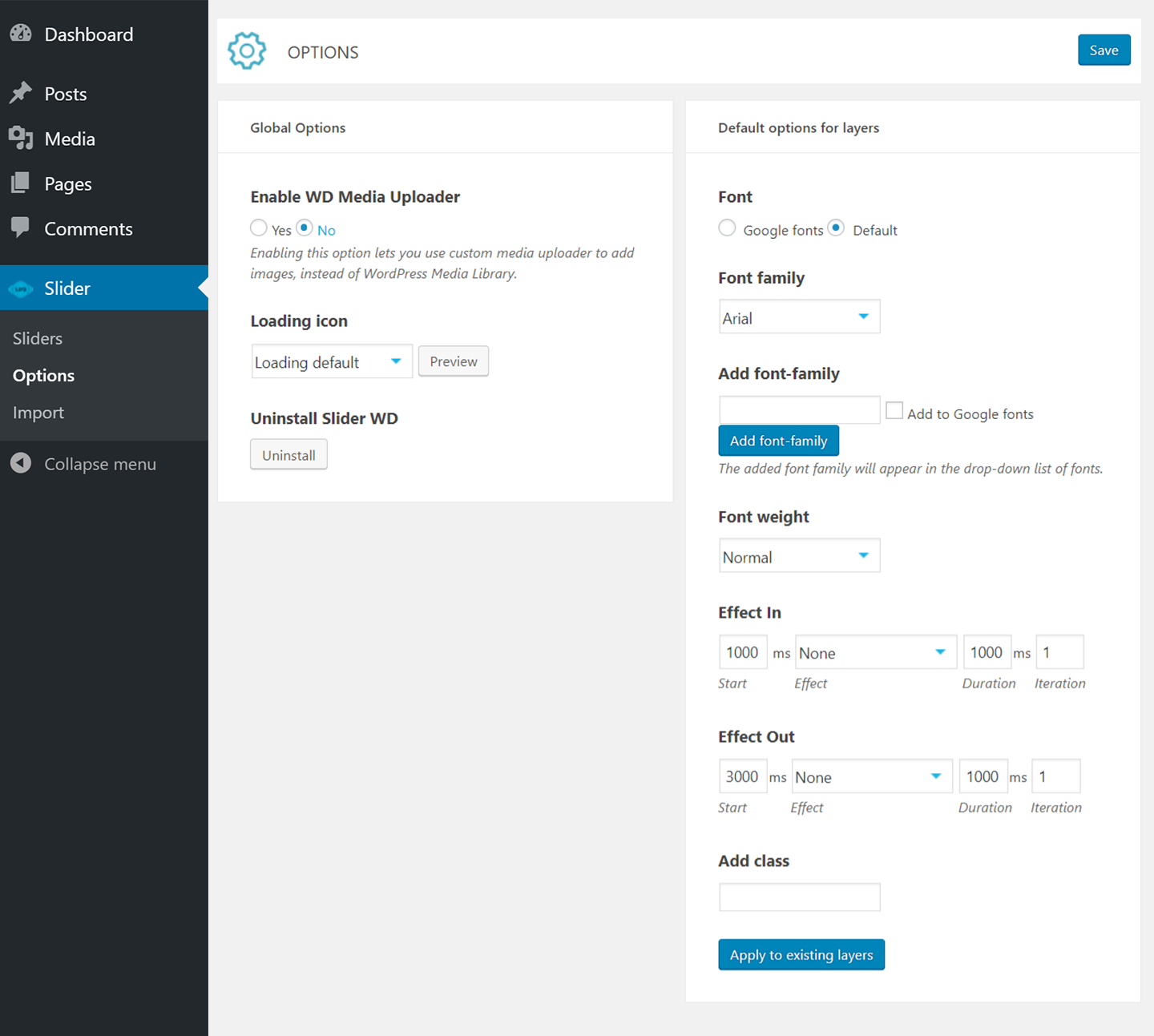
Para desenvolvedores
Este é o seu plugin? Mostre os números.
Adicione um crachá ao vivo ao seu site, Documentos ou Readme do GitHub. Ele é atualizado por conta própria - nenhuma conta necessária.
Best Slider by 10Web alternatives
All image slider plugins →





FAQ
Slider by 10Web: quick answers
Respostas diretas, extraídas de dados ao vivo WordPress.org.
Fonte: WordPress.org
Is Slider by 10Web free?
Yes. Slider by 10Web is free to download and use from the official WordPress.org plugin directory.
Is Slider by 10Web safe to use in 2026?
Slider by 10Web works, but test it on a staging site before relying on it in 2026. It runs on 10K+ sites, is rated 4.5/5 and was last updated 2 months ago, and scores 55/100 on our health check.
How many websites use Slider by 10Web?
Slider by 10Web is active on 10K+ WordPress websites and has been downloaded 2,370,031 times since it launched in October 2014. It was downloaded 4,801 times in the last 30 days.
Does Slider by 10Web work with WordPress 7.1?
Slider by 10Web is officially tested up to WordPress 5.8.20, while the latest release is 7.1.5. It may still work, but try it on a staging site first.
What PHP version does Slider by 10Web need?
Slider by 10Web requires PHP 5.2 or higher. Most hosts run PHP 8.x today, so it works on any modern WordPress hosting.
When was Slider by 10Web last updated?
The latest version, 1.2.63, was released on October 6, 2026 (2 months ago).
Who makes Slider by 10Web?
Slider by 10Web is developed and maintained by 10Web.
What are the best alternatives to Slider by 10Web?
The most popular alternatives to Slider by 10Web are Smart Slider 3 (800K+ installs), Slider, Gallery, and Carous… (500K+ installs) and Prime Slider (100K+ installs).
Alimentado por PageForge
Um modelo e uma planilha. Uma página real para cada pesquisa.
PageForge Transforma cada linha de um CSV em uma página WordPress com seu próprio título, URL, SEO campos e esquema, construído no layout que você já desenhou. Gratuito em WordPress.org.
- CSV e XLSX, mais Google Sheets em Profissional e Empresarial
- Seu próprio título, URL, SEO campos e esquema para cada página
- Funciona com o editor de blocos, Elementor, Divi e Avada
- Gratuito em WordPress.org, sem cartão de crédito