


Simple Digital Clock 🕒
Add customizable digital clocks to WordPress. Show your office's local time, another city's time or UTC with captions, dates and colors.

Escolha sólida
Simple Digital Clock 🕒 is a solid plugin choice in 2026, with a few things worth checking first. It runs on 500+ sites, is rated 4.3/5 and was last updated 1 week ago, and scores 68/100 on our health check.
- Desenvolvido ativamente — última atualização 1 semana atrás
- Testado com as últimas WordPress (7.1)
- Momentum — downloads up 305% vs the previous 30 days
- Base de usuários pequenas (mais de 500 instalações ativas)
Como ele se acumula?
Lado a lado em instalações, atualizações, avaliações e suporte


Downloads diários
Os picos de download geralmente seguem uma nova versão — cada site que atualiza automaticamente é um download.
Rankings
Where Simple Digital Clock 🕒 stands todayWordPress.org Classificações de pesquisa
Posição ao vivo na pesquisa de plugins, top 100| Palavra chave | Posição |
|---|---|
| clock | #4 |
| current time | #17 |
| digital clock | #1 |
| local times | #26 |
| world clock | #4 |
Adoção da versão
Compartilhamento de sites ativos por lançamento.
Divisão de classificação
★★★★★★★★★★ 4.3 from 12 reviews
About Simple Digital Clock 🕒
From the official readme · v1.1.5Descrição
Add customizable digital clocks to WordPress. Show your office’s local time, another city’s time or UTC with captions, dates and colors.
📌 Description
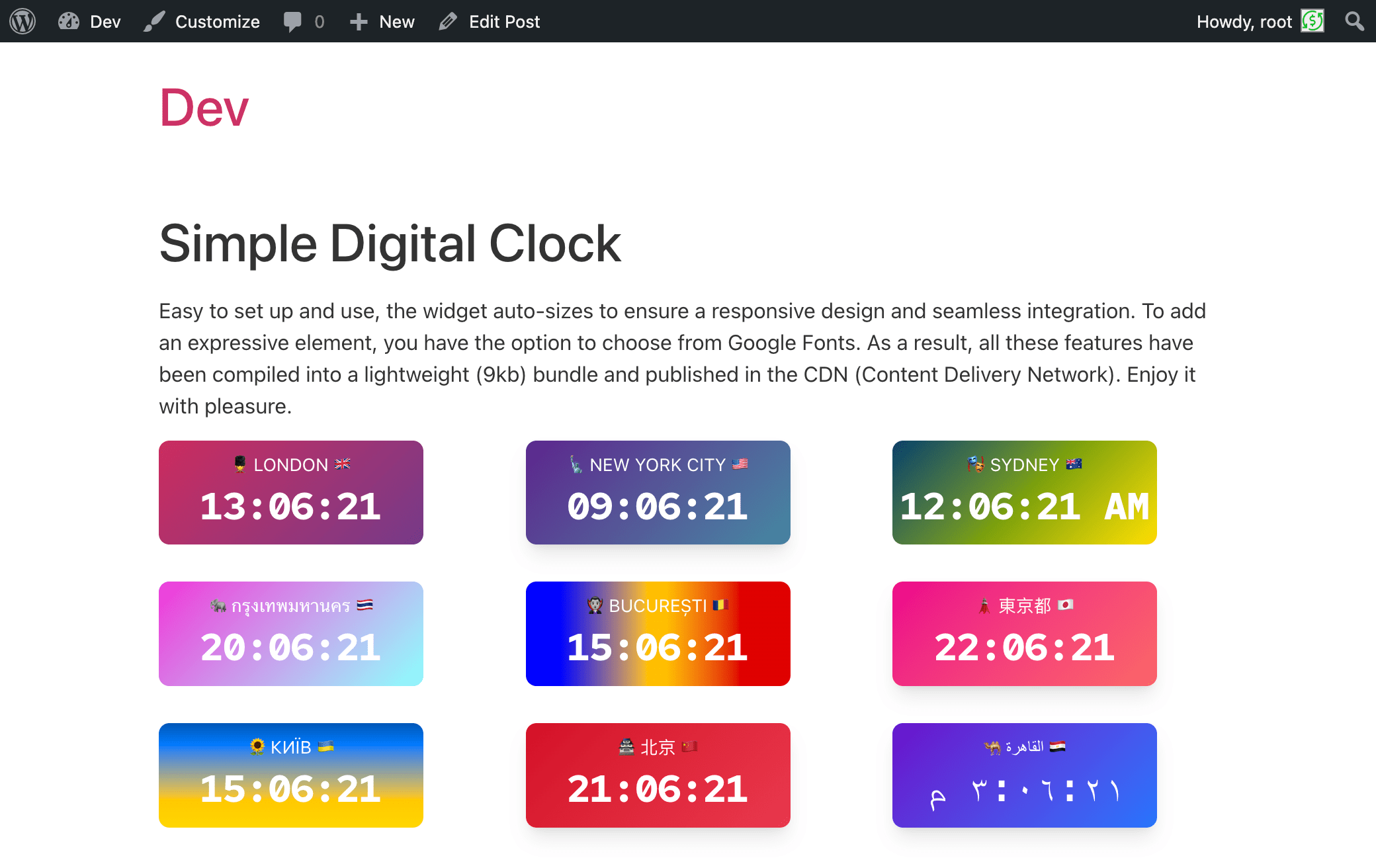
Show your office’s local time, the time in another city or UTC on your WordPress site. Simple Digital Clock provides a Gutenberg block for posts, pages and block-based widget areas. Choose a time zone, add a caption and adjust colors, fonts and display options directly in the editor. Add multiple clocks to show the time in different locations, with independent settings for each block.
Live demo👀 | CodePen playground👀
⭐️ FEATURES ⭐️
- 🚀 Lightweight (~12.2 KiB gzip)
- 🗣 Locale support (BCP-47, e.g.,
en-US,uk,de-DE) - 🌐 IANA time zones (e.g.,
Europe/Kyiv,UTC) - 📝 Custom caption
- 🎨 Styling: color/gradient, radius, shadows
- 🔢 24-hour or AM/PM, ⏱ seconds, ⏱️ optional hundredths of a second, 📅 date
- 🔒 SSL-friendly, 📱 responsive
- 💯 Free, no ads
Como funciona
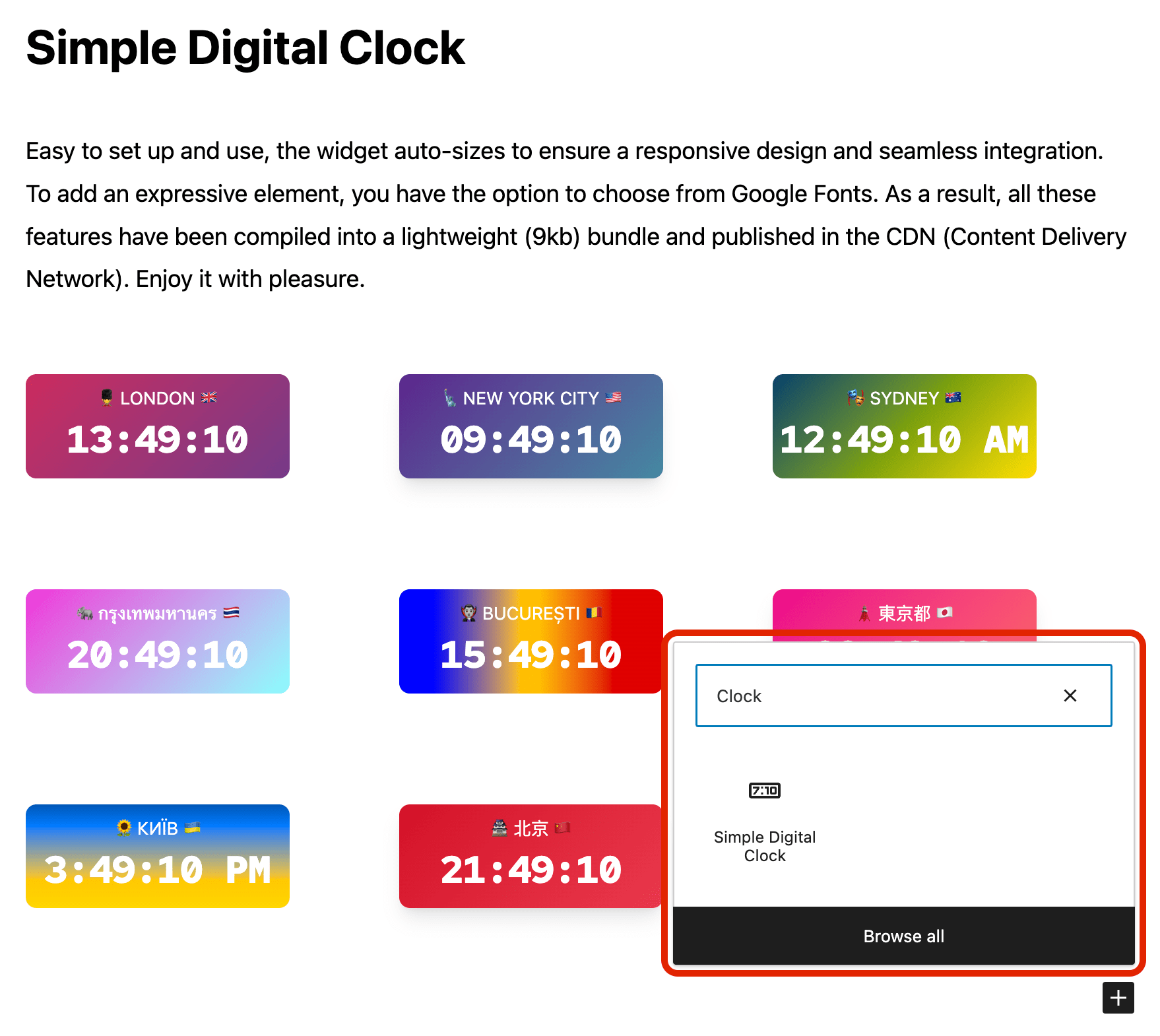
- Add the Simple Digital Clock block in the editor or as a widget.
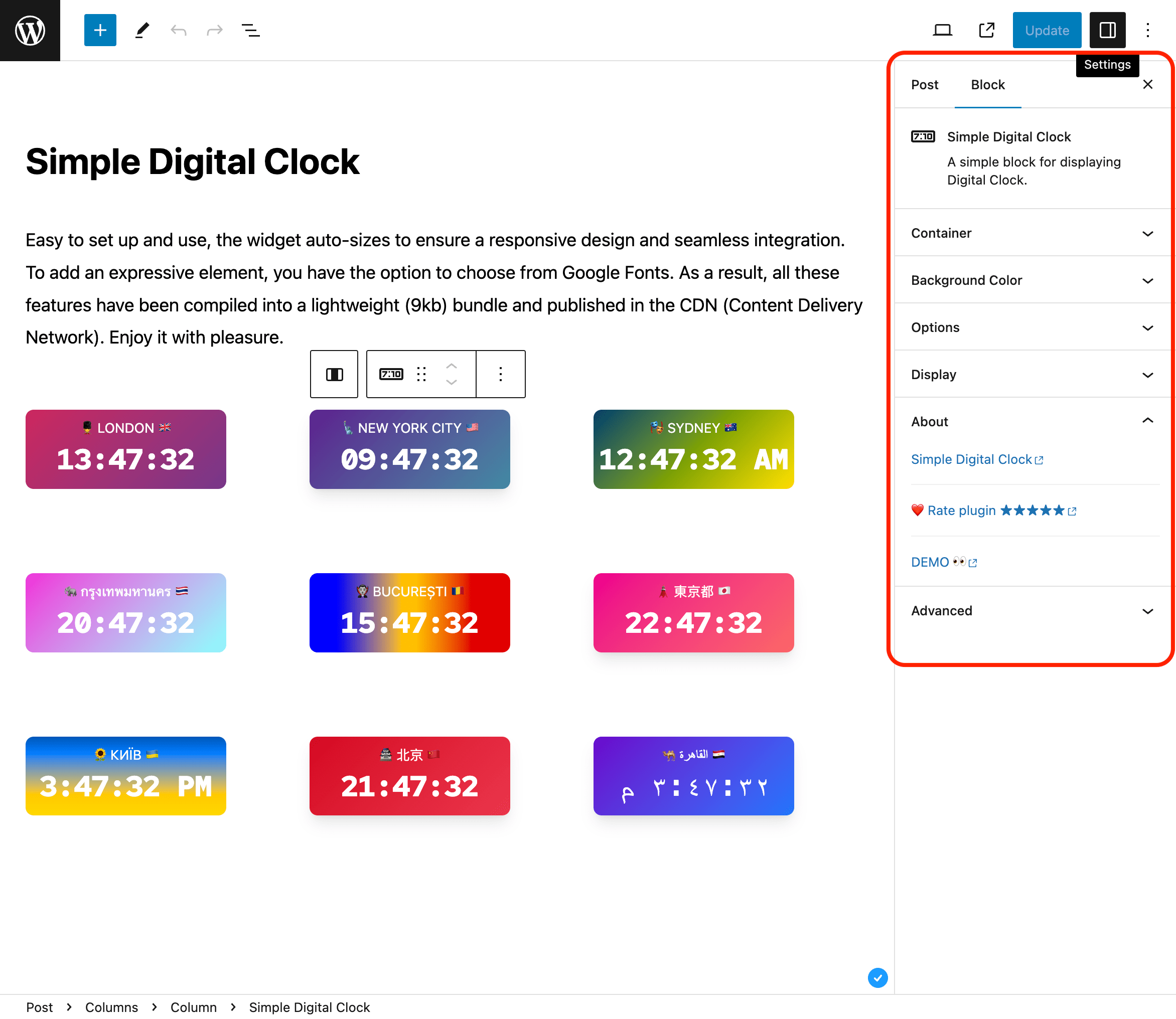
- Configure in the right sidebar:
- Locale (e.g.,
en-US,uk,fr-FR) - Time Zone (IANA ID, e.g.,
Europe/Kyiv,America/New_York,UTC) - Seconds, Hundredths, Date, 24-Hour (AM/PM), Caption
- Background/gradient, border radius, shadow, and font
- Locale (e.g.,
Hundredths shows two fractional digits after the seconds for clocks that need finer visual precision. Hundredths automatically include seconds while enabled. Note: the browser may not render every 10 ms increment.
📌 Installation
= From your WordPress dashboard =
1. Go to Plugins → Add New
2. Search for “Simple Digital Clock”
3. Install & Activate
4. Insert the block in the editor or add it as a widget (/wp-admin/widgets.php)
From WordPress.org
- Download “Simple Digital Clock”
- Upload to /wp-content/plugins/
- Activate
- Insert the block / add the widget
Source / Development
The production JavaScript bundled with this plugin is built from the public Simple Digital Clock Widget source.
- Source repository: https://github.com/Timenow-zone/Simple-Digital-Clock-Widget
- Bundled upstream version: 0.8.1
- Exact source for this bundled release: https://github.com/Timenow-zone/Simple-Digital-Clock-Widget/tree/b44f944b60babf45bf266e73ba12f7eba53cfef2
Third-party copyright and MIT license notices for the bundled dependencies are included in THIRD-PARTY-NOTICES.txt. The WordPress wrapper remains GPLv2 or later.
To reproduce the production bundle:
npm cinpm run build
🍩 Donations
🕒 Sync Time: UTC
🗓️ Today’s Date: TodaysDateNow
Log de Changes
Restores clocks in existing HTML, widget and template integrations. No content migration is required.
1.1.5
- Restore automatic clock rendering in existing raw HTML, Custom HTML/Text widgets, templates and shortcode integrations after updating from 1.1.2 or 1.1.4.
- Load the runtime only for actual server-rendered clocks, including raw HTML and cached fragments, while preserving raw HTML layout.
- Retain the Gutenberg, legacy metadata and localization fixes from 1.1.4 without changing stored content.
1.1.4
- Preserve clock JSON metadata when reading legacy blocks and across REST saves and responses, including captions ending in a backslash and block locks.
- Make missing editor controls, settings titles and rating notices translatable; preserve literal translated text without double HTML escaping.
- Load assets when the owned clock block renders, without scanning or buffering page HTML; multiple clocks share one script and one inline layout rule without an external CSS request.
- Keep editor preview assets scoped to block editors and rating-notice assets scoped to the plugin settings screen.
- Expose metadata failure diagnostics through a fixed-code action without unconditional PHP logging.
- Preserve captions ending in a backslash and nondefault clock settings when saving on WordPress 6.3.
- Include third-party copyright and license notices for bundled dependencies.
- Update the bundled widget to 0.8.1 with Preact 11.1.0.
- Preserve clock, caption, date and time zone sizing with explicit CSS pixel units.
- Keep ordinary localized AM/PM clocks on one line at narrow widths and after format or hour-length changes.
- Refit clocks after Google Fonts and localized font subsets finish loading, without waiting for unrelated page fonts.
- Prevent overflow when a browser rounds font metrics, including in Chromium on Linux.
- Refit clocks when a local theme font finishes loading after the Google Fonts stylesheet fails.
- Keep localized time on one line after shrinking, including Amharic in WebKit.
1.1.3
- Preserve captions containing null, surrogate or out-of-range numeric HTML references when users without unfiltered HTML save existing clock blocks.
- Recalculate automatic clock sizing when its container changes width or becomes visible, without requiring a window resize.
- Avoid ResizeObserver loop warnings when clock containers are laid out inside iframes.
- Release resize observers and event handlers when clocks are removed.
- Bundle widget 0.7.1, including improved fitting for hundredths of a second.
1.1.2
- Fixed caption preservation with the HTML API KSES sanitizer in WordPress 7.2 Beta 2.
- Fixed custom BCP-47 locale codes being discarded by the block editor.
- Fixed mouse activation of Auto language and Auto Timezone with open suggestions.
- Resetting Locale now restores the site language instead of an invalid empty locale.
- Resetting Time Zone preserves the string format supported by version 1.1.1.
- Fixed saved clock blocks becoming invalid when reopened in a different browser time zone, including in LocalWP.
- Fixed clock markup being removed when saved by users without unfiltered HTML permissions, including in LocalWP.
1.1.1
- Fixed the clock block layout so it stays correctly positioned within WordPress content containers and block themes.
1.1.0
- Added optional hundredths-of-a-second display.
- Updated bundled Simple Digital Clock Widget to 0.7.0.
- Updated live demo and source-code documentation.
Capturas de tela


Para desenvolvedores
Este é o seu plugin? Mostre os números.
Adicione um crachá ao vivo ao seu site, Documentos ou Readme do GitHub. Ele é atualizado por conta própria - nenhuma conta necessária.
Best Simple Digital Clock 🕒 alternatives
All clock plugins →





FAQ
Simple Digital Clock 🕒: quick answers
Respostas diretas, extraídas de dados ao vivo WordPress.org.
Fonte: WordPress.org
Is Simple Digital Clock 🕒 free?
Yes. Simple Digital Clock 🕒 is free to download and use from the official WordPress.org plugin directory.
Is Simple Digital Clock 🕒 safe to use in 2026?
Simple Digital Clock 🕒 is a solid plugin choice in 2026, with a few things worth checking first. It runs on 500+ sites, is rated 4.3/5 and was last updated 1 week ago, and scores 68/100 on our health check.
How many websites use Simple Digital Clock 🕒?
Simple Digital Clock 🕒 is active on 500+ WordPress websites and has been downloaded 10,304 times since it launched in March 2024. It was downloaded 1,308 times in the last 30 days.
Does Simple Digital Clock 🕒 work with WordPress 7.1?
Yes. The developer has tested Simple Digital Clock 🕒 up to WordPress 7.1.5, the latest release. It requires WordPress 6.3 or newer.
What PHP version does Simple Digital Clock 🕒 need?
Simple Digital Clock 🕒 requires PHP 7.0 or higher. Most hosts run PHP 8.x today, so it works on any modern WordPress hosting.
When was Simple Digital Clock 🕒 last updated?
The latest version, 1.1.5, was released on November 11, 2026 (1 week ago).
Who makes Simple Digital Clock 🕒?
Simple Digital Clock 🕒 is developed and maintained by falselight.
What are the best alternatives to Simple Digital Clock 🕒?
The most popular alternatives to Simple Digital Clock 🕒 are CoolClock (1K+ installs), Easy Timer (1K+ installs) and MX Time Zone Clocks (1K+ installs).
Alimentado por PageForge
Um modelo e uma planilha. Uma página real para cada pesquisa.
PageForge Transforma cada linha de um CSV em uma página WordPress com seu próprio título, URL, SEO campos e esquema, construído no layout que você já desenhou. Gratuito em WordPress.org.
- CSV e XLSX, mais Google Sheets em Profissional e Empresarial
- Seu próprio título, URL, SEO campos e esquema para cada página
- Funciona com o editor de blocos, Elementor, Divi e Avada
- Gratuito em WordPress.org, sem cartão de crédito