


Pedido de postagem personalizado simples
Easily reorder posts, pages, custom post types, and taxonomies with intuitive drag-and-drop sorting in the WordPress admin.

Escolha segura
Yes — Simple Custom Post Order is a safe, well-maintained plugin to use in 2026. It runs on 300K+ sites, is rated 4.8/5 and was last updated 3 days ago, and scores 94/100 on our health check.
- Comprovado em escala em mais de 300 mil sites ativos
- Loved by users — 4.8/5 from 590 reviews
- Desenvolvido ativamente — última atualização 3 dias atrás
- Testado com as últimas WordPress (7.1)
- Suporte responsivo — 86% dos tópicos recentes resolvidos
Como ele se acumula?
Lado a lado em instalações, atualizações, avaliações e suporte


Downloads diários
Os picos de download geralmente seguem uma nova versão — cada site que atualiza automaticamente é um download.
Rankings
Where Simple Custom Post Order stands todayWordPress.org Classificações de pesquisa
Posição ao vivo na pesquisa de plugins, top 100| Palavra chave | Posição |
|---|---|
| custom post order | #1 |
| drag drop order | #1 |
| pós-pedido | #1 |
| reorder posts | #2 |
| sort posts | #2 |
Adoção da versão
Compartilhamento de sites ativos por lançamento.
Divisão de classificação
★★★★★★★★★★ 4.8 from 590 reviews
About Simple Custom Post Order
Do Readme oficial · v2.9.1Descrição
Simple Custom Post Order is the easiest way to manually sort your WordPress content using drag-and-drop functionality. Whether you’re managing blog posts, portfolio items, WooCommerce products, team members, testimonials, or any custom post type, this plugin gives you complete control over your content order.
Why Choose Simple Custom Post Order?
- Quick Setup – Tick the post types and taxonomies to sort under Settings > SCPOrder, then drag
- Drag & Drop Interface – Intuitive sorting directly in your admin post lists
- Universal Compatibility – Works with any post type and taxonomy
- Lightweight & Fast – No bloat, minimal impact on site performance
- Modern & Dependency-Free – Vanilla JavaScript drag-and-drop (no jQuery UI) with touch and full keyboard support
- Reliable Saving – Robust AJAX saving that works behind reverse proxies, custom ports, and HTTPS setups
- Developer Friendly – Action and filter hooks for customization
Key Features
Sort Any Content Type
- Posts – Reorder your blog posts in any sequence you prefer
- Pages – Organize pages beyond alphabetical or date order
- Custom Post Types – Perfect for portfolios, team members, testimonials, products, events, FAQs, services, and more
- WooCommerce Products – Manually sort products in your shop
- Taxonomies – Reorder categories, tags, and custom taxonomies
- Parent / Child (opt-in) – On hierarchical lists (Pages, Categories…), drag a row sideways to nest it under the item above or move it back out; the order and the new parent are saved together. Turn it on under Settings → SCPOrder
Intuitive Admin Interface
- Smooth drag-and-drop sorting directly in the WordPress post list table
- Touch-friendly — press, hold, and drag to reorder on phones and tablets
- Fully keyboard accessible — tab to a row, then use Space and the arrow keys to reorder, with screen-reader announcements
- Clear save feedback — a “Saving… / Order saved” status appears as you sort
- Drag handle — a grip icon appears on hover (on by default; can be turned off), and rows stay draggable from anywhere
- Page trees — dragging a parent page carries its child pages with it, and keyboard moves stay among a page’s siblings
- Optional “Order” column — type an exact position, handy for moving an item to another page of a long list
- Choose whether newly created items go to the top (default) or the bottom of the order
- Choose which user roles may reorder
- Changes saved automatically via AJAX – no page refresh needed, with a Retry button if a save fails
- Conflicting edits are rejected with a recovery message; the Modern engine offers a Reload list button
- The Modern engine warns before leaving with pending or failed saves
- Works seamlessly with the default WordPress admin experience
Smart Query Integration
- Automatically applies the custom order to queries for enabled post types that don’t ask for a specific order
- Respects an explicit sort such as
orderby => title(see the FAQ for the oneget_posts()exception) - Does not interfere with search results (maintains relevance sorting)
- Previous/next post links follow the custom order
- Compatible with
get_posts(),WP_Query, and standard loops - Opt out per query with
'scpo_ignore_custom_order' => true
Reset & Restore
- One-click reset to restore default ordering
- Reset individual post types without affecting others
- Useful when you need to start fresh with your content organization
Perfect For
- Bloggers – Feature important posts at the top of your blog
- Business Websites – Showcase key services or team members first
- Portfolio Sites – Display your best work in a specific order
- Online Stores – Highlight featured or seasonal products
- Membership Sites – Organize course content or resources
- News Sites – Pin important stories or announcements
- Event Websites – Arrange events in your preferred sequence
- Documentation Sites – Structure help articles logically
Casos de uso
Portfolio Management
Arrange your portfolio items to showcase your best work first, group similar projects together, or create a visual narrative of your creative journey.
Team Page Organization
Display team members by hierarchy, department, or seniority rather than by when they were added to the system.
Product Highlighting
Feature seasonal items, bestsellers, or new arrivals at the top of your WooCommerce shop without relying solely on sorting by date or price.
Content Curation
Create curated reading lists by manually ordering posts in the exact sequence you want readers to discover them.
FAQ Organization
Sort frequently asked questions by importance or topic, ensuring the most relevant questions appear first.
Testimonial Display
Show your most compelling testimonials first to maximize their impact on potential customers.
Developer Features
Action Hooks
scp_update_menu_order– Fires after post order is updated, by drag-and-drop or the Order column (no arguments)scp_update_menu_order_tags– Fires after taxonomy term order is updated (no arguments)
Filter Hooks
scpo_post_types_args– Modify which post types appear in settingsscpo_use_sortablejs– Force the drag engine in code (overrides the setting); returntruefor the modern SortableJS engine orfalsefor the classic jQuery UI sorterscpo_capability– Change the capability required to reorder (defaultedit_posts)scpo_reverse_adjacent_posts– Returntrueto swap the direction of previous/next post linksscpo_cache_flush_group_threshold– Number of changed rows (default 500) above which cached order values are cleared in bulk instead of one by one
Example — let only editors and administrators reorder:
add_filter( 'scpo_capability', function () { return 'edit_others_posts'; } );
Drag & Drop Engine
Choose between the modern, dependency-free SortableJS engine (default) and the classic jQuery UI sorter under Settings > SCPOrder. The classic engine remains fully supported as a fallback.
Advanced View Mode
Enable the advanced view in settings to see all registered post types, including those normally hidden from the admin menu.
Supported Post Types
Simple Custom Post Order works with:
- WordPress Posts
- WordPress Pages
- WooCommerce Products
- Easy Digital Downloads Products
- Portfolio items (Jetpack, custom)
- Team member post types
- Testimonial post types
- Event post types (The Events Calendar, etc.)
- FAQ post types
- Any custom post type with
show_uienabled that appears in the admin menu (turn on Advanced View in Settings to list the rest)
Supported Taxonomies
- Categorias
- Tags
- WooCommerce Product Categories
- WooCommerce Product Tags
- Custom taxonomies with
show_uienabled
How It Works
- Install & Activate – Install the plugin from WordPress.org or upload manually
- Configure – Go to Settings > SCPOrder and select which post types and taxonomies to enable (nothing is sorted until you do)
- Reorder – Visit any enabled post type list and drag items to reorder
- Done – Your custom order is automatically applied across your site
The plugin uses WordPress’s native menu_order field for posts and pages, and adds a term_order column for taxonomy terms. This approach ensures compatibility and data persistence.
Performance Optimized
- Targeted cache invalidation (only clears cache for modified items)
- Batched database writes that only touch rows whose order actually changed
- Scripts loaded only on relevant admin pages
- No front-end performance impact
Security First
- All database queries use prepared statements
- AJAX requests protected with nonce verification
- Capability checks ensure only authorized users can reorder
- Input sanitization on all user data
Additional Information
Apoio
For support questions, please use the WordPress.org support forum.
Bug Reports
Report bugs on our GitHub repository.
Contributing
Contributions are welcome! Please submit pull requests to our GitHub repository.
Créditos
This plugin is made with love by the team at Colorlib.
Instalação
Database Requirement
InnoDB, MyISAM, and MariaDB Aria ordering tables are supported. No table conversion is performed. InnoDB saves use transactions. MyISAM/Aria and hosts that hide engine metadata use one guarded UPDATE, with snapshot checking and no multi-batch writes. These nontransactional engines cannot roll back partial changes after a server crash, killed query, or mid-statement error; reload before retrying an unconfirmed save.
Instalação automática
- Log in to your WordPress admin panel
- Go to Plugins > Add New
- Search for “Simple Custom Post Order”
- Click “Install Now” and then “Activate”
- Go to Settings > SCPOrder to configure
Manual Installation
- Download the plugin ZIP file
- Log in to your WordPress admin panel
- Go to Plugins > Add New > Upload Plugin
- Choose the downloaded ZIP file and click “Install Now”
- Activate the plugin
- Go to Settings > SCPOrder to configure
Configuration
- Navigate to Settings > SCPOrder
- Check the boxes next to post types you want to enable sorting for
- Check the boxes next to taxonomies you want to enable sorting for
- Click “Save Changes”
- Visit any enabled post type list to start reordering with drag-and-drop
Log de Changes
Explains in the opt-in Parent / child setting that nesting a page changes its URL, and clears Plugin Check's remaining errors. How orders are saved is unchanged.
2.9.1 – 2026-11-26
- The Parent / child setting now says what nesting does to a page’s address: moving a published page under another page changes its URL, and WordPress does not redirect the old one. The feature stays off unless you switch it on.
- Cleared the remaining errors reported by the WordPress Plugin Check tool. They were checks the tool could not follow (the plugin’s own table, column and savepoint names, and numbers printed as numbers); how orders are saved is unchanged.
2.9.0 – 2026-11-26
Novo
- Change an item’s parent by dragging (opt-in). On hierarchical post types such as Pages and taxonomies such as Categories, drag a row to the right to nest it under the item above, or to the left to move it back out. The dashes in front of the title preview where it will land, children move with their parent, and only positions that keep the tree valid are offered. With the keyboard, grab a row and press Right or Left Arrow. It is off by default, because changing a page’s parent changes its URL. Turn it on under Settings → SCPOrder → Advanced Options → Parent / child. Props @jgramp.
Compatibilidade
- Tested with WordPress 7.2 and PHP 8.6.
2.8.12 – 2026-11-03
- Fixed WooCommerce product category drags that showed “Order saved” but snapped back on reload, or reported “The order changed in another window”. WooCommerce’s own category sorter (the ☰ handle) ran alongside ours; it is now switched off wherever this plugin orders the list.
- Fixed the WooCommerce Product Categories widget set to “Category order” showing an old order. It now follows the custom order.
- Fixed WooCommerce category queries that ask only for IDs or a limited number of categories ignoring the custom order.
- When a theme or another plugin sorts an admin list itself (for example a
pre_get_postshook forcing date order), drag and drop is turned off on that list with a notice explaining why, instead of every drag failing with “The order changed in another window or request”. - Fewer false “The order changed in another window” errors: saves now compare each row’s saved value instead of assuming the list is shown in numeric order. Real changes made in another window are still caught.
- MyISAM and MariaDB Aria sites can reorder again, without converting tables, using a single guarded database update. InnoDB keeps full transactions. On MyISAM/Aria a server crash mid-save cannot be rolled back; the plugin reports such a save as unconfirmed and asks you to reload.
- Enabled post types now support Page Attributes, so the Query Loop block offers “Ascending by order” for custom post types too. Use the
scpo_add_order_supportfilter to opt out. - Added a Simple Custom Post Order section to Tools > Site Health > Info (table engines, object cache, database drop-in) to help with support requests.
2.8.11 – 2026-10-19
Correções de bugs
- Fixed “Safe reordering requires an InnoDB database table” blocking every reorder on sites whose tables are InnoDB. 2.8.10 treated an unanswered storage-engine lookup as “not InnoDB”; the plugin now also asks via
SHOW TABLE STATUSand only refuses when the database positively reports a non-transactional engine such as MyISAM. - Fixed drags in hierarchical taxonomies (Categories, product categories, …) being refused with “The order changed in another window or request” even after reloading. Hierarchical taxonomies are now numbered in the tree order the list shows, as pages have been since 2.8.9, and a term added with the quick-add form is placed under its parent straight away. Sibling order is unchanged; the first visit to the list after upgrading may renumber terms once. Props @huubl.
2.8.10 – 2026-10-12
Safer saves and recovery
- Fixed failed order reads and writes reporting success. Drag and numeric saves now roll back all batches when a database write fails, preserving a caller’s existing transaction with savepoints.
- Added stale-order checks for Modern and Classic drags and the Order column. Conflicting edits are rejected instead of overwriting the order; the Modern engine offers a Reload list button. Retrying an already-saved drag remains safe.
- Added a Modern-engine warning before leaving with pending or failed saves. The warning clears after saving succeeds, and newly added rows refresh the saved list baseline.
- Improved server error messages and retry handling. The Order column now treats unsuccessful HTTP responses as failures, and Classic drags are disabled while saving.
- Fixed failed resets disabling sorting despite database errors; a settings failure after a reset is now reported separately.
Developers and compatibility
- Added the
scpo_ignore_custom_orderquery argument forWP_Queryandget_posts()to bypass automatic post ordering without changing saved values or existing defaults. - Safe reordering now requires InnoDB for the relevant posts/terms tables. Unsupported storage returns an explanatory error; no automatic table conversion occurs.
- Added failure-injection tests, real database transaction tests, browser recovery checks, PHP compatibility CI, and a local install/test runner with verified restoration of ordering and settings.
- Updated translation strings and release validation. WordPress 6.2+ and PHP 7.4+ remain required; no paid service or subscription is needed.
2.8.9 – 2026-09-29
Correções de bugs
- Fixed dragging on the Drafts, Pending or search-results view of a list scrambling your order. Those views are sorted by date or relevance, and a drag saved every row on the screen in that order. Drag-and-drop is now only offered on views that show your custom order.
- Fixed
wp_get_recent_posts()— used by many “recent posts” widgets and blocks — returning the oldest posts of a sorted post type. A descending sort on a date column is now respected byget_posts()too. - Fixed the Tags admin list showing the wrong tags on each page once there were more than fit on one page, so dragging reordered the wrong set of tags.
- Fixed tag clouds and the editor’s “most used tags” showing arbitrary tags:
orderby => count(and other meaningful term orders such asinclude,slug__inand meta values) is now respected. WooCommerce product categories keep following your custom order. - Fixed dragging on page 2 or later of a long page tree moving pages you never touched onto another page of the list. Pages are now numbered in the order the tree is shown, so a save only ever affects the rows on screen.
- Fixed keyboard reordering in page and category trees: a page now moves past whole sibling branches, never lands inside another branch or above its own parent, and Escape puts everything back exactly as it was. Dragging with the mouse no longer picks up rows that are not really its children.
- Fixed previous/next links skipping a post that shares an order number with the current one (for example a copy made by a duplicate-post plugin).
- Fixed searches and extra queries on search results pages being forced into the custom order, and a “called incorrectly” notice for
is_search()when queries ran before the main one. - Fixed a save with Quick Edit open sending the edited post twice, which misplaced it. On the Classic engine an open Bulk Edit row made the whole save fail silently.
- Fixed drag-and-drop reporting a failure when another plugin printed a notice into the reply (the Order column already coped with this since 2.8.6).
- Fixed enabling Pages reshuffling pages that share a Page Attributes order value: ties are now settled alphabetically, as WordPress showed them.
- Fixed saving the settings — or resetting one post type — renumbering every other sorted type.
- Fixed Reset Order turning the drag handle off on older installs, leaving stale numbers behind on sites with a persistent object cache, and accepting post types the form does not offer.
- Fixed taxonomies registered with capital letters not staying enabled after saving the settings.
- Fixed term order not updating in
get_the_terms()(used by most themes to list a post’s categories and tags) on sites with a persistent object cache. - Fixed network super admins being locked out of reordering when “Who can reorder” is restricted to certain roles.
- Fixed long page trees being cut off when saved (PHP’s
max_input_varslimit). - Fixed the site-wide setup notice being shown to, and dismissable by, users who cannot change the plugin’s settings; it also no longer shows once only taxonomies are enabled.
- Fixed the Reset Order button and the setup notice’s dismiss button failing when the admin is reached through a proxy, another port or http/https mismatch.
- The
term_ordercolumn is now only recorded as installed once it really exists. If the database refused to add it, term queries keep working unsorted instead of failing.
Melhorias
- A failed save now keeps its message on screen with a Retry button, and requests time out after 20 seconds instead of hanging.
- The Order column updates its numbers after a drag, no longer sends the same position twice, and rejects positions such as 0 or 2.5 instead of silently misreading them.
- Keyboard users hear how to use the drag handle before grabbing a row, and are told when a row cannot move any further.
- Right-to-left languages, Windows High Contrast mode and the admin colour scheme are now supported by the drag handle and save message; the drag animation respects “reduce motion”.
- Typing in the Order box or other fields inside a row no longer starts a drag.
- Much faster on large sites: typing a position in the Order column and saving a drag now use a few batched queries that only touch rows whose number changes, and tidying up the order after new posts are published no longer flushes the entire object cache.
- Uninstalling on multisite now handles large networks, and no longer removes a
term_ordercolumn that another plugin created. - The plugin header now declares “Requires at least: 6.2”, so WordPress enforces the minimum version.
Capturas de tela


Para desenvolvedores
Este é o seu plugin? Mostre os números.
Adicione um crachá ao vivo ao seu site, Documentos ou Readme do GitHub. Ele é atualizado por conta própria - nenhuma conta necessária.
Best Simple Custom Post Order alternatives
All custom post order plugins →
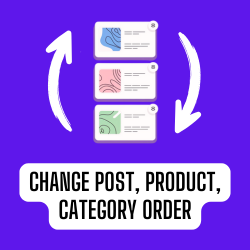




FAQ
Simple Custom Post Order: quick answers
Respostas diretas, extraídas de dados ao vivo WordPress.org.
Fonte: WordPress.org
Is Simple Custom Post Order free?
Yes. Simple Custom Post Order is free to download and use from the official WordPress.org plugin directory.
Is Simple Custom Post Order safe to use in 2026?
Yes — Simple Custom Post Order is a safe, well-maintained plugin to use in 2026. It runs on 300K+ sites, is rated 4.8/5 and was last updated 3 days ago, and scores 94/100 on our health check.
How many websites use Simple Custom Post Order?
Simple Custom Post Order is active on 300K+ WordPress websites and has been downloaded 5,841,430 times since it launched in July 2013. It was downloaded 245,732 times in the last 30 days.
Does Simple Custom Post Order work with WordPress 7.1?
Yes. The developer has tested Simple Custom Post Order up to WordPress 7.2, the latest release. It requires WordPress 6.2 or newer.
What PHP version does Simple Custom Post Order need?
Simple Custom Post Order requires PHP 7.4 or higher. Most hosts run PHP 8.x today, so it works on any modern WordPress hosting.
When was Simple Custom Post Order last updated?
The latest version, 2.9.1, was released on November 26, 2026 (3 days ago).
Who makes Simple Custom Post Order?
Simple Custom Post Order is developed and maintained by colorlibplugins.
What are the best alternatives to Simple Custom Post Order?
The most popular alternatives to Simple Custom Post Order are Real Custom Post Order: Cre… (8K+ installs), Posts Order (900+ installs) and Custom Category Post Order (500+ installs).
Alimentado por PageForge
Um modelo e uma planilha. Uma página real para cada pesquisa.
PageForge Transforma cada linha de um CSV em uma página WordPress com seu próprio título, URL, SEO campos e esquema, construído no layout que você já desenhou. Gratuito em WordPress.org.
- CSV e XLSX, mais Google Sheets em Profissional e Empresarial
- Seu próprio título, URL, SEO campos e esquema para cada página
- Funciona com o editor de blocos, Elementor, Divi e Avada
- Gratuito em WordPress.org, sem cartão de crédito