


SignoffFlow – Client Approval Workflow & Client Portal
Client portal and approval workflow for agencies. Share files and updates, request approvals, and track every client sign-off.

Escolha sólida
SignoffFlow is a solid plugin choice in 2026, with a few things worth checking first. Was last updated 3 weeks ago, and scores 64/100 on our health check.
- Desenvolvido ativamente — última atualização 3 semanas atrás
- Testado com as últimas WordPress (7.1)
- Base de usuários pequenas (<10 instalações ativas)
- Muito poucos comentários até agora
Como ele se acumula?
Lado a lado em instalações, atualizações, avaliações e suporte


Downloads diários
Os picos de download geralmente seguem uma nova versão — cada site que atualiza automaticamente é um download.
Rankings
Where SignoffFlow stands todayWordPress.org Classificações de pesquisa
Posição ao vivo na pesquisa de plugins, top 100| Palavra chave | Posição |
|---|---|
| agency | >100 |
| approval | >100 |
| client portal | #98 |
| file sharing | >100 |
| workflow | >100 |
About SignoffFlow
From the official readme · v1.9.0Descrição
SignoffFlow is a WordPress client portal and client approval workflow plugin for agencies, freelancers, and service teams.
Create a private workspace for each client where you can share project updates, provide protected file downloads, send approval requests, collect client feedback, and keep a clear history of every approval decision.
Instead of chasing approvals through scattered email threads, SignoffFlow gives your team and clients one place to see what needs attention, what has been approved, and what still needs changes.
A private client portal inside WordPress
Create a dedicated portal workspace for each client account.
Clients can use their private workspace to:
- View project updates.
- Download protected files.
- Review approval requests.
- Approve work.
- Request changes.
- Reject a request.
- Mark a request as blocked.
- Add response notes.
- Review their request activity.
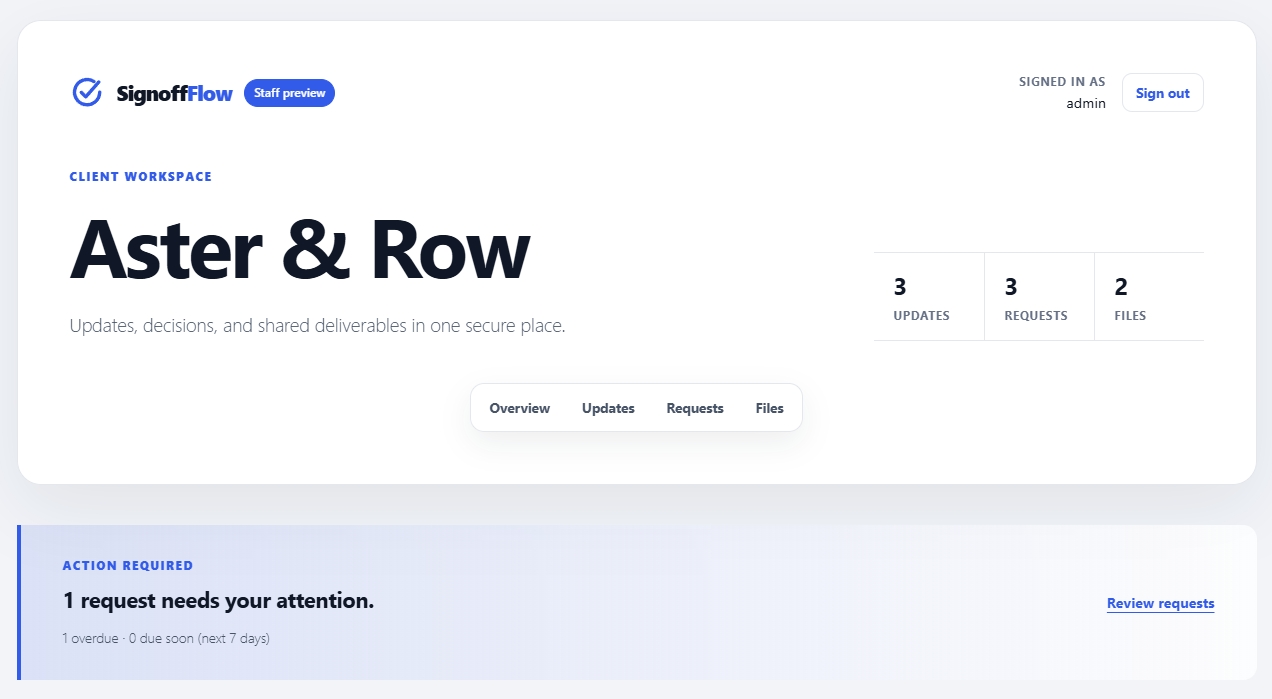
- See request deadlines and which open requests are overdue or due soon.
Portal access is restricted to WordPress users assigned to the relevant client account, plus staff users with the SignoffFlow management capability.
Each client only gets access to the workspace assigned to them.
Stop chasing client approvals through email
SignoffFlow turns client approval into a structured workflow.
Create an approval request when you need a client to review a deliverable, decision, task, or project milestone.
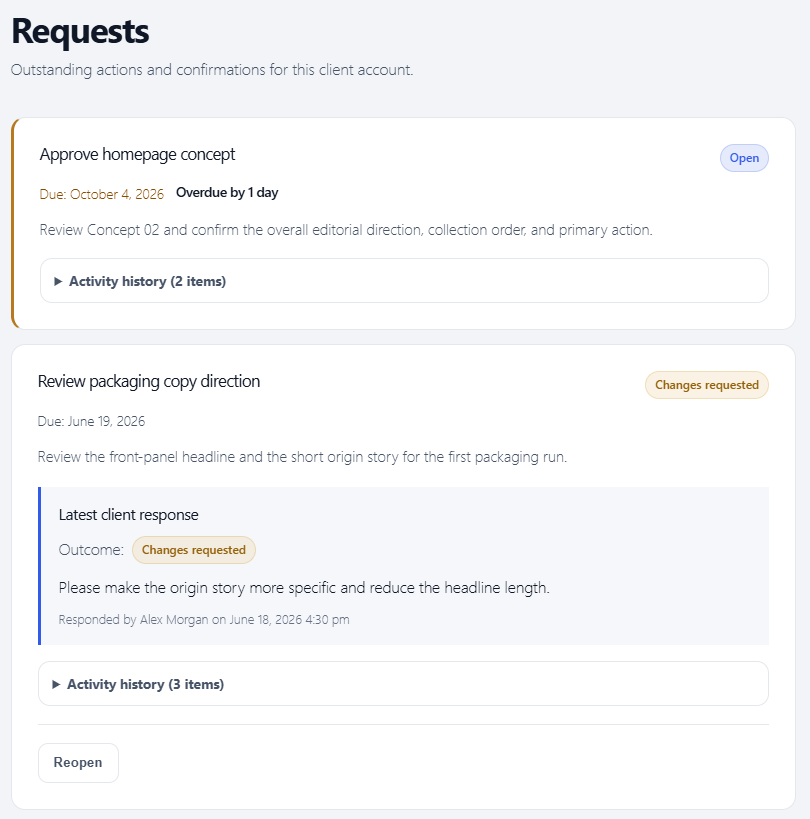
The client can respond with one of four outcomes:
- Approved.
- Changes requested.
- Rejected.
- Blocked.
A response note is optional when approving and required when the client chooses Changes requested, Rejected, or Blocked.
This helps your team understand not only whether something was approved, but also what needs to happen next.
Keep a complete client approval history
Every real approval status transition is preserved in an immutable per-request activity history.
The request history can include:
- Request creation.
- Client approval responses.
- Response notes.
- Response timestamps.
- The responding user.
- Staff reopen actions.
- Staff status changes.
- Staff due-date changes, including previous and new dates.
- Earlier response-note snapshots from previous approval cycles.
This gives agencies and service teams a clearer record of how each client approval progressed over time.
The latest response is displayed prominently, while earlier activity remains available in the request history.
Track approval status from WordPress admin
The Requests screen gives staff a central view of client approval activity.
Requests include clear status badges and can be filtered by:
- Open.
- Approved.
- Changes requested.
- Rejected.
- Blocked.
Use the filters to quickly find requests that still need action or review previously completed client approvals.
Request due dates and attention
Set an optional due date in Request Details. Deadlines use the WordPress site timezone and remain separate from approval status.
Open requests become overdue after their due day has ended. Due soon includes today through seven calendar days ahead. The portal shows urgency counts and places overdue requests first, followed by due-soon requests and other open requests.
Staff can sort the Requests list by due date and combine the existing status filter with Due soon, Overdue, or No due date. Undated requests remain visible and sort last when ordering by date.
Due-date edits are preserved in Activity History. Resolving or reopening a request keeps its deadline. New-request notification emails include the due date when present; changing a date does not send another email or schedule a reminder.
Share project updates with clients
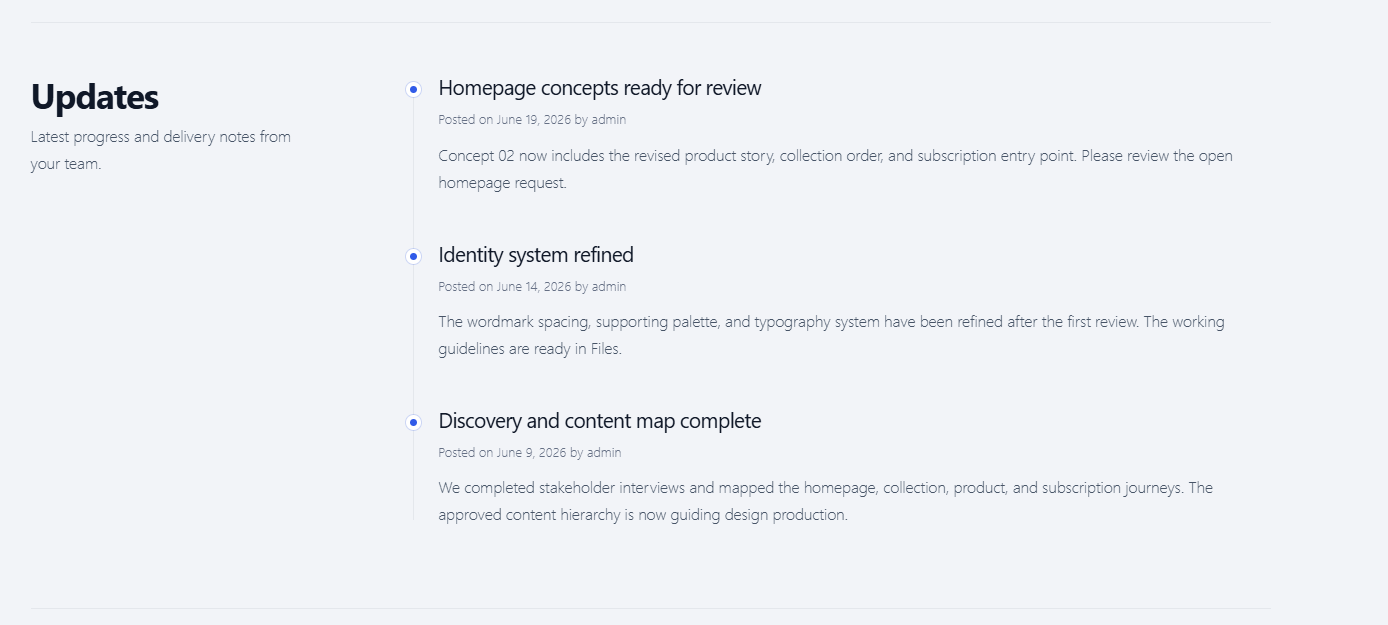
Each client portal includes an updates timeline.
Use project updates to keep clients informed about:
- Project progress.
- Completed work.
- Important milestones.
- Upcoming actions.
- Delivery information.
- Other client-facing announcements.
Keeping updates inside the client portal reduces the need to reconstruct project history from long email threads.
Private client file sharing
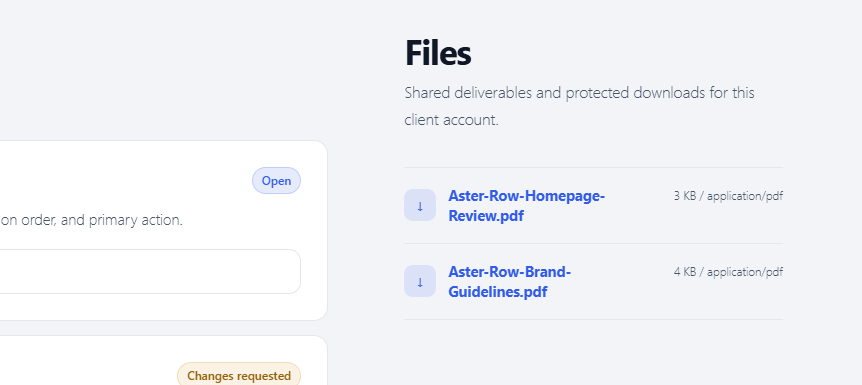
SignoffFlow includes protected file sharing for client accounts.
Files are stored in a dedicated private uploads subdirectory rather than being exposed as normal public WordPress Media Library URLs.
Client downloads pass through an access-checked endpoint so SignoffFlow can verify that the current user is allowed to access the file.
The portal interface does not expose raw private file paths.
Apache hardening files are created automatically for the private directory.
Nginx servers may require an equivalent deny rule at the server configuration level.
Built for agencies and freelancers
SignoffFlow is designed for businesses that regularly need clients to review work, download deliverables, or provide formal approval feedback.
Typical uses include:
Web design and development agencies
Send designs, development milestones, staging reviews, or launch decisions to clients for approval.
Marketing agencies
Share campaign deliverables, creative work, reports, content, and other materials that require client feedback.
Freelancers
Give clients a focused workspace instead of managing deliverables and approvals across multiple email conversations.
Creative and service teams
Request approval for files, project stages, tasks, deliverables, or other work that needs a documented client response.
Review material on requests
Staff can link existing published protected files to requests for the same client. Save the request’s client association, then use its Review material panel to select files and optionally add a material reference and revision label.
Clients see review material beside their response controls. Every new response preserves descriptive context in Activity History. Historical entries do not grant downloads or retain deleted binaries, and this is not legal certification or proof that a client opened every file.
Reopen and save resolved requests before changing their material. Create a new protected file for each revision: linked files cannot be replaced in place. Removing a link or deleting a request does not delete the file. Unavailable attachments prevent approval; clients can still request changes, reject, or block with an explanation. Material changes do not send notifications.
Account-based client access
SignoffFlow uses WordPress user accounts for portal access.
To give someone access:
- Create or use a WordPress user.
- Create a client account in SignoffFlow.
- Assign the WordPress user to that client account.
- Give the client the portal page URL.
- The user logs in and sees the workspace assigned to their account.
Staff users with the appropriate SignoffFlow capability can manage client portal content.
This account-based approach keeps client workspaces separate and access controlled.
Email notifications
SignoffFlow can send WordPress email notifications when relevant client activity is created.
Notification types include:
- Approval requests.
- Project updates.
- Client files.
Notifications are sent with WordPress wp_mail() to users assigned to the related client account.
Individual notification types can be enabled or disabled under SignoffFlow > Settings.
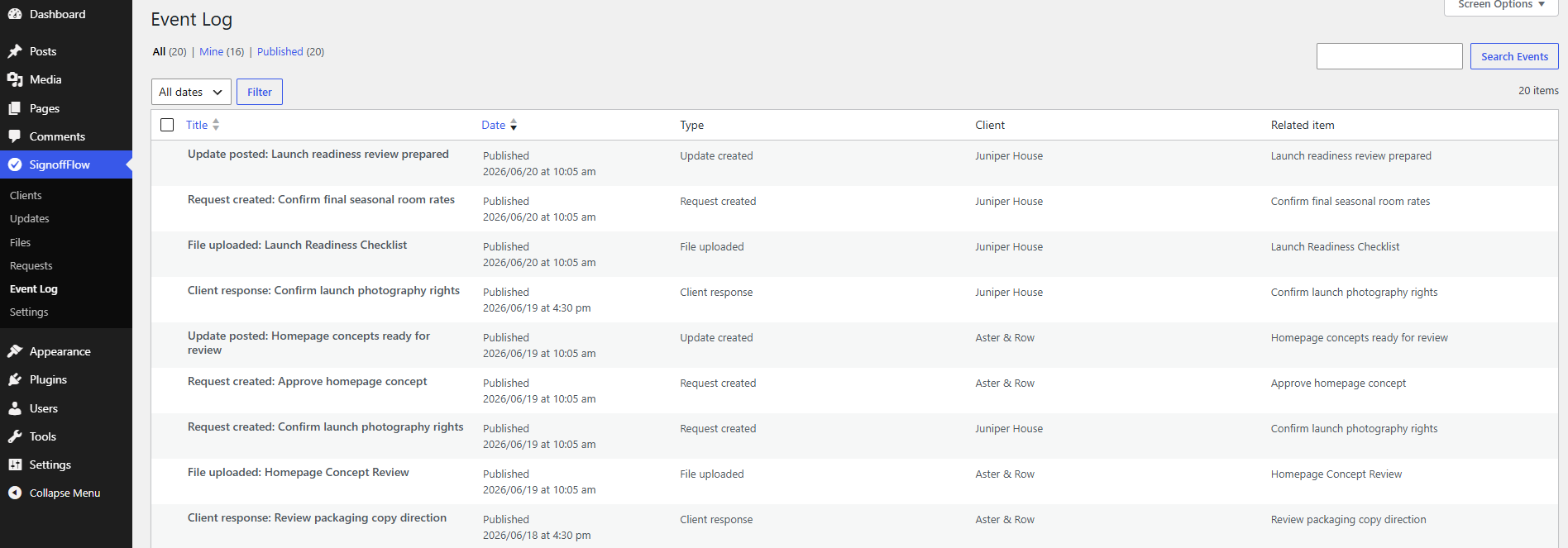
SignoffFlow also records email-attempt entries in its Event Log so administrators can review notification activity.
Email delivery troubleshooting
Email delivery depends on the WordPress site’s mail configuration and hosting environment.
If WordPress cannot confirm that a notification was handed off successfully, SignoffFlow displays a dismissible admin notice on its own screens and records the attempt in the Event Log.
The Notifications settings include email-delivery guidance for local development and production environments.
Guided setup and onboarding
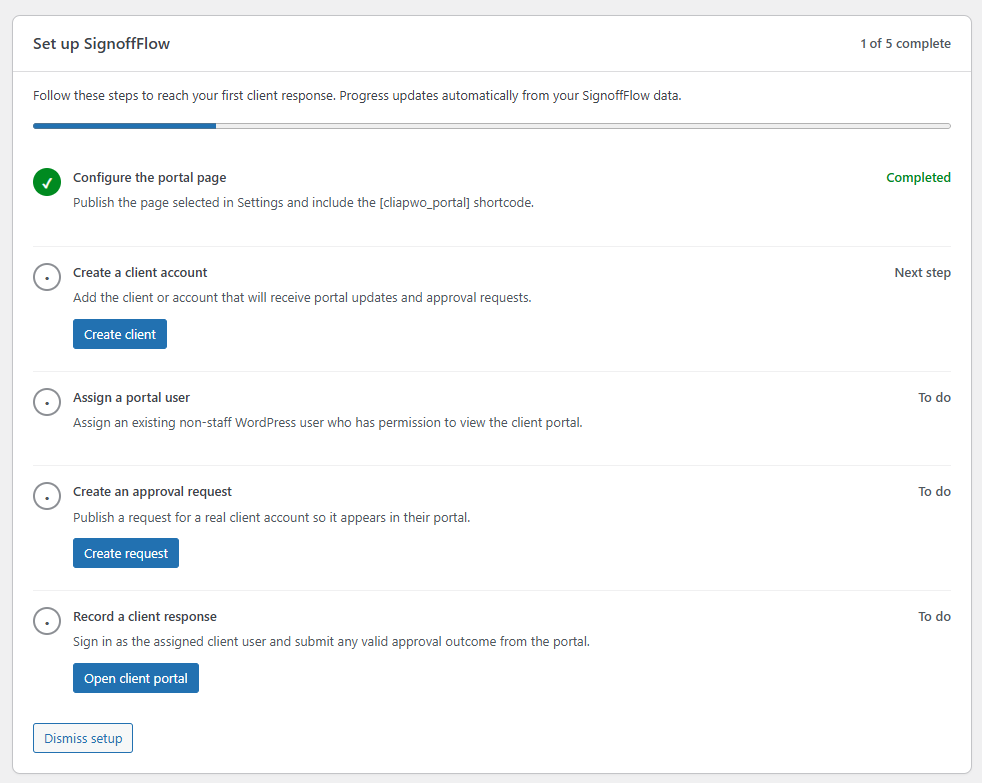
SignoffFlow includes a state-aware onboarding panel that detects setup progress automatically.
The onboarding flow guides administrators through milestones such as:
- Creating the client portal page.
- Creating a client account.
- Assigning a portal user.
- Adding client-facing content.
- Receiving the first real client response.
The setup panel provides direct next-step actions based on the current site state.
Onboarding can be dismissed per administrator and reopened later.
Optional sample workflow
Want to see how SignoffFlow works before creating real client content?
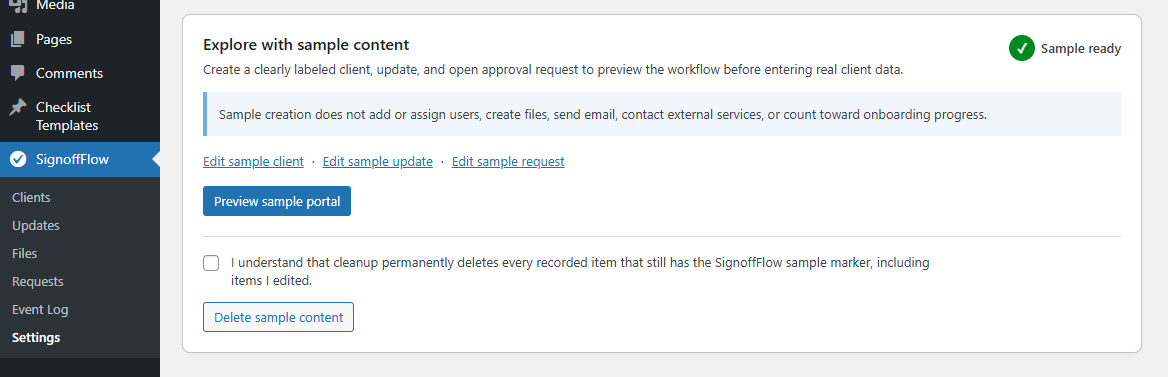
Administrators can create an optional sample workflow containing clearly labeled example content.
The sample workflow includes:
- A sample client.
- A sample project update.
- A sample approval request.
- Example request-history activity.
- A signed staff-only preview.
The sample workflow does not create a demo WordPress user, upload a file, send email notifications, trigger tracking, or count toward real onboarding progress.
Sample content can be repaired if necessary and permanently removed using marker-validated cleanup.
A focused client portal experience
The page selected as the SignoffFlow portal uses a focused, responsive portal canvas rather than displaying the active theme’s normal public header and footer.
This gives clients a workspace designed around portal actions and content.
If you place SignoffFlow shortcodes on other WordPress pages, those pages continue to use the normal active-theme layout.
Customize portal styling
Developers can customize the client portal without editing SignoffFlow directly.
The portal provides:
- A stable
.cliapwo-portalroot wrapper. - Documented CSS variables.
- Filters for wrapper classes.
- Filters for section classes.
- Filters for inline style variables.
Site-specific customizations should be added through a theme or custom plugin so they are not lost when SignoffFlow is updated.
Key features
- WordPress client portal.
- Client approval workflow.
- Private workspace per client account.
- WordPress user-based client access.
- Project update timeline.
- Protected client file sharing.
- Access-checked file downloads.
- Client approval requests.
- Approved status.
- Changes requested status.
- Rejected status.
- Blocked status.
- Client response notes.
- Required notes for non-approval outcomes.
- Latest response details.
- Immutable approval activity history.
- Client-safe request timeline.
- Complete request history for staff.
- Approval status badges.
- Approval status filtering.
- WordPress email notifications.
- Configurable notification types.
- Email-attempt Event Log.
- State-aware onboarding.
- Per-administrator onboarding dismissal.
- Optional sample workflow.
- Staff-only sample preview.
- Exact sample-content cleanup.
- Responsive portal layout.
- Developer styling hooks and CSS variables.
What SignoffFlow does not do
SignoffFlow focuses on private client communication, files, and approval workflows.
It does not require clients to interact with the WordPress admin area to review their portal content.
It does not create public Media Library links for protected SignoffFlow files.
It does not treat an unchanged request save as a new approval-history event.
It does not automatically create demo users or send demo emails when sample content is created.
Instalação
- Install SignoffFlow from Plugins > Add New, or upload the plugin folder to
/wp-content/plugins/. - Activate SignoffFlow through the WordPress Plugins screen.
- Go to SignoffFlow > Settings.
- Use the state-aware setup panel to create a portal page automatically, or create a page manually and add the
[cliapwo_portal]shortcode. - Confirm that the page is selected as the portal page in SignoffFlow settings.
- Create a client account under SignoffFlow > Clients.
- Assign one or more WordPress users to the client account.
- Add project updates, protected files, and approval requests for the client.
- Log in as an assigned portal user to view the client workspace and respond to requests.
You can optionally create the sample workflow from the setup screen to preview the approval experience before adding real client content.
Log de Changes
Enable optional PDF/image response uploads per request. Existing requests remain disabled. Reopen resolved requests before changing upload settings. Private hosting protection and PHP Fileinfo are required; no malware-scanning service is included.
1.9.0
- Add staff-enabled optional protected client response uploads: PDF, JPEG, PNG, and WebP; up to three files, 10 MB each and 20 MB combined, subject to hosting limits.
- Commit files with response/history, preserve immutable attachment descriptions, reject stale forms, and recover interrupted submissions without replaying notifications.
- Keep response files request/client-bound and separate from shared staff files; support staff removal and exact cleanup on permanent request deletion.
- Add an independently dismissible 1.9.0 announcement, translated accessible controls, and upload failure/security regression coverage.
1.8.0
- Added protected staff files linked directly to same-client requests, with a paged, keyboard-accessible Review material picker.
- Added optional material references/revision labels and immutable reviewed-context snapshots in response summaries and Activity History.
- Added request-bound protected download checks, stale-form protection, serialized material changes, and failure rollback.
- Require a saved reopen before editing resolved review material and a new file record for replacements of linked binaries.
- Unavailable attachments prevent approval while allowing explained non-approval outcomes; removing links never deletes shared files.
- Announce 1.8.0 on Settings and Requests with independent per-administrator/site/release dismissal, while preserving prior announcement dismissals.
1.7.0
- Show a compact, per-administrator dismissible due-date release notice on SignoffFlow Settings and the Requests list for upgraded installations; fresh installations retain first-run onboarding.
- Added optional request due dates using the WordPress site calendar and timezone.
- Added due-date sorting and combined due-state/status filtering in the Requests list.
- Added portal urgency counts and attention ordering that prioritizes older overdue requests before the display limit.
- Added immutable due-date-change events and initial-date snapshots in request history.
- Included due dates in new-request emails without adding reminders or date-change notifications.
1.6.1
- Added a locally runnable WordPress integration-test suite covering request lifecycles, immutable history, legacy response migration, cross-client authorization, protected file paths, onboarding, and sample content.
- Added PHP 7.4 compatibility analysis and a disposable WordPress/PHP test matrix for WordPress 6.0, WordPress 7.0, and the latest maintained release.
- Audited privileged handlers, portal accessibility, responsive layouts, translation behavior, and release metadata without changing existing workflows or stored data.
1.6.0
- Added explicitly opt-in sample client, update, and approval-request content with a signed staff preview.
- Added idempotent repair and marker-validated permanent cleanup without creating users, files, emails, tracking, or onboarding progress.
- Added non-notifying sample event entries so the example request includes its creation history.
1.5.0
- Replaced the static quick-setup checklist with five automatically detected onboarding milestones.
- Added direct next-step actions, accessible progress presentation, and a concise completion state after the first client response.
- Added per-administrator dismissal and reopening without site-wide notices or external tracking.
- Reserved a sample-content marker so future demo records cannot falsely complete real onboarding progress.
Capturas de tela
Para desenvolvedores
Este é o seu plugin? Mostre os números.
Adicione um crachá ao vivo ao seu site, Documentos ou Readme do GitHub. Ele é atualizado por conta própria - nenhuma conta necessária.
Best SignoffFlow alternatives
All agency plugins →





FAQ
SignoffFlow: quick answers
Respostas diretas, extraídas de dados ao vivo WordPress.org.
Fonte: WordPress.org
Is SignoffFlow free?
Yes. SignoffFlow is free to download and use from the official WordPress.org plugin directory.
Is SignoffFlow safe to use in 2026?
SignoffFlow is a solid plugin choice in 2026, with a few things worth checking first. Was last updated 3 weeks ago, and scores 64/100 on our health check.
How many websites use SignoffFlow?
SignoffFlow is active on <10 WordPress websites and has been downloaded 1,118 times since it launched in April 2026. It was downloaded 235 times in the last 30 days.
Does SignoffFlow work with WordPress 7.1?
Yes. The developer has tested SignoffFlow up to WordPress 7.1.5, the latest release. It requires WordPress 6.0 or newer.
What PHP version does SignoffFlow need?
SignoffFlow requires PHP 7.4 or higher. Most hosts run PHP 8.x today, so it works on any modern WordPress hosting.
When was SignoffFlow last updated?
The latest version, 1.9.0, was released on November 1, 2026 (3 weeks ago).
Who makes SignoffFlow?
SignoffFlow is developed and maintained by vzisis.
What are the best alternatives to SignoffFlow?
The most popular alternatives to SignoffFlow are Automattic For Agencies Cli… (20K+ installs), Essential Real Estate (7K+ installs) and Atarim (1K+ installs).
Alimentado por PageForge
Um modelo e uma planilha. Uma página real para cada pesquisa.
PageForge Transforma cada linha de um CSV em uma página WordPress com seu próprio título, URL, SEO campos e esquema, construído no layout que você já desenhou. Gratuito em WordPress.org.
- CSV e XLSX, mais Google Sheets em Profissional e Empresarial
- Seu próprio título, URL, SEO campos e esquema para cada página
- Funciona com o editor de blocos, Elementor, Divi e Avada
- Gratuito em WordPress.org, sem cartão de crédito