


Pressidium Performance
Speed up your WordPress site, improve Core Web Vitals and enhance user experience with one-click image optimization, CSS & JavaScript minification.

Escolha sólida
Pressidium Performance is a solid plugin choice in 2026, with a few things worth checking first. It runs on 100+ sites, is rated 5/5 and was last updated 2 weeks ago, and scores 75/100 on our health check.
- Desenvolvido ativamente — última atualização 2 semanas atrás
- Testado com as últimas WordPress (7.1)
- Momentum — downloads up 55.4% vs the previous 30 days
- Base de usuários pequenas (mais de 100 instalações ativas)
- Muito poucos comentários até agora
- Precisa de PHP 8.1 ou mais recente
Como ele se acumula?
Lado a lado em instalações, atualizações, avaliações e suporte


Downloads diários
Os picos de download geralmente seguem uma nova versão — cada site que atualiza automaticamente é um download.
Rankings
Where Pressidium Performance stands todayWordPress.org Classificações de pesquisa
Posição ao vivo na pesquisa de plugins, top 100| Palavra chave | Posição |
|---|---|
| convert AVIF | #39 |
| convert webp | #50 |
| image optimization | >100 |
| optimizations | >100 |
| execução | #31 |
Adoção da versão
Compartilhamento de sites ativos por lançamento.
Divisão de classificação
★★★★★ ★★★★★ 5 de 1 comentários
About Pressidium Performance
From the official readme · v1.2.1Descrição
The Pressidium Performance plugin is designed to supercharge your site’s speed and enhance your visitors’ experience by reducing load times and improving your site’s performance scores. It optimizes JavaScript and CSS by minifying and merging files, and compresses images in your Media Library using modern formats like WebP and AVIF to accelerate media loading without sacrificing quality.
🪄 Optimize Your Images
Speed up your site by compressing Media Library images in the background.
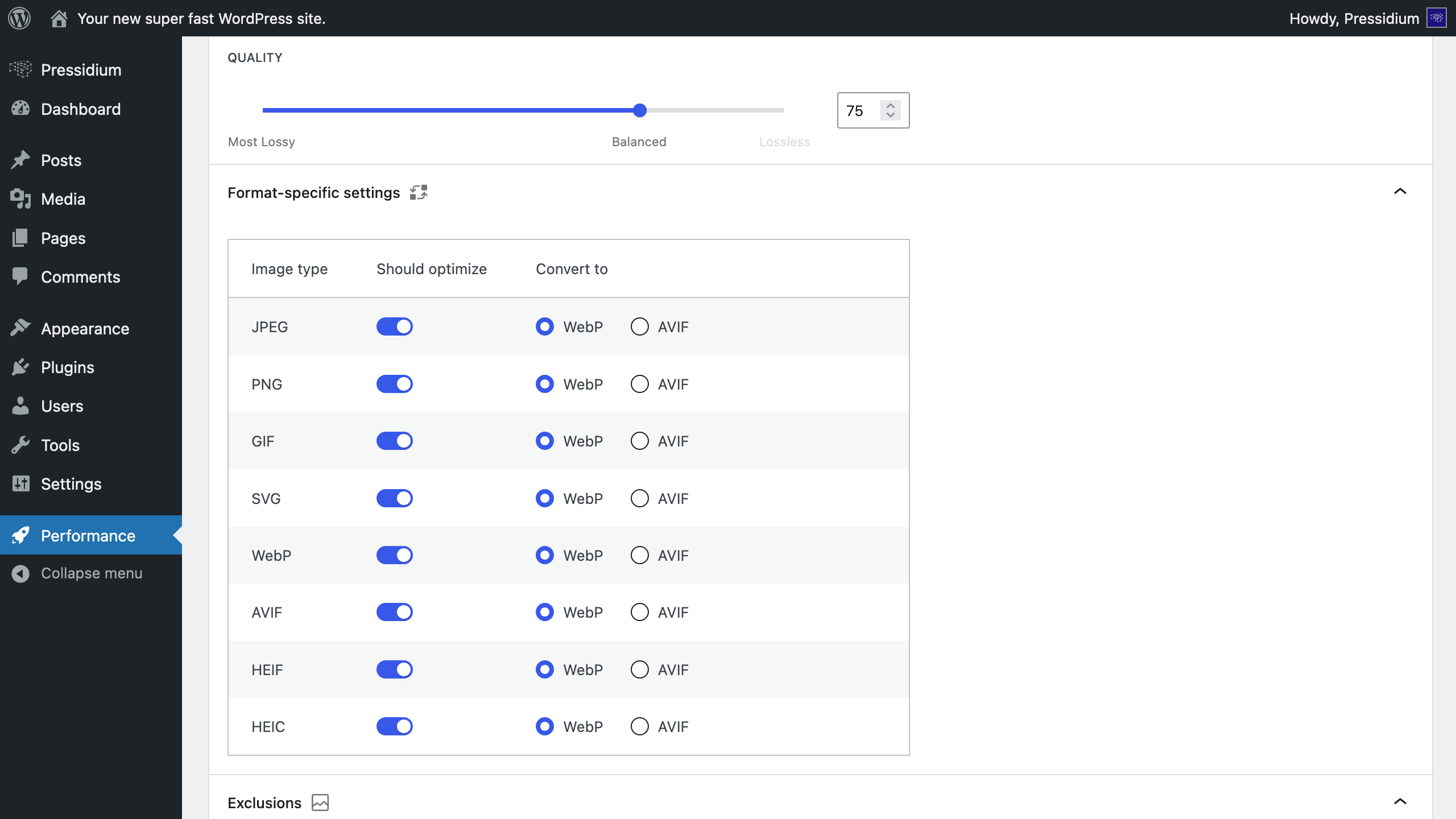
- Convert them to modern formats like WebP or AVIF
- Automatically optimize on upload or bulk-optimize your entire library
- Control quality by choosing between smaller file sizes or sharper images
- Optionally keep original files for peace of mind (automatically restored if you remove the plugin)
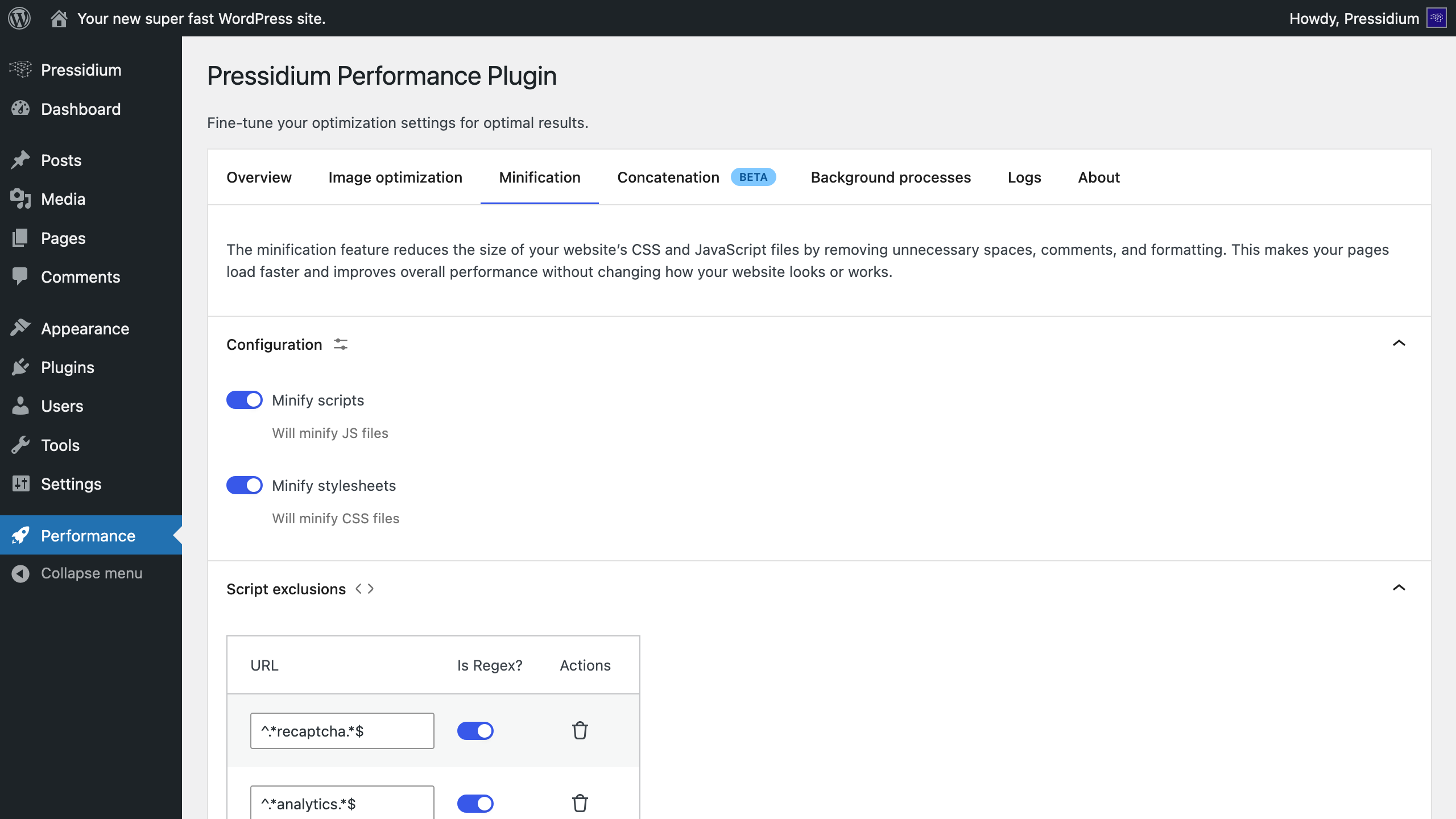
✂️ Minify Your Scripts and Stylesheets
Improve your site’s performance by reducing the size of your JavaScript and CSS files, ensuring faster load times.
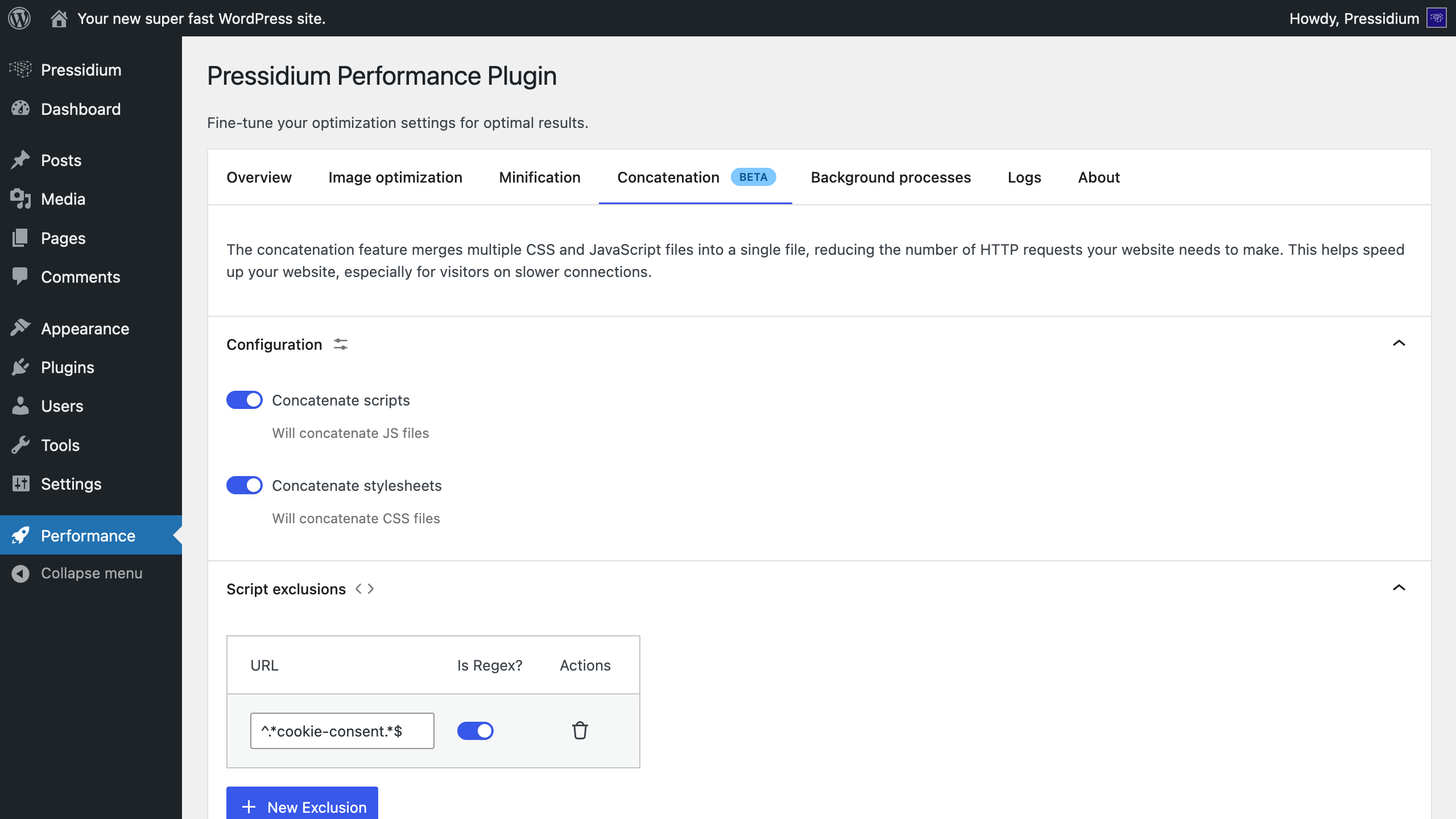
🗃️ Concatenate JavaScript and CSS Files
Reduce HTTP requests and speed up loading across your entire site, by combining multiple JavaScript and CSS files into a single bundle.
Smart, hash-based concatenation, for faster delivery without breaking your site’s layout.
🕒 Lightweight Smart Background Operations
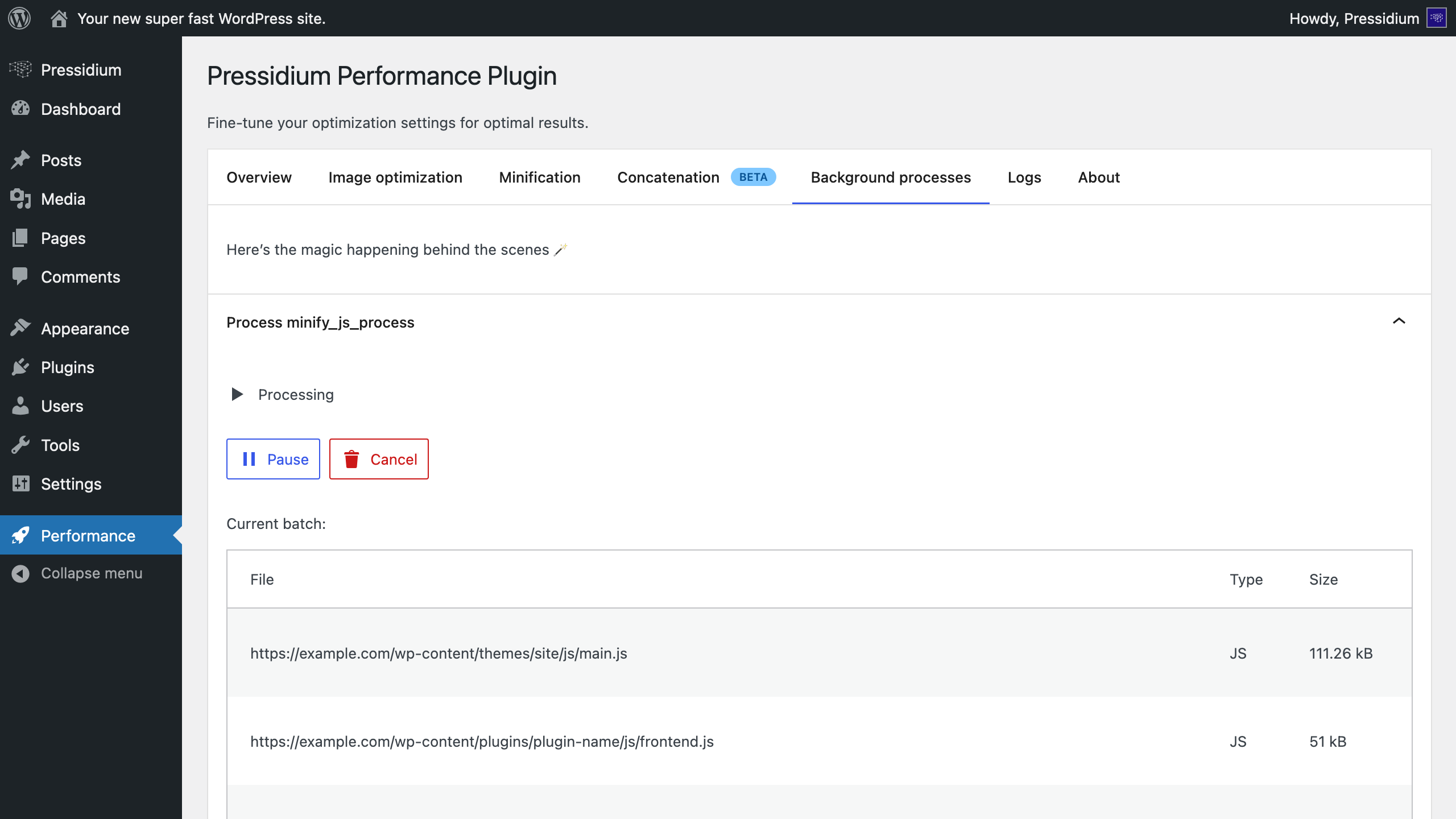
- All processes run seamlessly in the background to minimize site impact, conserve server resources and prevent performance bottlenecks or timeouts.
- Monitor every optimization task running behind the scenes. Pause, resume or cancel tasks instantly.
Source code
The plugin source code and issue tracker are available on GitHub: https://github.com/pressidium/pressidium-performance
About Pressidium
This is a free and open source WordPress plugin developed by Pressidium®. Pressidium offers managed hosting for WordPress optimized for performance, security, and scalability, powered by Pressidium EDGE, a globally distributed platform engineered for nonstop performance, fault tolerance, and mission-critical reliability.
Instalação
Instalação automática
Automatic installation is the easiest option — WordPress will handle the file transfer, and you won’t need to leave your web browser.
- Log in to your WordPress dashboard
- Navigate to the “Plugins” menu
- Search for “Pressidium Performance”
- Click “Install Now” and WordPress will take it from there
- Activate the plugin through the “Plugins” menu on WordPress
Instalação manual
- Upload the entire
pressidium-performancefolder to thewp-content/plugins/directory - Activate the plugin through the “Plugins” menu on WordPress
After activation
- Go to the plugin settings page (Settings -> Performance)
- Select the optimizations you want to enable
- Click “Save” to save your changes
Log de Changes
1.2.1: Nov 16, 2026
- Fix an issue where images with the same name but different extensions could overwrite each other when optimized
1.2.0: Oct 23, 2026
- Integrate with Pressidium EDGE
- Introduce a “Clear minified files” button to delete all minified files and their records
- Introduce a “Clear concatenated files” button to delete all concatenated files and their records
- Introduce an “Only minify assets from this site” option to leave third-party scripts and stylesheets untouched when minifying (enabled by default)
- Introduce an “Only concatenate assets from this site” option to leave third-party scripts and stylesheets untouched when concatenating (enabled by default)
- Improve background process lock handling to hold locks for the entire duration of a run
- Expose the
pressidium_performance_concatenation_allowed_hostsfilter to allow concatenating assets from additional hosts - Expose the
pressidium_performance_concatenation_build_timeoutfilter to adjust the number of seconds before a concatenated bundle build is considered stuck - Clear the Elementor cache and the Pressidium cache when image optimization completes
- Exclude files that fail to be processed from concatenated bundles instead of dropping the entire bundle, and keep serving them through their original tags
- Split concatenated stylesheets into segments at excluded stylesheets and
@importrules to preserve the cascade order - Minify each file as it is concatenated instead of minifying the entire bundle
- Run concatenated deferred scripts once the document has been parsed, in their original order, instead of at parse time
- Exclude scripts that fail to parse or are not valid UTF-8 from concatenated bundles instead of crashing the concatenation process
- Handle tags with an
integrityattribute when minifying files, and improve how they are handled when concatenating files - Include the content hash in minified filenames so browsers and caches always fetch the latest version
- Clean up minified files that are no longer referenced by any optimization record
- Stop inlining small images and fonts as base64 data URIs when minifying CSS
- Never match exclusion patterns that are invalid regular expressions
- Convert plugin own assets from PNG to WebP to reduce their size
- File minification is now disabled by default
- Fix an issue where JavaScript minification skipped regular scripts and minified non-JavaScript scripts instead
- Fix an issue where listing the items in the minification queue failed with a
TypeError - Fix an issue where a failed asset fetch could stall the minification queue
- Fix an issue where the body of an HTTP error response (e.g. a
404page or a WAF challenge page) was minified or concatenated and served in place of the real asset - Fix an issue where empty minified files were stored
- Fix an issue where local paths in
url()and@importrules were not handled properly when minifying CSS - Fix an issue where fragment-only
url()references (e.g.url(#blur)) were rewritten as relative paths when minifying CSS - Fix an issue where pruning comments while evaluating files for minification removed too much or too little code
- Fix an issue where URLs longer than 255 characters could not be stored properly in the optimizations table
- Fix an issue where database table schema changes were not applied to existing tables
- Fix an issue where newly introduced database tables were not created when upgrading the plugin
- Fix an issue where concatenation page mappings did not expire properly
- Fix an issue where partially written concatenated bundles could be served before they were complete
- Fix an issue where concurrent requests could build the same concatenated bundle at the same time
- Fix an issue where a late concatenation run could overwrite or delete a concatenated bundle that was already published
- Fix an issue where pages with the same stylesheets in a different order shared a concatenated bundle, breaking the cascade order of one of them
- Fix an issue where
styletags and stylesheets that are not concatenated lost their place in the cascade when placed between concatenated stylesheets - Fix an issue where top-level
varandfunctiondeclarations of concatenated scripts were not available as globals - Fix an issue where non-ASCII characters could get corrupted in concatenated scripts
- Fix an issue where background processes and their state were left behind when the plugin was uninstalled
- Fix an issue where options and transients were left behind when the plugin was uninstalled
- Update “Tested up to” version to WordPress 7.1 to confirm compatibility
1.1.0: Apr 30, 2026
- Fix an issue where the Logs tab was failing to load entirely if the log file was too large
- Fix an issue where deleting an attachment that was scheduled for optimization could cause the process to get stuck
- Fix an issue where expired minified files were repeatedly refetched when their content was unchanged
- Fix an issue where optimizing images on sites with a large number of attachments in their Media Library could cause memory exhaustion errors
- Improve background process logging
- Introduce a new background process to revert optimized images back to their original state
- Introduce a new “Debug mode” option to log detailed information to a log file for troubleshooting (disabled by default)
- Log to server error logs instead of a custom log file by default to limit filesystem I/O
- Store in object cache the URLs of CSS and JavaScript files that should not be minified at all to prevent them from being repeatedly evaluated on every request
- Clean up expired minified files after a grace period to prevent files from accumulating on the filesystem
1.0.1: Jan 16, 2026
- Fix an issue where original images were overwritten when the source and target formats were the same
- Fix an issue where original images remained on the filesystem as orphaned files when optimized images were deleted from the Media Library
- Fix an issue where optimizing images resulted in double slashes in
srcsetattributes
1.0.0: Jan 9, 2026
- Versão inicial
Capturas de tela
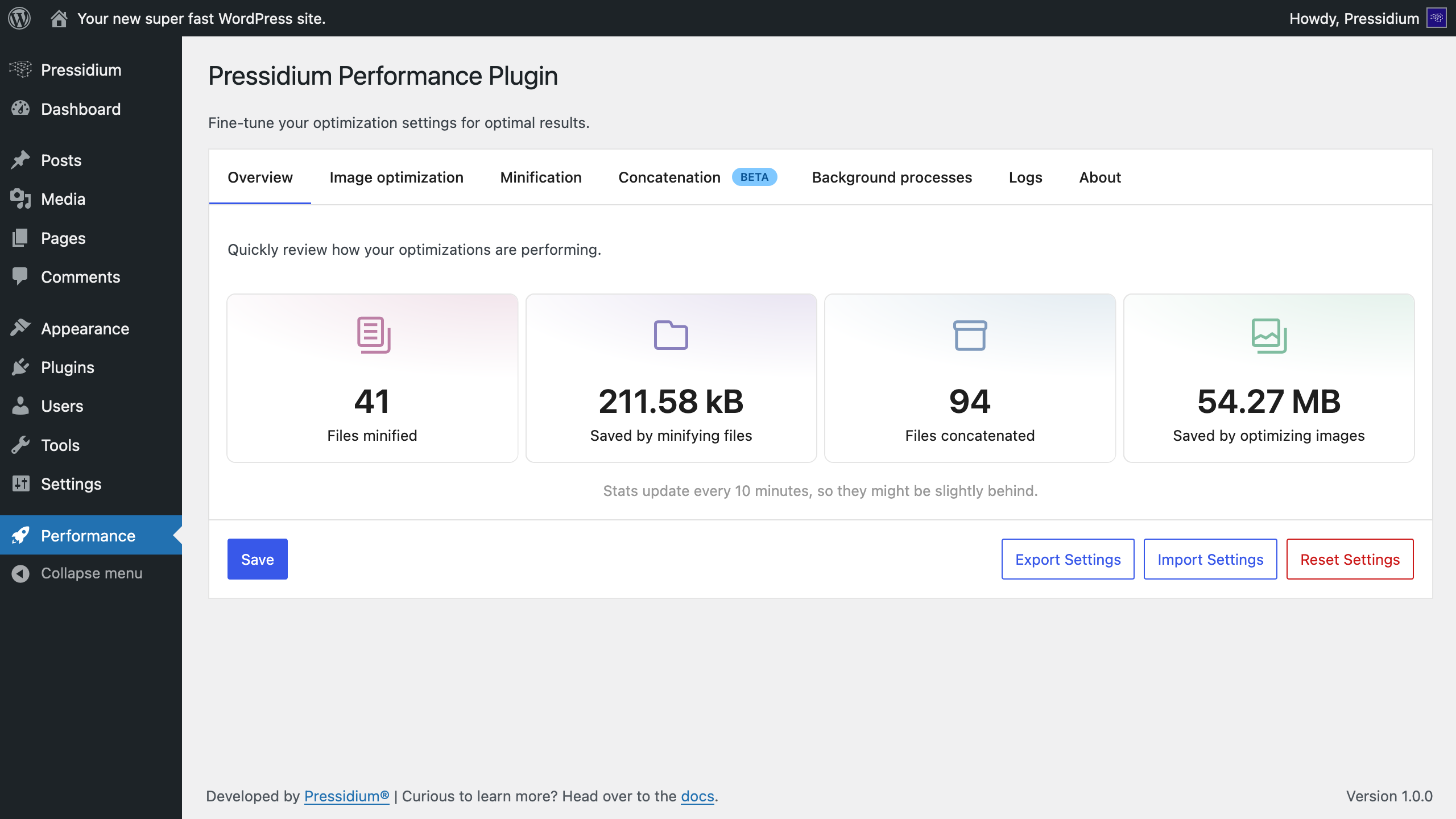
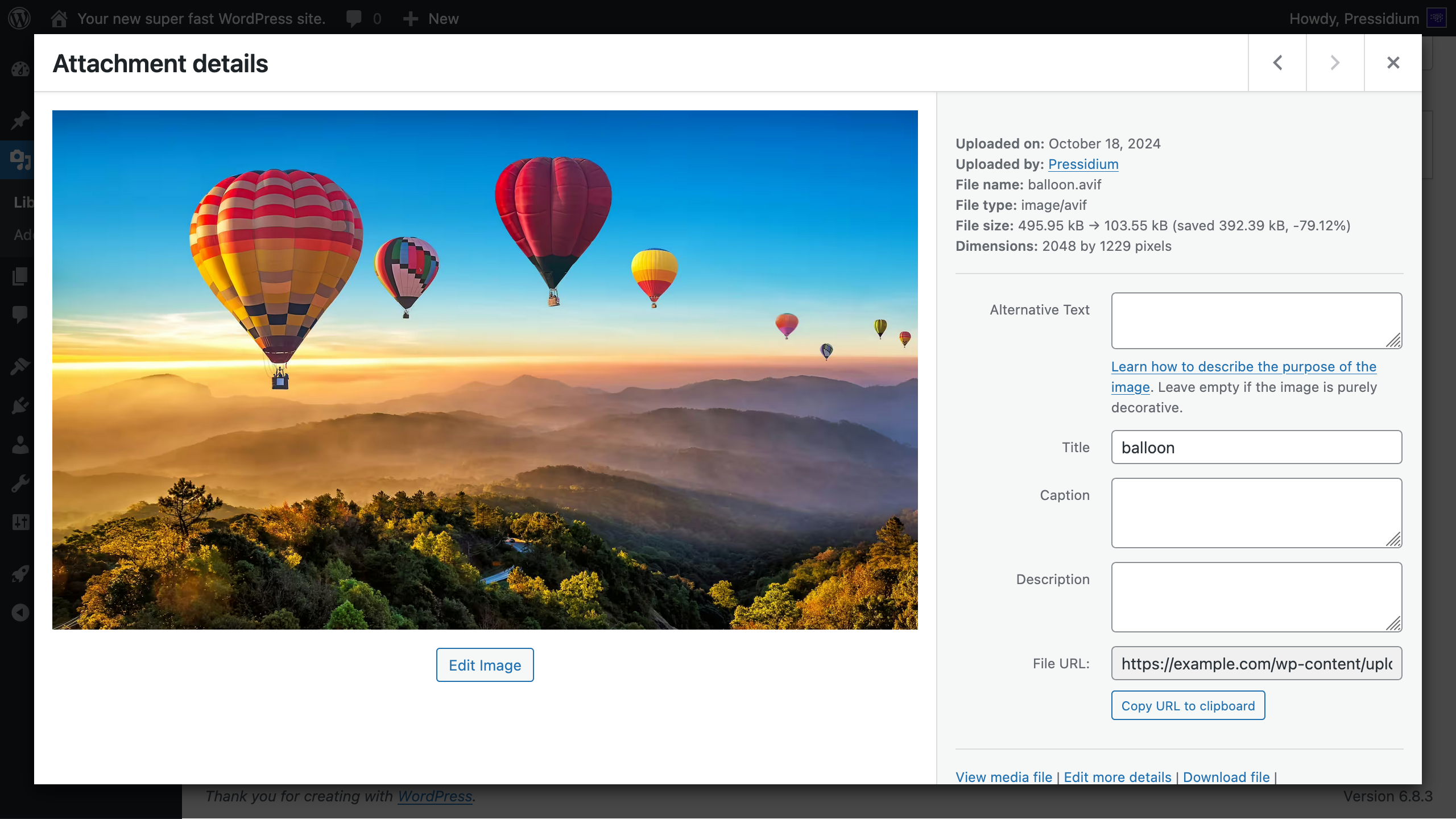
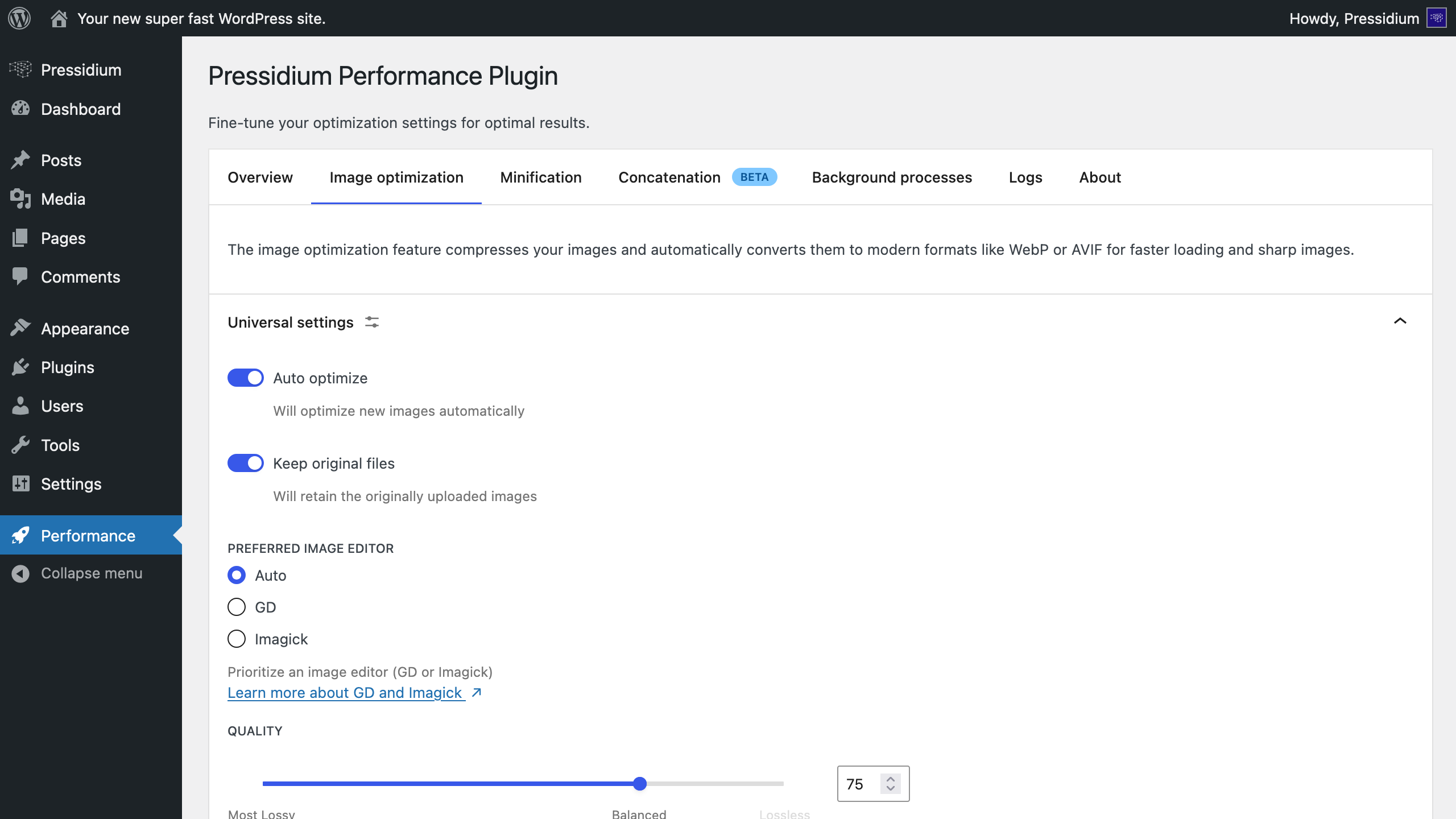
Para desenvolvedores
Este é o seu plugin? Mostre os números.
Adicione um crachá ao vivo ao seu site, Documentos ou Readme do GitHub. Ele é atualizado por conta própria - nenhuma conta necessária.
Best Pressidium Performance alternatives
All convert AVIF plugins →
FAQ
Pressidium Performance: quick answers
Respostas diretas, extraídas de dados ao vivo WordPress.org.
Fonte: WordPress.org
Is Pressidium Performance free?
Yes. Pressidium Performance is free to download and use from the official WordPress.org plugin directory.
Is Pressidium Performance safe to use in 2026?
Pressidium Performance is a solid plugin choice in 2026, with a few things worth checking first. It runs on 100+ sites, is rated 5/5 and was last updated 2 weeks ago, and scores 75/100 on our health check.
How many websites use Pressidium Performance?
Pressidium Performance is active on 100+ WordPress websites and has been downloaded 2,007 times since it launched in January 2026. It was downloaded 502 times in the last 30 days.
Does Pressidium Performance work with WordPress 7.1?
Yes. The developer has tested Pressidium Performance up to WordPress 7.1.5, the latest release. It requires WordPress 6.9 or newer.
What PHP version does Pressidium Performance need?
Pressidium Performance requires PHP 8.1 or higher. Most hosts run PHP 8.x today, so it works on any modern WordPress hosting.
When was Pressidium Performance last updated?
The latest version, 1.2.1, was released on November 16, 2026 (2 weeks ago).
Who makes Pressidium Performance?
Pressidium Performance is developed and maintained by pressidium.
What are the best alternatives to Pressidium Performance?
The most popular alternatives to Pressidium Performance are Image Optimizer (1M+ installs), Imagify Image Optimization:… (900K+ installs) and CompressX (40K+ installs).
Alimentado por PageForge
Um modelo e uma planilha. Uma página real para cada pesquisa.
PageForge Transforma cada linha de um CSV em uma página WordPress com seu próprio título, URL, SEO campos e esquema, construído no layout que você já desenhou. Gratuito em WordPress.org.
- CSV e XLSX, mais Google Sheets em Profissional e Empresarial
- Seu próprio título, URL, SEO campos e esquema para cada página
- Funciona com o editor de blocos, Elementor, Divi e Avada
- Gratuito em WordPress.org, sem cartão de crédito