

PublishPress Permissions: Access Control, Content Permissions, User Access
The permissions plugin for posts, pages, categories, tags and more. You can control permissions for roles, individual users, and even custom groups.

Escolha segura
Yes — PublishPress Permissions: Acces… is a safe, well-maintained plugin to use in 2026. It runs on 10K+ sites, is rated 4.3/5 and was last updated 1 day ago, and scores 91/100 on our health check.
- Comprovado em escala em sites ativos de mais de 10 mil
- Desenvolvido ativamente — última atualização 1 dia atrás
- Testado com as últimas WordPress (7.1)
- Suporte responsivo — 100% dos tópicos recentes resolvidos
- Momentum — downloads up 15.4% vs the previous 30 days
- Precisa de PHP 8.2 ou mais recente
Como ele se acumula?
Lado a lado em instalações, atualizações, avaliações e suporte



Downloads diários
Os picos de download geralmente seguem uma nova versão — cada site que atualiza automaticamente é um download.
Rankings
Where PublishPress Permissions: A… stands todayWordPress.org Classificações de pesquisa
Posição ao vivo na pesquisa de plugins, top 100| Palavra chave | Posição |
|---|---|
| access-control | #1 |
| content permissions | #1 |
| permissions | #1 |
| restrict | #29 |
| User Access | #2 |
Adoção da versão
Compartilhamento de sites ativos por lançamento.
Divisão de classificação
★★★★★★★★★★ 4.3 from 66 reviews
About PublishPress Permissions: Access Contro…
From the official readme · v5.0.2Descrição
PublishPress Permissions allows you to enable or deny access to posts, pages, categories, tags and more. You can apply these permissions for user roles, individual users, and even custom groups.
With PublishPress Permissions, you can control who can view and edit your WordPress content. You can choose who can access images and files in your site’s Media Library. For example, you can deny all direct access to files for logged out users.
The Pro version of PublishPress Permissions has many advanced features such as teaser previews of restricted content, custom WordPress statuses, and automatically creating personal posts for users.
PublishPress Permissions Pro
Upgrade to Permissions Pro
This plugin is the free version of PublishPress Permissions. The Pro version of Permissions has all the features you need to control permissions for your WordPress users. With Permissions Pro you can manage access to posts, pages, media, taxonomies and custom post types. Click here to control access to your WordPress site with Permissions Pro!
Key Features in PublishPress Permissions
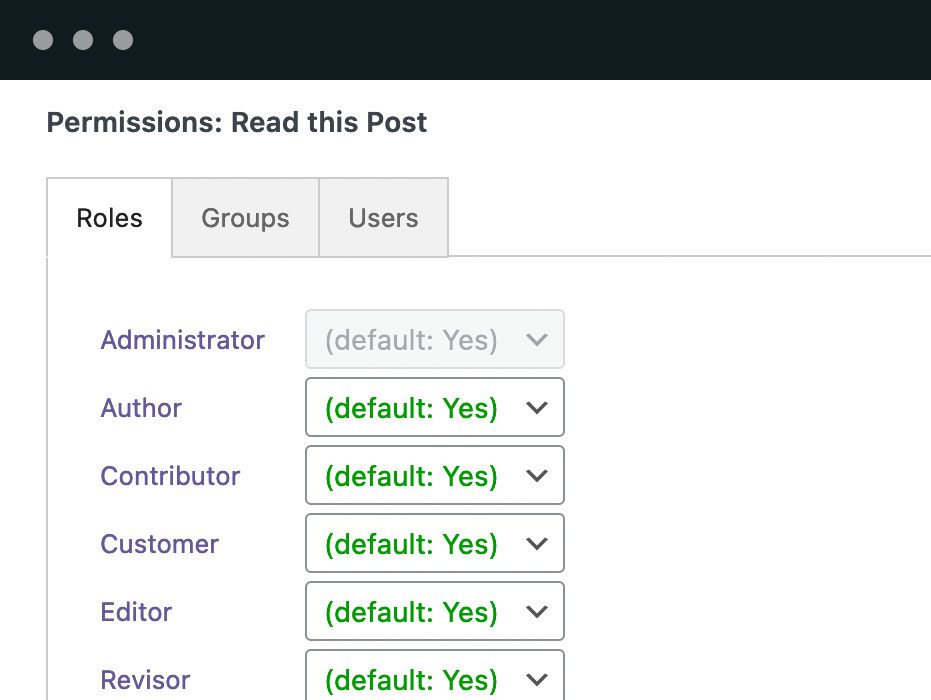
- Viewing permissions: Every post, page, and taxonomy term has a box where you can choose who can read this content.
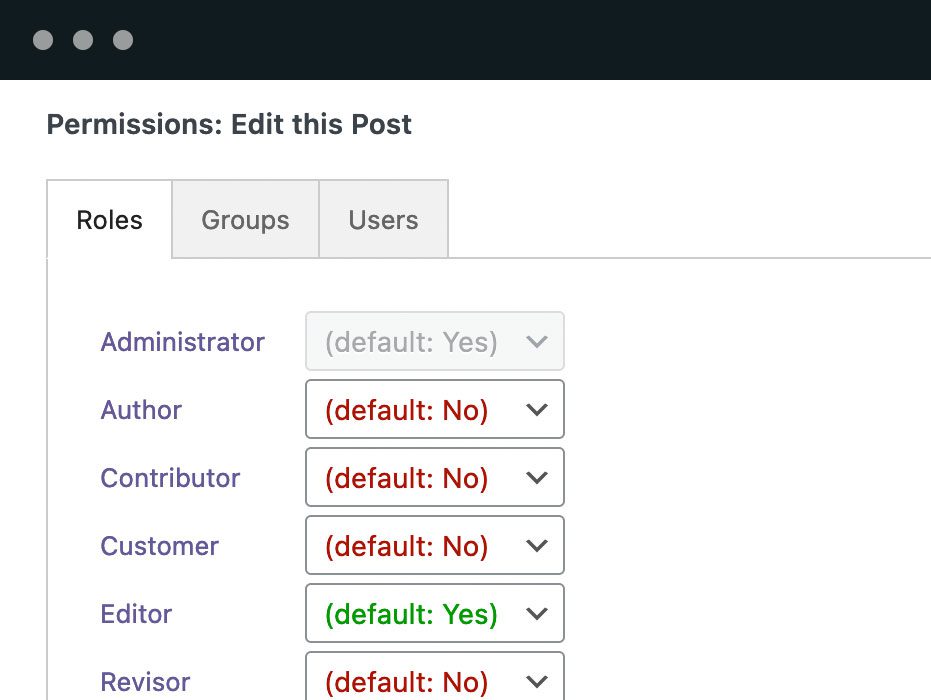
- Editing permissions: Every post, page, and taxonomy term has a box where you can choose who can edit this content.
- Media Library permissions: You decide who gets to edit and view image files and documents in your Media Library.
- Hide other users’ posts: You can prevent users from seeing posts by other users in the WordPress admin area.
- Create user groups: Build groups of users who can be given their own custom permissions. Two default groups include Logged in and Logged out users.
- Content visibility shortcodes: Show or hide sections of content based on login status, roles, capabilities, usernames, or Permission Groups.
- Show teasers for restricted content (Pro version): Have teaser text that is publicly available, followed by private content that is restricted to only your site’s users.
- Personal posts for each user (Pro version): You can automatically create individual posts for your users so they have their own private content to edit or read.
- Publishing statuses (Pro version): Go beyond “Draft”, “Pending Review” and “Published” with your own custom, and far more advanced, workflow.
- Visibility statuses (Pro version): Create visibility options for your content. One example is a “Premium” status that makes content visible only for paying members.
- Editorial Circles and Visibility Circles (Pro version): Restrict users to editing or viewing posts that were authored by other users in the same group.
- Integration with other plugins (Pro version): The Permissions plugin integrates with other popular plugins including bbPress, BuddyPress, WPML, and Relevanssi.
Feature 1. Viewing Permissions for WordPress Content
PublishPress Permissions enables you to customize viewing access for WordPress content. Open any post and you’ll see a box with the label, “Permissions: Read this Post”. This box allows you to choose “Enabled” or “Blocked” for any user role, individual user, or user group. You can also set permissions for all users who are guests, and those who are logged in.
Click here to see how to control viewing permissions.
Feature 2. Editing Permissions for WordPress Content
PublishPress Permissions allows you to customize the editing permissions for all your content. Open a Post, Page, Category, Tag, or custom post type and you can decide who is allowed to edit that content. You can even prevent users from editing child pages of a specific parent page. Open any content item and you’ll see a box with a label like this: “Permissions: Edit this Post”. This box allows you to choose “Enabled” or “Blocked” for any user role, individual user, or user group.
Click here to see how to control editing permissions.
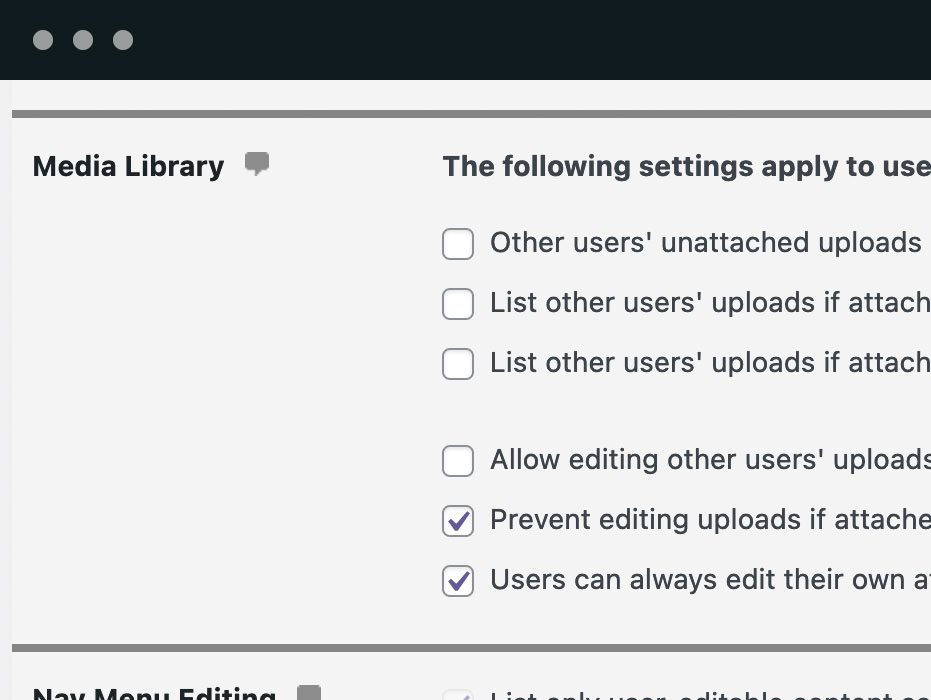
Feature 3. Access Permissions for the Media Library
PublishPress Permissions gives you detailed control over access to media on your WordPress site. You decide who gets to edit and view files in your Media Library. For example, you can set up WordPress so that users only have access to files that they uploaded. Or you can add an exception so users can edit other people’s media files if they are attached to a post they can edit.
The Pro version of Permissions allows you to deny any public access to files on your site. Nobody will be able to see your Media Library files unless they have access to a post that includes that file.
Click here to see how to manage access to your media files.
Feature 4. Hide Other Users’ Posts in the WordPress Admin
By default, WordPress users in the admin area can see all the Posts on the site, regardless of whether they are the author. This is not a problem for many sites. After all, most posts on most sites are publicly available – there’s no need to hide them. However, in some situations, site owners don’t want authors to see the posts that other users are working on. PublishPress Permissions can hide posts in the WordPress admin area, unless you have access to edit that post.
Click here to see how to hide other users’ posts.
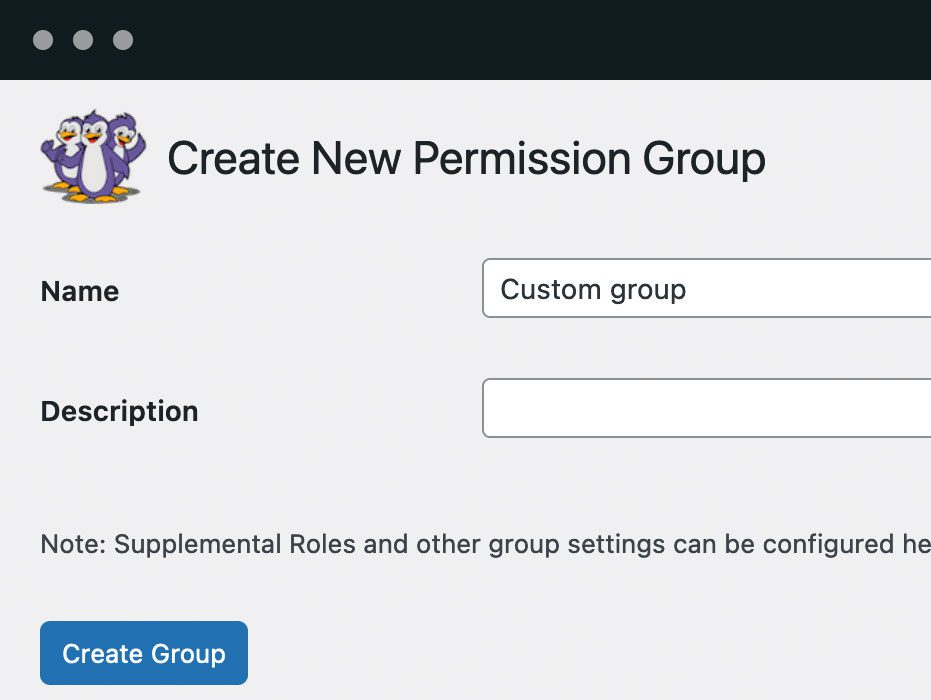
Feature 5. Create Your Own User Groups
PublishPress Permissions allows you to create your own user groups. Imagine you want to give some users access to a single Post. Instead of creating a new user role and applying all the permissions, you can easily add those users to a group. This is a simple and more flexible alternative to user roles. You can also prevent users from reading or editing content if they are not in a specific group. By default, this plugin gives you sample groups that include all Logged in and Logged out users so you can easily set public and private content.
Click here to see how to use custom user groups.
Feature 6. Show or Hide Sections of Content
The optional Content Visibility module provides the [pp_restrict] shortcode. You can show content only to logged-in users, selected roles or usernames, users with specific capabilities, or members of selected Permission Groups.
For example, [pp_restrict logged="in"]Members-only content.[/pp_restrict] displays its content only to logged-in visitors. Multiple conditions use relation="all" by default, or you can set relation="any" when any condition should grant access.
Activate Content Visibility under Permissions > Settings > Features. You can
then view and copy all available examples under Permissions > Settings >
Shortcodes.
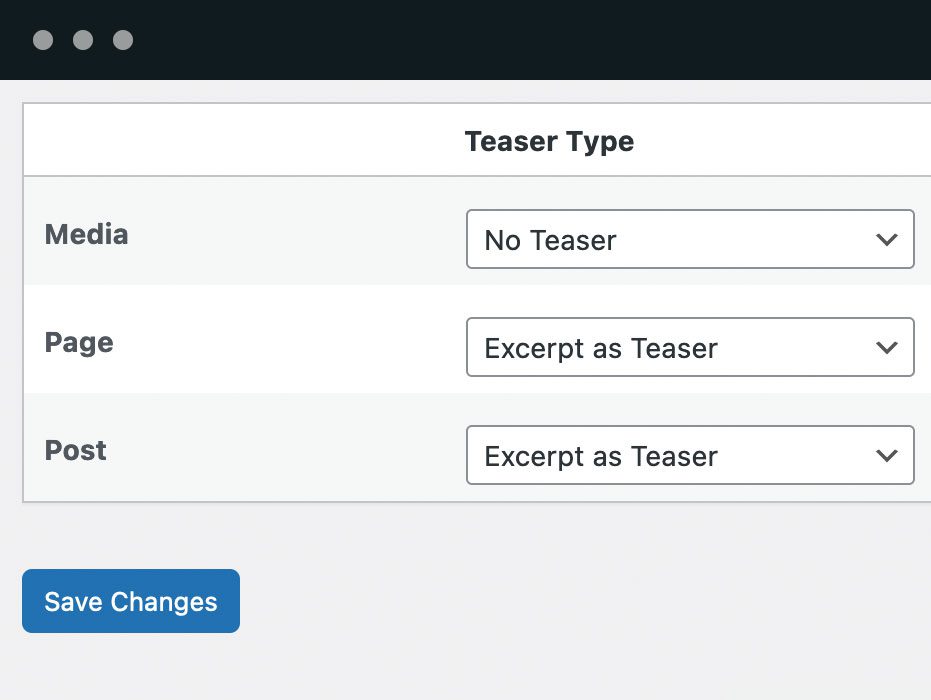
Feature 7. Show Teasers for Restricted Content (Pro Version)
PublishPress Permissions Pro allows you to display a teaser for unreadable content. This is perfect for making small snippets of your content available to the public. You can have teaser text that is publicly available, followed by private content that is only visible for your site’s users. If you choose to display a login form, the redirect will go to the originally requested content.
Click here to see how to display content teasers.
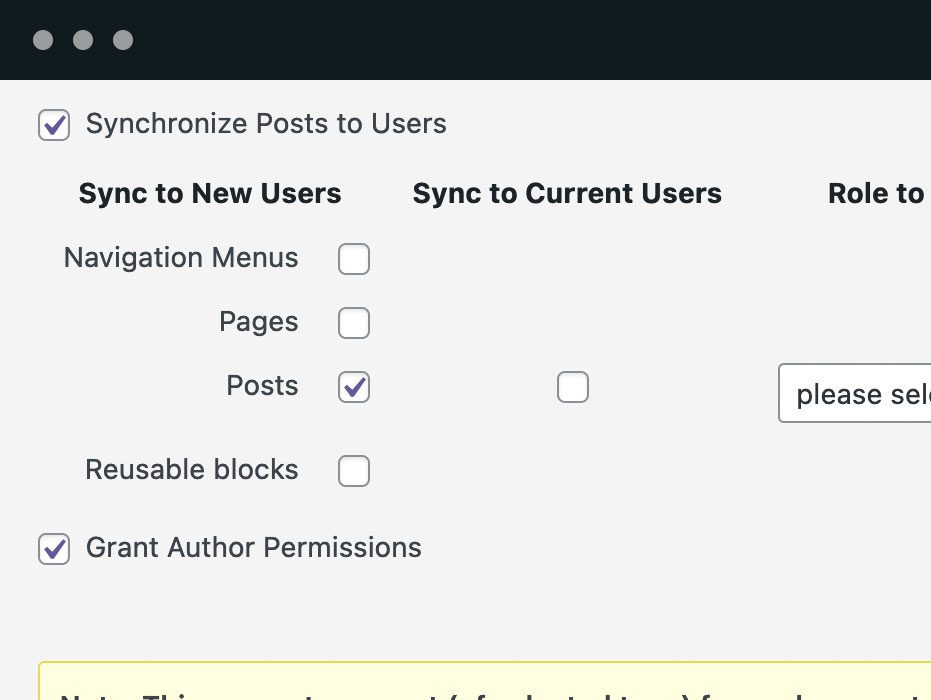
Feature 8. Automatically Create Posts for Users (Pro Version)
This Pro feature allows you to automatically create content for your users. For example, you can sync your staff members to Pages. This would allow your staff to each have their own page to edit and update. You can use this feature to automatically create posts, WooCommerce products, or any other post type that is defined on your site.
Click here to see how to automatically create posts for users.
Feature 9. Create Your Own Publishing Statuses (Pro Version)
WordPress provides some status options including “Draft”, “Pending Review” and “Published”. Permissions Pro enables you to design a far more advanced workflow. Each status you create can have its own unique capability requirements.
Click here to see how to build your own workflow statuses.
Feature 10. Create Your Own Visibility Statuses (Pro Version)
With PublishPress Permissions Pro, you can create visibility options for your content. One example is a “Premium” status that makes content visible only for paying members. Another example is a “Staff” status, for the people who run your site.
Click here to see how to build your own visibility statuses.
Feature 11. Editorial Circles and Visibility Circles (Pro Version)
Visibility Circles are a feature in PublishPress Permissions Pro that restrict users to viewing posts that were authored by other users in the same group. PublishPress Permissions also has Editorial Circles. If you are in an Editorial Circle for Pages, you will only be able to edit pages authored by other circle members.
The most common way to use this feature is to restrict users in the Editor role so that they can only edit posts written by other Editors. This is because Editors are the only default WordPress role that can edit content (except for Administrators).
Click here to see how to build your own Editorial Circles and click here to see how to build your own Visibility Circles.
Feature 12. Support for Other Plugins
The Permissions plugin integrates with other popular plugins:
- BuddyPress content permissions: With the PublishPress Permissions Pro plugin, you can give users access to create WordPress content, based on their BuddyPress group membership.
- Relevanssi search permissions: Relevanssi is an excellent plugin that replaces the standard WordPress search with a better search engine. PublishPress Permissions Pro has integration with Relevanssi. If you use PublishPress Permissions Pro, your Relevanssi search results will have the correct visibility.
- WPML language permissions: PublishPress Permissions Pro does have support for the WPML plugin. By default, PublishPress Permissions Pro will automatically mirror your post / category permissions to the translated content.
- bbPress language permissions: bbPress is the most popular forum software for WordPress. With PublishPress Permissions Pro, you can manage access and to important bbPress features.
Join PublishPress and get the Pro plugins
The Pro versions of the PublishPress plugins are well worth your investment. The Pro versions have extra features and faster support. Click here to join PublishPress.
Join PublishPress and you’ll get access to these Pro plugins:
- PublishPress Authors Pro allows you to add multiple authors and guest authors to WordPress posts.
- PublishPress Blocks Pro has everything you need to build professional websites with the WordPress block editor.
- PublishPress Capabilities Pro is the plugin to manage your WordPress user roles, permissions, and capabilities.
- PublishPress Checklists Pro enables you to define tasks that must be completed before content is published.
- PublishPress Future Pro is the plugin for scheduling changes to your posts.
- PublishPress Permissions Pro is the plugin for advanced WordPress permissions.
- PublishPress Planner Pro is the plugin for managing and scheduling WordPress content.
- PublishPress Revisions Pro allows you to update your published pages with teamwork and precision.
- PublishPress Series Pro enables you to group content together into a series.
- PublishPress Shortlinks Pro allows you to create custom URLs for your posts and external links.
- PublishPress Statuses Pro enables you to create additional publishing steps for your posts.
Together, these plugins are a suite of powerful publishing tools for WordPress. If you need to create a professional workflow in WordPress, with moderation, revisions, permissions and more, then you should try PublishPress.
Bug Reports
Bug reports for PublishPress Permissions are welcomed in our repository on GitHub. Please note that GitHub is not a support forum, and that issues that aren’t properly qualified as bugs will be closed.
Follow the PublishPress team
Log de Changes
The full changelog can be found on GitHub.
Capturas de tela

Para desenvolvedores
Este é o seu plugin? Mostre os números.
Adicione um crachá ao vivo ao seu site, Documentos ou Readme do GitHub. Ele é atualizado por conta própria - nenhuma conta necessária.
Best PublishPress Permissions: Acc… alternatives
All access-control plugins →





FAQ
PublishPress Permissions: Access Co…: quick answers
Respostas diretas, extraídas de dados ao vivo WordPress.org.
Fonte: WordPress.org
Is PublishPress Permissions: Acces… free?
Yes. PublishPress Permissions: Acces… is free to download and use from the official WordPress.org plugin directory.
Is PublishPress Permissions: Acces… safe to use in 2026?
Yes — PublishPress Permissions: Acces… is a safe, well-maintained plugin to use in 2026. It runs on 10K+ sites, is rated 4.3/5 and was last updated 1 day ago, and scores 91/100 on our health check.
How many websites use PublishPress Permissions: Acces…?
PublishPress Permissions: Acces… is active on 10K+ WordPress websites and has been downloaded 922,688 times since it launched in September 2013. It was downloaded 23,445 times in the last 30 days.
Does PublishPress Permissions: Acces… work with WordPress 7.1?
Yes. The developer has tested PublishPress Permissions: Acces… up to WordPress 7.1.5, the latest release. It requires WordPress 5.5 or newer.
What PHP version does PublishPress Permissions: Acces… need?
PublishPress Permissions: Acces… requires PHP 8.2 or higher. Most hosts run PHP 8.x today, so it works on any modern WordPress hosting.
When was PublishPress Permissions: Acces… last updated?
The latest version, 5.0.2, was released on November 20, 2026 (1 day ago).
Who makes PublishPress Permissions: Acces…?
PublishPress Permissions: Acces… is developed and maintained by PublishPress.
What are the best alternatives to PublishPress Permissions: Acces…?
The most popular alternatives to PublishPress Permissions: Acces… are PublishPress Capabilities:… (90K+ installs), Content Control (40K+ installs) and Restrict User Access (10K+ installs).
Alimentado por PageForge
Um modelo e uma planilha. Uma página real para cada pesquisa.
PageForge Transforma cada linha de um CSV em uma página WordPress com seu próprio título, URL, SEO campos e esquema, construído no layout que você já desenhou. Gratuito em WordPress.org.
- CSV e XLSX, mais Google Sheets em Profissional e Empresarial
- Seu próprio título, URL, SEO campos e esquema para cada página
- Funciona com o editor de blocos, Elementor, Divi e Avada
- Gratuito em WordPress.org, sem cartão de crédito