

Nelio Content – Editorial Calendar & Social Media Auto-Posting
WordPress editorial calendar and social media auto-posting plugin. Schedule posts, share to social networks, and streamline content workflows.

Escolha segura
Yes — Nelio Content is a safe, well-maintained plugin to use in 2026. It runs on 3K+ sites, is rated 4.4/5 and was last updated 5 days ago, and scores 85/100 on our health check.
- Desenvolvido ativamente — última atualização 5 dias atrás
- Testado com as últimas WordPress (7.1)
Como ele se acumula?
Lado a lado em instalações, atualizações, avaliações e suporte


Downloads diários
Os picos de download geralmente seguem uma nova versão — cada site que atualiza automaticamente é um download.
Rankings
Where Nelio Content stands todayWordPress.org Classificações de pesquisa
Posição ao vivo na pesquisa de plugins, top 100| Palavra chave | Posição |
|---|---|
| auto post | #41 |
| content marketing | #11 |
| editorial calendar | #3 |
| social media | #40 |
| social media scheduler | #9 |
Adoção da versão
Compartilhamento de sites ativos por lançamento.
Divisão de classificação
★★★★★★★★★★ 4.4 from 105 reviews
About Nelio Content
From the official readme · v5.0.2Descrição
Plan your WordPress content and automate social media sharing from one editorial calendar.
Nelio Content combines a WordPress editorial calendar, social media scheduling and auto-posting, and content workflow tools. Plan and schedule blog posts, share content to Facebook Pages, LinkedIn, Instagram, Pinterest, Threads, Bluesky, and other supported networks, and keep editorial work organized without switching between separate tools.
Whether you publish your own blog or coordinate a multi-author WordPress site, Nelio Content helps you manage the process from draft to publication and promotion.
Why use Nelio Content?
- Plan WordPress posts visually. Drag and drop posts in the editorial calendar, track unscheduled ideas, and organize your publishing schedule.
- Schedule and auto-post to social media. Prepare messages for connected profiles, share when a post is published, and schedule additional promotion.
- Keep posts and social messages in sync. Adjust your content schedule without manually rebuilding every related social message.
- Improve your editorial workflow. Use content checklists and, with Premium, editorial tasks, comments, a content board, and other collaboration features.
- Review content performance. Bring supported Google Analytics and social engagement metrics into your WordPress workflow.
- Put your AI assistant to work. Explore your calendar, find content worth promoting, and manage your publishing workflow through a compatible AI assistant.
Built for bloggers, WordPress publishers, marketing teams, and agencies who want to manage editorial planning and social distribution in one place.
Helpful Links
- Do you need help getting started? HELP DOCUMENTATION
- Do you have a support request? SUPPORT FORUM
- What do our users say about us? REVIEWS
- Are you interested in the premium version? ABOUT NELIO CONTENT PREMIUM
Use of Nelio Content’s service
Nelio Content connects your WordPress site with Nelio Software’s external service to provide social media scheduling and auto-posting, social profile connections, social automations, analytics-related integrations, and account or subscription management. The service handles communication with the supported social networks and other integrations so your scheduled messages can be published at the right time.
Some editorial features, such as the calendar and post planning tools, run inside WordPress. Service-backed features require connecting your site to Nelio Content and may send the information needed to provide those features to Nelio Software and the third-party services you choose to connect. When you connect an external AI assistant through MCP, that client receives the data returned by the abilities it calls, subject to the authenticated user’s permissions. Please review the Nelio Content Terms and Conditions and Privacy Policy for details.
Supported Social Networks and Integrations
- X (formerly Twitter) – Post to your X account (requires the applicable X posting quota; see the plan and quota details)
- Facebook – Post to your Facebook pages
- LinkedIn – Post to your profile or company page
- Instagram – Post to your Business Account
- Mastodon – Post to your Mastodon account
- Medium – Post to your profile or publication with canonical backlinks to your original content
- Tumblr – Post to your blog with canonical-backlinks to your original post
- Telegram – Post to your Telegram groups and Telegram channels
- Bluesky – Post to your Bluesky account
- Google Business Profile – Post to your business location
- Blogger – Post to your blog with backlinks to your original post
- Pinterest – Post to all your different Pinboards
- Reddit – Post to your subreddits
- Threads – Post to your Threads account
- TikTok – Share your videos on TikTok
- Discord – Post to your Discord channels
- Slack – Post to your Slack channels
- Band – Post to your bands
- VK – Post to your profile or community wall.
- OK.ru – Post to your profile or group.
- LINE – Post to your groups.
- Plurk – Post to your profile.
- Webhooks – Send requests to external servers and integrations.
- Buffer – Share your content to your connected Buffer profiles
- Hootsuite – Share your content to your connected Hootsuite profiles
Connect supported social networks directly through Nelio Content or use integrations such as Buffer and Hootsuite. Available publication formats and account requirements vary by network.
Start with Nelio Content Free to organize your WordPress editorial calendar and share posts to supported social networks, subject to the free plan’s profile and automation limits. Choose Nelio Content Premium when you need more social profiles, advanced social automation, and collaboration tools.
Your Content Workflow, Now Connected to AI
Turn a conversation into your next editorial action. Connect a compatible AI assistant to Nelio Content and get help planning your calendar, finding content worth sharing, and keeping your publishing workflow moving.
Ask things like “What’s on my calendar this week?” or “Which posts have the most engagement?” Your assistant works with your site’s content and available analytics, so you can move from questions to decisions faster.
Start with Nelio Content Free:
- See what’s coming next. Review upcoming posts and social messages, find unscheduled ideas, and move posts to a new publication date.
- Find content worth another look. Discover your top-performing posts using available engagement and pageview data.
- Keep your social queue on track. Review promotion plans, update existing messages, and spot failed publications that need attention.
- Bring your research together. Find, suggest, and organize editorial references for your posts.
Do more with Nelio Content Premium:
- Plan your next social campaign. Schedule new messages across your connected profiles, with images or videos from your WordPress media library.
- Give great content a longer life. Generate a post’s promotion timeline or queue automatic resharing with your confirmation.
- Keep your team moving. Create and complete editorial tasks, add internal comments, and check what’s ready to publish.
- Build your next content series. Create draft copies, organize posts into series, and manage their order.
- Shape your publishing routine. Manage automation groups, adjust sharing frequencies, and schedule future actions for your posts.
Your assistant works within your WordPress permissions. It can only access the posts, social profiles, and tools available to the connected user. Premium actions require an active subscription and the matching Premium plugin.
Ready to connect? The integration uses the WordPress Abilities API and Model Context Protocol (MCP). You’ll need WordPress 6.9 or later and, for MCP connections, WordPress MCP Adapter 0.7.1 or later. Follow our step-by-step guide to connecting your AI assistant to get started.
What You Can Do with Nelio Content
Explore the editorial planning, social scheduling, and content promotion tools included in Nelio Content.
NELIO CONTENT FREE
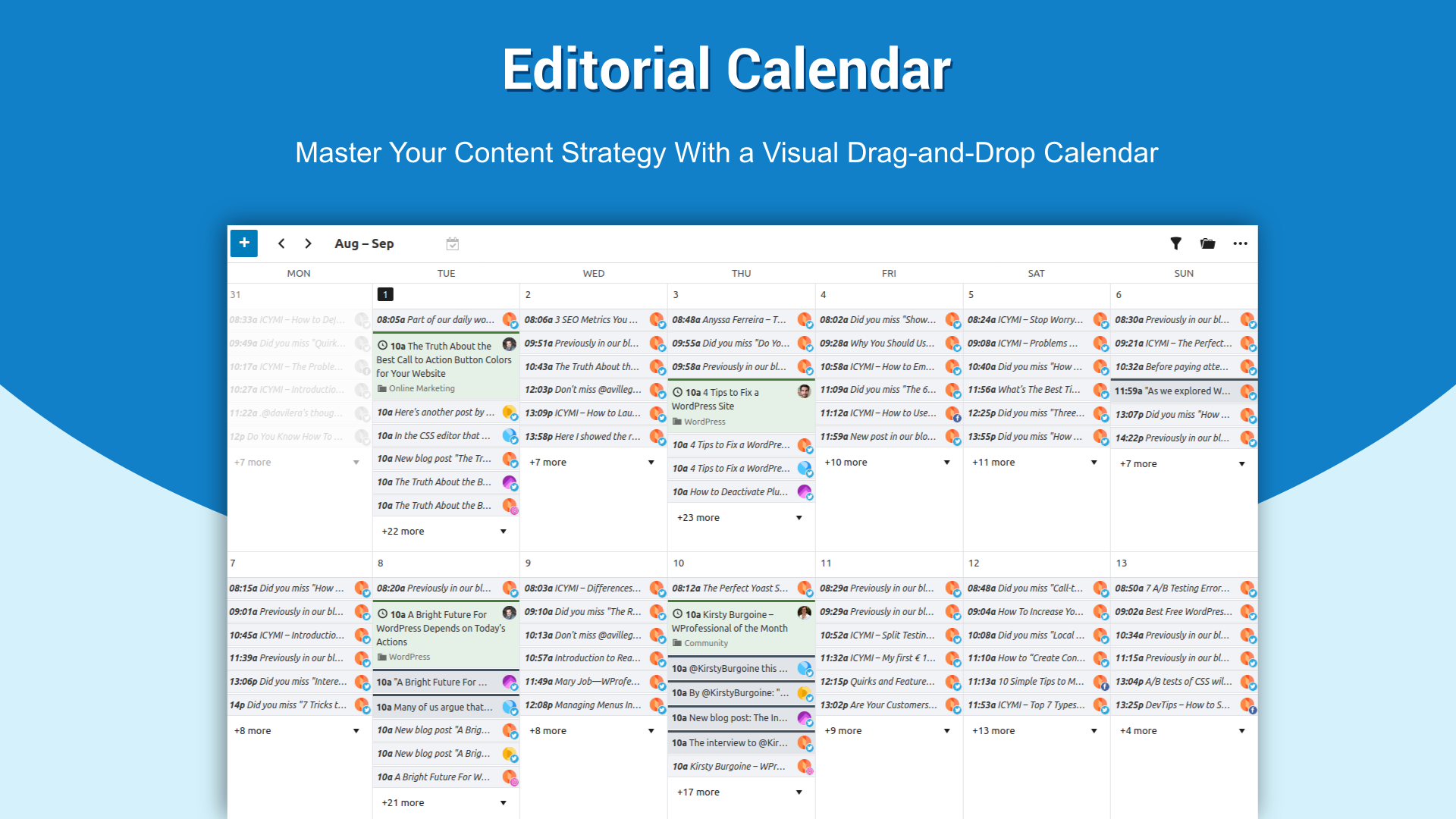
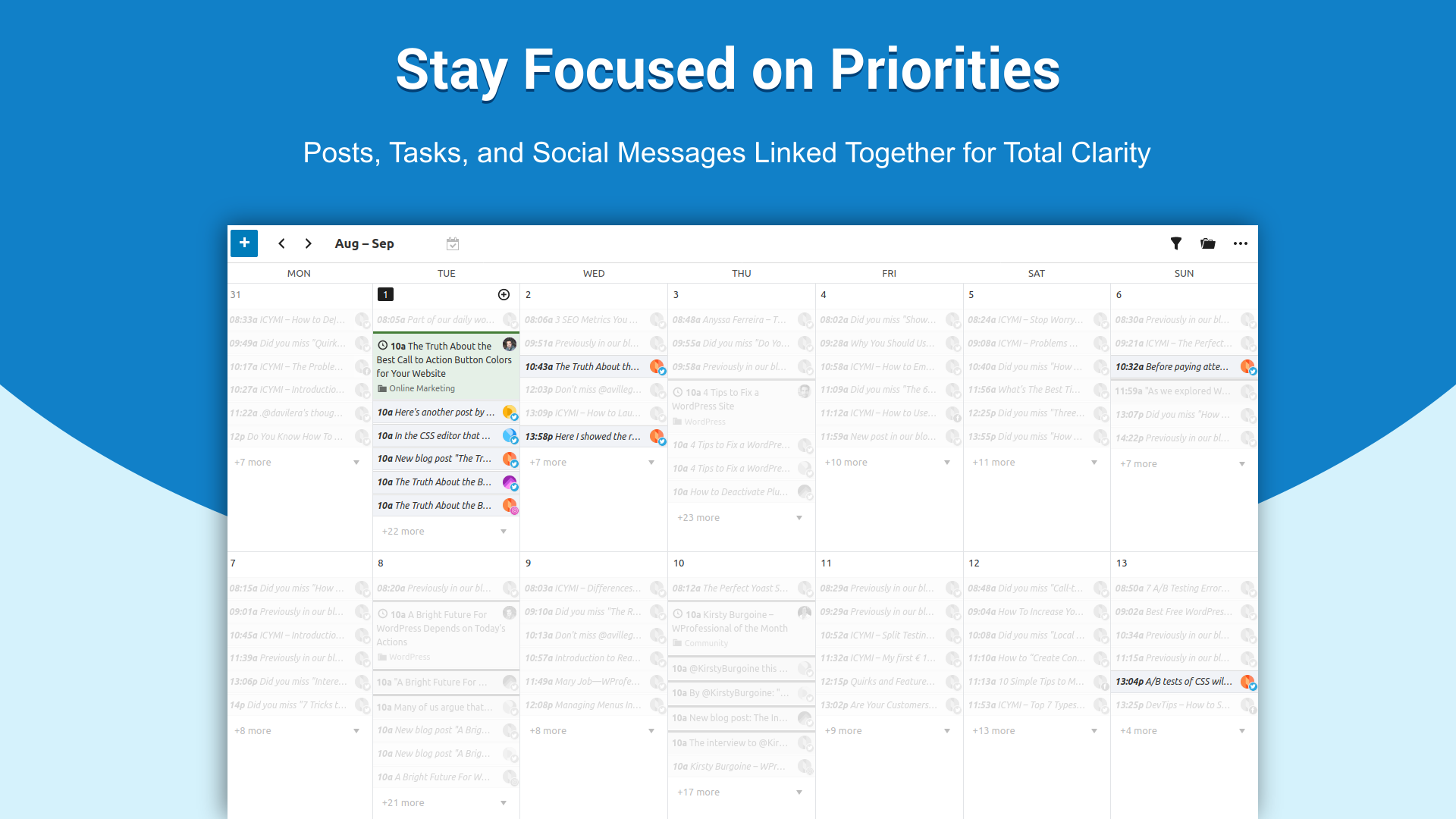
The Editorial Calendar provides a bird’s-eye view of all your content, including posts, custom post types, social messages, and tasks:
- View your upcoming work by week, month, or agenda.
- Create, schedule, and edit posts with categories, tags, and references within the calendar.
- Draft unscheduled posts as ideas.
- Automatically adjust social messages when a post is rescheduled.
- Integrate iCal events, MailPoet newsletters, and events from The Events Calendar.
- Filter content by author and status.
- Filter social messages by profile, creation method, and publication issues.
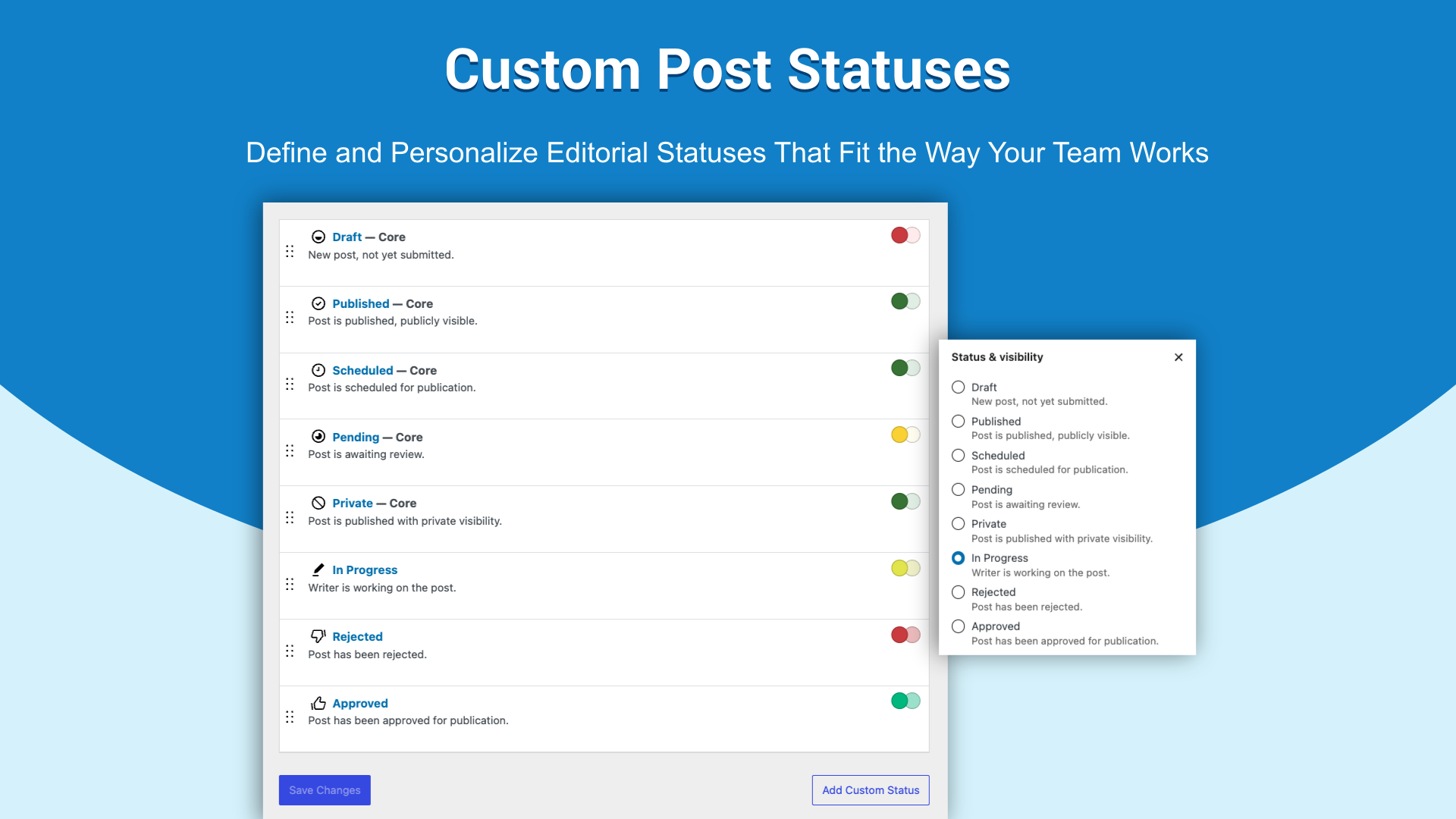
- Define and manage custom statuses that match your unique editorial workflow.
View the RSS feeds of your favorite blogs directly in your WordPress so you can generate new content from them:
- View RSS feeds directly in WordPress for inspiration.
- Schedule ideas by dragging and dropping them into the calendar.
- Create new draft posts using feed content as references.
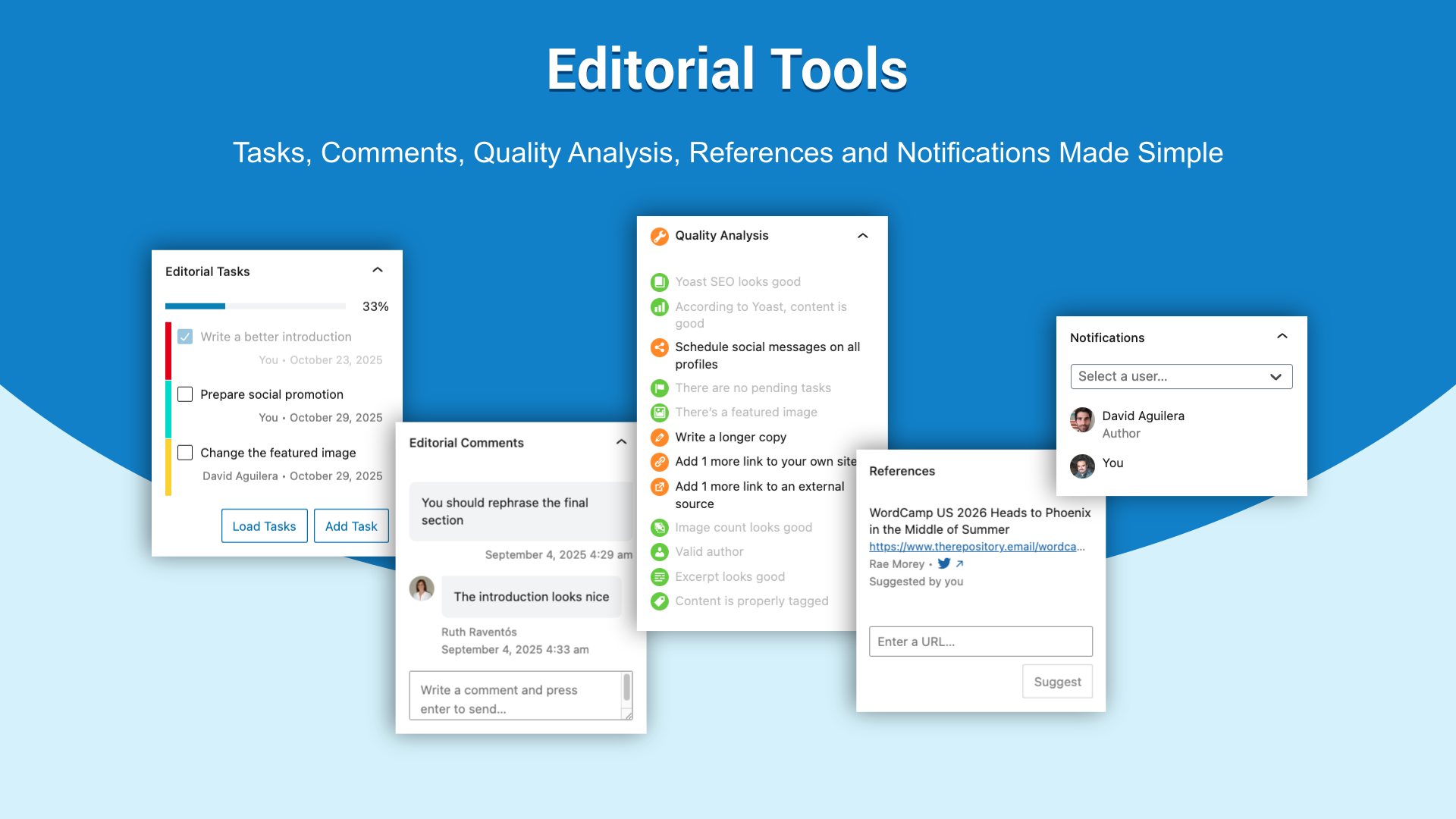
- Suggest helpful links to authors as references.
The Content Assistant provides a writing checklist and tools to prepare WordPress posts and their social promotion:
- Use external image URLs for featured images.
- Check post quality as you write it.
- Ensure posts include images, tags, links, and excerpts.
- Plan and customize social messages while writing.
- Highlight content for automatic social messages.
- Add custom URL parameters for tracking in Google Analytics.
Use Social Automations to promote your content effectively across multiple social networks:
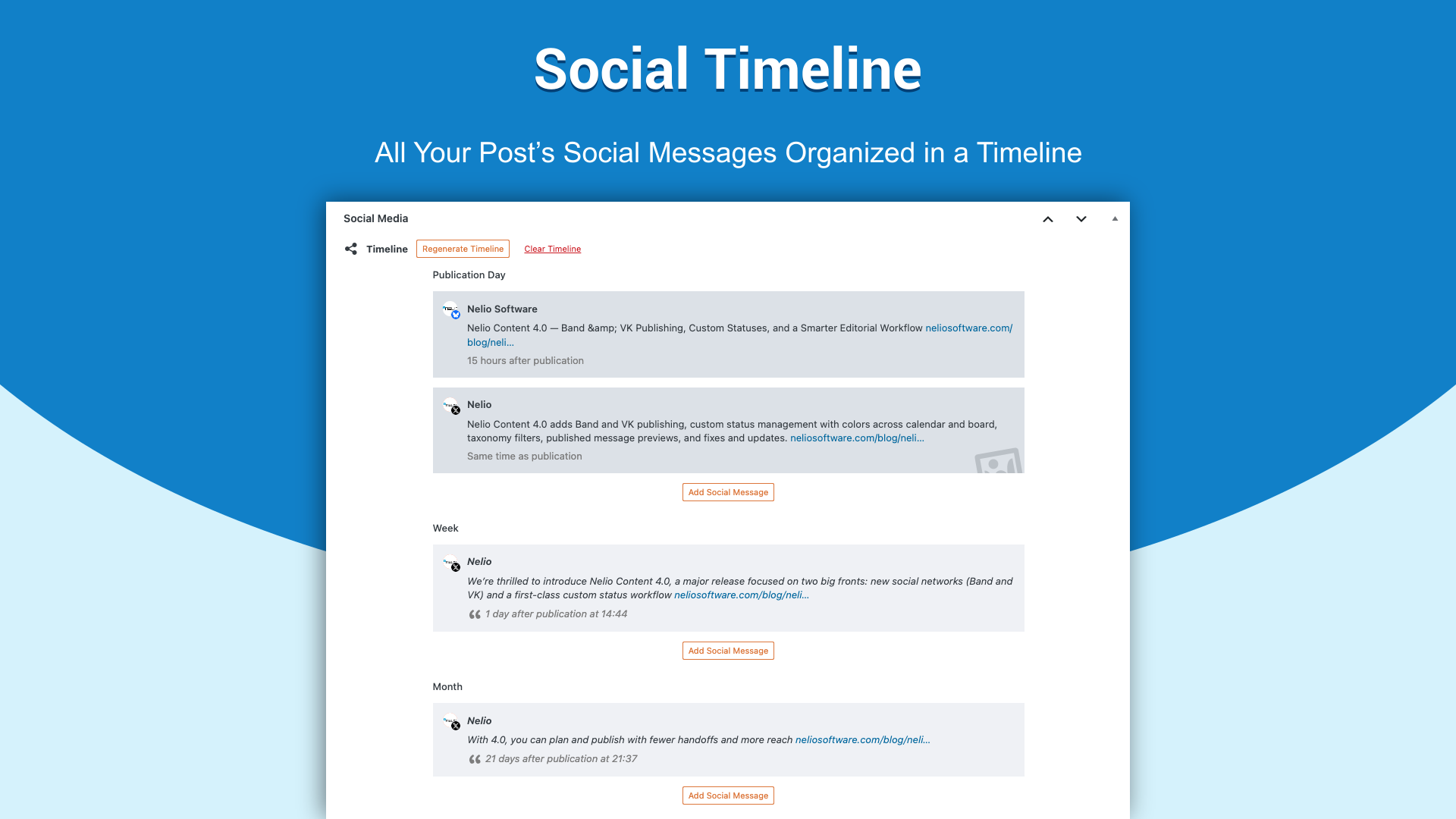
- Automatically create social message timelines.
- Use highlighted sentences, templates, and excerpts for automatically created messages.
- Customize social templates with #hashtags, @handles, emojis, and much more.
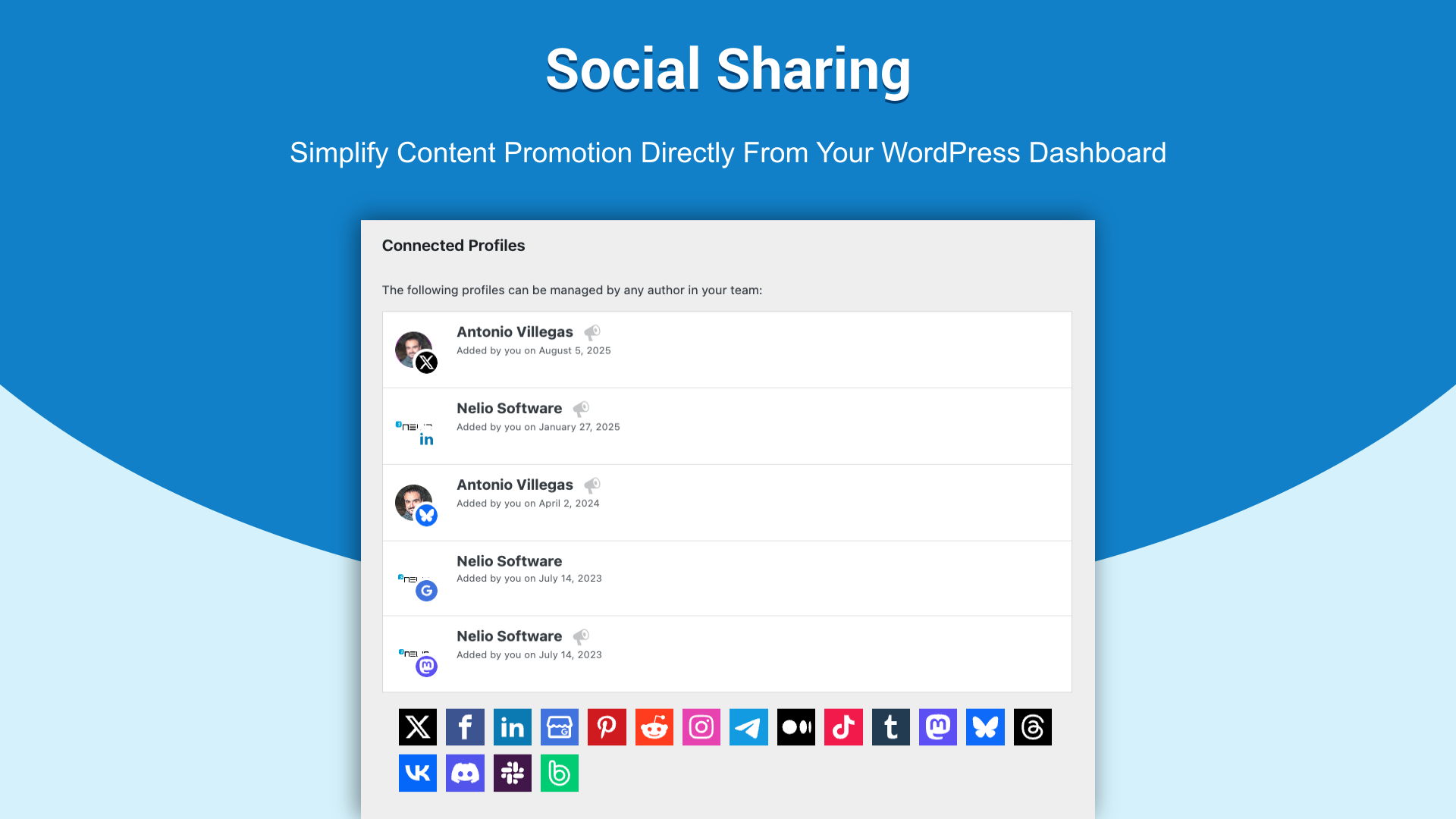
- Share on all social networks, including X (formerly Twitter), Facebook, LinkedIn, Instagram, Mastodon, Telegram, Pinterest, Reddit or Threads, to name a few.
- Use popular link shortener services: Bitly, TinyURL, Rebrandly, YOURLS, Shlink, Short.io, T.ly, and Polr.
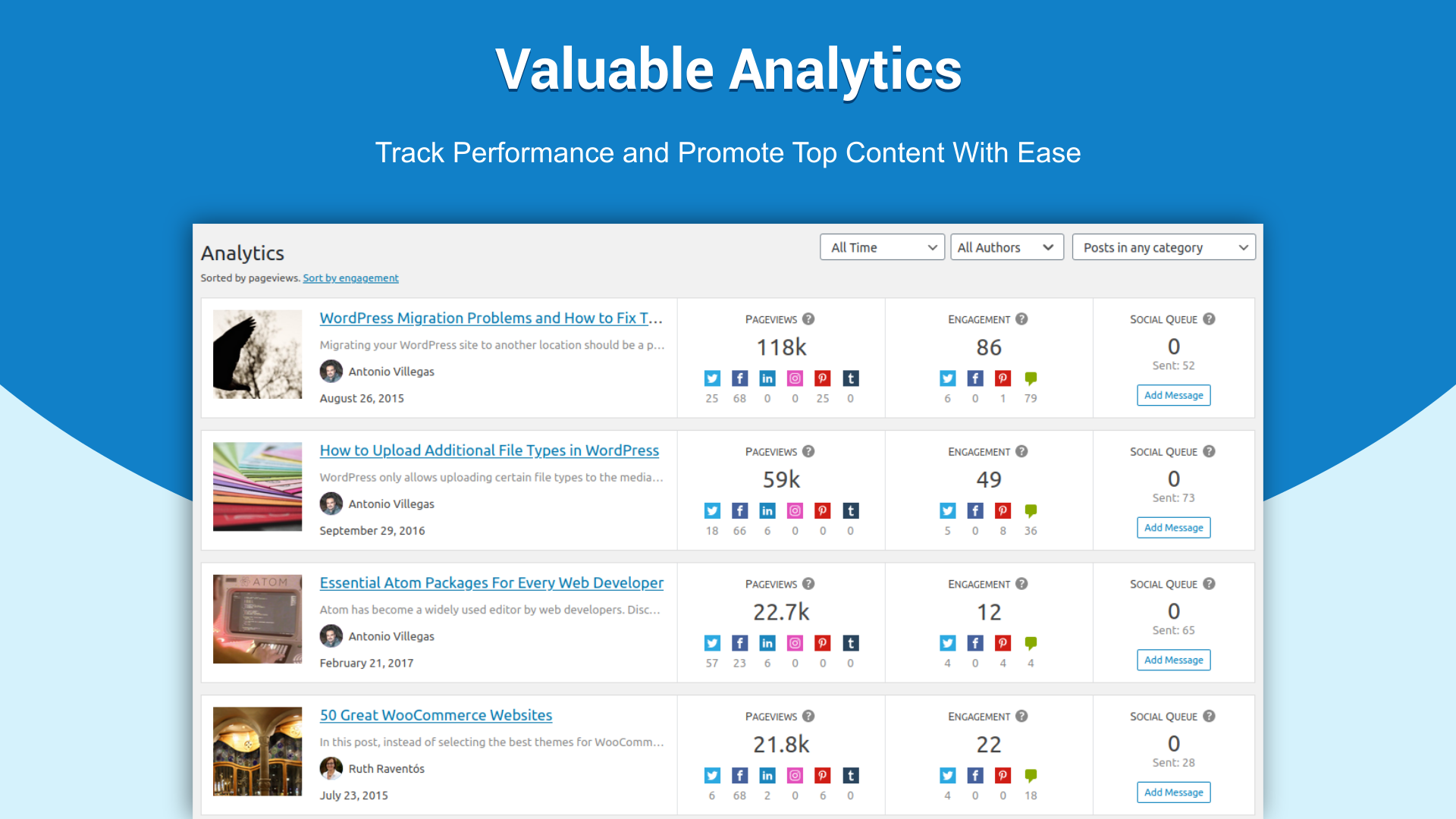
Bring supported content and social metrics into WordPress to review performance and decide what to promote again:
- View key statistics on your WordPress dashboard.
- Track pageviews from Google Analytics.
- Measure audience engagement through likes, shares, and comments.
- Monitor planned social messages for each post.
- Re-promote top-performing content with one click.
- Customize permalinks on social media by adding query parameters.
All these features are included in Nelio Content Free. Upgrade to Premium for advanced capabilities.
NELIO CONTENT PREMIUM
Designed for teams, Nelio Content Premium provides each user with tailored tools for their role:
- Connect up to 15 social profiles.
- Discuss posts with editorial comments.
- Visualize your editorial pipeline with a content board that organizes posts by their status.
- Duplicate posts with just one click.
- Rewrite or update a published post without taking it offline, using a copy of its content.
- Monitor and track team activities with editorial tasks.
- Receive email notifications for status changes and comments.
- Create reusable task presets for posts.
- Add editorial comments and references in the calendar.
- Group your posts into multiple collections or series.
- Set custom tags on social messages for Medium.
- Automatically display series information on posts that are a part of a series.
- Schedule automatic changes to your posts, pages, and other content types.
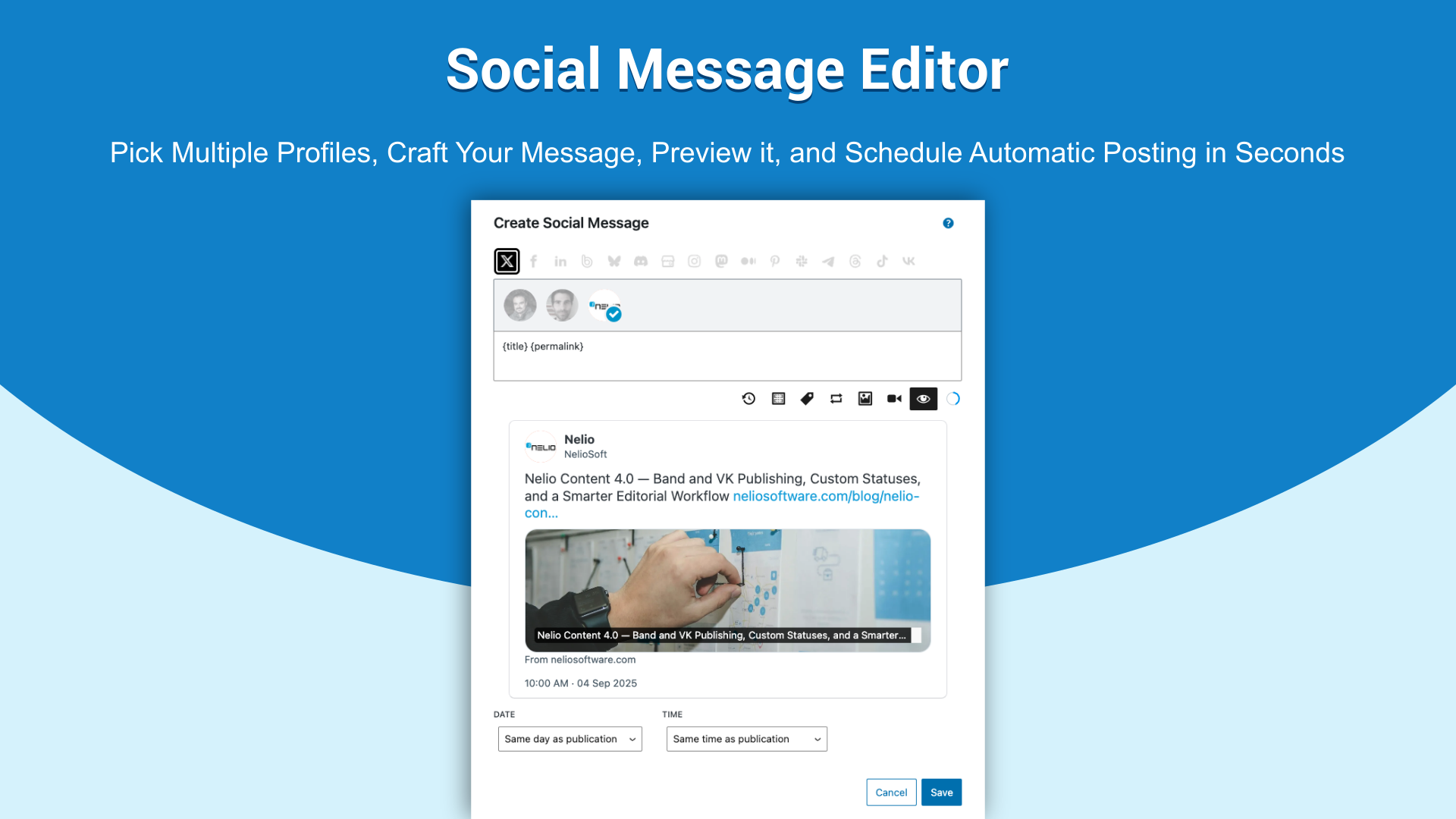
- Create social messages for multiple networks simultaneously within the calendar.
- Re-share old posts in social media with ease.
- Automatically reschedule tasks when a post is rescheduled.
- Export the calendar in CSV format, Google Calendar or iCal format.
Advanced tools for automatic content promotion:
- Create reusable social messages that can be easily placed on any desired day in the calendar.
- Automatically generate timelines to promote posts after publication.
- Reshare automatically top old content on social networks.
- Create multiple social automation templates with #hashtags, @handles, and emojis.
- Select different versions of the same image to share in each social network, each with a different size.
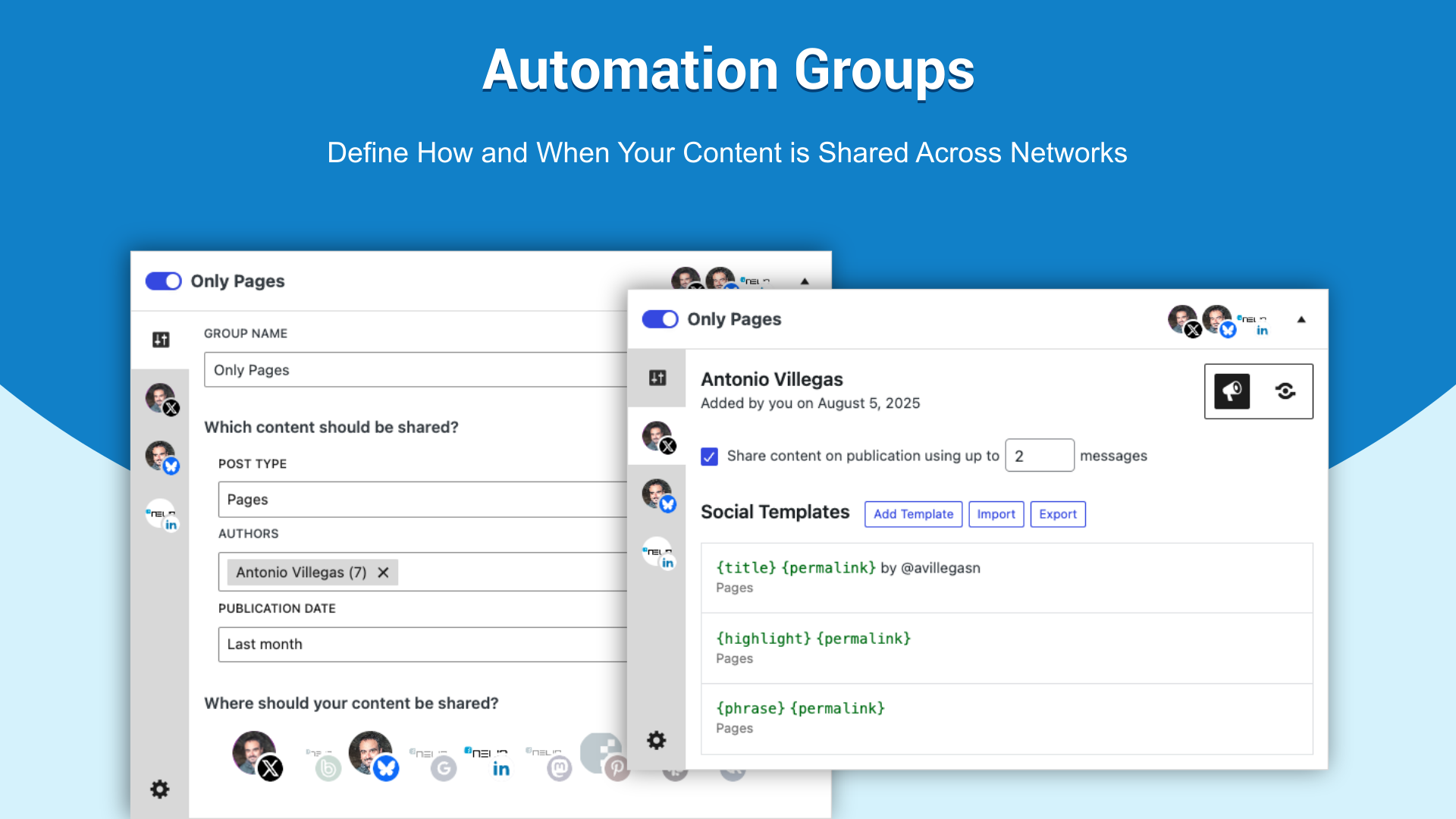
- Customize publication and resharing frequency.
- Configure multiple automation group settings for content-sharing.
Unlike generic social tools, Nelio Content connects your editorial calendar and social media automation directly to your WordPress posts.
Manage the steps from planning and writing to publishing and re-sharing your WordPress content in one workflow.
Reviews and Real-World Examples
Read third-party reviews and an example of how publishers use Nelio Content:
- A Nelio Content Review (digisavvy.com)
- Nelio Content Automates and Assists with Content Creation and Social Marketing (wpmayor.com)
- Nelio Content’s Social Automations Tools – Saving Resources & Time in Content Marketing (thedevcouple.com)
- Editorial OnMedia and Nelio Content – Case Study (neliosoftware.com)
- Nelio Content: improve your WordPress to the next level (silocreativo.com in Spanish)
Instalação
Installation through the WordPress Dashboard
- Login to your WordPress admin.
- Click on the plugins tab.
- Click the Add New button.
- Search for “Nelio Content.”
- Look for our plugin, click “Install Now” and then “Activate.”
- Once the plugin is installed and active, you simply need to select whether you want to use the Free Version of Nelio Content or, if you have a License Key of a Premium Plan, use it to unlock its full potential.
And that’s it! You can now use Nelio Content to get the most out of your site.
Nelio Content Premium
If you’re interested in unlocking the full potential of our plugin, just purchase Nelio Content Premium. Once you complete the checkout process, you’ll receive an e-mail with a License Key. Use it in the plugin as described in our Knowledge Base.
I successfully installed the plugin. What should I do now?
You’ll find a detailed and comprehensive guide in our website with all the information you need to know to use Nelio Content efficiently. Go check it out!
Log de Changes
Security improvements.
5.0.2 (November 16, 2026)
- Fix stored XSS in external featured images.
- Fix unauthorized access to unpublished post details and unintended metadata changes through reference searches.
5.0.1 (November 12, 2026)
- Fix a performance regression introduced in 5.0.0 that could cause very slow page loads for logged-in users and PHP execution timeouts. Limit internal capability filters to their own permissions to prevent cascading access checks while preserving authorization checks.
5.0.0 (November 11, 2026)
- Add WordPress Abilities API support, local feature diagnostics and a dedicated MCP server for authenticated AI assistants.
- Add permission-aware queries, cached rankings, promotion summaries, shared reference management and post rescheduling.
- Add social message updates, deletion and retries, plus Premium scheduling across all supported networks with post placeholders, per-profile validation and results.
- Add Premium timeline generation, reshare candidate discovery, automation group management, shared profile frequencies and social templates.
- Add Premium draft duplication, series management, future action management, editorial status summaries, task management and internal comments.
- Make Premium abilities discoverable in Free with subscription and activation guidance.
- Fix MCP input schemas, post timeline permissions, duplication and reference permissions, external downloads, unscheduled searches, automation frequencies, reshare scheduling, future actions, editorial notification verification and social deletion errors.
- Require WordPress 6.9+ for abilities and MCP Adapter 0.7.1+ for MCP connections.
4.5.2 (October 20, 2026)
- Minor fixes
4.5.1 (October 2, 2026)
- Fix authorization checks when editing or deleting reusable social messages.
- Fix external calendar refresh so newly added calendars display their events without reloading the page.
- Improve asset loading in the calendar and social message editor.
- Check cached authentication token expiration before reuse to prevent 403 errors when accessing Nelio Content’s API.
- Migrate reusable social messages to the registered post type.
4.5.0 (September 21, 2026)
- Add a text filter to the editorial calendar to search visible items by title, author, or category, including unscheduled posts.
- Add profile labels to group profiles for quick selection and deselection in the social message editor.
- Add LINE support.
- Changed the billing management flow to avoid exposing management URLs in the WordPress admin.
- Group related social messages and tasks with their posts to reduce calendar clutter.
- Improve calendar and content board performance by entity batching.
- Improve calendar filtering with a clearer, more consistent interface and better visibility controls.
- Improve preview of Bluesky messages.
- Improve styles of social message editor.
- Improve the timeline with a cleaner design that makes content easier to scan.
- Redesign the editorial calendar to better organize posts, social messages, tasks, and other events.
- Update dependencies.
Capturas de tela
Para desenvolvedores
Este é o seu plugin? Mostre os números.
Adicione um crachá ao vivo ao seu site, Documentos ou Readme do GitHub. Ele é atualizado por conta própria - nenhuma conta necessária.
Best Nelio Content alternatives
All auto post plugins →




FAQ
Nelio Content: quick answers
Respostas diretas, extraídas de dados ao vivo WordPress.org.
Fonte: WordPress.org
Is Nelio Content free?
Yes. Nelio Content is free to download and use from the official WordPress.org plugin directory.
Is Nelio Content safe to use in 2026?
Yes — Nelio Content is a safe, well-maintained plugin to use in 2026. It runs on 3K+ sites, is rated 4.4/5 and was last updated 5 days ago, and scores 85/100 on our health check.
How many websites use Nelio Content?
Nelio Content is active on 3K+ WordPress websites and has been downloaded 603,667 times since it launched in July 2016. It was downloaded 8,590 times in the last 30 days.
Does Nelio Content work with WordPress 7.1?
Yes. The developer has tested Nelio Content up to WordPress 7.1.5, the latest release. It requires WordPress 6.7 or newer.
What PHP version does Nelio Content need?
Nelio Content requires PHP 7.4 or higher. Most hosts run PHP 8.x today, so it works on any modern WordPress hosting.
When was Nelio Content last updated?
The latest version, 5.0.2, was released on November 16, 2026 (5 days ago).
Who makes Nelio Content?
Nelio Content is developed and maintained by Nelio Software.
What are the best alternatives to Nelio Content?
The most popular alternatives to Nelio Content are Blog2Social: Social Media A… (40K+ installs), Revive Social (20K+ installs) and Social Media Auto Poster (7K+ installs).
Alimentado por PageForge
Um modelo e uma planilha. Uma página real para cada pesquisa.
PageForge Transforma cada linha de um CSV em uma página WordPress com seu próprio título, URL, SEO campos e esquema, construído no layout que você já desenhou. Gratuito em WordPress.org.
- CSV e XLSX, mais Google Sheets em Profissional e Empresarial
- Seu próprio título, URL, SEO campos e esquema para cada página
- Funciona com o editor de blocos, Elementor, Divi e Avada
- Gratuito em WordPress.org, sem cartão de crédito