


Product Bundles for WooCommerce – Frequently Bought Together by Nanflows
Product bundles and frequently bought together for WooCommerce: combo offers at one bundle price, stock from real products, COD or prepaid.

Escolha sólida
Product Bundles for WooCommerce is a solid plugin choice in 2026, with a few things worth checking first. It runs on 20+ sites and was last updated 3 weeks ago, and scores 67/100 on our health check.
- Desenvolvido ativamente — última atualização 3 semanas atrás
- Testado com as últimas WordPress (7.1)
- Base de usuários pequenas (mais de 20 instalações ativas)
- Muito poucos comentários até agora
Como ele se acumula?
Lado a lado em instalações, atualizações, avaliações e suporte


Downloads diários
Os picos de download geralmente seguem uma nova versão — cada site que atualiza automaticamente é um download.
Rankings
Where Product Bundles for WooComm… stands todayWordPress.org Classificações de pesquisa
Posição ao vivo na pesquisa de plugins, top 100| Palavra chave | Posição |
|---|---|
| bundle discount | #18 |
| combo offer | #10 |
| frequently bought together | #12 |
| product bundles | #52 |
| upsell | >100 |
Adoção da versão
Compartilhamento de sites ativos por lançamento.
About Product Bundles for WooCommerce
From the official readme · v0.1.6Descrição
Nanflows Product Bundles lets you sell WooCommerce products together: a starter kit, a gift set, a combo offer at one bundle price, or a “frequently bought together” box under a product. Stock comes off the real products inside, and checkout stays the normal WooCommerce checkout.
Free, with no limit on how many bundles you make.
WooCommerce product bundles and combo offers
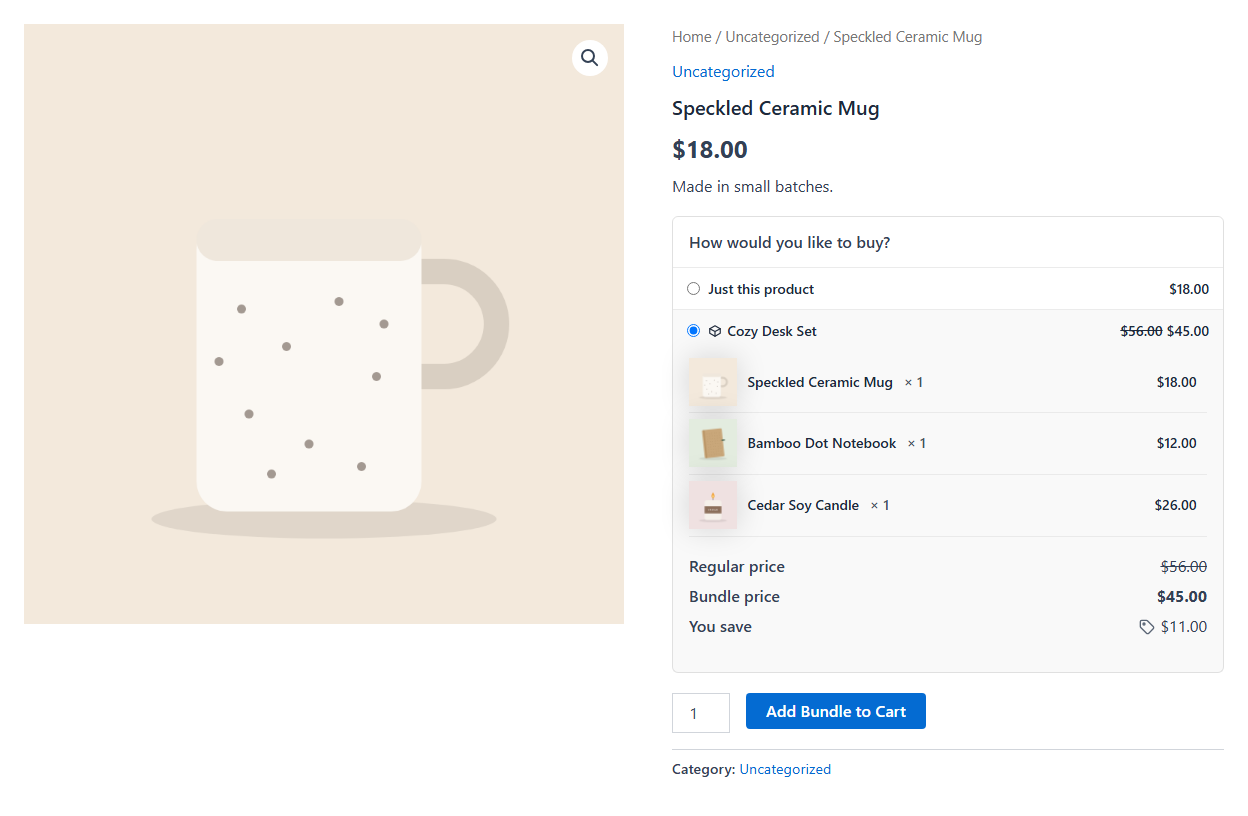
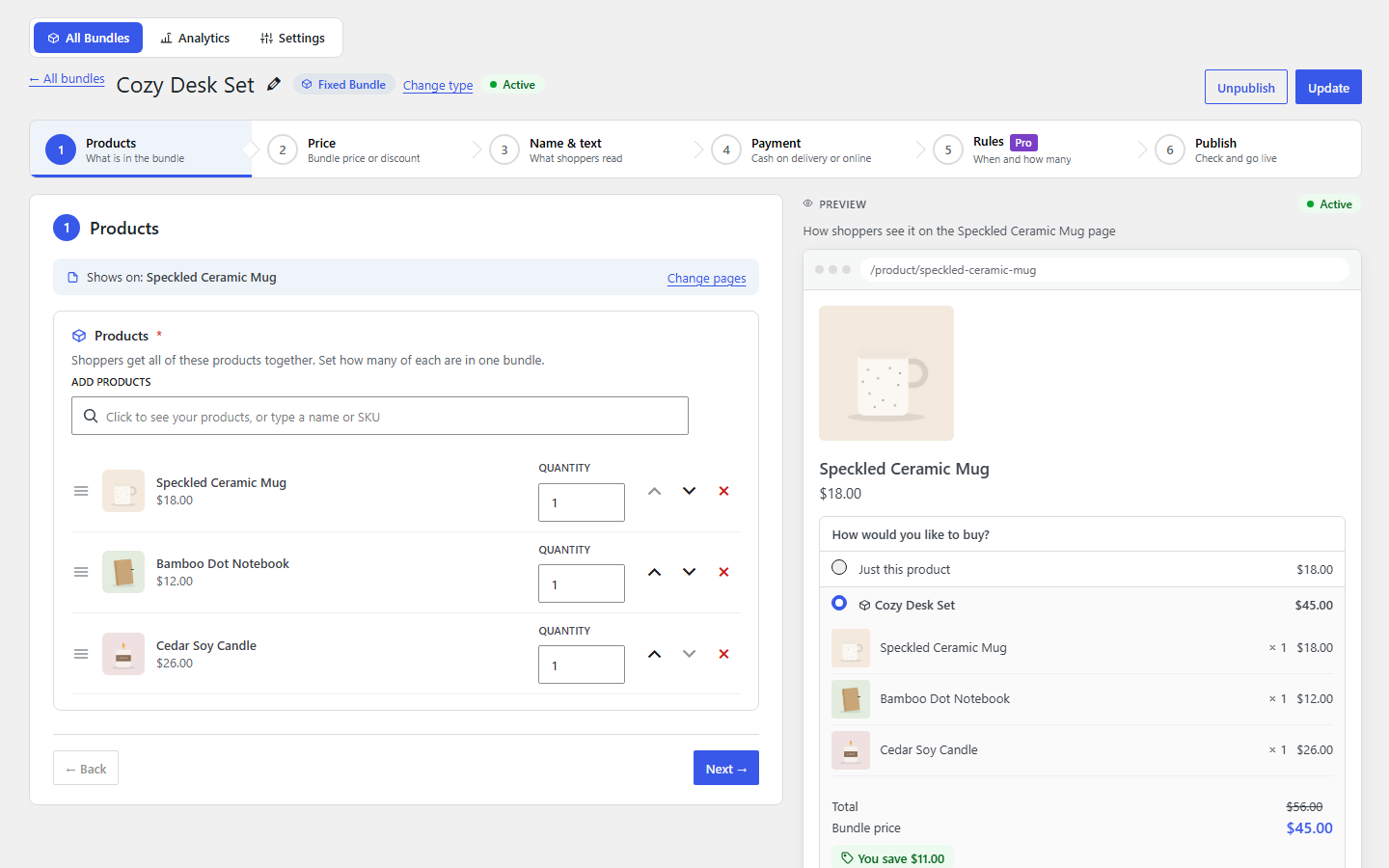
- Fixed bundles: you choose the products and quantities, and customers buy them together at one price. Set your own bundle price, lower than buying the products one by one.
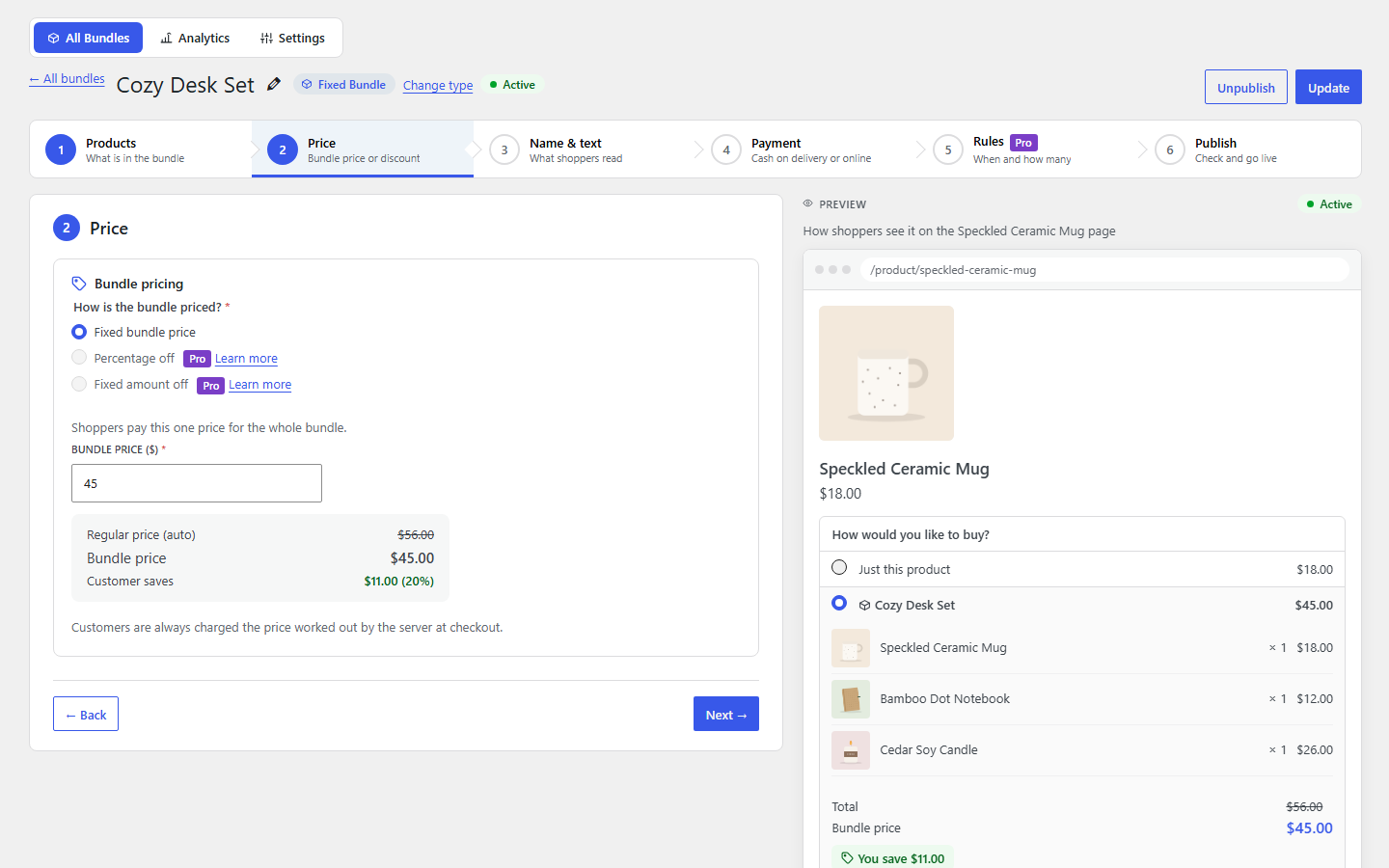
- The saving is shown: the regular price and what the customer saves are worked out for you and shown on the product page.
- Customer chooses the option: put a variable product in a bundle and let the customer pick the size or colour, or fix the variation yourself.
- Combo offers, kits and gift sets: “Shampoo + Conditioner combo”, “Starter kit”, “The full routine”. One product in the cart, one click to buy.
Frequently bought together for WooCommerce
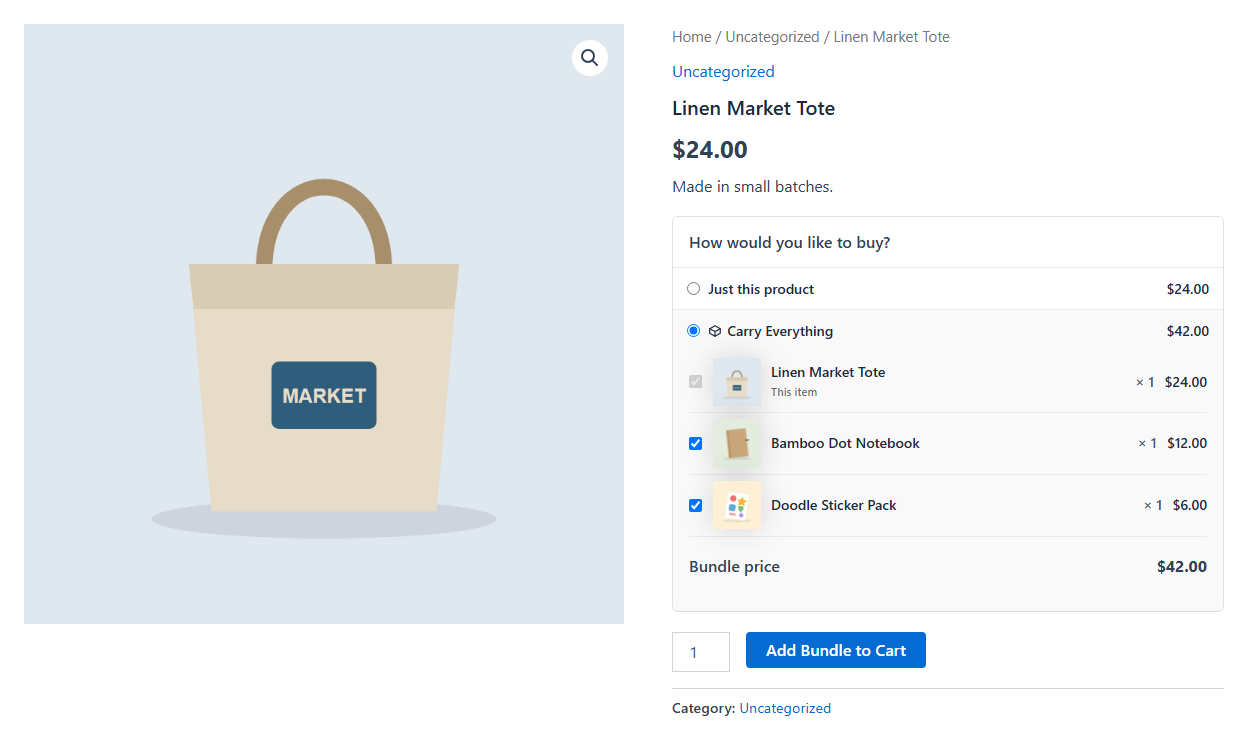
- A main product plus up to 4 extras, already ticked, that the customer can untick before adding the lot to the cart in one click.
- Shown on the main product’s page, where the decision is made. WooCommerce’s own cross-sells only appear in the cart.
- With every extra unticked, the main product goes to the cart on its own.
Stock that never oversells
- No separate bundle stock: a bundle is available while every product inside is in stock, and each sale takes stock from them.
- Overselling is stopped at add to cart, in the cart and at checkout.
- Stock goes back on cancellation or a restocking refund, by WooCommerce itself.
Cash on delivery or prepaid, per bundle
- Accept both, prepaid only, or COD only for each bundle. Make big or expensive combos prepaid only, and keep COD for the small ones.
- The plugin checks that the payment method is really switched on in WooCommerce before a bundle goes live.
- If a cart holds bundles with different rules, only the methods all of them allow are offered.
Show bundles where they sell
- Pick product pages, or whole product categories: every product in them, and products added later.
- One button, the customer’s choice: shoppers pick “Just this product” or a bundle with a radio button, and one Add to cart button adds what they chose. Separate bundle cards are available in the settings instead.
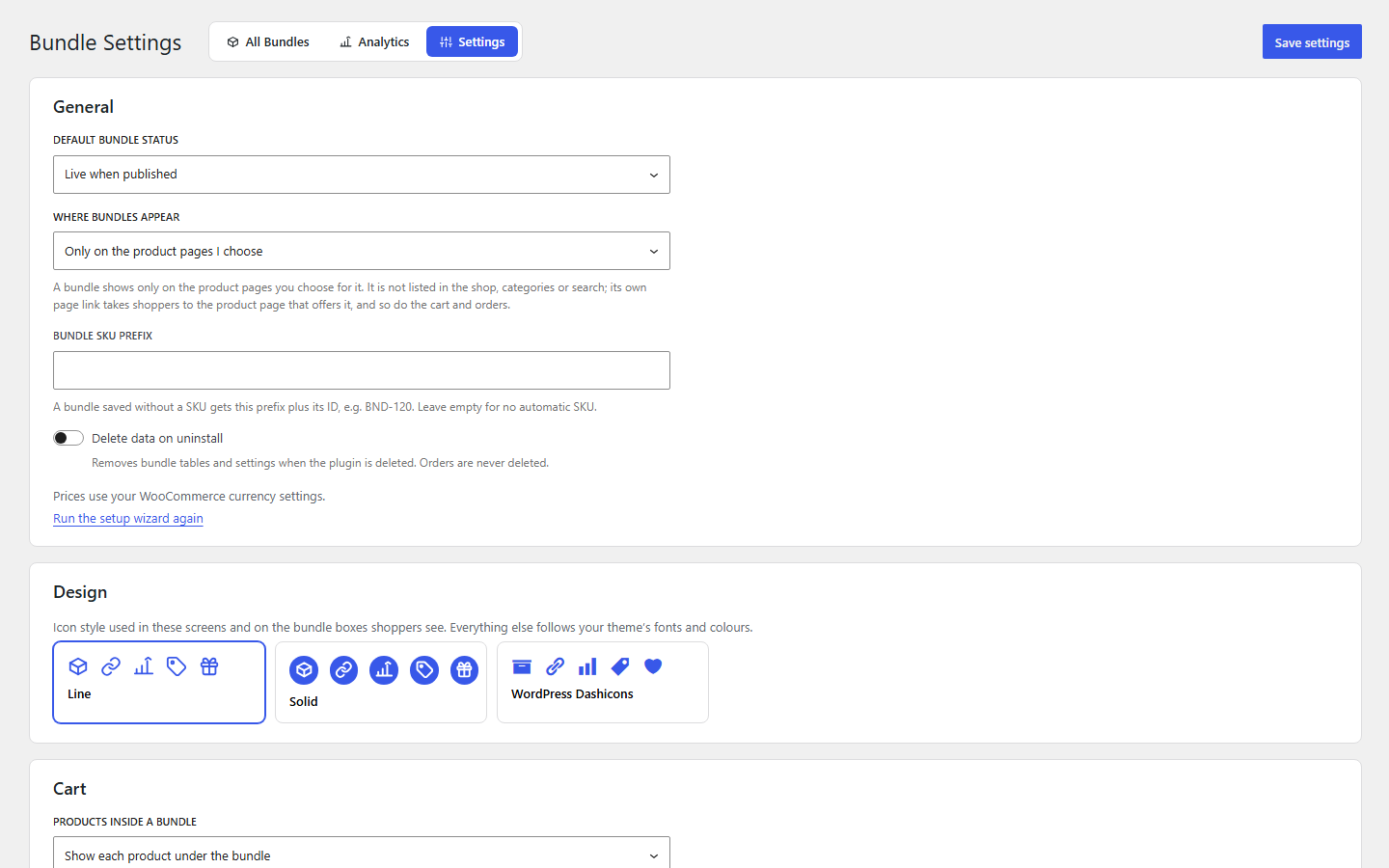
- Only on those pages, or also as its own product: by default a bundle is not listed in the shop, categories or search, and its own page link takes shoppers to the product page that offers it. Or list each bundle as a product of its own (Settings > General).
- Block and shortcode: show a bundle anywhere else with the Bundle block or
[nanflows_bundle id="123"]. - Several bundles on one product: one by default, up to three if you change it in Settings.
- A page of its own: switch it on for any bundle and it gets a page with only that bundle, in your theme’s design, to share in ads, WhatsApp, emails or your menu. Put a heading or a banner at the top (with a second banner for phones if you like).
Easy to set up
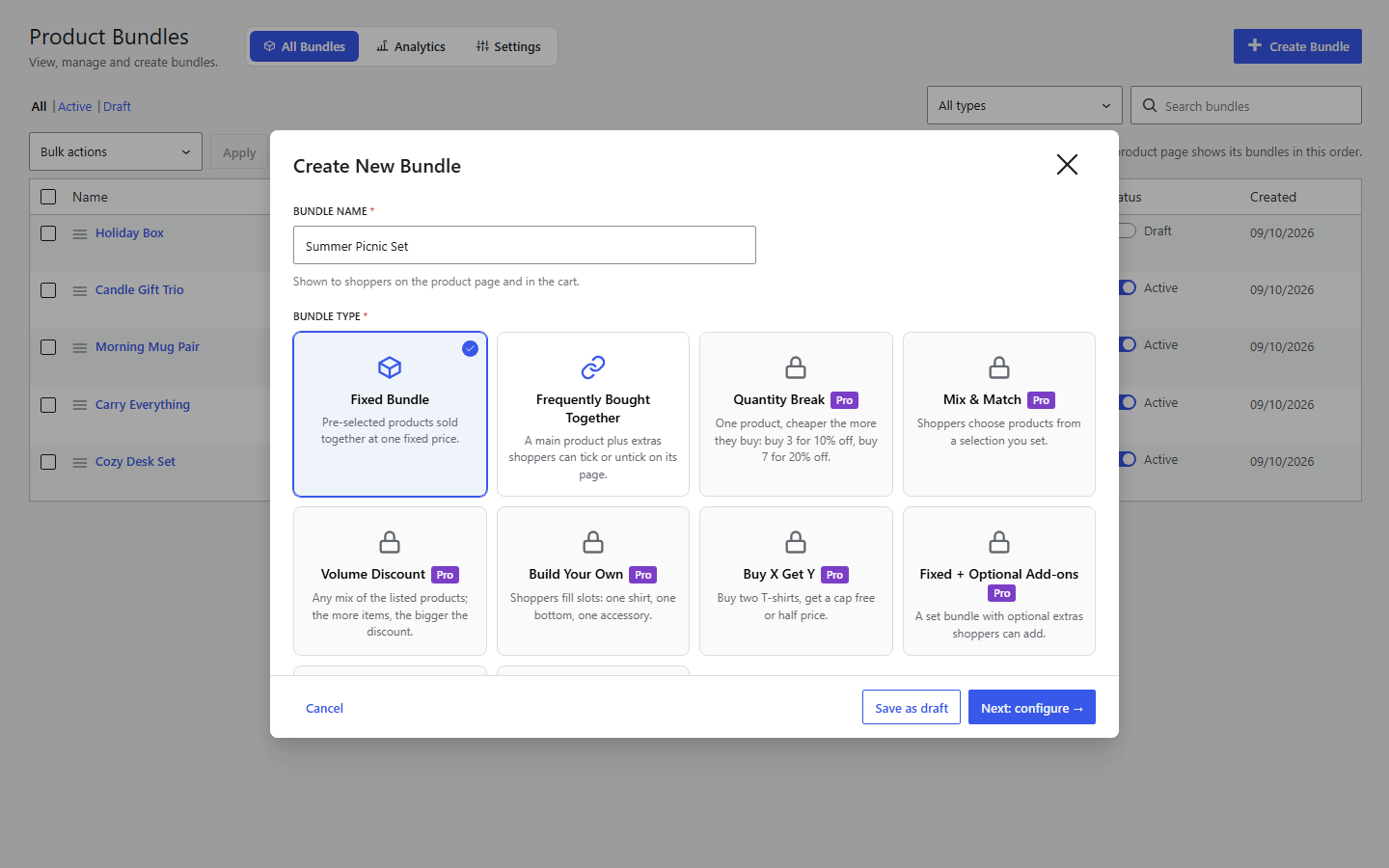
- Guided set-up: “Create Bundle” asks for a name, a type and its products, then takes you through the bundle’s products and pages, offer, details and payment, with a live preview of the card shoppers will see.
- Drafts: half-finished bundles can be saved and finished later. Drafts are never shown to shoppers.
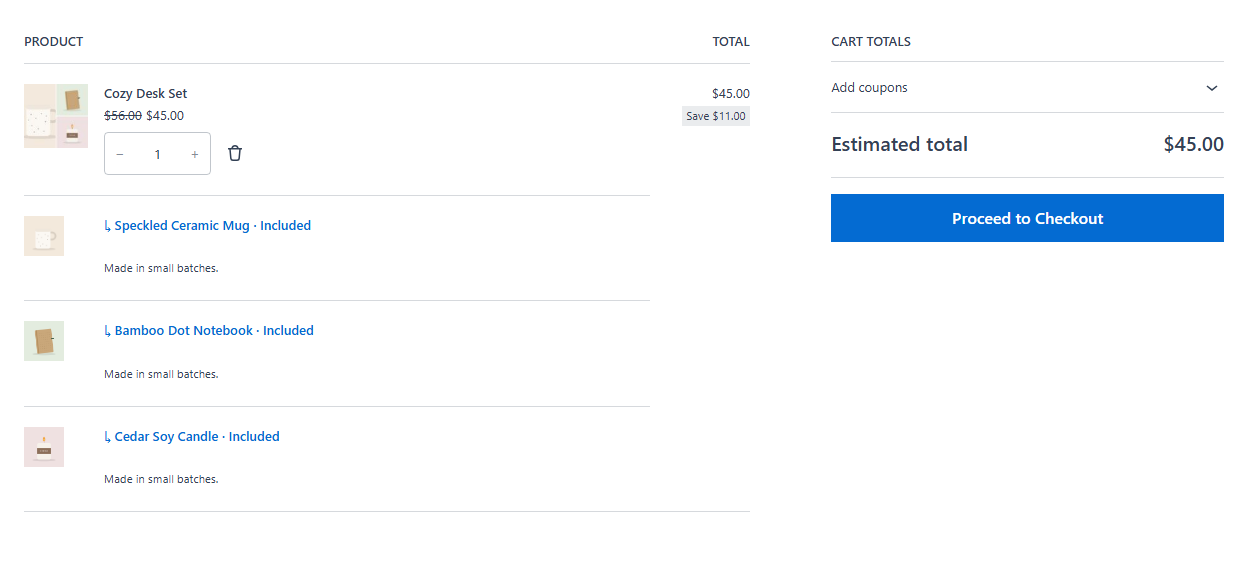
- Bundle picture: made automatically from the product pictures (updated when they change), or choose your own from the Media Library. Shown in the cart, orders and emails.
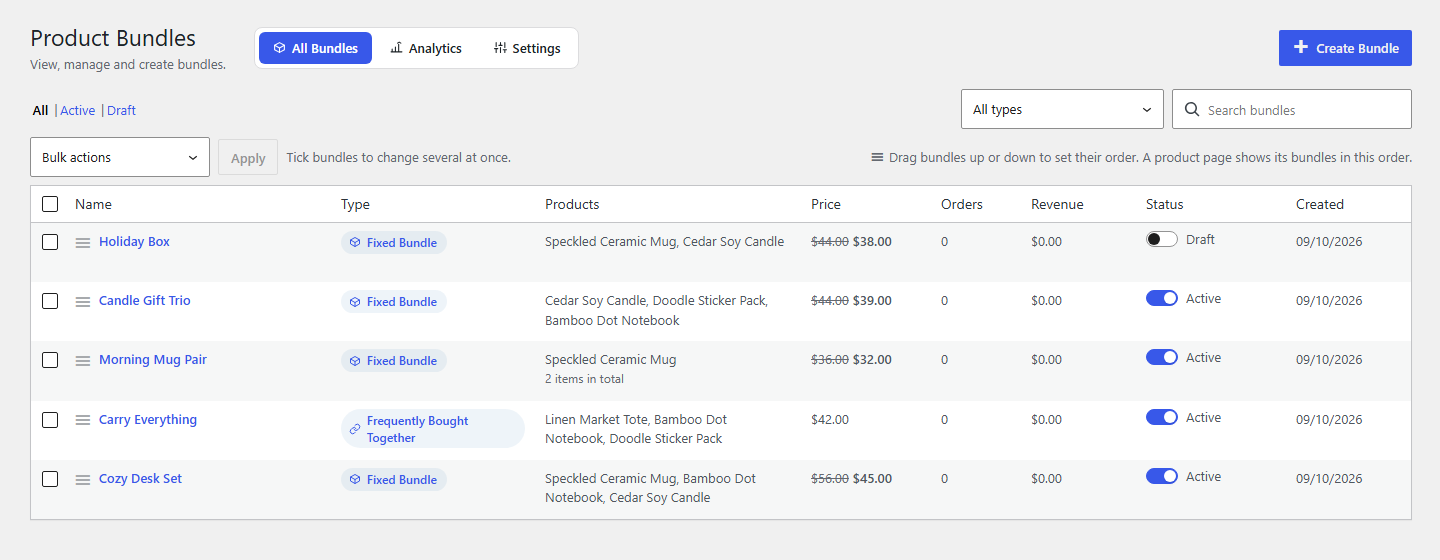
- Bundles list: search, filter by type or status, change several bundles at once, and drag bundles or the products inside them to set the order.
- Setup wizard and icon styles: a short first-run wizard, and a choice of line, solid or WordPress Dashicons icons.
- Clear cart: the bundle and its products are shown together; products inside cannot be removed on their own.
Bundle analytics
Bundle orders, revenue, units, average bundle value and prepaid vs COD orders, by day, with date filters. Stored in your own database only.
Works with
- Simple products, physical or virtual and downloadable (customers get their downloads as usual).
- Variable products: a set variation, or the customer chooses.
- Your payment gateways, taxes, shipping and coupons.
- The classic cart and checkout, the Cart and Checkout blocks, and checkouts built on WooCommerce’s checkout or Store API.
- HPOS (high-performance order storage).
Subscription products (WooCommerce Subscriptions) cannot be put in a bundle yet: their renewals would not be billed correctly, so they are refused with a clear message.
Nanflows Bundles Pro
Everything above is free, has no limits, and works fully without Pro. Nanflows Bundles Pro, a separate plugin, adds:
- Eight more bundle types: Quantity Break (buy 3, save 10%; buy 7, save 20%), Volume discounts, Mix & Match, Build Your Own, Buy X Get Y and BOGO, fixed bundles with add-ons, gift boxes with gift wrap and a message, and variety packs.
- Bundle discounts as a percentage or an amount off, and a percentage off “frequently bought together” offers, with up to 10 extras.
- Sales rules: sell from and until a date, and a minimum and maximum number of bundles per order.
- Badge and urgency: a “Best value”, “Most popular”, “Limited offer” or your own badge, a countdown to the offer’s last day, and free shipping with the bundle.
- Suggestions from your orders: products your customers often buy together, made into a “frequently bought together” offer in one click.
- Reports: a views-to-purchase funnel for each bundle, the most bundled products, customers, COD vs prepaid failure rates, placements, CSV exports and an email report.
The editor lists the Pro types as optional upgrades.
Privacidade
The plugin sends nothing outside your site. Analytics are stored in your own database, without personal data: visitors are counted with a salted hash that cannot be turned back into a person or an IP address.
Instalação
- Install and activate WooCommerce.
- In WordPress, go to Plugins > Add New, search for “Nanflows Product Bundles”, then install and activate it.
- Open Bundles: a short setup wizard asks how bundles should appear. Then press Create Bundle and follow the steps.
Log de Changes
0.1.6
- Choose how each bundle shows its products: as boxes side by side (big photo, name and price below) or as a list. Sizes and colours can be boxes (S, M, L) instead of a dropdown; sold-out ones are greyed out. Existing bundles keep their look until you change it.
- Choose per bundle where its prices go (below or above the products) and whether it shows the regular price and how much shoppers save. Existing bundles keep following the shop-wide settings.
- Products whose variations leave an option on “Any” (for example “Small, any colour”) can now go in a bundle: shoppers pick the size and the colour, and the colour goes to the cart and the order.
- A tidier option list (size, colour) in bundles, the same size on every theme.
- Pro: a discount block under a bundle, with a title, a line of text and a coupon code shoppers copy with one click.
- Product quick view: click or tap a product’s photo in a bundle to see its pictures, name, chosen option and description in a window, without leaving the page.
- A product inside a bundle that is put in the trash or deleted is named in the editor and flagged in the Bundles list; the bundle stops selling until it is fixed, and sells again when the product is restored.
0.1.5
- Fix: on a product page with “How would you like to buy?”, the bundle’s price next to its name now changes when the shopper ticks or unticks an extra or picks an option, like the price inside the bundle box.
0.1.4
- A clearer plugin name and description on wordpress.org.
- A one-time, dismissible request for a review on the Bundles screens, after two weeks of use or three orders with a bundle.
0.1.3
- The bundle box shows the saving as a percentage too, e.g. “You save $28.25 (25%)”.
- “Upgrade to Pro” link on the Plugins screen.
- With Bundles Pro: volume and quantity tiers can take a percentage or a flat amount off, and the bundle box says how to reach the next discount (“Add 1 more and get 10% off”).
0.1.2
- A bundle can have a page of its own, with a heading or a banner (computers and phones) at the top, in your theme’s design.
- The bundle editor stops at a step with something missing and says what to fill in, from Next and from the steps at the top.
- The preview shows the bundle’s own page and how it looks in the cart, picture included.
- Simpler wording in the bundle editor.
0.1.1
- New plugin name and a clearer description: product bundles, combo offers and frequently bought together.
Capturas de tela
Para desenvolvedores
Este é o seu plugin? Mostre os números.
Adicione um crachá ao vivo ao seu site, Documentos ou Readme do GitHub. Ele é atualizado por conta própria - nenhuma conta necessária.
Best Product Bundles for WooCommer… alternatives
All bundle discount plugins →
FAQ
Product Bundles for WooCommerce: quick answers
Respostas diretas, extraídas de dados ao vivo WordPress.org.
Fonte: WordPress.org
Is Product Bundles for WooCommerce free?
Yes. Product Bundles for WooCommerce is free to download and use from the official WordPress.org plugin directory.
Is Product Bundles for WooCommerce safe to use in 2026?
Product Bundles for WooCommerce is a solid plugin choice in 2026, with a few things worth checking first. It runs on 20+ sites and was last updated 3 weeks ago, and scores 67/100 on our health check.
How many websites use Product Bundles for WooCommerce?
Product Bundles for WooCommerce is active on 20+ WordPress websites and has been downloaded 578 times since it launched in October 2026. It was downloaded 231 times in the last 30 days.
Does Product Bundles for WooCommerce work with WordPress 7.1?
Yes. The developer has tested Product Bundles for WooCommerce up to WordPress 7.1.5, the latest release. It requires WordPress 6.4 or newer.
What PHP version does Product Bundles for WooCommerce need?
Product Bundles for WooCommerce requires PHP 7.4 or higher. Most hosts run PHP 8.x today, so it works on any modern WordPress hosting.
When was Product Bundles for WooCommerce last updated?
The latest version, 0.1.6, was released on November 9, 2026 (3 weeks ago).
Who makes Product Bundles for WooCommerce?
Product Bundles for WooCommerce is developed and maintained by nanflows.
What are the best alternatives to Product Bundles for WooCommerce?
The most popular alternatives to Product Bundles for WooCommerce are BundleBoss (100+ installs), C4D Product Bundles for Woo… (60+ installs) and ProductBoxes (50+ installs).
Alimentado por PageForge
Um modelo e uma planilha. Uma página real para cada pesquisa.
PageForge Transforma cada linha de um CSV em uma página WordPress com seu próprio título, URL, SEO campos e esquema, construído no layout que você já desenhou. Gratuito em WordPress.org.
- CSV e XLSX, mais Google Sheets em Profissional e Empresarial
- Seu próprio título, URL, SEO campos e esquema para cada página
- Funciona com o editor de blocos, Elementor, Divi e Avada
- Gratuito em WordPress.org, sem cartão de crédito