


MyServerInfo – Memory Usage, PHP Version, Memory Limit, Execution Time, CPU Usage, Disk Usage
My Server Info is a lightweight plugin that displays key server and site information in your WordPress admin panel. It shows details like:

Use com cautela
MyServerInfo works, but test it on a staging site before relying on it in 2026. It runs on 700+ sites, is rated 5/5 and was last updated 1 year ago, and scores 43/100 on our health check.
- Small user base (700+ active installs)
- Muito poucos comentários até agora
- Nenhuma atualização em mais de um ano
- Testado apenas até WordPress 6.8 (mais recente é 7.1)
Downloads diários
Os picos de download geralmente seguem uma nova versão — cada site que atualiza automaticamente é um download.
Rankings
Where MyServerInfo stands todayWordPress.org Classificações de pesquisa
Posição ao vivo na pesquisa de plugins, top 100| Palavra chave | Posição |
|---|---|
| CPU Usage | #2 |
| disk usage | #7 |
| memory | #13 |
| memory limit | #8 |
| php version | #26 |
Adoção da versão
Compartilhamento de sites ativos por lançamento.
Divisão de classificação
★★★★★ ★★★★★ 5 de 2 comentários
About MyServerInfo
From the official readme · v1.5.1Descrição
My Server Info is a lightweight plugin that displays key server and site information in your WordPress admin panel. It shows details like:
- PHP Version
- MySQL Version
- WordPress Memory Limit
- PHP Execution Time
- PHP Max Input Vars
- PHP post_max_size
- PHP upload_max_filesize
- Site IP Address
- Site Time and Timezone
- CPU Usage (Average over 1 minute)
- Disk Usage
- Memory Usage
- Server Uptime
PHP Version
PHP Version indicates the current PHP version running on your server. WordPress relies on PHP for its core functionality, and using a supported version (7.4 or higher) ensures better performance, security, and compatibility with themes and plugins.
MySQL Version
MySQL Version shows the version of the MySQL database your WordPress site is using. A compatible MySQL version (5.7 or higher) is essential for efficient data management, faster queries, and overall site stability.
WordPress Memory Limit
WordPress Memory Limit defines the maximum amount of memory allocated for WordPress operations. A higher memory limit (256M or more) allows for smoother performance, especially when using resource-intensive plugins or handling large websites.
PHP Execution Time
PHP Execution Time sets the maximum time a PHP script is allowed to run. Increasing this limit (300 seconds or more) helps prevent timeout errors during lengthy operations, such as bulk uploads or complex plugin processes.
PHP Max Input Vars
PHP Max Input Vars specifies the maximum number of input variables your server can handle. Setting this to a higher value (3000 or more) ensures that large forms, like those in theme or plugin settings, function correctly without data loss.
PHP post_max_size
PHP post_max_size determines the maximum size of data that can be submitted via POST requests. Setting this to at least 64M allows for uploading larger files through forms, such as media uploads or bulk data submissions, without encountering size limitations.
PHP upload_max_filesize
PHP upload_max_filesize defines the maximum size of an individual file that can be uploaded through PHP. A higher limit (64M or more) is important for WordPress sites that handle large media files, plugins, or theme uploads, ensuring users can upload necessary files without restrictions.
Site IP Address
Site IP Address displays your website’s public IP address. Knowing your site’s IP is useful for configuring DNS settings, troubleshooting connectivity issues, and enhancing site security through access controls.
Site Time and Timezone
Site Time and Timezone reflect the current date, time, and timezone configured in your WordPress settings. Accurate time settings are crucial for scheduling posts, managing cron jobs, and ensuring consistency across your site’s content and activities.
CPU Usage (Average over 1 minute)
CPU Usage provides an approximate percentage of CPU utilization averaged over the past minute. This helps in monitoring server performance and identifying potential issues related to high CPU load.
Disk Usage
Disk Usage shows the percentage of disk space used on your server. Monitoring disk usage helps in managing storage resources effectively and preventing issues related to insufficient disk space.
Admin Bar Integration
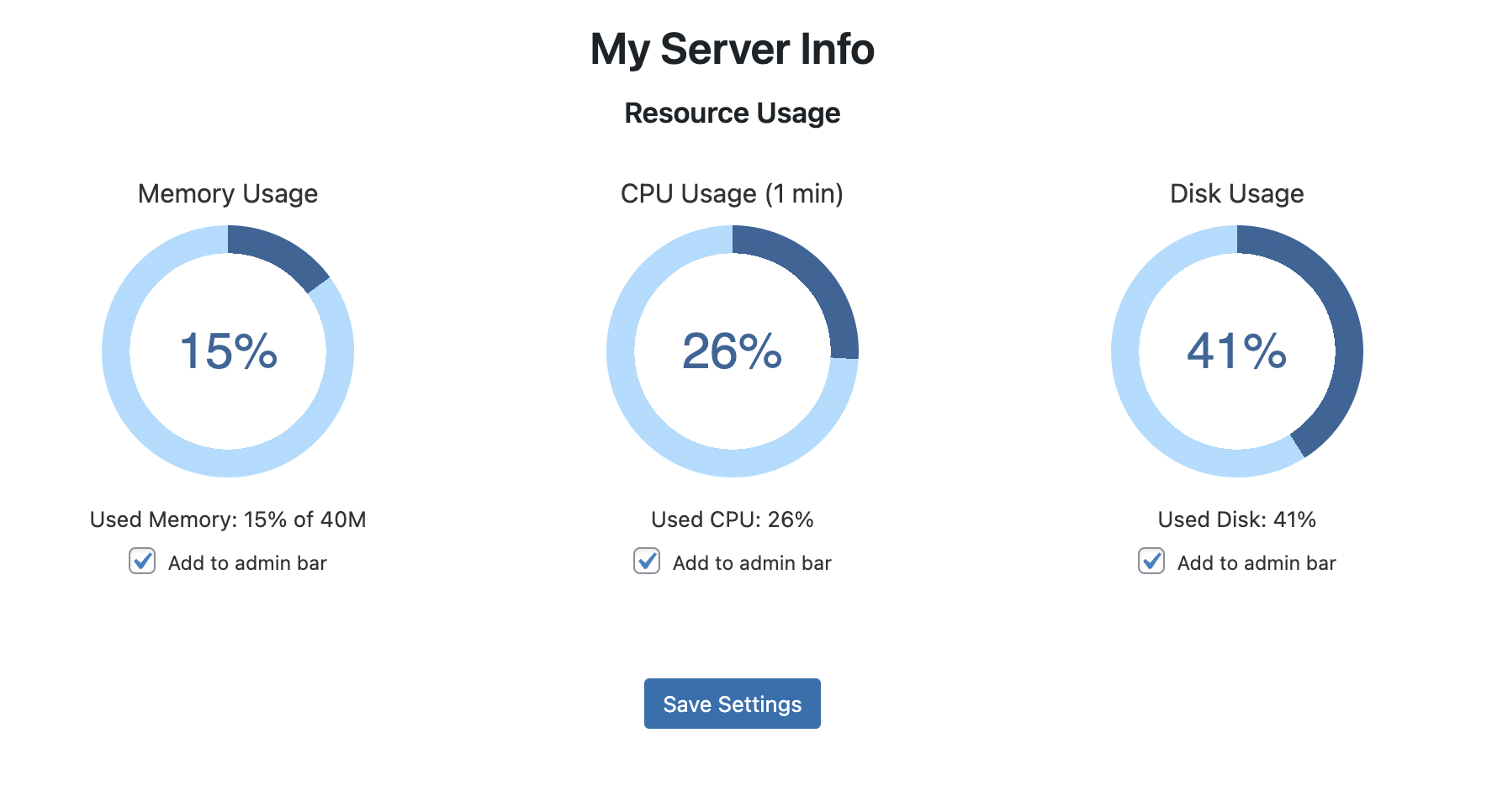
Under each progress bar, administrators can select checkboxes to add specific parameters to the WordPress admin bar. The available options are:
- Memory Usage: Displays as
MEM: X% - CPU Usage: Displays as
AVG CPU: Y% - Disk Usage: Displays as
Disk: Z%
This feature allows quick access to essential server metrics directly from the admin bar, enhancing monitoring efficiency.
Server Uptime
Displays the server’s uptime by reading the /proc/uptime file on Linux systems and formatting it into days, hours, minutes, and seconds. On unsupported systems (e.g., Windows), it will show “Unavailable”.
Instalação
- Carregue a pasta
My Server Infopara o diretório/wp-content/plugins/. - Activate the plugin via the ‘Plugins’ menu in WordPress.
- Go to “My Server Info” in the WordPress admin panel to view server information and configure settings.
Log de Changes
1.0
- Initial release of PHP Info.
1.1
- Added MySQL version to the server information table.
- Added Site Data table with IP Address and Timezone.
1.2
- Added PHP post_max_size display.
- Added PHP Version FAQ.
1.3
- Added PHP upload_max_filesize display.
- Updated plugin description.
1.4 – January 14, 2025
- Introduced CPU Usage metric with average over 1 minute.
- Added Disk Usage metric to monitor disk space.
- Added progress bars for Memory Usage, CPU Usage, and Disk Usage.
- Added checkboxes under each progress bar to allow administrators to select which parameters to display in the admin bar.
- Enabled display of selected parameters in the admin bar as
MEM: X%,AVG CPU: Y%, andDisk: Z%.
1.5 – February 18, 2025
- Added new Server Uptime feature to display the server’s runtime.
Capturas de tela


Para desenvolvedores
Este é o seu plugin? Mostre os números.
Adicione um crachá ao vivo ao seu site, Documentos ou Readme do GitHub. Ele é atualizado por conta própria - nenhuma conta necessária.
FAQ
MyServerInfo: quick answers
Respostas diretas, extraídas de dados ao vivo WordPress.org.
Fonte: WordPress.org
Is MyServerInfo free?
Yes. MyServerInfo is free to download and use from the official WordPress.org plugin directory.
Is MyServerInfo safe to use in 2026?
MyServerInfo works, but test it on a staging site before relying on it in 2026. It runs on 700+ sites, is rated 5/5 and was last updated 1 year ago, and scores 43/100 on our health check.
How many websites use MyServerInfo?
MyServerInfo is active on 700+ WordPress websites and has been downloaded 6,993 times since it launched in December 2024. It was downloaded 291 times in the last 30 days.
Does MyServerInfo work with WordPress 7.1?
MyServerInfo is officially tested up to WordPress 6.8.13, while the latest release is 7.1.5. It may still work, but try it on a staging site first.
When was MyServerInfo last updated?
The latest version, 1.5.1, was released on November 18, 2025 (1 year ago).
Who makes MyServerInfo?
MyServerInfo is developed and maintained by Anton.
Alimentado por PageForge
Um modelo e uma planilha. Uma página real para cada pesquisa.
PageForge Transforma cada linha de um CSV em uma página WordPress com seu próprio título, URL, SEO campos e esquema, construído no layout que você já desenhou. Gratuito em WordPress.org.
- CSV e XLSX, mais Google Sheets em Profissional e Empresarial
- Seu próprio título, URL, SEO campos e esquema para cada página
- Funciona com o editor de blocos, Elementor, Divi e Avada
- Gratuito em WordPress.org, sem cartão de crédito