


Create
Complete tool for creating and publishing recipes and other schema types on your site.

Escolha segura
Yes — Create is a safe, well-maintained plugin to use in 2026. It runs on 5K+ sites, is rated 4.3/5 and was last updated 4 days ago, and scores 90/100 on our health check.
- Desenvolvido ativamente — última atualização 4 dias atrás
- Testado com as últimas WordPress (7.1)
- Suporte responsivo — 100% dos tópicos recentes resolvidos
- Momentum — downloads up 75.9% vs the previous 30 days
Como ele se acumula?
Lado a lado em instalações, atualizações, avaliações e suporteDownloads diários
Os picos de download geralmente seguem uma nova versão — cada site que atualiza automaticamente é um download.
Rankings
Where Create stands todayWordPress.org Classificações de pesquisa
Posição ao vivo na pesquisa de plugins, top 100| Palavra chave | Posição |
|---|---|
| how to | #3 |
| nutrition | #1 |
| Recipe | #11 |
| recipe card | #8 |
| schema | #42 |
Adoção da versão
Compartilhamento de sites ativos por lançamento.
Divisão de classificação
★★★★★★★★★★ 4.3 from 25 reviews
About Create
From the official readme · v3.1.4Descrição
Recipes, guides, and lists — for creators who care about their craft.
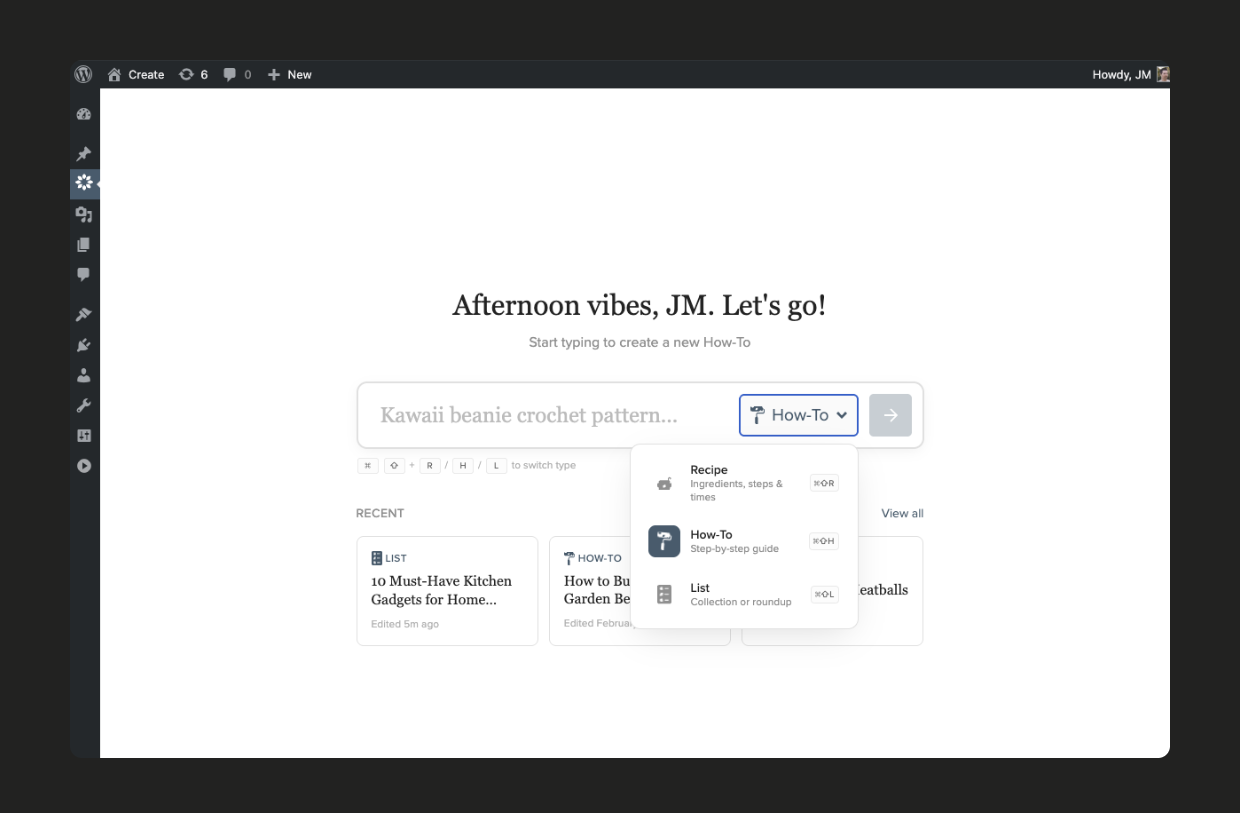
Create gives you everything you need to publish recipes, how-to guides, and lists — with correct Schema.org markup, fast page loads, and an editor that stays out of your way. Whether you’re sharing recipes, DIY tutorials, travel guides, crochet patterns, game walkthroughs, or curated round-ups, Create handles the structured content so you can focus on creating.
One plugin. Three card types. Full schema support.
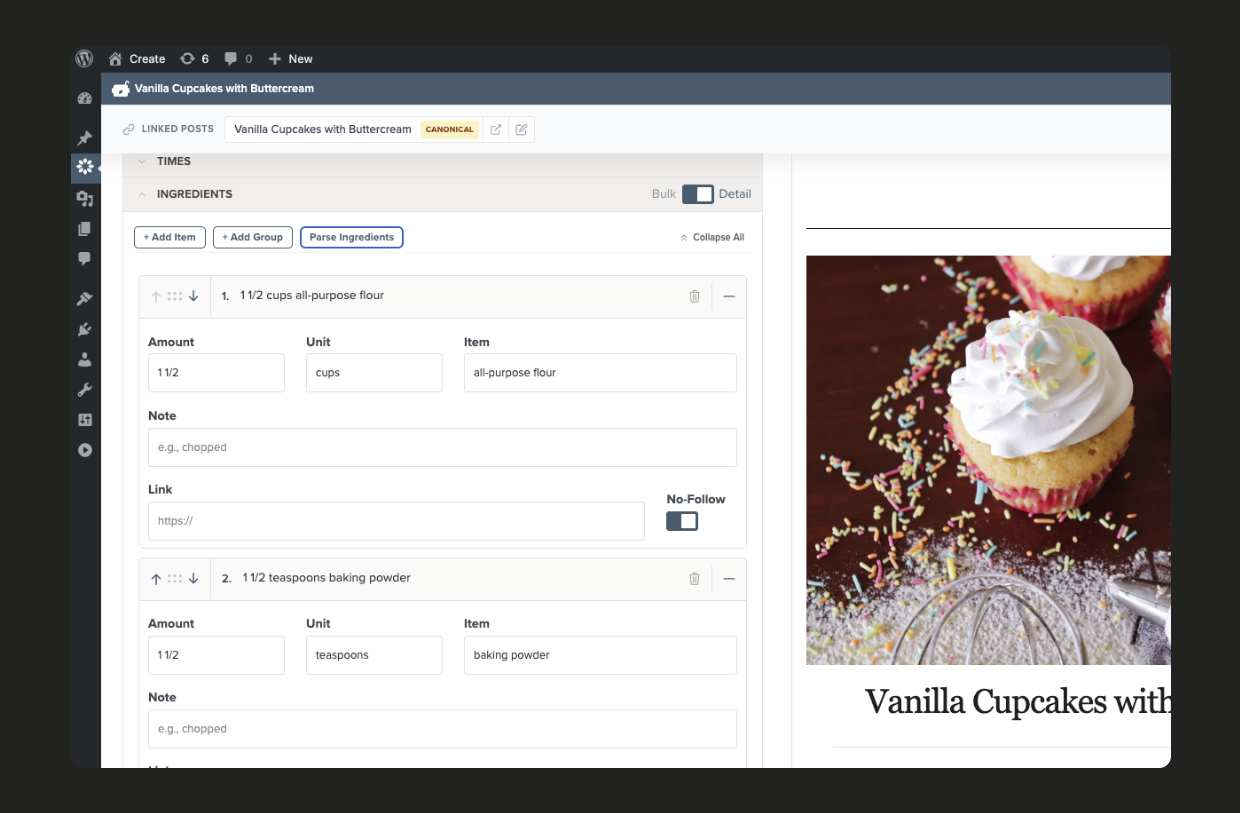
- Recipes — Granular ingredient editing, nutrition facts (with automatic calculation on Free+ and paid plans), video embeds, and built-in importers for 10+ recipe plugins
- How-to guides — Step-by-step instructions with materials lists, photos, and video for any kind of tutorial or guide
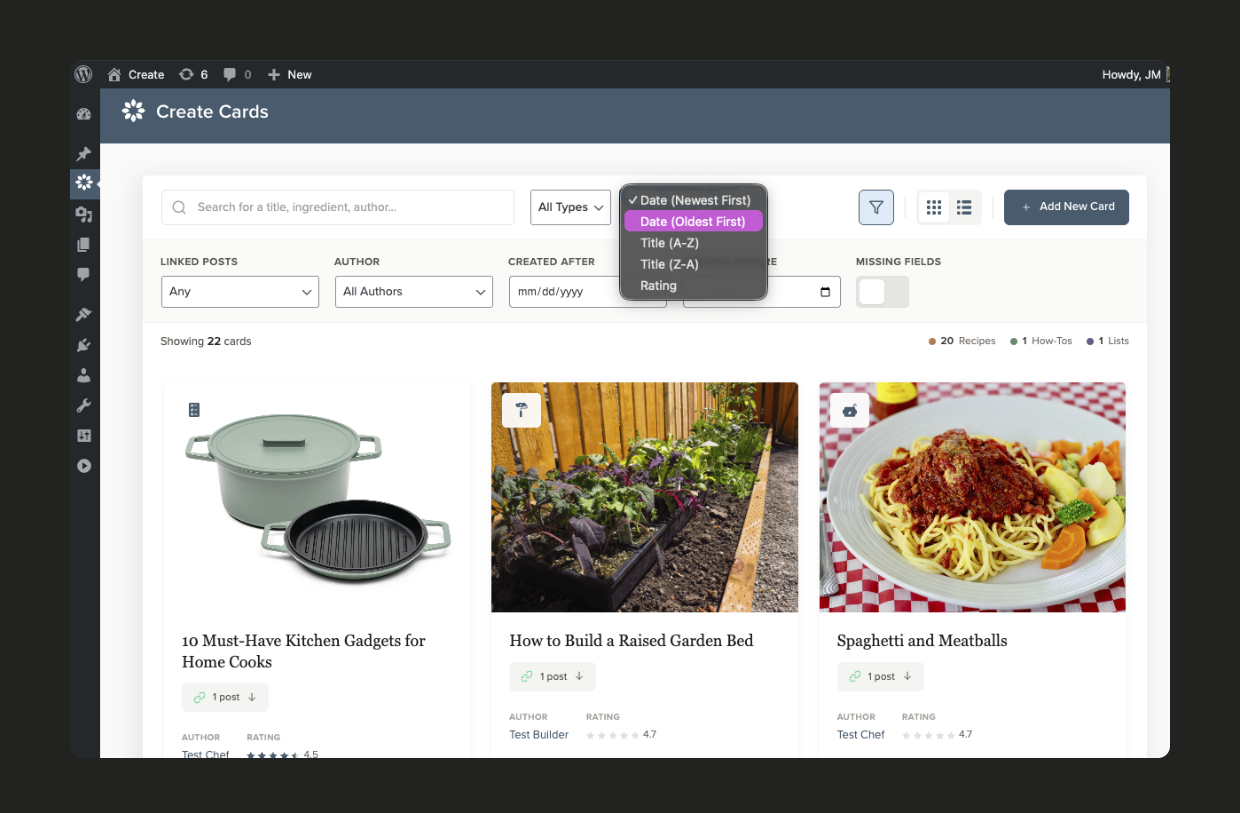
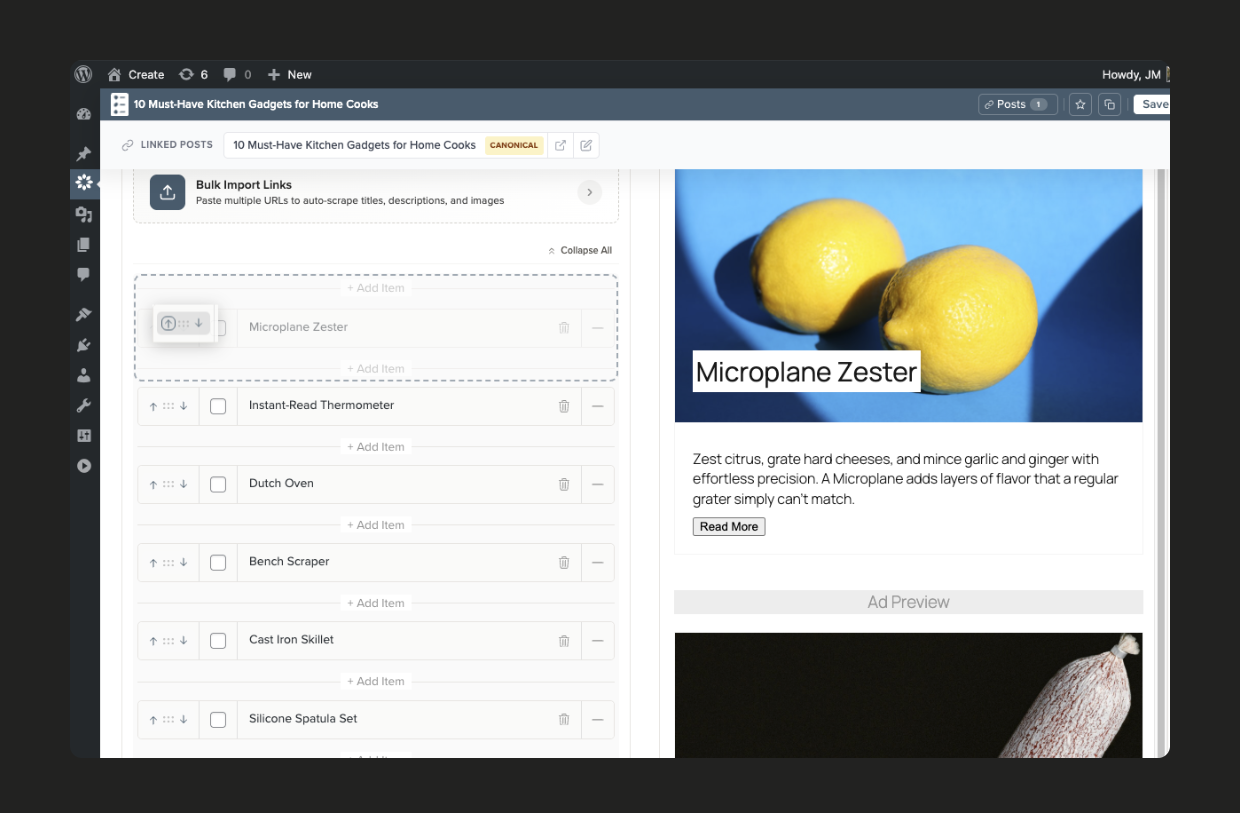
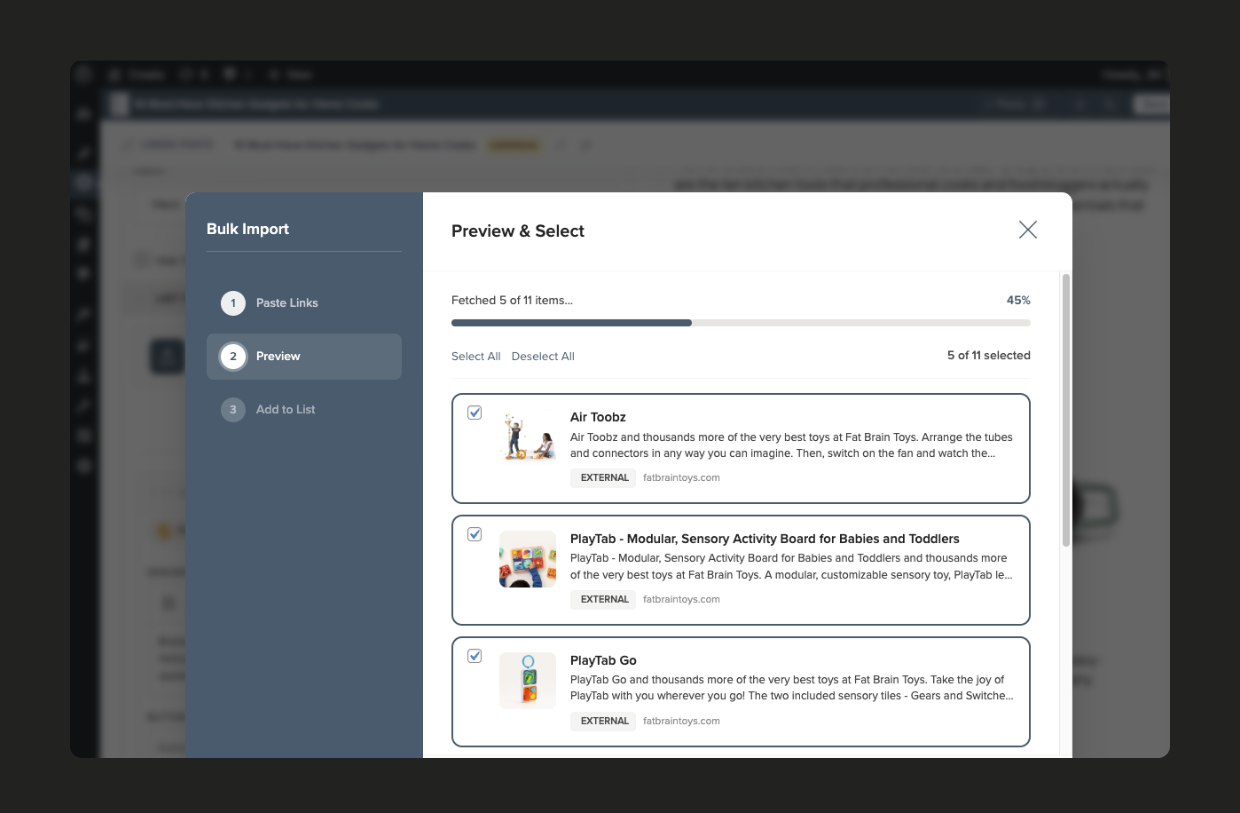
- Lists and round-ups — Showcase links, images, and products with drag-and-drop ordering and bulk import (Pro Lists)
New Independent Ownership
In mid-2025, Create was purchased from Mediavine by John-Michael, one of the plugin’s founding developers. Create is now fully independent and continues to be actively developed at Create Studio.
Why Create?
Fast by default — Lightweight JavaScript and optimized bundling so your cards don’t slow down your pages
SEO built in — Recipe, HowTo, and ItemList JSON-LD generated automatically with one-click schema validation
Looks like your site — Seven card themes that inherit your fonts and colors, including Editorial and Modern Elegant
Ad-ready themes — Optimized card layouts with configurable ad slot placements
Gutenberg and Classic Editor — Full block editor support with live preview, plus shortcode fallback
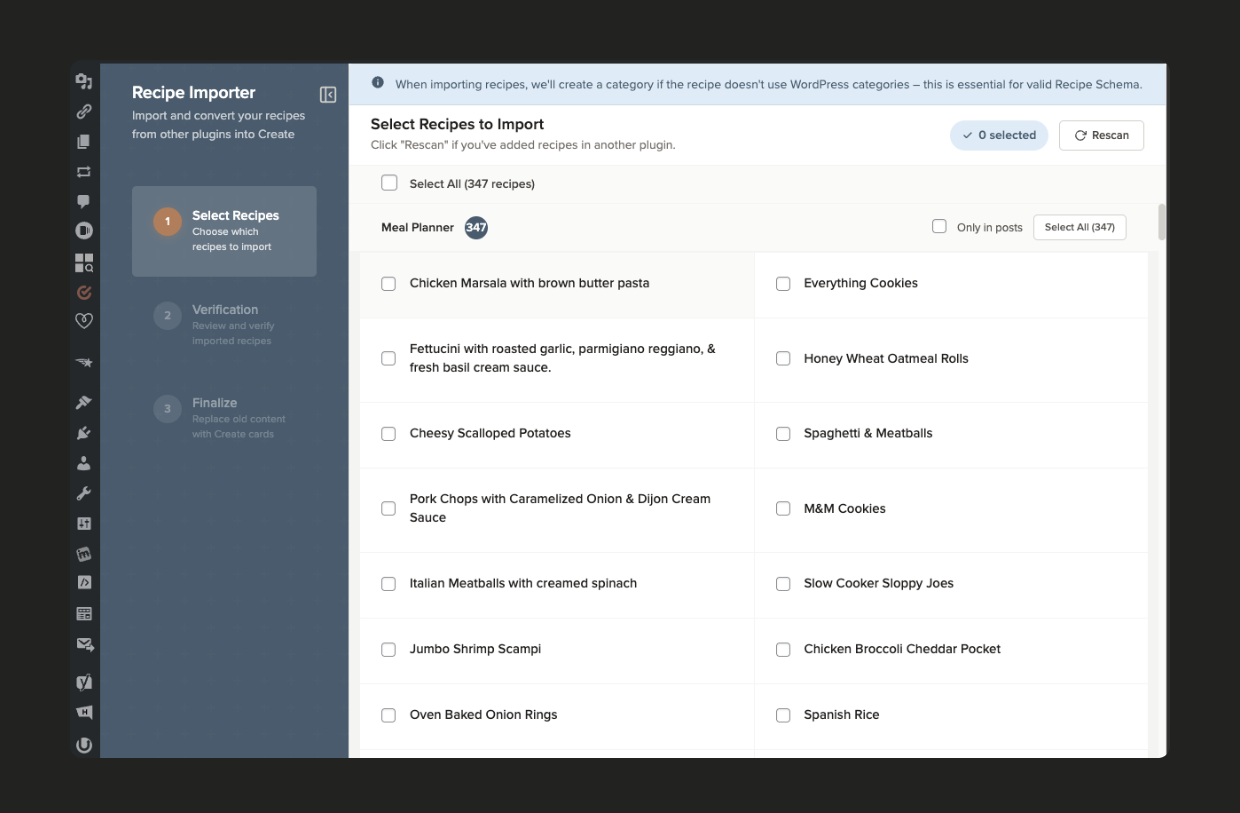
Built-in importers — Switch from WP Recipe Maker, Tasty, EasyRecipe, and 9 other plugins without a separate download
Nutrition calculator — Automatic nutrition data powered by API Ninjas, included free with the Free+ plan
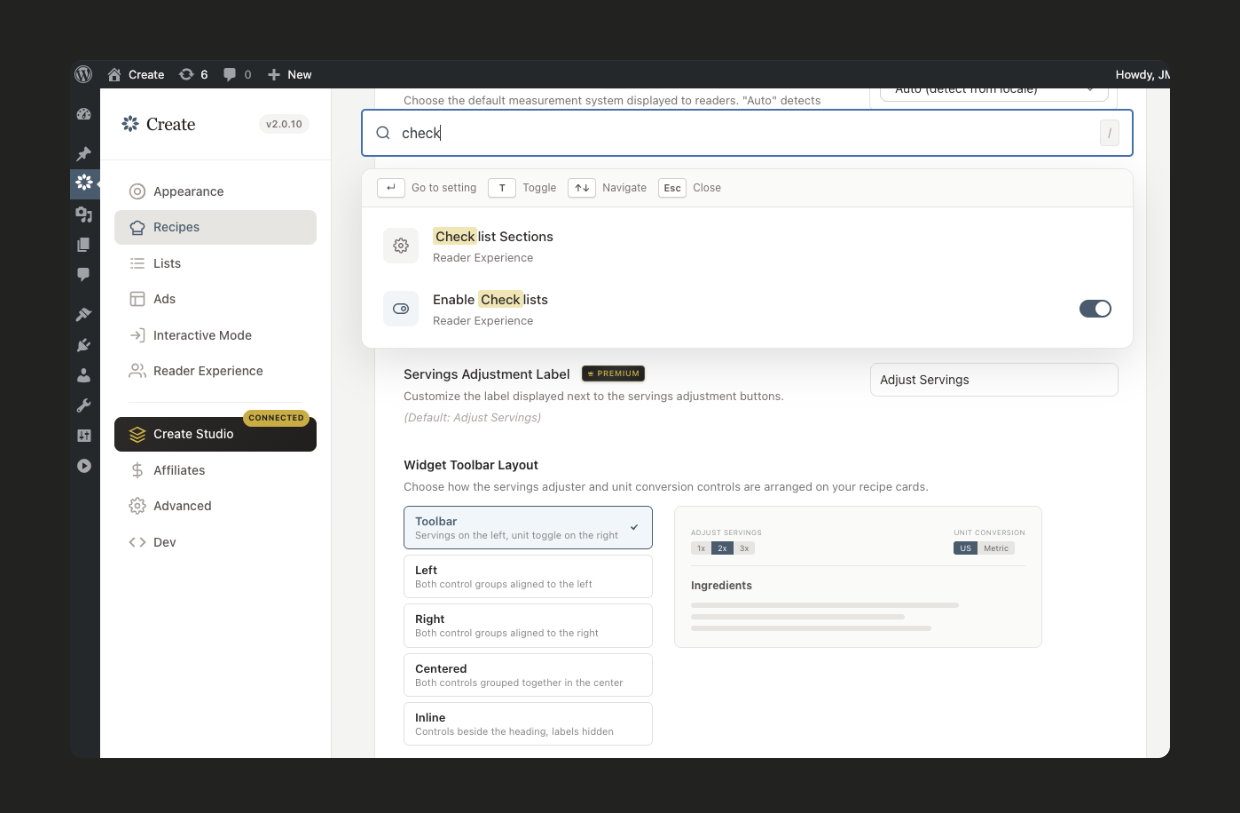
Modern editor experience — Keyboard shortcuts throughout the app, simple workflows, and unobtrusive customization options designed for how you actually work
Planos
Create is free to use, with optional plans through Create Studio that unlock more features. Every new site starts on Free, and you can switch plans at any time from Create > Settings.
- Free — Recipe, How-to, and List cards with full schema, manual nutrition, Recommended Products, the Amazon Creators API integration, the built-in importers, and the five standard card themes. Reviews you’ve already collected keep displaying.
- Free+ (free, ad-supported) — Everything in Free, plus automatic nutrition calculation, automatic product and list-item scraping, new reader ratings and reviews, Interactive Mode, Adjustable Servings, and Unit Conversion. Interactive Mode is always on for Recipe and How-to cards on Free+: it opens in a new tab on create.studio, which is the only place Create shows its ads. Your site’s own ads and pages are untouched.
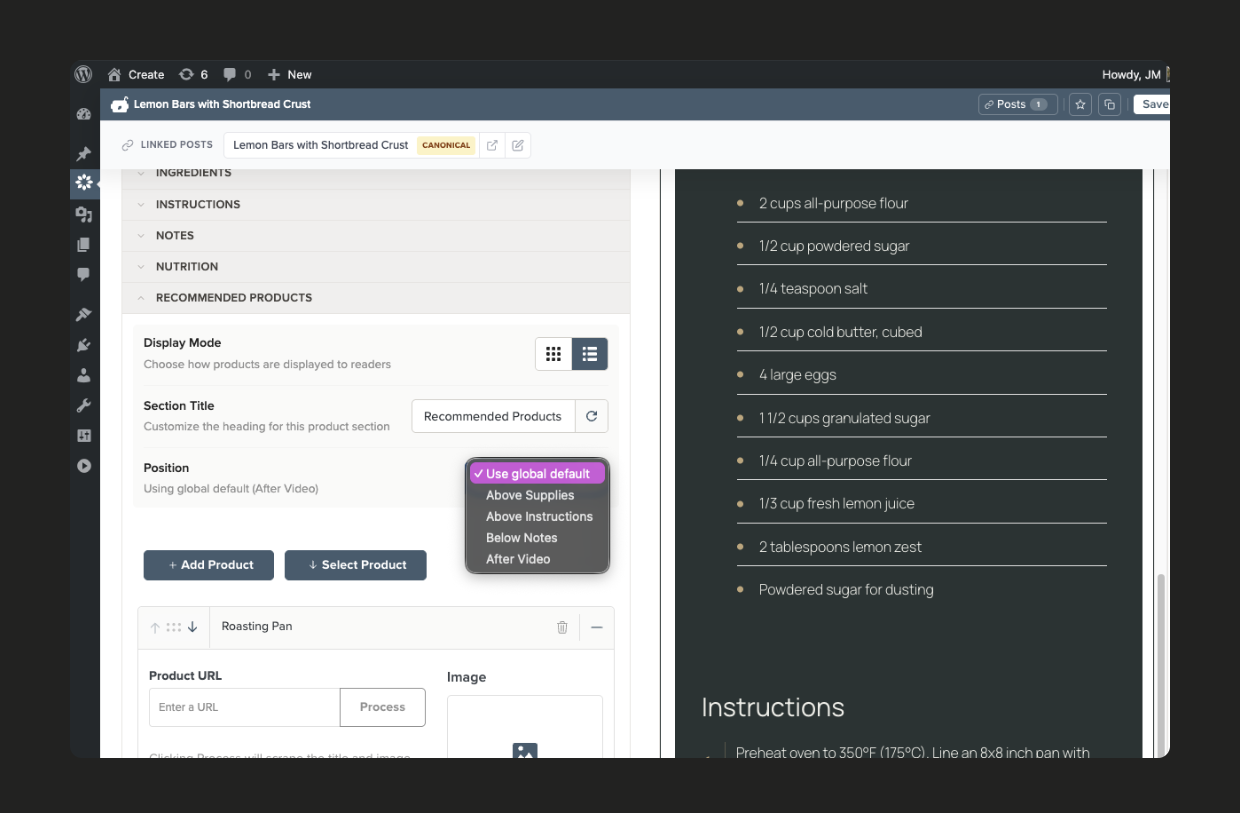
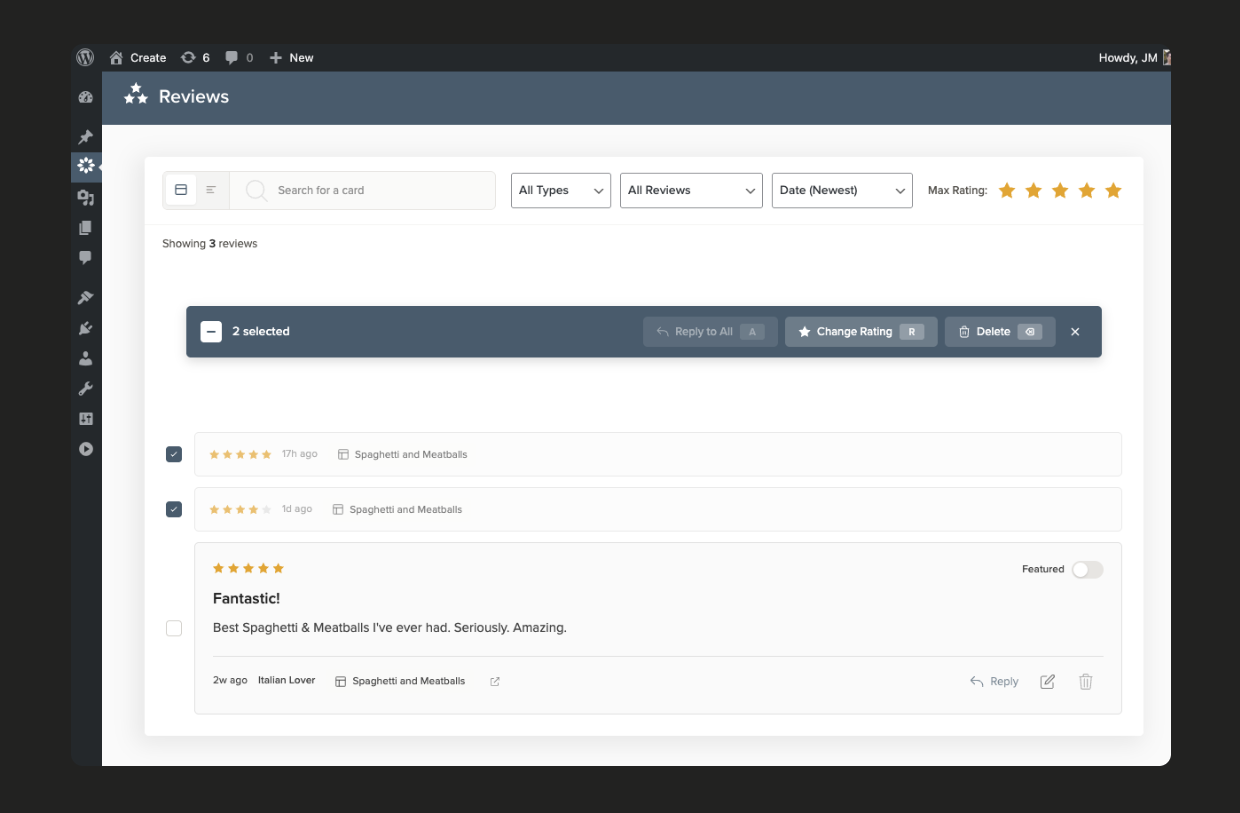
- Pro Guides — Everything in Free+, plus Interactive Mode on your own site with no Create ads, Interactive Checklists, review management (edit, respond to, and feature reviews, plus the Featured Review block), the Editorial and Modern Elegant themes, premium Recommended Products display options, and Custom CSS.
- Pro Lists — Everything in Free, plus automatic nutrition, scraping, and new reviews; the premium Editorial, Leaderboard, and Ranked list layouts; Bulk List Import; list items that stay in sync with your cards; and Custom CSS. Pro Lists does not include Interactive Mode, Adjustable Servings, or Unit Conversion.
- Pro Pass — Every Pro Guides and Pro Lists feature, plus 50% off additional sites.
Eligible sites can try paid features free for 14 days, and earn up to 7 bonus trial days by completing setup steps.
Serviços externos
Create connects to the following third-party services. No data is sent unless you use the feature that requires it.
Create Studio
Create Studio powers nutrition calculation, URL scraping, Interactive Mode/Unit Conversion/Servings Adjustment widgets, dashboard tips and broadcasts, and plan and subscription management. Requests are made when you connect your site or use those features, and may include your site URL, connection token, plugin version, card data, ingredient text, scraped URLs, and account email. Connecting from the plugin creates a Create Studio account for the admin’s email if one doesn’t exist. On the Free+ plan, Interactive Mode opens on create.studio, where Create Studio shows ads.
Terms of Use — Privacy Policy
API Ninjas Nutrition
When you calculate nutrition for a recipe, only raw ingredient text is relayed to API Ninjas through Create Studio.
Terms of Use — Privacy Policy
Amazon Creators API
When you add or refresh an Amazon product, Create contacts Amazon using the Associate credentials you enter in settings. Data sent includes the product ASIN or URL and your Associate tag and Creators API credentials.
Amazon Associates Program Operating Agreement — Privacy Policy
Mediavine video
If a card references a Mediavine-hosted video, Create requests that video’s metadata (by slug) for JSON-LD, embeds, and imports.
Privacy Policy
Instalação
Requisitos mínimos
- PHP version 7.4 or greater (tested up to PHP 8.5)
- MySQL version 8.0 or greater
- WordPress version 6.5 or greater
Instalação automática
- Go to Plugins > Add New
- Type “Create” in the search field and click “Search Plugins”
- Click “Install Now” to install and then click “Activate”
Manual Installation
- Download a copy of the “Create” plugin
- Upload
mediavine-create.zipto the/wp-content/plugins/directory (using the “Upload Plugin” button or server filesystem access) - Activate the plugin through the “Plugins” menu in WordPress
After Installation
- Explore the plugin settings and choose your card style
- Connect your site to Create Studio (free) from Create > Settings to enable nutrition facts and Recommended Products, then choose Free or Free+ – Learn more
- Use the Guided Setup wizards under Create > Settings to configure card appearance, recipe features, list cards, Jump to Card, and Featured Reviews
- If you previously used another recipe card plugin, enable the built-in Recipe Importers under Create > Settings > Advanced to begin importing
For more information, please see our help center.
Log de Changes
This version of Create patches a security related bug. Please update immediately.
3.1.4
- FIX: Round images on Centered and Centered Dark cards no longer overlap the content above the card when your theme changes the card’s spacing
- FIX: Cook Mode and other Create Studio features now work on sites where WordPress is installed in a subfolder
- FIX: Reviews and featured reviews for cards that only appear in password-protected or unpublished posts are no longer visible to visitors who can’t see those posts
3.1.3
- ENHANCEMENT: New “When comments are closed” options in Reviews settings let you choose whether reviews still show on posts with comments closed, and whether they appear after the post content or right after the card
- FIX: Ingredients with links no longer split into side-by-side columns when ingredient checkboxes are turned on
3.1.2
- FIX: Cards in password-protected posts are no longer visible to visitors who haven’t entered the password, including in the page’s recipe schema and the card’s print page
- SECURITY: Fixed a reported issue where rendering a Create card could let other plugins on the same page, such as page builders, save unsafe scripts
3.1.1
- FIX: Hero list item titles no longer overlap or clip when they wrap onto multiple lines on mobile
- FIX: Bulk Import for Lists now works correctly in the Post Editor, rather than just the standalone Create editor
3.1.0
- FEATURE: A new Reviews settings panel with a live preview lets you choose how readers leave feedback: ratings with reviews, or ratings only
- ENHANCEMENT: Leaderboard, Ranked, Countdown and Editorial lists can now hide their rank numbers, site-wide or per list
- ENHANCEMENT: Social Footer content now has a rich-text editor, so you can add links such as a book promotion
- FIX: Links and formatting in Social Footer content are no longer removed when you save
- FIX: Changing plans now clears page caches from BigScoots, Bluehost, Nginx Helper, Breeze, Cloudflare and other page caches, so readers see Interactive Mode and other plan features right away
- FIX: “Read More” buttons and images on list cards now always show and link to each item, even when caching or optimization plugins delay Create’s scripts
- FIX: Republishing cards now removes old, unused image sizes Create had stored for them, including every stored image once a card’s images are removed
3.0.0
- FEATURE: A new plan lineup — Free, Free+, Pro Guides, Pro Lists, and Pro Pass — with features unlocking per plan
- FEATURE: Free+, a new free plan supported by ads shown only inside Interactive Mode on create.studio, includes automatic nutrition, scraping, reader reviews, Interactive Mode, Adjustable Servings, and Unit Conversion
- FEATURE: Connect to Create Studio without leaving WordPress — Create sets up your Create Studio account in the background
- FEATURE: Guided Setup wizards walk you through configuring card appearance, recipe features, list cards, list syncing, Jump to Card, and Featured Reviews
- FEATURE: Three new Premium List layouts: Editorial, Leaderboard, and Ranked
- FEATURE: Choose a site-wide default list layout, with a per-list override, plus a Photo Ratio setting for lists
- FEATURE: List items linked to your own cards can now stay in sync with the source card’s title and image, with a per-item toggle and a bulk catch-up wizard
- FEATURE: Featured Reviews can place themselves automatically in your posts and link readers down to the card, managed from a redesigned settings panel
- FEATURE: Pick exactly which card types use Interactive Mode (Pro Guides and Pro Pass)
- ENHANCEMENT: The theme picker is redesigned around a live sample card, so you can see a theme on a real card before applying it
- ENHANCEMENT: The Jump to Card setup wizard includes the “Show Jump Button On” card type control, and a featured review’s jump link follows it
- ENHANCEMENT: Every plan can select list items and preview bulk actions; acting on them still requires Pro Lists or Pro Pass
- ENHANCEMENT: Plan badges now show “Included” on features your plan already covers instead of a generic premium label
- ENHANCEMENT: If a payment fails, Create shows a heads-up during the grace period with a link straight to billing, so you can update your card before losing access
- ENHANCEMENT: Plan changes show up on Create’s screens right away instead of after a second reload
- ENHANCEMENT: “Jump to Recipe” is now called “Jump to Card” everywhere, since it works on every card type
- CHANGE: Automatic nutrition calculation and product/list-item scraping now require Free+ or a paid plan
- CHANGE: Collecting new reviews now requires Free+ or a paid plan; reviews you’ve already collected continue to display, along with their schema
- FIX: Clearing a Prep, Cook, or Additional time field now saves the cleared value and recalculates Total Time
- FIX: Aggressive Button Styles only restyle Create’s own buttons, so third-party buttons inside cards (such as a video player’s close button) are left alone
- FIX: Editorial-style cards no longer lose their colors to white theme values
- FIX: A premium theme your plan doesn’t include no longer shows as “Active” in the theme picker
- FIX: More of the reader-facing card text is translatable
- FIX: Images added from a URL without a file extension no longer overwrite each other in the Media Library, and are saved with their real file type
- FIX: The list editor preview and admin navigation no longer crash on incomplete data
- FIX: Recipe cards no longer jump or rearrange after Jump to Card on tablets and laptop resolutions; the card now shows its final layout from the start
- FIX: The review form now stays on top of sticky ads and floating video players, so taps on Submit Review no longer land on an ad, and the form is more compact on short screens
- FIX: With Enhanced Search on, searching several words (like “brown sugar chocolate chips”) now finds posts containing all of them anywhere in the post or its card, instead of only the exact phrase, and searches run several times faster
- ENHANCEMENT: Create now supports PHP 8.5, and the notice shown when a required PHP extension is missing names the PHP version, SAPI, and php.ini in use so your host can fix the right runtime
- SECURITY: Tightened output escaping in block rendering, images, video embeds, and premium list item links
Capturas de tela
Para desenvolvedores
Este é o seu plugin? Mostre os números.
Adicione um crachá ao vivo ao seu site, Documentos ou Readme do GitHub. Ele é atualizado por conta própria - nenhuma conta necessária.
Best Create alternatives
All how to plugins →| Classificação | Plugin | Instalações ativas |
|---|---|---|
| 2 |
 Admin Help Docs
Site developers and operators can easily create help documentation and notices for the… |
600+ |
| 3 |
 Oxyplug Howto Maker
Create Step-by-Step HowTo Guides |
10+ |
| 4 |
 WP How to – WordPress Tutorial Videos
Easily access WordPress tutorial videos for 300+ most searched topics and 10.000+ most… |
<10 |
FAQ
Create: quick answers
Respostas diretas, extraídas de dados ao vivo WordPress.org.
Fonte: WordPress.org
Is Create free?
Yes. Create is free to download and use from the official WordPress.org plugin directory.
Is Create safe to use in 2026?
Yes — Create is a safe, well-maintained plugin to use in 2026. It runs on 5K+ sites, is rated 4.3/5 and was last updated 4 days ago, and scores 90/100 on our health check.
How many websites use Create?
Create is active on 5K+ WordPress websites and has been downloaded 358,494 times since it launched in September 2018. It was downloaded 17,579 times in the last 30 days.
Does Create work with WordPress 7.1?
Yes. The developer has tested Create up to WordPress 7.1.5, the latest release. It requires WordPress 6.5 or newer.
What PHP version does Create need?
Create requires PHP 7.4 or higher. Most hosts run PHP 8.x today, so it works on any modern WordPress hosting.
When was Create last updated?
The latest version, 3.1.4, was released on November 16, 2026 (4 days ago).
Who makes Create?
Create is developed and maintained by mischiefmarmot.
What are the best alternatives to Create?
The most popular alternatives to Create are Admin Help Docs (600+ installs), Oxyplug Howto Maker (10+ installs) and WP How to (<10 installs).
Alimentado por PageForge
Um modelo e uma planilha. Uma página real para cada pesquisa.
PageForge Transforma cada linha de um CSV em uma página WordPress com seu próprio título, URL, SEO campos e esquema, construído no layout que você já desenhou. Gratuito em WordPress.org.
- CSV e XLSX, mais Google Sheets em Profissional e Empresarial
- Seu próprio título, URL, SEO campos e esquema para cada página
- Funciona com o editor de blocos, Elementor, Divi e Avada
- Gratuito em WordPress.org, sem cartão de crédito