


Block for Apple Maps
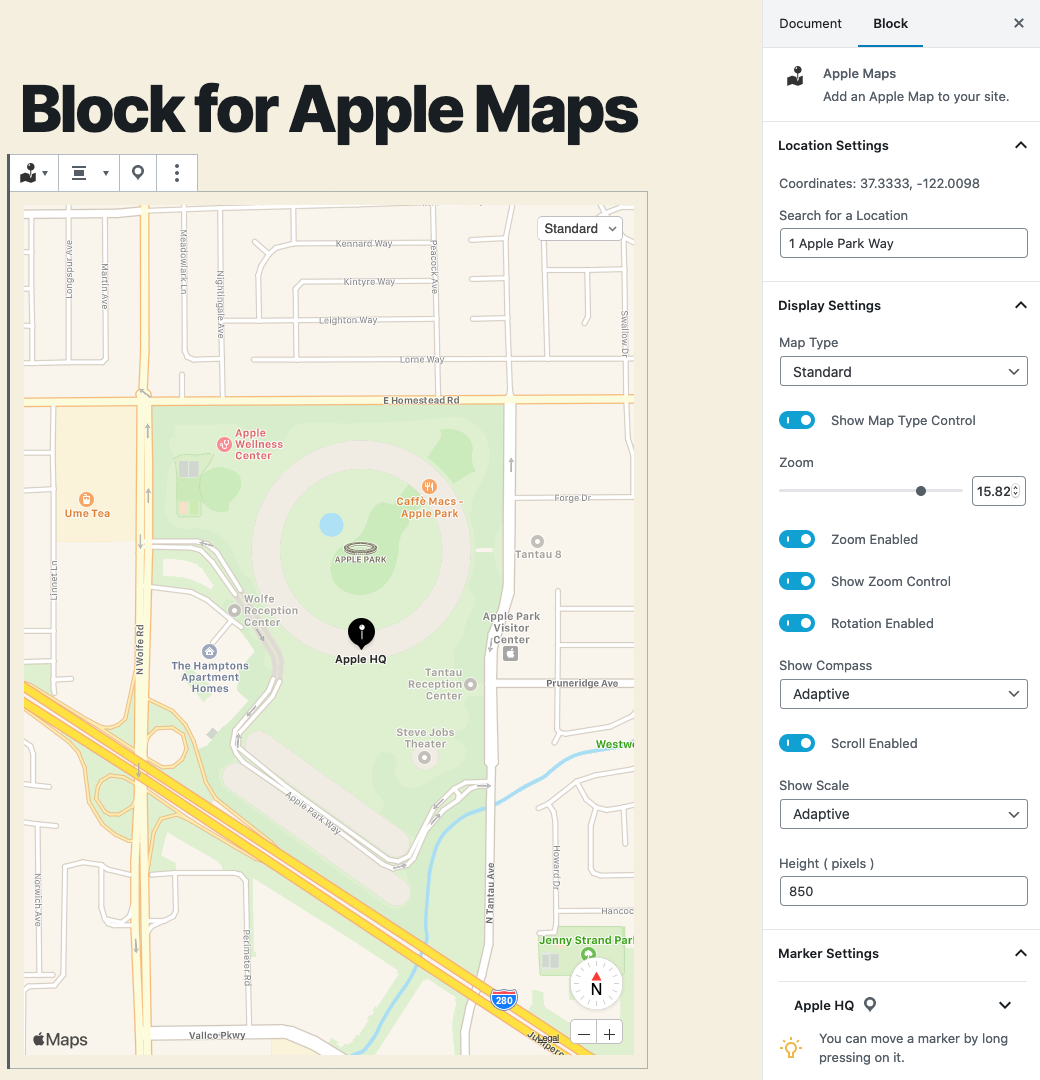
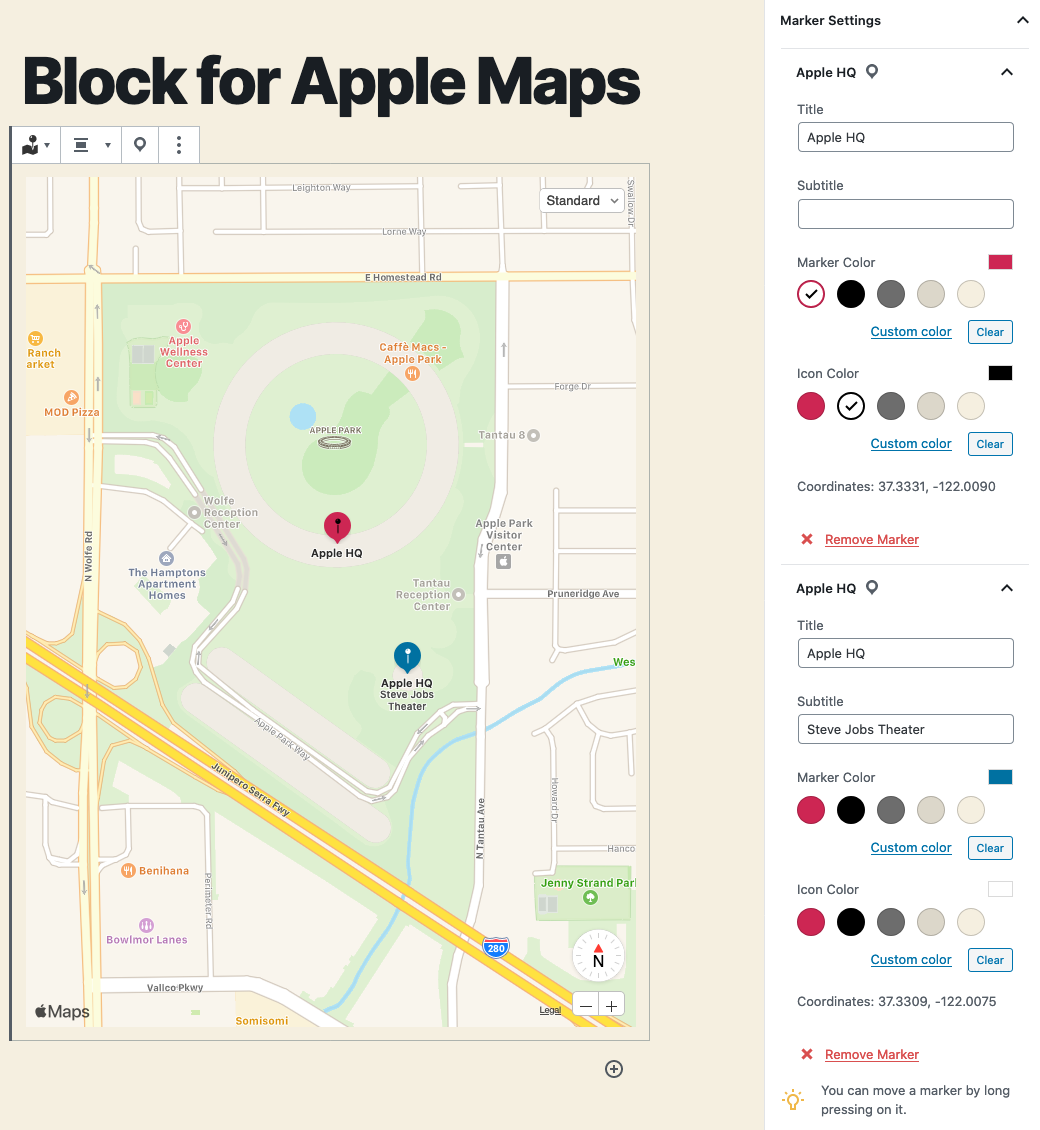
An Apple Maps block for the WordPress block editor (Gutenberg).

Escolha sólida
Block for Apple Maps is a solid plugin choice in 2026, with a few things worth checking first. It runs on 1K+ sites, is rated 5/5 and was last updated 2 months ago, and scores 73/100 on our health check.
- Testado com as últimas WordPress (7.1)
- Momentum — downloads up 33% vs the previous 30 days
- Muito poucos comentários até agora
Downloads diários
Os picos de download geralmente seguem uma nova versão — cada site que atualiza automaticamente é um download.
Rankings
Where Block for Apple Maps stands todayWordPress.org Classificações de pesquisa
Posição ao vivo na pesquisa de plugins, top 100| Palavra chave | Posição |
|---|---|
| apple maps | #1 |
| quadra | #93 |
| map block | #10 |
Adoção da versão
Compartilhamento de sites ativos por lançamento.
Divisão de classificação
★★★★★ ★★★★★ 5 de 2 comentários
About Block for Apple Maps
From the official readme · v1.1.6Descrição
Disclaimer: Apple Maps, MapKit JS, and the Apple logo are trademarks of Apple Inc. Apple Maps may not be available in all countries or regions.
This plugin integrates Apple’s MapKit JS into an “Apple Maps” block in the WordPress block editor (Gutenberg). You will need an Apple Developer Program account, Maps Identifier, and Private Key to configure this plugin and connect to the MapKit JS API in order for the block to function. Note that the Apple Developer Program has an annual fee of 99 USD, in local currency where available. Prices may vary by region and are listed in local currency during the enrollment process. Fee waivers are available for the Apple Developer Program for eligible organizations.
Configuration
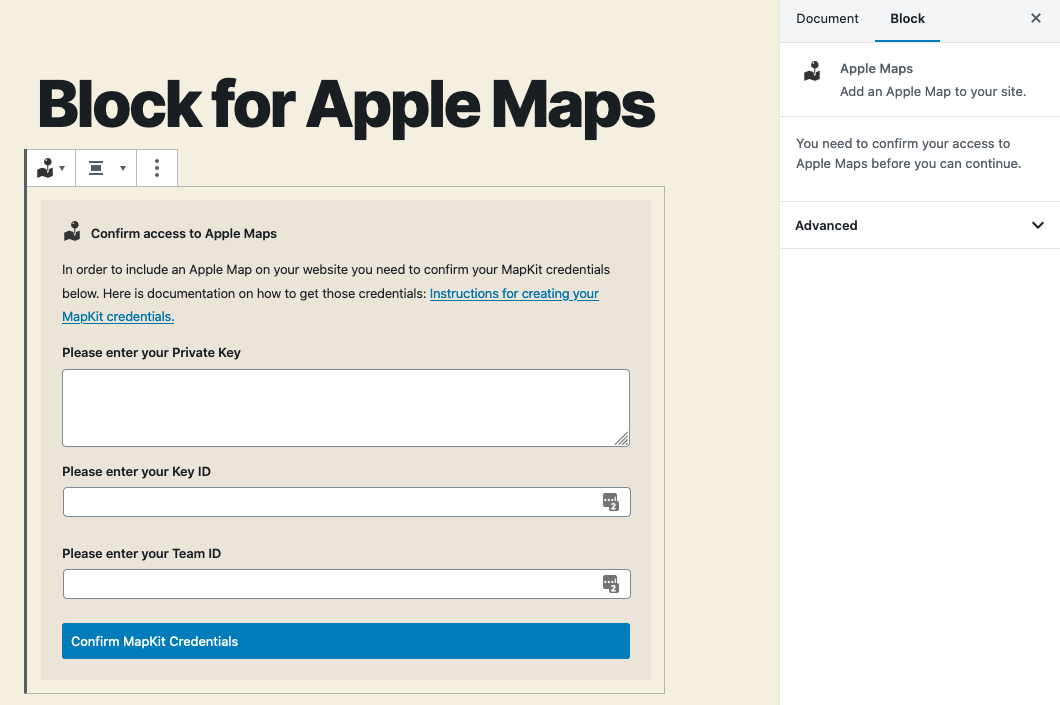
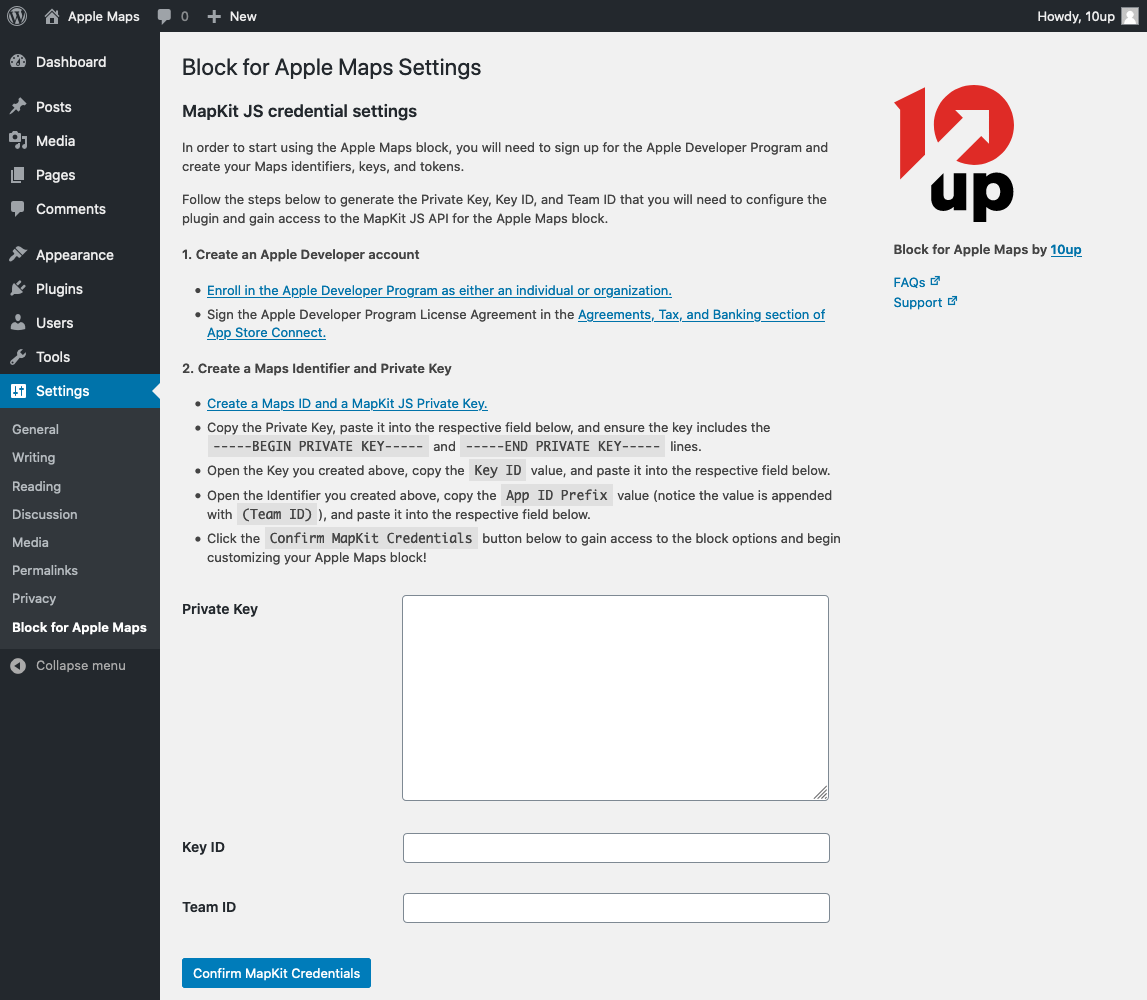
In order to start using the Apple Maps block, you will need to sign up for the Apple Developer Program and create your Maps identifiers, keys, and tokens. Follow the steps below to generate the Private Key, Key ID, and Team ID that you will need to configure the plugin and gain access to the MapKit JS API for the Apple Maps block.
Create an Apple Developer account
- If you don’t already have an Apple ID, then please create an Apple ID as it is required in order to enroll in the Apple Developer Program in the next step.
- Enroll in the Apple Developer Program as either an individual or organization. Note that its possible to have an existing Apple Developer account but not be enrolled in the Apple Developer Program, so please be sure to complete the enrollment process in this step.
- Sign the Apple Developer Program License Agreement in the Agreements, Tax, and Banking section of App Store Connect.
Create a Maps Identifier and Private Key
- Create a Maps ID and a MapKit JS Private Key.
- Copy the Private Key, paste it into the respective plugin setup field, and ensure the key includes the
-----BEGIN PRIVATE KEY-----and-----END PRIVATE KEY-----lines. - Open the Key you created in Step 1, copy the
Key IDvalue, and paste it into the respective plugin setup field. - Open the Identifier you created in Step 1, copy the
App ID Prefixvalue (notice the value is appended with(Team ID)), and paste it into the respective plugin setup field. - Click the
Confirm MapKit Credentialsbutton in the plugin setup to gain access to the block options and begin customizing your Apple Maps block!
Instalação
- Install the plugin via the plugin installer, either by searching for it or uploading a .ZIP file.
- Ative o plugin.
- Follow the instructions to configure your accesss to the MapKit JS API.
- Use Apple Maps for WordPress!
Log de Changes
Note that this version bumps the minimum WordPress version from 6.6 to 6.9.
1.1.6 – 2026-09-16
Changed
- Bump WordPress tested-up-to version 7.1 (props @peterwilsoncc, @dkotter, @fabiankaegy, @jeffpaul via #254, #262, #272).
- Bump WordPress minimum supported version to 6.9 (props @jeffpaul, @dkotter via #272).
- Update node version for building plugin to version 20 (props @peterwilsoncc, @dkotter via #256).
- Update NPM dependencies via
npm audit fix(props @peterwilsoncc, @dkotter via #256).
Fixed
- Remove unneeded echo statements (props @DAnn2012, @dkotter via #248).
- Add missing dependencies to React hooks (props @peterwilsoncc, @dkotter via #256).
1.1.5 – 2025-07-14
-
Note that this release bumps the WordPress minimum version from 6.4 to 6.6.
-
Changed: Bump WordPress “tested up to” version 6.8 (props @sudip-md, @mehidi258, @jeffpaul, @dkotter, @peterwilsoncc, @Rishabh-fueled via #229, #230, #237, #238).
- Changed: Bump WordPress minimum supported version to 6.6 (props @sudip-md, @mehidi258, @jeffpaul, @dkotter, @peterwilsoncc, @Rishabh-fueled via #229, #230, #238).
- Fixed: Block crash when no Apple Maps credentials are configured (props @elvismdev, @peterwilsoncc via #233).
- Security: Bump
bracesfrom 3.0.2 to 3.0.3,expressfrom 4.18.2 to 4.19.2,webpackfrom 5.89.0 to 5.94.0 andwebpack-dev-middlewarefrom 5.3.3 to 5.3.4 (props @dependabot, @faisal-alvi via #224). - Security: Bump
@wordpress/scriptsfrom 27.9.0 to 30.6.0,body-parserfrom 1.20.2 to 1.20.3,expressfrom 4.19.2 to 4.21.1,wsfrom 7.5.9 to 8.18.0,sendfrom 0.18.0 to 0.19.0 andserve-staticfrom 1.15.0 to 1.16.2 (props @dependabot, @peterwilsoncc via #231). - Security: Bump
@wordpress/e2e-test-utils-playwrightfrom 1.13.0 to 1.18.0,serialize-javascriptfrom 6.0.1 to 6.0.2,mochafrom 10.2.0 to 11.1.0 and removescookie(props @dependabot, @peterwilsoncc via #234). - Security: Bump
axiosfrom 1.7.4 to 1.9.0 andhttp-proxy-middlewarefrom 2.0.6 to 2.0.9 (props @dependabot, @peterwilsoncc via #241).
Earlier versions
For the changelog of earlier versions, please refer to the changelog on github.com.
Capturas de tela
Para desenvolvedores
Este é o seu plugin? Mostre os números.
Adicione um crachá ao vivo ao seu site, Documentos ou Readme do GitHub. Ele é atualizado por conta própria - nenhuma conta necessária.
FAQ
Block for Apple Maps: quick answers
Respostas diretas, extraídas de dados ao vivo WordPress.org.
Fonte: WordPress.org
Is Block for Apple Maps free?
Yes. Block for Apple Maps is free to download and use from the official WordPress.org plugin directory.
Is Block for Apple Maps safe to use in 2026?
Block for Apple Maps is a solid plugin choice in 2026, with a few things worth checking first. It runs on 1K+ sites, is rated 5/5 and was last updated 2 months ago, and scores 73/100 on our health check.
How many websites use Block for Apple Maps?
Block for Apple Maps is active on 1K+ WordPress websites and has been downloaded 36,689 times since it launched in June 2020. It was downloaded 814 times in the last 30 days.
Does Block for Apple Maps work with WordPress 7.1?
Yes. The developer has tested Block for Apple Maps up to WordPress 7.1.5, the latest release. It requires WordPress 6.9 or newer.
What PHP version does Block for Apple Maps need?
Block for Apple Maps requires PHP 7.4 or higher. Most hosts run PHP 8.x today, so it works on any modern WordPress hosting.
When was Block for Apple Maps last updated?
The latest version, 1.1.6, was released on September 16, 2026 (2 months ago).
Who makes Block for Apple Maps?
Block for Apple Maps is developed and maintained by 10up.
Alimentado por PageForge
Um modelo e uma planilha. Uma página real para cada pesquisa.
PageForge Transforma cada linha de um CSV em uma página WordPress com seu próprio título, URL, SEO campos e esquema, construído no layout que você já desenhou. Gratuito em WordPress.org.
- CSV e XLSX, mais Google Sheets em Profissional e Empresarial
- Seu próprio título, URL, SEO campos e esquema para cada página
- Funciona com o editor de blocos, Elementor, Divi e Avada
- Gratuito em WordPress.org, sem cartão de crédito