


Manage Notification E-mails
Enable and disable email notifications that WordPress sends to the admin and user. Works perfectly with many other plugins!

Escolha sólida
Manage Notification E-mails is a solid plugin choice in 2026, with a few things worth checking first. It runs on 100K+ sites, is rated 4.8/5 and was last updated 1 month ago, and scores 76/100 on our health check.
- Comprovado em escala em mais de 100 mil sites ativos
- Loved by users — 4.8/5 from 56 reviews
- Testado com as últimas WordPress (7.1)
Como ele se acumula?
Lado a lado em instalações, atualizações, avaliações e suporte



Downloads diários
Os picos de download geralmente seguem uma nova versão — cada site que atualiza automaticamente é um download.
Rankings
Where Manage Notification E-mails stands todayWordPress.org Classificações de pesquisa
Posição ao vivo na pesquisa de plugins, top 100| Palavra chave | Posição |
|---|---|
| o email | >100 |
| notification | #3 |
| notify | #12 |
| switch | #12 |
| user | >100 |
Adoção da versão
Compartilhamento de sites ativos por lançamento.
Divisão de classificação
★★★★★★★★★★ 4.8 from 56 reviews
About Manage Notification E-mails
From the official readme · v1.9.2Descrição
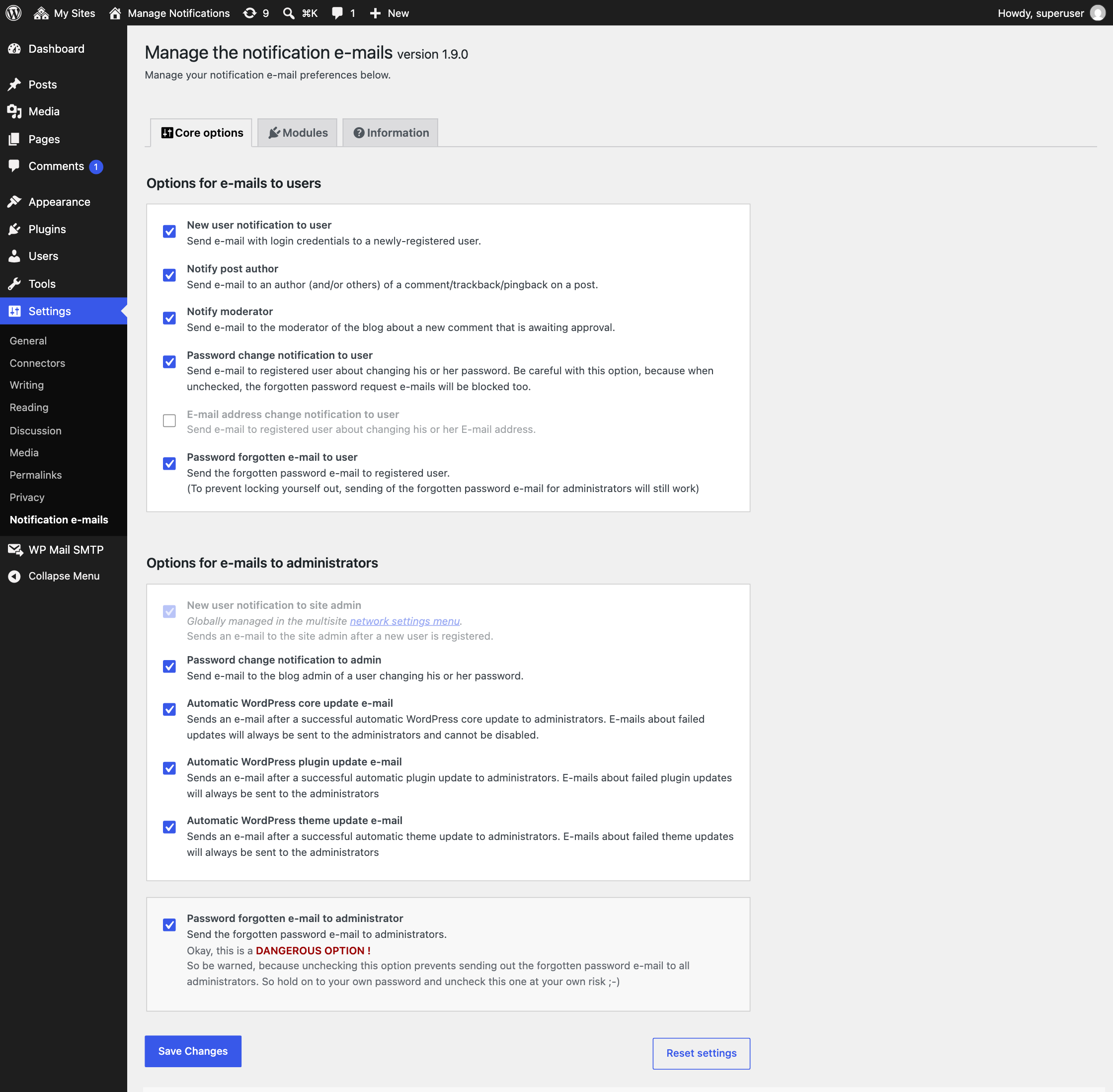
With this plugin you can switch the different WordPress notification e-mails on and off, like options as the new user and password change notifications send by WordPress to the administrator and user. Works perfectly in combination with a lot of other plugins!
Watch this nice tut made by Robert Orzanna:
The options you can manage are:
- New user notification to admin
- New user notification to user
- Notify post author
- Notify moderator
- Password change notification to admin
- Password change notification to user
- E-mail address change notification to user
- Forgotten password e-mail to user
- Forgotten password e-mail to administrator
- Automatic WordPress core update e-mail
- Automatic WordPress plugin update e-mail
- Automatic WordPress theme update e-mail
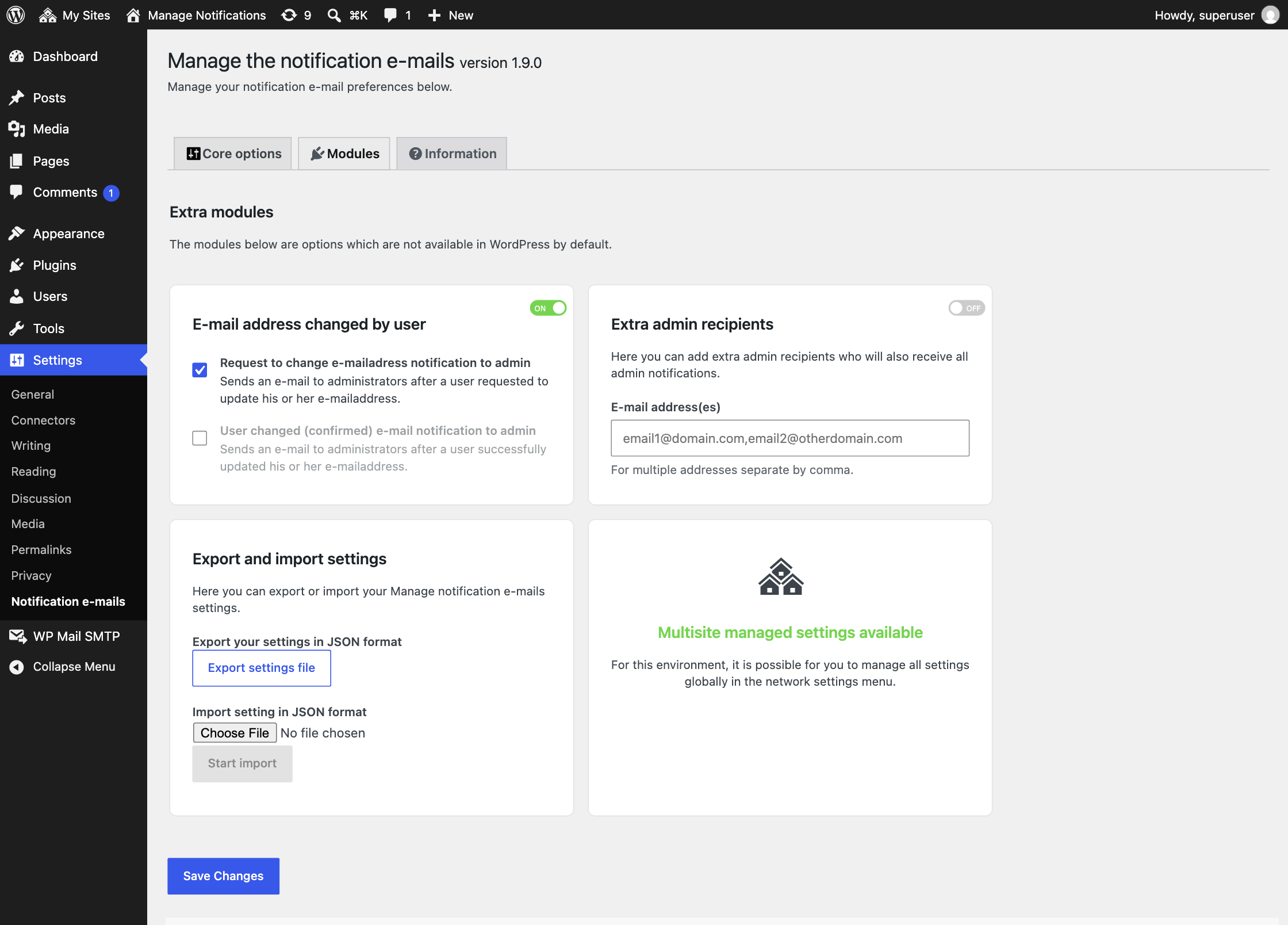
- Send admin notifications to extra admin e-mail addresses (1.7.0)
- Send an e-mail to administrators after a user requested to update his or her e-mail address (1.7.0)
- Send an e-mail to administrators after a user successfully updated his or her e-mail address (1.7.0)
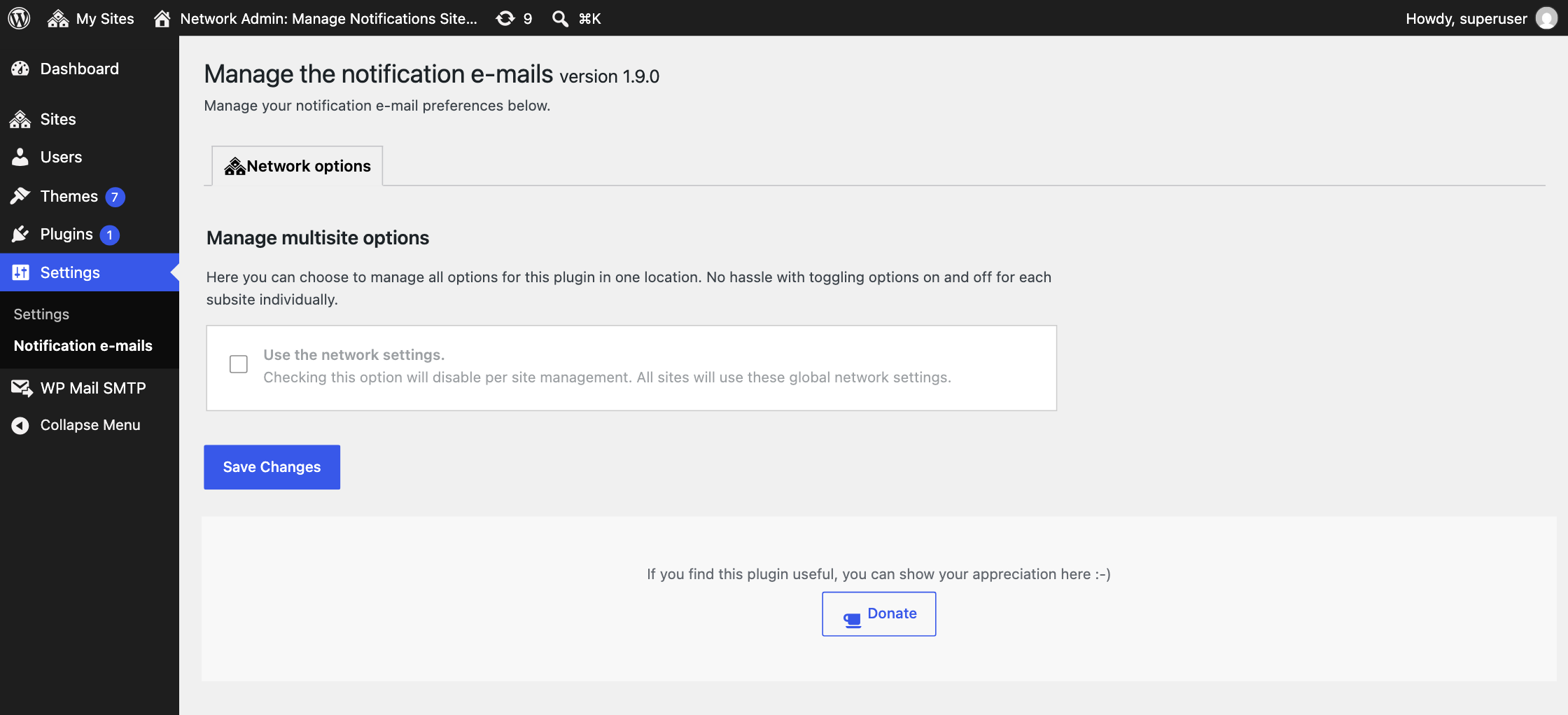
- Multi-site support! Now you can manage your notification settings in one single environment (1.8.0)
- Export and import settings (1.8.0)
The automatic core, plugin, and theme updates have a special built-in feature. When one of these options is disabled, successful e-mails don’t get send out, but failed updates still will send an e-mail to the admin.
This version contains some nice new stuff. If you find any issues, let me know. If you like the new features, please be so kind to give this plugin a good rating! It will help me to keep up the good work for you 🙂
Want regular updates? Feel free to support me with a small donation 🙂
Instalação
- Upload
manage-notification-emails.zipvia the plugins menu - Ative o plugin através do menu 'Plugins' em WordPress
- Use the settings-page to enable or disable sending of notifications
Log de Changes
On multisite, sites that never got their own settings had all notifications disabled. They now get the default settings, so these sites send the notification e-mails again.
1.9.2
FIXED: On multisite only the first site got the default settings, so on the other sites all notifications were disabled. A site without settings now gets the default settings.
1.9.1
FIXED: All PHP files now block direct access, as required by Plugin Check.
UPDATED: Resolved all Plugin Check warnings.
UPDATED: Tested up to WordPress 7.1.
1.9.0
FIXED: Disabling the password forgotten e-mail no longer blocks resetting the password, which also stopped the new user e-mail from being sent.
FIXED: On multisite the new user notification to the site admin now follows the network registration notification setting, as shown on the settings page.
FIXED: Security hardening of the settings page: all output is escaped, module options are sanitized, resetting and saving network settings check user capabilities and exporting settings requires a nonce.
UPDATED: Minimum required WordPress version is now 5.2.
UPDATED: Code follows the WordPress Coding Standards. All functions now use the famne_ prefix. The old function names still work, but are deprecated.
UPDATED: The password changed e-mail and the e-mail changed e-mail to the admin now use the WordPress texts, so they are translated in every language.
UPDATED: The donate button no longer loads external images.
UPDATED: License is now GPLv2 or later.
UPDATED: Dutch translation.
1.8.6
FIXED: Medium vulnerability in settings module. Thanks to Wordfence for reporting this.
UPDATED: Lowered the priority to 99 in the filters fixing some issues where plugins overwrite the disabling of sending the e-mails.
1.8.5
UPDATED: Compatibility fix with WP 6.1+ where new user notifications are managed by filters.
1.8.4
UPDATED: Refactoring.
Capturas de tela
Para desenvolvedores
Este é o seu plugin? Mostre os números.
Adicione um crachá ao vivo ao seu site, Documentos ou Readme do GitHub. Ele é atualizado por conta própria - nenhuma conta necessária.
Best Manage Notification E-mails alternatives
All email plugins →





FAQ
Manage Notification E-mails: quick answers
Respostas diretas, extraídas de dados ao vivo WordPress.org.
Fonte: WordPress.org
Is Manage Notification E-mails free?
Yes. Manage Notification E-mails is free to download and use from the official WordPress.org plugin directory.
Is Manage Notification E-mails safe to use in 2026?
Manage Notification E-mails is a solid plugin choice in 2026, with a few things worth checking first. It runs on 100K+ sites, is rated 4.8/5 and was last updated 1 month ago, and scores 76/100 on our health check.
How many websites use Manage Notification E-mails?
Manage Notification E-mails is active on 100K+ WordPress websites and has been downloaded 960,955 times since it launched in September 2015. It was downloaded 22,479 times in the last 30 days.
Does Manage Notification E-mails work with WordPress 7.1?
Yes. The developer has tested Manage Notification E-mails up to WordPress 7.1.5, the latest release. It requires WordPress 5.2 or newer.
What PHP version does Manage Notification E-mails need?
Manage Notification E-mails requires PHP 7.4 or higher. Most hosts run PHP 8.x today, so it works on any modern WordPress hosting.
When was Manage Notification E-mails last updated?
The latest version, 1.9.2, was released on October 8, 2026 (1 month ago).
Who makes Manage Notification E-mails?
Manage Notification E-mails is developed and maintained by 3D Virge.
What are the best alternatives to Manage Notification E-mails?
The most popular alternatives to Manage Notification E-mails are WP Mail SMTP by WPForms (4M+ installs), MC4WP: Mailchimp for WordPr… (1M+ installs) and Easy WP SMTP (500K+ installs).
Alimentado por PageForge
Um modelo e uma planilha. Uma página real para cada pesquisa.
PageForge Transforma cada linha de um CSV em uma página WordPress com seu próprio título, URL, SEO campos e esquema, construído no layout que você já desenhou. Gratuito em WordPress.org.
- CSV e XLSX, mais Google Sheets em Profissional e Empresarial
- Seu próprio título, URL, SEO campos e esquema para cada página
- Funciona com o editor de blocos, Elementor, Divi e Avada
- Gratuito em WordPress.org, sem cartão de crédito