


Maintenance Switch
Customize easily and switch in one-click to (native) maintenance mode from your backend or frontend.

Escolha segura
Yes — Maintenance Switch is a safe, well-maintained plugin to use in 2026. It runs on 900+ sites, is rated 5/5 and was last updated 4 days ago, and scores 82/100 on our health check.
- Desenvolvido ativamente — última atualização 4 dias atrás
- Testado com as últimas WordPress (7.1)
- Momentum — downloads up 77.5% vs the previous 30 days
- Pequena base de usuários (900+ instalações ativas)
Como ele se acumula?
Lado a lado em instalações, atualizações, avaliações e suporte



Downloads diários
Os picos de download geralmente seguem uma nova versão — cada site que atualiza automaticamente é um download.
Rankings
Where Maintenance Switch stands todayWordPress.org Classificações de pesquisa
Posição ao vivo na pesquisa de plugins, top 100| Palavra chave | Posição |
|---|---|
| em breve | #69 |
| construction | #39 |
| maintenance | #14 |
| offline | #19 |
| switch | #2 |
Adoção da versão
Compartilhamento de sites ativos por lançamento.
Divisão de classificação
★★★★★★★★★★ 5 from 12 reviews
About Maintenance Switch
From the official readme · v1.7.4Descrição
One-click maintenance mode
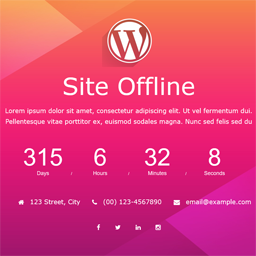
This plugin adds a button to the admin bar for toggling the builtin maintenance mode.
Core maintenance mode
A .maintenance file is generated and copied to the WordPress installation folder when turning on the maintenance mode.
A maintenance.php file is generated and added to the wp-content folder for custom HTML code.
Your custom maintenance page will also be active during the core, plugins and themes updates.
Special Features
-
set which roles can switch the maintenance mode
-
set which roles can bypass the maintenance mode on the frontend
-
set the entire HTML code used for the maintenance page
-
preview the maintenance page before saving
-
enable the theme file support, so you can create in each your themes a maintenance.php file to customize the maintenance page
-
restore all default settings
-
restore default HTML code
-
create/delete the maintenance file in the active WP theme
Traduções
- English – default, always included
- Francês
Instalação
Esta seção descreve como instalar o plugin e fazê-lo funcionar.
Using The WordPress Dashboard
- Navigate to the ‘Add New’ in the plugins dashboard
- Search for ‘maintenance-switch’
- Click ‘Install Now’
- Activate the plugin on the Plugin dashboard
Uploading in WordPress Dashboard
- Navigate to the ‘Add New’ in the plugins dashboard
- Navigate to the ‘Upload’ area
- Select
maintenance-switch.zipfrom your computer - Click ‘Install Now’
- Activate the plugin in the Plugin dashboard
- Navigate to ‘Settings’ > ‘Maintenance Switch’
- Adjust and save your settings
Using FTP
- Baixar
maintenance-switch.zip - Extract the
maintenance-switchdirectory to your computer - Carregue o diretório
maintenance-switchpara o diretório/wp-content/plugins/ - Activate the plugin in the Plugin dashboard
- Navigate to ‘Settings’ > ‘Maintenance Switch’
- Adjust and save your settings
Follow this plugin on GitHub
Log de Changes
This version is fully rewritten for best OOP implementation
1.7.4
- WordPress 7.2 compatibility confirmed (tested against 7.2-RC3), verified with the official Plugin Check tool
- PHP 8.6 compatibility confirmed
- Fix: “translation loading triggered too early” notice (default maintenance page strings are now built on demand instead of at plugin load)
- Fix: undefined array key warnings for REMOTE_ADDR / REQUEST_URI when WordPress is loaded from the command line (e.g. system cron) during maintenance
1.7.3
- WordPress 7.1 compatibility confirmed (tested against 7.1-RC3), verified with the official Plugin Check tool
- Fix: Requires at least raised from 3.5 to 5.0 to match the actual minimum WordPress version required by functions used (wp_unslash, wp_enqueue_code_editor)
- Fix: removed manual translation loading (deprecated since WordPress 4.6; translations are auto-loaded for WordPress.org-hosted plugins)
- Fix: replaced discouraged unlink() with wp_delete_file()
1.7.2
- WordPress 7.0 compatibility confirmed
- Updated minimum PHP requirement to 7.4 (aligned with WordPress 7.0)
- Admin CSS updated to use WordPress CSS variables for compatibility with the new Modern admin theme
- Fix: admin bar icon color now inherits native WordPress styles (was grey instead of white)
- Fix: admin bar button text and icon stay white on red background when maintenance is active
- Fix: admin bar button focus state cleared after toggle (no more blue highlight)
- Fix: IP address input field aligned with adjacent button (added type=”text” and class=”regular-text”)
- Added .distignore to exclude dev files from WordPress.org deployment package
1.7.1
- WordPress 6.9 compatibility confirmed
- Improved WordPress Coding Standards compliance
- Global variables now properly prefixed with maintenance_switch_
- Functions renamed with correct prefix for better naming conventions
- Added backward compatibility wrappers for smooth updates
- Code quality improvements and optimizations
1.7.0
- WordPress 6.8 compatibility tested
- Enhanced security improvements
- Code modernization
1.6.0
- WordPress 6.3 compatibility tested
- PHP 8.1 compatibility improvements
- Replace deprecated wp_specialchars_decode() with htmlspecialchars_decode()
- Fix fatal error with function redeclaration in .maintenance template
- Modernize plugin for current WordPress standards
Capturas de tela


Para desenvolvedores
Este é o seu plugin? Mostre os números.
Adicione um crachá ao vivo ao seu site, Documentos ou Readme do GitHub. Ele é atualizado por conta própria - nenhuma conta necessária.
Best Maintenance Switch alternatives
Todos em breve plugins →



FAQ
Maintenance Switch: quick answers
Respostas diretas, extraídas de dados ao vivo WordPress.org.
Fonte: WordPress.org
Is Maintenance Switch free?
Yes. Maintenance Switch is free to download and use from the official WordPress.org plugin directory.
Is Maintenance Switch safe to use in 2026?
Yes — Maintenance Switch is a safe, well-maintained plugin to use in 2026. It runs on 900+ sites, is rated 5/5 and was last updated 4 days ago, and scores 82/100 on our health check.
How many websites use Maintenance Switch?
Maintenance Switch is active on 900+ WordPress websites and has been downloaded 45,430 times since it launched in July 2015. It was downloaded 1,143 times in the last 30 days.
Does Maintenance Switch work with WordPress 7.1?
Yes. The developer has tested Maintenance Switch up to WordPress 7.2, the latest release. It requires WordPress 5.0 or newer.
What PHP version does Maintenance Switch need?
Maintenance Switch requires PHP 7.4 or higher. Most hosts run PHP 8.x today, so it works on any modern WordPress hosting.
When was Maintenance Switch last updated?
The latest version, 1.7.4, was released on November 25, 2026 (4 days ago).
Who makes Maintenance Switch?
Maintenance Switch is developed and maintained by Fugu Design.
What are the best alternatives to Maintenance Switch?
The most popular alternatives to Maintenance Switch are Maintenance (1M+ installs), LightStart (400K+ installs) and CMP (200K+ installs).
Alimentado por PageForge
Um modelo e uma planilha. Uma página real para cada pesquisa.
PageForge Transforma cada linha de um CSV em uma página WordPress com seu próprio título, URL, SEO campos e esquema, construído no layout que você já desenhou. Gratuito em WordPress.org.
- CSV e XLSX, mais Google Sheets em Profissional e Empresarial
- Seu próprio título, URL, SEO campos e esquema para cada página
- Funciona com o editor de blocos, Elementor, Divi e Avada
- Gratuito em WordPress.org, sem cartão de crédito