


Logvia – Login and Registration with Google Sign-In for WooCommerce
Login & signup popup, email-verified registration, drag & drop form builder, Google sign-in and captcha for WooCommerce. Works with any theme.

Escolha sólida
Logvia is a solid plugin choice in 2026, with a few things worth checking first. Is rated 5/5 and was last updated 1 week ago, and scores 71/100 on our health check.
- Desenvolvido ativamente — última atualização 1 semana atrás
- Testado com as últimas WordPress (7.1)
- Base de usuários pequenas (<10 instalações ativas)
- Muito poucos comentários até agora
Como ele se acumula?
Lado a lado em instalações, atualizações, avaliações e suporte



Downloads diários
Os picos de download geralmente seguem uma nova versão — cada site que atualiza automaticamente é um download.
Rankings
Where Logvia stands todayWordPress.org Classificações de pesquisa
Posição ao vivo na pesquisa de plugins, top 100| Palavra chave | Posição |
|---|---|
| Google Login | >100 |
| login | >100 |
| login popup | >100 |
| registration | >100 |
| WooCommerce | >100 |
Divisão de classificação
★★★★★ ★★★★★ 5 de 2 comentários
About Logvia
Do Readme oficial · v1.4.0Descrição
Logvia replaces the default WordPress and WooCommerce login and registration forms with clean, fast screens that work in any theme.
O que você recebe
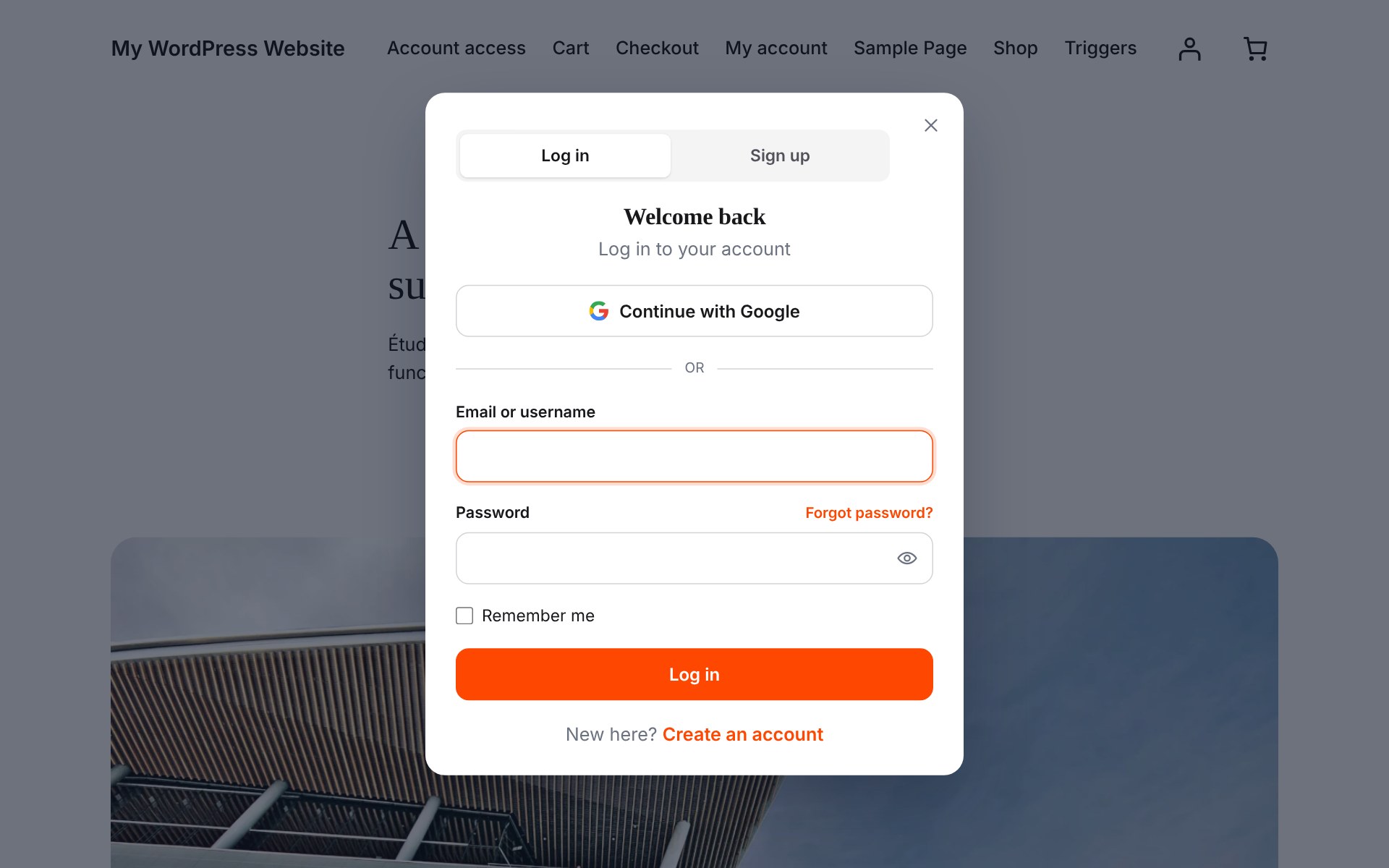
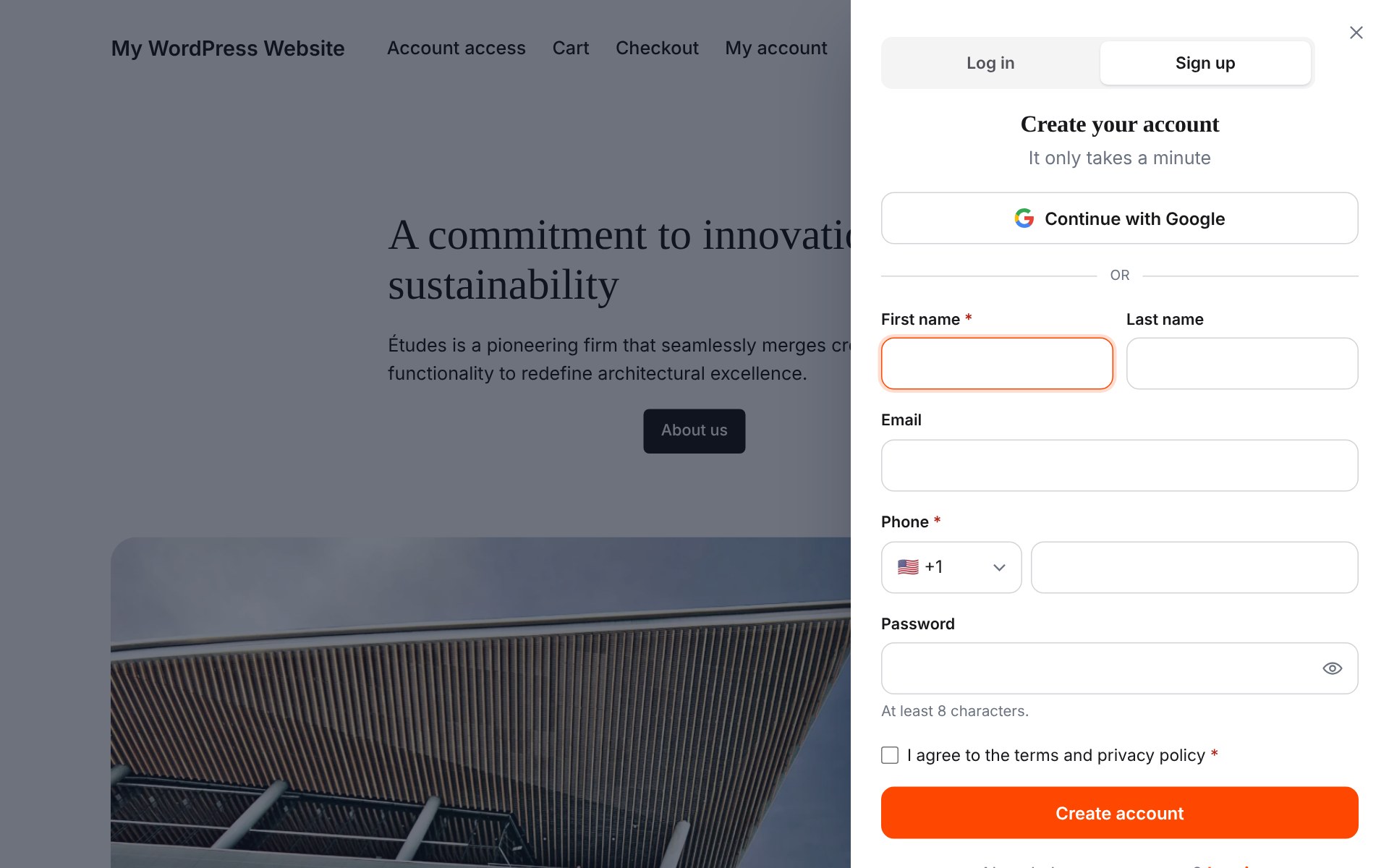
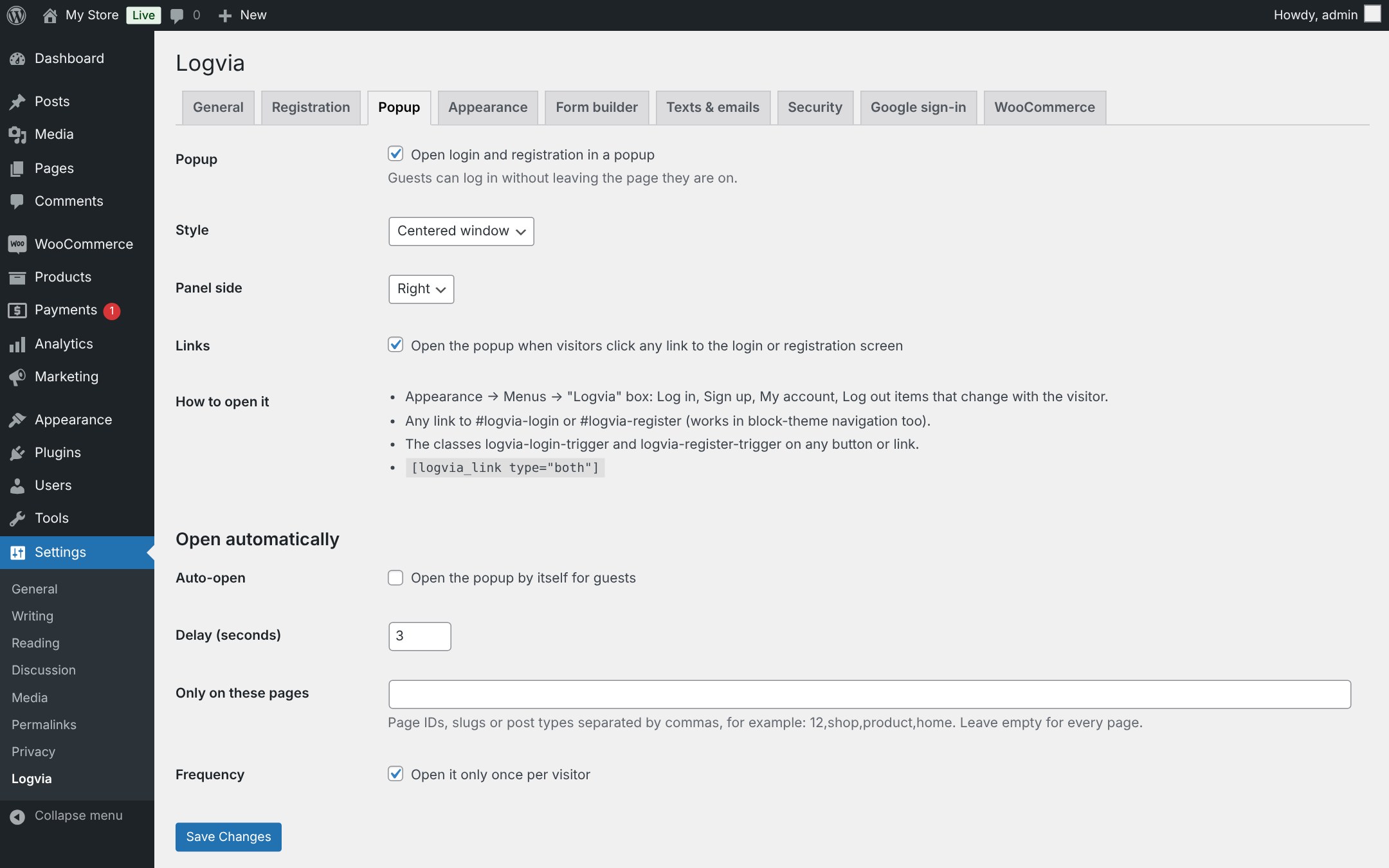
- Popup or slide-in panel with Log in / Sign up tabs. Opens from menu items, any #logvia-login link, a CSS class, the [logvia_link] shortcode, links to the login page, or automatically after a delay.
-
Menu items that change with the visitor: Log in / Sign up for guests, My account / Log out for customers.
-
Login with email or username, “remember me” and errors shown in place, without a page reload.
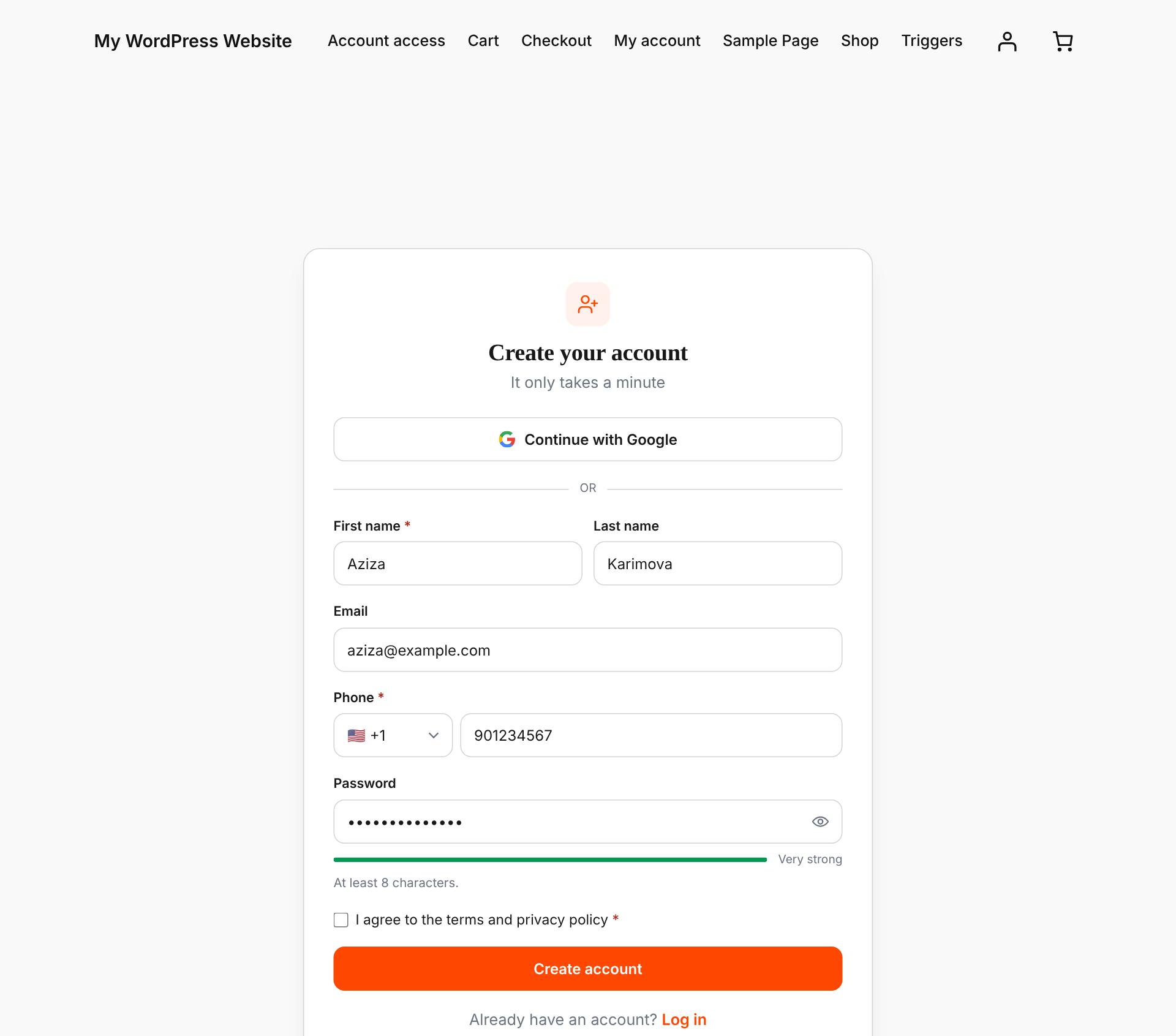
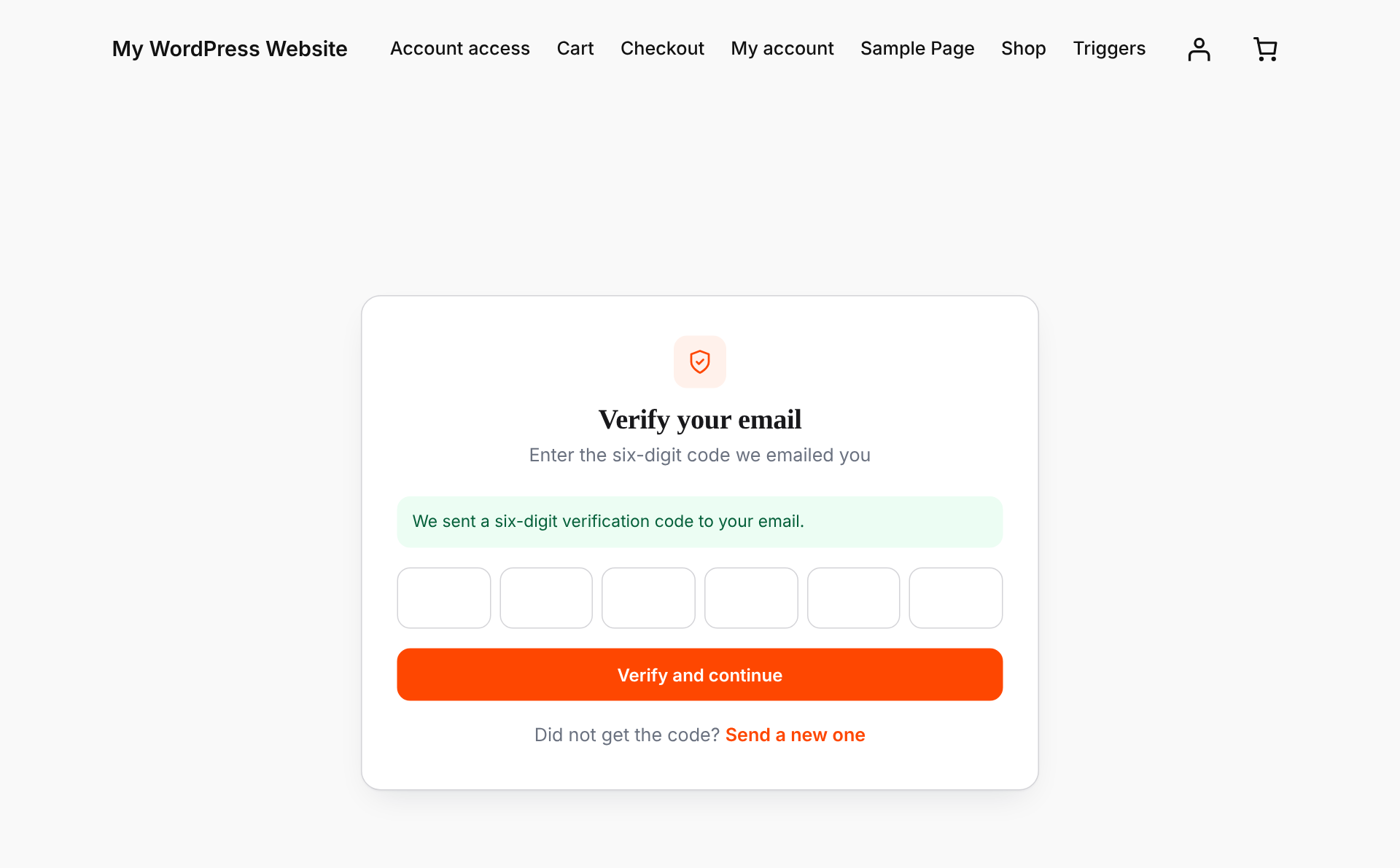
- Registration with email verification. Visitors receive a six-digit code. The account is created only after the code is confirmed, so your store fills up with real customers instead of spam accounts.
- Password reset by link or by six-digit code, on your own branded screen or inside the popup.
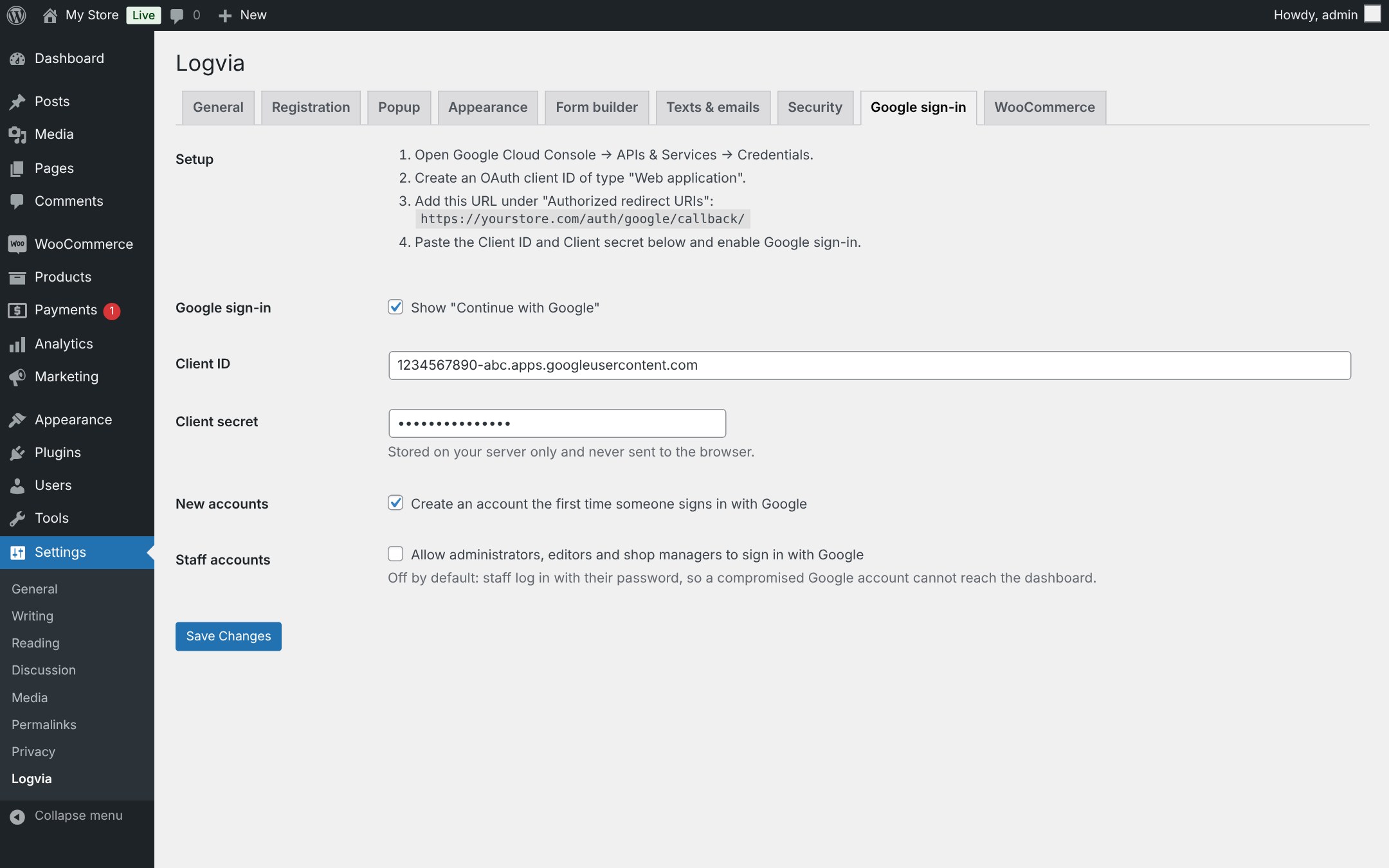
- Continue with Google. Uses Google’s official OAuth flow with PKCE. No extra plugin or SDK needed.
- WooCommerce My Account login/register is replaced automatically, and new users get the WooCommerce “customer” role.
- Require an account to check out (optional). Guests fill their cart, log in or register at checkout and come straight back with the cart kept.
- Works with any theme, classic or block. The screens live on a normal WordPress page, so your header, footer and layout stay in place.
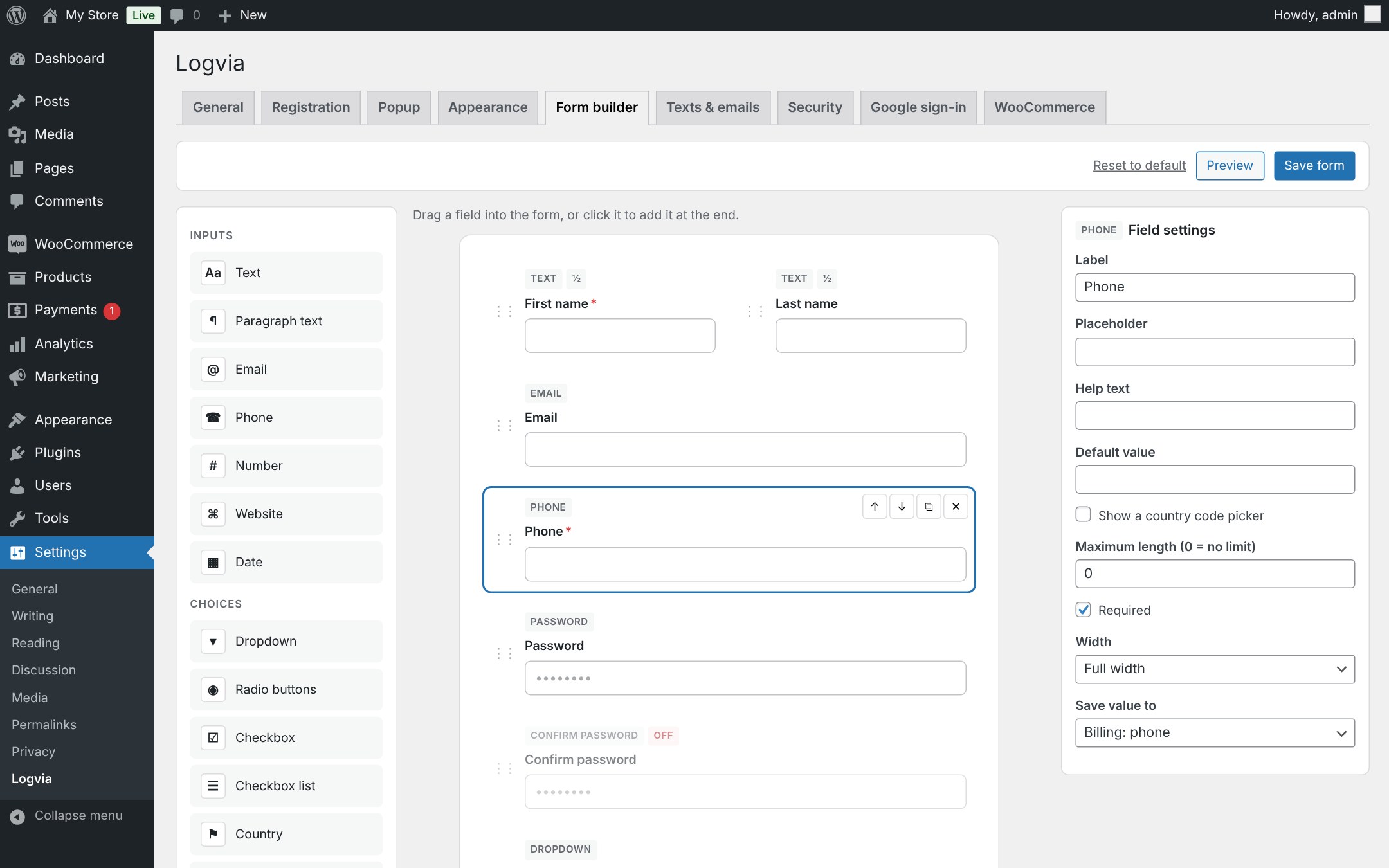
- Drag & drop form builder with 15 field types: name, phone with country code, country and state, dropdowns, radio buttons, checkbox lists, terms checkbox, dates, numbers and more. Save answers to the profile, WooCommerce billing details or custom fields.
- Checkout login: the WooCommerce “Returning customer?” box opens the Logvia popup.
- Bot protection: Cloudflare Turnstile, Google reCAPTCHA v2 and v3, password strength meter and rules, adjustable login lockout.
- Every text is editable: headings, button labels and field labels on all screens, and the subject and text of every email.
- Members-only mode: show a popup that cannot be closed until the visitor logs in, on every page or only on the pages you choose.
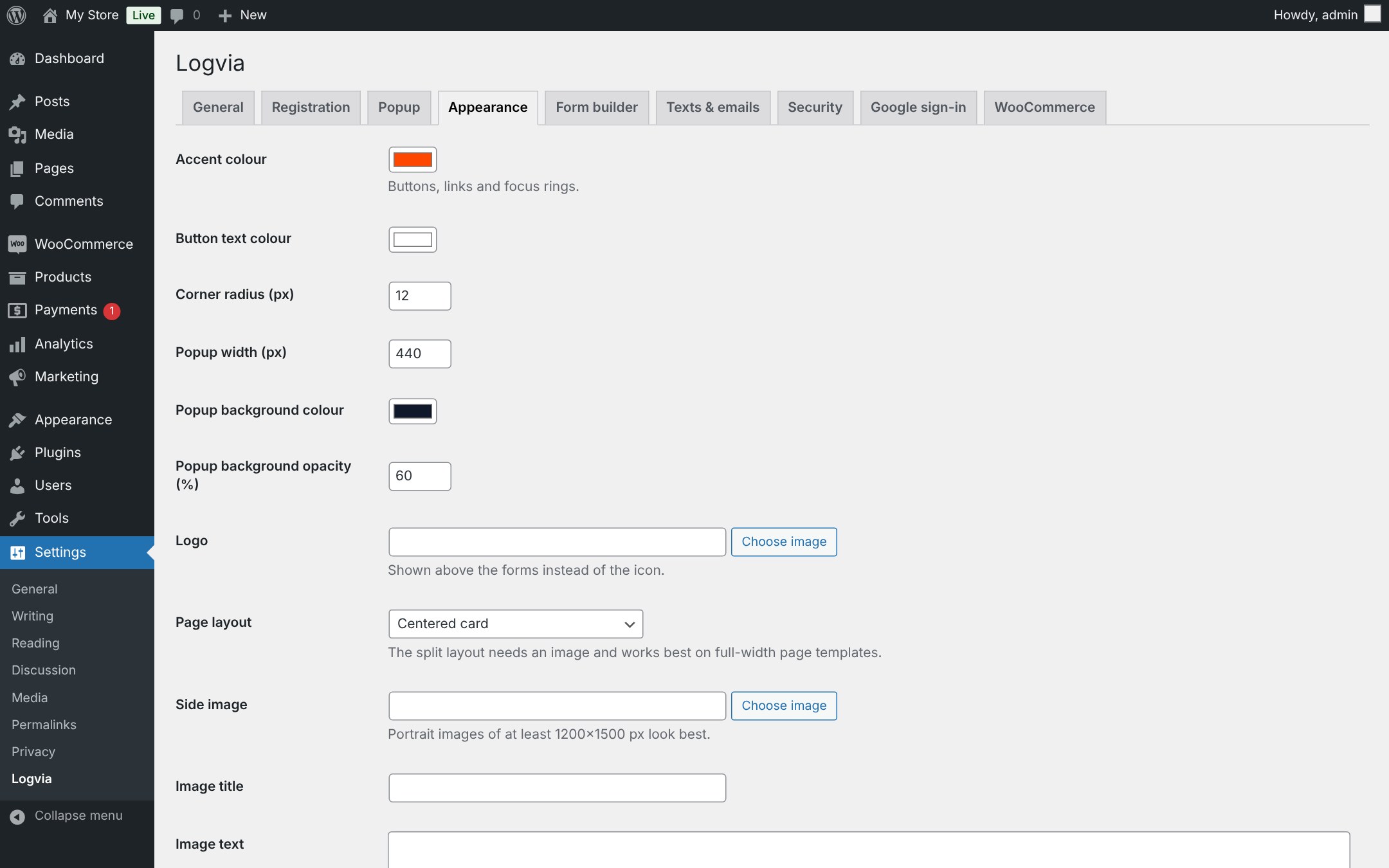
- Your colours. Choose an accent colour and a centered or image-split layout. Developers can override every template from their theme.
Built with security in mind
- Passwords are never stored in plain text, even while the email is being verified.
- Login, code and email requests are rate limited.
- Staff accounts (administrators, editors, shop managers) cannot use Google sign-in unless you allow it.
- Error and success messages are never taken from the URL as text, so nobody can make your site show a fake message.
- Lost-password requests never reveal whether an account exists.
Códigos de acesso
[logvia]– the full set of screens (used on the account page).[logvia_login],[logvia_register],[logvia_forgot]– a single form anywhere.[logvia_link type="login|register|both|account|logout"]– a link that opens the popup or the account page.
Logvia Pro
Logvia Pro is a separate, optional add-on with features that are not part of this plugin: Google One Tap, exit-intent and scroll-depth popup triggers with display rules (pages, devices, new or returning visitors, frequency), file upload, profile photo, username and account-type fields, manual account approval (B2B and wholesale), “log in to add to cart”, password-less sign-up, and extra fields on My Account and the Users screen. Its features are listed, with a lock icon, at the end of the matching settings tabs; the logvia_show_pro_features filter hides that list. Everything in this plugin works fully without it.
Serviços externos
When Google sign-in is enabled and a visitor clicks “Continue with Google”, the plugin connects to Google:
- The visitor is sent to
https://accounts.google.com/o/oauth2/v2/authto choose a Google account. - Your server sends the one-time authorization code, your Client ID and Client secret to
https://oauth2.googleapis.com/token. - Your server reads the visitor’s Google account ID, name, email address and whether the email is verified from
https://openidconnect.googleapis.com/v1/userinfo.
Nothing is sent to Google unless Google sign-in is enabled and the visitor chooses it. Google’s Terms of Service and Privacy Policy apply.
When a captcha is enabled under Settings → Logvia → Security, the forms load the provider’s script and your server checks each answer with the provider, sending the answer token and the visitor’s IP address:
- Cloudflare Turnstile:
https://challenges.cloudflare.com(Terms, Privacy). - Google reCAPTCHA:
https://www.google.com/recaptcha/(Terms, Privacy).
Desenvolvedores
Filters: logvia_messages, logvia_validate_registration, logvia_default_redirect, logvia_login_redirect, logvia_template, logvia_template_args, logvia_hide_page_title, logvia_client_ip, logvia_rate_limits, logvia_text, logvia_field_types, logvia_field_maps, logvia_validate_fields, logvia_meta_key_allowed, logvia_pre_send_email, logvia_email_html, logvia_purchase_requires_login, logvia_google_user_is_privileged.
Actions: logvia_customer_created, logvia_fields_saved.
Créditos
Country flags: circle-flags by HatScripts (MIT License), https://github.com/HatScripts/circle-flags
Instalação
- Instale e ative o plugin.
- Logvia creates a page called “Account access” at
/auth/with the login, registration and reset screens under it (for example/auth/login/). - Go to Settings → Logvia to choose colours, Google sign-in and WooCommerce options.
- Make sure your site can send email (an SMTP plugin is recommended), because verification codes and reset links are sent by email.
Setting up Google sign-in
- In Google Cloud Console open APIs & Services → Credentials and create an OAuth client ID of type Web application.
- Copy the redirect URL shown on Settings → Logvia → Google sign-in into Authorized redirect URIs.
- Paste the Client ID and Client secret into Logvia and enable Google sign-in.
Log de Changes
1.4.0
- The settings tabs list the features of the optional Logvia Pro add-on (hide the list with the
logvia_show_pro_featuresfilter). - Live Preview on WordPress.org.
- Readme and tag updates.
1.3.3
- New: phone field with round country flags, a searchable country list and the dialling code shown in the field. A pasted “+998 …” number picks the country by itself.
- New: popup tab colour settings (Settings → Logvia → Appearance).
- Fix: theme button hover colours no longer show on the popup tabs and buttons.
1.3.2
- Email texts and members-only mode are now editable in the plugin settings.
- Removed the custom CSS box; use Additional CSS or the Site Editor instead.
1.3.1
- First public release.
Capturas de tela
Para desenvolvedores
Este é o seu plugin? Mostre os números.
Adicione um crachá ao vivo ao seu site, Documentos ou Readme do GitHub. Ele é atualizado por conta própria - nenhuma conta necessária.
Best Logvia alternatives
All Google Login plugins →





FAQ
Logvia: quick answers
Respostas diretas, extraídas de dados ao vivo WordPress.org.
Fonte: WordPress.org
Is Logvia free?
Yes. Logvia is free to download and use from the official WordPress.org plugin directory.
Is Logvia safe to use in 2026?
Logvia is a solid plugin choice in 2026, with a few things worth checking first. Is rated 5/5 and was last updated 1 week ago, and scores 71/100 on our health check.
How many websites use Logvia?
Logvia is active on <10 WordPress websites and has been downloaded 420 times since it launched in November 2026. It was downloaded 424 times in the last 30 days.
Does Logvia work with WordPress 7.1?
Yes. The developer has tested Logvia up to WordPress 7.1.5, the latest release. It requires WordPress 6.2 or newer.
What PHP version does Logvia need?
Logvia requires PHP 7.4 or higher. Most hosts run PHP 8.x today, so it works on any modern WordPress hosting.
When was Logvia last updated?
The latest version, 1.4.0, was released on November 12, 2026 (1 week ago).
Who makes Logvia?
Logvia is developed and maintained by Logvia.
What are the best alternatives to Logvia?
The most popular alternatives to Logvia are Log in with Google (6K+ installs), UsersWP – Social Login (2K+ installs) and Happy Social Login (80+ installs).
Alimentado por PageForge
Um modelo e uma planilha. Uma página real para cada pesquisa.
PageForge Transforma cada linha de um CSV em uma página WordPress com seu próprio título, URL, SEO campos e esquema, construído no layout que você já desenhou. Gratuito em WordPress.org.
- CSV e XLSX, mais Google Sheets em Profissional e Empresarial
- Seu próprio título, URL, SEO campos e esquema para cada página
- Funciona com o editor de blocos, Elementor, Divi e Avada
- Gratuito em WordPress.org, sem cartão de crédito