


Simple Fonts – Upload Custom Fonts for Any Theme or Page Builder
Upload a custom font once and use it on any theme. Registers in the Font Library and in Kadence, Elementor, Divi, Avada, GeneratePress and Astra.

Escolha sólida
Simple Fonts is a solid plugin choice in 2026, with a few things worth checking first. It runs on 60+ sites and was last updated 1 month ago, and scores 68/100 on our health check.
- Desenvolvido ativamente — última atualização 1 mês atrás
- Testado com as últimas WordPress (7.1)
- Base de usuários pequenas (mais de 60 instalações ativas)
- Muito poucos comentários até agora
Como ele se acumula?
Lado a lado em instalações, atualizações, avaliações e suporte


Downloads diários
Os picos de download geralmente seguem uma nova versão — cada site que atualiza automaticamente é um download.
Rankings
Where Simple Fonts stands todayWordPress.org Classificações de pesquisa
Posição ao vivo na pesquisa de plugins, top 100| Palavra chave | Posição |
|---|---|
| custom fonts | #76 |
| font uploader | #18 |
| local fonts | #26 |
| typography | >100 |
| woff2 | #23 |
Adoção da versão
Compartilhamento de sites ativos por lançamento.
About Simple Fonts
From the official readme · v1.1.11Descrição
Most custom-font plugins get the font onto your site and stop there. You still end up writing font-family by hand somewhere in a CSS box, because your theme’s typography panel does not know the font exists.
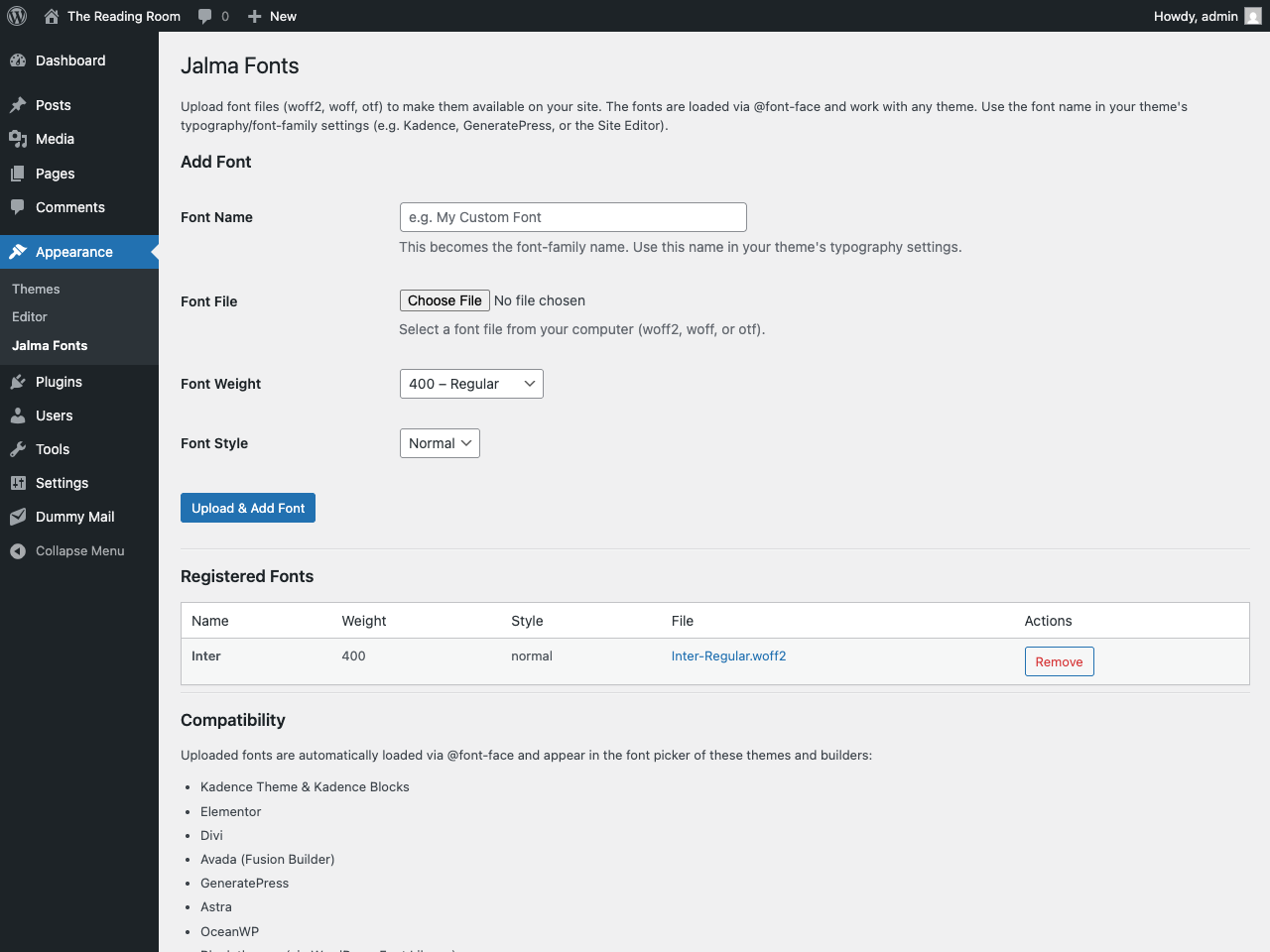
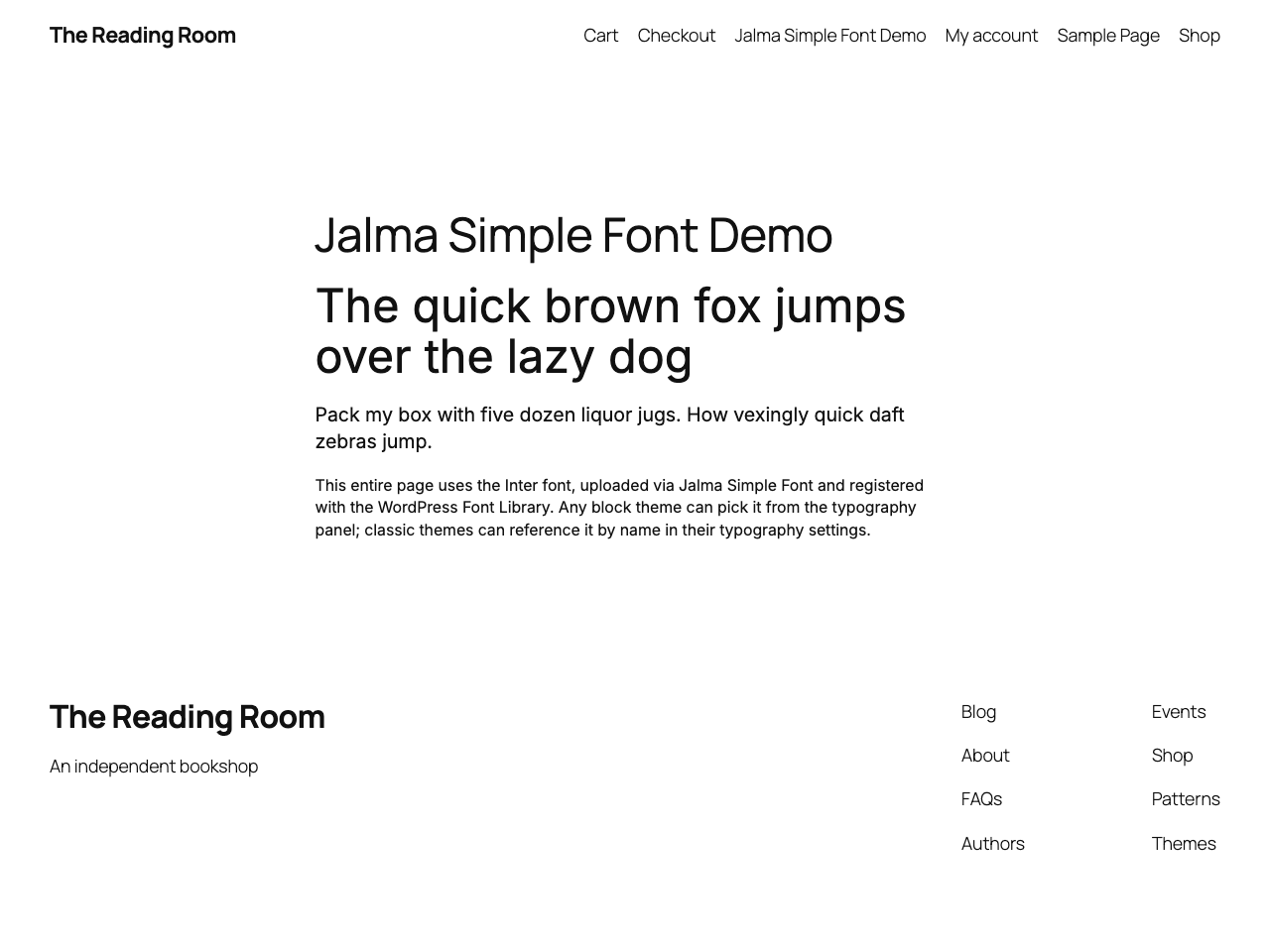
This one registers the font where you actually pick fonts. Upload a woff2, and it shows up in the font dropdown of the builder or theme you already use — selectable with a click, no CSS.
The font is served from your own server via @font-face on the frontend and in wp-admin, so the editor previews what visitors get, and nothing is fetched from Google.
Where your font appears:
- Block themes — registered in the WordPress Font Library, pick it in the Site Editor.
- Kadence (theme & Kadence Blocks), Elementor, Divi, Avada (Fusion Builder), GeneratePress, Astra and OceanWP — the font shows up directly in each one’s own typography settings.
- Any other theme — reference the font name in your CSS or the theme’s font-family setting.
No bloat, no page-builder lock-in — just a custom font, made simple.
Recursos:
- Upload woff2, woff, and otf font files
- Fonts are loaded via @font-face with
font-display: swap - Set font weight (100–900) and style (normal/italic) per file
- Registered in the WordPress Font Library for block themes
- Native font-picker integration for Kadence, Elementor, Divi, Avada, GeneratePress, Astra and OceanWP
- Works with any other theme too — use the font name in your typography settings or CSS
- Manage fonts at Appearance > Simple Fonts
Instalação
- Upload the plugin folder to
/wp-content/plugins/. - Activate Simple Fonts through the Plugins menu in WordPress.
- Go to Appearance > Simple Fonts to upload and manage your fonts.
- Use the font name in your theme’s typography/font-family settings.
Log de Changes
Escapes font names in the generated CSS and removes the plugin's settings on delete.
1.1.11
- Fixed: a font name containing a quote or backslash could break the generated @font-face CSS. Names are now escaped as CSS strings.
- The plugin’s settings are removed when it is deleted. Uploaded font files stay in the Media Library.
1.1.10
- Raised minimum WordPress version to 6.5 (matches the Font Library
wp_register_font_collection()requirement). - Renamed internal constants to the plugin slug prefix (
JALMA_SIMPLE_FONTS_) for Plugin Check compliance.
1.1.9
- Dynamic
@font-faceCSS is now output viawp_register_style()+wp_add_inline_style()on the standard enqueue hooks instead of a raw<style>tag.
1.1.8
- Native font-picker integration for Kadence, Elementor, Divi, Avada, GeneratePress, Astra and OceanWP, alongside the WordPress Font Library for block themes.
- Testado até WordPress 7.0.
1.1.7
- Split plugin into separate files for better organization.
- Register fonts in the WordPress Font Library for block themes.
- Use
wp_handle_upload()for font file uploads (replacesmove_uploaded_file()) — Plugin Check compliant. - Tested up to WordPress 6.9.
1.0.0
- Lançamento inicial.
Capturas de tela
Para desenvolvedores
Este é o seu plugin? Mostre os números.
Adicione um crachá ao vivo ao seu site, Documentos ou Readme do GitHub. Ele é atualizado por conta própria - nenhuma conta necessária.
Best Simple Fonts alternatives
All custom fonts plugins →




FAQ
Simple Fonts: quick answers
Respostas diretas, extraídas de dados ao vivo WordPress.org.
Fonte: WordPress.org
Is Simple Fonts free?
Yes. Simple Fonts is free to download and use from the official WordPress.org plugin directory.
Is Simple Fonts safe to use in 2026?
Simple Fonts is a solid plugin choice in 2026, with a few things worth checking first. It runs on 60+ sites and was last updated 1 month ago, and scores 68/100 on our health check.
How many websites use Simple Fonts?
Simple Fonts is active on 60+ WordPress websites and has been downloaded 704 times since it launched in August 2026. It was downloaded 350 times in the last 30 days.
Does Simple Fonts work with WordPress 7.1?
Yes. The developer has tested Simple Fonts up to WordPress 7.1.5, the latest release. It requires WordPress 6.5 or newer.
What PHP version does Simple Fonts need?
Simple Fonts requires PHP 7.4 or higher. Most hosts run PHP 8.x today, so it works on any modern WordPress hosting.
When was Simple Fonts last updated?
The latest version, 1.1.11, was released on October 23, 2026 (1 month ago).
Who makes Simple Fonts?
Simple Fonts is developed and maintained by Jonas Hjalmarsson.
What are the best alternatives to Simple Fonts?
The most popular alternatives to Simple Fonts are Custom Fonts (400K+ installs), Use Any Font (200K+ installs) and Fonts Plugin (200K+ installs).
Alimentado por PageForge
Um modelo e uma planilha. Uma página real para cada pesquisa.
PageForge Transforma cada linha de um CSV em uma página WordPress com seu próprio título, URL, SEO campos e esquema, construído no layout que você já desenhou. Gratuito em WordPress.org.
- CSV e XLSX, mais Google Sheets em Profissional e Empresarial
- Seu próprio título, URL, SEO campos e esquema para cada página
- Funciona com o editor de blocos, Elementor, Divi e Avada
- Gratuito em WordPress.org, sem cartão de crédito