


Grumpy AI Gate
Intercept and log AI-related HTTP from plugins/themes; optional AI Client blocking. All data stays on your server.

Use com cautela
Grumpy AI Gate works, but test it on a staging site before relying on it in 2026. Is rated 5/5 and was last updated 7 months ago, and scores 50/100 on our health check.
- Base de usuários pequenas (<10 instalações ativas)
- Muito poucos comentários até agora
Como ele se acumula?
Lado a lado em instalações, atualizações, avaliações e suporte



Downloads diários
Os picos de download geralmente seguem uma nova versão — cada site que atualiza automaticamente é um download.
Rankings
Where Grumpy AI Gate stands todayWordPress.org Classificações de pesquisa
Posição ao vivo na pesquisa de plugins, top 100| Palavra chave | Posição |
|---|---|
| Administrador | >100 |
| Ai | >100 |
| monitoring | >100 |
| privacy | >100 |
| segurança | >100 |
Divisão de classificação
★★★★★ ★★★★★ 5 de 1 comentários
About Grumpy AI Gate
Do Readme oficial · v1.0.2Descrição
Grumpy AI Gate helps you stay in control as AI features spread across WordPress. It observes and intercepts outbound HTTP that other code on your site already initiates (plugins, themes, or core)—so you can see which plugin was involved, how much activity you are seeing (including helpful estimates), and optionally stop unwanted WordPress AI Client traffic for specific plugins. This plugin does not call external AI APIs for its own dashboard, analytics, or licensing. Nothing is sent to us or to a third-party analytics service.
Why use it
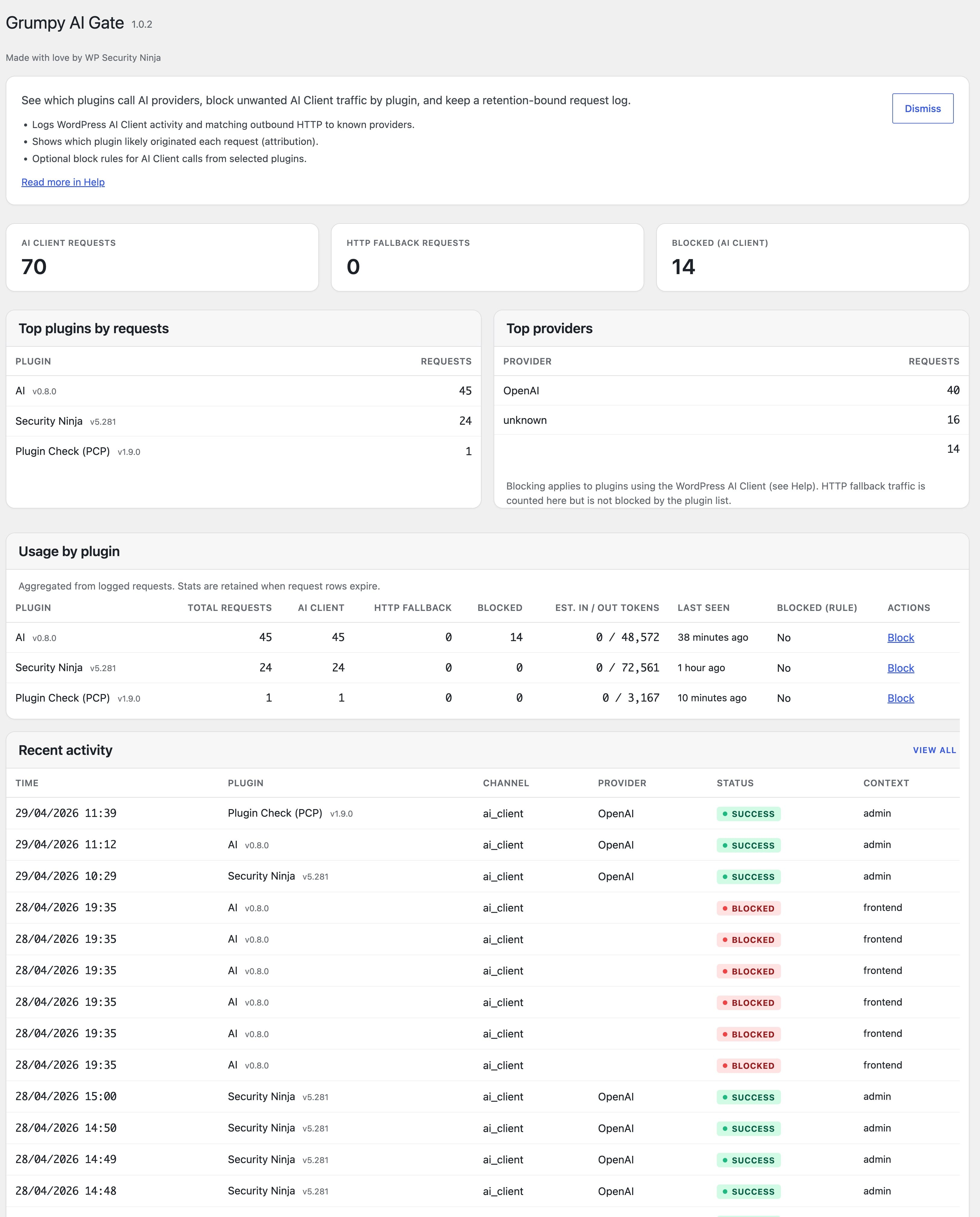
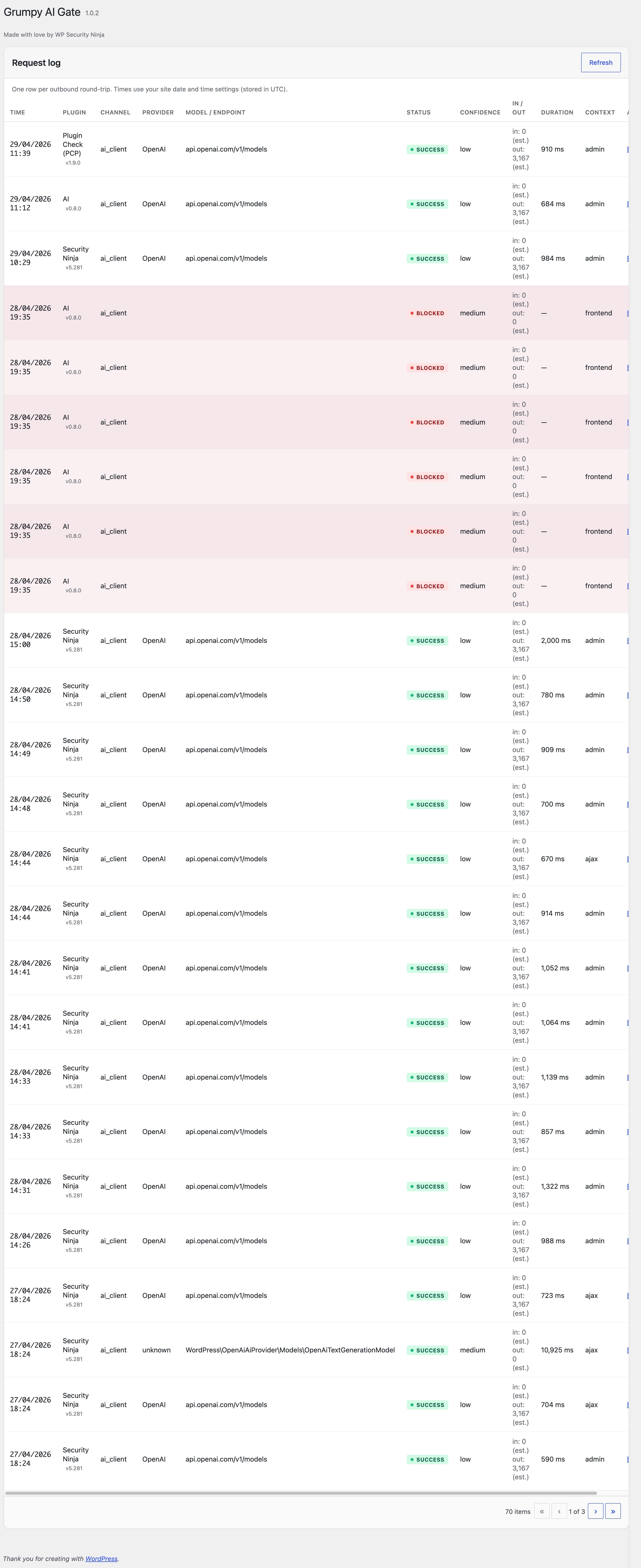
- Visibility — Dashboard summaries, a per-plugin usage table, and a request log so surprises become visible early.
- Spend awareness — When other software calls paid APIs, usage adds up. Logging helps you notice patterns before invoices or quotas become a problem.
- Safer sharing — Knowing what leaves your server makes it easier to decide what belongs in prompts and what does not.
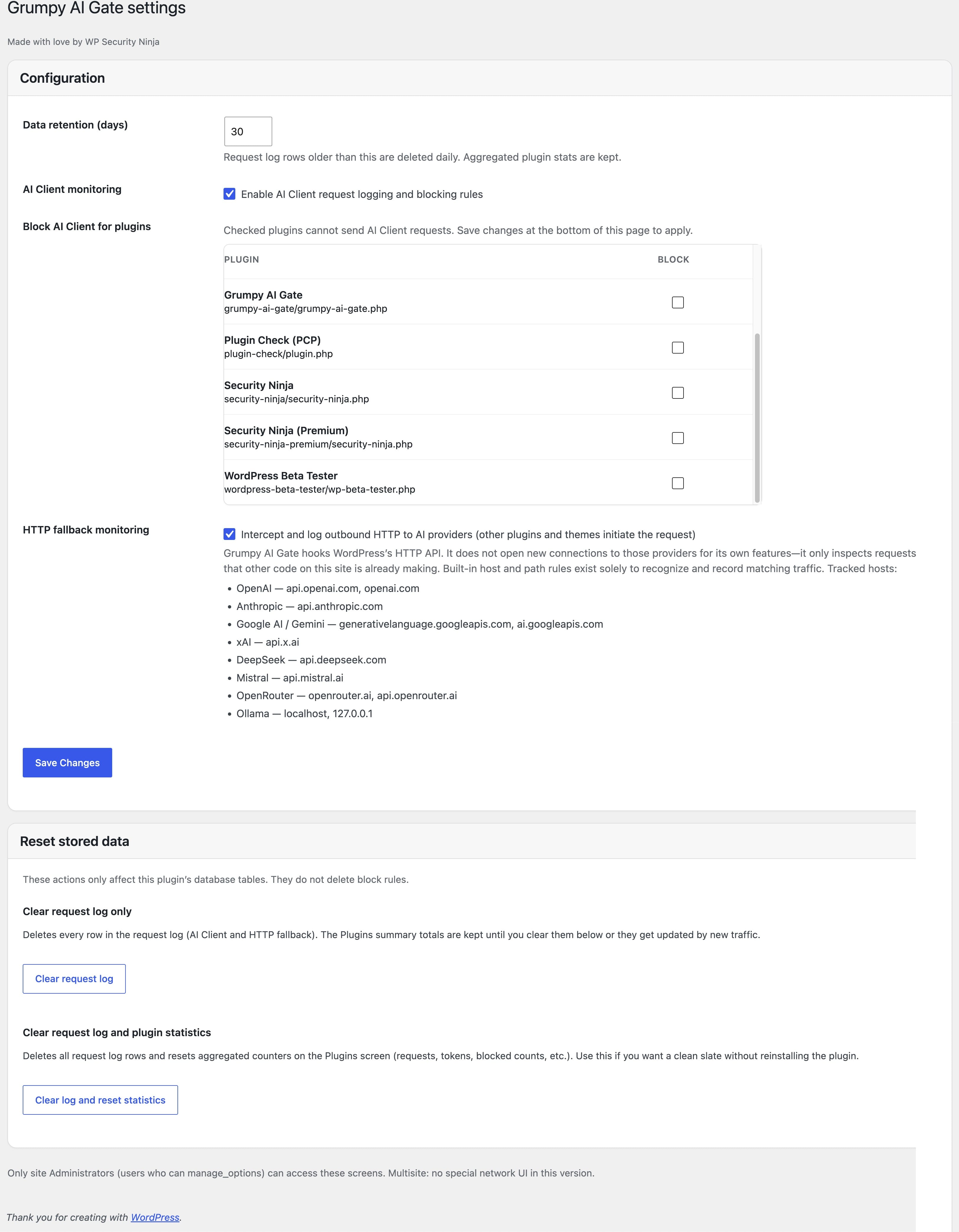
- Optional blocking — For paths that use WordPress’s AI Client, you can block generations from selected plugins under Grumpy AI Gate → Settings (save to apply).
Como funciona
- When the WordPress AI Client is available, the plugin records those requests from core lifecycle hooks (other code still drives the actual generation).
- For HTTP fallback, Grumpy AI Gate hooks WordPress’s HTTP API (for example
pre_http_request) to inspect requests that are already in flight. If a URL matches built-in recognition rules for major AI providers, a log row can be stored. Grumpy AI Gate does not open those connections for its own purposes—it only filters and classifies traffic initiated elsewhere on the site. - HTTP fallback does not block outbound API calls in the current release—it is there so you still get visibility when plugins talk to providers directly over HTTP instead of (or in addition to) AI Client flows.
Compatibilidade
The plugin requires WordPress 7.0+ (matches Requires at least in the plugin header). On WordPress 7.x, it works with core AI Client functionality where available. Release testing included WordPress 7.0 Beta 5. HTTP fallback remains important on every supported version—it records calls to recognized provider endpoints that other plugins make directly over HTTP, which is still common alongside (or instead of) AI Client–based flows.
Privacidade
Everything is stored locally in your WordPress database. There is no cloud account, no telemetry, and no third-party analytics from this plugin.
For technical details on logging, double-counting avoidance, and blocking limits, see the FAQ below.
Serviços externos
This plugin does not rely on third-party AI APIs, remote analytics, or any external service for its own features. All logging and settings stay on your site.
Provider names and URL patterns included with the plugin are local matching rules only. They let Grumpy AI Gate filter and classify outbound HTTP requests that plugins, themes, or WordPress core may already be sending. They are not a list of servers this plugin calls to power the admin UI or to “phone home.”
Your site may still contact third-party AI providers when you or other software use AI features—that traffic is separate from this plugin’s own network use (which does not include calling those providers for monitoring).
Instalação
- Upload the plugin folder to
/wp-content/plugins/or install it from the Plugins → Add New screen in your admin. - Activate the plugin through the Plugins menu.
- Open Grumpy AI Gate in the admin menu. Review the Dashboard and Request log, then visit Settings to turn monitoring options on or off and configure optional per-plugin blocking.
Log de Changes
1.0.2
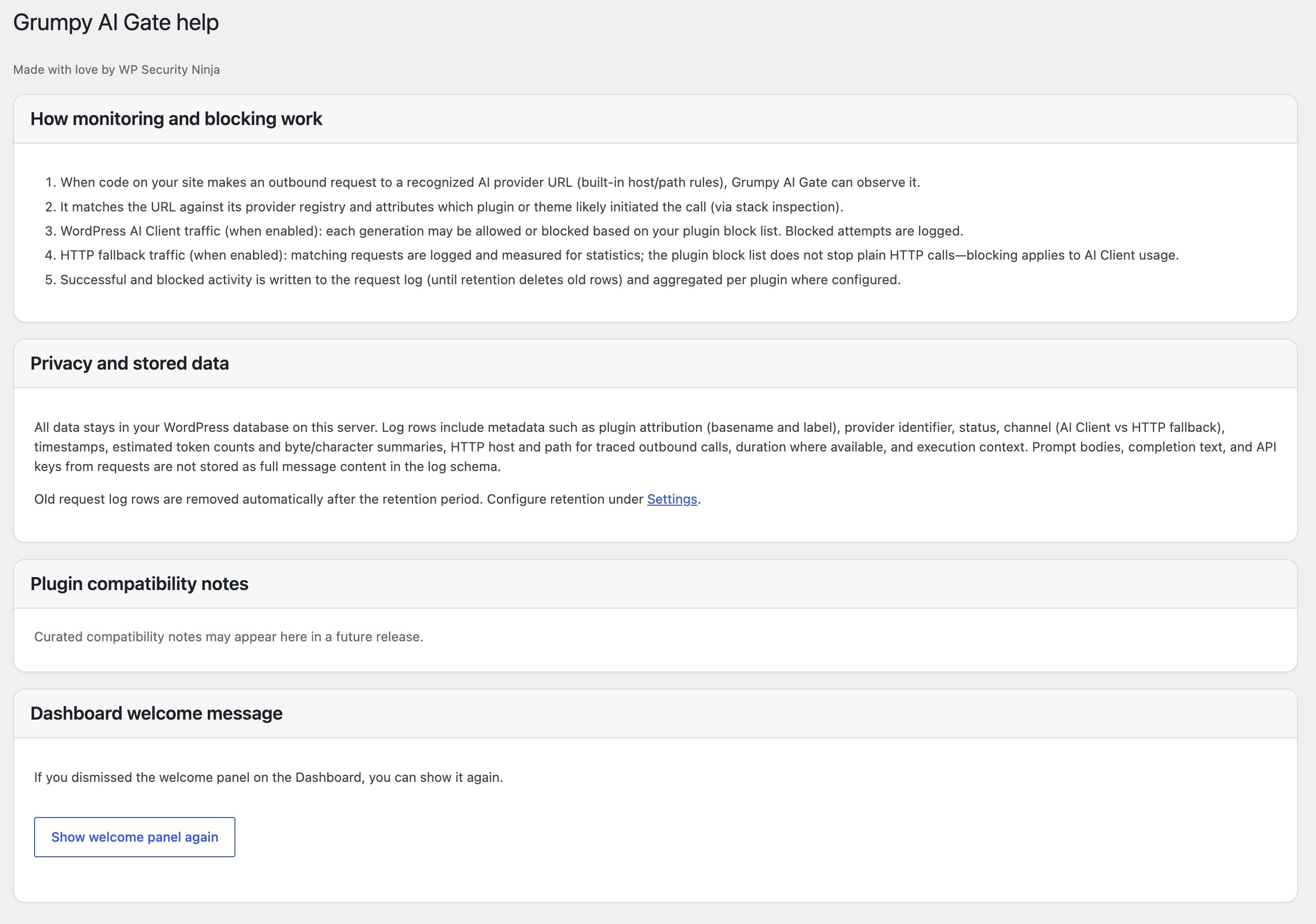
- Help submenu (Grumpy AI Gate → Help) with documentation on how AI Client and HTTP fallback logging work, what data is stored locally, a shortcut to retention in Settings, and a control to show the dashboard welcome panel again after dismissal.
- Dashboard UX: plugin version shown next to the screen title; dismissible welcome panel (per major plugin version) with bullets and a link to Help; admin notices when a block rule is added or cannot be saved; clearer guidance when the WordPress AI Client is unavailable; short descriptions under Top providers and Usage by plugin; footer link to Help.
- Block workflow: full-page Confirm block plugin step before adding an AI Client block rule from the dashboard or request log (nonce-protected, with Cancel and a link to Help explaining blocking scope).
- Admin presentation: consistent credit line under titles; plugin labels show installed version where available; status rows use color-coded pills for success, blocked, and error states.
1.0.1
- Bumped Stable tag and internal version to 1.0.1. Aligned Requires at least with the plugin header (WordPress 7.0). No functional changes from 1.0.0.
1.0.0
- Renamed to Grumpy AI Gate (slug grumpy-ai-gate); internal prefix gaig / GAIG. Readme and admin copy clarify interception of outbound HTTP initiated by other code (not the plugin acting as an AI client). Added External services section for WordPress.org reviewers. Local-only logging of AI Client and matching HTTP traffic, dashboard and request log, optional per-plugin blocking for WordPress AI Client flows, retention and clear-data tools. See the FAQ for privacy, blocking scope, and provider matching details.
Capturas de tela
Para desenvolvedores
Este é o seu plugin? Mostre os números.
Adicione um crachá ao vivo ao seu site, Documentos ou Readme do GitHub. Ele é atualizado por conta própria - nenhuma conta necessária.
Best Grumpy AI Gate alternatives
Todos os plugins de administrador →




FAQ
Grumpy AI Gate: quick answers
Respostas diretas, extraídas de dados ao vivo WordPress.org.
Fonte: WordPress.org
Is Grumpy AI Gate free?
Yes. Grumpy AI Gate is free to download and use from the official WordPress.org plugin directory.
Is Grumpy AI Gate safe to use in 2026?
Grumpy AI Gate works, but test it on a staging site before relying on it in 2026. Is rated 5/5 and was last updated 7 months ago, and scores 50/100 on our health check.
How many websites use Grumpy AI Gate?
Grumpy AI Gate is active on <10 WordPress websites and has been downloaded 757 times since it launched in April 2026. It was downloaded 143 times in the last 30 days.
Does Grumpy AI Gate work with WordPress 7.1?
Grumpy AI Gate is officially tested up to WordPress 7.0.9, while the latest release is 7.1.5. It may still work, but try it on a staging site first.
What PHP version does Grumpy AI Gate need?
Grumpy AI Gate requires PHP 7.4 or higher. Most hosts run PHP 8.x today, so it works on any modern WordPress hosting.
When was Grumpy AI Gate last updated?
The latest version, 1.0.2, was released on April 29, 2026 (7 months ago).
Who makes Grumpy AI Gate?
Grumpy AI Gate is developed and maintained by Lars Koudal.
What are the best alternatives to Grumpy AI Gate?
The most popular alternatives to Grumpy AI Gate are Loginizer (1M+ installs), Redux Framework (800K+ installs) and Admin Menu Editor (300K+ installs).
Alimentado por PageForge
Um modelo e uma planilha. Uma página real para cada pesquisa.
PageForge Transforma cada linha de um CSV em uma página WordPress com seu próprio título, URL, SEO campos e esquema, construído no layout que você já desenhou. Gratuito em WordPress.org.
- CSV e XLSX, mais Google Sheets em Profissional e Empresarial
- Seu próprio título, URL, SEO campos e esquema para cada página
- Funciona com o editor de blocos, Elementor, Divi e Avada
- Gratuito em WordPress.org, sem cartão de crédito