


AI Puffer – MCP Server for Claude & ChatGPT, with AI Chatbot
Manage WordPress from Claude or ChatGPT with a free MCP server: posts, WooCommerce, SEO and Elementor. AI chatbot and content writer included.

Escolha segura
Yes — AI Puffer is a safe, well-maintained plugin to use in 2026. It runs on 10K+ sites, is rated 4.6/5 and was last updated 2 days ago, and scores 87/100 on our health check.
- Comprovado em escala em sites ativos de mais de 10 mil
- Loved by users — 4.6/5 from 167 reviews
- Desenvolvido ativamente — última atualização 2 dias atrás
- Testado com as últimas WordPress (7.1)
Como ele se acumula?
Lado a lado em instalações, atualizações, avaliações e suporte


Downloads diários
Os picos de download geralmente seguem uma nova versão — cada site que atualiza automaticamente é um download.
Rankings
Where AI Puffer stands todayWordPress.org Classificações de pesquisa
Posição ao vivo na pesquisa de plugins, top 100| Palavra chave | Posição |
|---|---|
| Ai | #21 |
| chatbot | #12 |
| ChatGPT | #9 |
| Claude | #8 |
| MCP | #21 |
Adoção da versão
Compartilhamento de sites ativos por lançamento.
Divisão de classificação
★★★★★★★★★★ 4.6 from 167 reviews
About AI Puffer
From the official readme · v2.5.29Descrição
AI Puffer (formerly AI Power) connects WordPress to Claude and ChatGPT through MCP. Ask them to write and publish posts, update WooCommerce products, improve SEO or edit Elementor pages. The plugin also includes an AI chatbot, content writer, automations, forms and image generation.
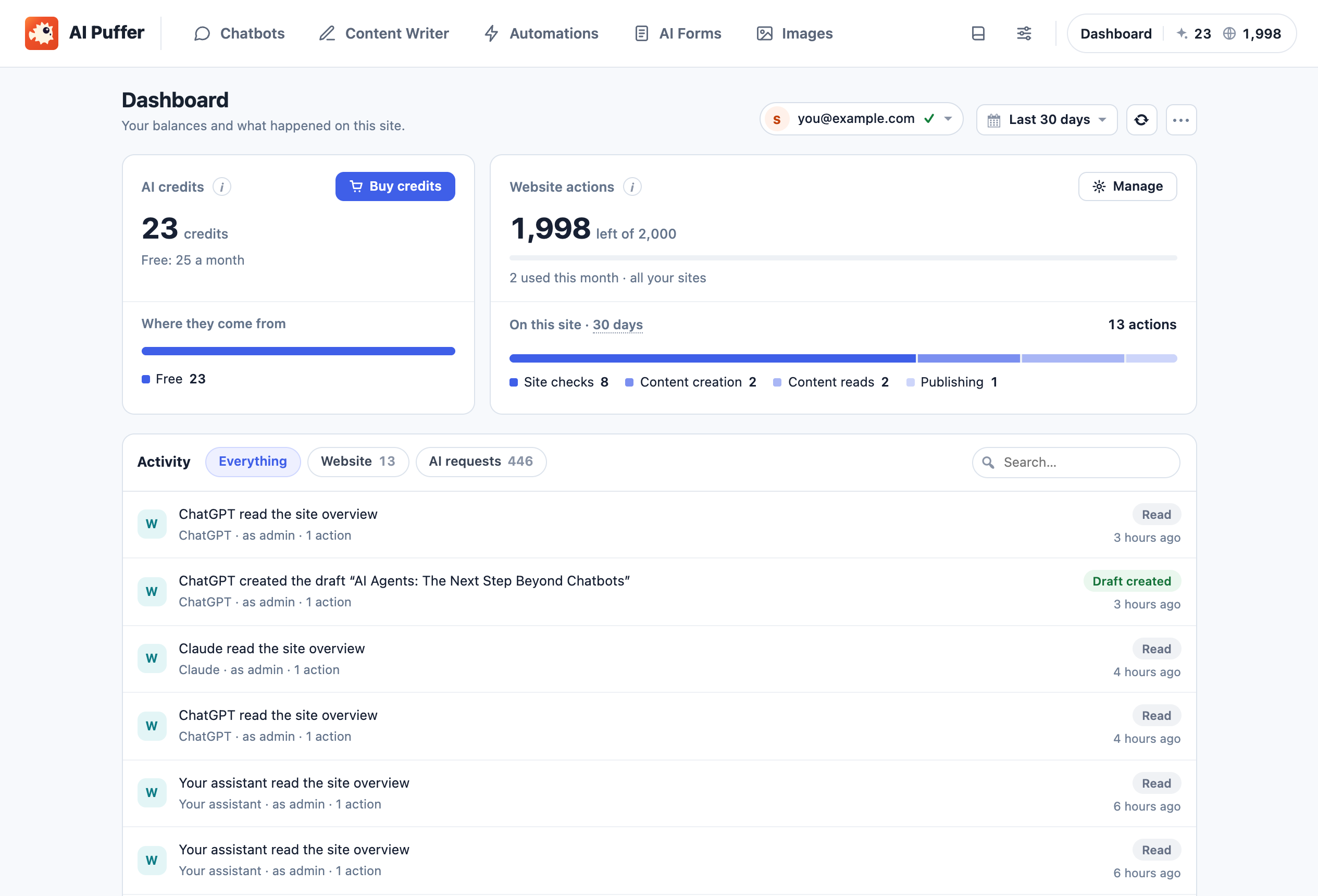
Free to start. The free plugin includes 2,000 website actions every month for Claude and ChatGPT, with no API key, SSH or WP-CLI installation. Eligible accounts with a verified email also get 25 free AI credits monthly for the chatbot, writer and other AI tools, or you can use your own OpenAI, Anthropic Claude, Google Gemini, xAI Grok, DeepSeek, OpenRouter or Azure OpenAI key.
Documentation · How Cloud works · Pricing · User reviews
Connect Claude or ChatGPT to WordPress through MCP
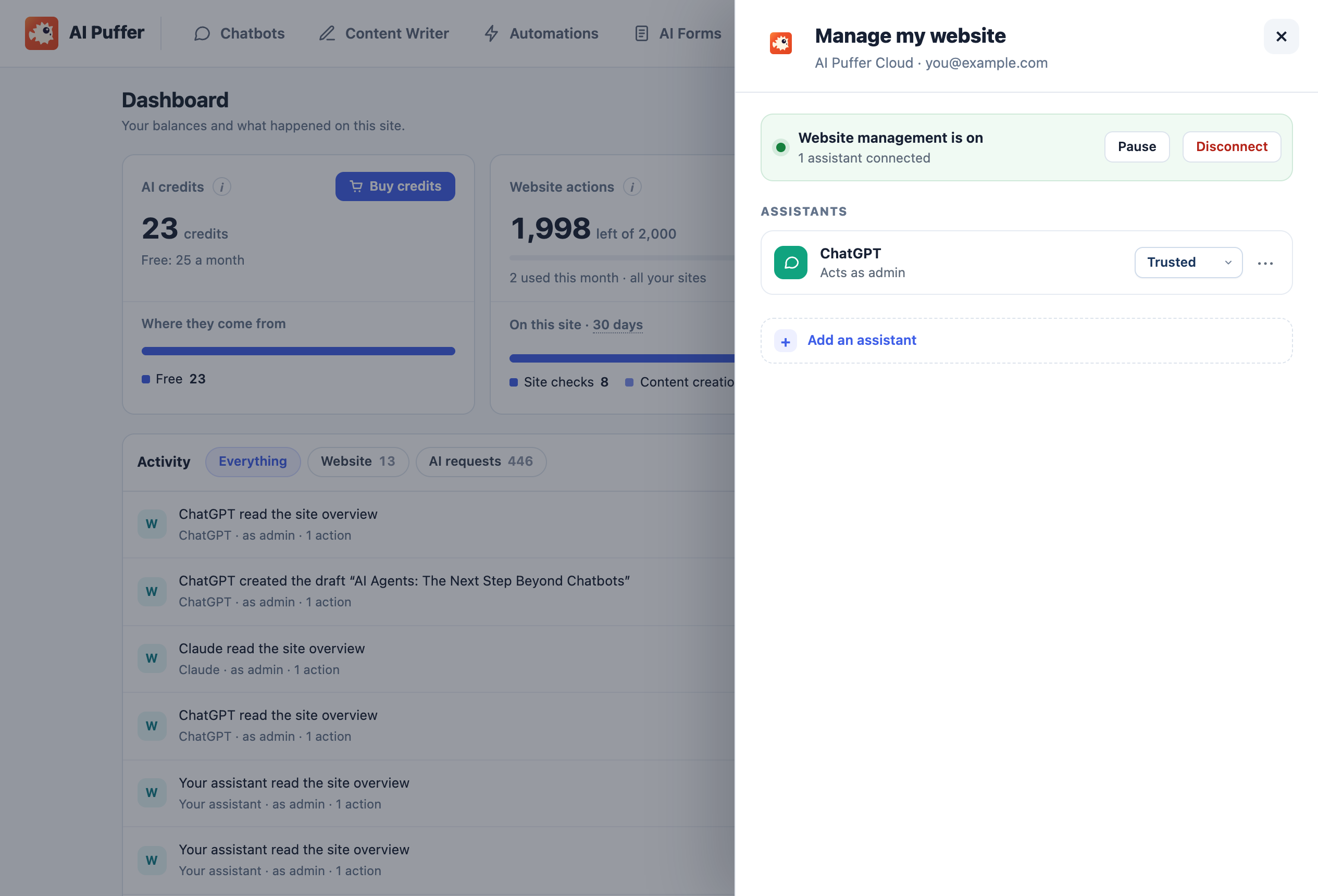
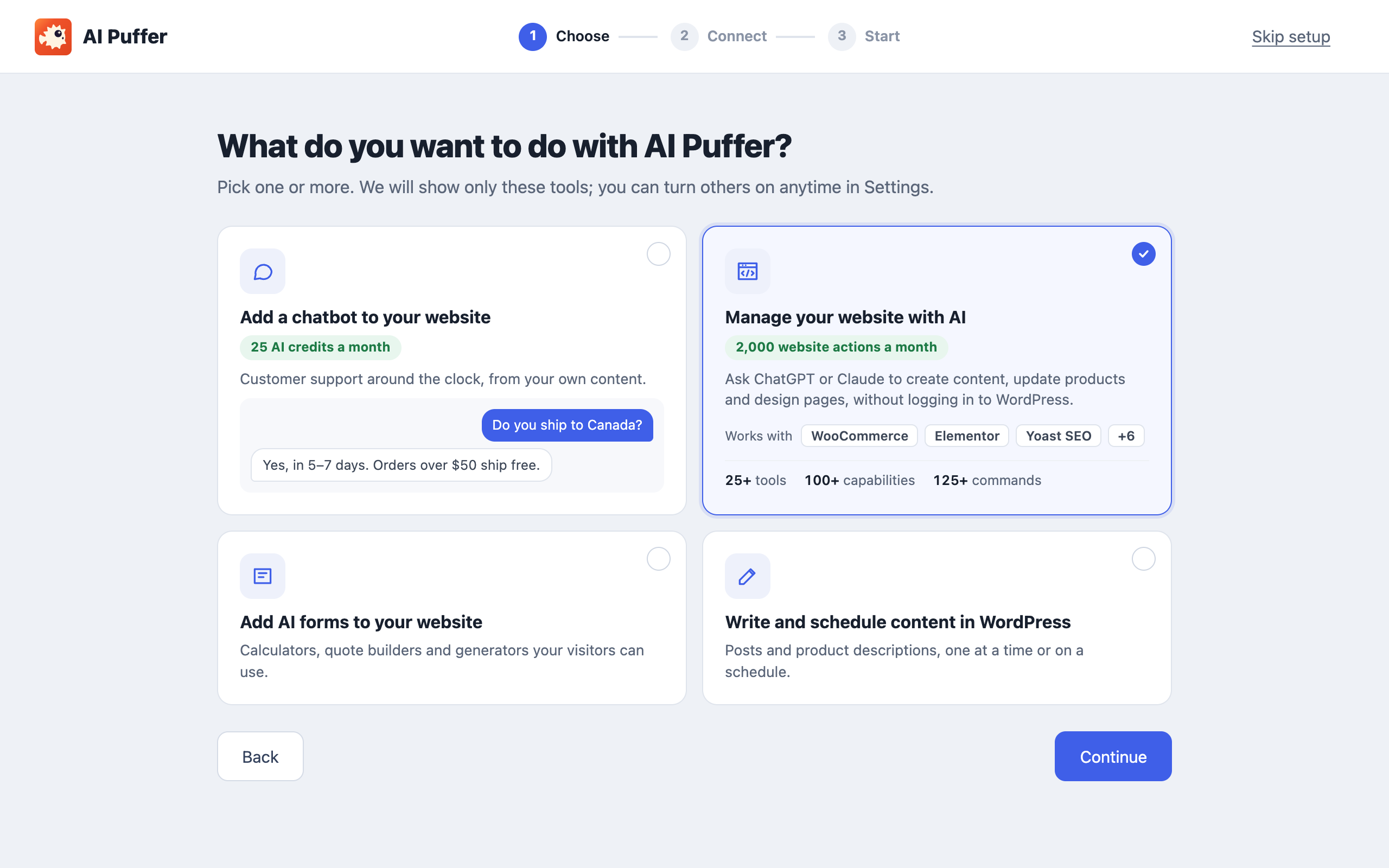
- Install AI Puffer and choose Manage my website in the setup wizard, or open Settings → Connections → Manage my website.
- Pick ChatGPT or Claude and approve the connection in WordPress. You can also start from Claude’s directory. Cursor, Claude Code and other MCP clients connect the same way.
- Ask your assistant to do something on your site. The hosted MCP server handles sign-in and routing, so there is nothing to configure on your server.
What you can ask
- “Draft a post about our spring sale and schedule it for Monday morning.”
- “Find images that are missing alt text and fill it in.”
- “Check my Wordfence security status. What needs attention?”
Assistants can read and search content, create drafts, edit and publish posts and pages, and manage images in your media library. The available actions depend on the site’s installed plugins and the permissions you grant.
Funciona com os plugins que você já usa
These MCP integrations are tested by us in both ChatGPT and Claude:
- Page builders and design: Elementor, Blocksy, Greenshift and Advanced Custom Fields (ACF).
- SEO: Yoast SEO, Rank Math, All in One SEO, SureRank SEO, Redirection, and read-only Search Console and GA4 reports through Google Site Kit.
- Stores: WooCommerce products, stock, coupons and orders, and Easy Digital Downloads.
- Forms: Contact Form 7, WPForms and Fluent Forms.
- Courses and fundraising: LifterLMS and Charitable.
- Maintenance: cache plugins such as WP Rocket, UpdraftPlus, Duplicator, WP Mail SMTP and read-only Wordfence status.
Other plugins that share WordPress abilities or a REST API can be reached too. What each integration supports depends on the plugin and its version.
WP-CLI-compatible commands without SSH
Assistants can use supported WP-CLI-compatible commands for content, menus, settings, users, cache, scheduled events, official plugin/theme/core administration and bounded database inspection/search-replace. Ask for wp help to see the supported commands and flags. Commands follow the same permissions, approvals and website-action allowance as other website tools; SSH, shell scripts and full WP-CLI compatibility are not included.
You stay in control of the MCP connection
- Off until you connect it. Nothing is shared with an assistant until you explicitly connect one.
- Your WordPress permissions are the limit. Access follows the connecting WordPress user’s permissions.
- Choose a safety level for each connection. Standard asks for WordPress approval before publishing or supported plugin changes. Trusted is the default for new connections and runs supported changes directly, including publication, plugin changes and deletion. Existing Trusted connections keep their previous approvals until you select Trusted again in Settings.
- Pause or disconnect anytime from Settings → Connections.
- Separate allowances. Website actions are counted separately from AI credits; your assistant’s own subscription or model charges are separate.
Cloud or your own API keys
AI Puffer Cloud: connect in the setup wizard or Settings → AI. Supported models cover text, image generation and analysis, speech, transcription and embeddings. Credit use varies by model and request size, with a minimum per text request. One credit is not always one message, article or image. Image editing, video, realtime voice and web search currently require your own supported provider key.
Your own API keys: your site sends requests to the provider you choose, which bills your provider account. OpenAI-compatible endpoints are supported too. Use Cloud and your own keys side by side, with a model picker for each chatbot, form, task or tool.
Incluído no plugin gratuito
These modules need no paid license. AI requests use your provider account or Cloud credits. Website management is optional.
AI chatbot that answers from your content
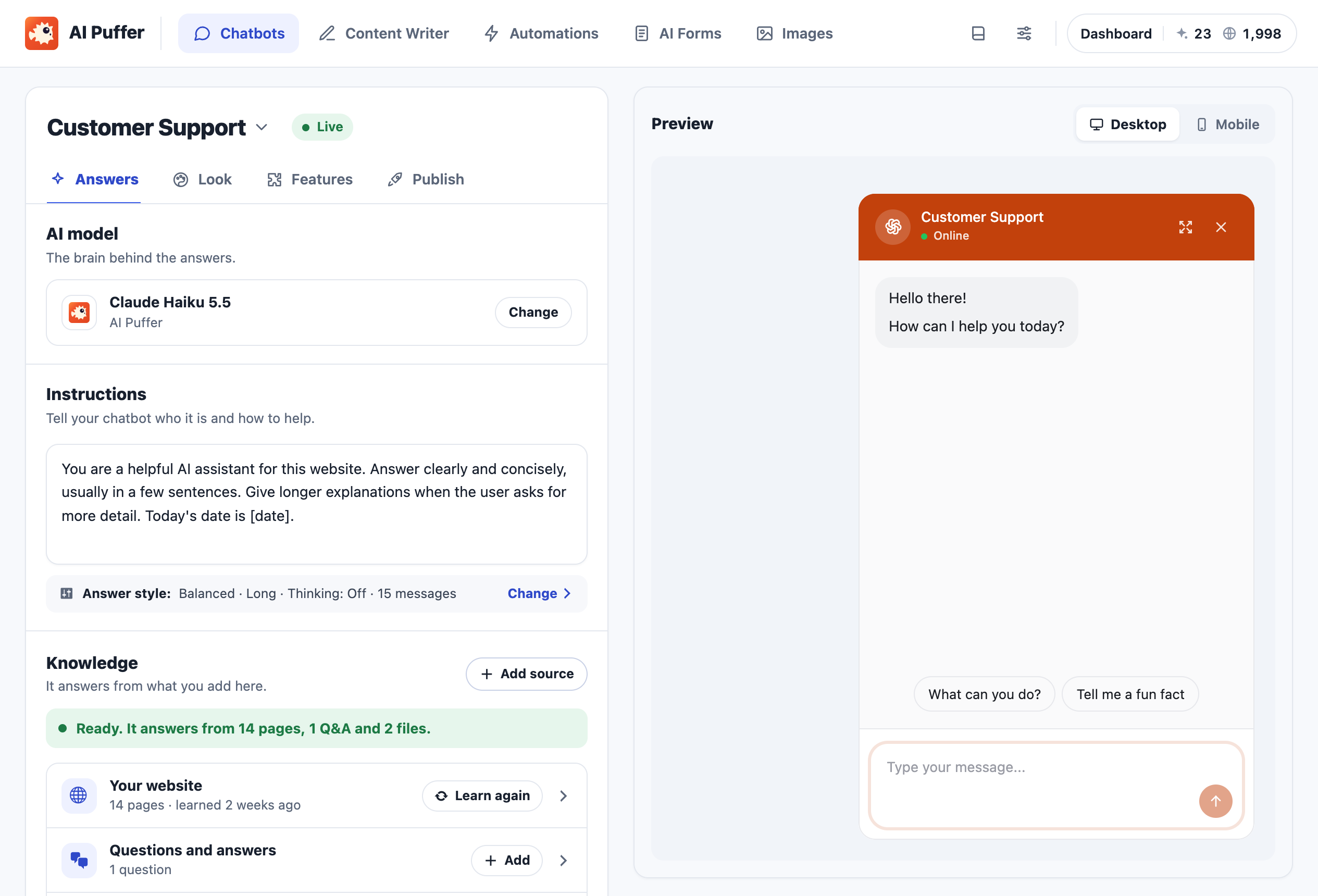
Create unlimited chatbots with their own models, instructions, colors, welcome messages and conversation starters. Use posts, pages, products and FAQs as knowledge. Show a bot as a popup, site-wide, or with a block or shortcode. Voice input, read-aloud replies and image input work with supported models. Web search and Google Search grounding require your own supported provider key.
AI content writer and Content Assistant
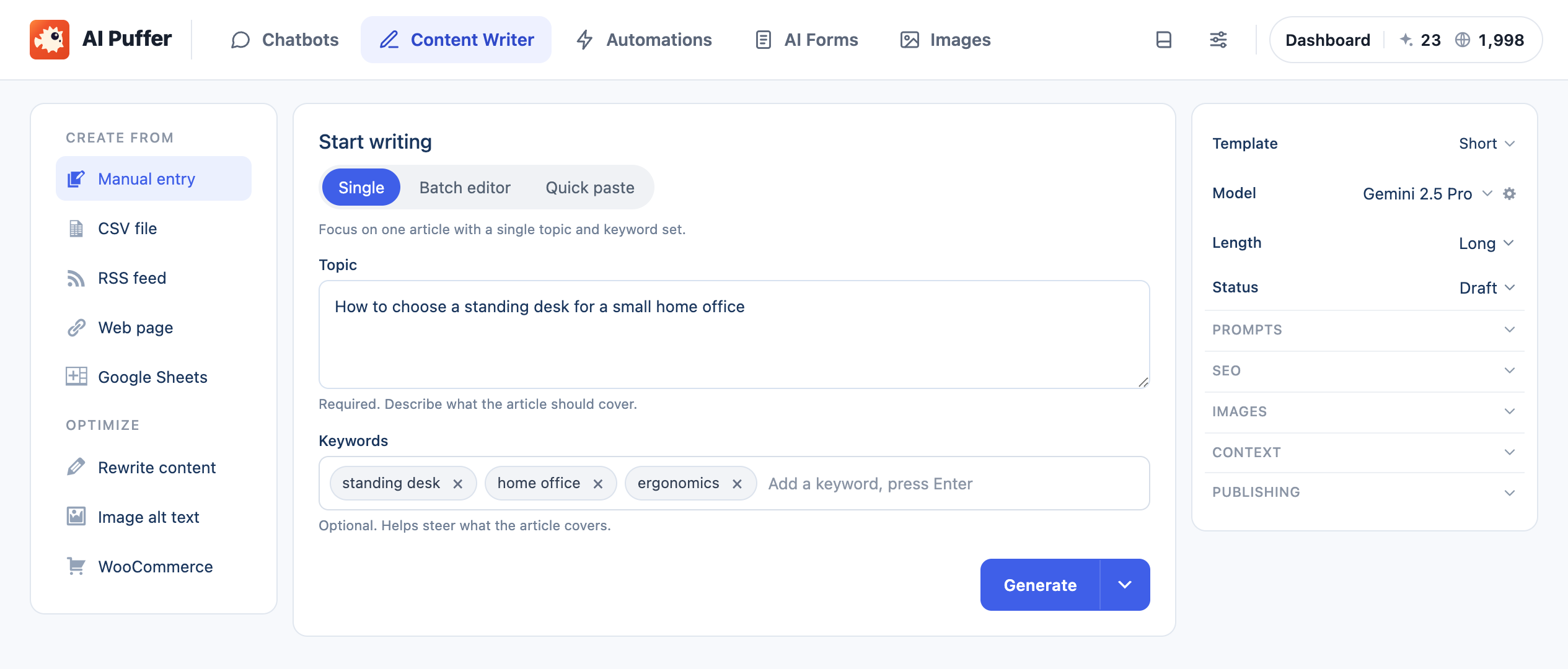
Draft posts from topics and keywords, one at a time or from a batch or CSV list. Use reusable prompt templates, choose draft or publish status, and add featured or inline images from AI providers or stock photos. Start from Posts → Generate New Post.
Write Gutenberg-ready content, with meta descriptions and focus keywords where supported by Yoast SEO, Rank Math, All in One SEO or The SEO Framework. The Content Assistant improves titles, excerpts, content and tags in the block editor, classic editor and post lists.
Automations: scheduled content and auto blogging
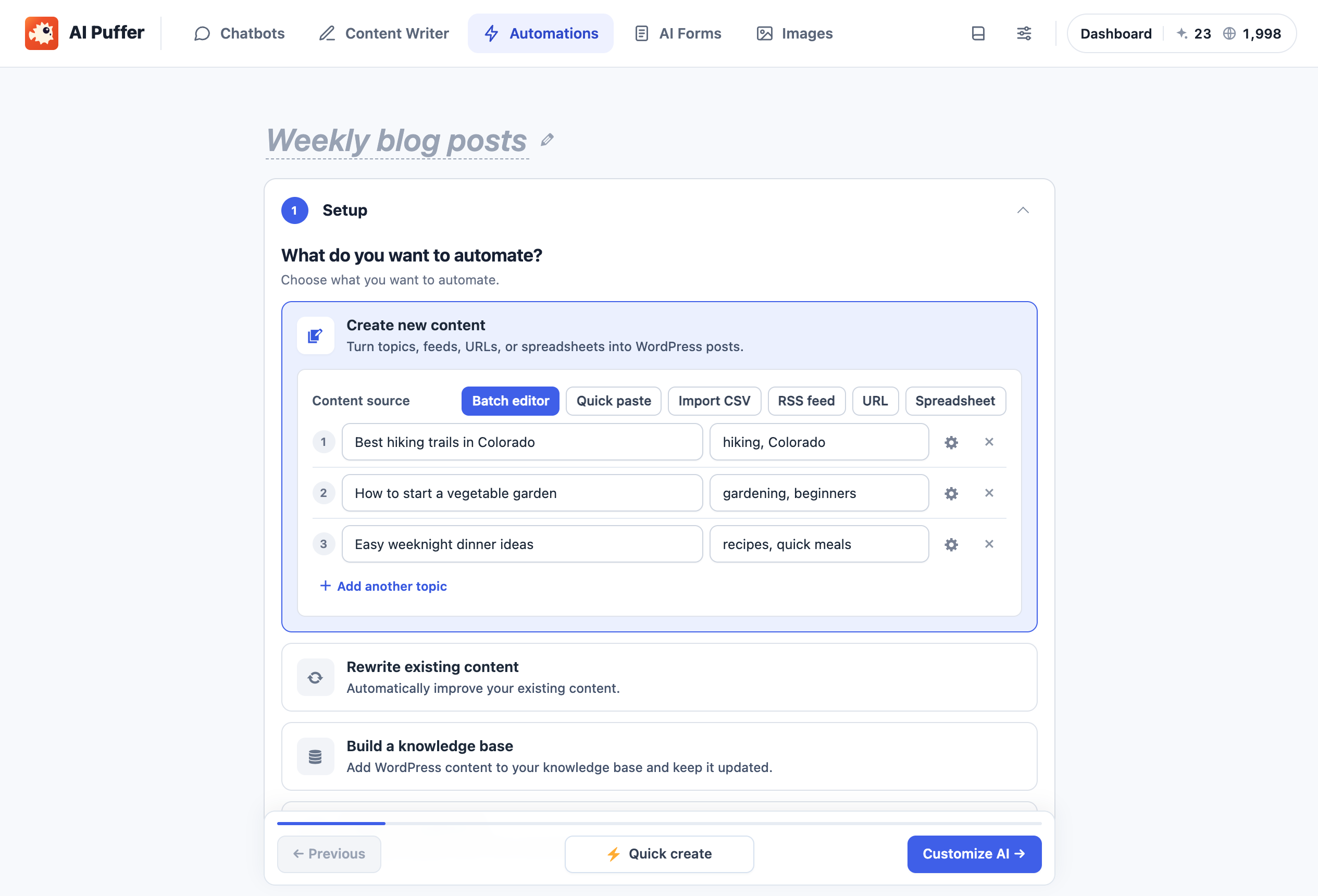
Create recurring or one-time automation tasks from topics or CSV, with draft, schedule or publish options. Add new posts to your knowledge base using category filters. Review item status in the queue. Server cron is supported when WP-Cron is disabled.
AI forms
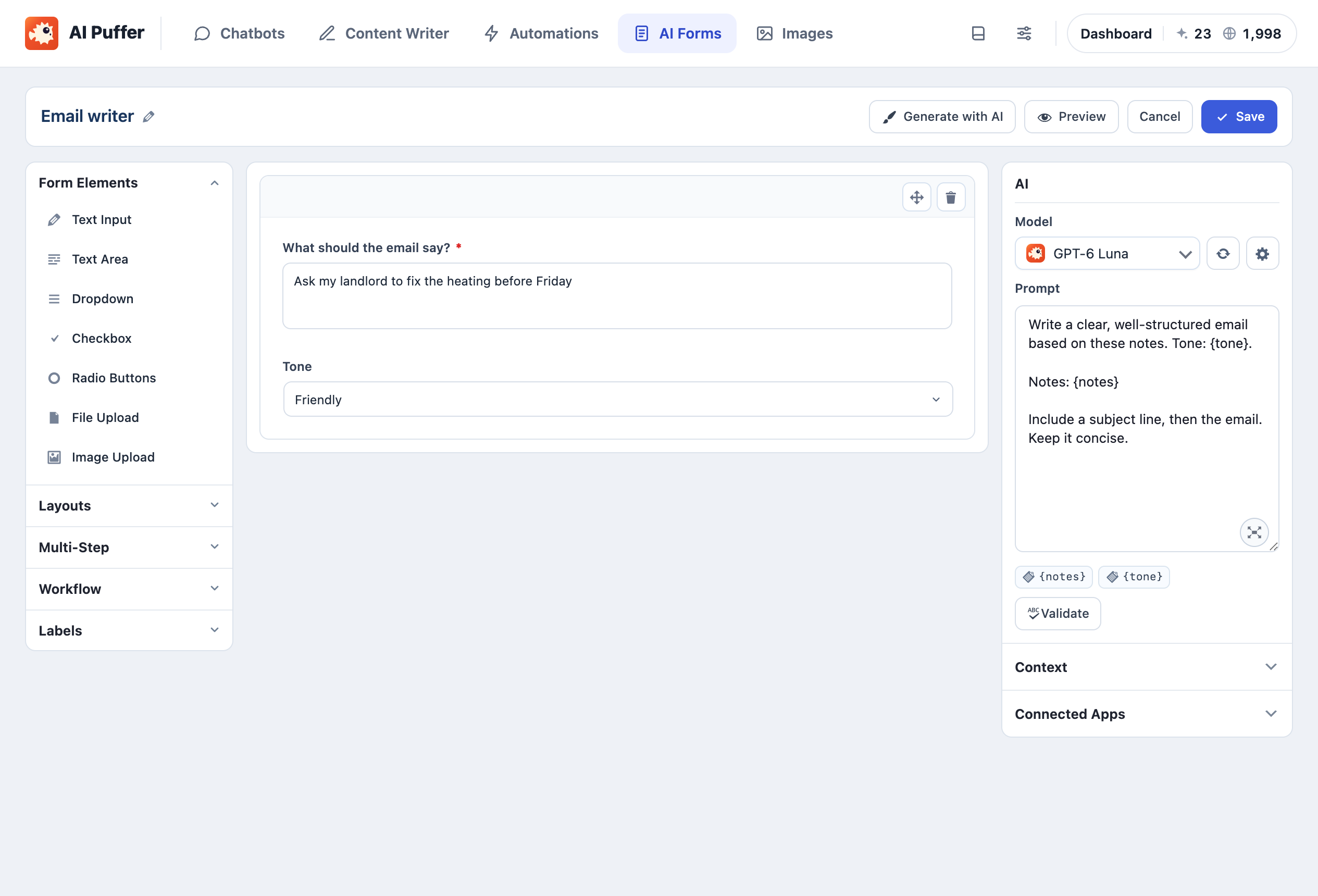
Build forms with a drag-and-drop editor, templates and prompts that use visitors’ field values. Choose a model and knowledge base for each form, and enable web search with your own supported key. Embed with a block or shortcode, and import or export forms.
AI image generator
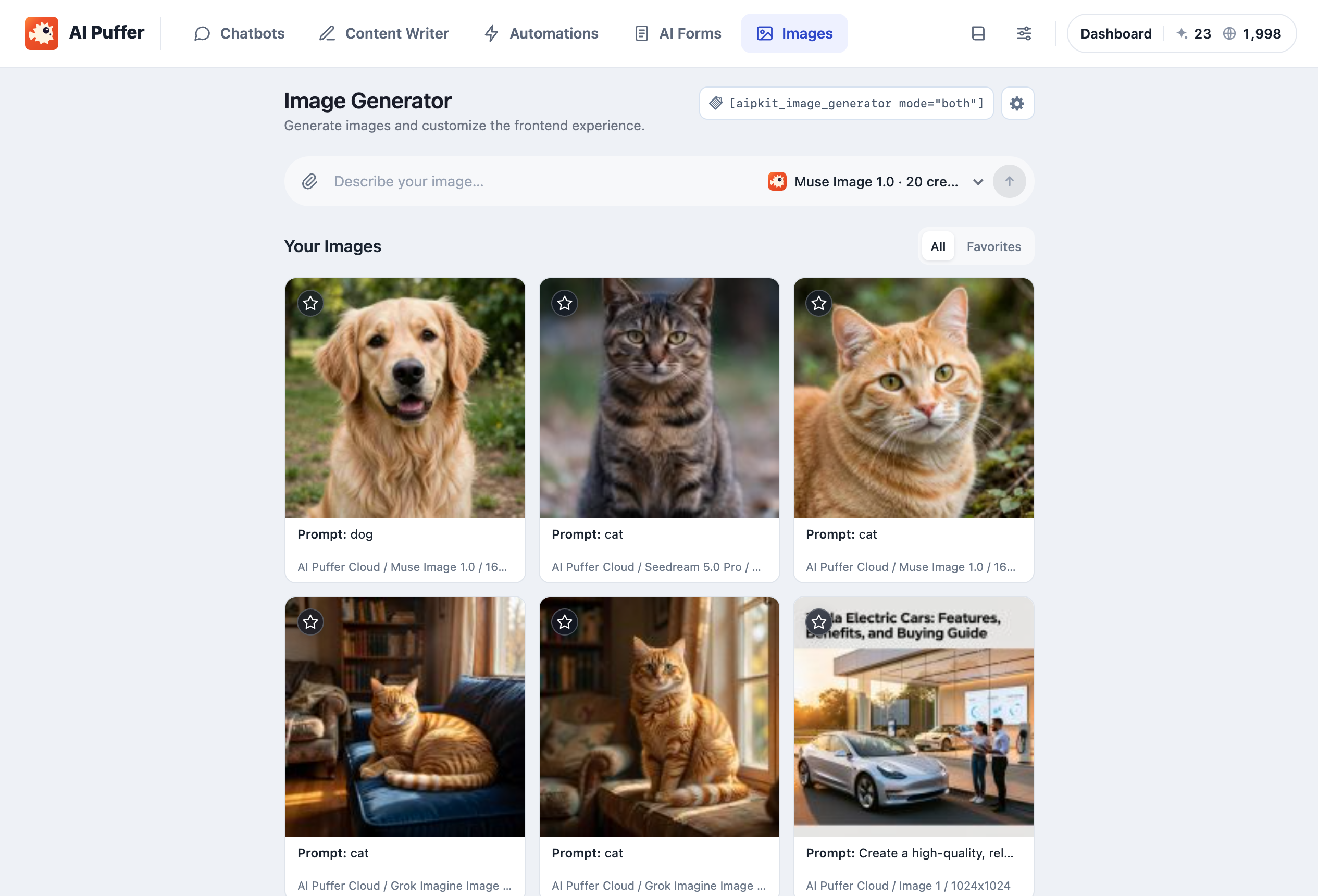
Enable Images in Settings → Modules. Generate images with OpenAI GPT Image, Gemini image models, Grok Imagine, Replicate, OpenRouter, Azure or Cloud. Image editing works with supported providers and models. Google Veo video needs your own Google key. Search stock photos from Pexels and Pixabay, or embed a visitor image generator with a block or shortcode. These tools are included in the free plugin; provider accounts or Cloud credits cover AI usage.
Knowledge base and semantic search
AI Puffer splits content into passages and retrieves relevant passages for a question. It does not train a new AI model.
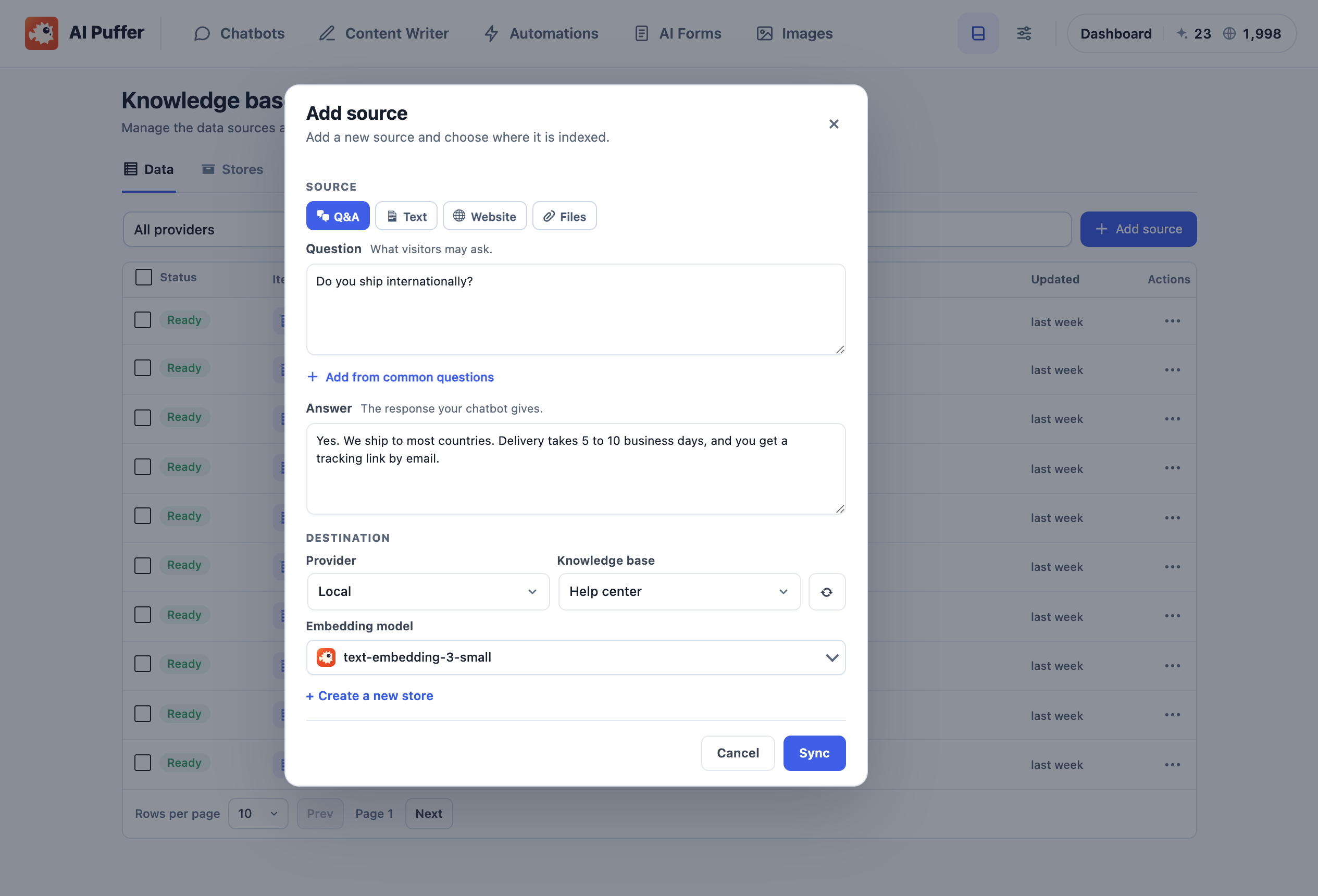
Index posts, pages, products, custom post types, Q&A pairs and pasted text, including page-builder content. Use “Add to knowledge base” from post lists or embed semantic search on your site. Choose Local storage in your WordPress database, OpenAI vector stores, Google File Search, Pinecone, Qdrant or Chroma. External stores and embeddings require compatible provider connections.
WooCommerce product tools and visitor credits
Improve product titles, descriptions, short descriptions and tags with the Content Assistant; answer questions from product pages; and sell visitor credit packages for your chatbots, forms and image generator. Visitor credits are balances managed on your site, separate from AI Puffer Cloud credits. WooCommerce is optional.
Usage, permissions and integrations
Set guest, user and role limits with daily, weekly, monthly or no reset. Review conversation and usage logs, credit balances and access through the Role Manager. Word and IP blocklists, IP anonymization and optional moderation help manage requests.
Use the REST API, signed event webhooks, three blocks and five shortcodes. WordPress AI Connectors are opt-in and let compatible built-in AI features use your configured providers.
Optional upgrades
The free plugin works on its own. Paid subscriptions add:
- File sources and uploads for knowledge bases, chatbots and forms.
- RSS, URL and Google Sheets content sources, scheduled post improvements and Smart SEO tools.
- Realtime voice, advanced chatbot triggers, external chatbot embeds, multi-step forms and PDF exports.
- Additional app integrations, Ollama, automatic log retention and higher monthly Cloud allowances.
See the feature comparison and current plans for the full list. All subscription tiers unlock the same additional plugin features; their monthly allowances differ.
Privacy and data flow
Chat logs, usage records and Local knowledge stay in your WordPress database. AI requests go to the selected provider; indexed text uses your chosen embedding provider and storage. External services below lists the data each service receives and its terms and privacy policy.
Serviços externos
The plugin contacts external services when you connect or use them, manage licensing or checkout, or submit optional deactivation feedback. Cloud setup and connection diagnostics are sent after you accept the Cloud connection terms and click Connect. An AI request contains what the feature needs: the prompt and instructions, chat or form input with recent conversation history, the content being written or improved, text you add to a knowledge base, images or audio you submit, and model settings. Each API key goes only to its own provider.
AI Puffer Cloud (puffercloud.dev, about Cloud), the optional hosted AI service run by the AI Puffer team.
- Connecting happens only after an administrator accepts the connection terms and clicks Connect. It sends the site’s Freemius install ID, the site address, a signed proof of the installation and the attempt’s support reference.
- Using its models sends the request content and model settings. Cloud passes each request to the AI service behind the chosen model (such as OpenAI, Anthropic or Google), through service providers such as OpenRouter where applicable, and returns the result and the credits used. Balance, model, checkout and disconnect requests send the site address and its Cloud credential; deleting the plugin also disconnects the site. While connected, the setup wizard sends your setup choices and completed steps.
- Connection diagnostics: each Connect attempt, including one that fails before account registration, sends its outcome, the step reached, error codes, safe network failure details, HTTP status, timing, software versions and a random support reference. Once an installation identity is available, the report also includes its site address and installation ID as unverified troubleshooting context. Your browser sends the report, so Cloud also sees the browser’s IP address and the site’s domain. Cloud keeps diagnostic reports for 30 days. The plugin keeps at most 10 local reports, removes those older than 30 days on the next attempt, and never reports on ordinary page loads.
- Terms · Privacy
Freemius (freemius.com): account registration, email verification, licensing, and checkout for subscriptions and credits. Registration happens only when you choose it, for example by connecting Cloud or signing up for product updates in the setup wizard. It sends your name, email address and site address, plus basic plugin details such as the version. General usage tracking is turned off in the setup flow, and marketing emails are optional. The in-plugin pricing page, checkout and license activation also contact Freemius. An answer to the optional deactivation feedback form is sent to Freemius when the plugin is deleted and, unless you tick “Anonymous feedback”, registers the site. Terms · Privacy
The AI providers and stores below are used only when you select one for a feature, or turn on a feature that uses it.
OpenAI (api.openai.com): text, images, embeddings, vector stores, speech, transcription, web search, and moderation if you turn it on. A custom OpenAI-compatible base URL receives these requests instead. Terms · Privacy
Google Gemini API (generativelanguage.googleapis.com): text, images, Veo video, speech, transcription, embeddings, File Search stores and Search grounding. Terms · Privacy
Anthropic (api.anthropic.com): Claude text, image input and web search. Terms · Privacy
xAI (api.x.ai): text, image input, web search and images. Terms · Privacy
DeepSeek (api.deepseek.com): text. Terms · Privacy
OpenRouter (openrouter.ai): text, images and web search, through the model vendor you pick. Terms · Privacy
Microsoft Azure OpenAI (your Azure endpoint): text, images, embeddings and transcription. Terms · Privacy
ElevenLabs (api.elevenlabs.io): reply text, when a bot reads replies aloud with ElevenLabs. Terms · Privacy
Replicate (api.replicate.com): image prompts and settings. Terms · Privacy
Pexels (api.pexels.com) and Pixabay (pixabay.com): your stock photo search terms. Pexels Terms · Privacy; Pixabay Terms · Privacy
Openverse (api.openverse.org): when you ask a connected assistant to search stock images, your search terms and image filters go from your website to Openverse. No API key is needed. Results include creator, source and licence links; check the original source and retain required attribution. Searches are cached locally for one hour. Downloading a chosen image uses the existing media upload tool and contacts its image host. Terms · Privacy
Pinecone (api.pinecone.io and your index host), Qdrant and Chroma (the address you enter), if chosen as your knowledge store: passages and embeddings of content you index, and search vectors for lookups. Pinecone Terms · Privacy; Qdrant Terms · Privacy; Chroma Terms · Privacy
Hosted website management (mcp.aipuffer.org): starting from Claude’s directory sends the website address you enter to the bridge so you can continue in WordPress. Only after you enable Manage my website and accept its disclosure, the bridge receives your site address, WordPress/plugin versions, Cloud account/site identifiers and public signing key to register the site. Assistant connections include the WordPress user identifier and permitted actions. Assistant requests and website results, including requested post text, pass through the bridge to your chosen assistant; draft content is sent to your WordPress site. Operational records contain identifiers, action names, status and usage, without post bodies or credentials. Recent operational history is searchable for 30 days; archives and completed admin command records are retained for 24 months, and unresolved cases are held until resolved. WordPress keeps its local operation records for recovery. Standard access requires WordPress approval for post publication; Trusted access can publish posts directly. At Trusted, supported plugin changes and deletions can also run without approval, within your chosen WordPress user’s permissions. Terms · Privacy. Your assistant provider’s own terms also apply.
Webhooks: if you add webhook URLs in Settings → Developers, signed event data is sent to those addresses.
Services used by optional upgraded features: Ollama sends requests only to the server you enter (default http://localhost:11434). RSS feeds, web pages and Google Sheets you choose as sources are read from their sites. Chatbot trigger webhooks and the Slack, HubSpot, Notion, Pipedrive, Zapier, Make and n8n integrations send the data you map to the app or address you connect.
Source code
The free edition’s original JavaScript and CSS, build tools and instructions are available in the public source repository. Version tags identify source snapshots matching the corresponding free release.
Instalação
- In WordPress, go to Plugins → Add New Plugin, search for “AI Puffer”, then click Install Now and Activate. You can also upload the plugin folder to
/wp-content/plugins/gpt3-ai-content-generator. - On a new install, a setup wizard starts the first time you open AI Puffer. Choose what you want to do first (a chatbot, posts, product descriptions, automations or forms) and how to power AI: AI Puffer Cloud (accept the connection terms and confirm your email) or your own API key.
- To connect Cloud or change API keys later, go to AI Puffer → Settings → AI. Models load after you save a key.
- Open a module from the top bar of the AI Puffer screen: Chatbots, Content Writer, Automations, AI Forms, Knowledge Base or Usage. Turn on Images in Settings → Modules.
Log de Changes
Removes automatic comment replies and prevents old tasks from running. Fixes overlapping Cloud connection requests and automation recovery that could create duplicate posts.
2.5.29
- Fixed onboarding forgetting a confirmed website read after reloading and continuing through AI setup.
- Removed automatic comment replies, including their settings and prompts. Old saved tasks and queue items cannot run; posted comments are preserved.
- Fixed overlapping Cloud connection requests allowing an older request to replace or clear a newer connection.
- Fixed expired automation workers updating queue items or pausing tasks after another worker had taken over.
- Prevented automatic content-writing recovery from creating another post when a previous attempt had already saved one, with a message to review the saved post before retrying.
2.5.28
- Fixed website learning getting stuck when Automations is disabled.
- Improved website learning retries, progress reporting and long-page recovery without duplicating completed embedding batches.
- Fixed one-time website learning unexpectedly repeating and improved matching for specific page titles.
- Added public website basics and suggested questions to fresh chatbot onboarding, with clearer knowledge status.
2.5.27
- Fixed MySQL 8 collation conflicts in website-management SQL reads containing Unicode text.
2.5.26
This release was withdrawn. Its improvements are included in 2.5.27.
- Improved chatbot layouts for long header, footer and starter text, with better spacing on smaller screens and in the editor preview.
- Fixed default conversation starters reappearing after all starter questions were removed.
- Fixed the chatbot scroll-to-bottom button overlapping conversation starters or appearing when there is too little space.
- Fixed website-management SQL reads failing on accented text, emoji and other Unicode characters.
- Fixed duplicate local visitor-credit deductions during retries and overlapping requests, with consistent purchase and manual-adjustment records.
- Fixed queued website changes incorrectly requiring manual review before they had started.
2.5.25
- Added read-only Google Search Console and GA4 page reports through Site Kit.
- Added read-only Wordfence scan, findings and firewall status for connected assistants.
- Fixed Hostinger Tools maintenance bypass codes being exposed or rotated through website management.
- Improved website-management database error messages with safe failure categories and clearer troubleshooting guidance.
2.5.24
- Improved field-level REST validation guidance so connected assistants can correct required values and field types.
- Improved GeoDirectory route discovery and Yoast SEO lookup guidance for connected assistants.
Capturas de tela
Para desenvolvedores
Este é o seu plugin? Mostre os números.
Adicione um crachá ao vivo ao seu site, Documentos ou Readme do GitHub. Ele é atualizado por conta própria - nenhuma conta necessária.
Best AI Puffer alternatives
Todos os plugins de IA →





FAQ
AI Puffer: quick answers
Respostas diretas, extraídas de dados ao vivo WordPress.org.
Fonte: WordPress.org
Is AI Puffer free?
Yes. AI Puffer is free to download and use from the official WordPress.org plugin directory.
Is AI Puffer safe to use in 2026?
Yes — AI Puffer is a safe, well-maintained plugin to use in 2026. It runs on 10K+ sites, is rated 4.6/5 and was last updated 2 days ago, and scores 87/100 on our health check.
How many websites use AI Puffer?
AI Puffer is active on 10K+ WordPress websites and has been downloaded 2,677,959 times since it launched in December 2022. It was downloaded 64,754 times in the last 30 days.
Does AI Puffer work with WordPress 7.1?
Yes. The developer has tested AI Puffer up to WordPress 7.1.5, the latest release. It requires WordPress 6.0 or newer.
What PHP version does AI Puffer need?
AI Puffer requires PHP 7.4 or higher. Most hosts run PHP 8.x today, so it works on any modern WordPress hosting.
When was AI Puffer last updated?
The latest version, 2.5.29, was released on November 17, 2026 (2 days ago).
Who makes AI Puffer?
AI Puffer is developed and maintained by senols.
What are the best alternatives to AI Puffer?
The most popular alternatives to AI Puffer are Elementor Agent Ready Websi… (10M+ installs), Jetpack (3M+ installs) and All in One SEO (2M+ installs).
Alimentado por PageForge
Um modelo e uma planilha. Uma página real para cada pesquisa.
PageForge Transforma cada linha de um CSV em uma página WordPress com seu próprio título, URL, SEO campos e esquema, construído no layout que você já desenhou. Gratuito em WordPress.org.
- CSV e XLSX, mais Google Sheets em Profissional e Empresarial
- Seu próprio título, URL, SEO campos e esquema para cada página
- Funciona com o editor de blocos, Elementor, Divi e Avada
- Gratuito em WordPress.org, sem cartão de crédito