


Embed Files from Google Drive
Browse for Google Drive documents and embed directly in your posts/pages. Extends Google Apps Login plugin so no extra user auth required.

Use com cautela
Embed Files from Google Drive works, but test it on a staging site before relying on it in 2026. It runs on 4K+ sites, is rated 4/5 and was last updated 2 years ago, and scores 50/100 on our health check.
- Momentum — downloads up 25.4% vs the previous 30 days
- Nenhuma atualização em mais de um ano
- Testado apenas até WordPress 6.8 (mais recente é 7.1)
Como ele se acumula?
Lado a lado em instalações, atualizações, avaliações e suporte



Downloads diários
Os picos de download geralmente seguem uma nova versão — cada site que atualiza automaticamente é um download.
Rankings
Where Embed Files from Google Dri… stands todayWordPress.org Classificações de pesquisa
Posição ao vivo na pesquisa de plugins, top 100| Palavra chave | Posição |
|---|---|
| document | >100 |
| embed | >100 |
| >100 | |
| google apps | #72 |
| google drive | #21 |
Adoção da versão
Compartilhamento de sites ativos por lançamento.
Divisão de classificação
★★★★★★★★★★ 4 from 48 reviews
About Embed Files from Google Drive
From the official readme · v5.3.0Descrição
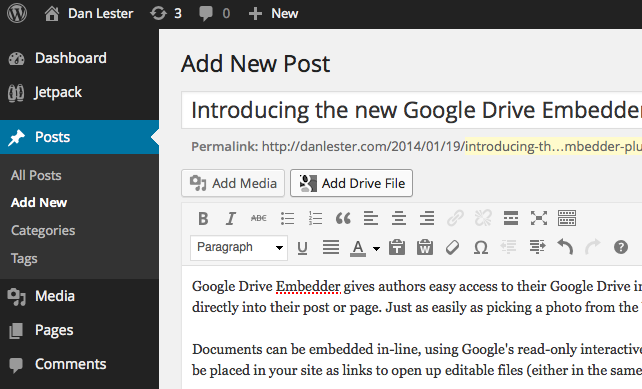
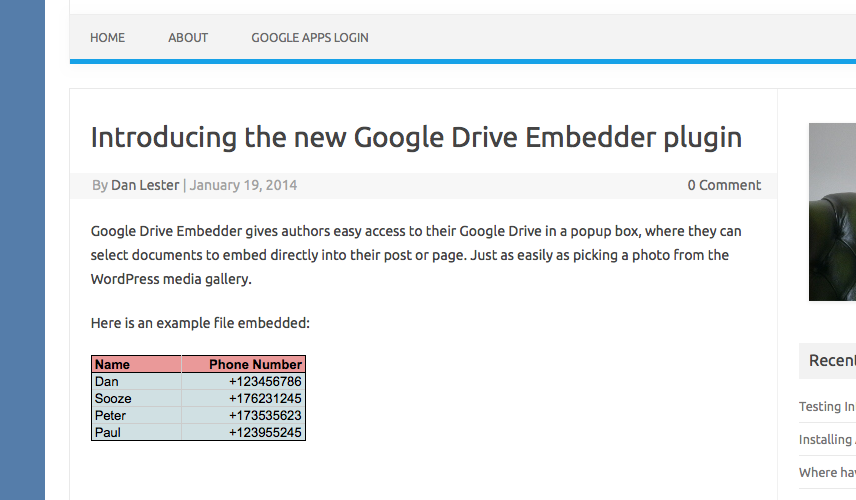
Embedder For Google Drive gives authors easy access to their Google Drive in a popup box, where they can select documents to embed directly into their post or page. Just as easily as picking a photo from the WordPress media gallery.
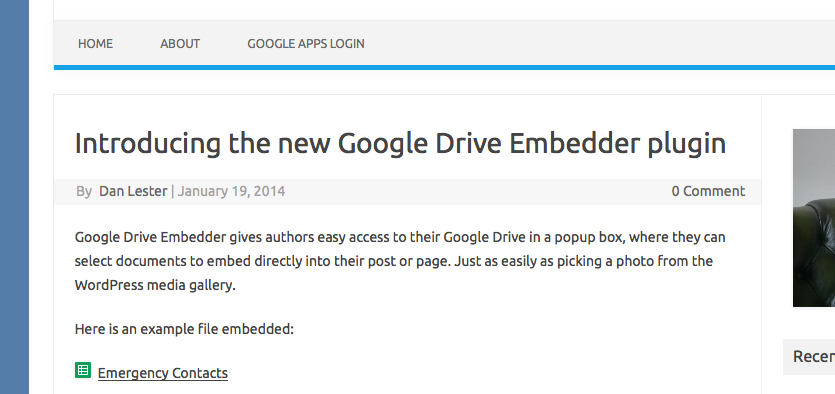
Documents can be embedded in-line, using Google’s read-only interactive viewer for your audience to read them. Documents can also be placed in your site as links to open up editable files (either in the same or a new browser tab), or downloaded straight to the computer.
You will need to set document sharing settings to ensure your website viewers have access to view your documents (e.g. at least ‘anyone with the link can view’ to be visible to all visitors).
This plugin requires that you also install the free (or premium/enterprise) version of the popular Google Apps Login plugin
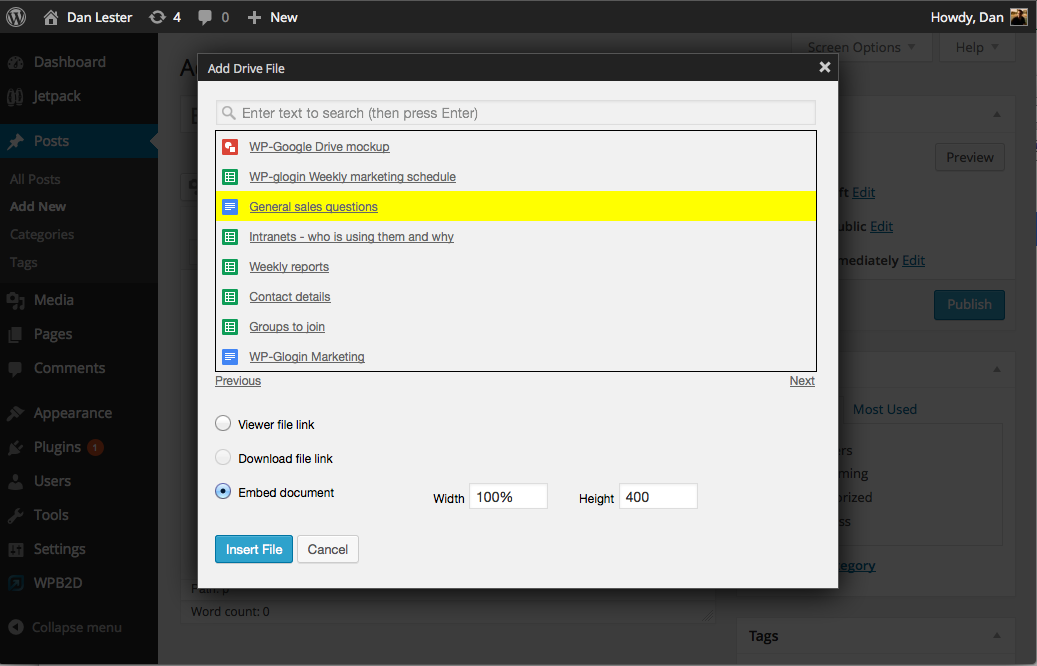
Displays many file types such as PDF, Word DOC, ZIP, Videos, Images etc plus native Google docs (Spreadsheet, Drawing, Forms, etc). Step through a list of your Drive files or search to find the one you’re looking for.
Choose from:
- Viewer file link – full page Google viewer and editor
- Download file link – directly download file to your computer (disabled for native Google doc formats)
- Embed document – display most file types inline in your posts or pages (non-Google file types need sharing settings at least ‘anyone with the link can view’)
Useful for public websites or private intranets (all visitors should be able to view files as long as sharing settings are ‘anyone with the link can view’ or higher in Google Drive).
Works on all WordPress installations including multisite networks.
Please note that to embed folders you will require the Premium or Enterprise version of this plugin.
Paid versions and Support
You can also purchase the premium or enterprise versions of Embedder For Google Drive, including support.
The Premium version contains some important extra features:
- Browse My Drive, Recent Files, Starred, and Shared With Me tabs to locate Drive files the way you’re used to.
- Embed Folders: simply keep your Google Drive folder up-to-date with your files, and your staff or website visitors will always be able to view a list of the latest documents.
- Google Calendars: pick from your Google Calendars and provide download links to ICAL or XML, or embed them directly in your site.
- Support and updates for one year.
Premium – See details and purchase
The Enterprise version integrates Google Drive much more closely with your WordPress intranet, essentially allowing each
page or post on your intranet to host its own file attachments, completely backed by Drive.
This means you no longer need to manage Drive and your Intranet as two completely separate document sharing systems!
It also introduces advanced interactive embedded folders, where users can preview files and drill-down into subfolders all without
leaving your site.
It also contains all the features of the basic and premium versions, plus support for Team Drives (Shared Drives).
Requisitos
Google Drive document embedding and one-click login will work for the following domains and user accounts:
- G Suite Basic (Google Apps for Work)
- G Suite Business (Google Apps Unlimited for Work)
- G Suite for Education (Google Apps for Education)
- G Suite for Non-profits (Google Apps for Non-profits)
- G Suite for Government (Google Apps for Government)
- Personal gmail.com and googlemail.com emails
Google Apps Login plugin setup requires you to have admin access to any G Suite domain (formerly Google Apps), or a regular Gmail account, to register and
obtain two simple codes from Google.
Google Apps Login
The Google Apps Login plugin (which you must also install)
allows existing WordPress user accounts to log in to the website
using Google to securely authenticate their account. This means that if they are already logged into Gmail for example,
they can simply click their way through the WordPress login screen – no username or password is explicitly required!
Full support and premium features are also available for purchase:
Eliminate the need for G Suite / Google Apps domain admins to separately manage WordPress user accounts, and get peace
of mind that only authorized employees have access to the organizations’s websites and intranet.
Instalação
For the Google Drive plugin to work, you will need also need to install and configure the Google Apps Login plugin (either before or after).
Google Drive plugin:
- Go to your WordPress admin control panel’s plugin page
- Search for “Embedder For Google Drive” or “Embedder for Google Drive”
- Click Install
- Click Activate on the plugin
- If you do not have the correct version of Google Apps Login installed, you will see a warning notice to that effect, in which case you should follow the instructions below
Google Apps Login plugin:
- Go to your WordPress admin control panel’s plugin page
- Search for “Google Apps Login” or “Login for Google Apps”
- Click Install
- Click Activate on the plugin
- Go to ‘Google Apps Login’ under Settings in your WordPress admin area
- Follow the instructions on that page to obtain two codes from Google, and also submit two URLs back to Google
- In the Google Cloud Console, you must also enable the switch for Google Drive API access
If you cannot install from the WordPress plugins directory for any reason, and need to install from ZIP file:
- For Google Drive plugin: Upload
google-drive-embedderdirectory and contents to the/wp-content/plugins/directory, or upload the ZIP file directly in the Plugins section of your WordPress admin - For Google Apps Login plugin: Upload
google-apps-logindirectory and contents to the/wp-content/plugins/directory, or upload the ZIP file directly in the Plugins section of your WordPress admin - Follow the instructions to configure the Google Apps Login plugin post-installation
Log de Changes
5.3.0
- Updated: Compatibility with WordPress 6.8.
- Updated: Compatibility with PHP 8.
- Fixed: A lot of plugin strings were not translatable, now the plugin can be fully translated into any language.
- Fixed: Images from Google Drive can now again be embedded on a page. Don’t forget to set the proper width and height in a shortcode or a block.
- Fixed: A lot of code styles fixes and cleanups.
- Fixed: In certain cases, the plugin was generating a lot of PHP Notices and Deprecation notices on PHP 8.
5.2.6
- Updated: Move to Google Identity Services.
5.2.5
- Fix: PHP Error with Shortcode.
5.2.4
- Change: Update Plugin Name.
- Fix: Sanitize setting inputs.
5.2.3
- Added compatibility for WordPress 5.6.
5.2.2
- Updated Team Drive to Shared Drive in compliance of Google Drive updates.
- Added compatibility for WordPress 5.4.1.
Capturas de tela
Para desenvolvedores
Este é o seu plugin? Mostre os números.
Adicione um crachá ao vivo ao seu site, Documentos ou Readme do GitHub. Ele é atualizado por conta própria - nenhuma conta necessária.
Best Embed Files from Google Drive alternatives
All document plugins →


FAQ
Embed Files from Google Drive: quick answers
Respostas diretas, extraídas de dados ao vivo WordPress.org.
Fonte: WordPress.org
Is Embed Files from Google Drive free?
Yes. Embed Files from Google Drive is free to download and use from the official WordPress.org plugin directory.
Is Embed Files from Google Drive safe to use in 2026?
Embed Files from Google Drive works, but test it on a staging site before relying on it in 2026. It runs on 4K+ sites, is rated 4/5 and was last updated 2 years ago, and scores 50/100 on our health check.
How many websites use Embed Files from Google Drive?
Embed Files from Google Drive is active on 4K+ WordPress websites and has been downloaded 322,857 times since it launched in January 2014. It was downloaded 981 times in the last 30 days.
Does Embed Files from Google Drive work with WordPress 7.1?
Embed Files from Google Drive is officially tested up to WordPress 6.8.13, while the latest release is 7.1.5. It may still work, but try it on a staging site first.
What PHP version does Embed Files from Google Drive need?
Embed Files from Google Drive requires PHP 7.2 or higher. Most hosts run PHP 8.x today, so it works on any modern WordPress hosting.
When was Embed Files from Google Drive last updated?
The latest version, 5.3.0, was released on May 9, 2025 (2 years ago).
Who makes Embed Files from Google Drive?
Embed Files from Google Drive is developed and maintained by Syed Balkhi.
What are the best alternatives to Embed Files from Google Drive?
The most popular alternatives to Embed Files from Google Drive are E2Pdf (10K+ installs), WP Calameo (3K+ installs) and Easy Document Embedder (400+ installs).
Alimentado por PageForge
Um modelo e uma planilha. Uma página real para cada pesquisa.
PageForge Transforma cada linha de um CSV em uma página WordPress com seu próprio título, URL, SEO campos e esquema, construído no layout que você já desenhou. Gratuito em WordPress.org.
- CSV e XLSX, mais Google Sheets em Profissional e Empresarial
- Seu próprio título, URL, SEO campos e esquema para cada página
- Funciona com o editor de blocos, Elementor, Divi e Avada
- Gratuito em WordPress.org, sem cartão de crédito