


Gleap for WordPress & WooCommerce
AI support chat, help center, bug reports and surveys. For WooCommerce: order lookups, returns your team approves and synced customers.

Escolha segura
Yes — Gleap for WordPress & WooCommer… is a safe, well-maintained plugin to use in 2026. It runs on 300+ sites, is rated 5/5 and was last updated 1 month ago, and scores 81/100 on our health check.
- Desenvolvido ativamente — última atualização 1 mês atrás
- Testado com as últimas WordPress (7.1)
- Momentum — downloads up 18% vs the previous 30 days
- Base de usuários pequenas (mais de 300 instalações ativas)
Como ele se acumula?
Lado a lado em instalações, atualizações, avaliações e suporte



Downloads diários
Os picos de download geralmente seguem uma nova versão — cada site que atualiza automaticamente é um download.
Rankings
Where Gleap for WordPress & WooCo… stands todayWordPress.org Classificações de pesquisa
Posição ao vivo na pesquisa de plugins, top 100| Palavra chave | Posição |
|---|---|
| AI Chatbot | >100 |
| customer support | >100 |
| help desk | #14 |
| live chat | >100 |
| WooCommerce | >100 |
Adoção da versão
Compartilhamento de sites ativos por lançamento.
Divisão de classificação
★★★★★ ★★★★★ 5 de 8 comentários
About Gleap for WordPress & WooCommerce
From the official readme · v14.0.1Descrição
Gleap brings customer support to your WordPress site: a chat widget with Kai, Gleap’s AI support agent, a help center, bug reports with screenshots and replays, feature requests and surveys. All conversations land in one shared inbox for your team.
Install the plugin, click Connect to Gleap, pick your project — done. No keys to copy.
For every WordPress site
- Live chat and AI agent: Kai answers from your help center and hands over to your team when needed.
- Help center: articles your visitors and Kai can search.
- Bug reports: screenshots, a replay of the last seconds, console and network logs.
- Surveys, feature requests and news right inside the widget.
- Secure identification: logged-in users are signed in to the chat with a signed identity, so they see their past conversations and your team knows who they are.
- Show the widget on the frontend and/or in WP Admin, optionally only for selected user roles. WPML language detection.
For WooCommerce stores
- Order lookups: Kai answers “Where is my order?” with live order data.
- Returns with team approval: Kai can start a return; your team approves it in Gleap.
- Product recommendations and discount codes: each Kai capability is a switch on the plugin page.
- Contact sync: registered customers (name, email, phone, order count, total spent, last order) are kept up to date in Gleap.
- Secure identify: logged-in customers are recognised in the chat with their WooCommerce account.
- Compatible with High-Performance Order Storage (HPOS) and the cart & checkout blocks.
Serviços externos
This plugin connects to Gleap (https://www.gleap.ai), a customer support platform.
- Gleap widget — sdk.gleap.io (both regions; there is no regional widget host): on every page where the widget is enabled, the script
https://sdk.gleap.io/latest/index.jsis loaded in the visitor’s browser. It sends the visitor’s messages, feedback and bug reports, and (for logged-in users) their name, email and phone with a signed identity, to Gleap’s API. - Connect — app.gleap.ai: when an administrator clicks “Connect to Gleap”, the browser opens the Gleap dashboard with this site’s URL, name and whether WooCommerce is active.
- Gleap API — dashapi.eu.gleap.ai (EU) or dashapi.us.gleap.ai (US): after connecting, the plugin calls the API from your server to finish the connection (sending a one-time code, site URL, WordPress/WooCommerce/plugin versions and, with WooCommerce, the REST API key it created for Gleap), to sync customer contacts (see “What data is sent to Gleap?”), to load the connection status and Kai settings on the plugin page, and to disconnect.
- Event API — api.eu.gleap.ai (EU) or api.us.gleap.ai (US): only if you call
do_action( 'gleap_send_custom_event', ... )from your own code.
Gleap terms of service: https://www.gleap.ai/legal/terms-of-service
Gleap privacy policy: https://www.gleap.ai/legal/privacy-policy
Instalação
- Install and activate “Gleap for WordPress & WooCommerce” from Plugins → Add New.
- Open Settings → Gleap in the WordPress admin and click Connect to Gleap.
- Sign in to Gleap (or create a free account), pick or create a project and confirm. You are sent back to WordPress — the chat is live.
If WooCommerce is active, the same click connects your store: the plugin creates a WooCommerce REST API key for Gleap and starts syncing your customers.
Prefer copying keys by hand? Open “Advanced / manual setup” on the plugin page and paste the SDK key and identity verification secret from your Gleap project settings.
Log de Changes
The Gleap settings page is back under Settings → Gleap.
14.0.1
- Improved: The Gleap settings page is back under Settings → Gleap instead of its own top-level menu item.
14.0.0
- New: “Connect to Gleap” — one click links your site to a Gleap project. No more copying keys.
- New: WooCommerce integration in the same plugin — Kai looks up orders, recommends products, starts returns your team approves and shares discount codes (each a switch).
- New: Contact sync for registered WooCommerce customers (Action Scheduler, retries with backoff) and a one-time import after connecting.
- New: Logged-in WooCommerce customers are identified securely in the chat.
- New: Settings page under Gleap in the WordPress menu with connection status, “Open Gleap inbox”, Reconnect and Disconnect. Old settings are migrated automatically.
- New: US data region support for the widget.
- Improved: HPOS and cart & checkout blocks compatibility declared.
- Improved: Removed the Carbon Fields dependency; the plugin no longer ships third-party libraries.
- Security: user data in the widget snippet is now JSON-encoded (fixes a possible script injection through user logins); logins starting with the reserved “woo-” or “shopify-” prefixes are never signed.
- License changed to GPLv2 or later.
- Tested with WordPress 7.1 and WooCommerce 11.2.
13.0.10
- Stability improvements.
13.0.8
- Added feature to restrict Gleap widget visibility by user role and for frontend/backend separately.
13.0.7
- Updated plugin dependencies for compatibility with latest PHP versions.
13.0.6
- Added option “Activate Gleap widget in Frontend”.
Capturas de tela

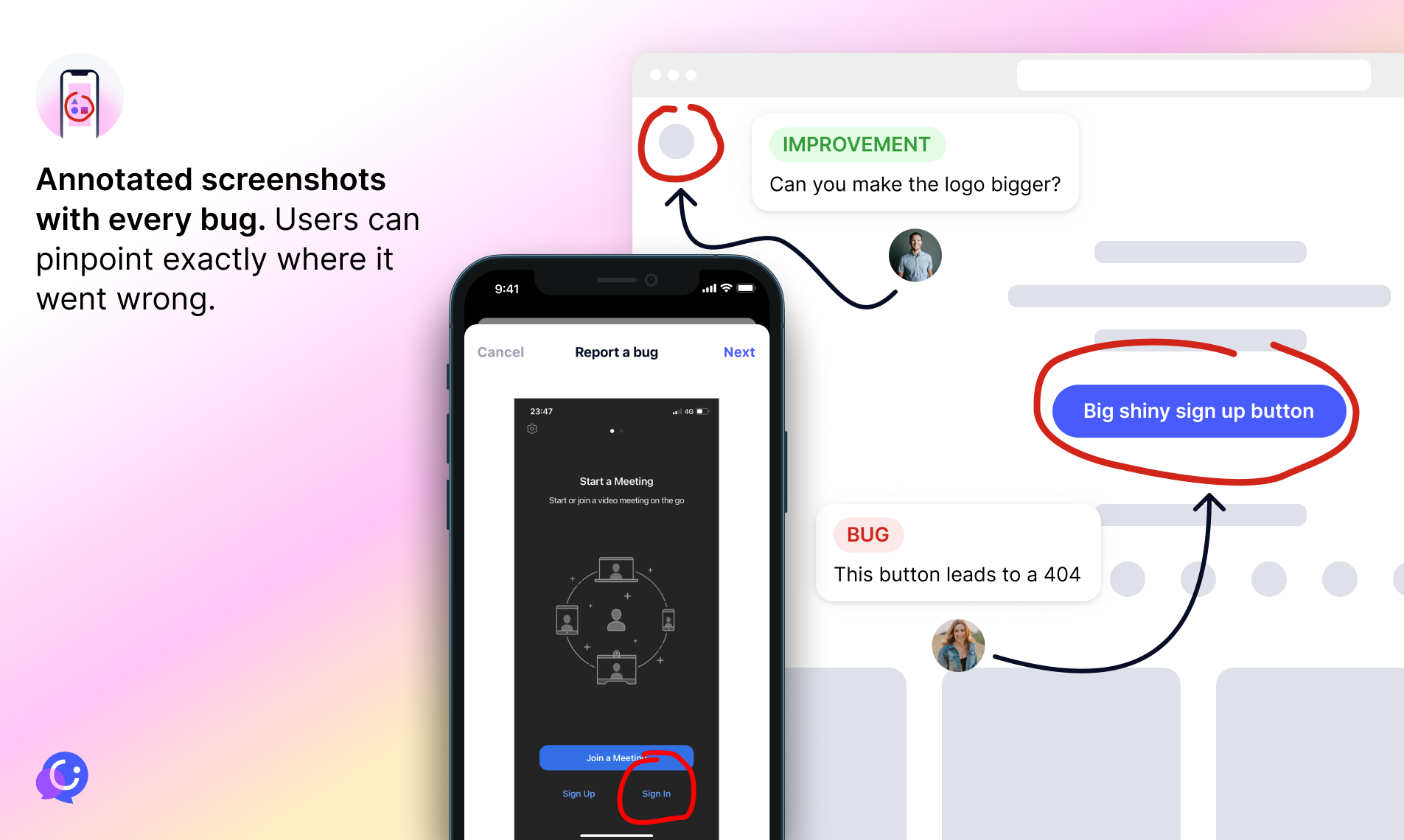


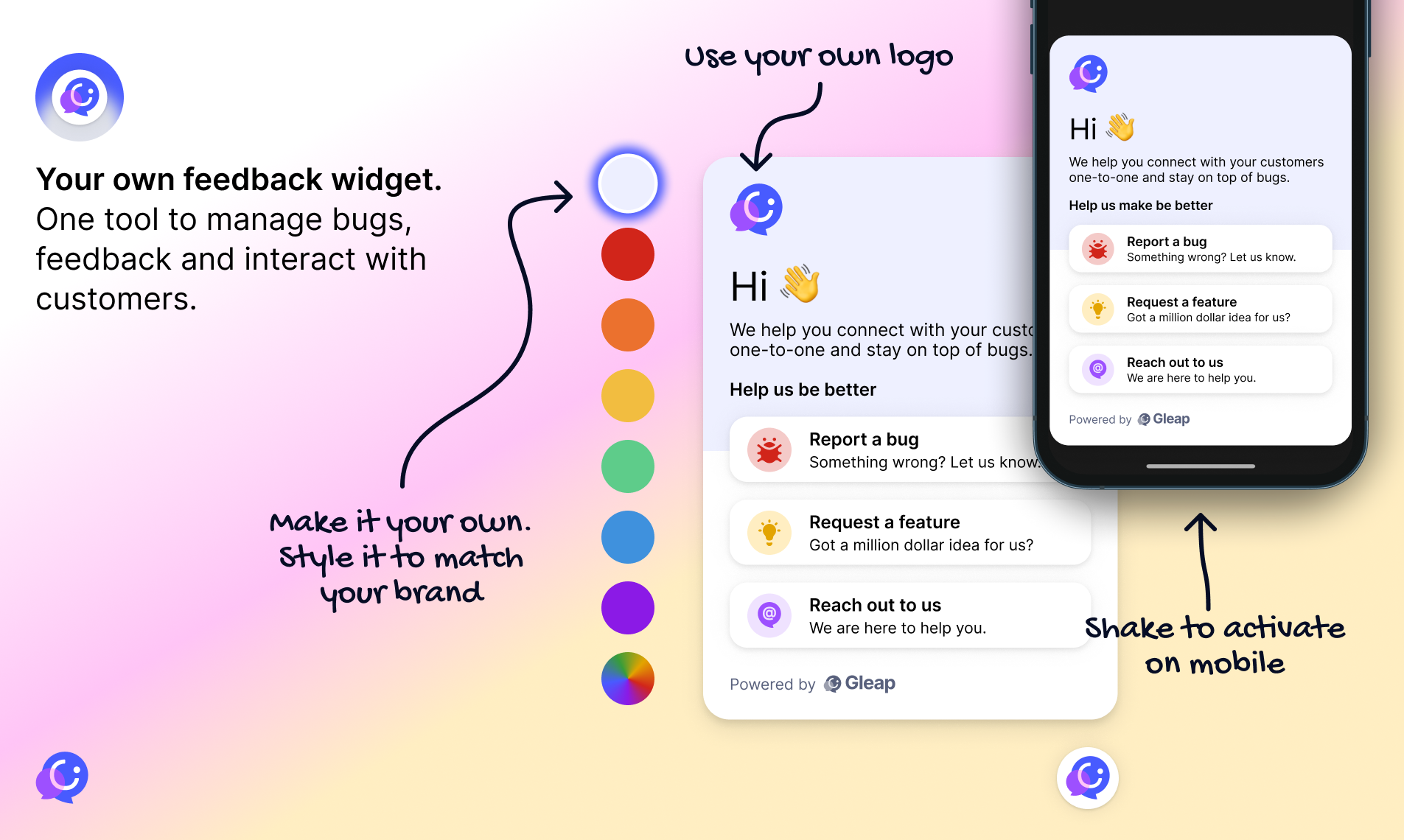

Para desenvolvedores
Este é o seu plugin? Mostre os números.
Adicione um crachá ao vivo ao seu site, Documentos ou Readme do GitHub. Ele é atualizado por conta própria - nenhuma conta necessária.
Best Gleap for WordPress & WooComm… alternatives
All AI Chatbot plugins →





FAQ
Gleap for WordPress & WooCommerce: quick answers
Respostas diretas, extraídas de dados ao vivo WordPress.org.
Fonte: WordPress.org
Is Gleap for WordPress & WooCommer… free?
Yes. Gleap for WordPress & WooCommer… is free to download and use from the official WordPress.org plugin directory.
Is Gleap for WordPress & WooCommer… safe to use in 2026?
Yes — Gleap for WordPress & WooCommer… is a safe, well-maintained plugin to use in 2026. It runs on 300+ sites, is rated 5/5 and was last updated 1 month ago, and scores 81/100 on our health check.
How many websites use Gleap for WordPress & WooCommer…?
Gleap for WordPress & WooCommer… is active on 300+ WordPress websites and has been downloaded 12,265 times since it launched in October 2021. It was downloaded 709 times in the last 30 days.
Does Gleap for WordPress & WooCommer… work with WordPress 7.1?
Yes. The developer has tested Gleap for WordPress & WooCommer… up to WordPress 7.1.5, the latest release. It requires WordPress 6.4 or newer.
What PHP version does Gleap for WordPress & WooCommer… need?
Gleap for WordPress & WooCommer… requires PHP 7.4 or higher. Most hosts run PHP 8.x today, so it works on any modern WordPress hosting.
When was Gleap for WordPress & WooCommer… last updated?
The latest version, 14.0.1, was released on October 30, 2026 (1 month ago).
Who makes Gleap for WordPress & WooCommer…?
Gleap for WordPress & WooCommer… is developed and maintained by Lukas Böhler.
What are the best alternatives to Gleap for WordPress & WooCommer…?
The most popular alternatives to Gleap for WordPress & WooCommer… are Lead Generation Contact Wid… (10K+ installs), Hyve Lite (7K+ installs) and Geeky Bot (6K+ installs).
Alimentado por PageForge
Um modelo e uma planilha. Uma página real para cada pesquisa.
PageForge Transforma cada linha de um CSV em uma página WordPress com seu próprio título, URL, SEO campos e esquema, construído no layout que você já desenhou. Gratuito em WordPress.org.
- CSV e XLSX, mais Google Sheets em Profissional e Empresarial
- Seu próprio título, URL, SEO campos e esquema para cada página
- Funciona com o editor de blocos, Elementor, Divi e Avada
- Gratuito em WordPress.org, sem cartão de crédito