


FluentPlayer – Video Player With Forms & Lead Capture
Get a video player for WordPress that captures leads and collects emails on play.

Escolha segura
Yes — FluentPlayer is a safe, well-maintained plugin to use in 2026. It runs on 2K+ sites, is rated 4.7/5 and was last updated 2 days ago, and scores 86/100 on our health check.
- Desenvolvido ativamente — última atualização 2 dias atrás
- Testado com as últimas WordPress (7.1)
- Momentum — downloads up 136.8% vs the previous 30 days
Como ele se acumula?
Lado a lado em instalações, atualizações, avaliações e suporte



Downloads diários
Os picos de download geralmente seguem uma nova versão — cada site que atualiza automaticamente é um download.
Rankings
Where FluentPlayer stands todayWordPress.org Classificações de pesquisa
Posição ao vivo na pesquisa de plugins, top 100| Palavra chave | Posição |
|---|---|
| audio | #63 |
| vídeo | #66 |
| video player | #8 |
| vimeo | #52 |
| youtube | >100 |
Adoção da versão
Compartilhamento de sites ativos por lançamento.
Divisão de classificação
★★★★★★★★★★ 4.7 from 14 reviews
About FluentPlayer
From the official readme · v1.4.1Descrição
Video Player For WordPress Built For Playback and Dynamic Interaction
FluentPlayer is a fast, native WordPress video & audio player that does more than embed a file. A viewer can fill out a form or subscribe without leaving the video, because FluentPlayer is built inside the same Fluent ecosystem as Fluent Forms, FluentCRM, and FluentCommunity.
Live Demo | User Guide | Features | Get Support | Official Fluent Community
From a simple self-hosted video to a lesson with a sign-up form or a lead capture overlay, FluentPlayer can meet virtually all your video needs.
Powerful Features Available in the Free Version
- Self-hosted video, YouTube, Vimeo, and audio playback
- Native Fluent Forms layer for in-video forms
- Email capture layer
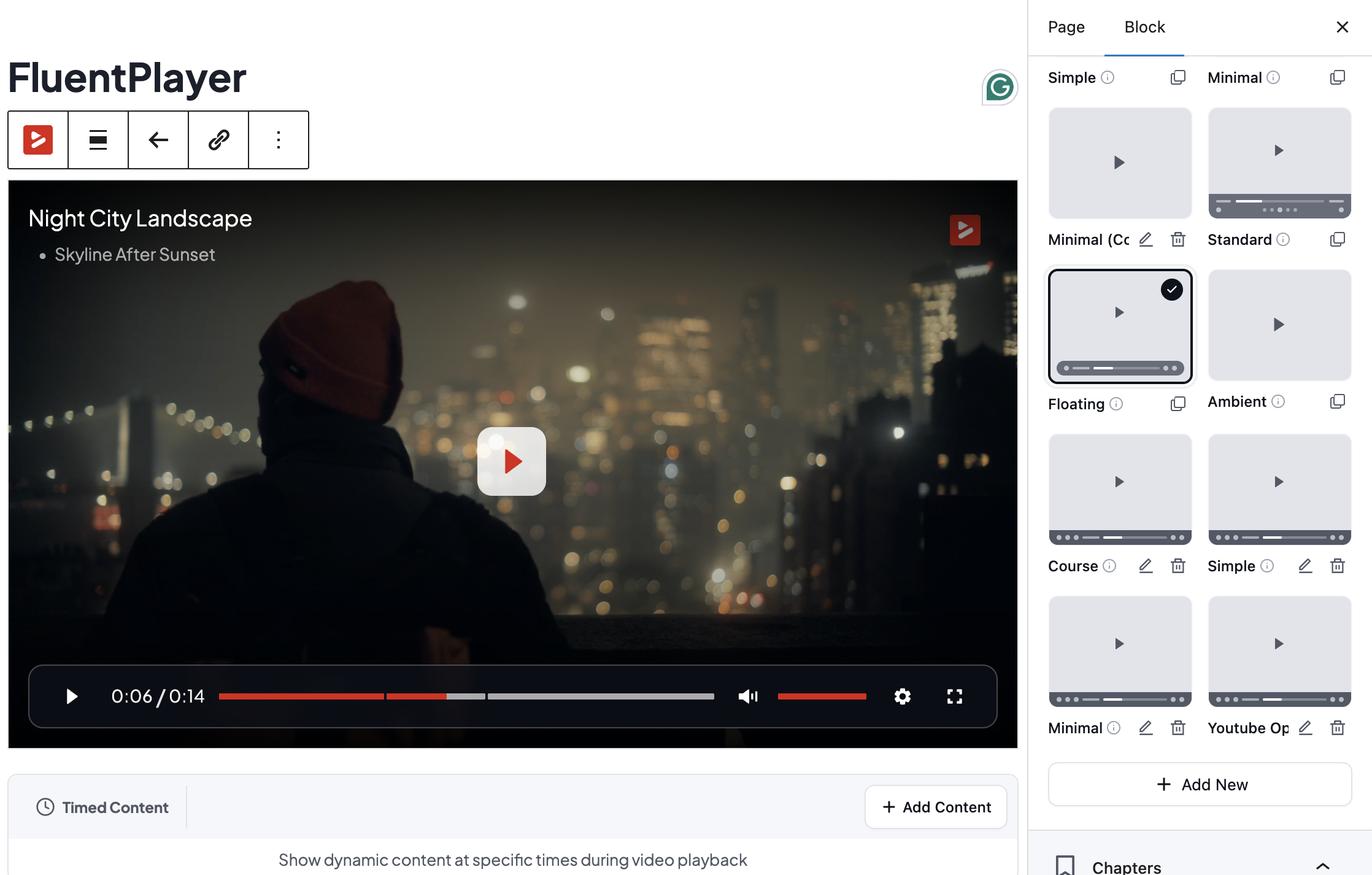
- Player presets: Default, Modern, Simple, Minimal, Standard, Floating
- Picture-in-Picture (HTML5)
- Inline mobile playback
- Autoplay
- Speed control
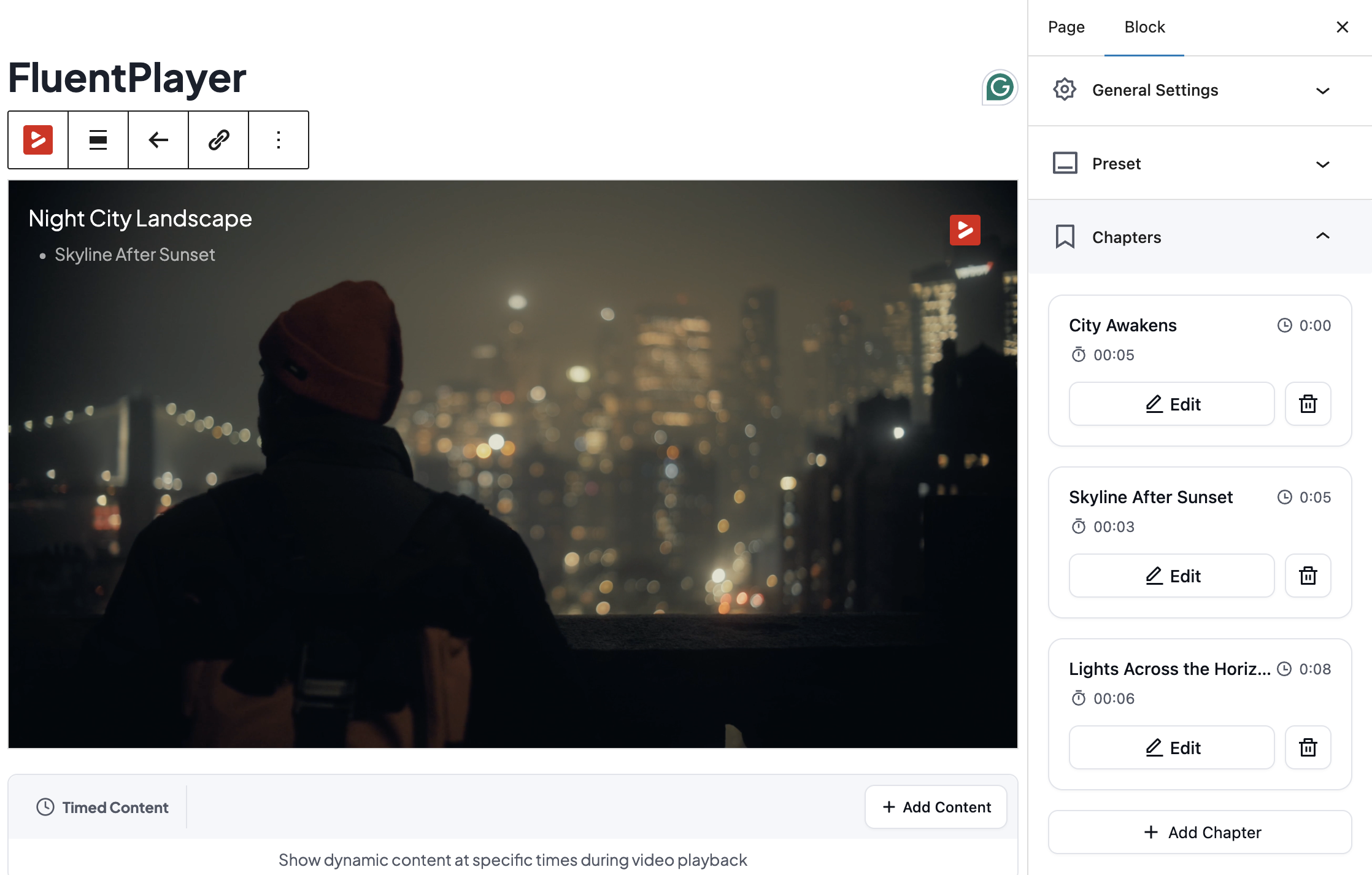
- Video chapters
- Language switching
- Load strategy performance control
- Aspect ratio control
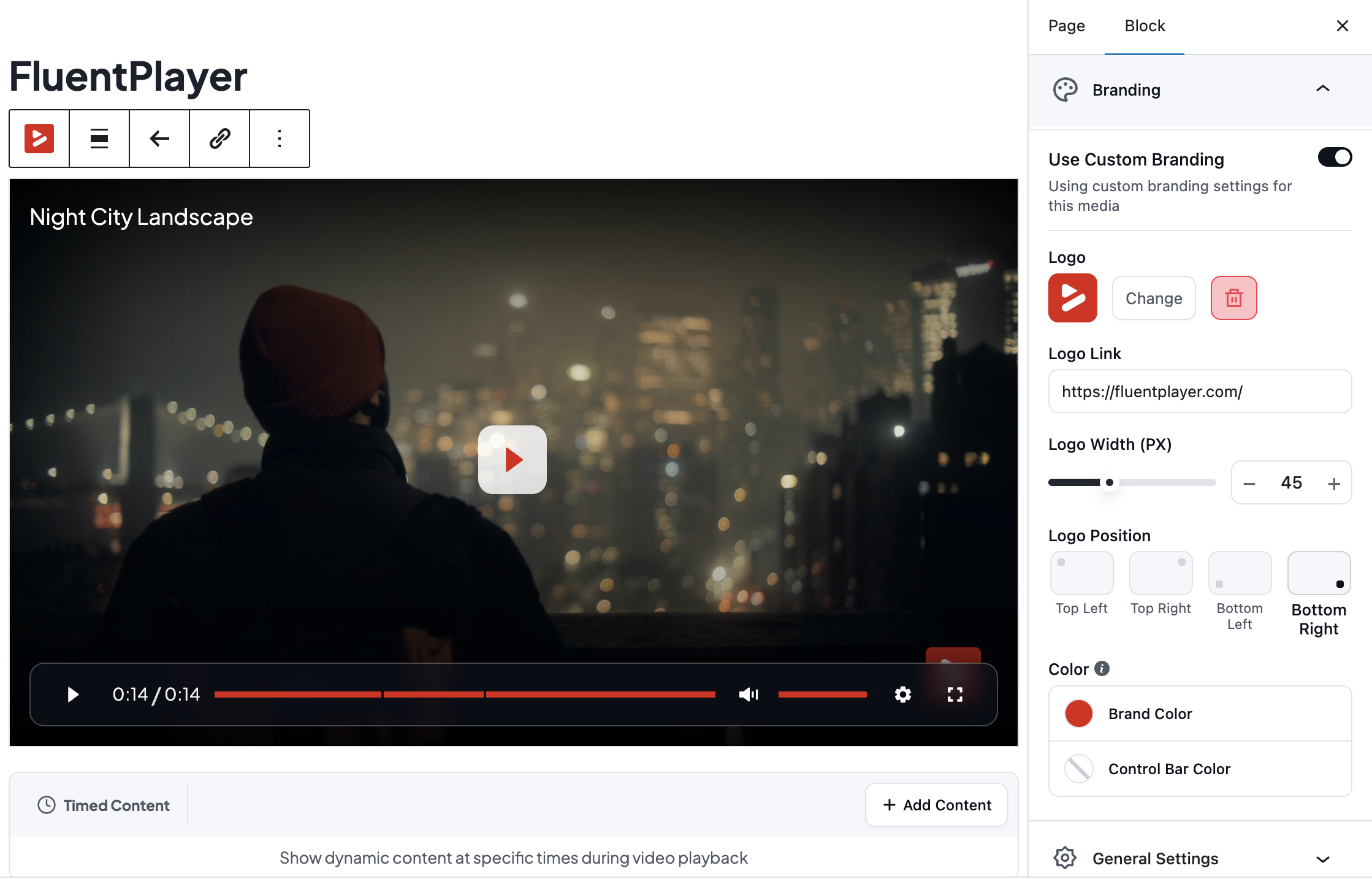
- Custom branding (logo, brand color, control bar color)
- Custom thumbnail image (Poster Image)
- Title overlay
- Shortcodes for classic editor and page builders
- Native Gutenberg block
Features Available in the Pro Version
- Video analytics (views, watch time, completion rate, audience retention, device and location breakdown)
- CTA banners, hotspots, ad layers, and shortcode layers
- Conditional rules for layers
- Timed Content
- Custom Subtitles
- YouTube Subtitle Import
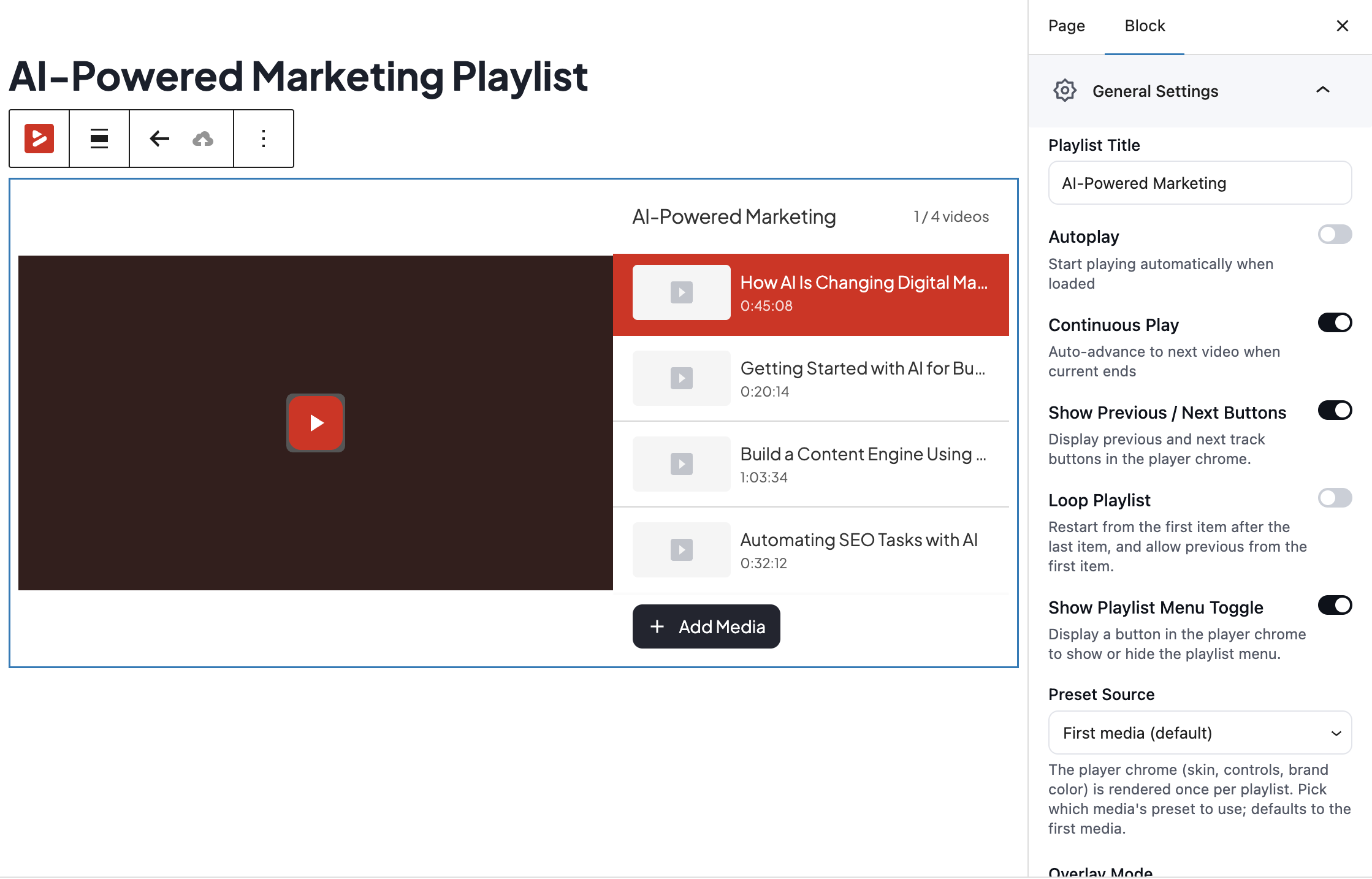
- Video playlists with layout and appearance customization
- Media tagging
- Customizable player presets
- Text and button overlays
- Remember Playback Position
- BunnyCDN Stream, BunnyCDN Storage, Mux, external URLs, and HLS streaming
- AJAX compatibility
Built for Speed
FluentPlayer is optimized to load fast and stay out of the way of your page speed. The Load Strategy setting controls when the player script loads, so a video below the fold does not block your first paint. This matters more than it sounds: a slow-loading video player drags down every page it sits on.
Interactive Layers
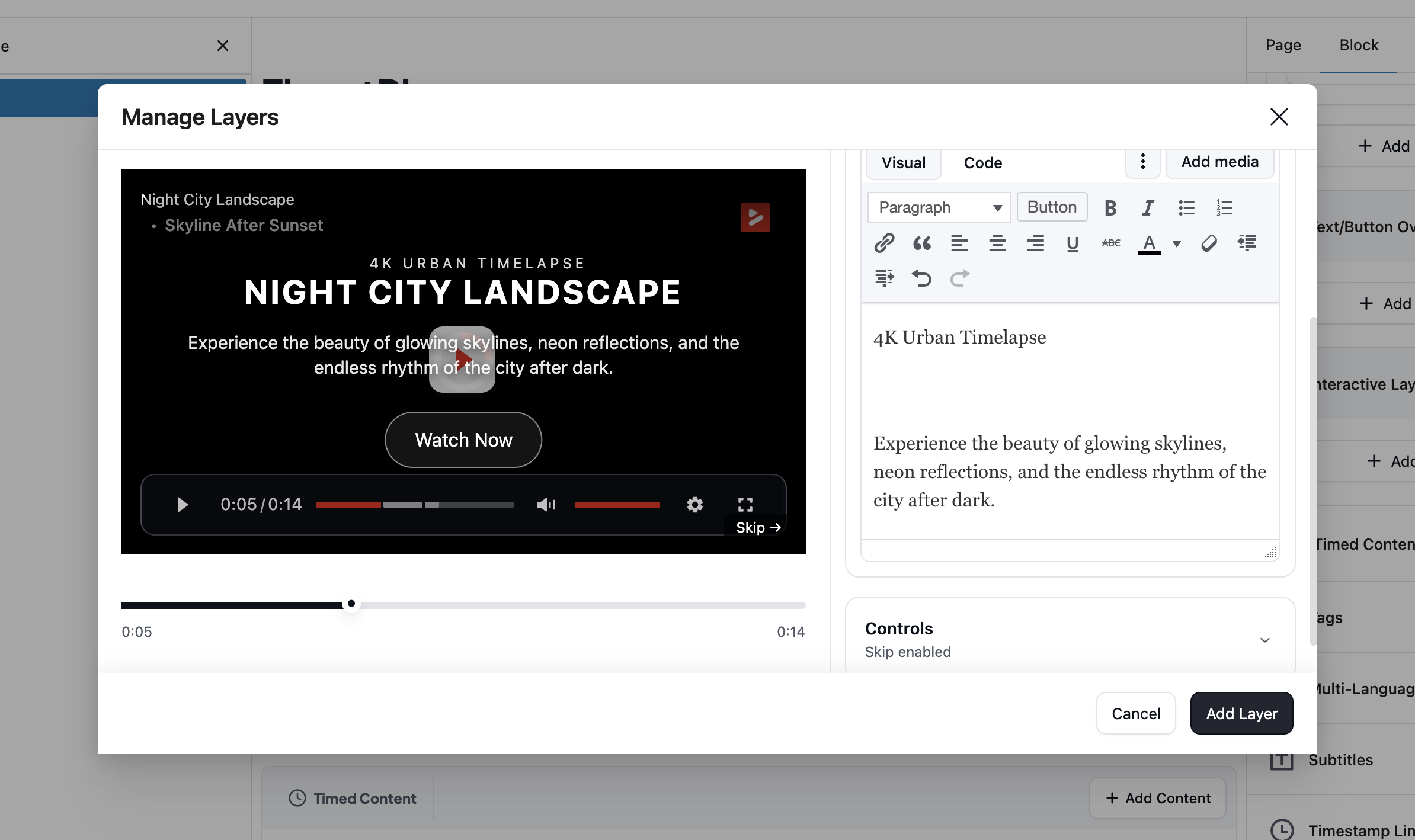
Every interactive element in FluentPlayer is a layer you place at a specific point in the video, not a fixed page element. The free version includes a Fluent Forms layer and an email capture layer. Pro adds CTA banners, hotspots, ad layers, and shortcode layers, each with its own display rules: show a layer once a viewer reaches a timestamp, hide it after a set duration. This keeps every prompt relevant to what is happening on screen instead of interrupting the video at a generic moment.
Native Fluent Forms Layer (Free)
FluentPlayer’s biggest difference from other video players is the form layer. Instead of sending a viewer to a separate page to subscribe, register, or pay, the form appears directly inside the player at a moment you choose.
Because Fluent Forms supports payment fields, the same in-video layer can take a payment. A viewer can buy a course, pay for a webinar seat, or complete a paid registration without ever leaving the video. The submission flows straight into FluentCRM, where it can trigger an automation.
Native FluentCRM Integration (Free)
FluentCRM and FluentPlayer are both built by WPManageNinja, and that shared origin is what makes this integration different from a standard plugin connection. When a viewer fills out a capture form in a video, their details are sent directly to FluentCRM in real time in preferred lists or tags with no third-party bridge, no manual import, and no sync delay.
For businesses running contact management inside WordPress, this keeps the entire pipeline in one place. The video, the capture form, and the CRM all operate from the same core, which means every lead the content generates is immediately available to act on.
Timed Content (Pro)
Timed Content is unique to FluentPlayer. It renders a WordPress block region below the player that changes as the video plays. You set a time range, and the content for that range appears in sync. Any WordPress block works there, including a Fluent Forms form, a button, or a text block timed to a specific moment in the video.
Play Any Video Source
Available in the Free Version
- Self-hosted video from your media library
- Youtube
- Vimeo
- Audio files
Available in the Pro Version
- BunnyCDN Stream
- BunnyCDN Storage
- Mux
- HLS Streaming
Player Presets and Custom Branding
Choose from the built-in presets: Default, Modern, Simple, Minimal, Standard, and Floating. Set your logo, brand color, and control bar color, choose a poster image, and add a title overlay, all in the free version. Pro adds a new Ambient preset, fully customizable presets, text and button overlays, and a Remember Playback Position option that resumes a long video where the viewer left off.
Video Playlists (Pro)
Group videos into a playlist with a standard or grid layout, then style the color, border, typography, and box shadow to match your site. Media tagging keeps a large video library organized as it grows.
Video Analytics (Pro)
See what your viewers actually do, not just that a video played. The Pro analytics dashboard shows views, unique viewers, average watch time, and completion rate per video, plus an audience retention graph that shows the exact second viewers drop off. You also get new versus returning viewers, top videos, top users, device distribution, and location breakdown, all stored in your own WordPress database.
Block Editor and Shortcode Support
Add the FluentPlayer block in the WordPress block editor, pick your source, and publish. No code. For the classic editor and page builders, every player also generates a shortcode.
FluentCommunity Integration (Free)
FluentCommunity is part of the same WPManageNinja product suite as FluentPlayer, so the connection goes deeper than a typical third-party integration. Video embeds natively inside community spaces with full player functionality intact, and members watch content, follow learning paths, and access gated material without ever leaving the community.
For membership businesses and course creators building on WordPress, this means video content and community run as one system instead of two platforms patched together. Members who never get pulled out of the environment are more likely to stay engaged, return, and complete what they started.
Conditional Rules for Layers (Pro)
Show the right layer to the right viewer. Conditional rules let you decide who sees a layer instead of showing the same form or offer to everyone. Each layer has its own Conditions panel where you build rules with a simple Field, Operator, and Value setup, the same logic you know from Fluent Forms. Match any rule or all of them.
You can show or hide a layer based on:
- Whether the viewer is logged in
- Whether the viewer is a FluentCRM contact
- Whether the viewer has a specific FluentCRM tag
- Whether the viewer is in a specific FluentCRM list
- Whether the viewer has already submitted their email
- A URL query parameter, matched by key and value
- Whether a layer has already been seen
- Whether a layer has been completed
A first-time visitor sees the email capture form, while a known FluentCRM contact skips it and gets a course offer instead. A viewer who arrives from a campaign link gets a layer matched to that campaign, and a viewer who already submitted their email never sees the same form twice.
Integrations and Add-ons Available in the Free Version
- Fluent Forms for in-video forms, including registration fields
- FluentCRM to send captured contacts straight into your CRM and trigger automations
- FluentCommunity for course, community and membership videos
Integrations Available in the Pro Version
- Mailchimp
- Webhooks
- Google Analytics
- BunnyCDN
- Mux
Why a Self-Hosted WordPress Video Player?
Hosted video services charge a monthly fee, cap your bandwidth, and keep your viewer data on their platform. FluentPlayer keeps the video, the player, and the interaction on your own domain and in your own database. You own the data, you control the experience, and there is no per-view or per-seat cost.
Check Out the Documentation
FluentPlayer has step-by-step documentation. Some essential pages are listed below:
- Getting Started With FluentPlayer
- Adding a Email Capture Overlay to a Video
- How to add a CTA & Action Bar
- Dispaley & Embed Overview
- How to Customize your Player
Other Plugins by the Fluent Team
- Fluent Forms – Drag & Drop Form Builder for WordPress
- FluentCRM – Email Marketing, Newsletter, and Automation Plugin for WordPress
- FluentCommunity – Full-Fledged Social Network, Community, and LMS
- FluentBooking – The Ultimate WordPress Scheduling Plugin
- FluentBoards – Project and Task Management, Kanban Board, and Team Collaboration
- Suporte Fluente – Plugin de Helpdesk e Suporte ao Cliente
- FluentSMTP – The Most Advanced SMTP, SES Plugin for WordPress
- FluentCart – A New Era of eCommerce With WordPress
- FluentAffiliate – Affiliate Program Management Suite, Affiliates Manager
Development
FluentPlayer Source code, issue tracker, and contributions: https://github.com/WPManageNinja/fluent-player
Instalação
Esta seção descreve como instalar o plugin e fazê-lo funcionar.
- Carregue os arquivos do plugin no diretório
/wp-content/plugins/fluentplayerou instale o plugin por meio da tela de plugins WordPress diretamente. - Ative o plugin através da tela 'Plugins' em WordPress.
- Use the
FluentPlayer->Settingsscreen to configure the plugin. - Add a video using the FluentPlayer block in the block editor, or the shortcode in the classic editor.
Log de Changes
1.4.1 (Date: November 20, 2026)
- Security: Hardened admin and editor REST requests
- Fix: YouTube no longer shows a black screen in Divi or crops in fullscreen on wide screens
- Fix: FluentCRM integration settings show the Save button again
- Fix: A typed media title is kept when a direct or S3 URL has no title of its own
- Fix: The chapters strip no longer forces the player wider than a mobile screen
1.4.0 (Date: August 26, 2026)
- Feature: Vimeo provider — privacy mode, quality and playback-speed menus, and chapters
- Feature: Single Playback settings — starting one player pauses or keep playing every other player on the page (on by default)
- Feature: Deferred third-party embeds — YouTube and Vimeo players do not initialize the provider or send tracking requests until they’re released, via the fluent_player/defer_player filter (for cookie-consent and privacy workflows)
- Feature: Muted Preview autoplay mode — the video autoplays muted loops with no analytics, layers, or resume running
- Improvement: Presto Player migration now maps Muted Autoplay Preview settings
- Improvement: Compatible with WordPress 7.1 — removed the deprecated block-editor control usage that logged warnings on every editor loaded
- Improvement: The block editor and media picker no longer run one database query per private media item
- Improvement: Public media pages can be switched off with the fluent_player/media_pages_enabled filter
- Improvement: Autoplay with sound recovers muted when the browser blocks it, instead of freezing on the first frame
- Security: Tightened permission checks and stripped credentials from block editor and player output
- Fix: Resume position is saved on pause, tab switch, and single-page-app teardown, so progress is no longer lost
- Fix: The same media placed twice on a page now renders two working players instead of one
- Fix: YouTube branding no longer appears over the block editor preview, and portrait Shorts no longer zoom
- Fix: Vimeo qualities the video cannot actually deliver are removed from the menu instead of silently failing
- Fix: FluentCommunity lesson pages regain full player behavior, including analytics
- Fix: Block editor styles are scoped so they no longer leak into core WordPress admin UI
- Fix: The media and playlist list tables keep their pagination controls after choosing a large page size, and remember your page and page size
1.3.1 (Date: July 28, 2026)
- Improvement: Player assets are cache-busted after a plugin update, so browsers load the new version instead of a stale one
- Fix: Playback resumes where you left off for fluent community
- Fix: The Bunny Stream CDN token is forwarded to editor preview segments, so protected media preview correctly in the editor
- Fix: Fluent Player shortcodes now render inside the Breakdance builder canvas
- Fix: YouTube and Vimeo embeds keep their referrer
- Fix: The Divi and Elementor builder media and playlist pickers work again, and wp-admin typography issue in builder canvas
1.3.0 (Date: July 22, 2026)
- Feature: Add any media by pasting a URL — the provider is detected automatically, and same-site upload URLs resolve to their library attachment
- Feature: Configurable media shortcode — playback-override attributes and an optional dynamic source (id is no longer required)
- Feature: Elementor widgets for the player and playlist, with full block-parity player settings
- Feature: Divi 5 Visual Builder modules for the player and playlist
- Feature: Audio playback support for CDN media providers
- Feature: Editors can now author media, layers, and presets (previously admin-only); adjustable via the fluent_player/authoring_capability filter
- Feature: FluentCRM integration — watched milestones and layer interactions are tracked and logged to the contact timeline
- Feature: Private media now play wherever they are embedded (pages, courses) while their standalone page returns 404 and stays out of sitemaps and search — so course videos are never publicly exposed
- Feature: Media created from a FluentCommunity lesson defaults to Private, so it never gets a public standalone page
- Improvement: Unconfigured Pro sources collapse behind a More sources toggle, and disconnected providers link to their setup
- Improvement: YouTube posters are served as WebP for faster loading
- Improvement: The block editor player preview is lazy-loaded
- Improvement: A branded loading backdrop covers the block editor’s white boot phase
- Improvement: Cmd/Ctrl+S saves settings, and a keyboard shortcut creates new media from the admin pages
- Improvement: Locked providers are announced to assistive technology
- Improvement: The block editor media and playlist pickers are now searchable and load results in pages, so libraries beyond the first 20 items are reachable
- Improvement: FluentCRM timeline events and layer pickers now show block-editor labels (form title, provider name), and the media picker lists newest first
- Fix: Chapter files with umlauts and other non-ASCII characters render correctly in the block preview
- Fix: Audio players show all controls without scrolling
- Fix: Per-video audio normalization is saved reliably
- Fix: Overlay layers (forms, CTAs) no longer fail to appear on sites that load animation libraries such as GSAP
- Fix: Editing a media from a page or lesson where it is embedded no longer changes the media’s visibility
- Fix: The Modern preset’s mobile control bar no longer crowds the seek bar
- Fix: The Elementor and Divi builders no longer show a blank canvas for the timed-content and playlist blocks
- Fix: Portrait (9:16) YouTube Shorts fill the frame instead of being letterboxed
- Fix: Page-builder panel colors apply on the front end, and the Divi media module is selectable in the builder
1.2.0 (Date: July 8, 2026)
- Improvement: Resume playback can now be set per video, overriding the preset
- Fix: The frontend language switcher button is now clickable
- Fix: The selected hotspot icon stays visible in the picker preview
- Fix: The admin top-nav dropdown is no longer hidden behind the WordPress admin bar
- Fix: The media-select search icon no longer overlaps the input text
1.1.0 (Date: July 6, 2026)
- Feature: Use a FluentPlayer video as a FluentCommunity lesson’s feature media
- Improvement: The YouTube paused cover button now uses your brand color and hides YouTube’s default play button
- Improvement: Refined the player vignette overlay
- Improvement: Hide in-video form layers when a video plays inside a FluentCommunity lesson
- Fix: Players now re-initialize correctly when switching lessons in FluentCommunity
- Fix: The loading overlay no longer blocks clicks before the player is ready
- Fix: YouTube subscribe button styling now survives aggressive theme CSS
Capturas de tela




Para desenvolvedores
Este é o seu plugin? Mostre os números.
Adicione um crachá ao vivo ao seu site, Documentos ou Readme do GitHub. Ele é atualizado por conta própria - nenhuma conta necessária.
Best FluentPlayer alternatives
All audio plugins →





FAQ
FluentPlayer: quick answers
Respostas diretas, extraídas de dados ao vivo WordPress.org.
Fonte: WordPress.org
Is FluentPlayer free?
Yes. FluentPlayer is free to download and use from the official WordPress.org plugin directory.
Is FluentPlayer safe to use in 2026?
Yes — FluentPlayer is a safe, well-maintained plugin to use in 2026. It runs on 2K+ sites, is rated 4.7/5 and was last updated 2 days ago, and scores 86/100 on our health check.
How many websites use FluentPlayer?
FluentPlayer is active on 2K+ WordPress websites and has been downloaded 14,853 times since it launched in June 2026. It was downloaded 3,166 times in the last 30 days.
Does FluentPlayer work with WordPress 7.1?
Yes. The developer has tested FluentPlayer up to WordPress 7.1.5, the latest release. It requires WordPress 6.4 or newer.
What PHP version does FluentPlayer need?
FluentPlayer requires PHP 7.4 or higher. Most hosts run PHP 8.x today, so it works on any modern WordPress hosting.
When was FluentPlayer last updated?
The latest version, 1.4.1, was released on November 20, 2026 (2 days ago).
Who makes FluentPlayer?
FluentPlayer is developed and maintained by WPManageNinja.
What are the best alternatives to FluentPlayer?
The most popular alternatives to FluentPlayer are Presto Player (100K+ installs), Seriously Simple Podcasting (20K+ installs) and Compact WP Audio Player (20K+ installs).
Alimentado por PageForge
Um modelo e uma planilha. Uma página real para cada pesquisa.
PageForge Transforma cada linha de um CSV em uma página WordPress com seu próprio título, URL, SEO campos e esquema, construído no layout que você já desenhou. Gratuito em WordPress.org.
- CSV e XLSX, mais Google Sheets em Profissional e Empresarial
- Seu próprio título, URL, SEO campos e esquema para cada página
- Funciona com o editor de blocos, Elementor, Divi e Avada
- Gratuito em WordPress.org, sem cartão de crédito