


WP CTA – Call Now Button, Sticky Button & Call to Action Builder
WordPress Call To Action builder that creates sticky buttons, call now buttons and CTAs to boost clicks, increase sales and generate leads.

Escolha sólida
WP CTA is a solid plugin choice in 2026, with a few things worth checking first. It runs on 2K+ sites, is rated 4.4/5 and was last updated 1 week ago, and scores 69/100 on our health check.
- Desenvolvido ativamente — última atualização 1 semana atrás
- Momentum — downloads de 184,2% em relação aos 30 dias anteriores
- Testado apenas até WordPress 6.9 (mais recente é 7.1)
Como ele se acumula?
Lado a lado em instalações, atualizações, avaliações e suporte



Downloads diários
Os picos de download geralmente seguem uma nova versão — cada site que atualiza automaticamente é um download.
Rankings
Where WP CTA stands todayWordPress.org Classificações de pesquisa
Posição ao vivo na pesquisa de plugins, top 100| Palavra chave | Posição |
|---|---|
| call button | #14 |
| call now button | #5 |
| call to action | #8 |
| cta | #5 |
| sticky button | #6 |
Adoção da versão
Compartilhamento de sites ativos por lançamento.
Divisão de classificação
★★★★★★★★★★ 4.4 from 7 reviews
About WP CTA
From the official readme · v2.3.1Descrição
WP CTA is a powerful and easy-to-use WordPress plugin designed to help you create high-converting call-to-action elements that drive clicks, calls, and leads.
With WP CTA, you can quickly add sticky CTAs and call buttons to your website, ensuring your most important offers stay visible and accessible at all times. Whether you want to increase phone calls, capture leads, or promote a special offer, WP CTA makes it simple.
The free version includes a Sticky CTA and a Tab CTA (call button / click-to-call) to give you an instant way to boost engagement. Upgrade to Pro to unlock advanced CTA types, targeting, and conversion-focused features.
Key Features
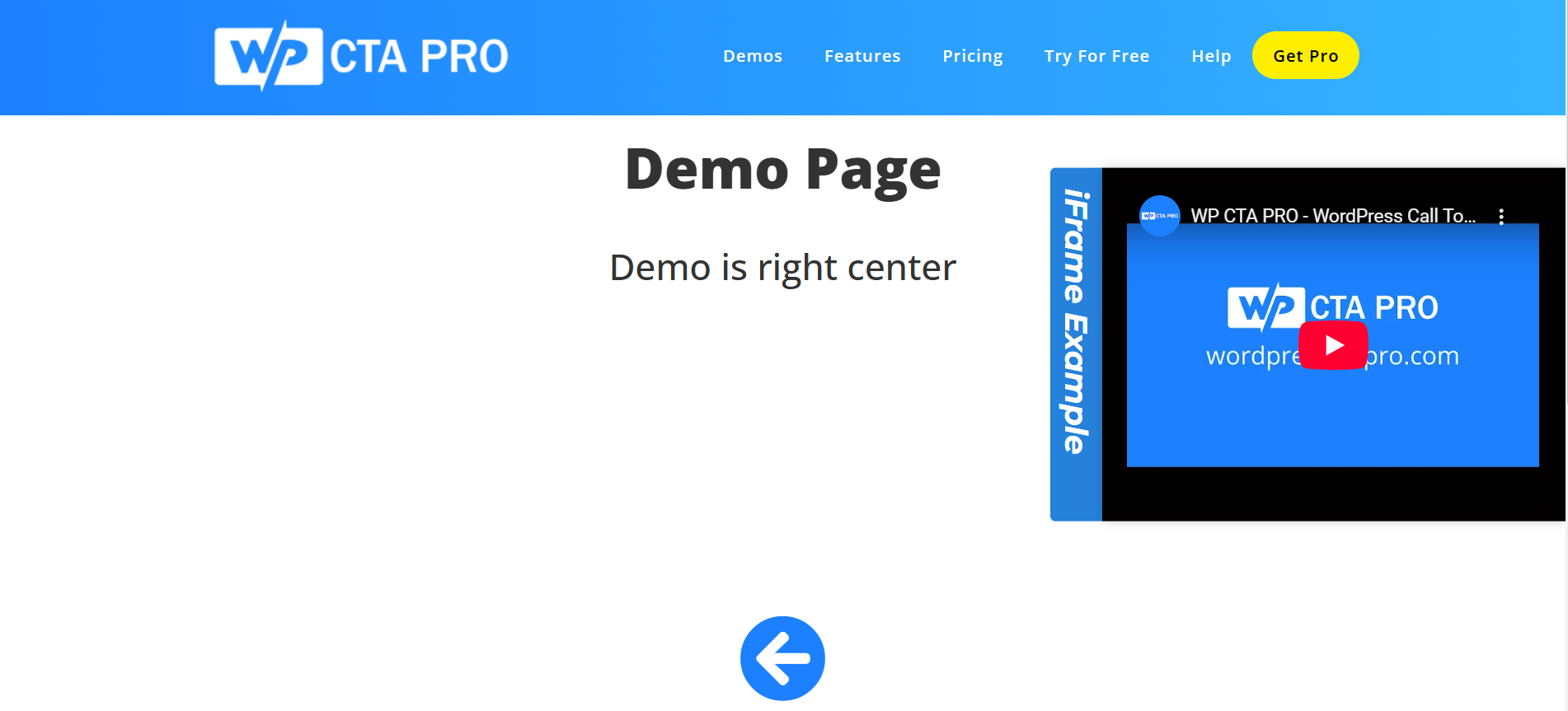
- Sticky CTA (Free): Keep your call-to-action visible as users scroll your site
- Tab CTA (Call Button): Add a click-to-call style tab that expands on interaction
- Smart Display Controls: Show CTAs based on timing, scroll behavior, and user interaction
- Easy Customization: Customize colors, text, positioning, and content
- Responsive Design: Works perfectly on desktop and mobile devices
- Page Targeting: Display CTAs on specific pages or site-wide
- Development Mode: Test your CTAs before going live
- No Coding Required: Simple and user-friendly interface for fast setup
Perfect For
- E-commerce websites
- Lead generation campaigns
- Affiliate marketing
- Content promotion
- Newsletter signups
- Service-based businesses (call buttons)
- Special offers and discounts
Templates Included
Free Version
- Sticky CTA: Persistent sidebar or floating CTA
- Tab CTA (Call Button): Click-to-expand call or contact button
Pro Version
- Floating Buttons: Call now, contact, or custom actions
- Banner / Announcement Bar: Top or bottom promotional bars
- HTML & Shortcode CTAs: Fully customizable CTA blocks
- GDPR Bar: Consent and compliance notifications
Easy Setup
- Install and activate the plugin
- Create your first CTA
- Choose a CTA type (sticky or tab)
- Customize design and content
- Set display conditions
- Publish and track results
Pro Version Available
Upgrade to WP CTA Pro for advanced features:
- Unlimited CTAs
- Multiple CTA types (floating, banner, HTML, GDPR, and more)
- Advanced targeting options (time, scroll, behavior-based)
- Entrance animations (slide, fade, and more)
- Click tracking and analytics
- Custom CSS editor
- Suporte prioritário
- And much more
Apoio
For support, please visit our support page or contact us at support@wpctapro.com.
Pro Version
Upgrade to WP CTA Pro for advanced features and priority support.
Instalação
- Carregue os arquivos do plugin no diretório
/wp-content/plugins/easy-sticky-sidebarou instale o plugin por meio da tela de plugins WordPress diretamente. - Ative o plugin através da tela 'Plugins' em WordPress
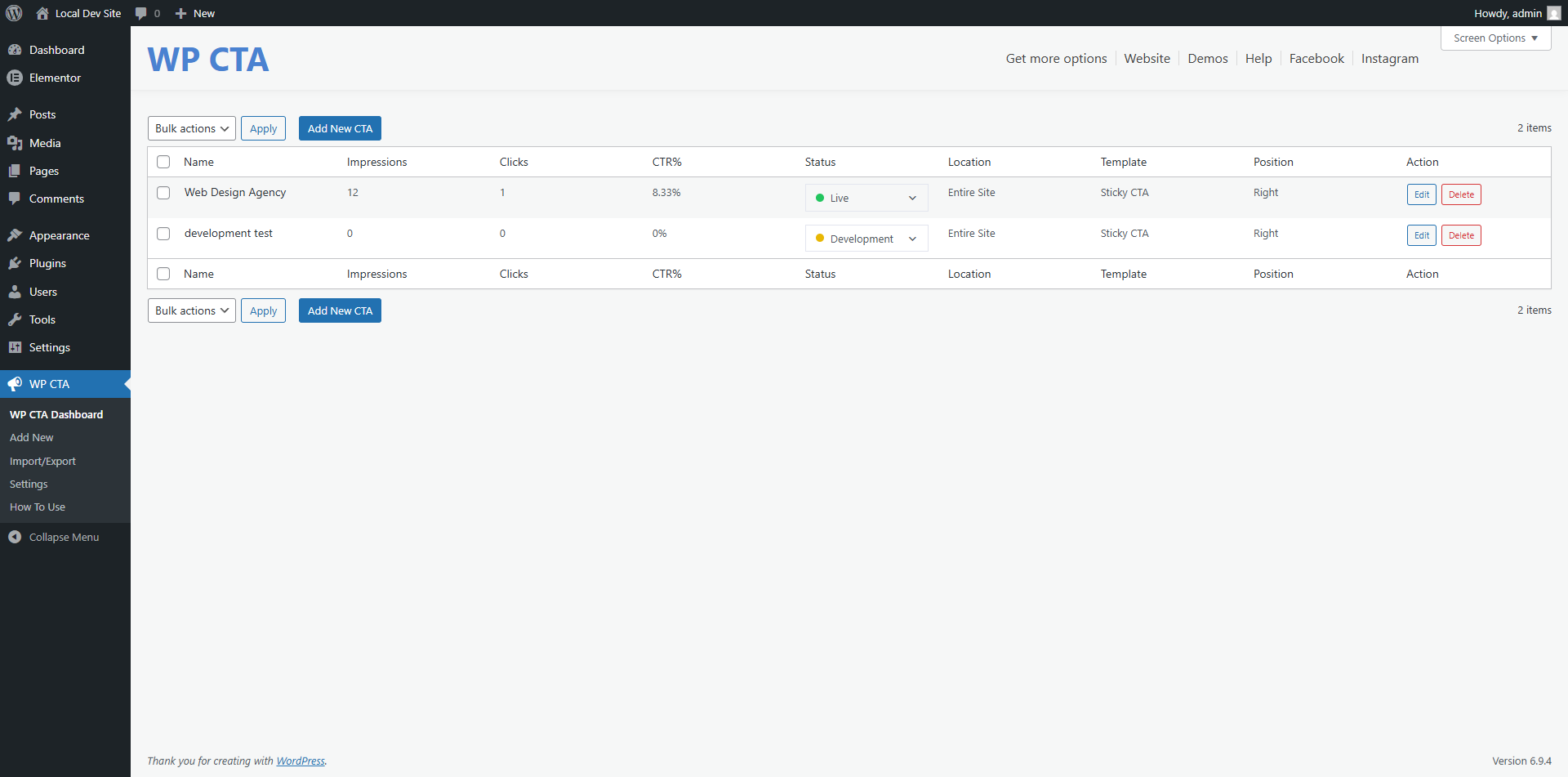
- Use the WP CTA menu to configure the plugin
Log de Changes
Preserves your saved Pro display settings when Pro becomes unavailable. Recommended alongside WP CTA Pro 1.4.2, which fixes license activation timeouts.
2.3.1
- Preserved saved Pro display settings when the Pro plugin is deactivated or its license becomes unavailable.
- Used free display defaults on the frontend while Pro is inactive, without deleting saved Pro configuration.
- Regenerated CTA styles when Pro availability changes.
2.3.0
- Styling customization is now available in the free version.
- Removed the free CTA creation limit so users can create and display more CTAs.
- Added time-based asset versioning for CSS and JavaScript files to make saved changes appear immediately.
- Improved Sticky CTA overlay mode with full-height/full-width tab controls, tab alignment, text orientation, icon size, icon position, and content corner radius options.
- Improved Sticky CTA live preview parity between admin and frontend for classic and overlay layouts.
- Added overlay content and button margin controls with matching backend and frontend preview behavior.
- Improved Tab CTA icon and text spacing, including support for icons before or after text.
- Improved HTML CTA and GDPR compatibility when Pro is active, including cleaner tab settings behavior and preview handling.
- Fixed frontend display so more than three CTAs can render correctly.
- Fixed escaping, validation, and admin preview issues reported by WordPress coding standards.
- Removed unused or confusing settings from specific CTA modes where they did not apply.
2.2.2
- Fixed import failures caused by malformed exported CTA metadata and object-shaped option data.
2.2.1
- Added a one-time admin feature notification
- Admin notice dismissal now persists per user
2.2.0
- Admin styling tab layout improvements
- Pro feature lock UI refinements
- Preview, placement, and template UX updates
2.1.3
- Security hardening and validation fixes
- Admin UX and preview safety improvements
- Code quality and compatibility updates
Capturas de tela




Para desenvolvedores
Este é o seu plugin? Mostre os números.
Adicione um crachá ao vivo ao seu site, Documentos ou Readme do GitHub. Ele é atualizado por conta própria - nenhuma conta necessária.
Best WP CTA alternatives
All call button plugins →




FAQ
WP CTA: quick answers
Respostas diretas, extraídas de dados ao vivo WordPress.org.
Fonte: WordPress.org
Is WP CTA free?
Yes. WP CTA is free to download and use from the official WordPress.org plugin directory.
Is WP CTA safe to use in 2026?
WP CTA is a solid plugin choice in 2026, with a few things worth checking first. It runs on 2K+ sites, is rated 4.4/5 and was last updated 1 week ago, and scores 69/100 on our health check.
How many websites use WP CTA?
WP CTA is active on 2K+ WordPress websites and has been downloaded 96,061 times since it launched in June 2020. It was downloaded 2,291 times in the last 30 days.
Does WP CTA work with WordPress 7.1?
WP CTA is officially tested up to WordPress 6.9.12, while the latest release is 7.1.5. It may still work, but try it on a staging site first.
What PHP version does WP CTA need?
WP CTA requires PHP 7.4 or higher. Most hosts run PHP 8.x today, so it works on any modern WordPress hosting.
When was WP CTA last updated?
The latest version, 2.3.1, was released on November 13, 2026 (1 week ago).
Who makes WP CTA?
WP CTA is developed and maintained by Blend Media.
What are the best alternatives to WP CTA?
The most popular alternatives to WP CTA are Call Now Button (200K+ installs), WP Call Button (40K+ installs) and Really Simple Click To Call… (7K+ installs).
Alimentado por PageForge
Um modelo e uma planilha. Uma página real para cada pesquisa.
PageForge Transforma cada linha de um CSV em uma página WordPress com seu próprio título, URL, SEO campos e esquema, construído no layout que você já desenhou. Gratuito em WordPress.org.
- CSV e XLSX, mais Google Sheets em Profissional e Empresarial
- Seu próprio título, URL, SEO campos e esquema para cada página
- Funciona com o editor de blocos, Elementor, Divi e Avada
- Gratuito em WordPress.org, sem cartão de crédito