


DPPBuilder – Digital Product Passports for WooCommerce
Domain Path: /languages Create Digital Product Passports for WooCommerce with traceability, sustainability data, QR codes, and REST API support.

Considere uma alternativa
DPPBuilder shows warning signs in 2026 — compare the alternatives below before installing. Was last updated 1 year ago, and scores 30/100 on our health check.
- Base de usuários pequenas (<10 instalações ativas)
- Muito poucos comentários até agora
- Nenhuma atualização em mais de um ano
- Testado apenas até WordPress 6.8 (mais recente é 7.1)
Como ele se acumula?
Lado a lado em instalações, atualizações, avaliações e suporte


Downloads diários
Os picos de download geralmente seguem uma nova versão — cada site que atualiza automaticamente é um download.
Rankings
Where DPPBuilder stands todayWordPress.org Classificações de pesquisa
Posição ao vivo na pesquisa de plugins, top 100| Palavra chave | Posição |
|---|---|
| digital product passport | #9 |
| espr | #7 |
| eu regulation compliance | >100 |
| qr code | >100 |
| traceability | #47 |
About DPPBuilder
From the official readme · v1.0.3Descrição
DPPBuilder creates Digital Product Passports for your WooCommerce products, designed to help with EU Digital Product Passport requirements and providing comprehensive product traceability. The JSON output includes Schema.org Product markup and the UN/CEFACT UNTP DPP context to facilitate early interoperability.
This plugin is fully functional and unlimited. No subscriptions, API keys, or external services are required.
Disclaimer: The official EU Digital Product Passport (DPP) regulation and its JSON data format have not been finalized at the time of this plugin’s release. This plugin is intended for early adopters and developers who want to begin practicing and preparing for DPP implementation in WooCommerce. It uses the closest publicly available draft — the UN/CEFACT UN/Transport & Logistics Programme (UNTP) DPP v0.6.1 pre-release — and follows current best practices for early interoperability. Once the official specification is published, DPPBuilder will be updated to reflect it.
Características principais:
- One‑Click Passport Generation – From the WooCommerce product editor, generate a JSON Digital Product Passport on demand
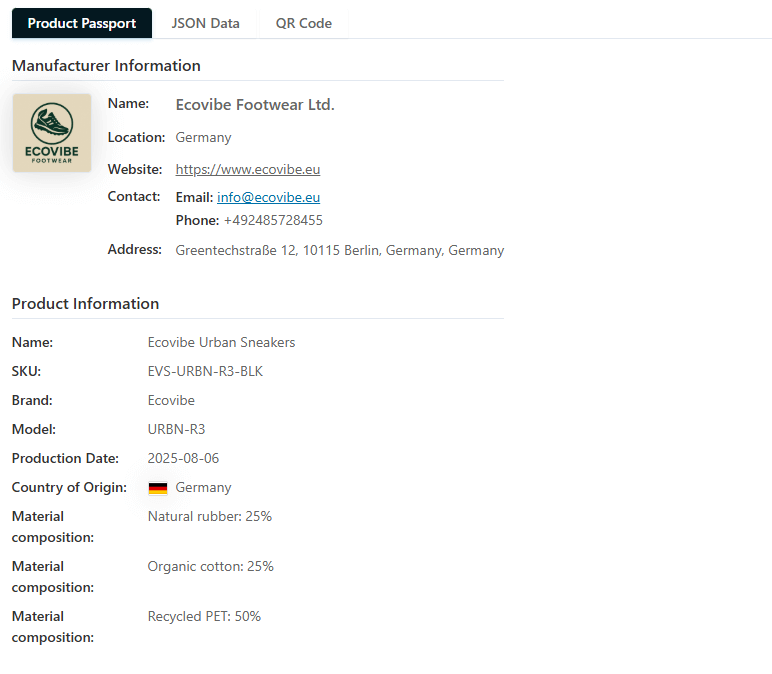
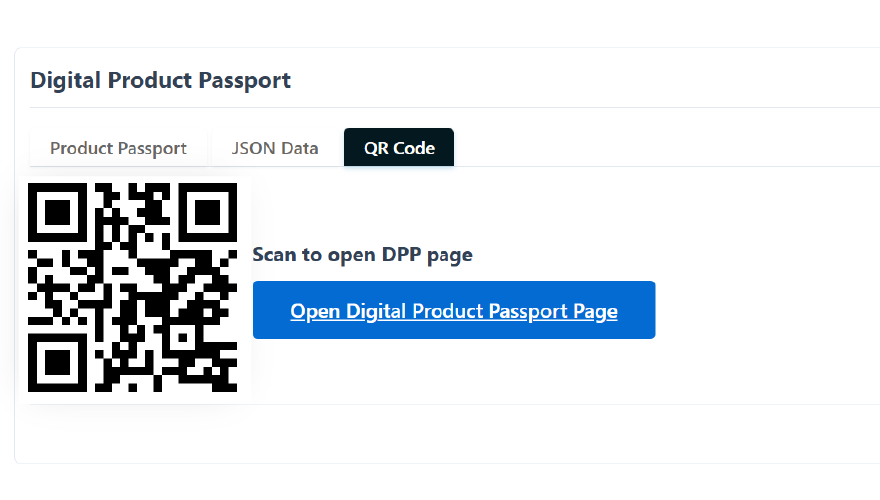
- Human‑Readable Product Page + QR Code – Create a product DPP page and a QR PNG that links to it; add the QR anywhere in your store
- REST API Access – Opt-in public endpoint (disabled by default) to fetch passport data:
/wp-json/dppbuilder/v1/passport/{product_id} - Manufacturers Directory – Add/search manufacturers, set logos and locations, and display country flags; associate with products
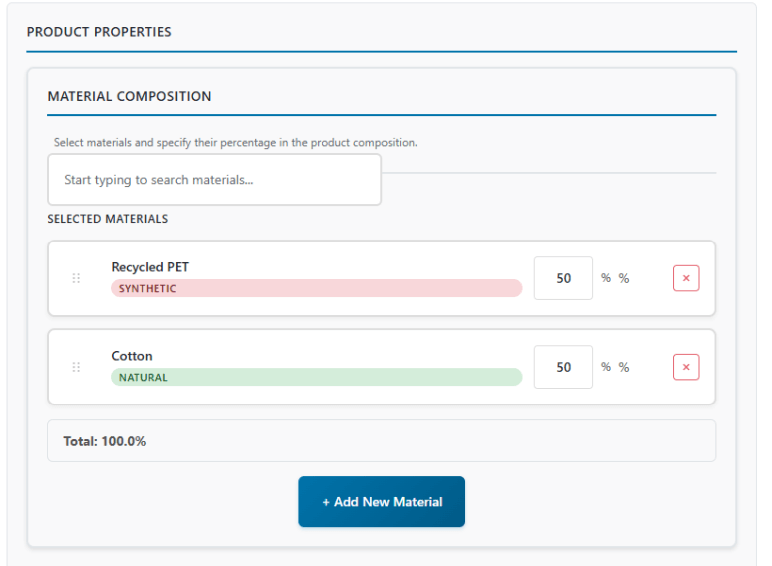
- Materials & Compositions – Create custom materials, search and relate them to products for transparent composition data
- Comprehensive Product Data – Support for GTIN, manufacturing details, batches, origin, warranty and more
- JSON‑LD (Product) Output – Optional schema output to enhance SEO with structured data
- UN/CEFACT UNTP Alignment – Includes UNTP DPP JSON-LD context and
conformsTometadata (v0.6.1 pre-release) for closest-available alignment - No External Services – Works entirely within your site; no accounts, no external APIs required
- WooCommerce Ready – Compatible with modern Woo features (including HPOS)
Perfect for:
* E-commerce businesses needing EU compliance
* Companies wanting to improve product transparency
* Sustainability-focused brands
* Manufacturers requiring detailed product traceability
Uso
Generate a Passport:
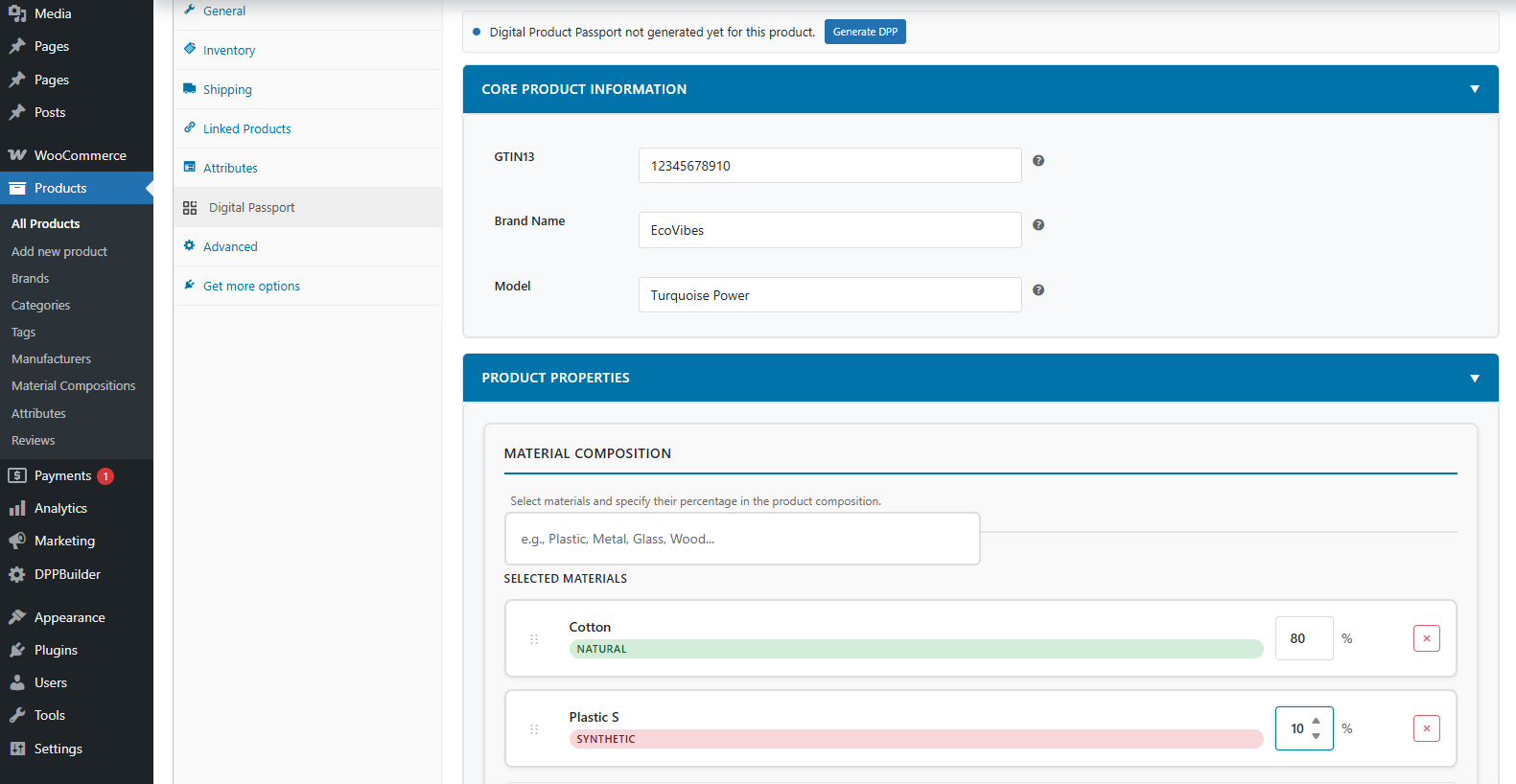
- Open any WooCommerce product
- Click the “Generate DPP” button in the DPP section
- The plugin creates a JSON passport and stores it; a QR image can be generated to link to the readable page
Display a Passport:
[dppbuilder_view product_id="123"]
On a Product Page (auto-detect):
[dppbuilder_view]
WP-CLI:
WP-CLI commands are not currently included in this plugin release.
REST API:
GET /wp-json/dppbuilder/v1/passport/{product_id}
Developer Hooks:
php

// Modify passport data before storage

add_action('dppb_passport_generated', function($product_id, $passport) {

    // Custom modifications here

}, 10, 2);
Apoio
For user support, feature requests, and bug reports, please use the official WordPress.org support forum for this plugin:
https://wordpress.org/support/plugin/dppbuilder/
We monitor the forum and respond as promptly as possible. Documentation and product information are also available on our website.
System Requirements:
* WordPress 6.0 or higher
* PHP 7.4 or higher
* WooCommerce 7.0 or higher
* MySQL 5.6 or higher
* PHP GD extension (required for QR PNG generation)
Recommended:
* WordPress 6.5 or higher
* PHP 8.0 or higher
* WooCommerce 9.0 or higher
Privacidade
This plugin does not collect personal data by default. When the public REST API is enabled in settings, the plugin may use an IP-derived, salted transient key to rate-limit anonymous requests. No raw IP addresses are stored. You can disable public access and/or rate limiting in the plugin settings at any time. QR codes are generated locally; no external QR APIs are contacted.
Third‑Party Libraries
This plugin bundles the following third‑party component:
- PHP QR Code – Open source QR code generation library used to create PNG QR images for the DPP page link.
- Project page: https://phpqrcode.sourceforge.net/
- License: LGPL (see
includes/vendor/PHPQRCODE-LICENSE.txt) - Included file:
includes/vendor/phpqrcode.php(merged single‑file distribution)
Country flag images in assets/images/country-flags/ are derived from the
hampusborgos/country-flags project and are Public Domain (PD) as documented by
that project. For details, see:
- Source repository: https://github.com/hampusborgos/country-flags
- Local license file:
assets/images/country-flags/LICENSE.txt
Notes:
* The original sources are SVG; in this plugin they were converted to PNG for
better security characteristics and smaller file size.
* Per the source project’s README, flags as symbols are not under copyright
protection (there may be other restrictions on use in some jurisdictions).
Instalação
- Upload the plugin folder to
/wp-content/plugins/or install via the WordPress Plugins screen - Activate the plugin through the Plugins screen
- Ensure WooCommerce is active (required dependency)
- Go to DPPBuilder → Settings to configure issuer and display options
- Open any WooCommerce product and click “Generate DPP” to create the JSON passport and QR
Log de Changes
Initial stable release with full passport functionality.
1.0.3
- Version bump to 1.0.3 (no functional changes)
- Align header, constant, and readme stable tag
1.0.1
- Declared UN/CEFACT UNTP DPP JSON-LD context and
conformsTometadata (v0.6.1 pre-release) - Non-breaking additions only; existing keys and API remain unchanged
- Compliance updates for WordPress.org guidelines
- Removed generation limits and all upsell/licensing references
- Ensured plugin is fully functional and unlimited out of the box
1.0.0
- Initial stable release
- Complete passport generation
- Manufacturer and material management
- REST API endpoint
- Frontend viewer with shortcodes
- Comprehensive settings panel
Capturas de tela
Para desenvolvedores
Este é o seu plugin? Mostre os números.
Adicione um crachá ao vivo ao seu site, Documentos ou Readme do GitHub. Ele é atualizado por conta própria - nenhuma conta necessária.
Best DPPBuilder alternatives
All digital product passport plugins →



FAQ
DPPBuilder: quick answers
Respostas diretas, extraídas de dados ao vivo WordPress.org.
Fonte: WordPress.org
Is DPPBuilder free?
Yes. DPPBuilder is free to download and use from the official WordPress.org plugin directory.
Is DPPBuilder safe to use in 2026?
DPPBuilder shows warning signs in 2026 — compare the alternatives below before installing. Was last updated 1 year ago, and scores 30/100 on our health check.
How many websites use DPPBuilder?
DPPBuilder is active on <10 WordPress websites and has been downloaded 489 times since it launched in August 2025. It was downloaded 50 times in the last 30 days.
Does DPPBuilder work with WordPress 7.1?
DPPBuilder is officially tested up to WordPress 6.8.13, while the latest release is 7.1.5. It may still work, but try it on a staging site first.
What PHP version does DPPBuilder need?
DPPBuilder requires PHP 7.4 or higher. Most hosts run PHP 8.x today, so it works on any modern WordPress hosting.
When was DPPBuilder last updated?
The latest version, 1.0.3, was released on August 28, 2025 (1 year ago).
Who makes DPPBuilder?
DPPBuilder is developed and maintained by PluginWave (Cosmin).
What are the best alternatives to DPPBuilder?
The most popular alternatives to DPPBuilder are Pasporto (<10 installs), Hashentic for WooCommerce (<10 installs) and Mapasso DPP (<10 installs).
Alimentado por PageForge
Um modelo e uma planilha. Uma página real para cada pesquisa.
PageForge Transforma cada linha de um CSV em uma página WordPress com seu próprio título, URL, SEO campos e esquema, construído no layout que você já desenhou. Gratuito em WordPress.org.
- CSV e XLSX, mais Google Sheets em Profissional e Empresarial
- Seu próprio título, URL, SEO campos e esquema para cada página
- Funciona com o editor de blocos, Elementor, Divi e Avada
- Gratuito em WordPress.org, sem cartão de crédito