


Disk Space Pie Chart
Shows your server space (free and used) as a funky Pie Chart in your backend. It also shows a percentage bar in your WordPress dahsboard.

Considere uma alternativa
Disk Space Pie Chart shows warning signs in 2026 — compare the alternatives below before installing. It runs on 20+ sites, is rated 3/5 and was last updated 13 years ago, and scores 25/100 on our health check.
- Base de usuários pequenas (mais de 20 instalações ativas)
- Muito poucos comentários até agora
- Nenhuma atualização em 12 anos
- Only tested up to WordPress 3.8 (latest is 7.1)
Como ele se acumula?
Lado a lado em instalações, atualizações, avaliações e suporte


Downloads diários
Os picos de download geralmente seguem uma nova versão — cada site que atualiza automaticamente é um download.
Rankings
Where Disk Space Pie Chart stands todayWordPress.org Classificações de pesquisa
Posição ao vivo na pesquisa de plugins, top 100| Palavra chave | Posição |
|---|---|
| disk space | >100 |
| hosting space | >100 |
| pie chart | >100 |
| web space | >100 |
Adoção da versão
Compartilhamento de sites ativos por lançamento.
Divisão de classificação
★★★★★★★★★★ 3 from 1 reviews
About Disk Space Pie Chart
From the official readme · v0.6Descrição
Shows your free and used server space as funky Pie Chart in your backend. Sweet!
Following the success of my server space script for one of my clients, I thought it would be great to use it under WordPress.
This Plugin was inspired by Richard who came to host with me after being on WordPress.com for some years. He really liked to keep track of how much space he has left to upload pictures and I was happy to take on this challenge.
Special thanks again to Rasmus Peters for his amazing PHP Pie Chart Script
Instalação
- Upload the entire folder
disk-space-pie-chartto the/wp-content/plugins/directory. Please do not rename this folder. - Ative o plugin através do menu 'Plugins' em WordPress
- Enjoy a progress bar in the Dashboard and a Pie Chart under Dashboard – Disk Space Pie
The Plugin can tell you how much space you’re using, but it doesn’t know how much space you’re ALLOWED to use. Hence it can only display the progress bar and pie chart diagramme if you honestly tell it. You should always be honest by the way, even with plugins 😉
To do so, go to Dashboard – Disk Space Pie and type in the amount of web space you’re allowed to use. Say you have 1GB of web space, put in 1 and hit Save Changes. Easy.
If you know your value in MB, you need to divide this value by 1024 to arrive at the equivalent GB value. For example, 100MB divided by 1024 is 0.09765625 – that’s the value to use in the box. You get the drift.
If you enter a number smaller than the amount of space you’re using, you’ll see something like 105% space free – which obviously isn’t what you want. So don’t do that.
Log de Changes
If you're upgrading frmo Version 0.1, you have to enter your free disk space again under Dashboard - Disk Space Pie. This shouldn't happen when you upgrade from 0.2 and upwards.
0.6
- Tweaked Pie Chart background colour to match WordPress 3.8
- Added link to GPL license
0.5
- Fixed Division by Zero bug (thanks Jure!)
- Tweaked some colours to better blend with WordPress Core
- Added MySQL Server Version
0.4
- Fixed dashboard widget display in WordPress 3.2 (Thanks Dan!)
- Replaced hard coded links with dynamic ones
- Updated Folder Structure in accordance with WordPress Best Coding Standards
- Added default unit value for first-time-user (now defaults to GB rather than nothing)
- Changed Donation Link (Buy me a Coffee)
0.3
- Certified WordPress 3.1 readiness.
- Added Unlimited Option: On some hosts (like Hostgator) you’ll get “unlmited” disk space. I’ve amended the plugin so that you can enter 0 or leave the space blank. You’ll always have 100% free space and the pie chart won’t get confused.
0.2
- Added a drop-down menu so you an easily choose if you’d like things displayed in MB or GB.
- Added Database Size Count courtesy of Chris Rabiet’s WP Database Plugin (https://wordpress.org/extend/plugins/db-size/)
- Added numeric display of space underneath pie charts – like in the dashboard widget.
0.1
Driven by Richard’s suggestion, I’ve used Alex Rabe’s WP Memory Usage Plugin as template and several WordPress tutorials on how to build plugins. Within a few hours, the basis was established. Then I integrated Rasmus Peter’s Pie Chart Script and made it all work together. Code Cleanup followed: renaming functions, hooks, variables, deleting code that’s not needed.
Capturas de tela


Para desenvolvedores
Este é o seu plugin? Mostre os números.
Adicione um crachá ao vivo ao seu site, Documentos ou Readme do GitHub. Ele é atualizado por conta própria - nenhuma conta necessária.
Best Disk Space Pie Chart alternatives
All disk space plugins →




FAQ
Disk Space Pie Chart: quick answers
Respostas diretas, extraídas de dados ao vivo WordPress.org.
Fonte: WordPress.org
Is Disk Space Pie Chart free?
Yes. Disk Space Pie Chart is free to download and use from the official WordPress.org plugin directory.
Is Disk Space Pie Chart safe to use in 2026?
Disk Space Pie Chart shows warning signs in 2026 — compare the alternatives below before installing. It runs on 20+ sites, is rated 3/5 and was last updated 13 years ago, and scores 25/100 on our health check.
How many websites use Disk Space Pie Chart?
Disk Space Pie Chart is active on 20+ WordPress websites and has been downloaded 5,182 times since it launched in January 2011. It was downloaded 58 times in the last 30 days.
Does Disk Space Pie Chart work with WordPress 7.1?
Disk Space Pie Chart is officially tested up to WordPress 3.8.41, while the latest release is 7.1.5. It may still work, but try it on a staging site first.
When was Disk Space Pie Chart last updated?
The latest version, 0.6, was released on December 13, 2013 (13 years ago).
Who makes Disk Space Pie Chart?
Disk Space Pie Chart is developed and maintained by Jay Versluis.
What are the best alternatives to Disk Space Pie Chart?
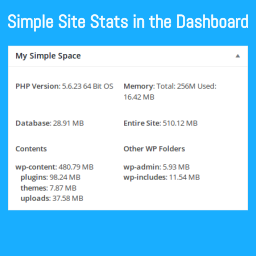
The most popular alternatives to Disk Space Pie Chart are Disk Usage Sunburst (9K+ installs), My Simple Space (7K+ installs) and Disk Usage Insights (1K+ installs).
Alimentado por PageForge
Um modelo e uma planilha. Uma página real para cada pesquisa.
PageForge Transforma cada linha de um CSV em uma página WordPress com seu próprio título, URL, SEO campos e esquema, construído no layout que você já desenhou. Gratuito em WordPress.org.
- CSV e XLSX, mais Google Sheets em Profissional e Empresarial
- Seu próprio título, URL, SEO campos e esquema para cada página
- Funciona com o editor de blocos, Elementor, Divi e Avada
- Gratuito em WordPress.org, sem cartão de crédito