


Developer Debug Tools
Lots of debugging and testing tools for developers.

Escolha sólida
Developer Debug Tools is a solid plugin choice in 2026, with a few things worth checking first. It runs on 100+ sites, is rated 5/5 and was last updated 2 weeks ago, and scores 75/100 on our health check.
- Desenvolvido ativamente — última atualização 2 semanas atrás
- Testado com as últimas WordPress (7.1)
- Momentum — downloads up 29.7% vs the previous 30 days
- Base de usuários pequenas (mais de 100 instalações ativas)
- Muito poucos comentários até agora
Como ele se acumula?
Lado a lado em instalações, atualizações, avaliações e suporte


Downloads diários
Os picos de download geralmente seguem uma nova versão — cada site que atualiza automaticamente é um download.
Rankings
Where Developer Debug Tools stands todayWordPress.org Classificações de pesquisa
Posição ao vivo na pesquisa de plugins, top 100| Palavra chave | Posição |
|---|---|
| config | #45 |
| debug | #13 |
| developer | #14 |
| logs | >100 |
| testing | >100 |
Adoção da versão
Compartilhamento de sites ativos por lançamento.
Divisão de classificação
★★★★★ ★★★★★ 5 de 4 comentários
About Developer Debug Tools
From the official readme · v3.0.6Descrição
The “Developer Debug Tools” WordPress plugin is a powerhouse for developers and site administrators! It’s a FREE comprehensive toolkit that helps you identify, troubleshoot, and resolve issues in your WordPress site, making debugging a breeze. No premium version available.
This plugin offers a suite of features to aid in debugging, including, but not limited to:
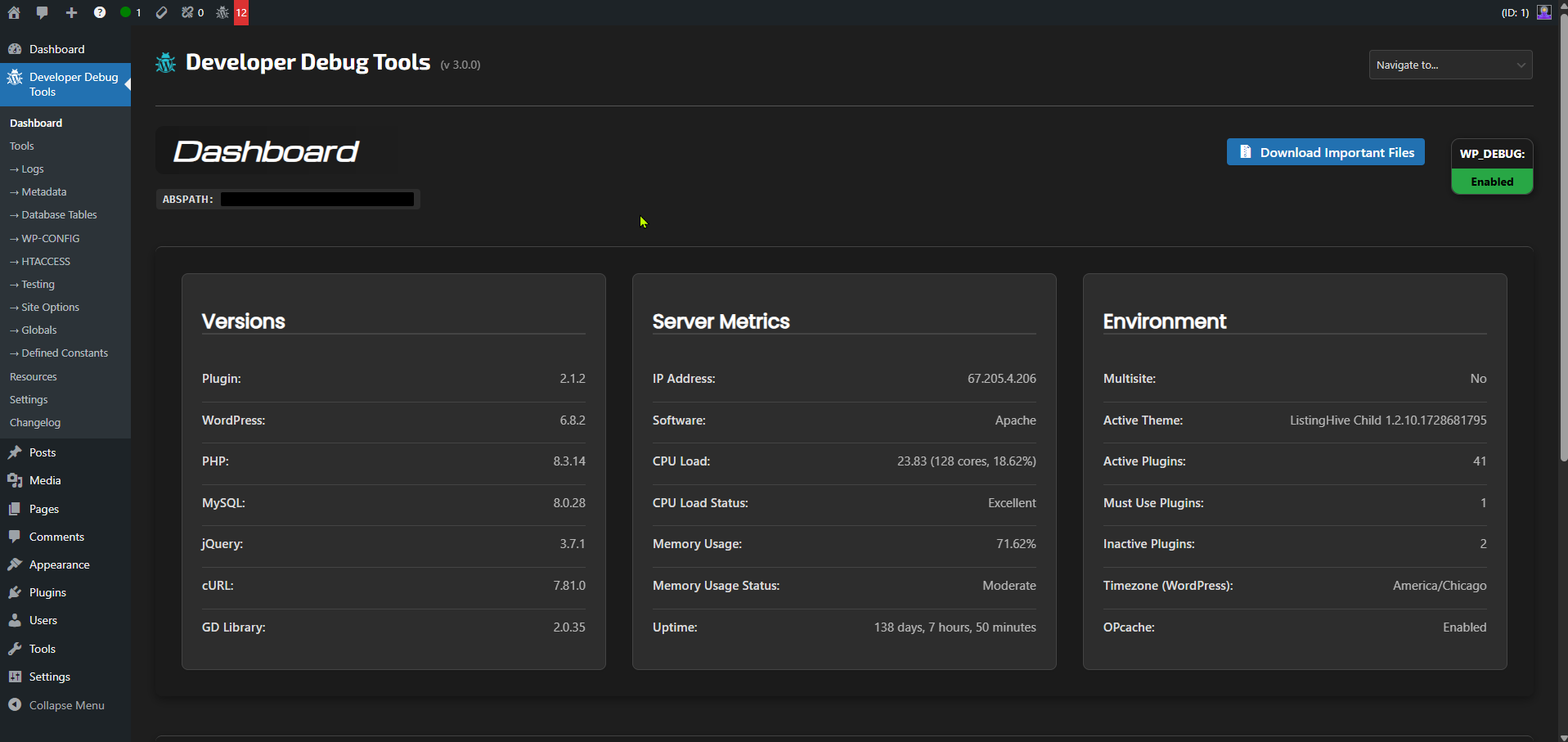
- Dashboard with important site information and server metrics
- Enhanced log viewer for
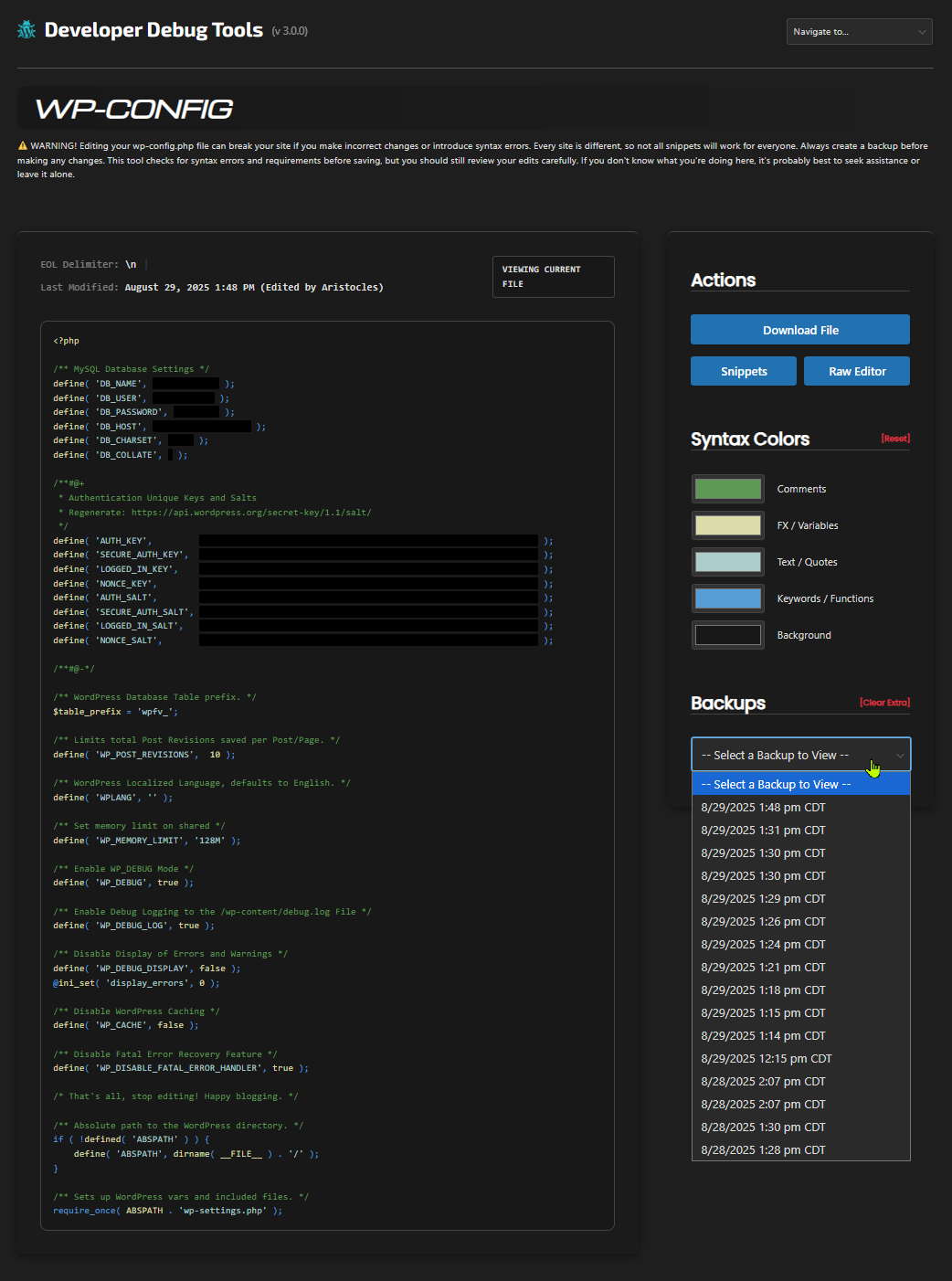
debug.log, error logs, custom logs, and an activity log - Config file viewers and editors for
wp-config.phpand.htaccessfiles - SEO viewer for
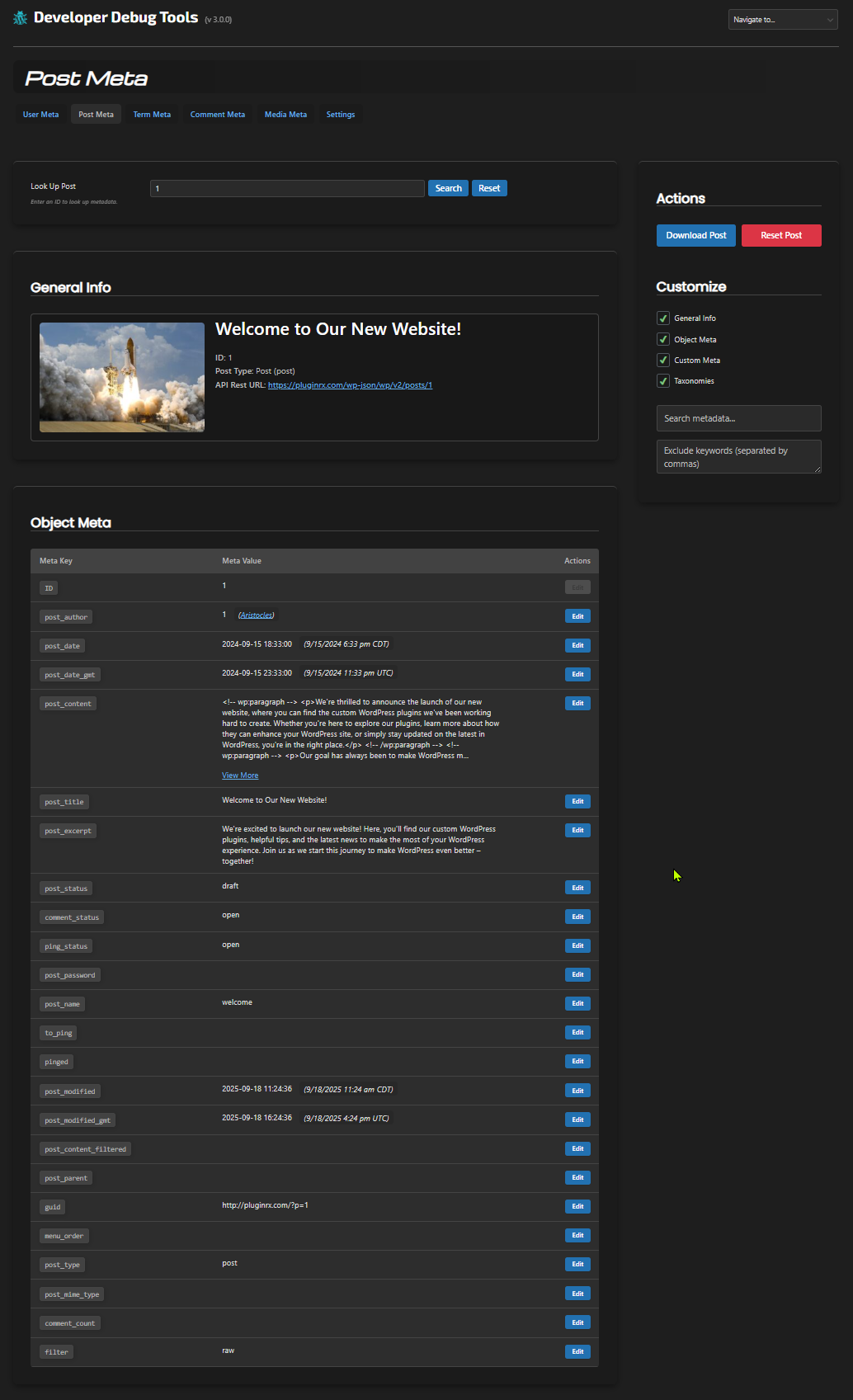
robots.txt, sitemaps, andllms.txtwith built-in diagnostics (Added in 3.0.5) - Meta Data viewer and editor for users, posts, tax terms, comments, and media
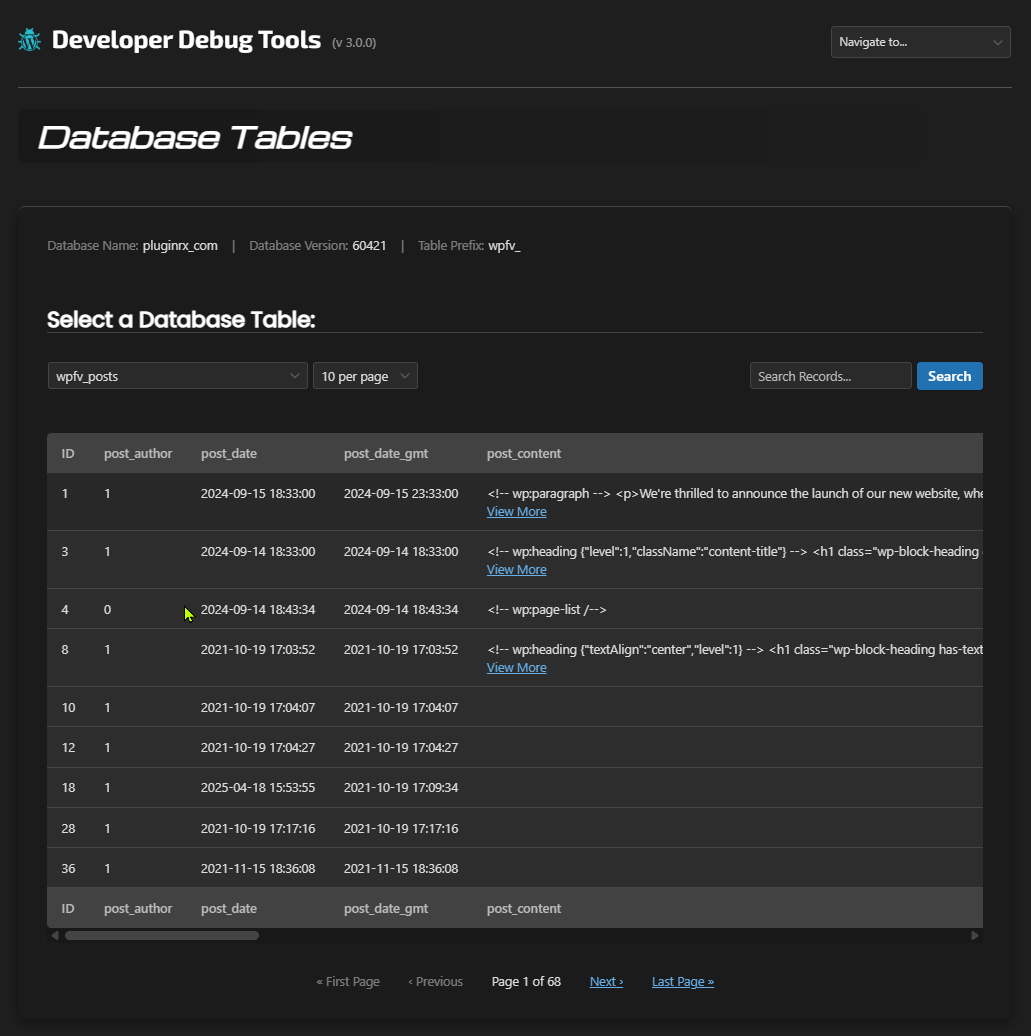
- Database Table records viewer
- Site Options viewer and editor
- Globals viewer
- Defined Constants viewer
- Transients, Cookies, and Sessions management
- REST API viewer and status checker
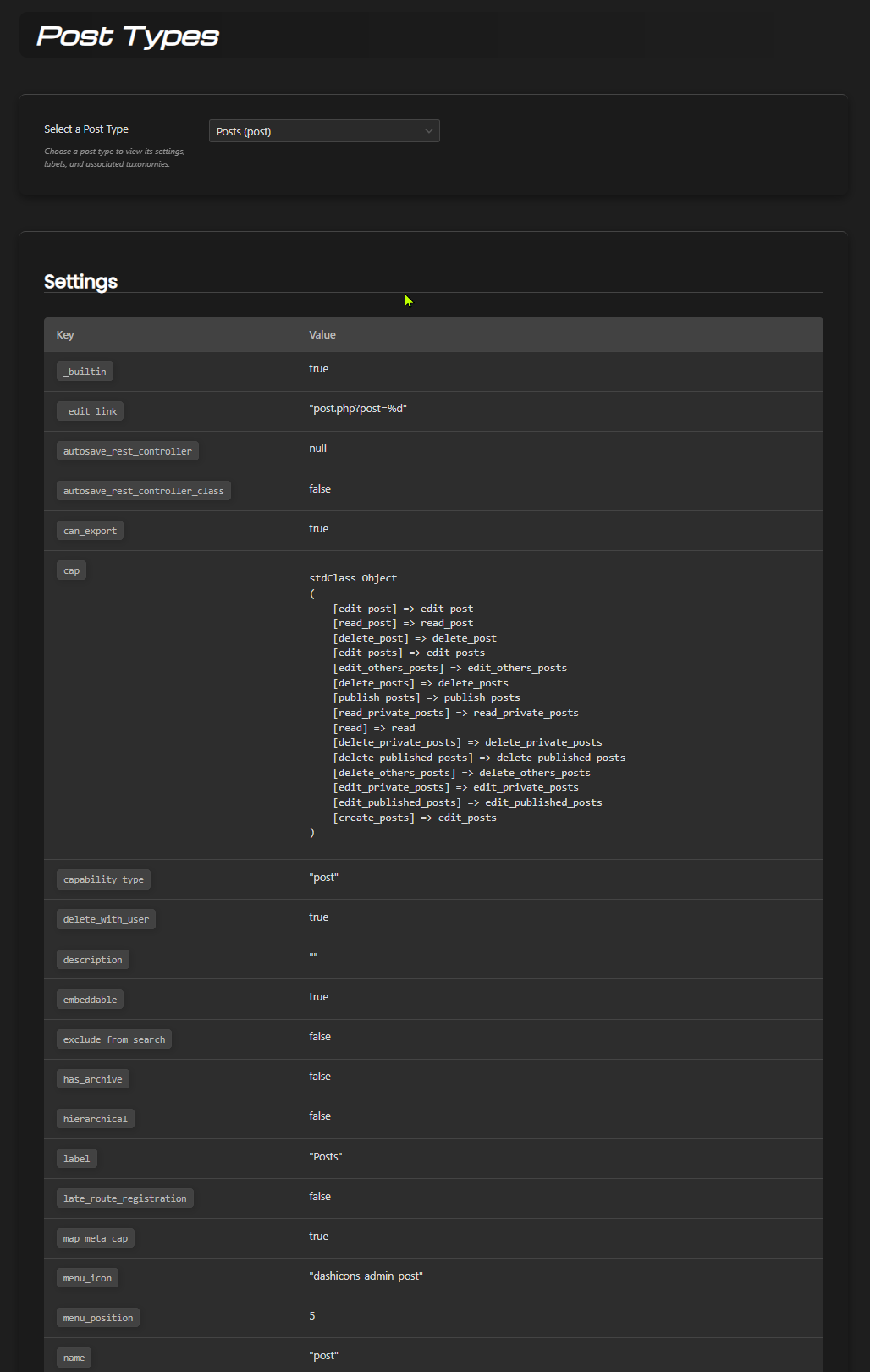
- Post Types and Taxonomies viewers
- Auto-Draft viewer and clearer
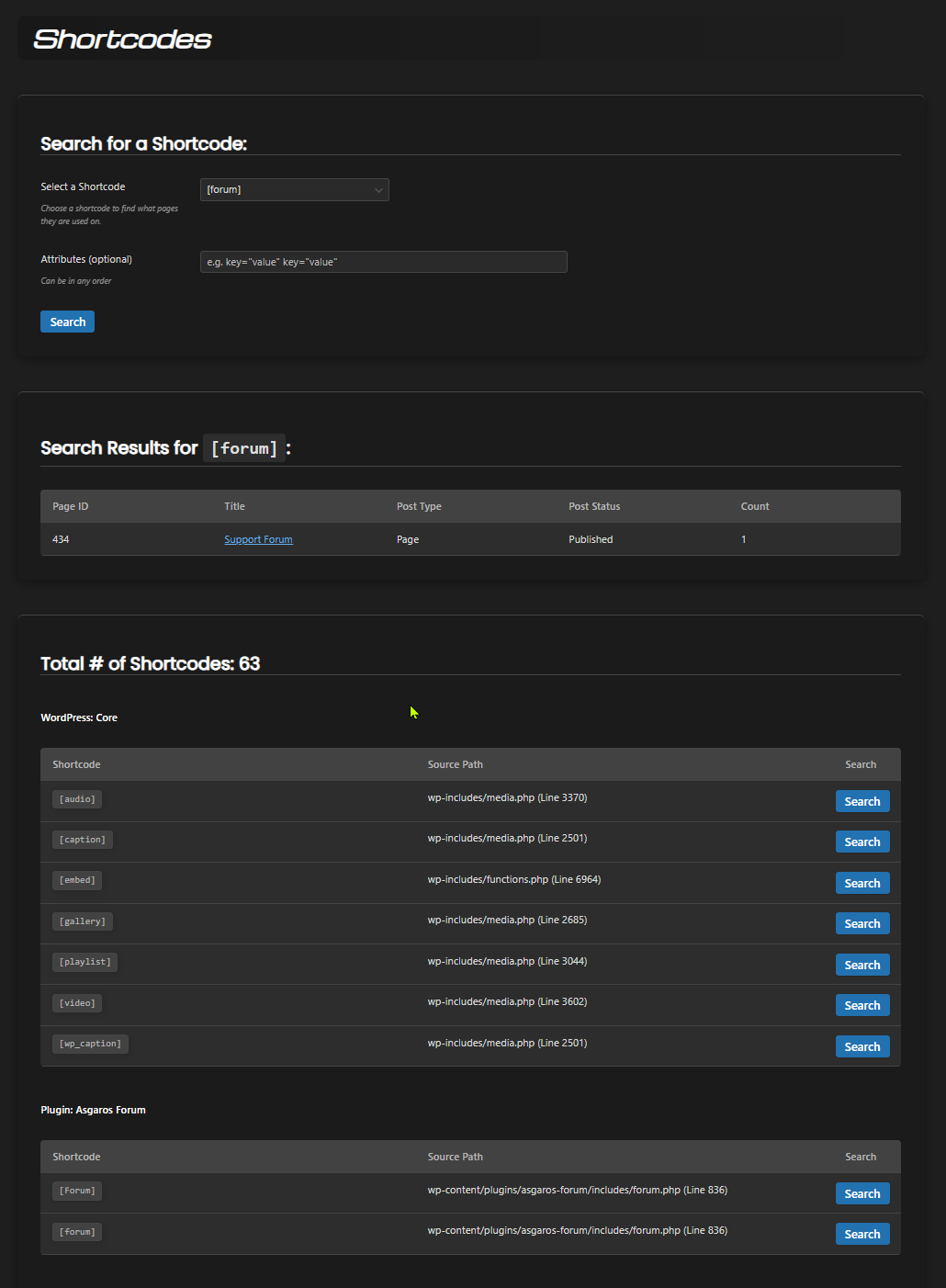
- Shortcode Finder
- Cron Jobs viewer
- PHP Info and php.ini viewers
- Discord Notifications of fatal errors and when users with certain roles log in
- Discord Messenger for testing connections with Discord
- Security Checks with 55 read-only checks, a security score, and how to fix each issue (Added in 3.0.6)
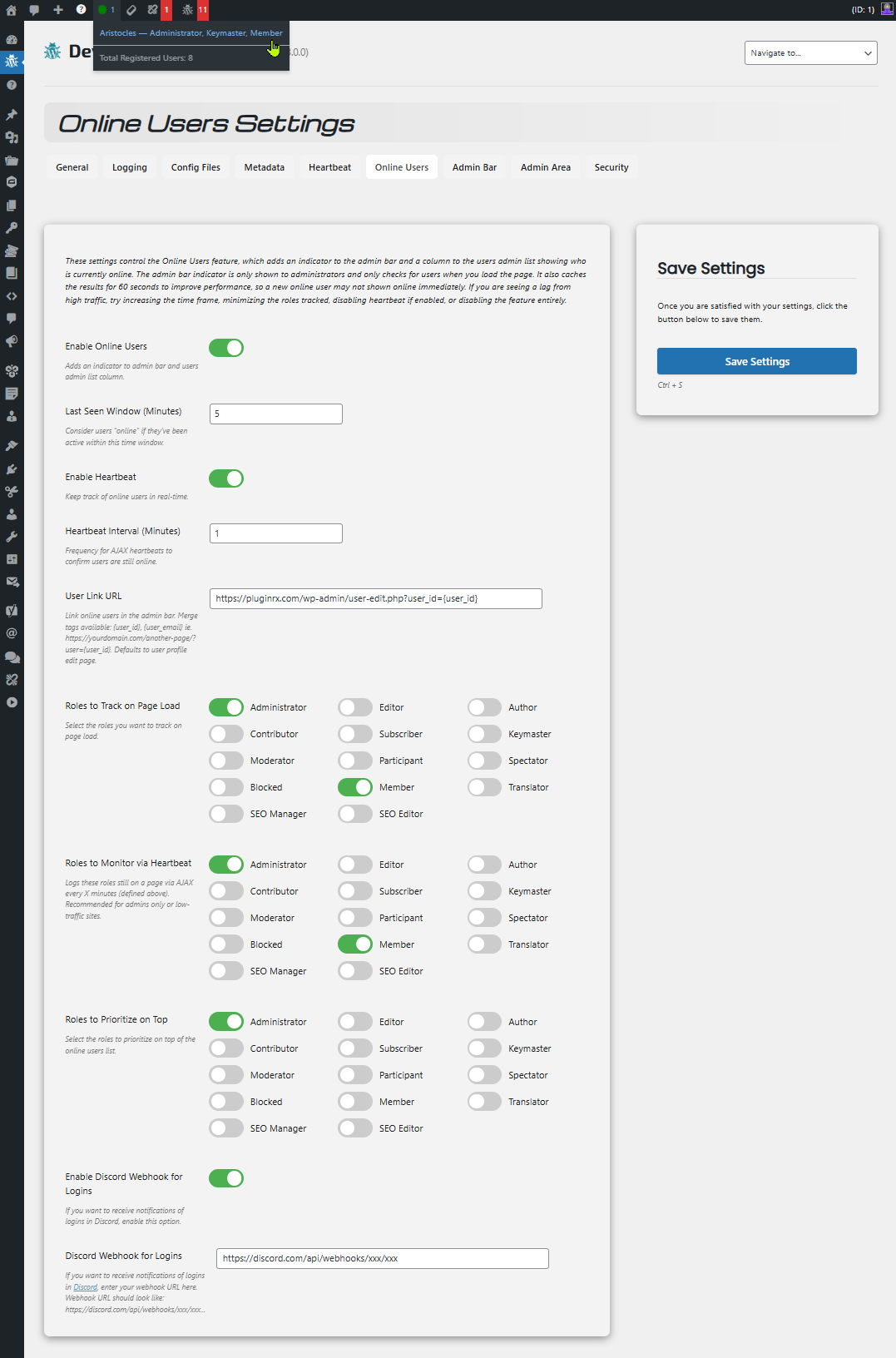
- See who’s online and last online dates
- Heartbeat Monitor for testing WP Heartbeat API sitewide
- Plugins Page Enhancements with addt plugin data and notes feature
- Security Options for hiding the plugin and password protection to any admin page
- Admin Bar Tools such as seeing Post ID/type/status, User ID, an interactive centering tool, and more
- Quick Debug Links for debugging users, posts, and comments
- Gravity Forms integrations
With “Developer Debug Tools”, you can:
- Identify and fix errors, bugs, and conflicts
- Troubleshoot complex issues with ease
- Update user and post meta straight from the admin area
- Streamline your development and testing workflow
This plugin is a must-have for any WordPress developer or site administrator who wants to ensure a stable, efficient, and high-performing website. It’s like having a trusty sidekick that helps you tackle even the most challenging debugging tasks!
Serviços externos
The Security Checks tool (Developer Debug Tools > Tools > Security Checks) connects to the services below when a developer runs a check, and on a daily or weekly schedule if Scheduled Runs is turned on in Settings > Security Checks (off by default). Nothing is sent on page loads.
- WordPress.org API (api.wordpress.org): The Core Files Modified check downloads the official file checksums for your WordPress version and language. The Closed or Abandoned Plugins and Themes check looks up each installed plugin and the active theme. Sent: your WordPress version and locale, and the folder names (slugs) of your plugins and active theme. Privacy policy: https://wordpress.org/about/privacy/
- WordPress.org downloads (downloads.wordpress.org): The Plugin Files Modified check downloads the official file checksums for each installed plugin from WordPress.org. Sent: the plugin’s slug and version. Privacy policy: https://wordpress.org/about/privacy/
- Discord (discord.com): If Discord alerts for Security Checks are turned on, a scheduled run that finds new problems sends the site name, the security score, and the names of the newly failing checks to the webhook URL you enter. Terms: https://discord.com/terms Privacy policy: https://discord.com/privacy
The Security Checks tool also requests this site’s own pages the way a logged-out visitor would, opens a secure connection to this site to read its certificate, and looks up DNS records for this site’s domain and the admin email’s domain with your server’s DNS resolver. These do not send data to any third party.
Programa demonstrativo
Instalação
- Install the plugin from your website’s plugin directory, or upload the plugin to your plugins folder.
- Activate it.
- Go to Developer Debug Tools in your admin menu.
Log de Changes
3.0.6
- Update: Added a Security Checks tool with 55 read-only checks across Public Exposure, Configuration, Users & Access, Software & Files, and Code Review, each explaining what an attacker could do and how to fix it
- Update: Added a security score to the Security Checks tool, weighted by severity, with a notice that it is not a guarantee of security
- Update: Added a Security Checks settings tab for turning individual checks on and off
- Update: Added Add Security Headers, Force HTTPS in Browsers (HSTS), and Hide PHP and WordPress Versions snippets to the HTACCESS tool
- Update: Meta keys can now be edited inline in the Custom Meta section of the Metadata tool; renaming preserves the key’s meta ID and all of its values, rejects protected keys, and rejects keys that already exist on the object
- Tweak: Added a “Saving…” spinner to the Edit/Save and Save New buttons in the Metadata tool to show a save is in progress and prevent double submits
- Tweak: AJAX handlers for Test Mode, Save Mode and What’s New now return false for logged-out visitors
- Fix: Saving Test Mode did not check the user’s capability; it now requires manage_options
- Fix: The emergency login file no longer ships with the example token enabled in its token list
- Fix: Checkbox settings showed every box as checked after all of them were unchecked and saved
- Fix: Saving .htaccess logged a PHP deprecation notice on servers without apache2ctl
- Fix: The “enter a meta key” alert on Add New in the Metadata tool displayed “undefined” because its text was never localized
- Fix: Add New and Delete in the Metadata tool sent the nonce under the wrong parameter name and were rejected by the AJAX handlers
- Update: Added a Security Checks card to the Dashboard with the security score, the results of the last run, and buttons to run the checks or view the results
- Tweak: Renamed the Dashboard’s “Check for Site Issues” section to “Site Setup Checks” and noted that it does not check security
- Update: Added scheduled Security Checks runs (daily or weekly, off by default) that send email and Discord alerts when a check newly fails or the score drops
- Update: Added a Run Now button to the Cron Jobs tool that runs an event immediately and updates its next run time
- Tweak: Added a couple extra recommended plugins
- Update: Replaced the Force Update Check button on the Updates page with “Check and Update All Plugins” and “Check and Update All Themes” buttons, which check WordPress.org directly, show a “Checking plugins… 12 of 40” progress message, and then start WordPress’s bulk update immediately
- Update: The per-plugin “Check for Updates” link on the Plugins page now refreshes WordPress’s last-checked time and installed versions so the update link it produces works reliably
- Update: Removed the ALLOW_UNFILTERED_UPLOADS option from the wp-config tool per WP repo rules
- Tweak: Removed the filters that protected plugin and theme update data from being overwritten, along with the hardcoded WordPress.org icon URLs and cron schedule clearing the old update check relied on
- Tweak: Database queries in the Signups, Site Options and DB Tables tools now use prepared statements and validated table names
- Tweak: Output is now escaped in more places across the Logs, Inactive Users, File Editor and Dashboard tools
- Tweak: Added translator comments and numbered placeholders to translatable strings in various places, and replaced a hardcoded text domain
- Tweak: Dates in the Inactive Users tool now use gmdate()
- Tweak: Resolved all WordPress Plugin Check errors and warnings, and documented each intentional exception in the code
- Fix: Links in an Inactive Users message were broken by a misplaced placeholder
- Fix: The deprecated-function backtrace log entry printed “Array” instead of the “Backtrace” label
- Fix: The Defines and Globals tools no longer throw a PHP error when the submitted data is not an array
- Fix: The DB Tables tool no longer runs a record count on a stored table that no longer exists
3.0.5
- Update: Added an LLMs.txt tab to the SEO tool for viewing llms.txt and llms-full.txt, with format, link, generator plugin, and robots.txt AI crawler diagnostics
- Update: Added a new SEO tool with Robots.txt and Sitemap tabs, including Output and Code views, a child sitemap selector, search, pagination, and download buttons
- Update: Added diagnostics to the SEO tool for robots.txt (physical vs. virtual, blocked resources, blocked site while public, missing or unreachable Sitemap lines, invalid directives, cache headers, subdirectory installs)
- Update: Added diagnostics to the SEO tool for sitemaps (HTTP status, content type, XML validity, 50,000 URL and 50 MB limits, host and protocol mismatches, duplicates, missing lastmod, unreachable or empty child sitemaps, multiple sitemap generators)
- Update: Added an optional URL sampling setting to check listed sitemap URLs for errors, redirects, and noindex
- Update: Added an SEO settings tab with robots.txt and sitemap path fields, additional sitemaps, cache duration, and URL sample size
- Tweak: Added a URL path field type with HTTP verification to settings
- Tweak: Moved File Editor default syntax colors to a shared constant so other tools can reuse them
- Tweak: The “Check for Update” link on the Plugins page is now disabled by default and only enabled once required scripts load successfully, preventing conflicts with other plugins/themes from breaking the link or causing unintended page behavior
- Tweak: Moved the full version history to changelog.txt to stay within the WordPress.org readme limit; the in-plugin Changelog page reads it first
3.0.4
- Tweak: Added a title attribute on the plugin version in the header to explain what test mode does
- Update: Added Menu Item Quick Links setting — adds a lightning bolt icon next to each menu item title on the Menus admin page for developers to quickly debug menu item meta
- Update: Added inline editing, autoload control, and delete buttons to individual options on the Site Options tool, matching the Metadata tool’s UX
- Update: Added an “Add New Option” button to the Site Options tool for creating new options directly, with support for array/serialized values
- Update: Added server-side pagination and a per-page dropdown (matching Database Tables tool) to the Site Options tool to fix slow loading with large option counts
- Update: Added a search field to the Site Options tool to filter by option name
- Tweak: Made the Autoload Size Summary section on Site Options collapsed by default, with expand/collapse toggle
- Tweak: Site Options tool now caches option source detection (plugin/theme scan) instead of running it on every page load, improving performance
Capturas de tela


Para desenvolvedores
Este é o seu plugin? Mostre os números.
Adicione um crachá ao vivo ao seu site, Documentos ou Readme do GitHub. Ele é atualizado por conta própria - nenhuma conta necessária.
Best Developer Debug Tools alternatives
All config plugins →


FAQ
Developer Debug Tools: quick answers
Respostas diretas, extraídas de dados ao vivo WordPress.org.
Fonte: WordPress.org
Is Developer Debug Tools free?
Yes. Developer Debug Tools is free to download and use from the official WordPress.org plugin directory.
Is Developer Debug Tools safe to use in 2026?
Developer Debug Tools is a solid plugin choice in 2026, with a few things worth checking first. It runs on 100+ sites, is rated 5/5 and was last updated 2 weeks ago, and scores 75/100 on our health check.
How many websites use Developer Debug Tools?
Developer Debug Tools is active on 100+ WordPress websites and has been downloaded 18,041 times since it launched in September 2022. It was downloaded 878 times in the last 30 days.
Does Developer Debug Tools work with WordPress 7.1?
Yes. The developer has tested Developer Debug Tools up to WordPress 7.1.5, the latest release. It requires WordPress 6.0 or newer.
What PHP version does Developer Debug Tools need?
Developer Debug Tools requires PHP 8.0 or higher. Most hosts run PHP 8.x today, so it works on any modern WordPress hosting.
When was Developer Debug Tools last updated?
The latest version, 3.0.6, was released on November 13, 2026 (2 weeks ago).
Who makes Developer Debug Tools?
Developer Debug Tools is developed and maintained by PluginRx.
What are the best alternatives to Developer Debug Tools?
The most popular alternatives to Developer Debug Tools are Brozzme DB Prefix & Tools A… (9K+ installs), Config Constants (100+ installs) and Configurator (60+ installs).
Alimentado por PageForge
Um modelo e uma planilha. Uma página real para cada pesquisa.
PageForge Transforma cada linha de um CSV em uma página WordPress com seu próprio título, URL, SEO campos e esquema, construído no layout que você já desenhou. Gratuito em WordPress.org.
- CSV e XLSX, mais Google Sheets em Profissional e Empresarial
- Seu próprio título, URL, SEO campos e esquema para cada página
- Funciona com o editor de blocos, Elementor, Divi e Avada
- Gratuito em WordPress.org, sem cartão de crédito