


Delete Me
Allow users with specific WordPress roles to delete themselves from the Your Profile page or anywhere Shortcodes can be used.

Considere uma alternativa
Delete Me shows warning signs in 2026 — compare the alternatives below before installing. It runs on 7K+ sites, is rated 5/5 and was last updated 2 years ago, and scores 35/100 on our health check.
- Amado pelos usuários — 5/5 de 25 avaliações
- Momentum — downloads up 35.7% vs the previous 30 days
- Nenhuma atualização em 2 anos
- Only tested up to WordPress 6.5 (latest is 7.1)
Como ele se acumula?
Lado a lado em instalações, atualizações, avaliações e suporte



Downloads diários
Os picos de download geralmente seguem uma nova versão — cada site que atualiza automaticamente é um download.
Rankings
Where Delete Me stands todayWordPress.org Classificações de pesquisa
Posição ao vivo na pesquisa de plugins, top 100| Palavra chave | Posição |
|---|---|
| excluir | >100 |
| GDPR | >100 |
| Multisite | >100 |
| unsubscribe | #96 |
| user management | >100 |
Adoção da versão
Compartilhamento de sites ativos por lançamento.
Divisão de classificação
★★★★★ ★★★★★ 5 de 25 comentários
About Delete Me
From the official readme · v3.2Descrição
Allow users with specific WordPress roles to delete themselves from the Your Profile page or anywhere Shortcodes can be used using the Shortcode [plugin_delete_me /].
Settings for this plugin are found on the Settings -> Delete Me subpanel. Multisite and Network Activation supported.
How it works:
-
A user clicks the delete link, which defaults to “Delete Account”, but can be changed.
-
User is asked to confirm they want to delete themselves.
-
If confirmed, user and all their Posts, Links, and (optionally) Comments are deleted.
-
Deleted user (optionally) redirected to landing page URL, default is homepage, can be changed or left blank.
Settings available:
-
Enable or disable Network Wide, which applies a single page of settings across all Multisite network Sites.
-
Select specific WordPress roles (e.g. Subscriber) you want to allow to delete themselves using Delete Me.
-
classandstyleattributes of the delete link. -
<a>tag clickable content of the delete link. -
Landing page URL.
-
Your Profile confirmation page Heading, Warning, Password (optionally require password), Button.
-
Enable or disable delete link on the Your Profile page.
-
Javascript confirm text for Shortcode.
-
Enable or disable Javascript confirm for Shortcode.
-
Enable or disable using a form (require password) instead of a link for Shortcode.
-
Multisite: Delete user from entire Network or current Site only.
-
Delete comments.
-
E-mail notification when a user deletes themselves.
Instalação
Basic
-
Install automatically in WordPress on the Plugins -> Add New subpanel or upload the delete-me folder to the /wp-content/plugins/ directory.
-
Activate the plugin on the Plugins panel in WordPress.
-
Go to the Settings -> Delete Me subpanel, check the WordPress roles you want to allow to delete themselves using Delete Me, and click Save Changes.
-
Thats it! The delete link will be placed automatically near the bottom of the Your Profile page for roles you allowed. If you prefer the delete link be on your front-end, please read below.
Advanced: Shortcode Usage
Note: To prevent the delete link from appearing on the Your Profile page, uncheck the setting Link Enabled.
- Custom Profile Page – Copy and paste the Shortcode
[plugin_delete_me /]into the Post or Page you’ve created. - Theme File – To call the Shortcode in one of your .php Theme files, use
<?php echo do_shortcode( '[plugin_delete_me /]' ); ?>. - Text Widget – To use the Shortcode in a Text Widget, make sure the line
add_filter( 'widget_text', 'do_shortcode' );appears in your Theme Functions (functions.php) file. - Attributes – The attributes
class, style, html, js_confirm_warning, landing_urlmay be used to override settings, but are not required. They provide site owners the ability to use multiple languages and/or multiple links within the same site or even the same page each configured differently.
Advanced: Translation
Note: Languages directory for plugins: /wp-content/languages/plugins
- Choose a translation method:
A) Get or provide translations of this plugin on WordPress.org. Alternatively, some language plugins (e.g. Polylang) can download and install the publicly available language files for plugins.
B) Create your own translations using the included delete-me.pot template file found in this plugin’s languages directory and the free tool Poedit. - Once you have finished your translations, export and save them as a .mo file.
- Name the .mo file delete-me-{locale}.mo (e.g. delete-me-en_US.mo)
- Place the .mo file into the languages directory for plugins.
If you’re using Poedit, it will create a .po file too. You should keep the .po file in order to open and save changes to your translations or to update the .po file with source text changes when an updated delete-me.pot file is released. Just be aware that the actual translations used by the plugin are inside the .mo file.
Warning: If you place your translation files into this plugin’s languages directory instead of the directory shown above, they will be deleted or replaced with any the author might include when updating the plugin.
Log de Changes
See Changelog for details.
3.2
- Release date: 06/02/2024
- Added PHP isset check on $_SERVER[‘SCRIPT_FILENAME’] in delete-me.php file to prevent exception when running via CLI mode. Requested by @gabyrau.
3.1
- Release date: 11/11/2023
- Added output sanitization to all editable settings to remove cross-site scripting vulnerability.
3.0
- Release date: 05/09/2020
- Added 3 new attributes for the shortcode form: form_confirm_warning, form_password_label, form_confirm_button
- Added %displayname% replacement string everywhere that %username% was already available.
2.9
- Release date: 04/05/2020
- Added paragraph tag around shortcode output to prevent alignment issues.
2.8
- Release date: 12/19/2018
- Added Role, First Name, and Last Name user data to email notification.
2.7
- Release date: 07/29/2018
- Bug fixed: Using a blank landing URL would cause a failure during redirect on some server configurations.
- Bug fixed: Landing URLs on the Settings page were incorrectly having http:// added to them when they did not contain a URL scheme.
Capturas de tela
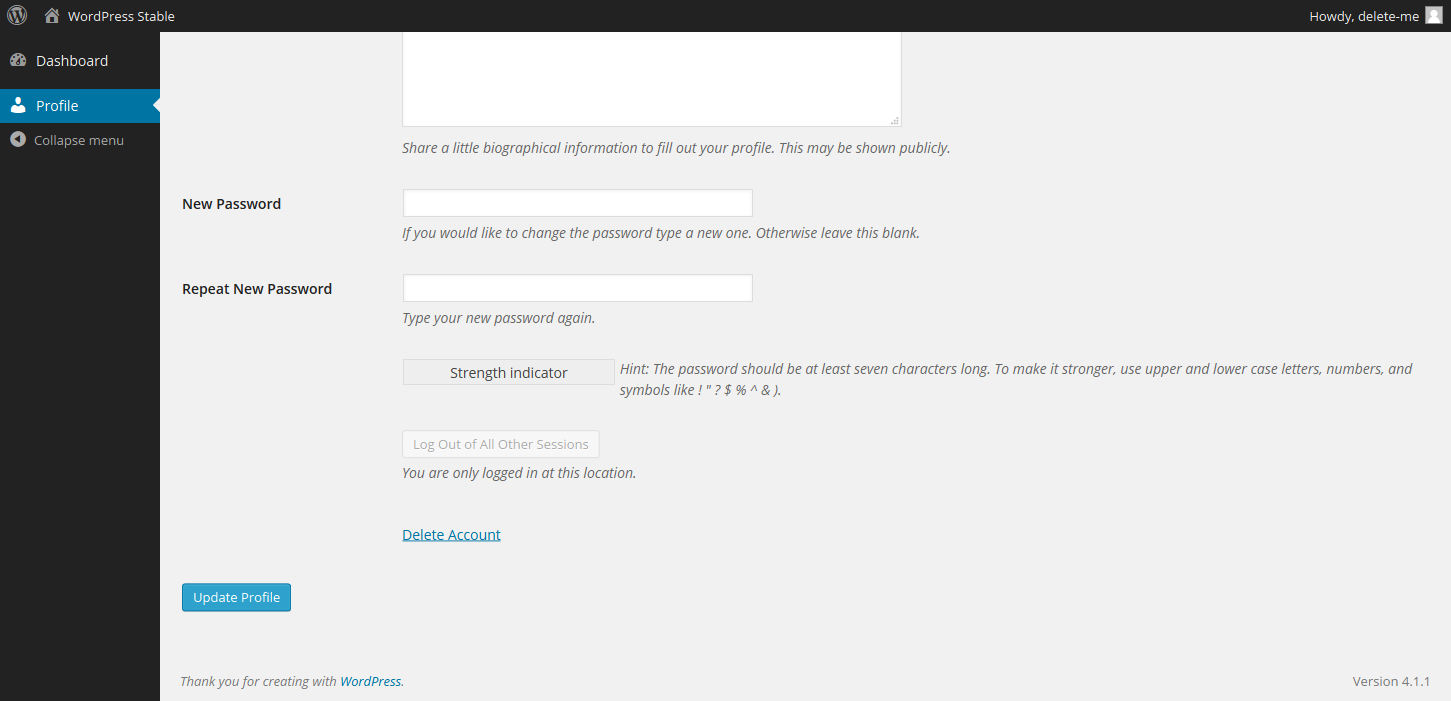
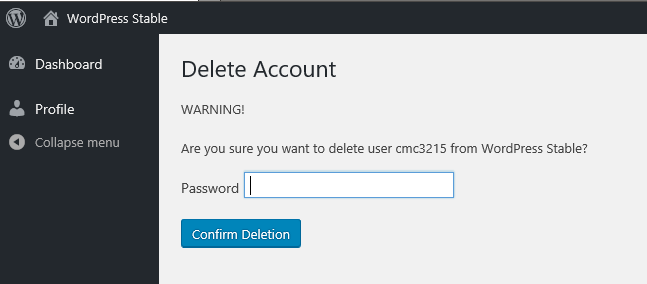
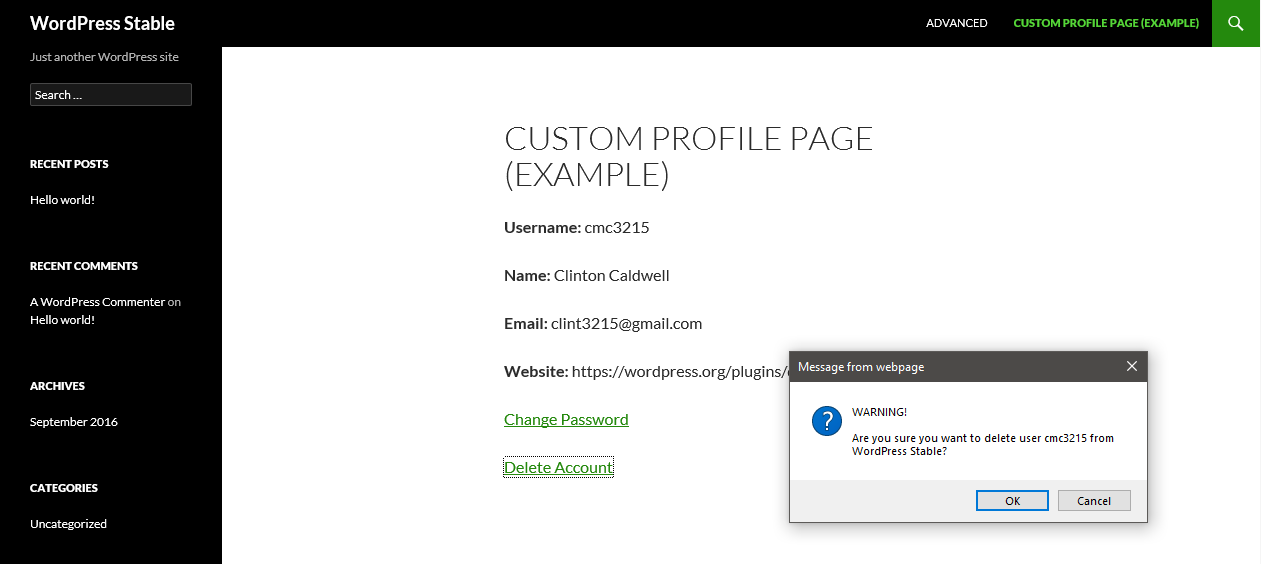


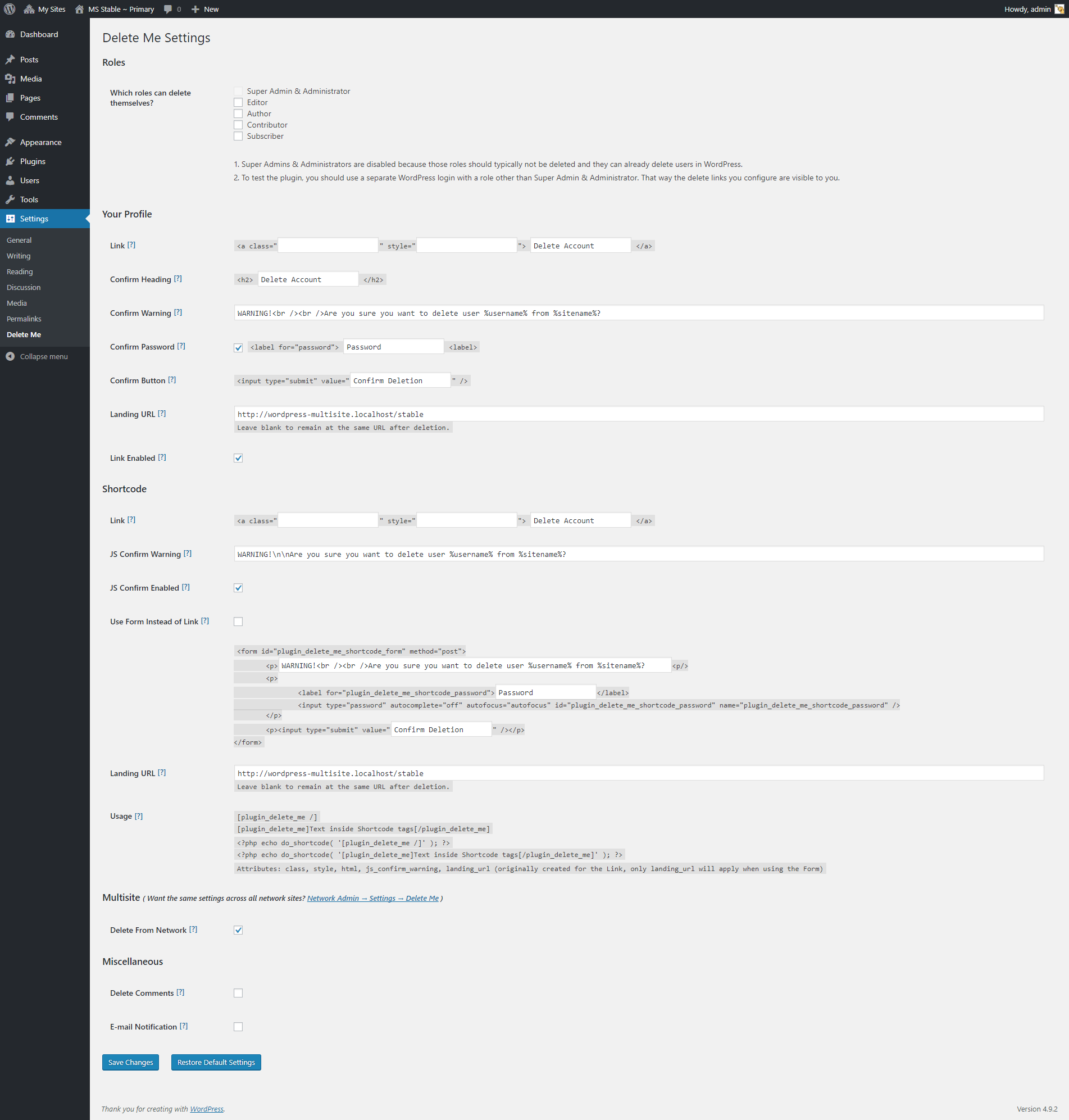
Para desenvolvedores
Este é o seu plugin? Mostre os números.
Adicione um crachá ao vivo ao seu site, Documentos ou Readme do GitHub. Ele é atualizado por conta própria - nenhuma conta necessária.
Best Delete Me alternatives
All delete plugins →





FAQ
Delete Me: quick answers
Respostas diretas, extraídas de dados ao vivo WordPress.org.
Fonte: WordPress.org
Is Delete Me free?
Yes. Delete Me is free to download and use from the official WordPress.org plugin directory.
Is Delete Me safe to use in 2026?
Delete Me shows warning signs in 2026 — compare the alternatives below before installing. It runs on 7K+ sites, is rated 5/5 and was last updated 2 years ago, and scores 35/100 on our health check.
How many websites use Delete Me?
Delete Me is active on 7K+ WordPress websites and has been downloaded 111,842 times since it launched in April 2011. It was downloaded 813 times in the last 30 days.
Does Delete Me work with WordPress 7.1?
Delete Me is officially tested up to WordPress 6.5.15, while the latest release is 7.1.5. It may still work, but try it on a staging site first.
What PHP version does Delete Me need?
Delete Me requires PHP 5.2.4 or higher. Most hosts run PHP 8.x today, so it works on any modern WordPress hosting.
When was Delete Me last updated?
The latest version, 3.2, was released on June 2, 2024 (2 years ago).
Who makes Delete Me?
Delete Me is developed and maintained by cmc3215.
What are the best alternatives to Delete Me?
The most popular alternatives to Delete Me are WP Bulk Delete (90K+ installs), Bulk Delete (30K+ installs) and Simple Revisions Delete (10K+ installs).
Alimentado por PageForge
Um modelo e uma planilha. Uma página real para cada pesquisa.
PageForge Transforma cada linha de um CSV em uma página WordPress com seu próprio título, URL, SEO campos e esquema, construído no layout que você já desenhou. Gratuito em WordPress.org.
- CSV e XLSX, mais Google Sheets em Profissional e Empresarial
- Seu próprio título, URL, SEO campos e esquema para cada página
- Funciona com o editor de blocos, Elementor, Divi e Avada
- Gratuito em WordPress.org, sem cartão de crédito